Successful inference trendActivity
Not enough data yet

GPT Image 2 is OpenAI's image-generation model. OpenAI documents image generation and editing with flexible sizes; Flatkey exposes the image routes and request controls shown below.
Preview only. Sign in to submit this request to Flatkey.
{
  "model": "gpt-image-2",
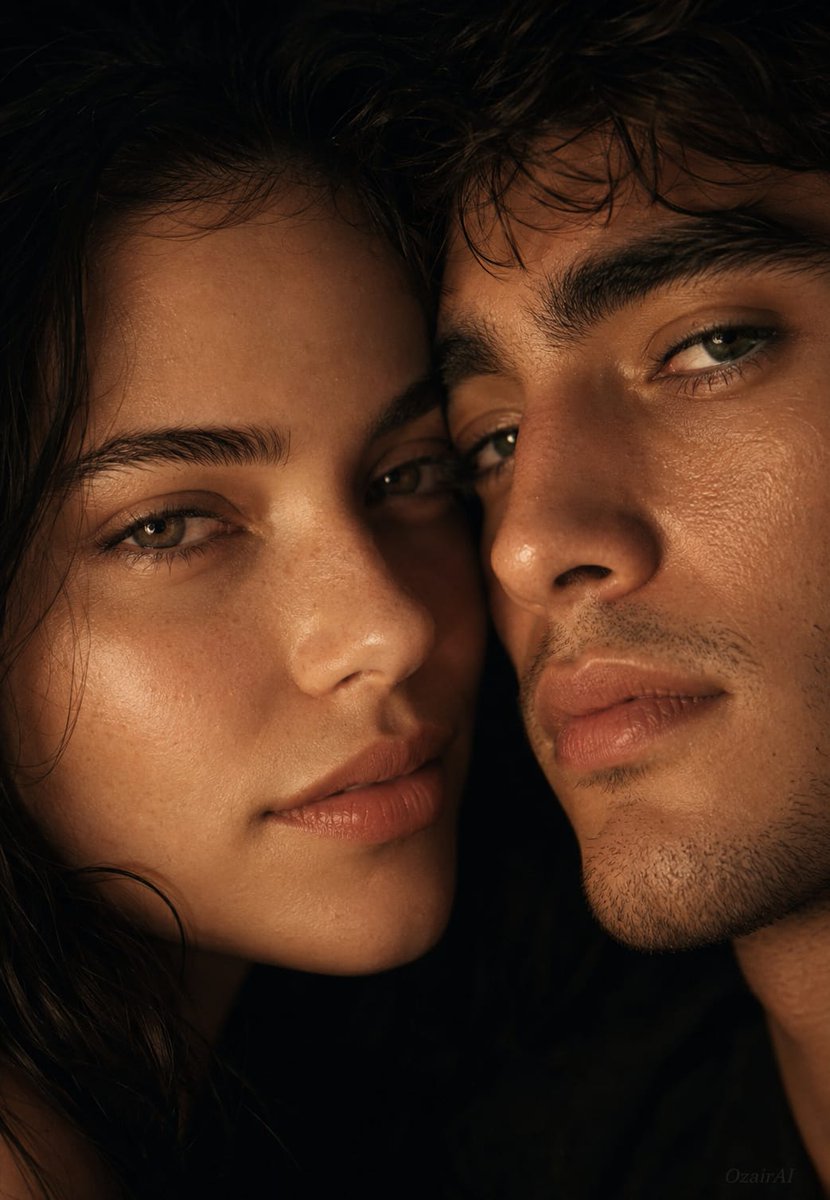
  "prompt": "Use the exact same faces from both reference images and generate the most intimately detailed cinematic couple skin portrait ever conceived — two faces impossibly close, the entire frame consumed by the micro-universe of two human faces sharing the same breath. Two faces filling the entire frame together — cheek almost against cheek, foreheads nearly touching, noses at the same level, the gap between them a charged centimeter of warm air. No posed perfection — just two real faces existing in the same private space, completely unguarded. The woman's face angled very slightly toward the man, his face turned gently toward hers — the natural gravitational pull of two people completely comfortable in each other's presence. Both expressions carrying the same quiet warmth — eyes half lidded and soft, the faintest natural smile sitting at the corners of both mouths without fully arriving, the specific expression of two people so deeply comfortable together that happiness requires no effort or performance. Completely real, completely human. Skin on both faces rendered at absolute forensic obsession level simultaneously — every individual pore on both faces with unique diameter, depth, shadow and wall structure visible. The woman's skin showing its own unique texture — smoother zones at the cheeks, natural pore distribution across the nose, subtle natural freckles, fine peach fuzz catching the warm light individually, natural lip skin texture at the vertical line level, delicate under-eye skin thinness. The man's skin showing its completely different biological texture — larger pores, individual stubble hairs at follicle level each casting its own micro-shadow, coarser skin surface, the natural roughness of male skin under the same warm light. The beautiful contrast of two completely different skin textures existing within the same frame and the same light — feminine smoothness against masculine texture, the biological difference between two people rendered at microscopic detail level. The space between their faces — that sacred charged gap — catching the warm light and making the air between them visible and alive. Where their skin comes closest the detail is most intense — the cheekbones almost touching, the warmth of proximity creating a very subtle natural flush on both faces in that zone. Lighting is a {argument name=\"lighting source\" default=\"single warm candle-like source\"} from slightly below and between them — intimate and alive, catching both skin textures simultaneously from the same angle, micro-shadows behind every pore on both faces at once. The light so warm and human it feels like it exists between them rather than above them. No artificial studio sources — just the most intimate light possible on the most intimate possible distance between two faces. Background is {argument name=\"background\" default=\"pure warm black void\"} — nothing exists except these two faces and the light between them. Color grading forensically warm and honest — true",
  "n": 1,
  "size": "1024x1024",
  "quality": "high",
  "output_format": "png",
  "background": "opaque",
  "moderation": "auto"
}
Performance
Live Flatkey request telemetry appears here when enough image-generation traffic is available.
Activity
This chart reflects live Flatkey generation requests and remains unreported until enough traffic is collected.
Pricing
GPT-image-2 pricing here follows the current Flatkey catalog unit, not an assumed OpenAI direct tariff. Set image size, quality and output count before estimating cost. For edits, supply reference images and describe what must stay unchanged.
Use the same Flatkey balance and API key across image, video, audio, and text models.
Use the documented image workflows for new visuals, reference-led edits, and production-ready creative variants.
Generate new product, editorial, and campaign visuals from a structured natural-language prompt.
Supply an image input to revise an existing visual while preserving important subject and composition details.
Create square, portrait, or landscape assets with flexible image sizes for different placements and channels.
Combine text and image context in one workflow for richer visual direction; audio and video inputs are not supported by this model.
Compare
GPT Image 1 values are not verified in this fact set, so only documented GPT Image 2 fields are shown.
| Capability | GPT Image 1 | GPT Image 2 |
|---|---|---|
| Endpoints | Unknown here | /v1/images/generations; /v1/images/edits |
| Sizes | Unknown here | 1024x1024, 1536x1024, 1024x1536, auto |
| Formats | Unknown here | PNG, JPEG, WebP |
| Quality/background/moderation | Unknown here | Documented above |
| Image quality ranking | Not asserted | Not asserted |
Review the supported workflows, live cost for the current setup, and the exact parameter contract used by Flatkey.
Calculated from the current Playground settings and the live catalog rate when a fixed unit price is available.
The final charge follows the submitted request and your account group. Token-priced or tiered requests cannot be reduced to one fixed estimate.
Use only the workflows marked available. Flatkey keeps one public model ID while the request body selects the input workflow.
Generate a new image from a text prompt and output controls.
gpt-image-2/v1/images/generationsUse reference images for edits, variations, or identity and composition guidance.
gpt-image-2/v1/images/generationsThese values come from the same model configuration used by the Playground and request preview.
nImages1–10
Default: 1sizeSize1024x1024 · 1536x1024 · 1024x1536 · auto
Default: 1024x1024qualityQualityauto · high · medium · low
Default: highoutput_formatOutput formatpng · jpeg · webp
Default: pngbackgroundBackgroundopaque · auto
Default: opaquemoderationModerationauto · low
Default: autoimageReference limit4 files
Endpoint: /v1/images/generationsUse the same request contract in the Playground and API, then handle validation, balance, task state, and output retrieval explicitly.
Validate the model, prompt, references, and output settings.
POST the image request with the documented fields.
Read the generated output or asynchronous task result returned by the route.
Store the generated file and request metadata in your own workflow.
Reject unsupported sizes, durations, ratios, formats, or reference counts before submitting.
Handle invalid keys, insufficient balance, rate limits, and account-group pricing separately.
Surface the rejected prompt or asset clearly so the user can replace only the failing input.
Keep the task ID, use bounded retries, and never treat a timeout as a successful generation.
Prompt library
Start with a concrete subject, composition, output size, and brand constraint; adjust the request fields separately.
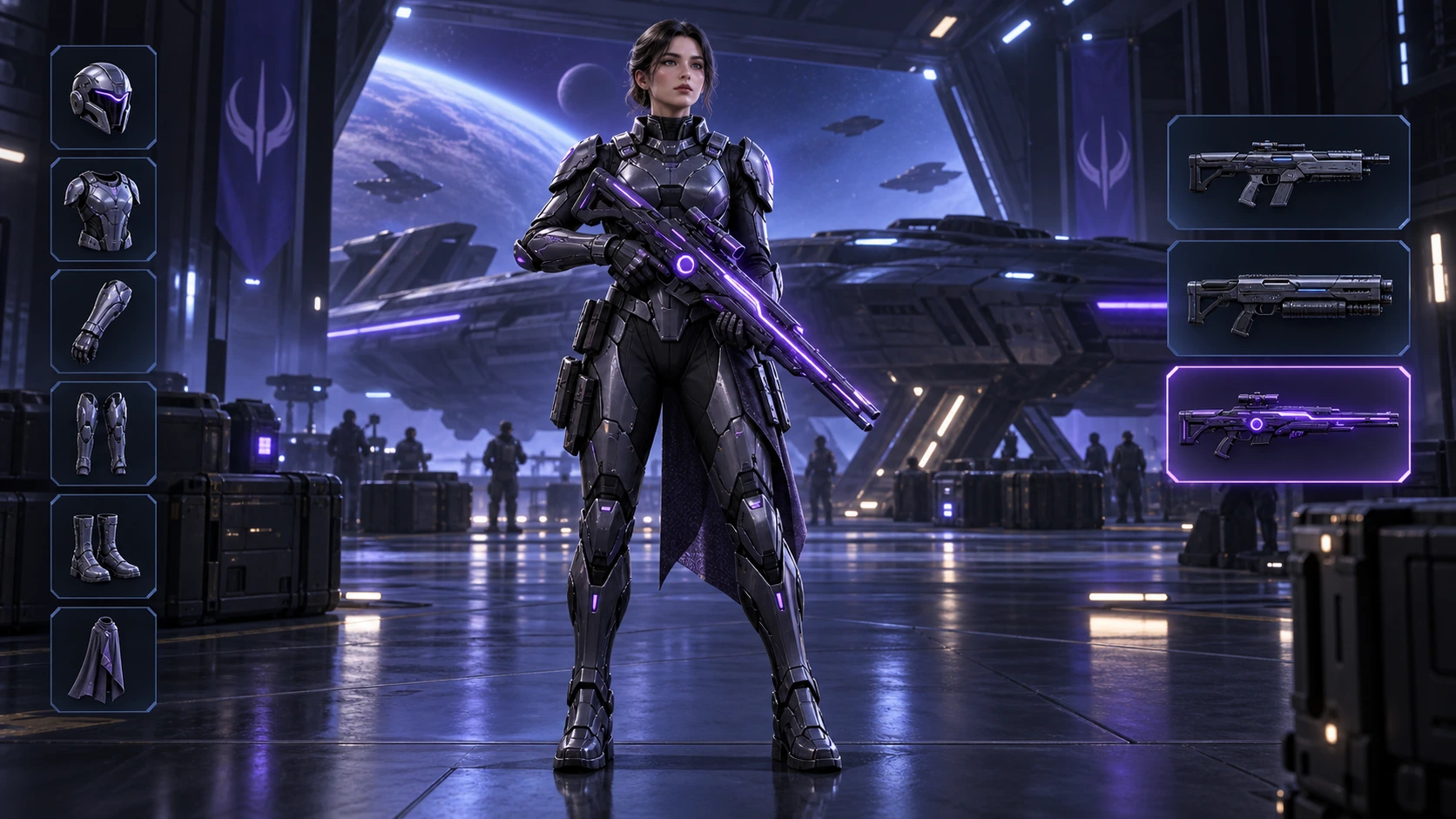
Generated with Image 2
Scene: A 16:9 sci-fi game loadout screen in a blue-purple spaceship hangar. A female armored character stands centered with a glowing violet rifle; armor slots line the left, three weapon slots line the right, and the lower slot is highlighted. Keep the HUD hierarchy, pose, lighting, and equipment geometry fixed for an exact equipment-switch frame. No readable words, logos, invented stats, or watermark. Composition and rendering: Deliver one 16:9 game-interface keyframe. Separate the character, held equipment and HUD into clear depth layers; keep slot spacing and icon scale consistent, with the selected item visually dominant. Preserve the scene-specific game art style. Let material edges catch the existing light without letting interface glow obscure the silhouette. Keep all equipment fully inside the frame. Avoid: warped perspective, malformed anatomy, merged objects, inconsistent shadows, excessive sharpening and watermarks. Follow the scene-specific text and branding restrictions above.
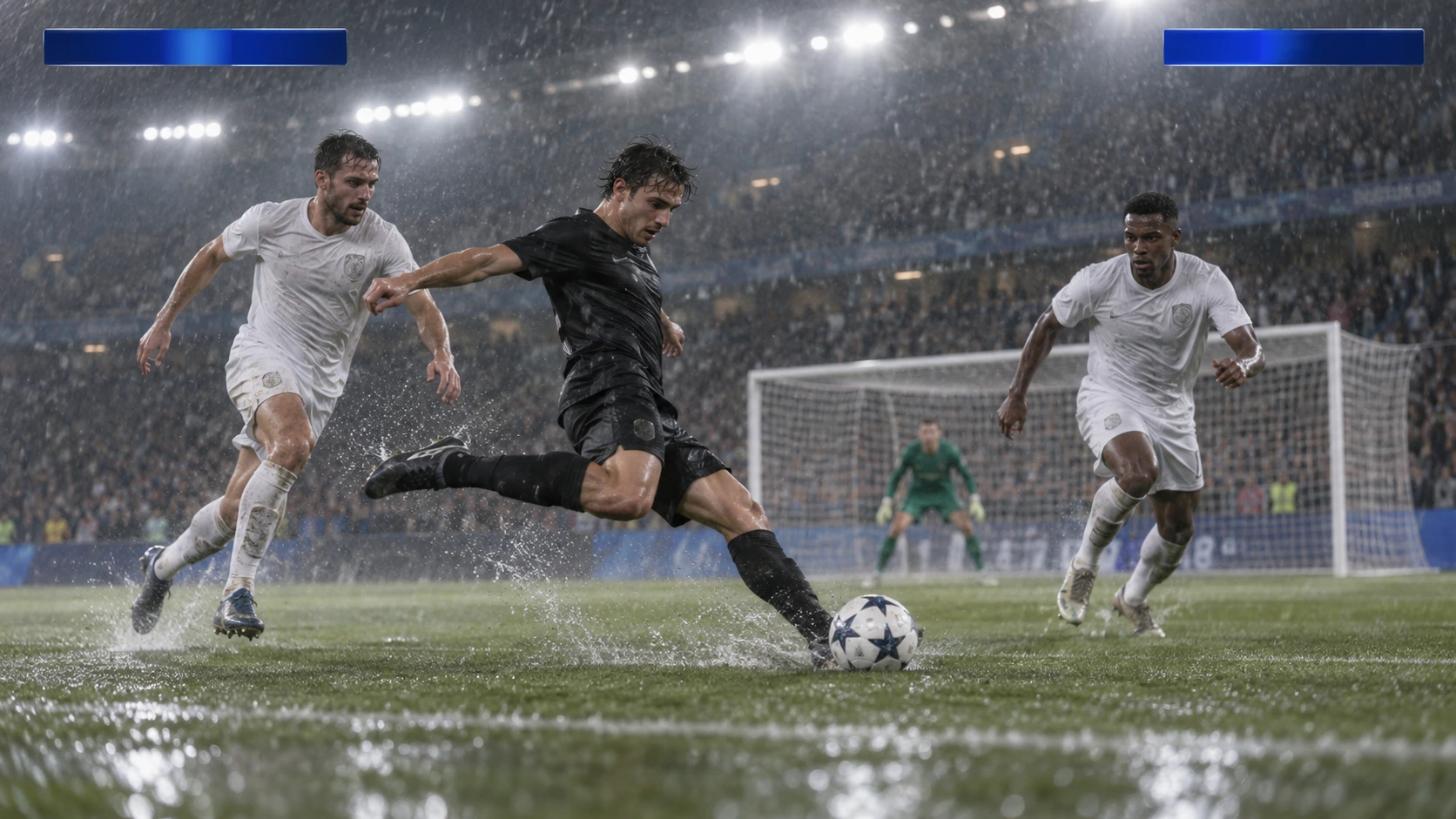
Generated with Image 2
Scene: A rainy night soccer broadcast frame under bright stadium floodlights. A black-uniform player strikes the ball while two white-uniform defenders close in, with the goal and a blurred crowd behind. Keep the broadcast camera angle, blank blue score bars, spray, and motion blur consistent; leave overlays abstract and text-free. No real teams, athletes, logos, or watermark. Composition and rendering: Deliver one 16:9 broadcast still at the decisive instant. Use coherent perspective for the playing surface and equipment, readable separation between competitors, and a softer crowd behind the action. Keep the principal subject sharp, with directional blur limited to fast extremities and spray. Preserve the specified broadcast angle and reserve overlay areas clear of the action. Avoid: warped perspective, malformed anatomy, merged objects, inconsistent shadows, excessive sharpening and watermarks. Follow the scene-specific text and branding restrictions above.
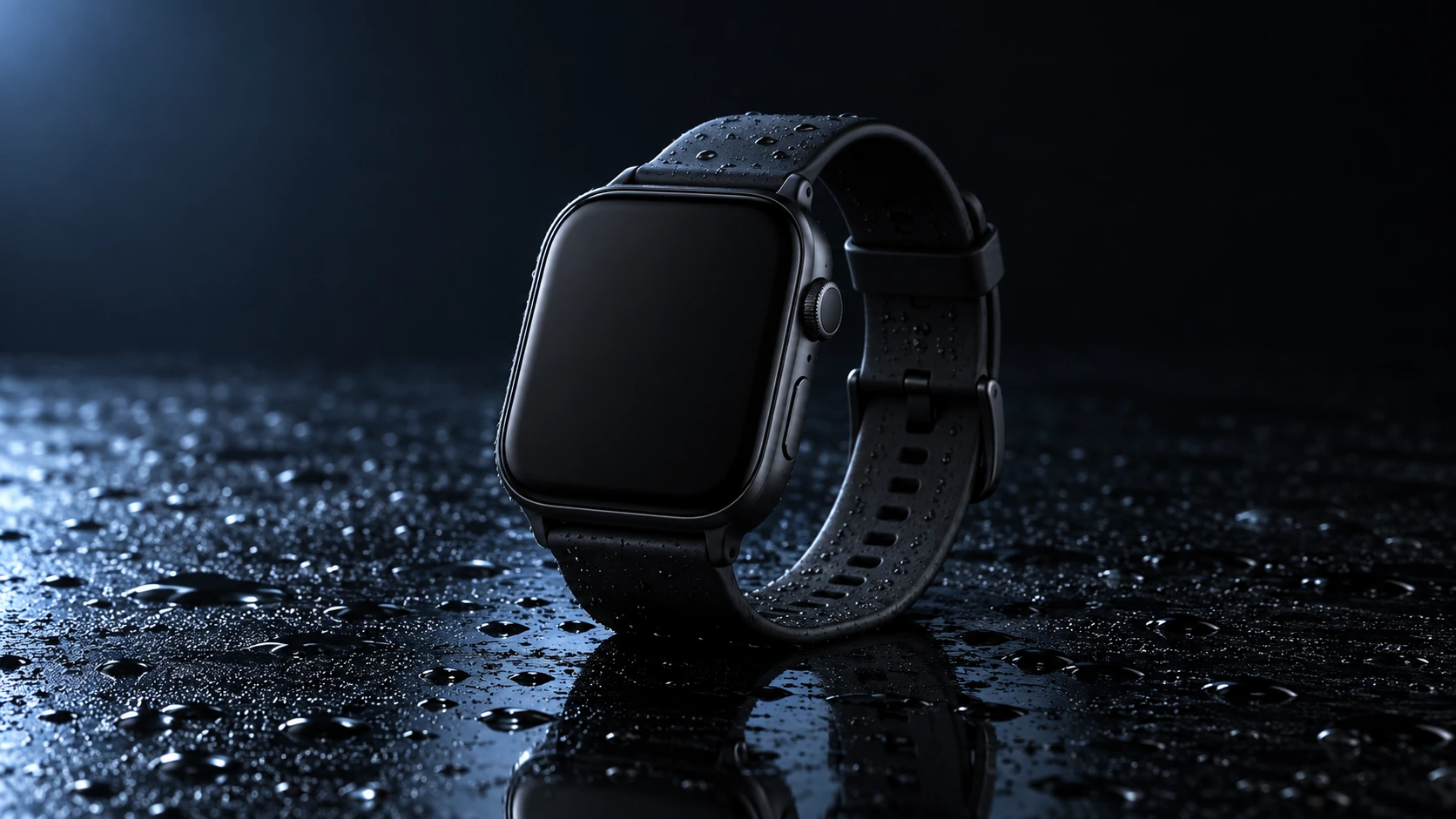
Generated with Image 2
Scene: A closed matte-black square smartwatch with a black strap rests on a wet glossy black tabletop. Water droplets catch a cool blue rim light and a soft reflection sits beneath the watch. Use a low three-quarter product camera and preserve the case, strap, highlights, and empty dark background. No readable branding, extra products, hands, or watermark. Composition and rendering: Deliver one 16:9 commercial product still. Keep the complete product silhouette inside generous crop-safe margins. Resolve edges, seams and material transitions precisely; shape highlights to describe volume without clipping bright surfaces or crushing dark details. Align reflections with the object and light source. Retain the stated camera angle and existing negative space; add no decorative props. Avoid: warped perspective, malformed anatomy, merged objects, inconsistent shadows, excessive sharpening and watermarks. Follow the scene-specific text and branding restrictions above.
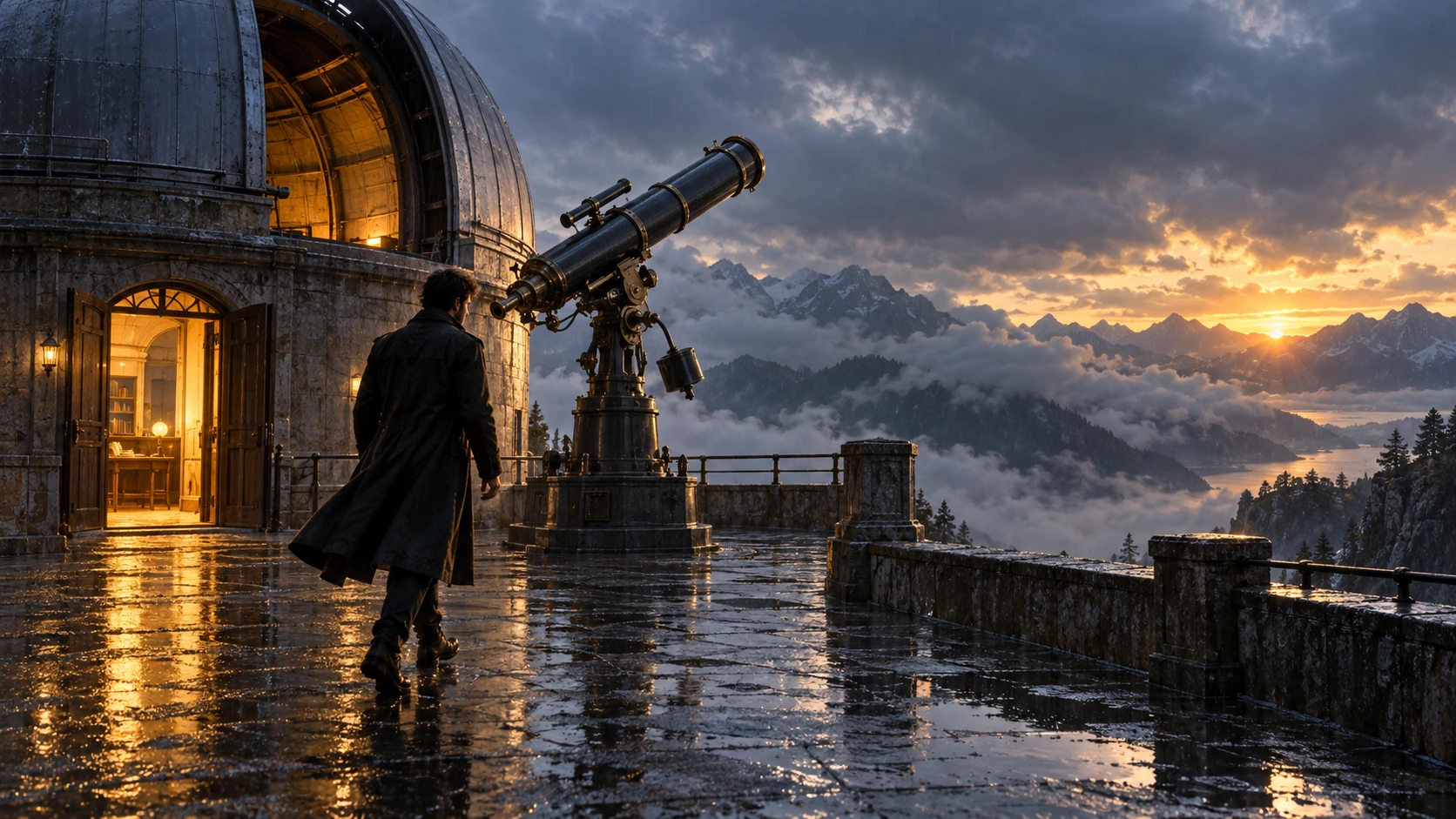
Generated with Image 2
Scene: On a rain-soaked observatory roof at sunrise, a lone figure in a long dark coat walks toward a large telescope beside an open dome. Wet stone reflects the warm doorway light; cloud-covered mountains sit beyond. Hold the screen direction and end on the telescope and figure in the same wide composition. No readable text, logos, or watermark. Composition and rendering: Deliver one 16:9 storyboard keyframe, not a collage or an action sequence. Separate foreground, character plane and background through the existing light and atmospheric depth. Keep the stated pose and eyelines readable, and retain environmental landmarks for continuity. Match the described photographic, illustrated or puppet medium; give fabric and surfaces texture appropriate to that medium. Avoid: warped perspective, malformed anatomy, merged objects, inconsistent shadows, excessive sharpening and watermarks. Follow the scene-specific text and branding restrictions above.
Generated with Image 2
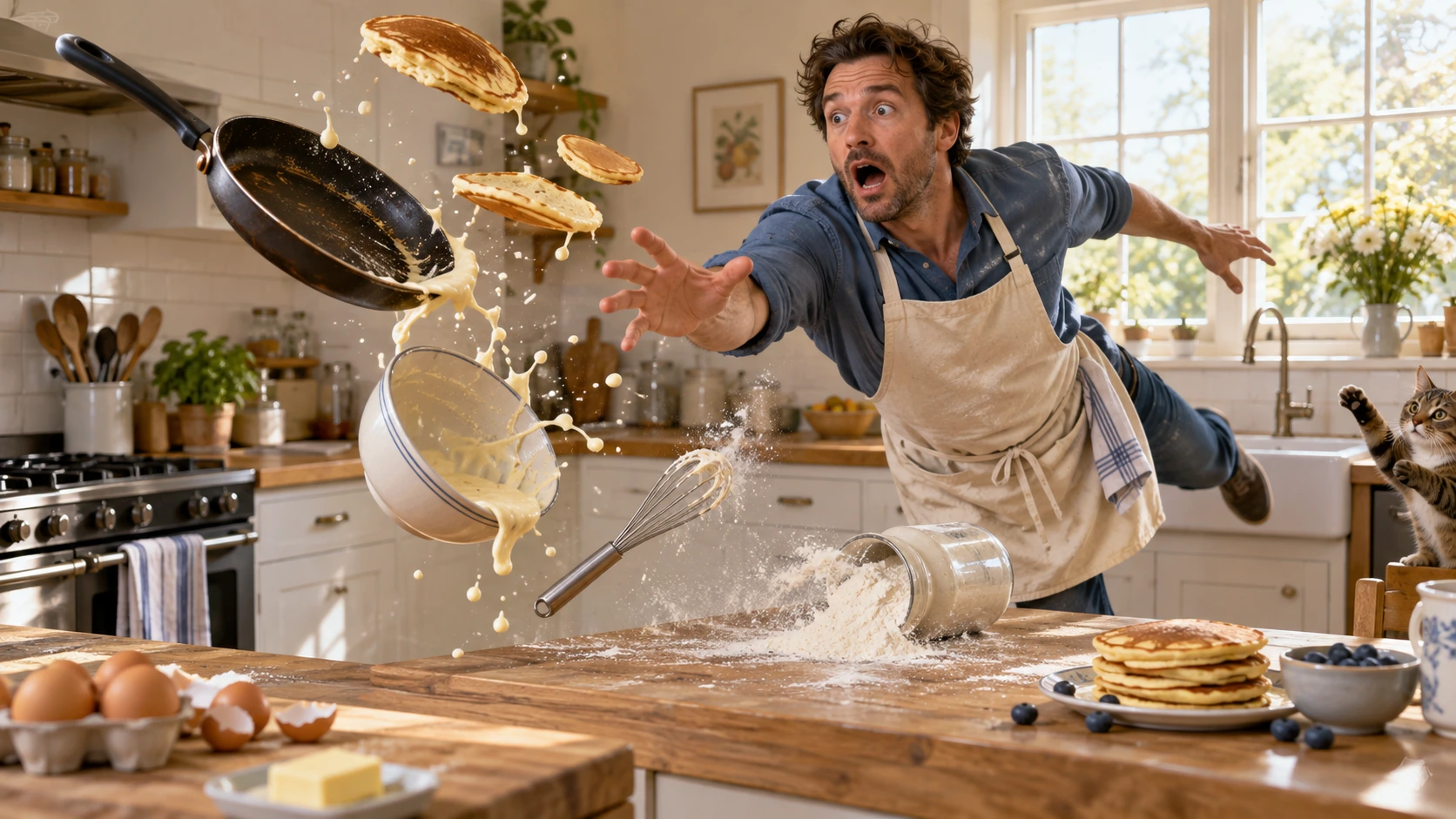
Scene: In a bright home kitchen, a surprised cook in a blue shirt and cream apron reaches toward pancakes, a frying pan, flour, bowl, and whisk suspended midair. Freeze the comic cause-and-effect moment with believable weight, warm daylight, and a clear path for each object. No injury, logos, readable words, or watermark. Composition and rendering: Deliver one 16:9 physical-comedy still at the described instant. Make the cause of the gag readable through body balance, grip and object spacing. Separate the reaction from the airborne props; retain believable gravity and contact points. Keep the face and important props sharp, with only restrained directional blur on fast edges. Preserve the stated lighting and room or stage layout. Avoid: warped perspective, malformed anatomy, merged objects, inconsistent shadows, excessive sharpening and watermarks. Follow the scene-specific text and branding restrictions above.
Generated with Image 2
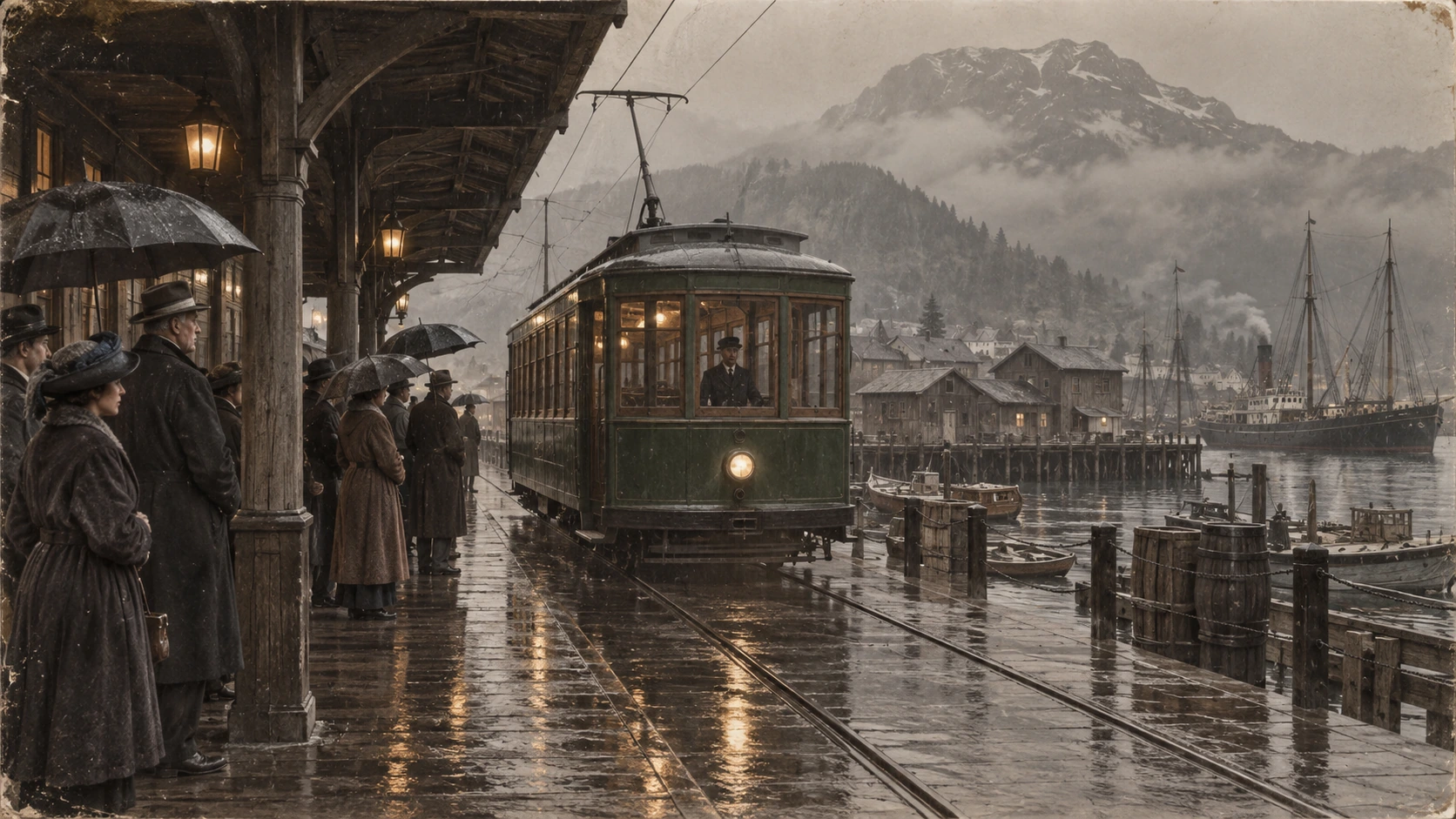
Scene: A rainy period harbor platform shelters people in era-appropriate coats and umbrellas as a vintage green tram arrives on wet tracks. Wooden waterfront buildings and misty mountains sit behind the reflections. Preserve the historical clothing, tram shape, rain direction, and stable wide composition; no readable signage, logos, or watermark. Composition and restoration: Deliver one 16:9 archival-style still. Preserve the original framing, period-specific construction and restrained tonal range; retain monochrome, sepia or faded color as described. Recover modest detail in faces, clothing and architecture without synthetic sharpening. Keep fine grain and authentic aging consistent across the frame; repair damage without replacing historical features. Avoid: warped perspective, malformed anatomy, merged objects, inconsistent shadows, excessive sharpening and watermarks. Follow the scene-specific text and branding restrictions above.
Why use Flatkey for GPT Image 2?
Keep image controls and image-input token dimensions together so a prompt test can become a reproducible API request.
Set n, size, quality, output format, background, and moderation before you hand the request to the console.
The catalog exposes token and image-input dimensions; this is not a separate fee for output pixel size, and the final amount depends on request and usage fields.
Use product, ad, and storyboard examples as editable starting prompts rather than generic image filler.
The page does not promise transparent output, free generation, or a fixed per-image price when those facts are not verified.
API
Four ways in, all on the same key and the same model catalog. Pick one to see a runnable example.
curl https://router.flatkey.ai/v1/images/generations \
  -H "Content-Type: application/json" \
  -H "Authorization: Bearer sk-***" \
  -d '{"model":"gpt-image-2","prompt":"Create a high-quality product image with GPT-image-2: clean composition, precise lighting, strong subject focus, and realistic detail.","n":1,"size":"1024x1024","quality":"high","output_format":"png","background":"opaque","moderation":"auto"}'
FAQ
Answers about GPT Image 2 API access, image-generation fields, token and image-input pricing, formats, and background behavior.