
Successful inference trendActivity
Not enough data yet

xAI grok-imagine-image for image generation; Flatkey routes this model through /v1/images/generations. Current pricing is unavailable
grok-imagine-image API performance
Live Flatkey request telemetry for grok-imagine-image appears here when enough production traffic is available.
grok-imagine-image API activity
Track request volume and successful inference activity for grok-imagine-image over the latest reporting window.
This model is not currently available through Flatkey. Its introduction and reference information remain available below. Browse the model directory to find available models.
xAI's grok-imagine-image route supports text · image. Catalog categories: Marketing.
Turn a written brief into product, editorial, or campaign imagery through /v1/images/generations.
Use an existing image as creative direction for revisions and consistent visual variants when the route accepts references.
Adapt one concept into the image compositions your storefront, campaign, or content pipeline needs.
Move an approved visual from prompt exploration into a repeatable Flatkey generation workflow.
Compare
Compare the catalog facts for grok-imagine-image with the previous-generation baseline before changing your integration.
| Capability | Previous generation | grok-imagine-image |
|---|---|---|
| Provider | Not verified in this catalog snapshot | xAI |
| Modalities | Not verified in this catalog snapshot | text · image |
| Context | Not verified in this catalog snapshot | Context window not listed in the catalog |
| Endpoint | Not verified in this catalog snapshot | /v1/images/generations |
| Billing | Not verified in this catalog snapshot | Current pricing is unavailable |
Prompt library
Start with a grok-imagine-image prompt for product and ecommerce images, then adjust the request fields shown in the playground.
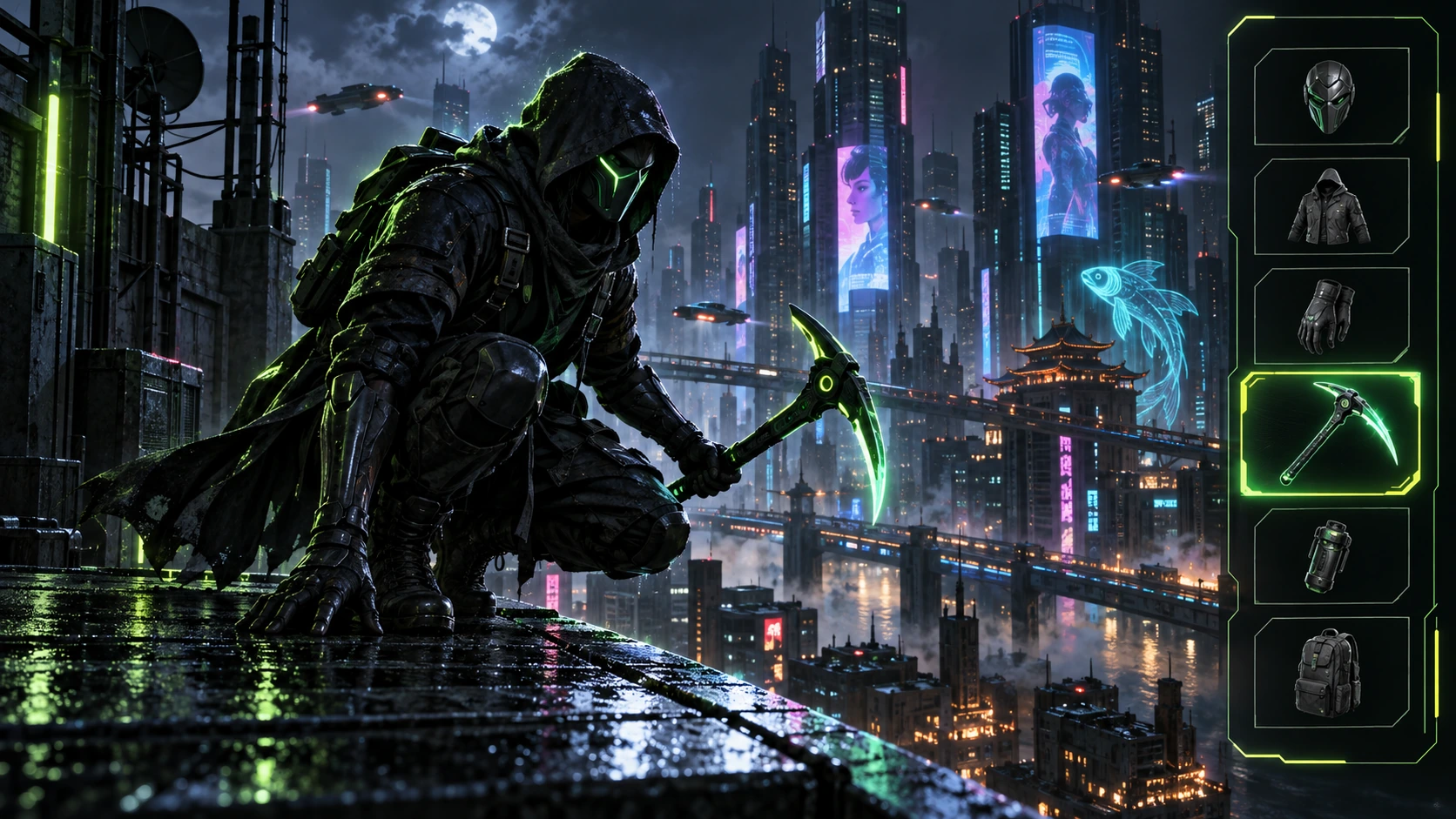
Generated with Image 2
A 16:9 cyberpunk game equipment screen shows a masked figure crouched on a neon rooftop above a dense night city. A black-and-lime HUD frames the character, with weapon and tool slots on the right including a glowing pickaxe. Hold the crouch, rooftop line, neon rim light, and selected slot fixed for an equipment-switch frame. No readable words, logos, invented stats, or watermark.
A 16:9 cyberpunk game equipment screen shows a masked figure crouched on a neon rooftop above a dense night city. A black-and-lime HUD frames the character, with weapon and tool slots on the right including a glowing pickaxe. Hold the crouch, rooftop line, neon rim light, and selected slot fixed for an equipment-switch frame. No readable words, logos, invented stats, or watermark.
Deliver one 16:9 game-interface keyframe. Separate the character, held equipment and HUD into clear depth layers; keep slot spacing and icon scale consistent, with the selected item visually dominant. Preserve the scene-specific game art style. Let material edges catch the existing light without letting interface glow obscure the silhouette. Keep all equipment fully inside the frame.
warped perspective, malformed anatomy, merged objects, inconsistent shadows, excessive sharpening and watermarks. Follow the scene-specific text and branding restrictions above.

A sunset beach-volleyball broadcast frame captures a player spiking over the net as sand sprays from the jump. Show the opposing court, hazy beach crowd, warm sky, and a simple teal-and-white lower-third made from abstract blocks. Keep the net, player position, ball path, and camera angle coherent; no real athletes, teams, logos, or watermark.
A sunset beach-volleyball broadcast frame captures a player spiking over the net as sand sprays from the jump. Show the opposing court, hazy beach crowd, warm sky, and a simple teal-and-white lower-third made from abstract blocks. Keep the net, player position, ball path, and camera angle coherent; no real athletes, teams, logos, or watermark.
Deliver one 16:9 broadcast still at the decisive instant. Use coherent perspective for the playing surface and equipment, readable separation between competitors, and a softer crowd behind the action. Keep the principal subject sharp, with directional blur limited to fast extremities and spray. Preserve the specified broadcast angle and reserve overlay areas clear of the action.
warped perspective, malformed anatomy, merged objects, inconsistent shadows, excessive sharpening and watermarks. Follow the scene-specific text and branding restrictions above.
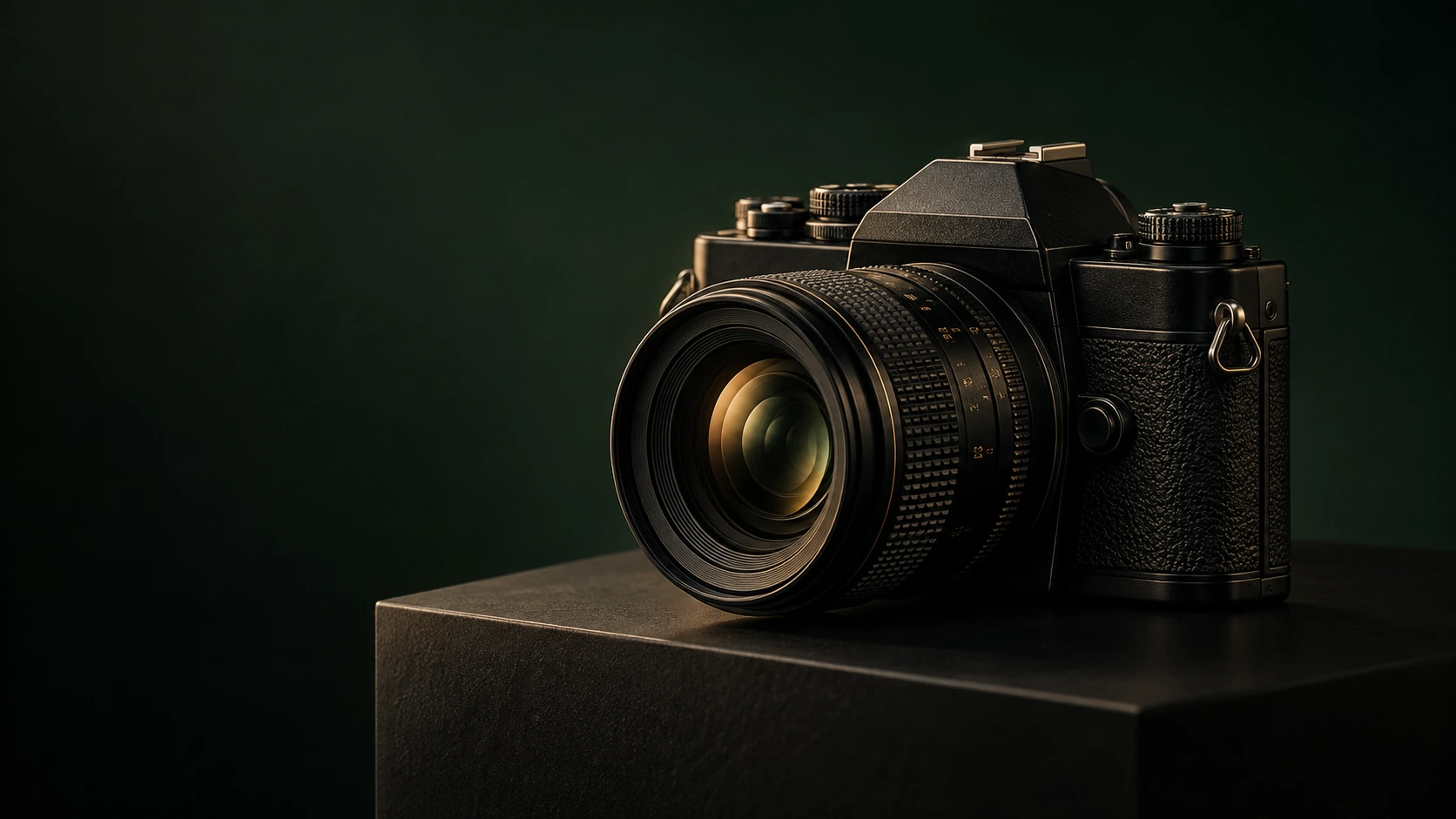
Generated with Image 2
A vintage black camera with a large textured lens rests on a black pedestal against a deep green-black background. Warm highlights describe the metal dials, leather grip, lens rings, and small empty space to the left. Preserve the camera body, lens perspective, pedestal edge, and controlled studio lighting. No readable branding, extra products, hands, or watermark.
A vintage black camera with a large textured lens rests on a black pedestal against a deep green-black background. Warm highlights describe the metal dials, leather grip, lens rings, and small empty space to the left. Preserve the camera body, lens perspective, pedestal edge, and controlled studio lighting. No readable branding, extra products, hands, or watermark.
Deliver one 16:9 commercial product still. Keep the complete product silhouette inside generous crop-safe margins. Resolve edges, seams and material transitions precisely; shape highlights to describe volume without clipping bright surfaces or crushing dark details. Align reflections with the object and light source. Retain the stated camera angle and existing negative space; add no decorative props.
warped perspective, malformed anatomy, merged objects, inconsistent shadows, excessive sharpening and watermarks. Follow the scene-specific text and branding restrictions above.

In a warmly lit theater dressing room, a curly-haired actor in a cream shirt and dark vest looks into a large aged mirror beside costumes and glowing round bulbs. The reflected face and three-quarter profile form a character continuity frame. Keep the mirror geometry, wardrobe, eye line, and amber lighting consistent. No readable signage, logos, or watermark.
In a warmly lit theater dressing room, a curly-haired actor in a cream shirt and dark vest looks into a large aged mirror beside costumes and glowing round bulbs. The reflected face and three-quarter profile form a character continuity frame. Keep the mirror geometry, wardrobe, eye line, and amber lighting consistent. No readable signage, logos, or watermark.
Deliver one 16:9 storyboard keyframe, not a collage or an action sequence. Separate foreground, character plane and background through the existing light and atmospheric depth. Keep the stated pose and eyelines readable, and retain environmental landmarks for continuity. Match the described photographic, illustrated or puppet medium; give fabric and surfaces texture appropriate to that medium.
warped perspective, malformed anatomy, merged objects, inconsistent shadows, excessive sharpening and watermarks. Follow the scene-specific text and branding restrictions above.
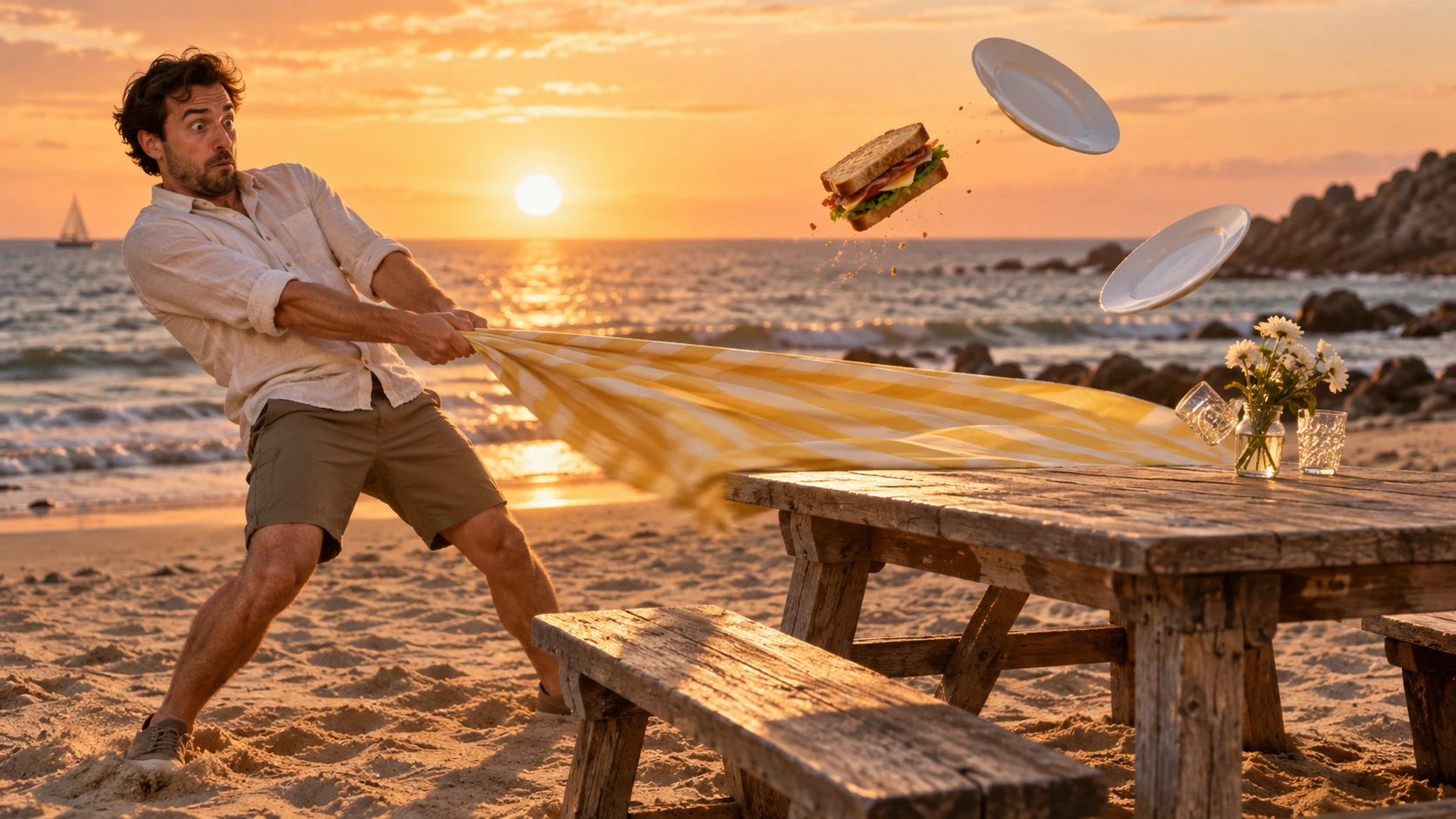
Generated with Image 2
On a beach at sunset, a man in a light shirt pulls a yellow-striped picnic cloth as a sandwich and two white plates lift into the air above a wooden table. Freeze the harmless physical gag with visible cloth tension, believable object paths, warm sea light, and clear spacing. No injury, readable words, logos, or watermark.
On a beach at sunset, a man in a light shirt pulls a yellow-striped picnic cloth as a sandwich and two white plates lift into the air above a wooden table. Freeze the harmless physical gag with visible cloth tension, believable object paths, warm sea light, and clear spacing. No injury, readable words, logos, or watermark.
Deliver one 16:9 physical-comedy still at the described instant. Make the cause of the gag readable through body balance, grip and object spacing. Separate the reaction from the airborne props; retain believable gravity and contact points. Keep the face and important props sharp, with only restrained directional blur on fast edges. Preserve the stated lighting and room or stage layout.
warped perspective, malformed anatomy, merged objects, inconsistent shadows, excessive sharpening and watermarks. Follow the scene-specific text and branding restrictions above.
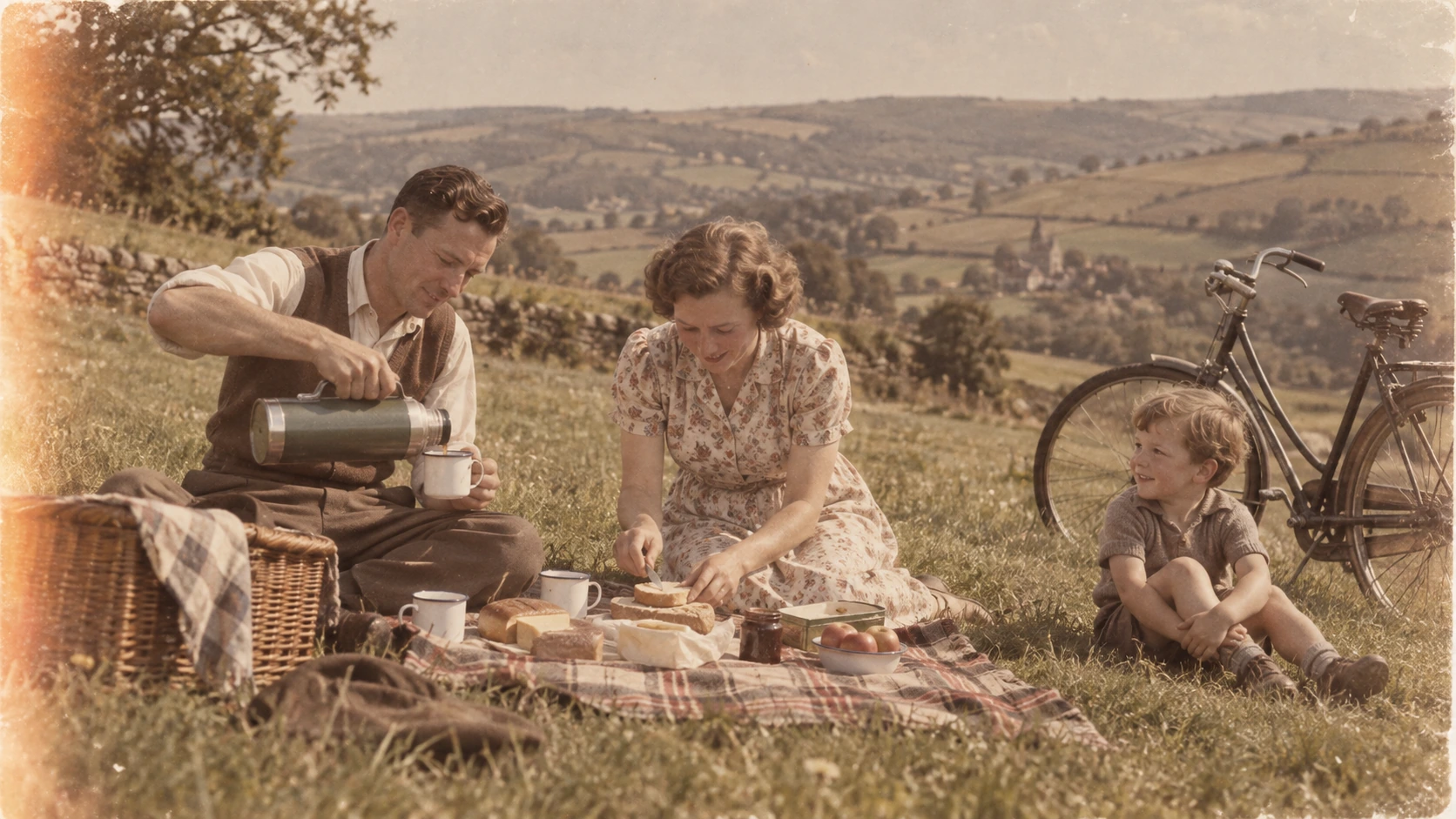
Generated with Image 2
A warm faded archival photograph shows a family having a picnic in a grassy field: one adult pours from a thermos, another spreads food, and a child sits beside a bicycle. Preserve the period clothing, enamel cups, bicycle, hills, film grain, and soft light-leak edge. No modern branding, readable text, logos, or watermark.
A warm faded archival photograph shows a family having a picnic in a grassy field: one adult pours from a thermos, another spreads food, and a child sits beside a bicycle. Preserve the period clothing, enamel cups, bicycle, hills, film grain, and soft light-leak edge. No modern branding, readable text, logos, or watermark.
Deliver one 16:9 archival-style still. Preserve the original framing, period-specific construction and restrained tonal range; retain monochrome, sepia or faded color as described. Recover modest detail in faces, clothing and architecture without synthetic sharpening. Keep fine grain and authentic aging consistent across the frame; repair damage without replacing historical features.
warped perspective, malformed anatomy, merged objects, inconsistent shadows, excessive sharpening and watermarks. Follow the scene-specific text and branding restrictions above.
Why Flatkey
Route media workloads through Flatkey and keep prompt tests cheaper before scaling.
The public page stores prompt settings locally before sending the user into Flatkey.
Use one account and API key across image, video, audio, and language models.
Requests are spread across the channels serving this model, with 30-day uptime published above.
API
Four ways in, all on the same key and the same model catalog. Pick one to see a runnable example.
curl https://router.flatkey.ai/v1/images/generations \
  -H "Content-Type: application/json" \
  -H "Authorization: Bearer sk-***" \
  -d '{"model":"grok-imagine-image","prompt":"Create a high-quality product image with grok-imagine-image: clean composition, precise lighting, strong subject focus, and realistic detail.","n":1,"resolution":"1k","quality":"medium","aspect_ratio":"auto","response_format":"url"}'
FAQ
Answers about grok-imagine-image pricing, capabilities, endpoint access and catalog limits.

