Successful inference trendActivity
Flatkey price
Live catalog modelInput /M
$0.25/ 1M tokens$0.25/ 1M tokens
Input /M
$0.25/ 1M tokens$0.25/ 1M tokens
Output /M
$1.5/ 1M tokens$1.5/ 1M tokens
Image input /M
$0.03/ 1M tokens$0.03/ 1M tokens

Google gemini-3.1-flash-lite-image for image generation; Flatkey routes this model through /v1/images/generations. $0.25/$1.5 per 1M tokens

Preview only. Sign in to submit this request to Flatkey.
{
  "model": "gemini-3.1-flash-lite-image",
  "contents": [
    {
      "role": "user",
      "parts": [
        {
          "text": "Scene: A lightly colorized vintage schoolyard photograph shows children in period sweaters and skirts playing jump rope in front of a brick building. Restore the worn border, faded colors, rope arc, clothing details, and original wide framing without introducing modern objects. No readable signs, logos, captions, or watermark.\n\nComposition and restoration: Deliver one 16:9 archival-style still. Preserve the original framing, period-specific construction and restrained tonal range; retain monochrome, sepia or faded color as described. Recover modest detail in faces, clothing and architecture without synthetic sharpening. Keep fine grain and authentic aging consistent across the frame; repair damage without replacing historical features.\n\nAvoid: warped perspective, malformed anatomy, merged objects, inconsistent shadows, excessive sharpening and watermarks. Follow the scene-specific text and branding restrictions above."
        }
      ]
    }
  ],
  "generationConfig": {
    "responseModalities": [
      "TEXT",
      "IMAGE"
    ],
    "imageConfig": {
      "aspectRatio": "16:9",
      "imageSize": "1K"
    }
  }
}
gemini-3.1-flash-lite-image API performance
Live Flatkey request telemetry for gemini-3.1-flash-lite-image appears here when enough production traffic is available.
gemini-3.1-flash-lite-image API activity
Track request volume and successful inference activity for gemini-3.1-flash-lite-image over the latest reporting window.
gemini-3.1-flash-lite-image pricing
Prices below are calculated from Flatkey pricing data for this model and the visible groups currently returned by our pricing API.
Use the same Flatkey balance and API key across image, video, audio, and text models.
Google's gemini-3.1-flash-lite-image route supports text · image. Catalog categories: Marketing.
Turn a written brief into product, editorial, or campaign imagery through /v1/images/generations.
Use an existing image as creative direction for revisions and consistent visual variants when the route accepts references.
Adapt one concept into the image compositions your storefront, campaign, or content pipeline needs.
Move an approved visual from prompt exploration into a repeatable Flatkey generation workflow.
Compare
Compare the catalog facts for gemini-3.1-flash-lite-image with the previous-generation baseline before changing your integration.
| Capability | Previous generation | gemini-3.1-flash-lite-image |
|---|---|---|
| Provider | Not verified in this catalog snapshot | |
| Modalities | Not verified in this catalog snapshot | text · image |
| Context | Not verified in this catalog snapshot | Context window not listed in the catalog |
| Endpoint | Not verified in this catalog snapshot | /v1/images/generations |
| Billing | Not verified in this catalog snapshot | $0.25/$1.5 per 1M tokens |
Review the supported workflows, live cost for the current setup, and the exact parameter contract used by Flatkey.
Calculated from the current Playground settings and the live catalog rate when a fixed unit price is available.
The final charge follows the submitted request and your account group. Token-priced or tiered requests cannot be reduced to one fixed estimate.
Use only the workflows marked available. Flatkey keeps one public model ID while the request body selects the input workflow.
Generate a new image from a text prompt and output controls.
gemini-3.1-flash-lite-image/v1beta/models/gemini-3.1-flash-lite-image:generateContentUse reference images for edits, variations, or identity and composition guidance.
gemini-3.1-flash-lite-image/v1beta/models/gemini-3.1-flash-lite-image:generateContentThese values come from the same model configuration used by the Playground and request preview.
aspect_ratioAspect ratio1:1 · 2:3 · 3:2 · 3:4 · 4:3 · 4:5 · 5:4 · 9:16 · 16:9 · 21:9
Default: 1:1image_sizeSize1K · 2K · 4K
Default: 1KimageReference limit4 files
Endpoint: /v1beta/models/gemini-3.1-flash-lite-image:generateContentUse the same request contract in the Playground and API, then handle validation, balance, task state, and output retrieval explicitly.
Validate the model, prompt, references, and output settings.
POST the image request with the documented fields.
Read the generated output or asynchronous task result returned by the route.
Store the generated file and request metadata in your own workflow.
Reject unsupported sizes, durations, ratios, formats, or reference counts before submitting.
Handle invalid keys, insufficient balance, rate limits, and account-group pricing separately.
Surface the rejected prompt or asset clearly so the user can replace only the failing input.
Keep the task ID, use bounded retries, and never treat a timeout as a successful generation.
Prompt library
Start with a gemini-3.1-flash-lite-image prompt for product and ecommerce images, then adjust the request fields shown in the playground.
Generated with Image 2
Scene: A 16:9 whimsical game UI shows a small white robot standing in a floating-island garden while holding a green plant blaster or seed tool. A circular equipment wheel surrounds the selected tool, with tiny garden plots, paths, clouds, and floating terrain behind. Lock the robot pose, tool shape, wheel position, and bright pastel lighting for an equipment-switch frame. No readable words, logos, invented stats, or watermark. Composition and rendering: Deliver one 16:9 game-interface keyframe. Separate the character, held equipment and HUD into clear depth layers; keep slot spacing and icon scale consistent, with the selected item visually dominant. Preserve the scene-specific game art style. Let material edges catch the existing light without letting interface glow obscure the silhouette. Keep all equipment fully inside the frame. Avoid: warped perspective, malformed anatomy, merged objects, inconsistent shadows, excessive sharpening and watermarks. Follow the scene-specific text and branding restrictions above.
Generated with Image 2
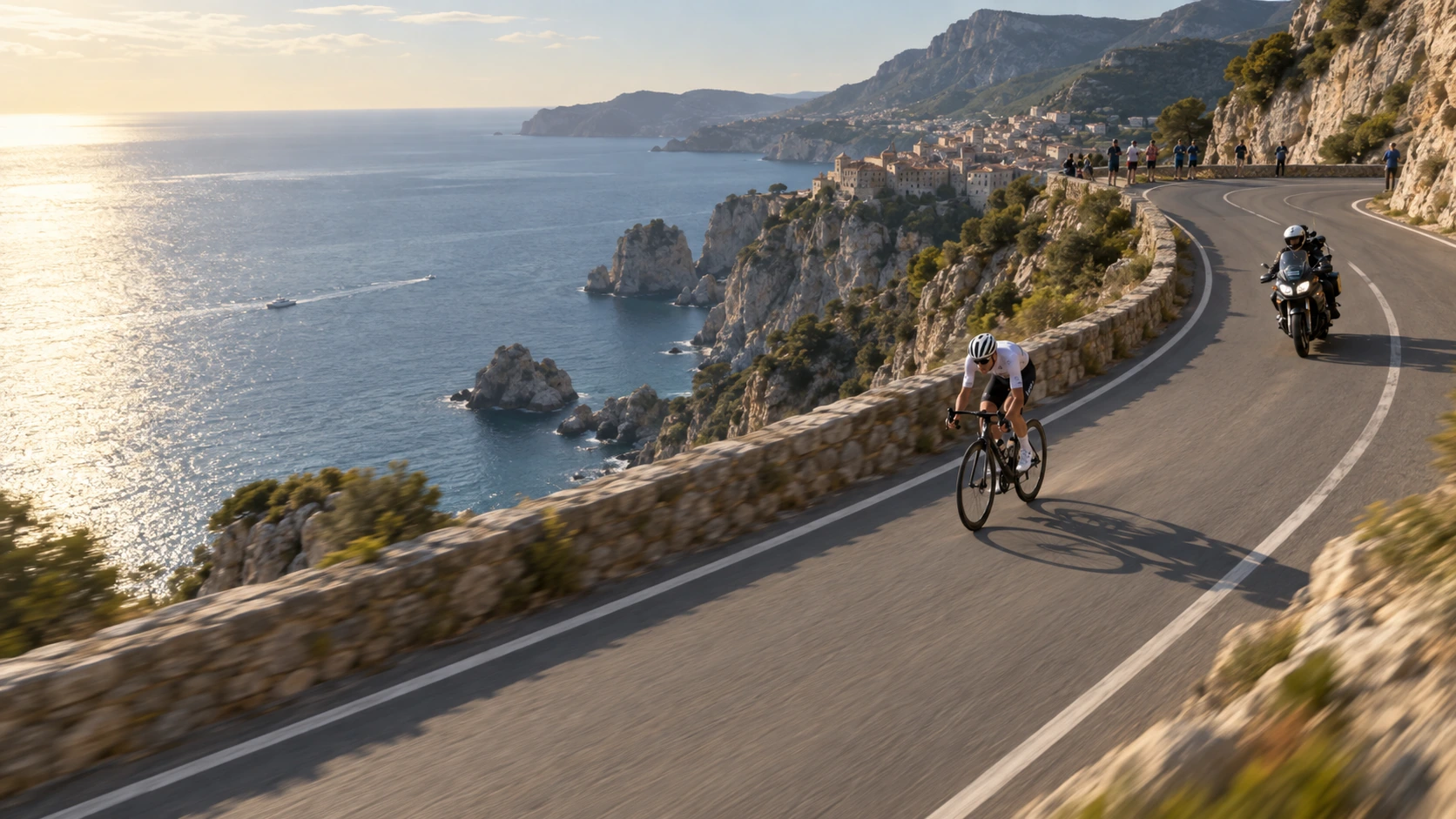
Scene: An aerial broadcast-style road-race frame follows a cyclist and a motorcycle on a winding coastal road above blue water and steep cliffs. Leave an abstract lower-third area free of readable text and keep the road curve, vehicle spacing, sea horizon, and sun direction consistent. No real teams, athletes, logos, or watermark. Composition and rendering: Deliver one 16:9 broadcast still at the decisive instant. Use coherent perspective for the playing surface and equipment, readable separation between competitors, and a softer crowd behind the action. Keep the principal subject sharp, with directional blur limited to fast extremities and spray. Preserve the specified broadcast angle and reserve overlay areas clear of the action. Avoid: warped perspective, malformed anatomy, merged objects, inconsistent shadows, excessive sharpening and watermarks. Follow the scene-specific text and branding restrictions above.
Generated with Image 2
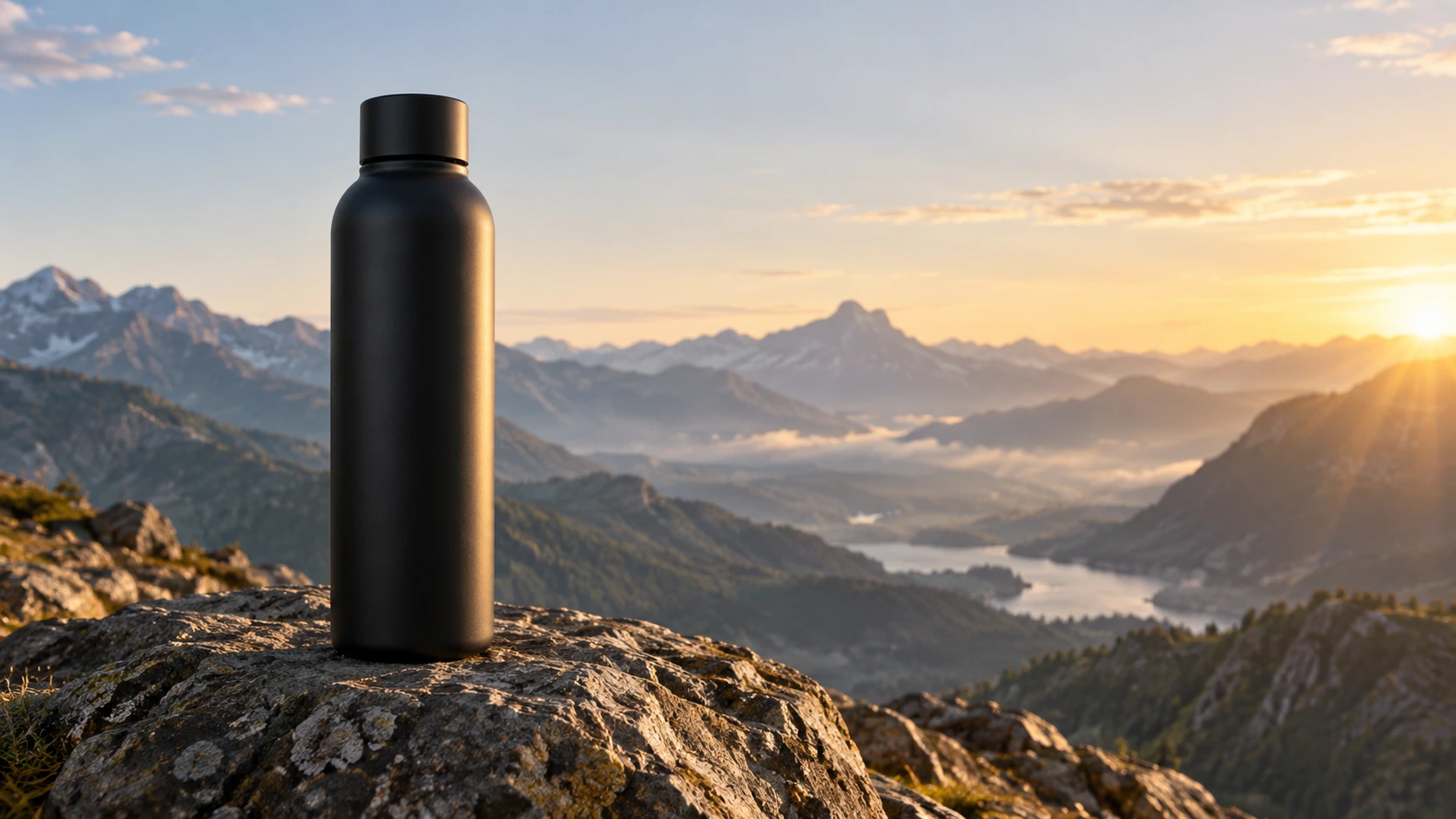
Scene: A tall matte black bottle stands on a sunlit mountain rock with a hazy valley and layered peaks behind it. Use a warm sunrise rim on the right and soft atmospheric depth while preserving the plain cap, bottle silhouette, rock texture, and empty sky for later copy. No readable branding, extra products, hands, or watermark. Composition and rendering: Deliver one 16:9 commercial product still. Keep the complete product silhouette inside generous crop-safe margins. Resolve edges, seams and material transitions precisely; shape highlights to describe volume without clipping bright surfaces or crushing dark details. Align reflections with the object and light source. Retain the stated camera angle and existing negative space; add no decorative props. Avoid: warped perspective, malformed anatomy, merged objects, inconsistent shadows, excessive sharpening and watermarks. Follow the scene-specific text and branding restrictions above.
Generated with Image 2
Scene: At sunset on a sea cliff, a lone traveler stands in silhouette holding a helmet while a red warning flag fills the near right foreground. The ocean, distant headland, lighthouse, and orange-to-blue sky form a wide establishing frame. Keep the traveler orientation, flag motion direction, horizon, and light transition stable for storyboard use. No readable signs, logos, or watermark. Composition and rendering: Deliver one 16:9 storyboard keyframe, not a collage or an action sequence. Separate foreground, character plane and background through the existing light and atmospheric depth. Keep the stated pose and eyelines readable, and retain environmental landmarks for continuity. Match the described photographic, illustrated or puppet medium; give fabric and surfaces texture appropriate to that medium. Avoid: warped perspective, malformed anatomy, merged objects, inconsistent shadows, excessive sharpening and watermarks. Follow the scene-specific text and branding restrictions above.
Generated with Image 2
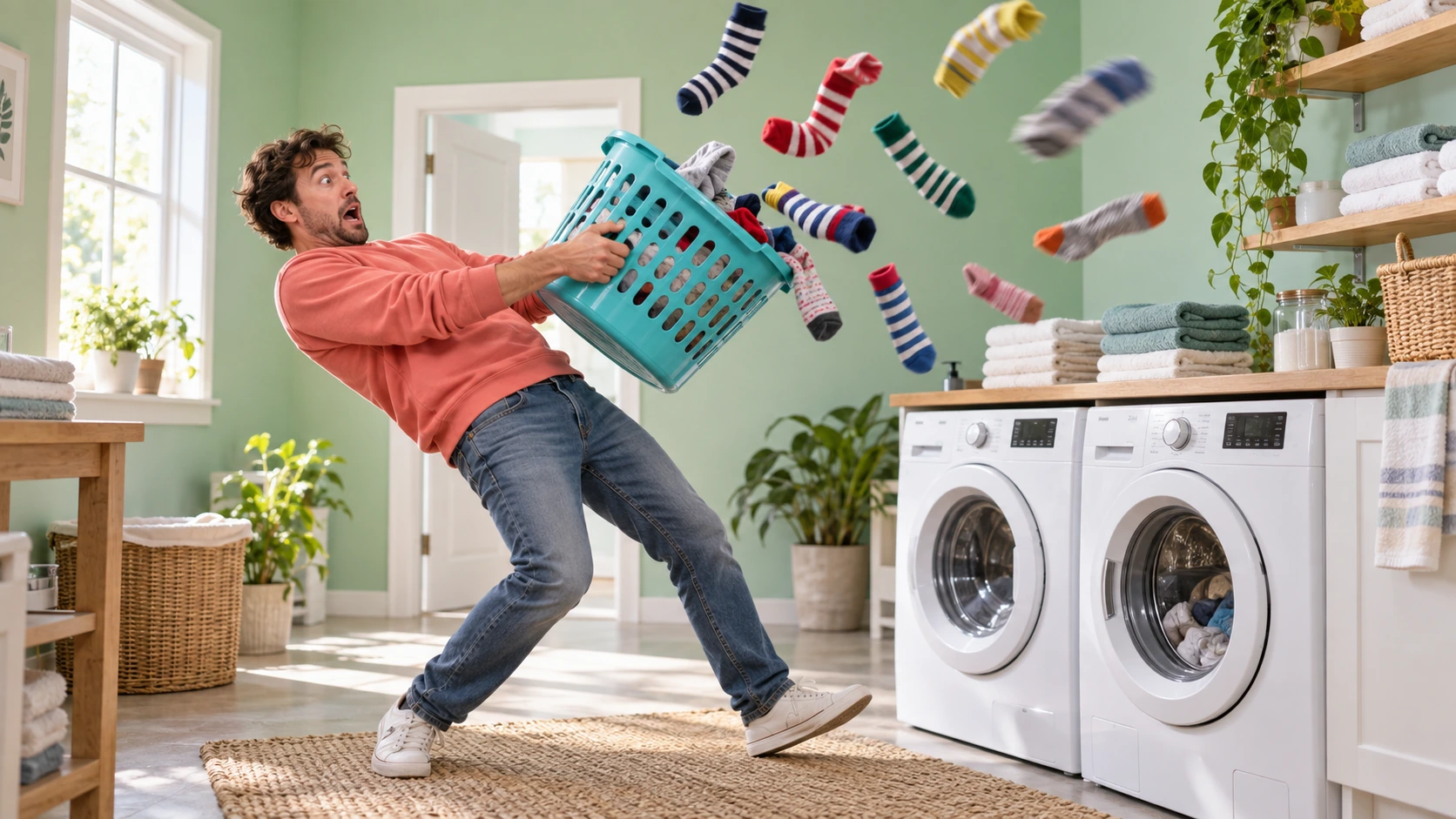
Scene: In a mint laundry room, a surprised man in a coral sweatshirt leans back as a turquoise laundry basket throws a colorful cloud of striped socks into the air. Washing machines, folded towels, and clean daylight establish the setting. Preserve the basket tilt, sock trajectories, body pose, and safe spacing for a physical-comedy frame; no injury, readable text, logos, or watermark. Composition and rendering: Deliver one 16:9 physical-comedy still at the described instant. Make the cause of the gag readable through body balance, grip and object spacing. Separate the reaction from the airborne props; retain believable gravity and contact points. Keep the face and important props sharp, with only restrained directional blur on fast edges. Preserve the stated lighting and room or stage layout. Avoid: warped perspective, malformed anatomy, merged objects, inconsistent shadows, excessive sharpening and watermarks. Follow the scene-specific text and branding restrictions above.
Scene: A lightly colorized vintage schoolyard photograph shows children in period sweaters and skirts playing jump rope in front of a brick building. Restore the worn border, faded colors, rope arc, clothing details, and original wide framing without introducing modern objects. No readable signs, logos, captions, or watermark. Composition and restoration: Deliver one 16:9 archival-style still. Preserve the original framing, period-specific construction and restrained tonal range; retain monochrome, sepia or faded color as described. Recover modest detail in faces, clothing and architecture without synthetic sharpening. Keep fine grain and authentic aging consistent across the frame; repair damage without replacing historical features. Avoid: warped perspective, malformed anatomy, merged objects, inconsistent shadows, excessive sharpening and watermarks. Follow the scene-specific text and branding restrictions above.
Why gemini-3.1-flash-lite-image API
Use one gateway for gemini-3.1-flash-lite-image, account controls and the rest of your model catalog.
Keep the gemini-3.1-flash-lite-image model id and endpoint explicit while using the same Flatkey key as other workloads.
See the current gemini-3.1-flash-lite-image billing dimensions before a request is sent, then confirm the final estimate in your account.
Test a gemini-3.1-flash-lite-image prompt in the public playground and carry the same settings into an authenticated integration.
Centralize keys, quotas and routing for gemini-3.1-flash-lite-image without changing your application’s provider-facing workflow.
API
Four ways in, all on the same key and the same model catalog. Pick one to see a runnable example.
curl https://router.flatkey.ai/v1beta/models/gemini-3.1-flash-lite-image:generateContent \
  -H "Content-Type: application/json" \
  -H "Authorization: Bearer sk-***" \
  -d '{"model":"gemini-3.1-flash-lite-image","contents":[{"role":"user","parts":[{"text":"Create a high-quality product image with gemini-3.1-flash-lite-image: clean composition, precise lighting, strong subject focus, and realistic detail."}]}],"generationConfig":{"responseModalities":["TEXT","IMAGE"],"imageConfig":{"aspectRatio":"1:1","imageSize":"1K"}}}'
FAQ
Answers about gemini-3.1-flash-lite-image pricing, capabilities, endpoint access and catalog limits.