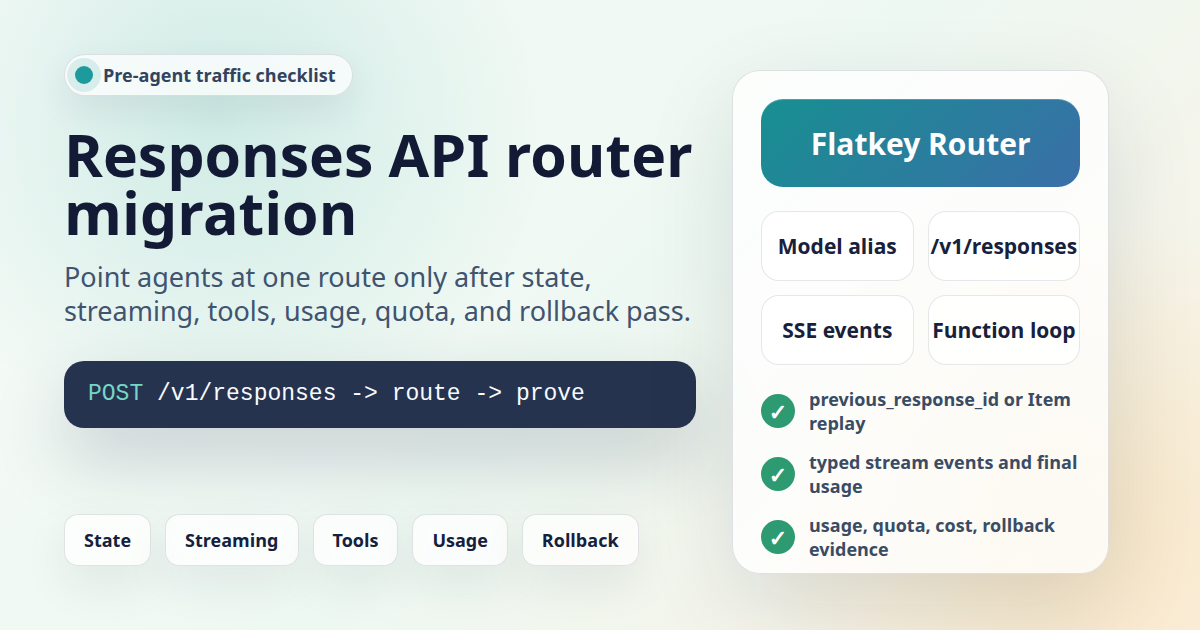
OpenAI Responses API compatible router migrations should not begin with agent traffic. A first prompt that returns text only proves the key, base URL, and one model path. Before agents depend on a router, you need evidence for Responses-specific state, streaming events, function calls, structured outputs, usage records, quota behavior, and rollback.
This guide is for developers, platform engineers, automation builders, and operations teams evaluating Flatkey as an OpenAI-compatible route for Responses API workloads. It was prepared on June 27, 2026 from official OpenAI Responses API documentation and live Flatkey public pages. The code snippets are templates. No live Flatkey API key was available in this task, so run the checks with your own key, selected model alias, and the current base URL shown in your Flatkey console.
Quick Answer: OpenAI Responses API Compatible Router
An OpenAI Responses API compatible router is ready for agent traffic only after it passes the same request shapes your agent will send. That means more than confirming POST /v1/responses. You should test the selected model alias, output parsing, state strategy, streaming consumer, tool loop, structured output schema, usage record, quota behavior, and rollback path.
| Question | Proof To Capture | Blocker If Missing |
|---|---|---|
| Does the route accept Responses requests? | HTTP status, response ID, status, output text, model, and usage. | You only proved a Chat Completions route or a generic base URL. |
| Does state work the way your agent expects? | previous_response_id, manual Item replay, or Conversations API decision. |
The agent may drop tool context or resend the wrong transcript. |
| Does streaming match your consumer? | Typed SSE events such as response.output_text.delta and response.completed. |
A Chat Completions chunk handler may fail silently. |
| Do tools round-trip? | function_call output Items, parsed arguments, matching call_id, and final answer. |
The agent can request tools but cannot complete the loop. |
| Can ops and finance audit the run? | Usage row, key, model alias, endpoint family, quota result, and cost unit. | Traffic moves before spend and incident review are explainable. |
What Current Sources Support
OpenAI's official migration guide describes Responses as the recommended API for new projects while Chat Completions remains supported. The guide also makes the important migration distinction: Chat Completions reads choices[0].message.content, while Responses returns typed output Items and an SDK output_text helper. Function calling, Structured Outputs, streaming, and state handling have different shapes in Responses.
Flatkey's live homepage on June 27, 2026 positioned the product as one API gateway for production AI teams and said it unifies model access, routing, billing, usage analytics, and operational controls. The same page showed https://console.flatkey.ai/v1 and https://console.flatkey.ai/v1/chat/completions as public base URL examples. Use the current console value on migration day rather than hardcoding a host from an article.
Flatkey's live pricing page on June 27, 2026 included an AI-readable pricing summary saying it published server-rendered model pricing for 599 AI models across 23 providers. The page's endpoint map exposed openai-response at /v1/responses. Treat this as dated public catalog evidence. It does not prove that every model alias, hosted tool, streaming path, or account-specific quota will work in your environment.
Start With Endpoint And Model Alias Questions
The first OpenAI Responses API compatible router test should be intentionally small. Pick one model alias from the current Flatkey catalog, run a non-streaming Responses request, and record exactly what came back.
export FLATKEY_BASE_URL="https://console.flatkey.ai/v1" # confirm in your console
export FLATKEY_API_KEY="sk-fk-..."
export FLATKEY_RESPONSES_MODEL="your-responses-model-alias"

curl -sS "$FLATKEY_BASE_URL/responses" \
  -H "Authorization: Bearer $FLATKEY_API_KEY" \
  -H "Content-Type: application/json" \
  -d '{
    "model": "'"$FLATKEY_RESPONSES_MODEL"'",
    "instructions": "Answer in one sentence.",
    "input": "Return one migration smoke-test result."
  }'
For this first pass, do not hide the response behind your production agent framework. Log the response ID, status, model string, output Item types, output_text if your SDK exposes it, usage object, request ID if available, and the timestamp you will use to find the request in Flatkey. If the router returns a text answer but no usable usage or audit record, the migration is not ready.
Use SDK Configuration Without Freezing The Host
An OpenAI Responses API compatible router should be a configuration change, not a permanent code fork. Keep the API key, base URL, and model alias in environment variables. This Node example is deliberately narrow and uses the Responses client directly.
import OpenAI from "openai";

function requiredEnv(name: string): string {
  const value = process.env[name];
  if (!value) throw new Error("Missing " + name);
  return value;
}

const client = new OpenAI({
  apiKey: requiredEnv("FLATKEY_API_KEY"),
  baseURL: requiredEnv("FLATKEY_BASE_URL"),
  timeout: 20_000,
  maxRetries: 1,
});

const response = await client.responses.create({
  model: requiredEnv("FLATKEY_RESPONSES_MODEL"),
  instructions: "Answer in one sentence.",
  input: "What did this router smoke test verify?",
});

console.log("id:", response.id);
console.log("status:", response.status);
console.log("output_text:", response.output_text);
console.log("usage:", response.usage);
Keep a direct-provider fallback client or configuration profile until the Responses route has passed normal text, state, streaming, tools, usage, quota, cost, and rollback checks. A base URL swap should be easy to reverse.
Choose A State Strategy Before Agent Traffic
Responses migrations often fail because teams reuse Chat Completions transcript logic without deciding how state will work. OpenAI documents three practical options: pass previous_response_id, manually pass prior output Items into the next request, or use the Conversations API for persistent conversation objects. Each option changes what your router and logs need to prove.
| State Strategy | Use When | Router Test |
|---|---|---|
previous_response_id |
You want the API to reference the prior stored response. | Run two turns, resend stable instructions, and confirm the second answer uses the first response context. |
| Manual Item replay | You need to trim, redact, or own the state payload yourself. | Pass prior output Items plus the next user input, then confirm reasoning/tool Items are preserved where required. |
| Conversations API | You need a persistent conversation object across turns. | Confirm the conversation ID, item list, retention policy, and audit trail are acceptable. |
store: false |
Your organization requires stateless or Zero Data Retention-compatible behavior. | Confirm the request works without relying on stored prior state and that reasoning context handling is explicit. |
const first = await client.responses.create({
  model: requiredEnv("FLATKEY_RESPONSES_MODEL"),
  input: "Name one migration risk.",
  store: true,
});

const second = await client.responses.create({
  model: requiredEnv("FLATKEY_RESPONSES_MODEL"),
  instructions: "Answer in one sentence.",
  input: "Explain that risk for an agent workflow.",
  previous_response_id: first.id,
  store: true,
});

console.log(second.output_text);
console.log(second.usage);
OpenAI notes that using previous_response_id does not remove billing for prior context in the chain. Include that in your cost review, especially for long-running agents.
Test Responses Streaming As Typed Events
Chat Completions streaming and Responses streaming do not have the same event shape. OpenAI's streaming guide says Responses uses semantic, typed server-sent events. For text, common events include response.created, response.output_text.delta, response.completed, and error. A real OpenAI Responses API compatible router migration should test those event types through your actual runtime path.
const stream = await client.responses.create({
  model: requiredEnv("FLATKEY_RESPONSES_MODEL"),
  input: "Stream four short migration checks.",
  stream: true,
});

for await (const event of stream) {
  if (event.type === "response.output_text.delta") {
    process.stdout.write(event.delta);
  }

  if (event.type === "response.completed") {
    console.log("\nusage:", event.response.usage);
  }

  if (event.type === "error") {
    console.error(event);
  }
}
Run this test locally and through any production-like proxy, serverless route, queue worker, browser stream, or automation runner that will carry agent traffic. Capture first-token timing, final close behavior, cancellation, timeout, final usage, and whether Flatkey records the request in a way operators can find.
Run The Tool Loop, Not Just The Tool Request
OpenAI's function-calling guide describes Responses tool calls as output Items such as function_call. Your application executes the function and sends back a function_call_output linked by call_id. That is a different shape from older Chat Completions code that only looks for one assistant message.
const tools = [{
  type: "function",
  name: "lookup_account_status",
  description: "Return status for a test account ID.",
  parameters: {
    type: "object",
    properties: {
      account_id: { type: "string" },
    },
    required: ["account_id"],
    additionalProperties: false,
  },
  strict: true,
}];

const toolRequest = await client.responses.create({
  model: requiredEnv("FLATKEY_RESPONSES_MODEL"),
  input: "Check account flatkey-demo before agent launch.",
  tools,
});

const calls = toolRequest.output.filter((item) => item.type === "function_call");

for (const call of calls) {
  const args = JSON.parse(call.arguments);
  console.log(call.name, args);

  const final = await client.responses.create({
    model: requiredEnv("FLATKEY_RESPONSES_MODEL"),
    previous_response_id: toolRequest.id,
    input: [{
      type: "function_call_output",
      call_id: call.call_id,
      output: JSON.stringify({ status: "sandbox-ok" }),
    }],
  });

  console.log(final.output_text);
}
The tool test should include one success path and several failure paths: malformed tool arguments, unavailable tool dependency, no-tool answer, repeated tool calls, and your max tool-call guard. Also decide whether OpenAI-hosted tools, MCP tools, or custom functions are part of the workload. Do not assume a router that accepts a custom function schema also supports every hosted tool you may use with OpenAI directly.
Check Structured Outputs Separately
If the old app used Chat Completions response_format, do not copy that field into Responses. OpenAI's migration guide says Responses uses text.format for Structured Outputs. A useful OpenAI Responses API compatible router checklist tests the exact schema your agent needs before launch.
const result = await client.responses.create({
  model: requiredEnv("FLATKEY_RESPONSES_MODEL"),
  input: "Return the migration gate status.",
  text: {
    format: {
      type: "json_schema",
      name: "router_gate",
      strict: true,
      schema: {
        type: "object",
        properties: {
          gate: { type: "string", enum: ["pass", "fail"] },
          reason: { type: "string" },
        },
        required: ["gate", "reason"],
        additionalProperties: false,
      },
    },
  },
});

console.log(result.output_text);
Record whether invalid schema definitions fail clearly, whether valid outputs parse without repair, and whether the same schema works with the selected model alias through Flatkey.
Ask The Operations Questions Up Front
The reason to use Flatkey is not only that an OpenAI Responses API compatible router can receive OpenAI-shaped traffic. Flatkey's public positioning includes routing, billing, usage analytics, and operational controls. Turn that into evidence before the first agent workflow is moved.
| Area | Question Before Traffic | Evidence To Save |
|---|---|---|
| Base URL | Is the service using the current Flatkey console base URL? | Config diff, deploy environment name, and no hardcoded old host. |
| Model alias | Is the selected alias approved for Responses and the planned tool features? | Catalog row, endpoint family, smoke-test response, and owner approval. |
| Usage | Can operators find the request after the test? | Timestamp, key, model, endpoint, status, input/output units, and request ID. |
| Quota | What happens when a staging or production limit is hit? | Expected error body, alert behavior, and release-owner escalation path. |
| Cost | Does finance understand the pricing unit for this model and endpoint? | Catalog snapshot, usage sample, cost owner, and budget tag if supported. |
| Rollback | Can traffic return to the previous provider route quickly? | Previous key, base URL, model, config toggle, and rollback trigger list. |
Agent Traffic Rollout Checklist
Use this checklist when the Responses route passes local smoke tests and you are deciding whether real agent traffic can move.
| Gate | Pass Condition | Do Not Proceed If |
|---|---|---|
| Simple response | /v1/responses returns completed output and usage for the selected alias. |
Only Chat Completions has been tested. |
| State | The app has chosen previous_response_id, manual Item replay, or Conversations. |
The old transcript array is reused without Item handling. |
| Streaming | The consumer handles typed events and final usage. | The UI still expects only Chat Completions deltas. |
| Tools | At least one full function loop succeeds with matching call_id. |
The app only checks that a tool call was emitted. |
| Structured output | text.format schemas parse and fail clearly when invalid. |
response_format is still being sent to Responses. |
| Operations | Usage, quota, cost, and errors are visible to the right reviewers. | No one can tie a test request to a billable or failed event. |
| Rollback | Previous route is available behind configuration. | A rollback requires a code change under incident pressure. |
Common Failure Modes
| Symptom | Likely Cause | Fix |
|---|---|---|
| 404 or route mismatch | The base URL is missing /v1, uses an old host, or points to a Chat route. |
Copy the current Flatkey console value and test $FLATKEY_BASE_URL/responses. |
| Text returns but state is wrong | The app did not preserve typed output Items or did not use previous_response_id. |
Pick a state strategy and run a two-turn proof. |
| Streaming appears blank | The client is waiting for Chat Completions delta chunks instead of Responses events. | Branch on event type and handle response.output_text.delta. |
| Tool call never completes | The app did not send function_call_output with the matching call_id. |
Store every call ID and return tool output as a Responses input Item. |
| JSON output is unstable | The app reused Chat Completions response_format or selected an unsupported alias. |
Use Responses text.format and test the exact schema. |
| No usage row or cost owner | The test key, filters, or owner metadata are not mapped for review. | Save timestamp, key, route, model alias, and owner before adding traffic. |
FAQ
What is an OpenAI Responses API compatible router?
An OpenAI Responses API compatible router is a gateway that can receive OpenAI-shaped /v1/responses requests. For production, compatibility must be proven for the exact model alias, state pattern, streaming events, tool loop, structured output schema, usage record, quota behavior, and rollback path your app uses.
Can I treat a Chat Completions pass as a Responses pass?
No. Chat Completions and Responses have different request and response shapes. Responses uses input, typed output Items, output_text, different function-calling Items, text.format for Structured Outputs, and typed streaming events.
Which Flatkey base URL should I use?
Use the current base URL shown in your Flatkey console or setup instructions. On June 27, 2026, the public homepage showed https://console.flatkey.ai/v1 examples, but production migrations should verify the live console value.
Should agents use previous_response_id?
Use previous_response_id when you want the API to reference prior stored response context and that retention behavior is acceptable. Use manual Item replay or Conversations when your app needs tighter state ownership. Include token-cost review because previous context is still billed as input in a response chain.
What should I check before moving real agent traffic?
Before traffic moves, the OpenAI Responses API compatible router should pass simple text, state, streaming, tools, structured output, usage, quota, cost, error, and rollback checks with the exact model aliases and runtime path your agents will use.
Bottom Line
An OpenAI Responses API compatible router migration is not finished when the base URL changes. It is finished when the Responses route behaves correctly under the agent features you actually depend on and when platform, operations, and finance reviewers can understand what happened. Start with a small /v1/responses smoke test, then prove state, streaming, tools, structured outputs, usage, quota, cost, and rollback before agent traffic moves.
For the broader base URL pattern, read the OpenAI-compatible API migration guide. For gateway design review, use the LLM API gateway architecture guide. When you are ready to test current catalog entries, review Flatkey pricing and get a key.