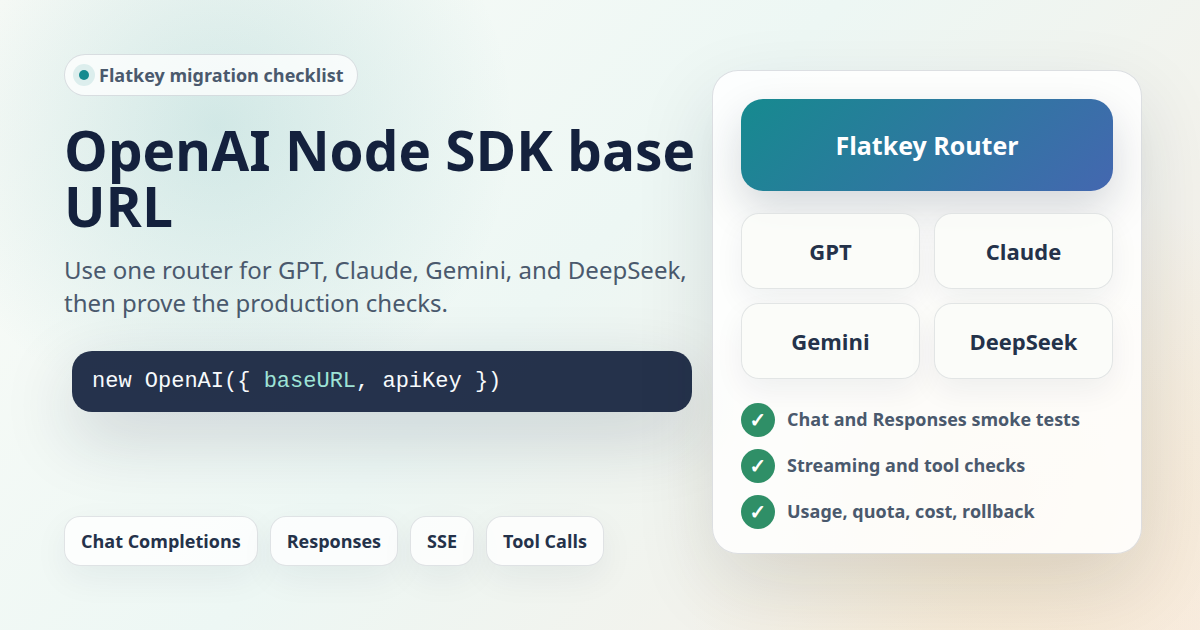
OpenAI Node SDK base URL migrations are usually sold as one configuration line. In a real production app, that line is only the start. If you point the Node client at Flatkey, you also need to prove the selected model alias, endpoint family, streaming path, tool behavior, usage record, quota behavior, and rollback path before traffic moves.
This guide is for developers and platform teams who want one OpenAI-compatible router for GPT, Claude, Gemini, DeepSeek, and other model families while keeping the OpenAI Node SDK request pattern. It was prepared on June 27, 2026 from the current OpenAI Node SDK source, official OpenAI API reference evidence, and live Flatkey public pages. The code snippets are templates. No live Flatkey API key was available in this task, so run each smoke test with your own key, selected model, and the current base URL shown in your Flatkey console.
Quick Answer: OpenAI Node SDK Base URL
Set the OpenAI Node SDK base URL with the client constructor's baseURL option. Keep the key, base URL, and model alias in environment variables so a gateway migration does not become a hardcoded provider change.
import OpenAI from "openai";

function requiredEnv(name: string): string {
  const value = process.env[name];
  if (!value) throw new Error(`Missing ${name}`);
  return value;
}

const client = new OpenAI({
  apiKey: requiredEnv("FLATKEY_API_KEY"),
  baseURL: requiredEnv("FLATKEY_BASE_URL"), // Example shape: https://console.flatkey.ai/v1
});

const completion = await client.chat.completions.create({
  model: requiredEnv("FLATKEY_MODEL"),
  messages: [
    { role: "user", content: "Reply with one short migration check." },
  ],
});

console.log(completion.choices[0]?.message?.content);
console.log("model:", completion.model);
console.log("usage:", completion.usage);
The official OpenAI Node SDK also reads OPENAI_BASE_URL when a constructor value is not supplied, and falls back to https://api.openai.com/v1. For a Flatkey migration, an explicit client is usually safer because it limits the OpenAI Node SDK base URL change to the integration you intend to move.
What Flatkey Public Evidence Supports
Flatkey's live homepage on June 27, 2026 described the product as one API gateway for production AI teams and said it unifies model access, routing, billing, usage analytics, and operational controls. The page showed a public example endpoint at https://console.flatkey.ai/v1/chat/completions. Because older Flatkey content in previous crawls used router.flatkey.ai, this article keeps code on FLATKEY_BASE_URL and tells readers to copy the current console value on migration day.
The live pricing page on June 27, 2026 included an AI-readable summary saying Flatkey had server-rendered pricing for 599 AI models across 23 providers. It also exposed endpoint families for OpenAI-style chat, OpenAI Responses, Anthropic messages, image generation, and video generation. Treat those as dated public catalog facts. They do not prove that every GPT, Claude, Gemini, or DeepSeek alias is available in your account, supports every OpenAI parameter, or works through every endpoint family.
Before You Change The Node Client
A clean OpenAI Node SDK base URL migration starts with a small inventory. Do not approve the cutover because one demo prompt returned text. Record the call shape your app actually depends on.
| Decision | What To Record | Why It Matters |
|---|---|---|
| Endpoint family | Chat Completions, Responses, Anthropic messages, images, video, or another route. | A model that works through one endpoint does not approve another endpoint. |
| Model alias | The exact Flatkey model string for GPT, Claude, Gemini, DeepSeek, or another provider. | Model names and feature support are gateway-specific decisions. |
| SDK construction | Where new OpenAI(...) is created and whether other clients share the process. |
Global environment changes can move more requests than intended. |
| Features | Streaming, tool calling, structured output, multimodal input, retries, timeouts, and request IDs. | Compatibility is only useful for the features your app actually sends. |
| Operations proof | Usage row, owner, quota, cost record, error record, and rollback settings. | Platform and finance reviewers need evidence, not a code diff. |
Constructor Option Or Environment Variable?
The current OpenAI Node SDK exposes baseURL in ClientOptions. The source says it defaults to process.env["OPENAI_BASE_URL"], and the constructor sets the default to https://api.openai.com/v1 when no override is present. That gives you two practical choices for an OpenAI Node SDK base URL migration.
| Pattern | Use When | Risk |
|---|---|---|
Explicit baseURL in one SDK factory |
You are moving one service, route, or integration path to Flatkey. | Requires a shared client factory or dependency injection point. |
OPENAI_BASE_URL environment variable |
Every OpenAI SDK client in the process should use the same gateway. | Can silently affect unrelated OpenAI clients in the same worker. |
For most production migrations, start with the explicit constructor option. You can still name the value FLATKEY_BASE_URL or map it from your own config layer. The point is to make the OpenAI Node SDK base URL route reviewable in one place.
import OpenAI from "openai";

function requiredEnv(name: string): string {
  const value = process.env[name];
  if (!value) throw new Error(`Missing ${name}`);
  return value;
}

export function createFlatkeyClient() {
  return new OpenAI({
    apiKey: requiredEnv("FLATKEY_API_KEY"),
    baseURL: requiredEnv("FLATKEY_BASE_URL"),
    timeout: 20_000,
    maxRetries: 1,
  });
}

export function createDirectOpenAIClient() {
  return new OpenAI({
    apiKey: requiredEnv("OPENAI_API_KEY"),
  });
}
Chat Completions Smoke Test
Start with a non-streaming Chat Completions request. This proves authentication, route shape, model alias, response parsing, request ID capture, and usage fields before you test harder features.
import OpenAI from "openai";

function requiredEnv(name: string): string {
  const value = process.env[name];
  if (!value) throw new Error(`Missing ${name}`);
  return value;
}

const client = new OpenAI({
  apiKey: requiredEnv("FLATKEY_API_KEY"),
  baseURL: requiredEnv("FLATKEY_BASE_URL"),
});

const completion = await client.chat.completions.create({
  model: requiredEnv("FLATKEY_MODEL"),
  messages: [
    { role: "developer", content: "Answer in one sentence." },
    { role: "user", content: "What should this Node migration verify first?" },
  ],
});

console.log("request_id:", completion._request_id);
console.log("id:", completion.id);
console.log("model:", completion.model);
console.log("finish_reason:", completion.choices[0]?.finish_reason);
console.log("content:", completion.choices[0]?.message?.content);
console.log("usage:", completion.usage);
Approve the basic OpenAI Node SDK base URL change only if the response content, model, finish reason, request ID, and usage are visible enough for your app and operations team. If the response succeeds but Flatkey usage is missing or hard to match, the migration is not ready for production traffic.
Responses API Smoke Test
OpenAI's official Node SDK README calls the Responses API the primary API for interacting with OpenAI models, while Chat Completions is described as the previous standard that remains supported. The OpenAI API spec exposes /v1/responses with JSON and Server-Sent Events responses. Flatkey's June 27 pricing page also exposed an OpenAI Responses endpoint family, so test it separately if your app uses Responses.
import OpenAI from "openai";

function requiredEnv(name: string): string {
  const value = process.env[name];
  if (!value) throw new Error(`Missing ${name}`);
  return value;
}

const client = new OpenAI({
  apiKey: requiredEnv("FLATKEY_API_KEY"),
  baseURL: requiredEnv("FLATKEY_BASE_URL"),
});

const response = await client.responses.create({
  model: requiredEnv("FLATKEY_RESPONSES_MODEL"),
  input: "Return one sentence about base URL migration testing.",
});

console.log("request_id:", response._request_id);
console.log("id:", response.id);
console.log("status:", response.status);
console.log("output_text:", response.output_text);
console.log("usage:", response.usage);
Do not assume a Chat Completions pass means Responses is ready, or the reverse. Each endpoint family needs its own model alias, feature check, error handling, and usage record.
Streaming Check
Streaming often fails in places that a normal OpenAI Node SDK base URL smoke test never touches: proxies, serverless timeouts, UI event loops, backpressure, cancellation, and final usage accounting. The OpenAI Node SDK README shows SSE streaming support, and the OpenAI spec exposes streamed responses for both Chat Completions and Responses. Test the same path your app uses.
import OpenAI from "openai";

function requiredEnv(name: string): string {
  const value = process.env[name];
  if (!value) throw new Error(`Missing ${name}`);
  return value;
}

const client = new OpenAI({
  apiKey: requiredEnv("FLATKEY_API_KEY"),
  baseURL: requiredEnv("FLATKEY_BASE_URL"),
});

const stream = await client.chat.completions.create({
  model: requiredEnv("FLATKEY_MODEL"),
  messages: [{ role: "user", content: "Stream three short words." }],
  stream: true,
});

for await (const chunk of stream) {
  const delta = chunk.choices[0]?.delta?.content;
  if (delta) process.stdout.write(delta);
}
process.stdout.write("\n");
Record whether the stream starts quickly, emits incremental chunks, closes cleanly, handles user cancellation, and leaves a usable gateway record. If production uses Responses streaming, repeat the test with client.responses.create({ stream: true }) and inspect the event types your code consumes.
Tool Calling Check
If your app uses tools, verify tool calling with the exact model alias you plan to use. A gateway can route GPT, Claude, Gemini, and DeepSeek families through an OpenAI-compatible shape only when the selected endpoint and model support the feature pattern your request sends.
import OpenAI from "openai";

function requiredEnv(name: string): string {
  const value = process.env[name];
  if (!value) throw new Error(`Missing ${name}`);
  return value;
}

const client = new OpenAI({
  apiKey: requiredEnv("FLATKEY_API_KEY"),
  baseURL: requiredEnv("FLATKEY_BASE_URL"),
});

const completion = await client.chat.completions.create({
  model: requiredEnv("FLATKEY_MODEL"),
  messages: [
    { role: "user", content: "Use the tool for account flatkey-demo." },
  ],
  tools: [
    {
      type: "function",
      function: {
        name: "lookup_account_status",
        description: "Return account status for a test account.",
        parameters: {
          type: "object",
          properties: {
            account_id: { type: "string" },
          },
          required: ["account_id"],
          additionalProperties: false,
        },
      },
    },
  ],
  tool_choice: "auto",
});

console.log("tool_calls:", completion.choices[0]?.message?.tool_calls);
console.log("usage:", completion.usage);
A tool check is not just "did a tool call appear?" Confirm argument JSON parses, the no-tool path still works, errors are visible, and your tool execution loop can handle provider-specific edge cases behind the Flatkey route.
Usage, Quota, And Cost Review
The operational reason to use Flatkey is not only the OpenAI Node SDK base URL change. Flatkey's public positioning is about one place for model access, routing, billing, usage analytics, and controls. Validate those operational surfaces before rollout.
| Check | What To Match | Launch Gate |
|---|---|---|
| Usage row | Timestamp, key, endpoint family, model alias, status, and request unit. | A reviewer can find the test request without guessing. |
| Cost record | Pricing unit for the selected provider/model family. | Finance understands whether the request is token-, request-, image-, or video-priced. |
| Owner | Environment, service, team, workflow, and safe customer grouping where supported. | Spend can be attributed before traffic scales. |
| Quota or alert | Expected staging and production threshold behavior. | The team knows what happens when a limit is hit. |
| Error evidence | Bad key, bad model alias, unsupported parameter, timeout, stream interruption, and tool mismatch. | Support and incident review can diagnose failures quickly. |
Rollback Plan
The safest rollback is a configuration swap. Keep the previous provider key, base URL, and model alias beside the Flatkey values until the OpenAI Node SDK base URL migration passes normal chat, Responses if used, streaming, tools, usage, quota, and cost checks.
# Flatkey path
AI_API_KEY="$FLATKEY_API_KEY"
AI_BASE_URL="$FLATKEY_BASE_URL"
AI_MODEL="$FLATKEY_MODEL"

# Rollback path
AI_API_KEY="$PREVIOUS_PROVIDER_API_KEY"
AI_BASE_URL="$PREVIOUS_PROVIDER_BASE_URL"
AI_MODEL="$PREVIOUS_PROVIDER_MODEL"
Document the exact triggers for rollback: wrong model route, broken streaming, unsupported tool behavior, missing usage row, unexplained cost unit, quota behavior you cannot explain, or error rates above the launch threshold.
Migration Checklist
| Step | Owner | Done When |
|---|---|---|
| Choose endpoint families | Platform engineer | Chat Completions, Responses, Anthropic messages, image, video, or other routes are mapped per workload. |
| Copy the current Flatkey base URL | Developer | The value comes from the live Flatkey console or current setup instructions. |
| Create an explicit SDK factory | Developer | new OpenAI({ apiKey, baseURL }) is isolated to the intended integration path. |
| Map model aliases | Developer | GPT, Claude, Gemini, DeepSeek, or other aliases are chosen from the current Flatkey catalog and tied to the right endpoint family. |
| Run non-streaming smoke tests | Developer | Content, model, finish reason or status, request ID, and usage are captured. |
| Run streaming tests | Developer | Chunks or events arrive incrementally, close behavior is understood, and production timeouts are acceptable. |
| Run tool tests | Developer | Tool calls, arguments, no-tool paths, and error paths are verified. |
| Check Flatkey usage and quotas | Ops or finance reviewer | The request is visible with enough fields to attribute cost and understand limit behavior. |
| Prepare rollback | Release owner | Previous provider key, base URL, and model are still available behind configuration. |
Common Failure Modes
| Symptom | Likely Cause | Fix |
|---|---|---|
| 404 from the SDK | The base URL is missing /v1, uses an old host, or targets the wrong endpoint family. |
Copy the current console value again and test the exact route. |
| 401 or 403 | Wrong key, expired key, account access issue, or environment variable mix-up. | Log the credential source name, not the secret, and verify the key in Flatkey. |
| 400 unsupported model or parameter | The model alias does not support the selected endpoint or feature. | Choose a supported alias and test the exact feature again. |
| Streaming works locally but fails in production | Proxy, serverless timeout, edge runtime, or UI stream handling differs. | Run streaming through the production-like path and adjust timeout/cancellation behavior. |
| Tool calls disappear or arguments change | The selected model family or route does not match your tool-calling expectation. | Test the smallest schema first, then add the real tool loop. |
| No usage row | Wrong key, dashboard filter mismatch, delayed record, or missing owner metadata. | Match timestamp, model, route, and key before sending more traffic. |
FAQ
What is the OpenAI Node SDK base URL setting?
The OpenAI Node SDK base URL setting is the baseURL option passed to new OpenAI(...), or OPENAI_BASE_URL when the constructor does not provide an override.
Should I use baseURL or OPENAI_BASE_URL?
Use constructor-level baseURL when only one client or workload should move. Use OPENAI_BASE_URL only when every OpenAI SDK client in the process should use the same gateway endpoint.
Can the OpenAI Node SDK call Claude, Gemini, or DeepSeek through Flatkey?
The SDK sends OpenAI-shaped requests to the configured base URL. Through Flatkey, a selected model alias may route to GPT, Claude, Gemini, DeepSeek, or another provider when that alias and endpoint family are supported. Verify the exact model and feature before rollout.
Which Flatkey base URL should I use?
Use the current base URL shown in your Flatkey console or current setup instructions. On June 27, 2026, Flatkey's public homepage showed https://console.flatkey.ai/v1/chat/completions, but production migrations should verify the live value.
Is changing the base URL enough?
No. A safe OpenAI Node SDK base URL migration also verifies model aliases, Responses if used, streaming, tools, usage records, quota behavior, cost visibility, error handling, and rollback.
Bottom Line
An OpenAI Node SDK base URL migration should be boring before it reaches production. Put the API key, base URL, and model behind configuration; use an explicit SDK factory; test Chat Completions, Responses if needed, streaming, and tools; confirm Flatkey usage and quota behavior; then keep rollback ready until engineering, operations, and finance all have the evidence they need.
For the broader migration pattern, read the OpenAI-compatible API migration guide. For gateway architecture review, use the LLM API gateway architecture guide. When you are ready to test with the current catalog, check Flatkey pricing and get a key.