AI Cost Optimization (2026): 9 Ways to Cut LLM API Spend Without Losing Quality
AI cost optimization means lowering what you pay per successful AI task (not just per token) by sending each request to the cheapest model that passes your quality bar, reusing repeated context with prompt caching, moving non-urgent work to batch, capping output, and enforcing budgets per key or team. For most API-based products, the biggest wins come from routing and caching, which together can cut a bill by half or more on suitable workloads; the rest comes from visibility and governance. All prices below are from official pricing pages, checked October 26, 2026.
This guide is for indie developers and AI product teams who pay for LLM APIs (OpenAI, Anthropic, Google, DeepSeek, Qwen, and others) and need a lower, predictable bill. If you run your own GPUs, see our self-hosted LLM guide for the infrastructure side.
What drives AI API cost
Your monthly AI bill is roughly:
monthly cost = sum over requests of
  (uncached input tokens x input price)
+ (cached input tokens x cache price)
+ (output tokens x output price)
+ retries, failed calls, tool calls, and fees
So cost comes from five things you control: which model you call, how many input tokens you send (system prompts, chat history, RAG context), how many output tokens you allow, how much repeated context you can cache, and how many requests are retried or wasted.
Current reference prices (per 1M tokens, October 26, 2026)
| Model | Input | Cached input | Output | Source |
|---|---|---|---|---|
| GPT-6 Astra | $10.00 | $1.00 | $50.00 | OpenAI pricing |
| GPT-6.1 Sol | $2.00 | $0.10 | $10.00 | OpenAI pricing |
| GPT-6 Luna | $0.10 | $0.01 | $0.50 | OpenAI pricing |
| Claude Opus 5.5 | $4.00 | $0.20 (cache hit) | $20.00 | Anthropic pricing |
| Claude Sonnet 5.5 | $2.00 | $0.10 (cache hit) | $10.00 | Anthropic pricing |
| Claude Haiku 5.5 (prompts up to 100K) | $0.10 | $0.01 (cache hit) | $0.50 | Anthropic pricing |
| Gemini 3.8 Flash (promo through Dec 31, 2026) | $0.75 | $0.075 | $3.75 | Gemini API pricing |
| Gemini 3.5 Flash-Lite | $0.30 | $0.03 | $2.50 | Gemini API pricing |
The spread between the top and bottom rows is 100x. That is why model choice is the first lever. For a wider table, see our AI API pricing comparison.
The 9 AI cost optimization strategies
| # | Strategy | Typical saving on the affected traffic | Effort | Quality risk |
|---|---|---|---|---|
| 1 | Measure cost per successful task | Enables everything else | Low | None |
| 2 | Route by task difficulty | Large (cheap model is 20-100x cheaper per token) | Medium | Medium, needs evals |
| 3 | Prompt caching | Up to 90-95% off cached input tokens | Low | None |
| 4 | Batch non-urgent work | 50% off | Low | None (slower) |
| 5 | Trim prompts and context | Proportional to tokens removed | Medium | Low-medium |
| 6 | Cap and shape output | Proportional to output removed | Low | Low |
| 7 | Fix retries and loops | Removes waste | Medium | None |
| 8 | Budgets, quotas, spend caps | Prevents overruns | Low | None |
| 9 | Re-check prices and providers monthly | Varies | Low | Low |
1. Measure cost per successful task
Token price alone hides retries, failed outputs, and long conversations. Track cost per completed task (a resolved ticket, an accepted code change, a finished summary):
def cost_per_successful_task(rows):
    """rows: dicts with cost_usd and success (bool), e.g. from a usage export"""
    total = sum(r["cost_usd"] for r in rows)
    ok = sum(1 for r in rows if r["success"])
    return total / ok if ok else float("inf")
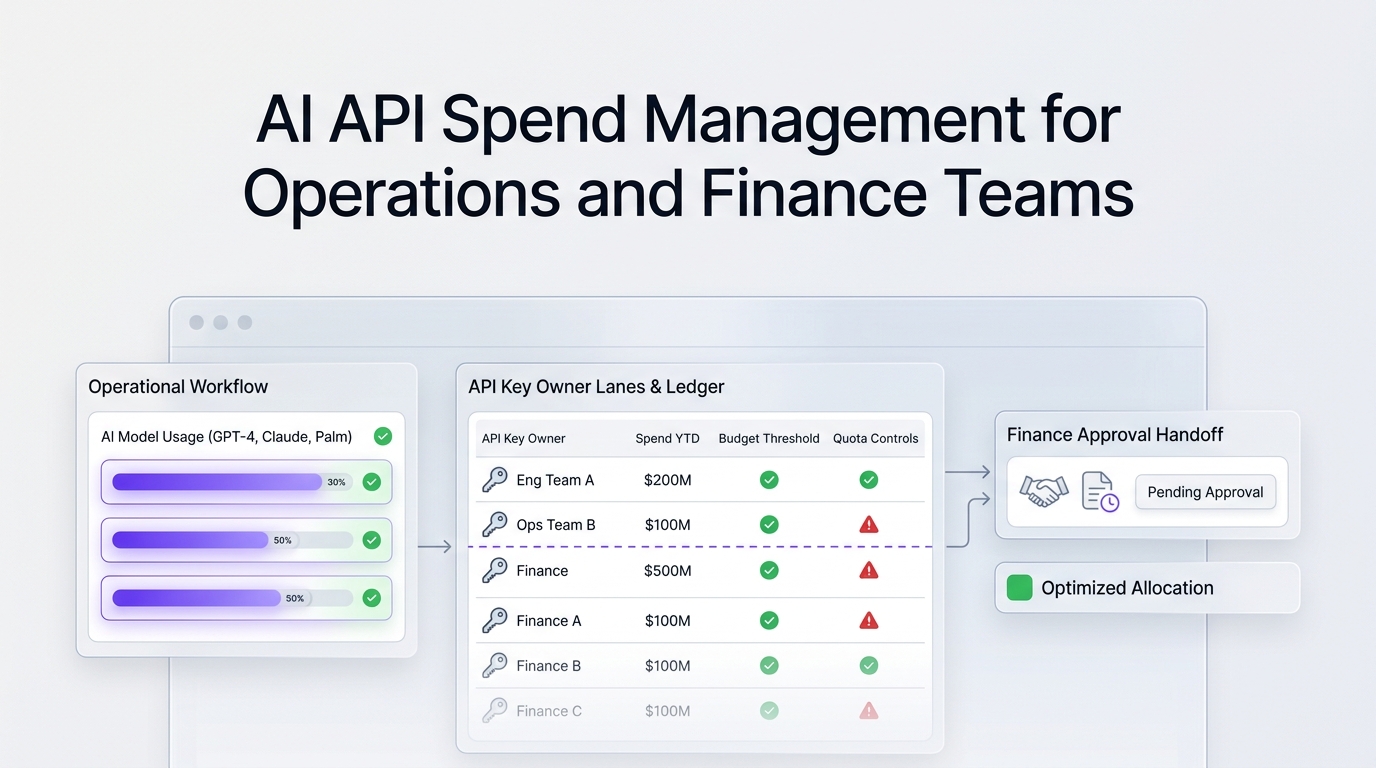
Attribute spend by feature, team, and key so you know where to start. See AI API cost attribution by team. The FinOps Foundation's FinOps for AI work uses the same idea of unit economics.
2. Route each task to the cheapest model that passes
Most apps send every request to one strong model. In practice, classification, extraction, short rewrites, and routing decisions often pass on a small model, while hard reasoning and long code edits need a larger one.
Worked example, with a hypothetical workload of 10M input and 2M output tokens per day, all on GPT-6.1 Sol at OpenAI list price:
All GPT-6.1 Sol:     10 x $2.00 + 2 x $10.00            = $40.00/day
60% to GPT-6 Luna:   6 x $0.10 + 1.2 x $0.50 = $1.20
40% stay on Sol:     4 x $2.00 + 0.8 x $10.00 = $16.00  -> $17.20/day (-57%)
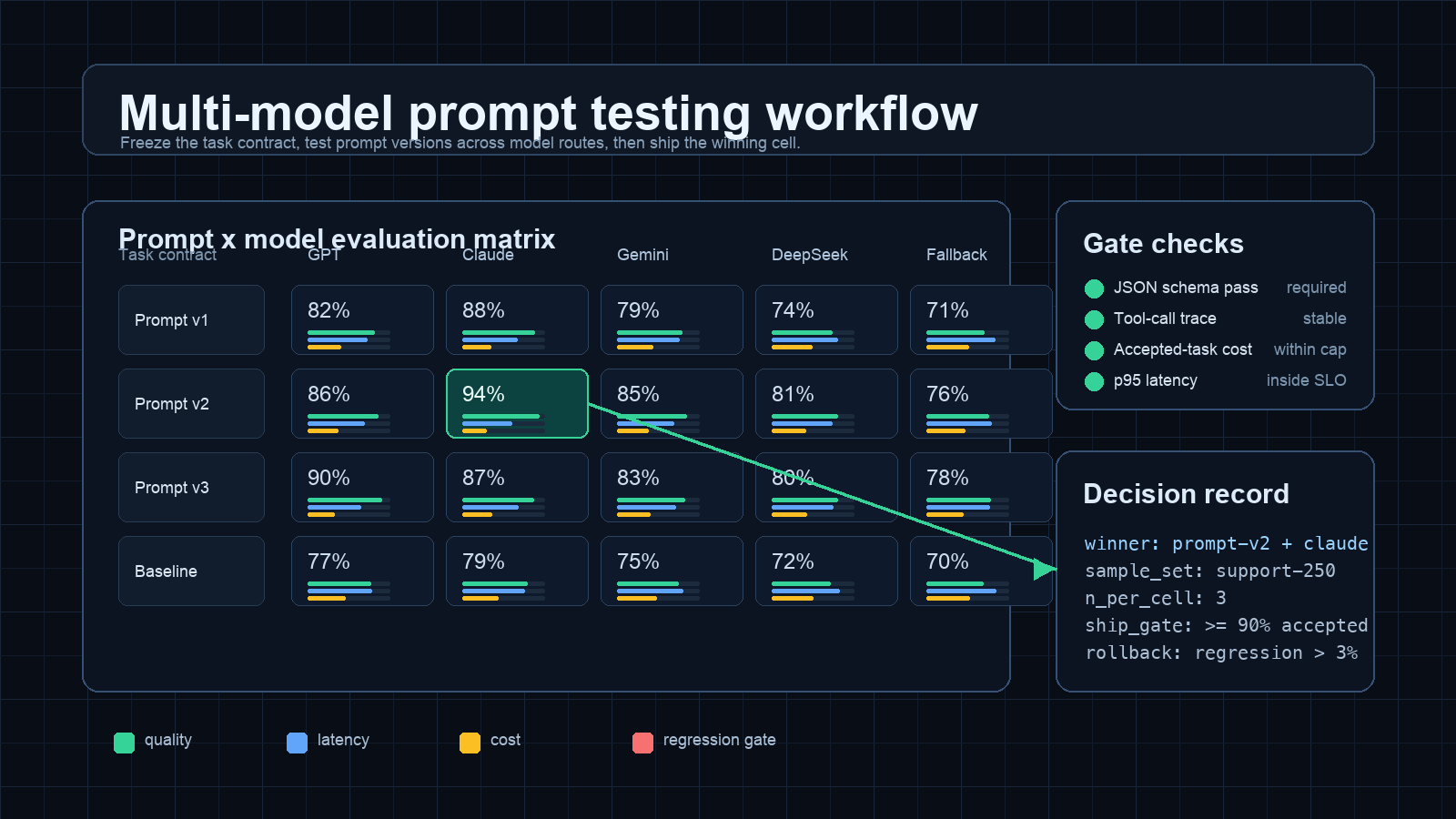
The saving only counts if the routed tasks still pass your quality checks, so build a small eval set first. Design the rules with our model routing policy guide and keep fallbacks separate from routing (LLM API fallback routing playbook).
3. Use prompt caching for repeated context
If many requests share a long prefix (system prompt, tool definitions, a policy document, a codebase summary), caching makes repeated input much cheaper. GPT-6.1 Sol cached input is $0.10 vs $2.00 uncached per 1M tokens, and Claude Sonnet 5.5 cache hits are $0.10 vs $2.00 (October 2026 list prices). Anthropic charges extra to write the cache (1.25x input for a 5-minute cache, 2x for 1 hour), per its prompt caching docs; OpenAI caching is automatic for long prompts (OpenAI prompt caching).
In the example above, if 70% of input tokens are a cached prefix on GPT-6.1 Sol:
input: 3M x $2.00 + 7M x $0.10 = $6.70 (was $20.00)
total: $6.70 + $20.00 output = $26.70/day (-33%)
Put stable content first and variable content last so the prefix matches. More detail: prompt caching workflow and ROI.
4. Move non-urgent work to batch
OpenAI's Batch API, Anthropic's Message Batches, and Gemini's batch mode all charge about 50% less in exchange for asynchronous completion (results within hours, not seconds). Good candidates: nightly classification, evaluations, embeddings backfills, content tagging, and report generation.
# OpenAI Batch: upload a JSONL of requests, then create the batch
curl https://api.openai.com/v1/files -H "Authorization: Bearer $OPENAI_API_KEY" \
  -F purpose="batch" -F file="@requests.jsonl"
curl https://api.openai.com/v1/batches -H "Authorization: Bearer $OPENAI_API_KEY" \
  -H "Content-Type: application/json" \
  -d '{"input_file_id":"file-abc123","endpoint":"/v1/chat/completions","completion_window":"24h"}'
5. Trim prompts and context
- Remove unused instructions and duplicate examples from system prompts.
- Summarize old chat turns instead of resending full history.
- In RAG, send fewer, better chunks (re-rank first) instead of the top 20.
- Do not send whole files to a coding agent when a diff or a function is enough.
Measure tokens before and after with your provider's token counter or usage fields.
6. Cap and shape output
Output tokens cost 5x input on most models in the table above. Set max_tokens (or max_output_tokens) per route, ask for structured JSON instead of prose when a program reads the result, and ask for "answer only" where explanations are not needed.
7. Stop paying for retries and loops
Retry storms and agent loops are a common cause of sudden bills. Use exponential backoff with a retry cap, do not retry requests that failed validation, set a maximum number of steps per agent run, and log the cost of failed requests separately.
8. Enforce budgets, quotas, and spend caps
Put limits where requests are made, not in a monthly spreadsheet: per-key quotas, per-team budgets, alerts at 50/80/100%, and a hard cap. See AI API quota management and AI API spend management.
9. Re-check prices and providers every month
Prices change often: Google's Gemini 3.8 Flash promo price ends December 31, 2026, rising from $0.75/$3.75 to $1.50/$7.50 per 1M tokens (Gemini pricing), and DeepSeek's deepseek-flash alias now points to a newer model (DeepSeek pricing). Put a monthly price review on the calendar and rerun your evals when you switch.
Using an API gateway for AI cost optimization
A gateway puts several of these levers in one place: one OpenAI-compatible endpoint for many providers (easier routing and switching), per-key usage logs, and quotas. Flatkey is one option: one key at https://router.flatkey.ai/v1 reaches GPT, Claude, Gemini, Qwen, DeepSeek, and other models, and its usage dashboard shows per-request model, tokens, cost, and key, with CSV/JSON export and a monthly spend cap.
Flatkey's listed prices for some models are below the providers' list prices. Examples from Flatkey model pages on October 26, 2026:
| Model | Provider list (in / out per 1M) | Flatkey (in / out per 1M) |
|---|---|---|
| GPT-6.1 Sol | $2.00 / $10.00 | $1.20 / $6.00 |
| Claude Sonnet 5.5 | $2.00 / $10.00 | $1.60 / $8.00 |
| Gemini 3.8 Flash | $0.75 / $3.75 (Google promo) | $1.20 / $6.00 |
Note the last row: during Google's promotion, Gemini 3.8 Flash is cheaper directly from Google. Compare per model, not per platform. Top-ups add bonus credit ($100 becomes $115, $300 becomes $360) and credits do not expire, per the Flatkey pricing page.
Switching base URL with the OpenAI SDK in Node.js:
import OpenAI from "openai";

const client = new OpenAI({ baseURL: "https://router.flatkey.ai/v1", apiKey: process.env.FLATKEY_API_KEY });
const r = await client.chat.completions.create({
  model: "gpt-6.1-sol",
  messages: [{ role: "user", content: "Classify this ticket: 'refund not received'" }],
  max_tokens: 20,
});
console.log(r.usage); // log tokens per call for cost tracking
A 30-day AI cost optimization plan
| Week | Do this | Output |
|---|---|---|
| 1 | Export usage, tag by feature/team/key, compute cost per successful task | Baseline report |
| 2 | Cap output, fix retries, turn on caching for long shared prefixes | First savings, no quality risk |
| 3 | Build a 100-200 case eval set; test cheaper models per task; route the ones that pass | Routing table |
| 4 | Move async jobs to batch; set quotas, alerts, and a spend cap | Enforced budget |
Common mistakes
- Optimizing price per token instead of cost per successful task. A cheap model that fails twice costs more.
- Routing without evals. Quality drops show up later as support tickets.
- Breaking the cache by putting timestamps or user IDs at the start of prompts.
- Ignoring output length, which is usually the most expensive token type.
- No hard cap, so one loop can spend a month's budget in a day.
FAQ
What is AI cost optimization?
AI cost optimization is the practice of lowering spend on AI models and infrastructure per useful outcome, through model routing, prompt caching, batching, prompt and output trimming, and budgets, while keeping quality at an agreed level.
How can I reduce LLM API costs quickly?
The fastest steps are capping max_tokens, enabling prompt caching for long repeated prefixes, moving non-urgent jobs to batch (about 50% off on OpenAI, Anthropic, and Gemini), and sending simple tasks to a small model such as GPT-6 Luna at $0.10/$0.50 per 1M tokens (October 2026).
How much does prompt caching save?
On cached input tokens, a lot: GPT-6.1 Sol cached input is $0.10 vs $2.00 per 1M tokens, a 95% reduction (October 2026). Total savings depend on how much of your input is a repeated prefix.
Is the cheapest AI model always the most cost-effective?
No. If a cheap model fails more often, retries and human fixes can cost more than a stronger model. Compare cost per successful task on your own eval set.
What is FinOps for AI?
FinOps for AI applies cloud financial management practices (visibility, allocation, unit economics, and budgets) to AI spend. The FinOps Foundation publishes the framework.
Does an AI gateway reduce costs?
A gateway does not make tokens cheaper by itself, but it makes routing, provider switching, usage tracking, and quotas easier to enforce. Some gateways also list lower per-token prices for specific models; check each model's price.
Sources
Prices checked October 26, 2026: OpenAI API pricing, Anthropic pricing, Gemini API pricing, DeepSeek pricing, Flatkey pricing. Methods: OpenAI Batch, Anthropic prompt caching, FinOps for AI.