If your product team wants the fastest safe way to evaluate Seedance API access, the right first step is not building the full video workflow on day one. It is proving three basics with the smallest possible integration surface:
- your Flatkey key authenticates correctly
- your app can call
https://router.flatkey.ai/v1 - your team can see the request in Usage Logs before you wire async video jobs
That is the low-friction quickstart this page covers.
As of Friday, July 17, 2026, Flatkey's public quickstart still tells developers to use Bearer auth, the OpenAI-compatible base URL https://router.flatkey.ai/v1, and POST /v1/chat/completions for the first smoke test. Flatkey's live model catalog also publicly lists seedance-2.5 for text-to-video plus image-to-video, and seedance-2.0-i2v for image-to-video. Seedance's own public API page still describes the video workflow as async task creation, status polling, webhooks, and usage-based credits.
That combination matters for onboarding: the router access pattern is simple, but the actual video generation workflow is not a synchronous chat call. Product teams should validate the router with the smallest request first, then swap only the model and job flow they need for Seedance evaluation.
Quick answer
Use this sequence when you want a reviewable Seedance onboarding path with the fewest moving parts.
| Step | What to use | What it proves |
|---|---|---|
| 1. Create a key | Flatkey API key starting with sk-fk- |
Your team has a valid credential |
| 2. Set one base URL | https://router.flatkey.ai/v1 |
Your app points to the shared router, not a provider-specific endpoint |
| 3. Run the smallest smoke test | POST /v1/chat/completions with a simple text model |
Auth, headers, routing, and Usage Logs work |
| 4. Swap to the Seedance route | Replace the placeholder model with the approved Seedance model ID | The same access layer can now support your video evaluation workflow |
| 5. Add async handling | Polling or webhook logic for video jobs | Your product is ready for real text-to-video execution |
If you only remember one thing, remember this: the first cURL request is a router connectivity check, not the final text-to-video payload.
Before you start
You need four things:
- A Flatkey account
- A Flatkey API key
- Some prepaid credit for the request
- A product decision on which Seedance route you actually want to evaluate
For most text-to-video teams, the public model catalog makes the current choices legible enough to start the conversation:
| Current public model signal on Flatkey | Best use |
|---|---|
seedance-2.5 |
Text-to-video evaluation, plus image-to-video if needed |
seedance-2.0-i2v |
Image-to-video only |
Do not hardcode a model name from an old screenshot or an internal note. Check the current model directory or the live catalog on publish day, because video route availability can change faster than a static setup guide.
Step 1: create and store the Flatkey API key
In the Flatkey Console, create an API key and store it as an environment variable.
export FLATKEY_API_KEY="sk-fk-..."
This is the first place teams create avoidable friction. Keep the key server-side, not in browser code and not in a shared local note. If the evaluation is for a product team rather than one engineer, use a team-owned secret from the start.
Step 2: run the smallest possible router smoke test
Flatkey's current quickstart uses POST /v1/chat/completions for the first request. That is the right move even if your end goal is Seedance video generation, because it verifies the shared access layer before you add async workflow complexity.
curl https://router.flatkey.ai/v1/chat/completions   -H "Authorization: Bearer $FLATKEY_API_KEY"   -H "Content-Type: application/json"   -d '{
    "model": "gpt-4o-mini",
    "messages": [
      {"role": "user", "content": "Reply with the word connected."}
    ]
  }'
A successful response tells you five useful things immediately:
- the API key is valid
- the
Authorization: Bearer ...header is correct - the base URL is correct
- your client can POST JSON successfully
- the request should appear in Flatkey Usage Logs with token counts and cost
That is the smallest reviewable proof that the access layer works.
Step 3: understand what the smoke test request is actually checking
The chat-completions smoke test is intentionally simple. The required structure is:
| Request field | Why it matters |
|---|---|
Authorization header |
Confirms the Bearer token format |
Content-Type: application/json |
Confirms the request body is parsed correctly |
model |
Confirms the route can resolve a model ID |
messages |
Confirms the body matches the OpenAI-compatible schema |
Flatkey's current chat-completions docs also call out the three response fields product teams usually inspect first:
choices[0].message.contentmodelusage
That last field is especially useful for onboarding, because it gives product and ops teams a shared place to verify that the request really passed through the router.
Step 4: swap the placeholder model for Seedance evaluation
Once the smoke test passes, keep the same credential and the same router base URL, then change only the parts that are specific to your video workflow.
Keep these unchanged:
Authorization: Bearer $FLATKEY_API_KEYhttps://router.flatkey.ai/v1- your server-side secret handling
- your log and billing review path
Change these next:
| What changes after the smoke test | Why it changes |
|---|---|
model |
You replace the placeholder text model with the approved Seedance model ID |
| Request body shape | Video generation needs its own payload fields, not a chat messages array alone |
| Response handling | Video workflows return job state, assets, or async status rather than immediate text only |
| Product logic | You need polling or a webhook instead of treating the call like synchronous chat |
For a text-to-video product evaluation, the safe publish-day placeholder is:
seedance-2.5
For an image-to-video evaluation, the current public route is:
seedance-2.0-i2v
Use those names as the starting point for discovery, not as a promise that every downstream workflow shares one identical payload shape.
Step 5: design around Seedance's async video workflow
This is the step most quickstarts skip.
Seedance's public API page still describes the workflow as:
- async task creation
- status polling
- webhooks
- usage-based credits
That means a production team should assume the real video path needs at least four states in its own app:
| Job state | What your app should do |
|---|---|
queued |
Record the job and show the request was accepted |
running |
Poll status or wait for a webhook |
succeeded |
Retrieve the output asset and attach metadata |
failed |
Save the error and decide whether to retry |
If your team tries to treat Seedance like a synchronous chat response, the integration will feel flaky even when the API is behaving normally.
A practical onboarding sequence for product teams
If you want the smallest possible evaluation loop, use this order:
- Create the Flatkey key.
- Run the
chat/completionssmoke test. - Verify the request appears in Usage Logs.
- Choose the current Seedance model ID you actually want to test.
- Implement the Seedance-specific async request flow.
- Add one polling path or one webhook path before you widen the rollout.
This reduces onboarding risk because you separate router verification from video workflow implementation.
Troubleshooting
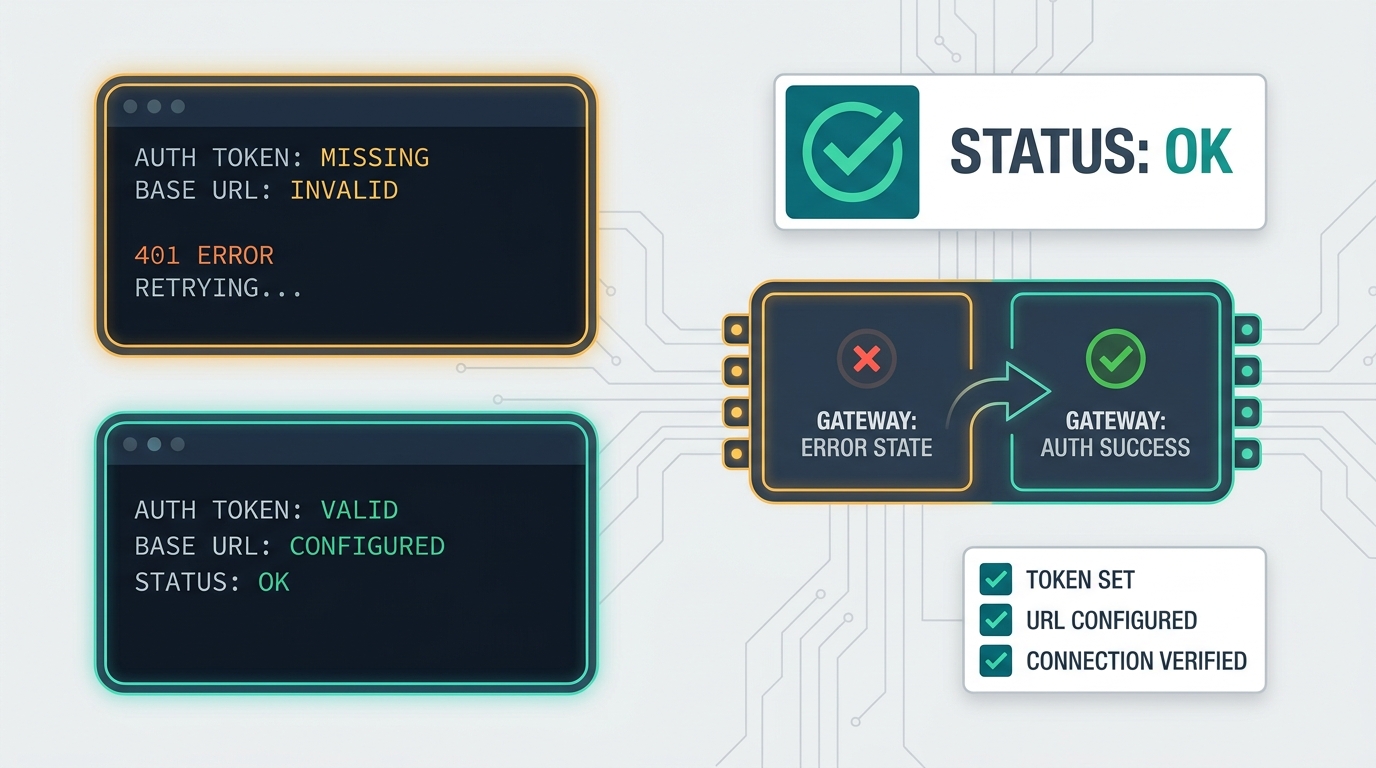
401 or 403 from the first cURL request
Usually means the key is invalid, expired, or not being passed as a Bearer token.
Check:
- the key starts with
sk-fk- - the shell variable is really set
- the header is
Authorization: Bearer ...
404 or route mismatch
Usually means your app is pointed at the wrong URL.
Use:
https://router.flatkey.ai/v1
Do not point the request at the marketing site or drop the /v1 suffix.
The request succeeds but Usage Logs stay empty
Flatkey's quickstart explicitly says to wait a few seconds and search again. If the logs still do not appear, re-check the model name, API key, and base URL you actually sent.
The smoke test works but the Seedance workflow does not
That usually means the access layer is fine and the problem is now in one of these places:
- wrong Seedance model ID
- wrong video payload shape
- missing async polling logic
- webhook handling not implemented yet
- product code assuming a synchronous text response
That is progress, not failure. You have already isolated the problem away from auth and routing.
When this quickstart is enough
This quickstart is enough when your team needs to answer:
- Can we authenticate through Flatkey?
- Can we reuse our OpenAI-compatible client path?
- Can product and ops see the request in logs?
- Can we switch from a text smoke test to a Seedance route without adding another provider key first?
If the answer to those four questions is yes, the next approval step is usually about the async video workflow and cost model, not basic connectivity.
If you need the pricing side before rollout, review Flatkey's live pricing page next so the team can approve the evaluation with the same billing surface it will use in production.
FAQ
What is the fastest way to test Seedance API access through Flatkey?
Start with Flatkey's current POST /v1/chat/completions smoke test to verify auth, base URL, and Usage Logs. After that succeeds, swap the placeholder model for the current approved Seedance model ID and build the async video workflow.
Does the first cURL request generate a video?
No. The first cURL request is a connectivity check for the shared router. It proves your key, headers, base URL, and logs work before you add video-specific request handling.
Which Seedance model should a text-to-video team start with?
As of Friday, July 17, 2026, Flatkey's public model catalog lists seedance-2.5 for text-to-video and image-to-video. Check the current model directory again before hardcoding it into product code.
Which Seedance model should an image-to-video team start with?
As of Friday, July 17, 2026, Flatkey's public catalog lists seedance-2.0-i2v for image-to-video.
Why does the onboarding flow start with chat completions instead of a video job?
Because the chat-completions request is the smallest possible proof that your OpenAI-compatible routing path works. It separates auth and logging problems from video-pipeline problems.
What should I inspect in the first successful response?
Inspect model, choices[0].message.content, and usage, then confirm the same request appears in Usage Logs.
What changes when I move from the smoke test to real Seedance evaluation?
The key and base URL stay the same. The model ID, request body, and async job handling change.