If you are asking which free LLM is best for coding, the honest answer depends on the coding agent you want to run.
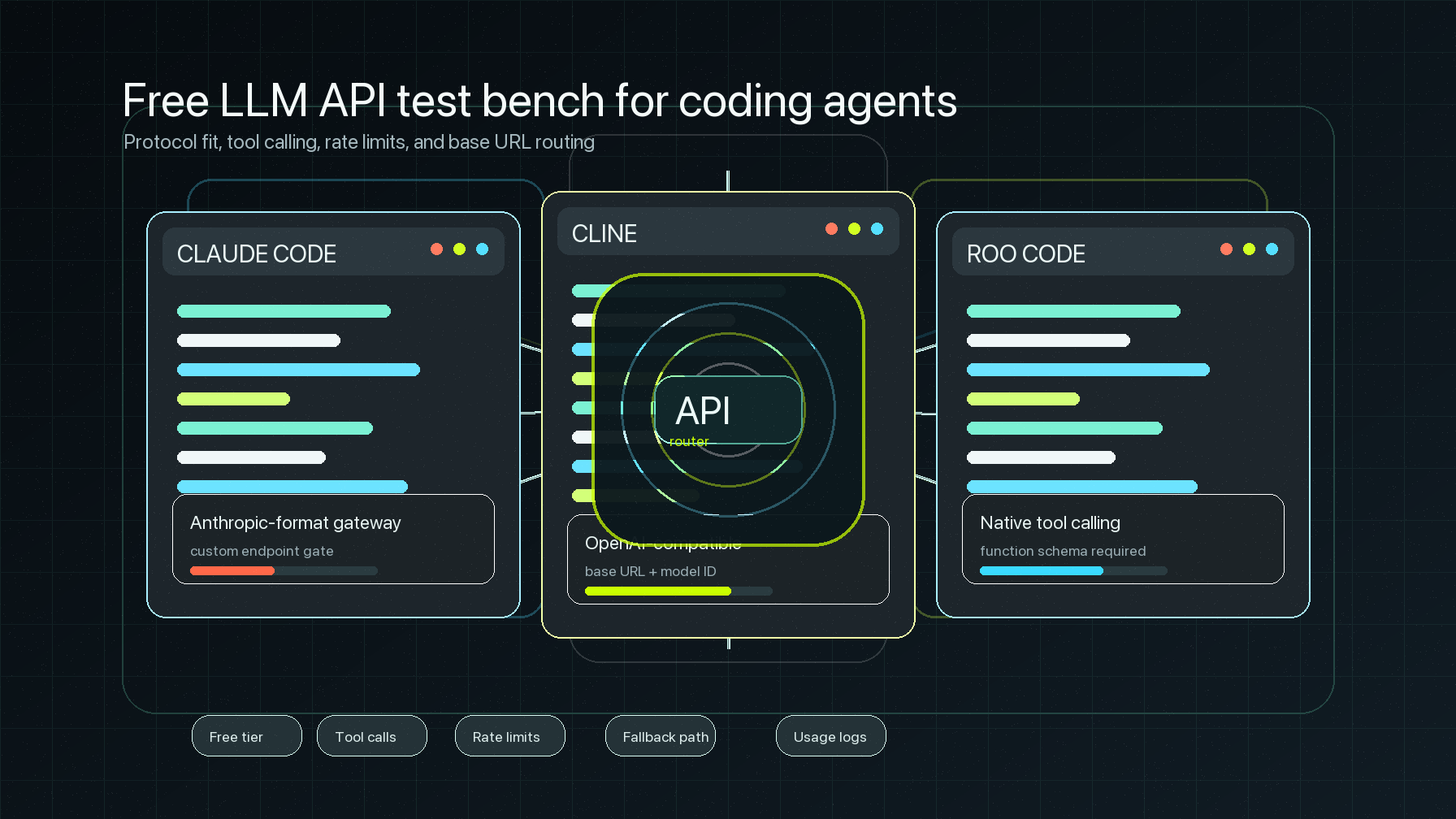
For Cline and Roo Code, the best free LLM API starting point is usually Gemini through its OpenAI-compatible endpoint, because it gives you a first-party free tier, a documented OpenAI-style base_url, and enough compatibility to test real agent prompts before you pay. For Claude Code, the answer is different: free OpenAI-compatible APIs are not direct drop-ins. Claude Code expects a supported Anthropic-format gateway path, and Anthropic's own docs say it does not support routing Claude Code to non-Claude models through a gateway.
That difference matters more than leaderboard scores. Coding agents do not send one polite chat prompt. They stream tool calls, inspect files, retry after errors, and burn through free quotas quickly. The best free LLM model for coding is the one that survives the agent protocol you actually use.
This guide compares free LLM API paths for Claude Code, Cline, and Roo Code, then gives a practical decision matrix for developers who want to test coding agents without accidentally building on a quota trap.
Which free LLM is best for coding? The short answer
If you want one default answer to which free LLM is best for coding, use this:
| Use case | Best free starting point | Why |
|---|---|---|
| Cline coding-agent tests | Gemini API free tier through OpenAI compatibility | First-party free tier plus documented OpenAI-compatible chat endpoint |
| Roo Code coding-agent tests | Gemini API free tier through OpenAI compatibility | Roo supports custom OpenAI-compatible providers, but the model must support native tool calling |
| Claude Code gateway tests | An Anthropic-compatible gateway path, not a generic free OpenAI API | Claude Code gateway docs center on Anthropic-format endpoints and supported Claude traffic |
| Trying several free models quickly | OpenRouter free model variants | Convenient model sampling, but free variants have explicit request caps and 429 behavior |
| Speed experiments | Groq free plan | Useful for latency experiments, with account-level rate limits and preview/production model distinctions |
| Local or edge experiments | Cloudflare Workers AI or local Ollama/LM Studio | Good when your stack already runs there, but "free" still has daily allocations, hardware, or platform limits |
The important rule: a free LLM API for coding agents should be judged by tool calling, context handling, retry behavior, and quota visibility, not just answer quality on a single coding prompt.
What we tested
For this article, "tested" means a setup-readiness test against the three agent surfaces a developer actually has to configure:
- Can the agent point at a custom API endpoint without patching the extension or CLI?
- Does the provider expose an OpenAI-compatible or Anthropic-compatible route that matches the agent?
- Does the model path support the tool-calling behavior needed by agentic coding?
- Are rate limits, free-tier limits, and production caveats visible before a long coding task starts?
- Can a team graduate from a free test to a routed, observable API setup without changing every local agent config again?
This is not a synthetic benchmark table. Exact free-tier quotas change, account tiers vary, and coding-agent behavior changes as tools evolve. The useful comparison is whether the free path is safe to test with and what breaks first.
Compatibility by coding agent
Claude Code
Claude Code is the least friendly surface for generic free OpenAI-compatible APIs.
Anthropic documents a gateway path for Claude Code through variables such as ANTHROPIC_BASE_URL, but the gateway has to expose a supported API format. The same documentation says Anthropic does not support routing Claude Code to non-Claude models through any gateway. It also explains that a gateway credential changes billing and usage-limit behavior because requests use the gateway credential rather than a saved Claude subscription login.
That makes the practical answer simple: if your question is which free LLM is best for coding in Claude Code, do not start by plugging in a random OpenAI-compatible free endpoint. Start with a Claude-compatible path, then use a gateway only when you understand credential handling, billing, and supported protocol behavior.
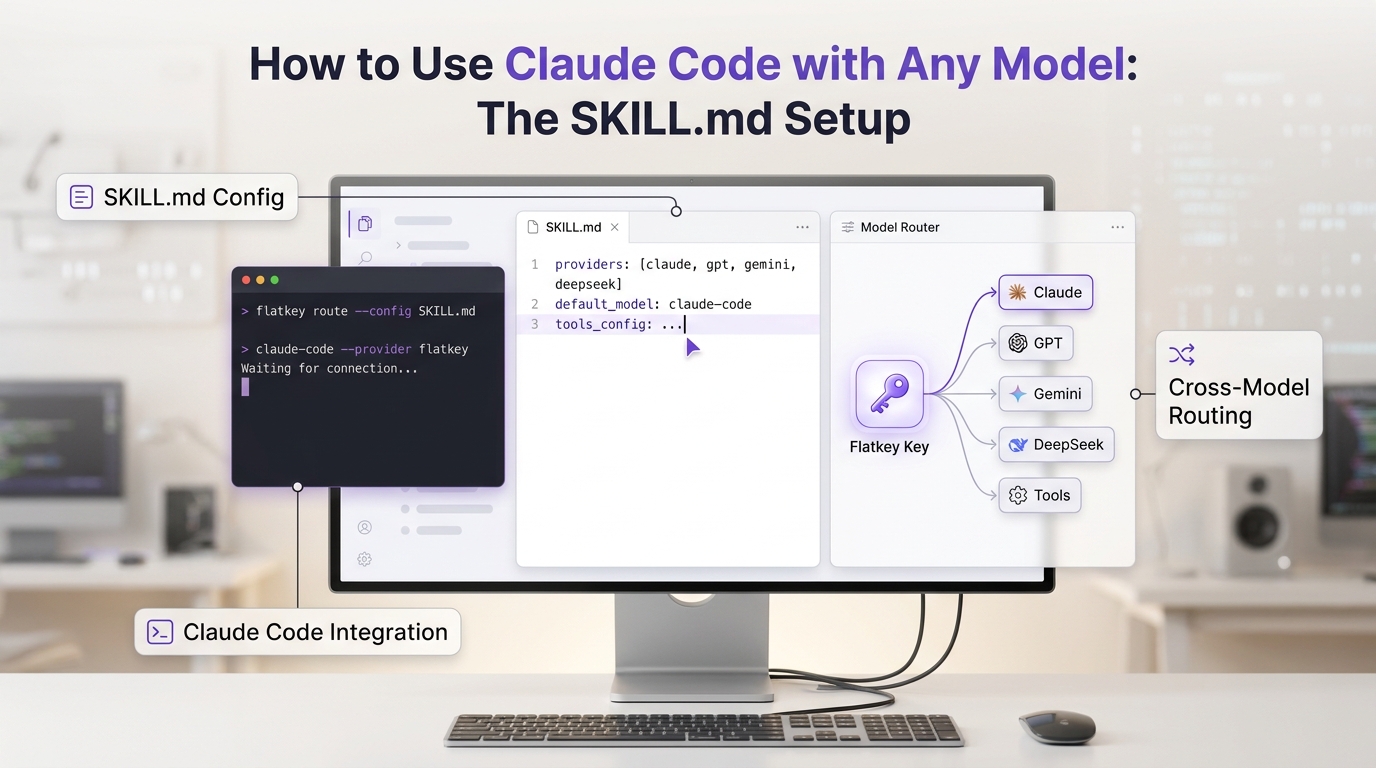
Flatkey's own quickstart reflects that distinction. Flatkey documents one key, one balance, one model catalog, an OpenAI-compatible router for SDK/API use, and a separate Codex and Claude Code setup path through the Console. That lets a team treat agent setup as infrastructure instead of scattering provider keys across laptops.
Cline
Cline is much more direct for free API experiments.
Cline's OpenAI-compatible provider setup asks for three core fields: Base URL, API Key, and Model ID. It also lets you configure model details such as max output tokens, context window, image support, computer use, and input/output price assumptions.
That makes Gemini's OpenAI-compatible endpoint a strong default for Cline. Google documents an OpenAI-compatible Gemini API base URL at:
https://generativelanguage.googleapis.com/v1beta/openai/So a Cline test can be as simple as selecting "OpenAI Compatible," pasting the Gemini-compatible base URL, adding a Gemini API key, and choosing a coding-capable model. The catch is quota: agent loops can consume free allocations quickly, so you should keep tasks short and inspect errors before assuming the model is bad.
Roo Code
Roo Code also supports OpenAI-compatible providers, but it adds a stricter requirement that matters for coding agents: native tool calling.
Roo's documentation says the OpenAI-compatible provider uses Base URL, API Key, and Model ID, but it also says Roo Code uses native tool calling exclusively. If the model does not support OpenAI-compatible tool calling, it cannot be used with Roo Code.
That changes the answer to which free LLM is best for coding in Roo. A model that writes good standalone code is not enough. It has to support the function-calling/tool schema well enough for Roo to read files, apply edits, and stream tool events reliably.
For Roo, start with Gemini or another provider that documents OpenAI-compatible tool calling, keep the first task small, and watch for tool-calling errors before you spend time tuning prompts.
Free LLM API options for coding agents
1. Gemini API free tier
Gemini is the best first free LLM API for many Cline and Roo Code users because Google documents both a free starting path and OpenAI compatibility. Its pricing page says developers can start building free of charge with limits and then scale into prepaid or pay-as-you-go usage. Its OpenAI compatibility docs show the Gemini API working with the OpenAI library and the chat/completions route.
Use Gemini first when:
- You want a first-party provider, not a third-party model router.
- You need an OpenAI-compatible base URL for Cline or Roo Code.
- You want a clear upgrade path after free testing.
- You are testing general coding tasks, refactors, documentation, and small bug fixes.
Do not use Gemini's free tier as proof that your production agent is cheap. Free-tier traffic is a test lane. Long-running coding agents need a paid quota plan, retry policy, and usage tracking.
2. OpenRouter free model variants
OpenRouter is useful when the job is model discovery. It exposes many model variants, including free variants with IDs that end in :free. Its limits documentation describes free-model request caps, daily request ceilings that depend on account credit history, 429 behavior, and a key-inspection endpoint for current limits.
Use OpenRouter free variants when:
- You want to compare several open or hosted models quickly.
- You are okay with request caps.
- You need a fast way to test prompt fit before choosing a provider.
- You can handle
429,402, and provider-side limit errors cleanly.
OpenRouter is less ideal when your coding agent needs predictable throughput for a long refactor. A free route is fine for exploration; it is not a production capacity plan.
If this is your bottleneck, pair this article with Flatkey's OpenRouter rate-limit guide: OpenRouter Rate Limits: Why They Happen and How to Fix Them.
3. Groq free plan
Groq is attractive when speed is the experiment. Its rate-limit docs explain RPM, RPD, TPM, TPD, and related limit types, and its model docs distinguish production models from preview models. That matters because preview models can be useful for evaluation but should not be treated as stable production dependencies.
Use Groq when:
- Latency is the thing you are testing.
- Your coding task is short enough for free-plan limits.
- You can choose an active model that fits your coding-agent tool requirements.
- You want to compare "fast enough" against "smart enough" before paying for a larger model.
Be careful with agent loops. A fast free model can hit request or token limits faster than a slower one.
4. Cloudflare Workers AI
Cloudflare Workers AI is interesting if you already build on Workers or want edge-adjacent inference. Its pricing docs describe a free daily allocation of Workers AI neurons and paid usage beyond that allocation on Workers Paid. It also lists LLM models including coding-adjacent Qwen and DeepSeek options.
Use Workers AI when:
- Your product already runs on Cloudflare.
- You want serverless AI calls close to your app infrastructure.
- Your coding-agent test is more about integration than top-tier model quality.
Do not choose it only because the word "free" appears. You still need to understand daily resets, model availability, paid-plan requirements for some models, and whether your agent can speak the right API shape.
5. Local LLM APIs through Ollama or LM Studio
Local models are "free" in the narrow sense that no provider invoice is created per token. They are not free in operational terms: you pay with local hardware, latency, memory, setup time, and lower model quality on smaller machines.
Local APIs are worth trying when:
- Your code must stay on your machine.
- Your tasks are small and repetitive.
- You are testing agent mechanics rather than maximum reasoning quality.
- You can accept slower performance and occasional weak edits.
Local models are usually not the answer to which free LLM is best for coding if you need strong autonomous multi-file changes. They are useful as a privacy-first baseline and fallback.
The decision matrix
Use this matrix before wiring any free LLM coding setup into daily work:
| Question | What to check | Why it matters |
|---|---|---|
| Does the agent accept this provider format? | Claude Code needs a supported Anthropic-format gateway path; Cline and Roo can use OpenAI-compatible providers | The wrong protocol fails before model quality matters |
| Does the model support tool calling? | Especially for Roo Code | Coding agents need file read/write and tool events, not only chat text |
| Can you inspect quota before starting? | Provider dashboard, key-inspection endpoint, account limit page, or usage logs | Long coding tasks fail badly when quotas are invisible |
What happens on 429? | Retry headers, exponential backoff, queueing, fallback | Free limits are normal, not exceptional |
| Can you move to paid/routed usage cleanly? | Same base_url, same model ID conventions, centralized key management | The best test setup should not become migration debt |
If the answer to two or more rows is unclear, run the free LLM API manually before trusting it inside a coding agent.
A practical setup path for Cline and Roo Code
Use this safe path when evaluating a free LLM API for coding agents:
- Pick one small task: update a README, explain a stack trace, or make a one-file refactor.
- Configure the agent with the provider's documented base URL, API key, and model ID.
- Start with the smallest context that reproduces the task.
- Confirm whether tool calls work before asking for multi-file edits.
- Watch for rate-limit errors, missing tool-call support, and model-not-found errors.
- Save the exact provider, model, base URL, and error notes.
- Only then try a longer task.
For Cline, this is mostly a provider configuration exercise. For Roo Code, treat tool calling as a hard gate. For Claude Code, treat protocol compatibility as the hard gate.
Where Flatkey fits after the free test
Free APIs are excellent for answering "can this agent work?" They are weak at answering "can my team run this every day?"
Flatkey is built for the second question. Flatkey's public quickstart documents one key across API, SDK, CLI, and coding-agent setup; an OpenAI-compatible router at:
https://router.flatkey.ai/v1It also documents Usage Logs so teams can inspect model, token counts, latency, and cost after a request. The product overview positions Flatkey around one balance across official models and pay-per-call tools, with usage landing in one ledger.
That is useful once a free LLM coding test grows into:
- multiple developers with different local agents,
- multiple model providers,
- retry and fallback policies,
- usage attribution,
- spending controls,
- and a need to avoid scattering provider keys.
The migration principle is simple: test free models directly when learning, then move serious agent usage behind one observable gateway before the local configs become unmanageable.
For setup details, start with Flatkey API Quickstart: Make Your First Call Through router.flatkey.ai and One OpenAI-Compatible Base URL for Multi-Model Prompt Testing.
Common mistakes
Mistake 1: treating every OpenAI-compatible API as agent-compatible
OpenAI-compatible chat is not the same as coding-agent compatibility. Tool calling, streaming, model IDs, and max output settings can differ.
Mistake 2: picking the smartest free model and ignoring quotas
The best free LLM model for coding is not useful if it fails halfway through a refactor. Inspect rate limits before starting agent loops.
Mistake 3: using Claude Code like Cline or Roo Code
Claude Code has a different gateway model. A generic free OpenAI-compatible endpoint that works in Cline may not be a supported Claude Code path.
Mistake 4: forgetting that "free" often means "evaluation only"
Provider docs often separate free tiers, preview models, and production models. If the task matters, read those distinctions before you automate around them.
FAQ
Which free LLM is best for coding overall?
For most developers testing Cline or Roo Code, Gemini's free tier through its OpenAI-compatible endpoint is the best starting point. For Claude Code, a generic free OpenAI-compatible API is not the right default because Claude Code gateway support centers on Anthropic-compatible behavior.
What is the best free LLM API for coding agents?
The best free LLM API for coding agents is the one that matches your agent protocol and supports tool calling. Gemini is the strongest default for OpenAI-compatible agent tests; OpenRouter is useful for free model sampling; Groq is useful for speed tests; local models are useful for private experiments.
In practice, the question which free LLM is best for coding should always be answered per agent, not per model leaderboard.
Can I use OpenRouter free models in Cline or Roo Code?
Yes, if you configure the OpenAI-compatible base URL, key, and model ID correctly and the selected model supports the behavior your agent needs. Expect free-model request caps and handle 429 errors.
Can I use a free OpenAI-compatible model in Claude Code?
Not as a generic drop-in. Claude Code gateway docs focus on supported API formats and Anthropic-compatible gateway behavior, and Anthropic says it does not support routing Claude Code to non-Claude models through any gateway.
Are local LLMs good enough for coding agents?
They can be good enough for small edits, explanations, and private experiments. They are usually weaker for long multi-file agent tasks unless you have strong local hardware and a model that supports the agent's tool protocol.
Final recommendation
If your real question is which free LLM is best for coding, start with the agent:
- Cline: try Gemini's OpenAI-compatible endpoint first.
- Roo Code: try Gemini first, but verify native tool calling immediately.
- Claude Code: use a supported Claude-compatible path rather than forcing a generic free OpenAI API.
- Model shopping: use OpenRouter free variants, but expect caps.
- Latency experiments: try Groq.
- Private/local tests: try Ollama or LM Studio.
Free LLM coding is best used as a test harness. Once the workflow becomes part of your daily development loop, move it behind observable routing, usage logs, fallback policies, and one managed key.