Tendência de inferências bem-sucedidasAtividade
Ainda não há dados suficientes

GPT Image 2 é o modelo de imagem da OpenAI exposto no fluxo de geração da Flatkey. Use /v1/images/generations e configure quantidade, tamanho, qualidade, formato, fundo e moderação antes de enviar a solicitação.
Somente prévia. Entre para enviar esta solicitação à Flatkey.
{
  "model": "gpt-image-2",
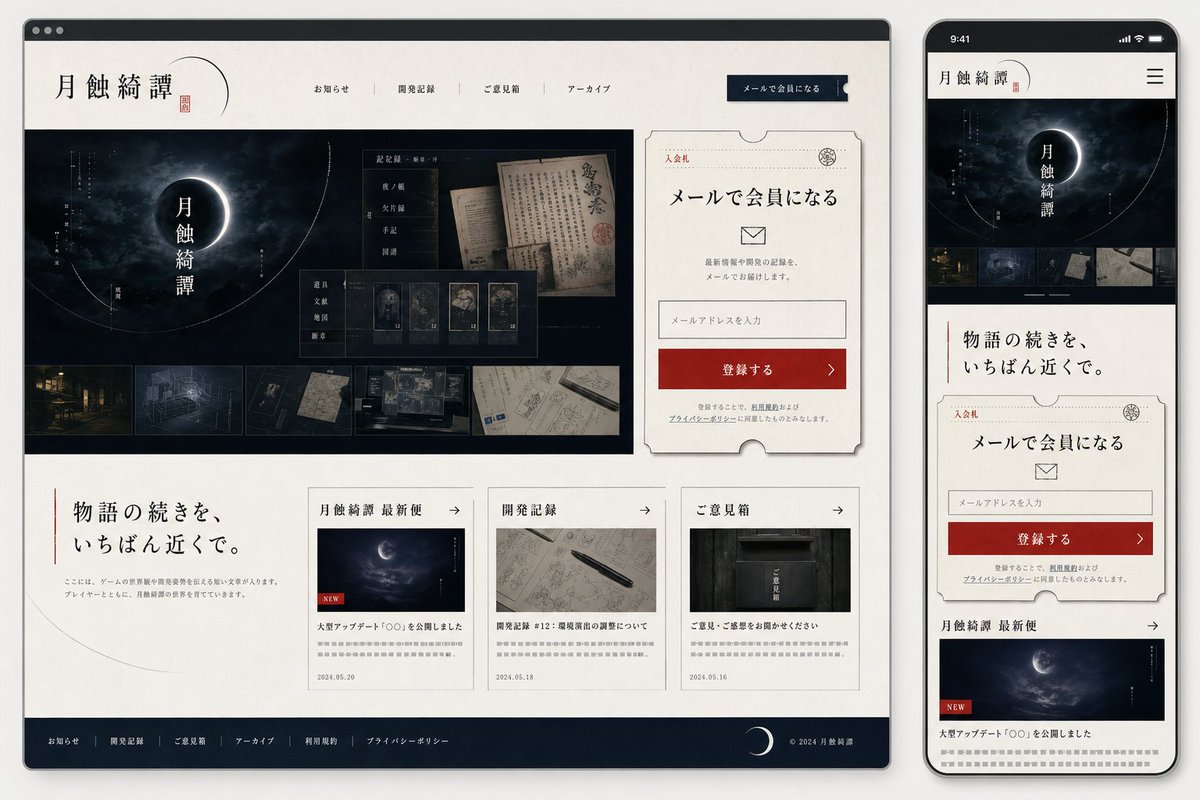
  "prompt": "Goal: Create a polished website mockup for a Japanese mystery game or story archive titled {argument name=\"site title\" default=\"月蝕綺譚\"}, shown as a responsive design preview with one desktop browser window on the left and one smartphone screen on the right.\n\nCanvas: Wide 16:9 presentation image on a light gray background. Place a large desktop browser mockup occupying about 75% of the width on the left, and a tall smartphone mockup occupying about 22% of the width on the right. Use realistic device frames with soft shadows.\n\nVisual style: Elegant Japanese literary horror, quiet mystery, archival documents, moonlit darkness. Palette of ivory paper, black ink, deep navy-black, muted gray, and one strong vermilion red accent. Use serif Japanese typography, thin ruled lines, ticket-like borders, subtle paper texture, old manuscript imagery, and faint crescent-orbit line graphics. The overall mood should feel like a premium official website for a narrative game.\n\nDesktop layout: Show a browser window with a dark top bar and three small window dots. Inside the page, use an ivory header with the site title {argument name=\"site title\" default=\"月蝕綺譚\"} on the left, a small red seal mark, and exactly 5 horizontal navigation items: 「お知らせ」, 「開発記録」, 「ご意見箱」, 「アーカイブ」, and a dark navy button labeled 「メールで会員になる」. The hero section below is a wide dark moon-eclipse visual with the vertical title 「月蝕綺譚」 centered over a glowing crescent/eclipse. Overlay a translucent archive UI card with old Japanese documents and exactly 5 small collectible/document cards along the bottom of that overlay. Along the very bottom of the hero image, include exactly 5 horizontal thumbnail strips showing: a night street, a blueprint-like room, a dark folder or object, old handwritten papers, and a desk/workspace map.\n\nDesktop right signup card: To the right of the hero, place a large cream ticket-shaped membership card with clipped semicircle notches and a thin decorative border. It includes the small label 「入会札」, a stamp emblem, headline 「メールで会員になる」, an envelope icon, short explanatory text, one email input field with placeholder 「メールアドレスを入力」, and a red CTA button labeled 「登録する」 with a right arrow. Include tiny privacy-policy text beneath.\n\nDesktop lower content: Under the hero, make a two-column-feeling section. On the left, a large Japanese tagline {argument name=\"tagline text\" default=\"物語の続きを、いちばん近くで。\"} with a thin vertical red line and a small descriptive paragraph. On the right, place exactly 3 article cards in a row. The 3 cards are: 1) 「月蝕綺譚 最新便」 with a moon image, a small red NEW label, title 「大型アップデート『○○』を公開しました」, date 2024.05.20; 2) 「開発記録」 with a notebook and pen image, title 「開発記録 #12:環境音の調整について」, date 2024.05.18; 3) 「ご意見箱」 with a dark mailbox image, title 「ご意見・ご感想をお聞かせください」, date 2024.05.16. Each card has a thin border, a small arrow in the header, and gray placeholder summary lines.\n\nDesktop footer: Add a dark navy footer spanning the bottom with exactly 6 footer links: 「お知らせ」, 「開発記録」, 「ご意見箱」, 「アーカイブ」, 「利用規約」, 「プライバシーポリシー」. Include a crescent moon icon and copyright 「© 2024 月蝕綺譚」 on the right.\n\nMobile layout: On the right smartphone, show the same site adapted to mobile. Status bar time reads 9:41. Header contains the title 「月蝕綺譚」 and a hamburger menu icon. Below it, show a compact dark hero with the eclipse and vertical title, then exactly 5 small horizontal thumbnails. Continue with the tagline 「物語の続きを、いちばん近くで。」, then the same ticket-shaped email signup card, then the first news card 「月蝕綺譚 最新便」 with moon image and red NEW label. The mobile view should be vertically scrollable-looking but contained within the phone screen.\n\nConstraints: Keep all visible interface text in Japanese as specified. Use clean, high-fidelity UI mockup rendering, crisp typography, subtle shadows, and no extra logos or watermarks. The design should look like a finished web/app mock generated for implementation planning.",
  "n": 1,
  "size": "1024x1024",
  "quality": "high",
  "output_format": "png",
  "background": "opaque",
  "moderation": "auto"
}
capacidades
A telemetria de solicitações da Flatkey para GPT Image 2 aparece quando há tráfego suficiente; nenhum benchmark ou nota de qualidade é inferido.
API
Esta seção reflete solicitações reais da Flatkey para GPT Image 2 e permanece sem dados até que haja tráfego suficiente.
Preços
O preço do GPT-image-2 segue a unidade atual do catálogo Flatkey, não a tarifa direta da OpenAI. Defina tamanho, qualidade e quantidade. Para editar, forneça referências e indique o que deve permanecer igual.
Use o mesmo saldo e a mesma chave de API Flatkey para modelos de imagem, vídeo, áudio e texto.
Os campos de integração documentados aparecem abaixo; nenhuma promessa de benchmark ou qualidade é inferida.
Crie imagens novas ou edite uma existente por /v1/images/generations e /v1/images/edits.
Use contexto visual para preservar assunto e composição em peças de produto, editorial e campanha.
Transforme um briefing em peças quadradas, verticais ou horizontais para cada canal.
Prepare resultados com o comportamento documentado de qualidade, formato, fundo e moderação.
Comparar
Os campos de integração documentados aparecem abaixo; nenhuma promessa de benchmark ou qualidade é inferida.
| Capacidade | GPT Image 1 | GPT Image 2 |
|---|---|---|
| Endpoint da API | Desconhecido aqui | /v1/images/generations; /v1/images/edits |
| Tamanhos | Desconhecido aqui | 1024x1024, 1536x1024, 1024x1536, auto |
| Formatos | Desconhecido aqui | PNG, JPEG, WebP |
| Qualidade/fundo/moderação | Desconhecido aqui | Documentado acima |
| Ranking de qualidade da imagem | Não declarado | Não declarado |
Confira fluxos, custo atual e o contrato exato de parâmetros da Flatkey.
Calculada com a configuração atual e a tarifa do catálogo quando há preço unitário fixo.
A cobrança final depende da solicitação e do grupo; preços por tokens ou faixas não viram uma estimativa fixa.
Use apenas fluxos disponíveis. A Flatkey mantém um ID público e o corpo escolhe a entrada.
Gere uma imagem a partir de texto.
gpt-image-2/v1/images/generationsUse referências para editar ou variar imagens.
gpt-image-2/v1/images/generationsValores da mesma configuração usada no Playground.
nImagens1–10
Padrão: 1sizeTamanho1024x1024 · 1536x1024 · 1024x1536 · auto
Padrão: 1024x1024qualityQualidadeauto · high · medium · low
Padrão: highoutput_formatFormato de saídapng · jpeg · webp
Padrão: pngbackgroundFundoopaque · auto
Padrão: opaquemoderationModeraçãoauto · low
Padrão: autoimageLimite de referências4 arquivos
Endpoint: /v1/images/generationsUse o mesmo contrato no Playground e na API e trate validação, saldo, estado e resultado.
Validar modelo, prompt, referências e saída.
Enviar a solicitação de imagem.
Ler o resultado ou tarefa assíncrona.
Armazenar arquivo e metadados.
Bloqueie valores e referências incompatíveis.
Trate chave, saldo, limites e grupo separadamente.
Identifique o prompt ou mídia a substituir.
Guarde o task ID, limite tentativas e não trate timeout como sucesso.
Biblioteca de prompts
Comece com um sujeito, ação, câmera ou composição concretos e uma configuração de saída explícita; mantenha os campos da solicitação separados do prompt.
Gerado com Image 2
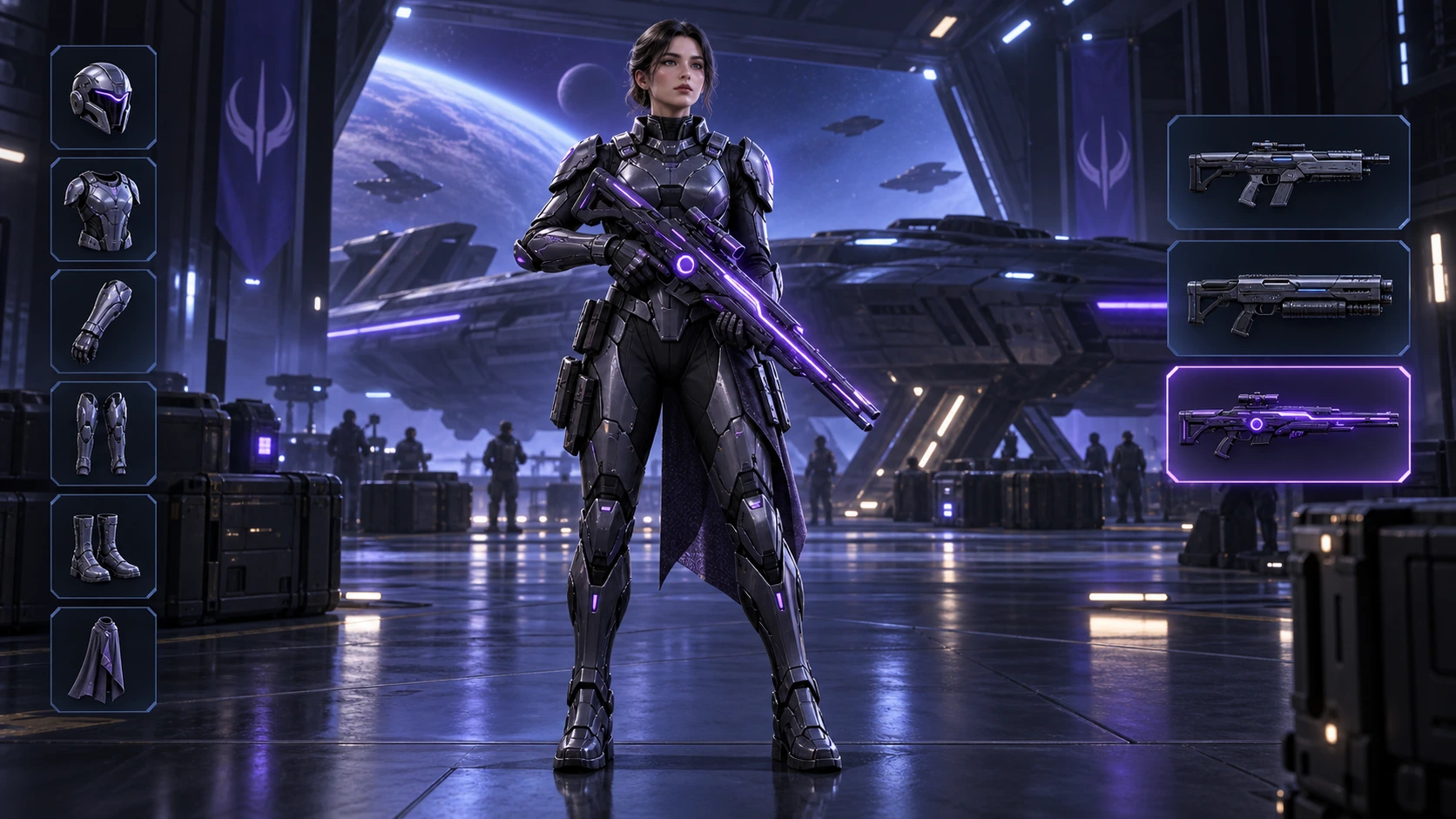
Scene: A 16:9 sci-fi game loadout screen in a blue-purple spaceship hangar. A female armored character stands centered with a glowing violet rifle; armor slots line the left, three weapon slots line the right, and the lower slot is highlighted. Keep the HUD hierarchy, pose, lighting, and equipment geometry fixed for an exact equipment-switch frame. No readable words, logos, invented stats, or watermark. Composition and rendering: Deliver one 16:9 game-interface keyframe. Separate the character, held equipment and HUD into clear depth layers; keep slot spacing and icon scale consistent, with the selected item visually dominant. Preserve the scene-specific game art style. Let material edges catch the existing light without letting interface glow obscure the silhouette. Keep all equipment fully inside the frame. Avoid: warped perspective, malformed anatomy, merged objects, inconsistent shadows, excessive sharpening and watermarks. Follow the scene-specific text and branding restrictions above.
Gerado com Image 2
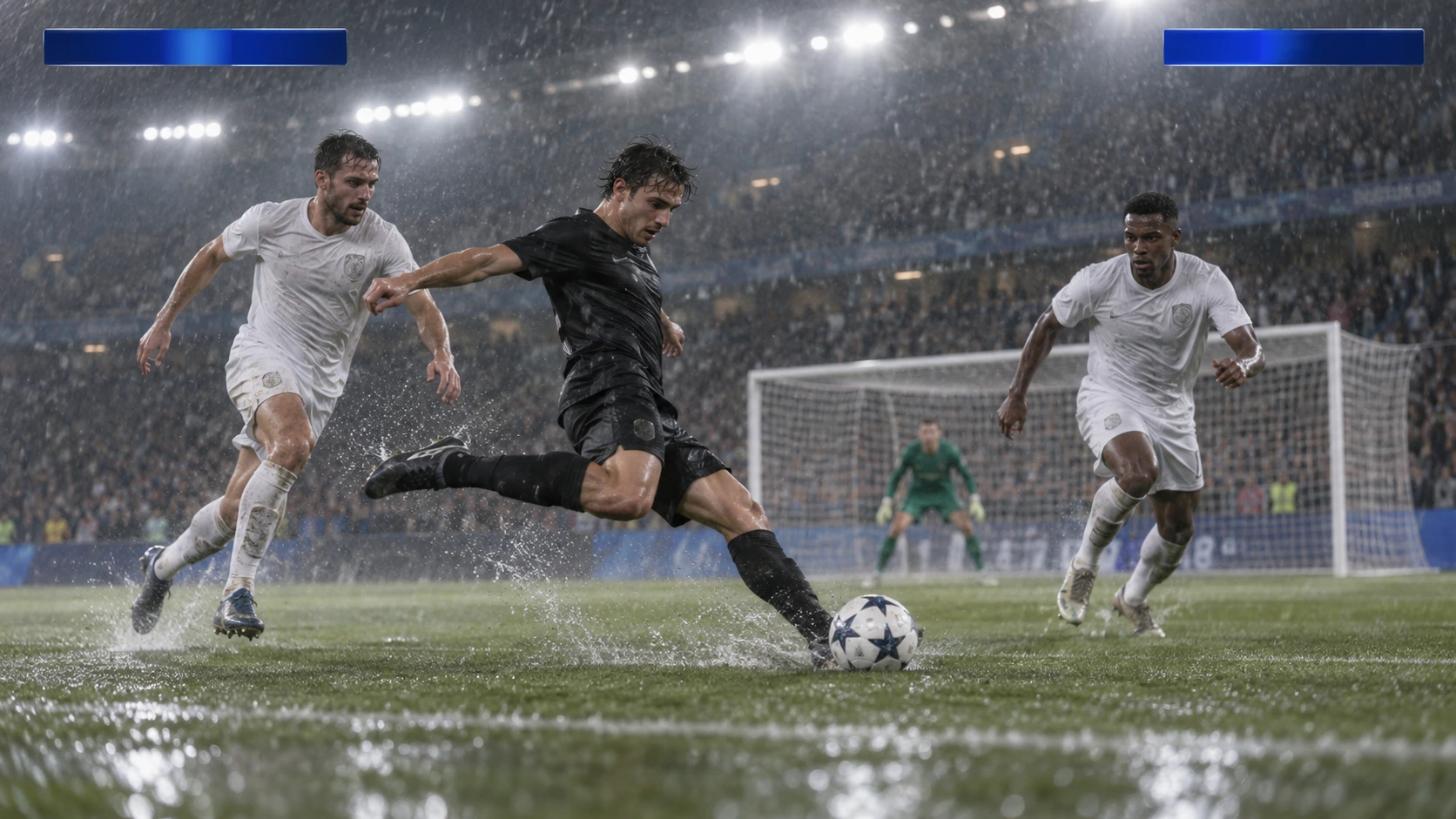
Scene: A rainy night soccer broadcast frame under bright stadium floodlights. A black-uniform player strikes the ball while two white-uniform defenders close in, with the goal and a blurred crowd behind. Keep the broadcast camera angle, blank blue score bars, spray, and motion blur consistent; leave overlays abstract and text-free. No real teams, athletes, logos, or watermark. Composition and rendering: Deliver one 16:9 broadcast still at the decisive instant. Use coherent perspective for the playing surface and equipment, readable separation between competitors, and a softer crowd behind the action. Keep the principal subject sharp, with directional blur limited to fast extremities and spray. Preserve the specified broadcast angle and reserve overlay areas clear of the action. Avoid: warped perspective, malformed anatomy, merged objects, inconsistent shadows, excessive sharpening and watermarks. Follow the scene-specific text and branding restrictions above.
Gerado com Image 2
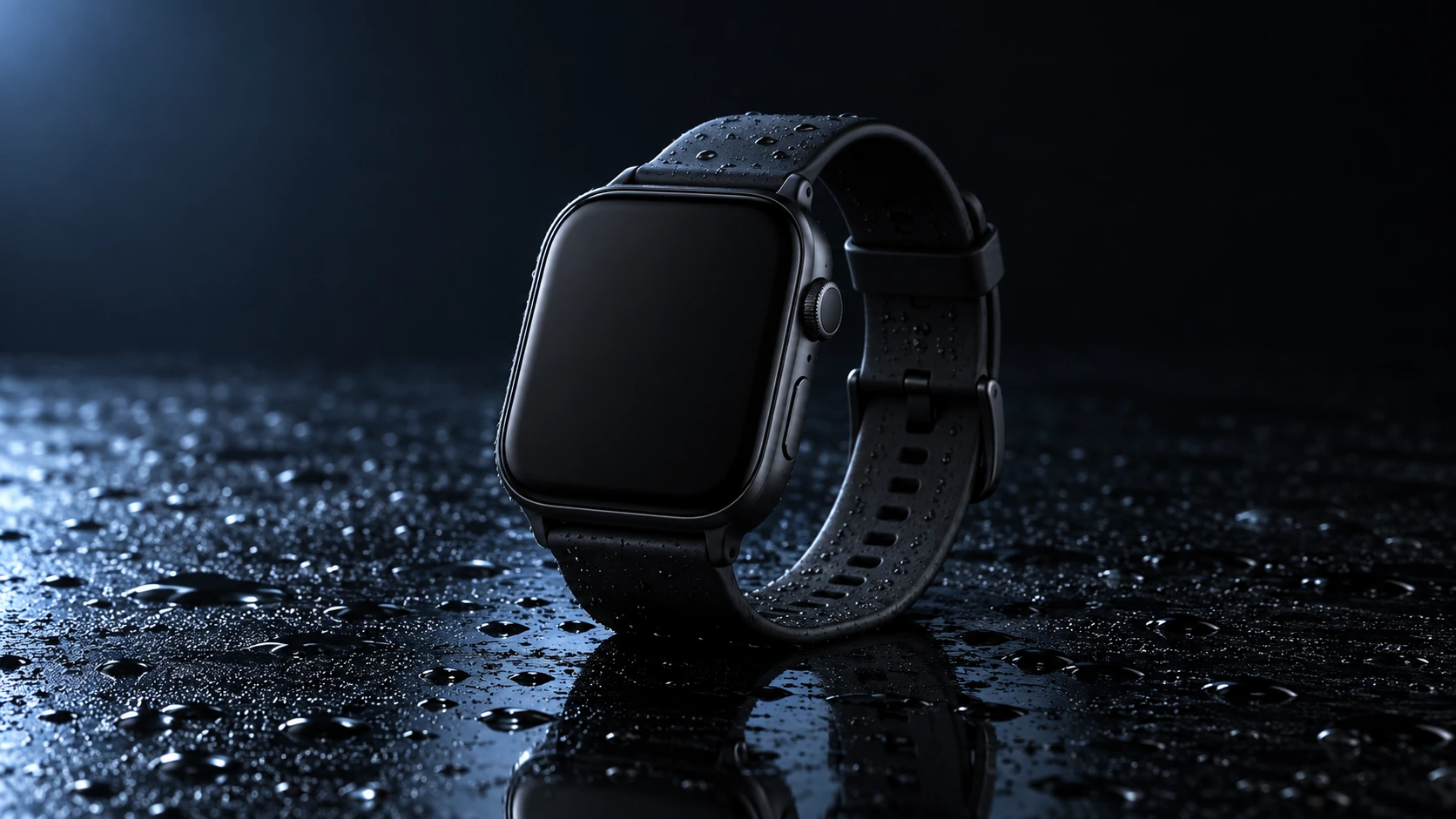
Scene: A closed matte-black square smartwatch with a black strap rests on a wet glossy black tabletop. Water droplets catch a cool blue rim light and a soft reflection sits beneath the watch. Use a low three-quarter product camera and preserve the case, strap, highlights, and empty dark background. No readable branding, extra products, hands, or watermark. Composition and rendering: Deliver one 16:9 commercial product still. Keep the complete product silhouette inside generous crop-safe margins. Resolve edges, seams and material transitions precisely; shape highlights to describe volume without clipping bright surfaces or crushing dark details. Align reflections with the object and light source. Retain the stated camera angle and existing negative space; add no decorative props. Avoid: warped perspective, malformed anatomy, merged objects, inconsistent shadows, excessive sharpening and watermarks. Follow the scene-specific text and branding restrictions above.
Gerado com Image 2
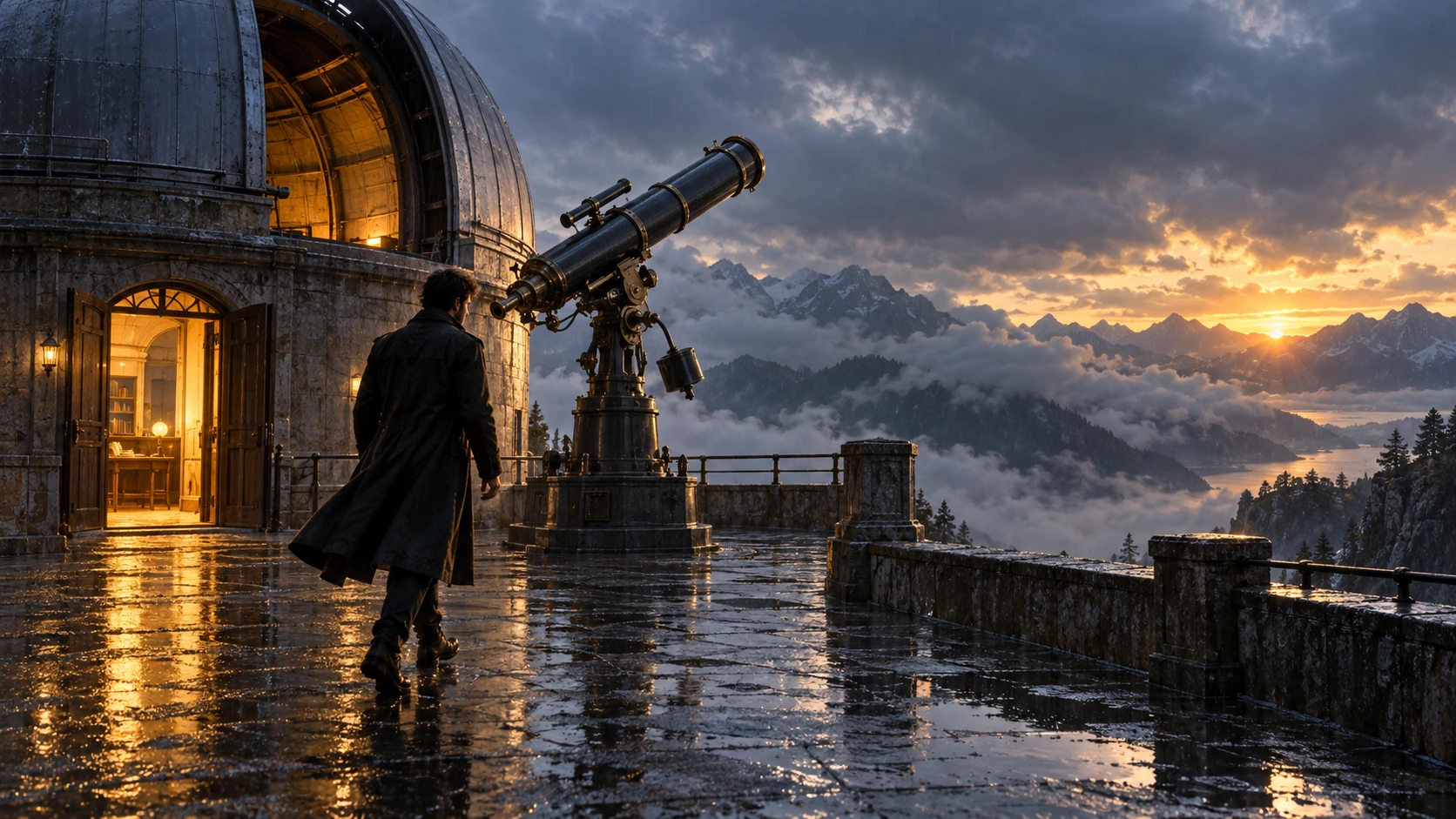
Scene: On a rain-soaked observatory roof at sunrise, a lone figure in a long dark coat walks toward a large telescope beside an open dome. Wet stone reflects the warm doorway light; cloud-covered mountains sit beyond. Hold the screen direction and end on the telescope and figure in the same wide composition. No readable text, logos, or watermark. Composition and rendering: Deliver one 16:9 storyboard keyframe, not a collage or an action sequence. Separate foreground, character plane and background through the existing light and atmospheric depth. Keep the stated pose and eyelines readable, and retain environmental landmarks for continuity. Match the described photographic, illustrated or puppet medium; give fabric and surfaces texture appropriate to that medium. Avoid: warped perspective, malformed anatomy, merged objects, inconsistent shadows, excessive sharpening and watermarks. Follow the scene-specific text and branding restrictions above.
Gerado com Image 2
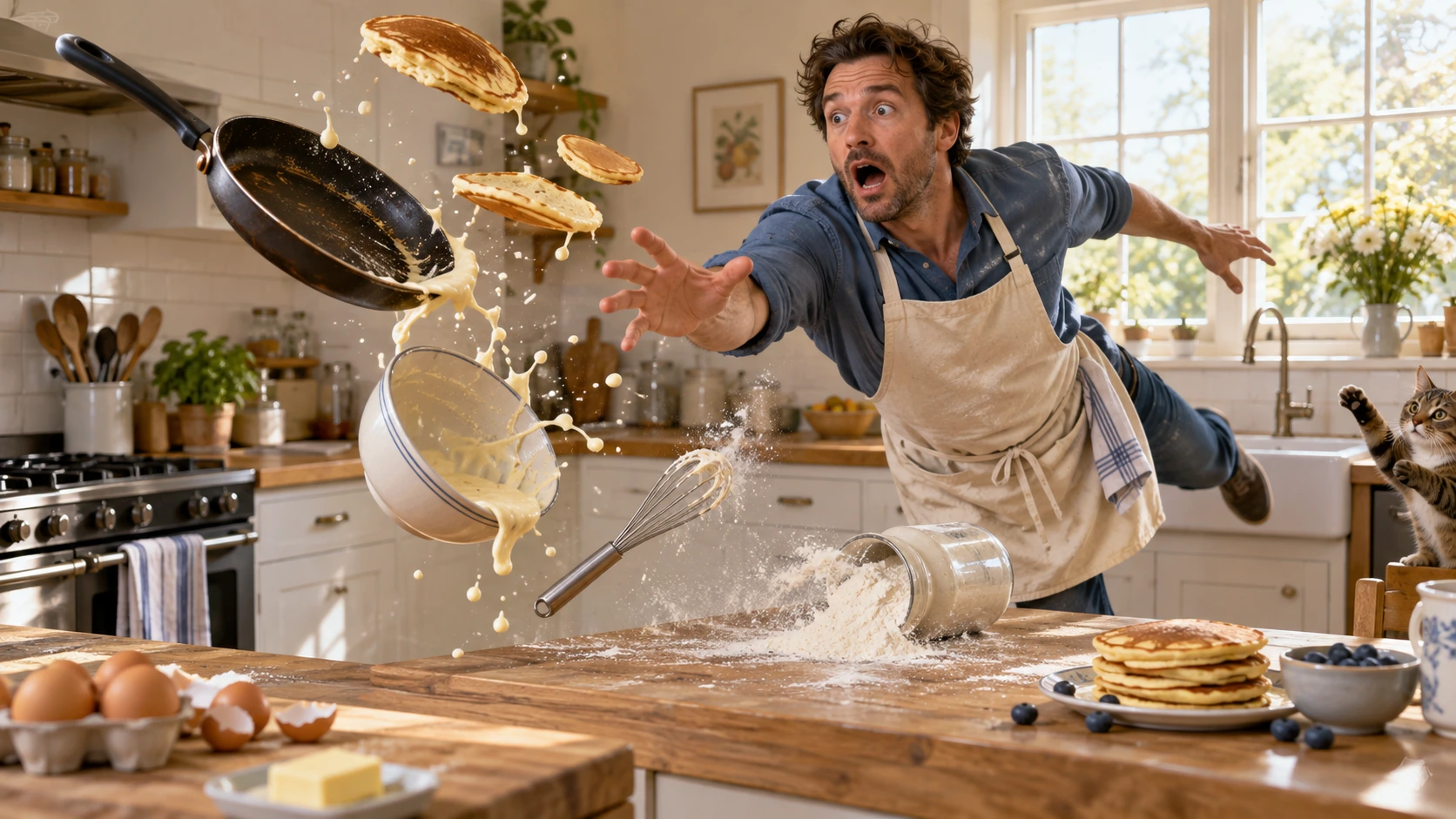
Scene: In a bright home kitchen, a surprised cook in a blue shirt and cream apron reaches toward pancakes, a frying pan, flour, bowl, and whisk suspended midair. Freeze the comic cause-and-effect moment with believable weight, warm daylight, and a clear path for each object. No injury, logos, readable words, or watermark. Composition and rendering: Deliver one 16:9 physical-comedy still at the described instant. Make the cause of the gag readable through body balance, grip and object spacing. Separate the reaction from the airborne props; retain believable gravity and contact points. Keep the face and important props sharp, with only restrained directional blur on fast edges. Preserve the stated lighting and room or stage layout. Avoid: warped perspective, malformed anatomy, merged objects, inconsistent shadows, excessive sharpening and watermarks. Follow the scene-specific text and branding restrictions above.
Gerado com Image 2
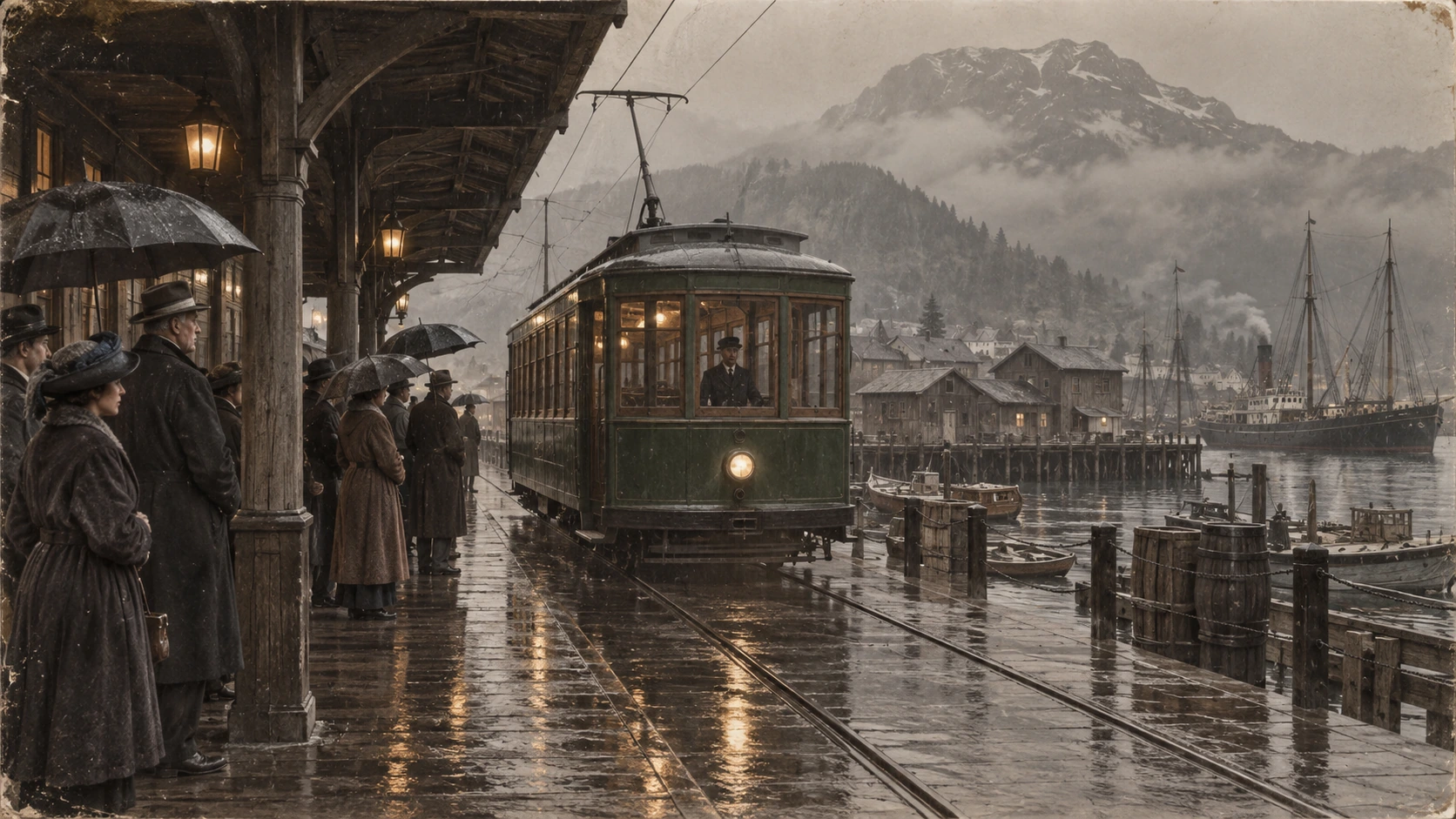
Scene: A rainy period harbor platform shelters people in era-appropriate coats and umbrellas as a vintage green tram arrives on wet tracks. Wooden waterfront buildings and misty mountains sit behind the reflections. Preserve the historical clothing, tram shape, rain direction, and stable wide composition; no readable signage, logos, or watermark. Composition and restoration: Deliver one 16:9 archival-style still. Preserve the original framing, period-specific construction and restrained tonal range; retain monochrome, sepia or faded color as described. Recover modest detail in faces, clothing and architecture without synthetic sharpening. Keep fine grain and authentic aging consistent across the frame; repair damage without replacing historical features. Avoid: warped perspective, malformed anatomy, merged objects, inconsistent shadows, excessive sharpening and watermarks. Follow the scene-specific text and branding restrictions above.
Por que a Flatkey
Mantenha visíveis os fatos, campos da solicitação e limites de preço do GPT Image 2 ao passar do teste para a produção.
Defina n, size, quality, output format, background e moderation antes de enviar a solicitação ao console.
Veja cada dimensão documentada de entrada, saída e cache do GPT Image 2; um preço de destaque não é universal.
Use exemplos de produto, anúncio e storyboard como prompts editáveis.
A página não promete saída transparente, geração gratuita ou preço fixo por imagem quando esses fatos não estão verificados.
API
Quatro formas de entrar, com a mesma chave e catálogo. Escolha uma para ver um exemplo executável.
curl https://router.flatkey.ai/v1/images/generations \
  -H "Content-Type: application/json" \
  -H "Authorization: Bearer sk-***" \
  -d '{"model":"gpt-image-2","prompt":"Crie com GPT-image-2 uma imagem de produto de alta qualidade: composição limpa, iluminação precisa, foco forte no produto e detalhes realistas.","n":1,"size":"1024x1024","quality":"high","output_format":"png","background":"opaque","moderation":"auto"}'
Perguntas frequentes
Preços, compatibilidade, limites e detalhes de solicitação específicos do modelo.