AI Spend Management: How to Track and Control AI Costs Across Seats, APIs, and GPUs (2026)
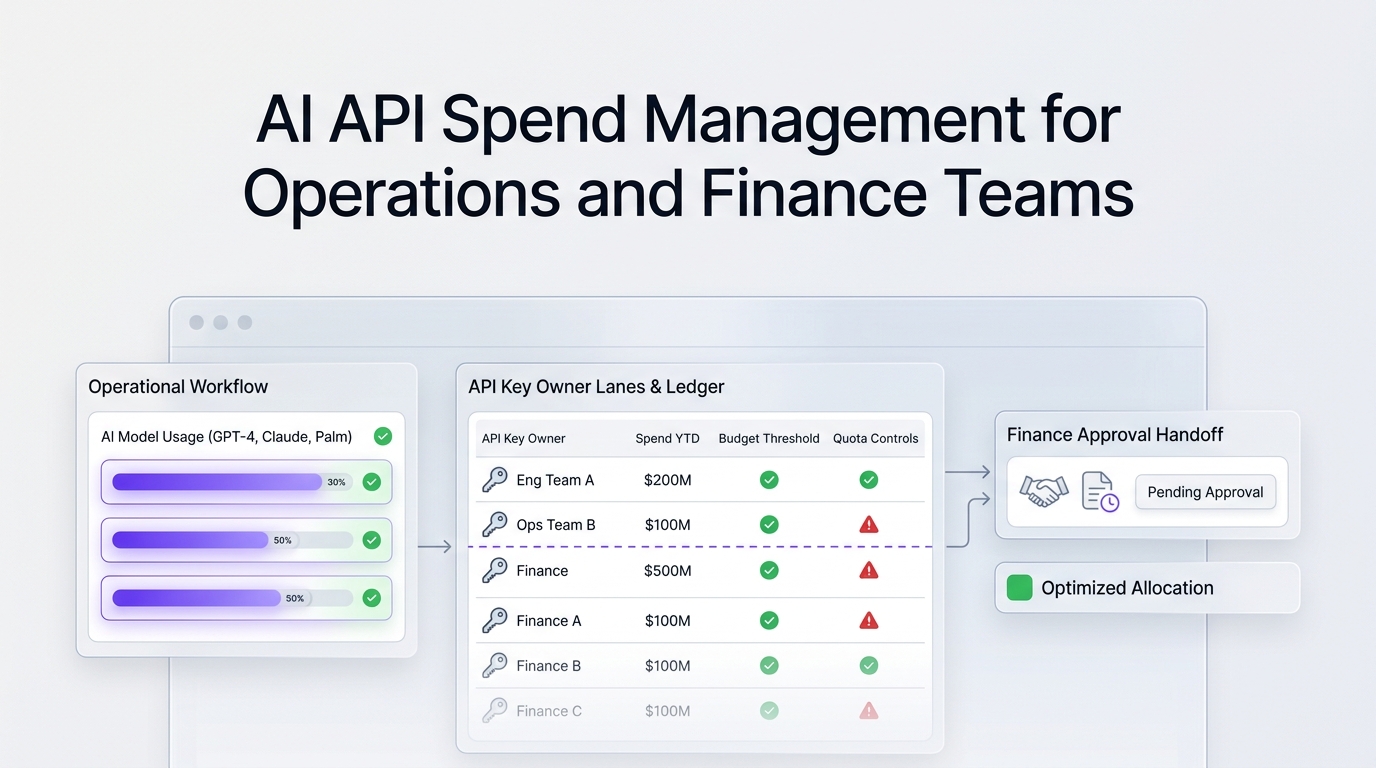
AI spend management is the practice of finding every place your company pays for AI (SaaS seats such as Claude Team or GitHub Copilot, usage-based model APIs, and cloud GPUs), giving each line an owner and a budget, and reviewing usage against value every month. Seats are predictable and easy to over-buy; APIs and GPUs are usage-based and can spike overnight. A working program combines a single AI spend inventory, per-key and per-workload budgets with alerts, provider cost APIs feeding one ledger, and a monthly review run jointly by operations, engineering, and finance.
This guide is written for operations, finance, and AI product teams who need a practical system, not another dashboard. Prices and API details were checked on official pages on October 28, 2026.
Quick answer: the five controls that matter
| Control | What it does | Owner | Tool or source |
|---|---|---|---|
| AI spend inventory | Lists every AI vendor, plan, key, and card | Operations / finance | Expense data, SSO app list, provider consoles |
| Budgets and alerts | Warns before spend exceeds plan | Engineering lead per workload | Provider limits, cloud budgets, gateway quotas |
| Usage and cost ledger | One table of daily cost by model, team, and feature | Platform team | Provider usage and cost APIs |
| Seat right-sizing | Removes unused or duplicate AI subscriptions | IT / operations | Admin consoles, login and activity data |
| Monthly value review | Compares spend with outcomes and decides changes | Finance + product | Ledger plus product metrics |
Why AI spend is harder to manage than normal SaaS
Traditional SaaS management tools track seats and renewals. AI spend breaks that model in three ways:
- Mixed pricing models. The same team may pay per seat for a chat assistant, per token for an API, and per GPU-hour for a fine-tuning job. Each has a different meter, invoice, and forecasting method.
- Usage volatility. A single agent loop, a batch evaluation, or a prompt change that doubles context length can multiply API costs without any new purchase order.
- Shadow AI. Employees expense personal plans, developers create provider accounts with company cards, and experiments keep running after the project ends.
The FinOps Foundation's FinOps for AI guidance describes the same shift: new metrics such as cost per token, volatile costs, and GPU scarcity, managed with the familiar FinOps loop of tracking usage, setting quotas, tagging resources, and aligning spend with business outcomes.
Step 1: Build the AI spend inventory
Start with a single list. Pull it from card and expense data, SSO or identity-provider app lists, cloud bills, and each AI provider's console.
| Category | Examples (October 2026 list prices) | Pricing model | What to record |
|---|---|---|---|
| AI assistant seats | Claude Team: $20 per standard seat/month billed annually ($25 monthly), $100 per premium seat annually ($125 monthly) | Per seat | Seats bought vs active users, renewal date |
| Coding assistants | GitHub Copilot: Pro $10/month, Pro+ $39/month, Max $100/month | Per seat plus usage credits | Seats, credit overage, team owner |
| Model APIs | OpenAI, Anthropic, Google, DeepSeek, and others, or one gateway | Per token, per image, per second of video | API keys, owner, workload, monthly budget |
| GPUs | Cloud GPU rentals for training, fine-tuning, or self-hosted inference | Per GPU-hour or reserved term | Instance, utilization, term, owner |
| AI features inside existing SaaS | AI add-ons in CRM, help desk, or office suites | Per seat add-on or usage credits | Which teams actually use it |
A minimal inventory schema:
vendor,product,category,pricing_model,owner,team,monthly_budget_usd,renewal_date,key_or_account_id,notes
Anthropic,Claude Team,seat,per_seat,ops@acme.com,Sales,2000,2027-03-01,org-acme,"80 standard seats"
GitHub,Copilot Pro+,seat,per_seat_plus_credits,eng-lead@acme.com,Engineering,1950,2027-01-15,acme-gh,"50 seats"
Flatkey,API gateway,api,per_token,platform@acme.com,Support bot,3000,,key-support-prod,"one key, many models"
GPU cloud,8x H200,gpu,per_gpu_hour,ml-lead@acme.com,ML,20000,,cluster-01,"fine-tuning Q4"
Step 2: Put budgets and alerts on usage-based spend
Seats are capped by definition. APIs and GPUs are not, so they need guardrails before traffic scales:
- Separate keys per workload and environment. One key for production support, one for staging, one for evaluation jobs. You cannot budget what you cannot attribute. Our AI API quota management guide shows how to size limits per key.
- Provider and cloud budgets. Cloud platforms support budget alerts at thresholds you choose: see Google Cloud budgets and alerts, AWS Budgets, and Azure Cost Management budgets. Alerts notify; they do not always stop spend, so pair them with hard limits where available.
- Rate limits as a safety net. Provider rate limits (OpenAI rate limits guide) cap throughput, not cost, but they bound how fast a runaway loop can burn money.
- Expiry for experiments. Every non-production key gets an end date and an owner.
Step 3: Feed provider usage and cost APIs into one ledger
Most model providers expose organization-level reporting APIs that need an admin credential:
- Anthropic offers a Usage and Cost Admin API with
/v1/organizations/usage_report/messagesfor token usage by model and workspace and/v1/organizations/cost_reportfor cost in USD; it requires an Admin API key, and workspace API keys do not work (Claude Usage and Cost API). - OpenAI offers organization usage endpoints and a
/v1/organization/costsendpoint in its organization usage API reference.
A small daily collector that writes both into one CSV:
# ai_spend_ledger.py - daily AI API cost into one ledger (admin keys from env)
import os, csv, datetime as dt, requests

day = (dt.date.today() - dt.timedelta(days=1)).isoformat()
rows = []

# Anthropic cost report (Admin API key)
r = requests.get("https://api.anthropic.com/v1/organizations/cost_report",
    headers={"x-api-key": os.environ["ANTHROPIC_ADMIN_KEY"], "anthropic-version": "2023-06-01"},
    params={"starting_at": f"{day}T00:00:00Z", "ending_at": f"{day}T23:59:59Z"}, timeout=30)
for bucket in r.json().get("data", []):
    for res in bucket.get("results", []):
        rows.append(["anthropic", day, res.get("description") or res.get("model"), res.get("amount")])

# OpenAI organization costs (admin key)
start = int(dt.datetime.fromisoformat(day).replace(tzinfo=dt.timezone.utc).timestamp())
r = requests.get("https://api.openai.com/v1/organization/costs",
    headers={"Authorization": f"Bearer {os.environ['OPENAI_ADMIN_KEY']}"},
    params={"start_time": start, "bucket_width": "1d", "group_by": "line_item"}, timeout=30)
for bucket in r.json().get("data", []):
    for res in bucket.get("results", []):
        rows.append(["openai", day, res.get("line_item"), res.get("amount", {}).get("value")])

with open("ai_spend_ledger.csv", "a", newline="") as f:
    csv.writer(f).writerows(rows)
print(f"appended {len(rows)} rows for {day}")
Field names in these responses can change between API versions, so check the linked references and keep the raw JSON for reconciliation. If you route several providers through one gateway, you can replace multiple collectors with one usage export; see the LLM cost tracking guide for tagging by environment, feature, and customer.
Step 4: Right-size seats and remove duplicates
Seat spend usually hides the easiest savings:
- Compare seats purchased with active users over the last 30 days in each admin console.
- Find overlap: a team paying for two chat assistants and a coding assistant that bundles chat.
- Move heavy API-style usage (batch summarization, data enrichment) off seats and onto metered API keys, where cost follows volume.
- Move occasional users to lower tiers. With Claude Team, for example, the premium seat costs five times the standard seat on the October 2026 price list, so reserve it for people who need the higher limits.
Step 5: Run a monthly AI spend review
| Agenda item | Question | Input |
|---|---|---|
| Change log | What changed in models, prompts, routing, or seats? | Release notes, gateway config history |
| Spend by workload | Which features drove the top 80% of cost? | Ledger grouped by key and feature |
| Unit economics | What did one resolved ticket, document, or generated asset cost? | Ledger plus product metrics |
| Budget variance | Which owners were over plan, and why? | Budgets vs actuals |
| Decisions | Switch model, cap usage, cancel seats, renegotiate | Owners sign off |
Unit cost matters more than total cost. A support bot that costs $3,000 a month and resolves 10,000 tickets ($0.30 per ticket) may be a better investment than a $500 experiment nobody uses. For model-switching decisions, use our guide to AI API cost optimization strategies and compare live prices on the Flatkey models page.
Where an AI API gateway helps
Managing ten provider accounts means ten invoices, ten sets of keys, and ten usage formats. An OpenAI-compatible gateway such as Flatkey gives one API key and one balance across many model families (Claude, GPT, Gemini, DeepSeek, Qwen, and others listed on the models page), so the ledger starts from a single usage record. Teams usually keep seat tools as they are and consolidate API traffic first. See the Flatkey quickstart and current pricing.
# One key, any supported model: switch the model name, not the account
curl https://router.flatkey.ai/v1/chat/completions \
  -H "Authorization: Bearer $FLATKEY_API_KEY" \
  -H "Content-Type: application/json" \
  -d '{"model": "deepseek-v4-flash", "messages": [{"role": "user", "content": "Classify this ticket: refund request"}]}'
For GPU-heavy teams, utilization is the biggest lever: an idle GPU still bills by the hour. Compare renting GPUs with paying per token in GPU cloud vs model API.
Common mistakes
- Optimizing token price only. A cheaper model that fails validation and triggers retries can cost more per completed task.
- One shared key for everything. It makes attribution and budgets impossible.
- Leaving experiments open. Evaluation and prototype keys keep spending after the project ends.
- Treating finance as the last reviewer. Budgets should be set before launch, not discovered on the invoice.
- Ignoring seat sprawl. Unused AI seats are pure waste and easy to recover.
FAQ
What is AI spend management?
AI spend management is the process of tracking, budgeting, and optimizing everything a company spends on AI, including assistant and coding-tool seats, usage-based model APIs, and GPU compute, so each dollar has an owner and a measurable outcome.
How is AI spend management different from SaaS management?
SaaS management focuses on seats, licenses, and renewals. AI spend management also covers usage-based costs (tokens, images, video seconds, GPU-hours) that change daily with traffic and prompts, so it needs budgets, alerts, and a usage ledger, not just a license list.
What tools are used for AI spend management?
Teams combine SaaS management or spend platforms for seats and cards, cloud budgeting tools for GPUs, provider usage and cost APIs for model spend, and often an AI API gateway to consolidate API traffic and keys. Observability tools add per-request cost; see our LLM observability tools comparison.
How do I find shadow AI spend?
Search card and expense data for AI vendors, review SSO app logs, check cloud bills for GPU instances and managed AI services, and ask each team lead to list provider accounts. Then move approved usage onto company-owned keys and accounts.
How often should we review AI spend?
Weekly for fast-growing usage-based workloads, and monthly for a joint finance, operations, and product review that compares spend with outcomes and approves changes.
Can I set a hard spending limit on AI APIs?
Some providers and gateways support hard limits or prepaid balances; cloud budgets typically send alerts rather than stopping spend. Combine per-key quotas, prepaid balances where possible, and alerts at 50%, 80%, and 100% of budget.
Bottom line
Start with the inventory, give every key and seat an owner, put budgets on usage-based spend, and bring the numbers into one ledger. Then meet monthly and decide based on cost per outcome. That is enough to keep AI spend predictable without slowing down the teams that use it.