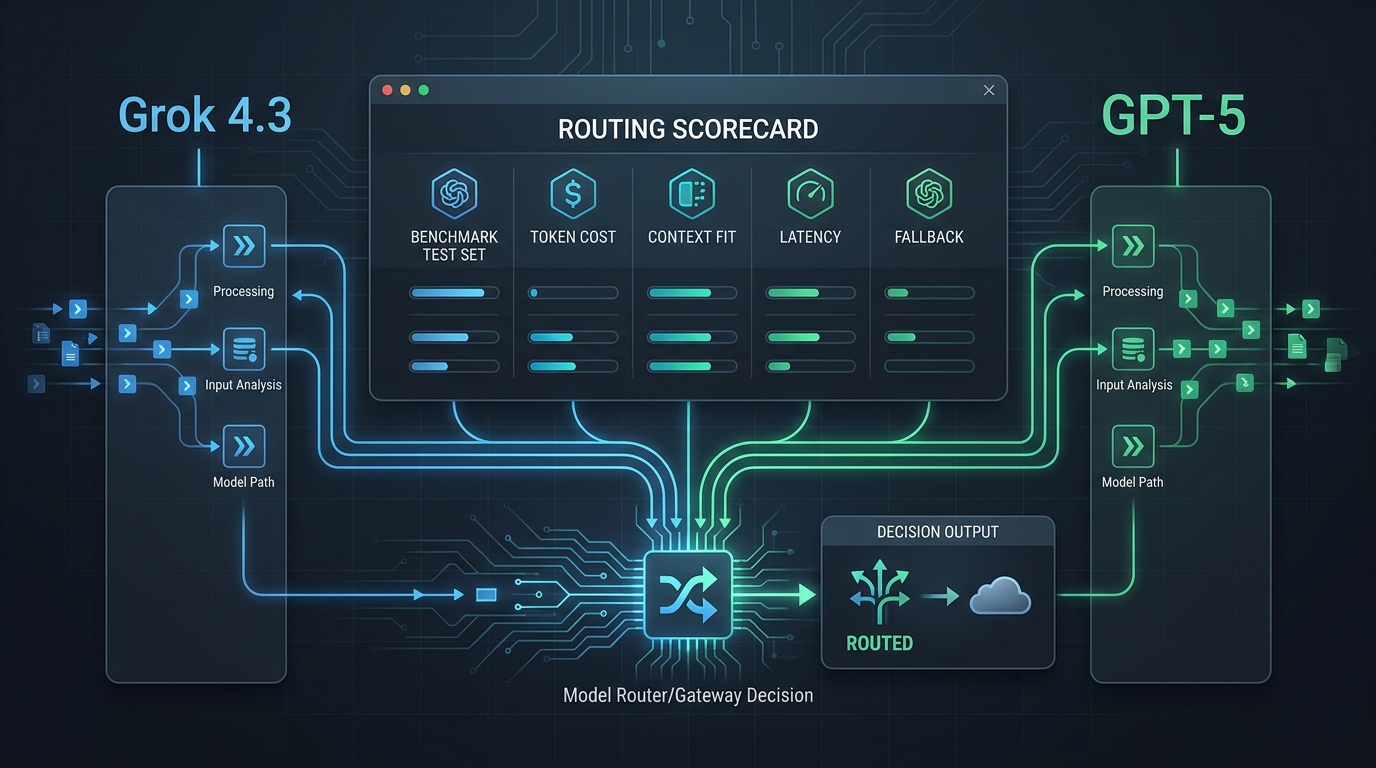
An AI image generation API can look impressive in a demo and still become difficult to operate across a real ecommerce creative pipeline.
The production decision is not only about which model creates the most attractive sample. Engineering managers and platform leads also have to evaluate access, integration effort, reliability, governance, spend visibility, and the cost of changing providers after the workflow is embedded in catalog, campaign, and localization systems.
This buyer guide provides a practical way to compare direct provider APIs and multi-model gateway options. It is designed for teams that need a repeatable decision process—not another gallery of cherry-picked outputs.
Executive decision: what should you buy?
Choose a direct provider API when your use case is narrow, one image model clearly meets the requirement, and your team is comfortable operating that provider's access, billing, quotas, logs, and lifecycle changes directly.
Evaluate an AI gateway when your roadmap includes multiple image or editing models, fallback requirements, shared usage reporting, centralized keys, or adjacent AI workloads that should use the same control layer.
The best choice is the one that passes three tests:
- Creative fit: It reliably produces assets that survive your brand and merchandising review.
- Operational fit: Your team can observe failures, control access, understand spend, and change routes without rebuilding the pipeline.
- Governance fit: You can document where prompts, reference images, outputs, logs, and credentials move through the system.
If an option only wins the first test, it is a model demo—not yet a production platform decision.
Start with the ecommerce workflow, not the model leaderboard
Before comparing vendors, separate the jobs your pipeline must perform. Different jobs can require different controls and may not belong on the same route.
| Workflow | Typical input | Required control | Common failure mode |
|---|---|---|---|
| Product scene generation | Packshot, product attributes, campaign brief | Product fidelity, aspect ratio, background rules | Product details drift or become inaccurate |
| Background replacement | Approved product image and scene prompt | Masking, edge quality, reference preservation | Packaging or silhouette changes |
| Campaign variation | Approved master creative and variation instructions | Brand consistency, batch generation, review status | Variants diverge from the approved concept |
| Localization | Master asset, locale, text or cultural requirements | Regional review, text handling, reproducibility | Incorrect text, symbols, or market context |
| Marketplace resizing | Approved asset and placement requirements | Dimensions, safe areas, output format | Cropping removes product or compliance elements |
| Creative ideation | Product data and loose prompt | Speed, variety, low review cost | Teams mistake concepts for publishable assets |
This separation prevents a common procurement error: selecting one model because it wins an ideation test, then discovering that it cannot preserve a product accurately during editing or produce consistent campaign variants.
Create a representative test set before the first vendor call. Include easy and difficult SKUs, reflective materials, transparent objects, products with text, regulated categories, and at least one localization case. Use the same inputs, review rubric, and output constraints for every candidate.
The seven criteria in an AI image API evaluation
1. Model and provider access
Ask what the platform gives you access to today and how new or retired routes are handled.
The important question is not the raw number of models in a catalog. It is whether the available routes cover your required jobs: generation, editing, reference-image use, background work, variation, and the output sizes your channels need.
Verify:
- Which image and editing routes are available in your operating regions.
- Whether access requires separate provider accounts, contracts, or approvals.
- How model identifiers and versions are exposed to your application.
- Whether you can pin a route for reproducibility instead of accepting silent changes.
- What notice and migration support exist when a model changes or is retired.
During evaluation, confirm current capabilities against the providers' official documentation, such as the OpenAI image generation guide and Google Gemini image generation guide. Provider pages, limits, and model names can change, so treat a dated spreadsheet as a starting point rather than permanent architecture.
2. Reliability, routing, and fallback behavior
Image jobs are often slower and more variable than ordinary text calls. A production evaluation should measure queue time, generation time, error rate, timeout behavior, and the quality cost of moving to a fallback—not just whether an API returned 200 during a demo.
Ask candidates to show:
- Upstream timeout and retry behavior.
- Idempotency or duplicate-job protection.
- Rate-limit and quota error handling.
- Request identifiers that support incident review.
- Route health visibility and escalation paths.
- Fallback rules that can distinguish generation from editing workloads.
A fallback should not be treated as interchangeable merely because both routes return an image. The alternate route may interpret prompts differently, alter product details, or support different dimensions. For brand-sensitive work, the safe fallback can be “pause and alert” rather than “automatically publish a different result.”
3. Governance, security, and auditability
Your review should follow the asset through the whole request path. Reference images may contain unreleased products, customer information, embedded metadata, or licensed material. Prompts and outputs may also need retention rules.
Document:
- Where API credentials are created, stored, rotated, and revoked.
- Which teams or services can call each route.
- Whether request and response logs can be limited or redacted.
- How long prompts, inputs, outputs, and operational logs are retained.
- Which upstream providers may process the request.
- How deletion, incident response, and access reviews work.
- Whether the vendor will provide the agreements and evidence your legal or security team requires.
Do not accept “enterprise-ready” as a substitute for specific answers. Map each requirement to a control owner, evidence source, and review date. Flatkey's AI API data retention checklist provides a companion structure for that review.
4. Spend visibility, quotas, and cost controls
Per-image pricing is only one part of the cost. Ecommerce teams should model the cost of retries, rejected outputs, high-resolution renders, edit passes, localization variants, and human review.
The useful unit is usually cost per approved asset, not cost per request.
Track these fields during the pilot:
| Cost field | Why it matters |
|---|---|
| Requests submitted | Establishes workload volume |
| Outputs generated | Reveals multi-output and retry behavior |
| Outputs approved | Connects API spend to usable creative |
| Rejected outputs | Exposes quality waste |
| Average review minutes | Captures operational cost beyond API fees |
| Spend by workflow | Separates catalog, campaign, edit, and localization economics |
| Spend by route | Shows whether fallback or experimentation is driving cost |
| Quota events | Identifies launch-day capacity risk |
Ask whether budgets and quotas can be assigned by key, project, environment, team, or route. Finance should be able to reconcile the bill, and engineering should be able to explain which workflow caused an unexpected increase.
For a current view of Flatkey model access and rate presentation, use the Flatkey pricing page during evaluation rather than copying a number into a long-lived procurement document.
5. Integration and developer experience
The integration cost includes more than the first successful request. Compare authentication, request formats, upload behavior, asynchronous job handling, SDK support, observability, error normalization, and the effort required to change routes later.
Use a thin internal adapter even when you select a gateway. Keep these concerns outside merchandising and campaign applications:
- Provider or gateway model identifiers.
- Prompt and negative-prompt mapping.
- Aspect-ratio and image-size mapping.
- Reference-image upload or URL handling.
- Retry, timeout, and fallback policy.
- Usage tags, request IDs, and cost metadata.
- Safety or policy response handling.
The goal is not to hide every model difference. It is to prevent provider-specific details from spreading through every downstream workflow.
6. Creative operations and approval design
An API does not replace the approval system around it. Decide which outputs can move automatically and which require human review.
A practical policy often has three levels:
- Concept only: Generated assets can inform direction but cannot be published.
- Template-reviewed: Assets can proceed after automated checks and a defined reviewer sign-off.
- Restricted: Regulated, high-value, or brand-sensitive assets require named approval and retained evidence.
Your platform should preserve the context needed for review: source product, prompt version, route, generation timestamp, reviewer, decision, and final asset ID. Without that lineage, a team may be unable to explain how a storefront image was produced or why a rejected pattern returned.
7. Vendor viability and change management
Engineering managers are buying an operating relationship as well as an endpoint.
Ask:
- Who owns incident communication and support escalation?
- How are breaking changes announced?
- Can you export usage and request records?
- Can you leave without rewriting every application?
- What happens to stored assets and logs at termination?
- Which roadmap items are available now versus planned?
Score only demonstrated capabilities. A roadmap promise can be recorded, but it should not receive the same credit as a control your team has tested.
Weighted evaluation table for engineering managers
Use a 1-to-5 score for each criterion, multiply it by the weight, and require evidence for every score above 3.
| Criterion | Suggested weight | Evidence to request |
|---|---|---|
| Creative quality and edit fidelity | 25% | Blind review results across the representative test set |
| Reliability and fallback control | 20% | Pilot metrics, incident process, timeout and retry demonstration |
| Governance and auditability | 15% | Data-flow diagram, retention answers, access-control evidence |
| Spend visibility and quotas | 15% | Usage export, cost attribution, quota and budget controls |
| Integration and maintainability | 10% | Working adapter, error model, migration effort estimate |
| Model access and lifecycle management | 10% | Current route list, version policy, deprecation process |
| Support and commercial fit | 5% | Support terms, escalation path, contract and exit requirements |
Weighted score formula:
total score = sum(candidate score × criterion weight)
Do not let the total score override a hard requirement. A candidate with excellent image quality but an unacceptable data path, no usable quota controls, or no safe fallback can still be disqualified.
Recommended decision gates
| Gate | Pass condition |
|---|---|
| Security gate | Data flow and credential controls are documented and accepted |
| Creative gate | Approved-asset rate meets the target for priority workflows |
| Reliability gate | Error, timeout, and quota behavior meet launch requirements |
| Finance gate | Cost per approved asset is explainable and forecastable |
| Platform gate | The adapter and observability design can be owned by the team |
| Exit gate | Routes, data, and application dependencies can be migrated |
A 30-day proof-of-concept plan
Week 1: Define requirements and baseline
Select two or three high-value workflows. Build the representative input set, approval rubric, expected dimensions, data classification, and current manual baseline. Record the current cost and cycle time so the pilot has a business comparison.
Week 2: Integrate and instrument
Connect each candidate through the same internal adapter. Add request IDs, workflow tags, route names, timestamps, retry counts, approval status, and cost fields. Test credential rotation and quota errors before volume testing.
Week 3: Run blinded production-style tests
Generate or edit the same asset set across candidates. Randomize results for creative review so reviewers do not know which route produced each image. Include failure drills: timeout, upstream error, unavailable route, and quota exhaustion.
Week 4: Review economics and operating risk
Calculate approval rate, cost per approved asset, review time, latency percentiles, error rate, and fallback outcomes. Complete security, legal, finance, and platform reviews. Document open risks with an owner and due date.
End the pilot with one of four decisions:
- Approve for production.
- Approve for limited workflows.
- Extend the pilot to resolve named risks.
- Reject and retain the evidence for the next evaluation.
When a gateway becomes the better operating model
A gateway becomes more valuable when the control problem grows faster than the image-generation problem.
Common signals include:
- Different workflows need different image or editing routes.
- The preferred route needs a tested fallback or pause policy.
- Teams are managing multiple provider accounts and API keys.
- Finance needs one view of usage and billing.
- Platform owners need consistent request logs and usage tags.
- Quotas and access need to be managed by project or team.
- Image generation is joining text, video, or other AI workloads.
Flatkey's public product position is one access layer for connected models, with one API key, unified billing, and a dashboard for keys, usage, and routing. Its site also describes upstream routing with automatic switching and load balancing. Buyers should verify those capabilities against their own image routes, data requirements, and pilot evidence rather than assuming every control applies identically to every model.
That is the right way to evaluate a gateway: not as a promise that all models are the same, but as a control layer that may reduce account sprawl and make access, routing, billing, quotas, and operational review easier to manage.
Questions to ask in the final vendor meeting
- Which exact routes support our generation and editing workflows today?
- What happens to an in-flight job when the preferred upstream fails?
- Can fallback be disabled for brand-sensitive workflows?
- How do we attribute usage and cost by key, project, route, and environment?
- What quotas apply, and how are launch-day increases handled?
- Where are prompts, reference images, outputs, and logs retained?
- Which upstream providers can receive each request?
- How do we export records for audit, finance, or migration?
- What breaking-change and model-retirement notice do we receive?
- What does a production incident escalation look like?
If the answers remain abstract, extend the pilot. Production approval should be based on observed behavior and reviewable evidence.
FAQ
What is an AI image generation API?
An AI image generation API lets an application create or edit images programmatically. Ecommerce teams can use it for concepting, product scenes, background changes, campaign variations, localization, and channel-specific assets, subject to brand, legal, and human-review controls.
What is the best AI image generation API for ecommerce?
There is no universal best option. The right API depends on product fidelity, edit requirements, output dimensions, approval rate, reliability, data handling, integration effort, and cost per approved asset. Test candidates with the same representative ecommerce workload.
Should an ecommerce team use a direct provider or an AI gateway?
Use a direct provider when one route meets a narrow requirement and your team can manage its account, billing, quotas, logs, and lifecycle. Evaluate a gateway when you need multiple routes, centralized keys and usage, fallback controls, or one operating layer across several AI workloads.
How should teams compare AI image API pricing?
Compare cost per approved asset, not only the advertised request or output price. Include retries, rejected outputs, high-resolution steps, edit passes, review time, and fallback usage. Use current official pricing pages during procurement because model rates and units can change.
What reliability metrics matter for image generation?
Measure success rate, timeout rate, queue time, generation latency, retry count, quota events, duplicate jobs, and the quality impact of fallback. Review latency by percentile rather than relying only on averages.
What governance questions matter most?
Document credential ownership, access controls, upstream data flow, retention for prompts and images, request-log policy, deletion, incident response, and exportability. Require evidence for any security or compliance claim that affects approval.
How long should an AI image API proof of concept run?
A focused evaluation can run in about 30 days when the team already has representative inputs and reviewers. The goal is not elapsed time; it is enough production-style evidence to evaluate creative quality, reliability, cost, governance, and integration risk.
Make the decision with current access and pricing data
Build the scorecard first, then compare the routes available to your team. If centralized access, routing, billing visibility, and quota management are part of the decision, review the current Flatkey pricing and model access before your final technical evaluation.