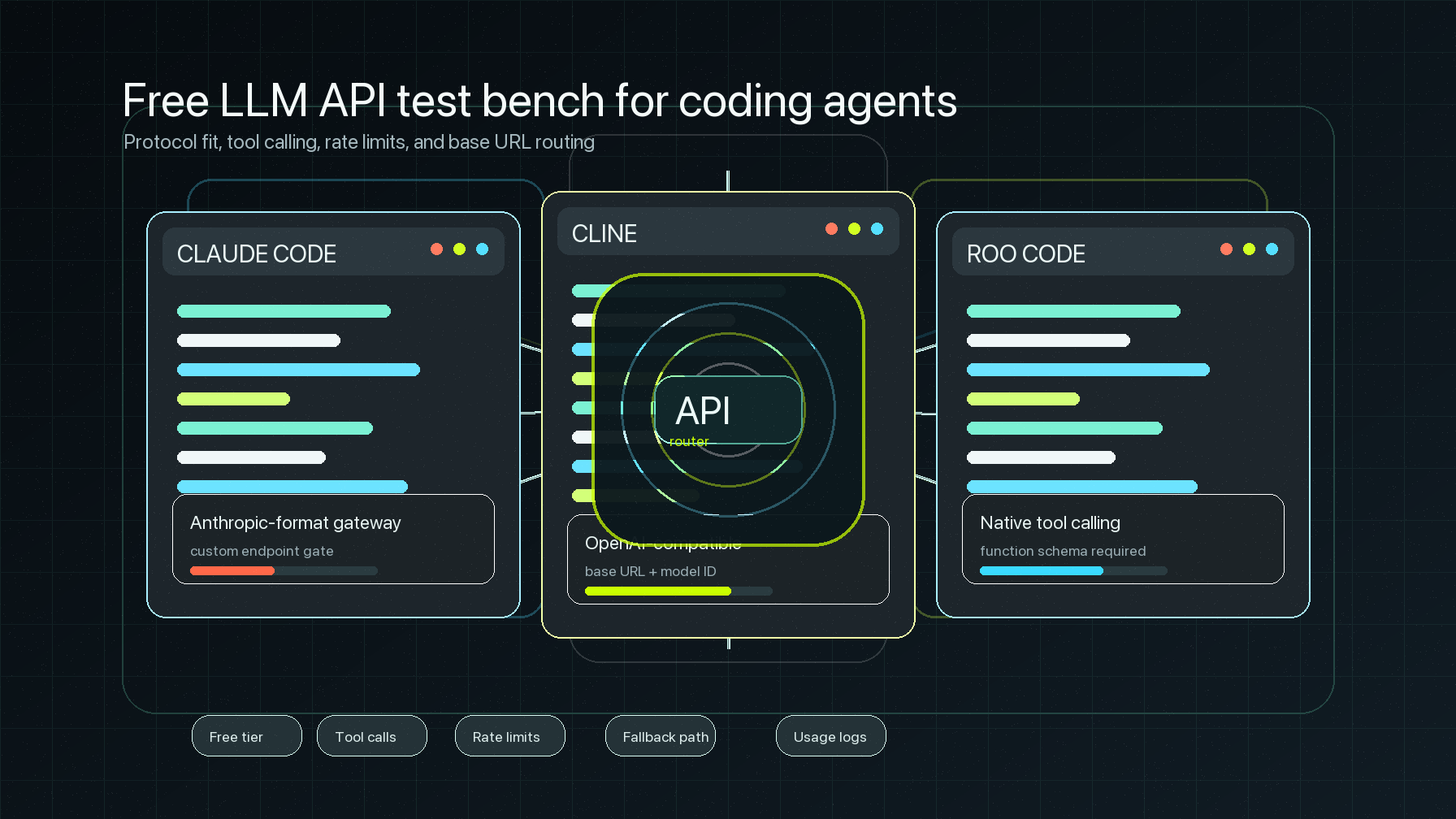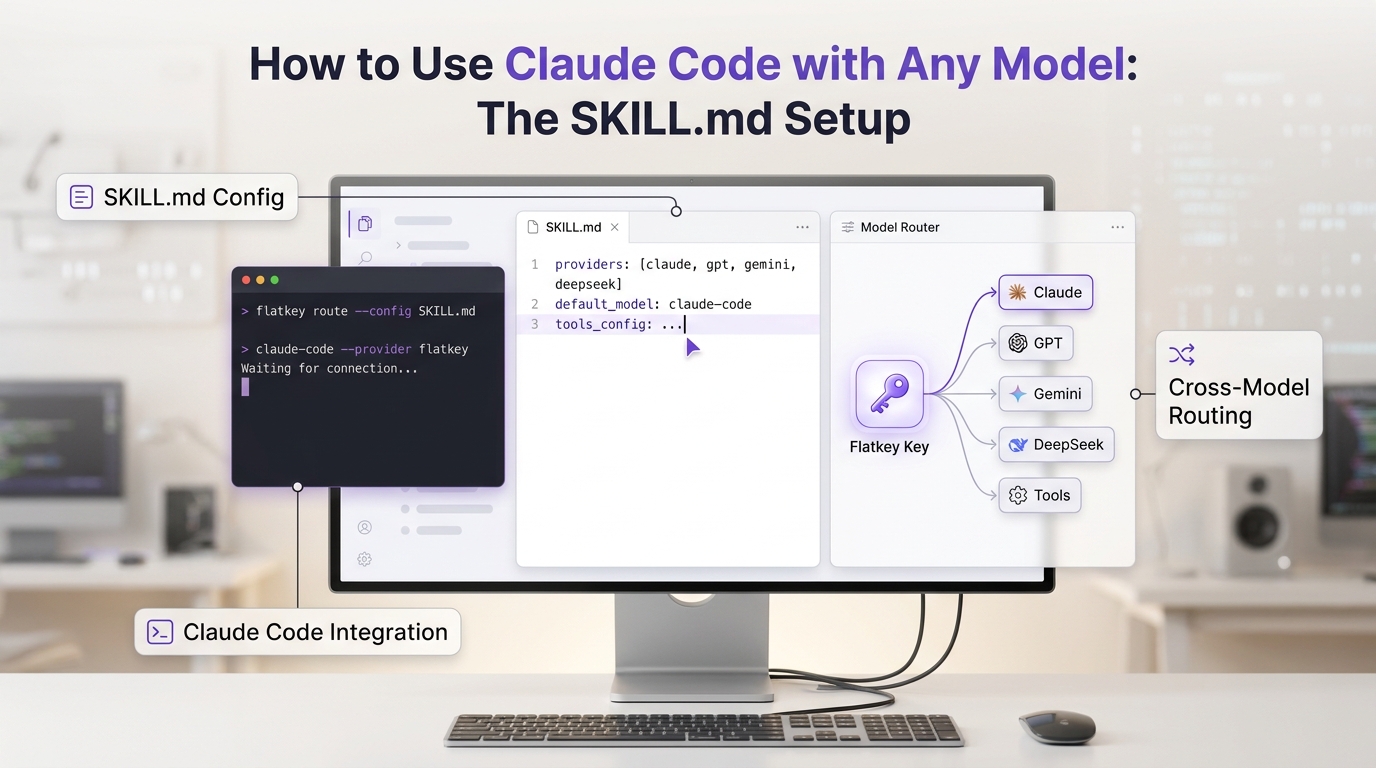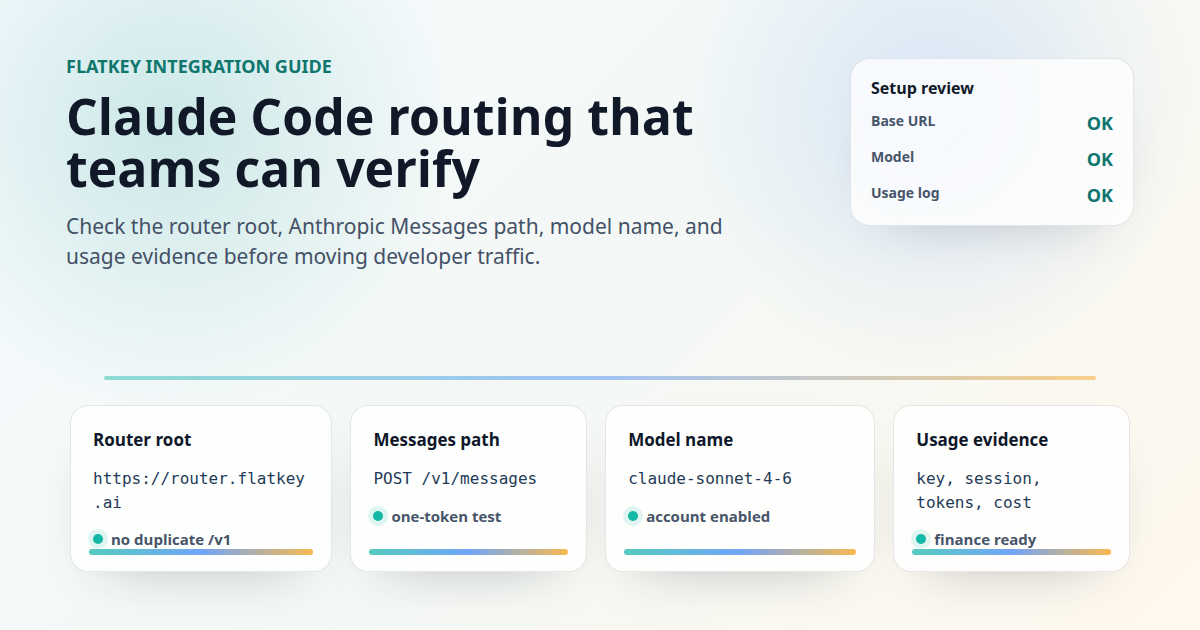
A Claude Code API router setup is not the same as changing an OpenAI SDK base URL. Claude Code speaks the Anthropic Messages gateway shape, so the important checks are the router root, the credential header, the model name Claude Code will send, and the usage records that prove requests are reaching the right account.
This guide gives a production-oriented Flatkey setup for developers, AI product teams, automation builders, platform engineers, finance operators, and procurement reviewers. It covers the base URL, one-token preflight, model names, gateway model discovery, usage logs, and failure modes before you move everyday coding work to a Claude Code API router.
Source note: this was checked on June 29, 2026 against the official Claude Code LLM gateways documentation, Claude Code gateway connection guide, gateway protocol reference, model configuration documentation, monitoring documentation, and current Flatkey public pages. No account-specific Flatkey key was used for a live Claude Code smoke test, so the snippets below are templates to run with your own key and approved model.
Quick answer: Claude Code API router setup
For a Claude Code API router setup with Flatkey, configure Claude Code with the Flatkey Claude Code router root, a Flatkey key, and an exact Claude model name that your account can call. Then test the Anthropic Messages endpoint before opening a long coding session.
| Setup field | Flatkey value or check | Why it matters |
|---|---|---|
| Base URL | https://router.flatkey.ai for the Claude Code use case unless your Flatkey account shows a newer Claude Code-specific value |
Claude Code appends /v1/messages. Do not paste an OpenAI SDK base ending in /v1 unless your test confirms it does not create /v1/v1/messages. |
| Credential | ANTHROPIC_AUTH_TOKEN for bearer-token routing, or ANTHROPIC_API_KEY when the gateway expects x-api-key |
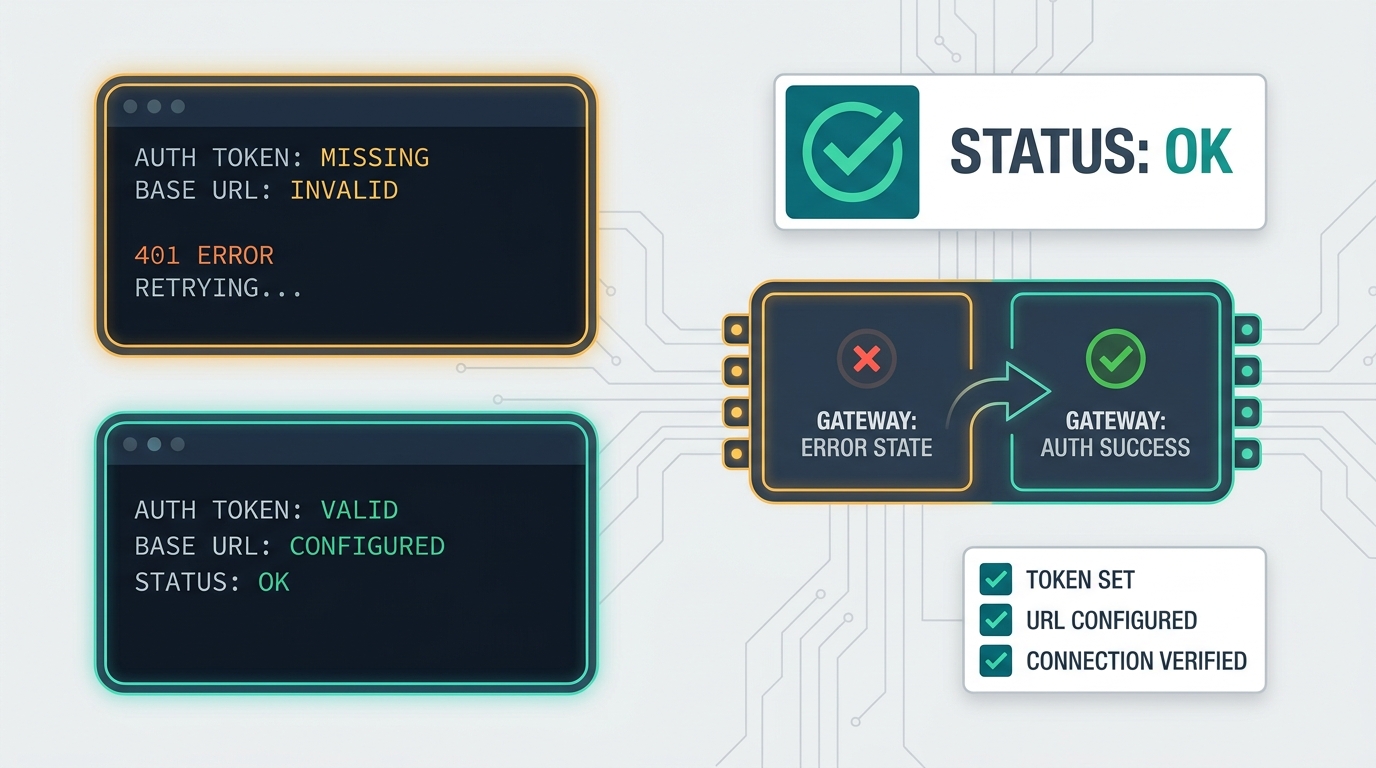
The official Claude Code docs map each variable to a different HTTP header. A working key in the wrong variable still returns 401. |
| Endpoint preflight | $ANTHROPIC_BASE_URL/v1/messages |
Flatkey's current pricing page lists /v1/messages in the endpoint map, which is the path Claude Code needs for Anthropic Messages traffic. |
| Model | Use an exact Claude model ID or a Claude Code alias that resolves to an enabled Flatkey route | Model selection is separate from base URL routing. The router decides where traffic goes; Claude Code still sends a model name. |
| Usage proof | Check Flatkey usage and Claude Code telemetry after the first prompt | Successful output is not enough. Teams need key, model, timestamp, session, cost, and token evidence. |
That is the short version. The rest of this Claude Code API router guide turns those fields into a repeatable setup runbook.
What the official Claude Code gateway docs confirm
The official Claude Code gateway overview defines an LLM gateway as a proxy between Claude Code and a model provider. Claude Code sends API traffic to the gateway, and the gateway forwards it with a provider credential controlled by the organization. The same page lists gateway benefits such as centralized credentials, usage tracking, cost controls, audit logging, and provider switching.
The base URL rule is specific. Claude Code normally sends requests to Anthropic's API, but setting ANTHROPIC_BASE_URL points those requests at the gateway instead. The connection guide then verifies the route by posting to $ANTHROPIC_BASE_URL/v1/messages with anthropic-version: 2023-06-01.
The gateway protocol reference adds the operator-side details. For the Anthropic Messages format, a gateway selected by ANTHROPIC_BASE_URL must serve /v1/messages and optionally /v1/messages/count_tokens. It also says inference responses must stream because Claude Code consumes server-sent events as they arrive.
For a Claude Code API router, that means you should validate the Anthropic Messages path, not only an OpenAI-compatible chat-completions path. An OpenAI route can work for other tools while Claude Code still fails if /v1/messages, streaming, or required Anthropic headers are missing.
Flatkey values verified for this setup
Flatkey's homepage checked on June 29, 2026 has the title One API gateway for production AI teams and a meta description saying Flatkey unifies model access, routing, billing, usage analytics, and operational controls. The same homepage still shows OpenAI-style examples using https://console.flatkey.ai/v1 and /v1/chat/completions, which are useful for OpenAI-compatible tools but are not the Claude Code base URL pattern.
The current Flatkey Claude Code use-case page says Claude Code is configured with https://router.flatkey.ai and a Flatkey API key. It also tells users to create or copy the key at https://console.flatkey.ai/keys before running the installer. Use that Claude Code-specific router root for the manual setup below unless your Flatkey account gives you a newer value.
Flatkey's pricing page checked on June 29, 2026 publishes server-rendered pricing for 635 AI models across 23 providers. Its endpoint map includes /v1/messages, /v1/chat/completions, /v1/responses, /v1/images/generations, /v1/video/generations, and /v1beta/models/{model}:generateContent. This article treats that as dated public evidence for endpoint coverage, not as a guarantee that every account can call every model.
Step-by-step setup with Flatkey
- Create or choose a Flatkey key. Use a key owned by the right person, team, or environment. Keep it out of screenshots, prompts, repos, and issue comments.
- Start with shell exports. Do not persist settings until the one-token preflight works.
- Use the Claude Code router root. For the current Flatkey Claude Code page, that value is
https://router.flatkey.ai. - Pick the credential variable. Use
ANTHROPIC_AUTH_TOKENwhen the key should be sent asAuthorization: Bearer. UseANTHROPIC_API_KEYonly when the gateway expectsx-api-key. - Set a model for the first test. Use a current Claude model ID enabled for your Flatkey account. If the model is not visible in Claude Code's picker, use gateway discovery or add a custom model option after the preflight works.
- Run the curl preflight. A one-token request separates Flatkey routing from Claude Code UI state.
- Start Claude Code from the same shell. This makes the CLI inherit the variables you just tested.
- Run
/status. Confirm the Anthropic base URL line shows the Flatkey router and the credential line names the variable you set. - Send one small prompt. Then check Flatkey usage and any Claude Code telemetry you enabled.
Shell setup
export ANTHROPIC_BASE_URL="https://router.flatkey.ai"
export ANTHROPIC_AUTH_TOKEN="fk_replace_with_your_flatkey_key"
export ANTHROPIC_MODEL="claude-sonnet-4-6"
If your gateway instructions explicitly say x-api-key, swap ANTHROPIC_AUTH_TOKEN for ANTHROPIC_API_KEY and update the preflight header. Do not set both for the first test; mixed credential sources make failures harder to isolate.
Persistent settings after the test passes
After the shell test works, you can place the same variables in the env block of ~/.claude/settings.json. Do not put credentials in a committed project .claude/settings.json.
{
  "env": {
    "ANTHROPIC_BASE_URL": "https://router.flatkey.ai",
    "ANTHROPIC_AUTH_TOKEN": "fk_replace_with_your_flatkey_key",
    "ANTHROPIC_MODEL": "claude-sonnet-4-6"
  }
}
Preflight the Messages route before launching Claude Code
The fastest Claude Code API router check is a one-token Messages request. If this fails, fix the Flatkey key, base URL, network path, or model before changing Claude Code settings.
curl -X POST "$ANTHROPIC_BASE_URL/v1/messages" \
  -H "Authorization: Bearer $ANTHROPIC_AUTH_TOKEN" \
  -H "anthropic-version: 2023-06-01" \
  -H "content-type: application/json" \
  -d '{
    "model": "claude-sonnet-4-6",
    "max_tokens": 1,
    "messages": [
      {"role": "user", "content": "."}
    ]
  }'
A JSON response that starts with a message ID and includes a content field means the route and credential are working. The official docs also note that an unknown-model error still proves the gateway authenticated the request before rejecting the model name. A 401 means the credential was rejected or sent in the wrong header.
Watch the resolved URL carefully. With ANTHROPIC_BASE_URL=https://router.flatkey.ai, the test reaches https://router.flatkey.ai/v1/messages. If your command creates /v1/v1/messages, you copied a client SDK base URL into a Claude Code gateway field.
Model names: aliases, discovery, and custom entries
Model names are the second common source of Claude Code API router failures. The base URL sends traffic to Flatkey, but Claude Code still needs a model value to send in the request.
The model configuration docs say Claude Code supports built-in model settings such as default, best, sonnet, opus, haiku, and long-context variants like sonnet[1m] and opus[1m]. The same docs say ANTHROPIC_MODEL applies only to the session you launch with it, while /model can save an interactive choice for later sessions.
For a Flatkey route, the safe rule is to start with a full Claude model ID that Flatkey has enabled for your key, then decide whether to expose it in the picker. Do not assume a generic family name, a marketing label, or a provider row title is accepted as the request model ID.
| Model setup need | Claude Code mechanism | Flatkey check |
|---|---|---|
| One-session test | ANTHROPIC_MODEL or claude --model |
Use a Flatkey-enabled Claude model ID and keep the test small. |
| Interactive selection | /model |
Confirm the selected name is the actual ID Flatkey expects. |
| Gateway-provided model list | CLAUDE_CODE_ENABLE_GATEWAY_MODEL_DISCOVERY=1 |
The gateway must serve /v1/models quickly at the configured base URL. |
| Manual picker entry | ANTHROPIC_CUSTOM_MODEL_OPTION |
Use this when discovery is disabled or does not return the model you need. |
| Availability fallback | --fallback-model or fallbackModel |
Fallback does not fix authentication, billing, rate-limit, request-size, or transport errors. |
Gateway model discovery
Claude Code can query a gateway's /v1/models endpoint at startup when ANTHROPIC_BASE_URL points at an Anthropic Messages gateway and discovery is enabled. The protocol docs say the request is GET /v1/models?limit=1000 with a 3-second timeout, and Claude Code reads id plus optional display_name from the response.
export CLAUDE_CODE_ENABLE_GATEWAY_MODEL_DISCOVERY=1
claude --debug
Discovery is off by default so a shared key does not expose every reachable model to every user. If discovery fails, Claude Code falls back to the cached or built-in picker. If your Flatkey account serves a model under an alias that discovery does not show, add a custom option instead.
Custom model option
export ANTHROPIC_CUSTOM_MODEL_OPTION="claude-sonnet-4-6"
export ANTHROPIC_CUSTOM_MODEL_OPTION_NAME="Sonnet via Flatkey"
export ANTHROPIC_CUSTOM_MODEL_OPTION_DESCRIPTION="Claude model routed through the Flatkey API router"
The custom model option skips client-side validation for that model ID, so it is useful for a controlled pilot. It is not a substitute for the preflight request. If an organization allowlist is active, include the custom model ID there too.
Usage logs: what to check after the first prompt
A reliable Claude Code API router setup ends with usage evidence, not just a successful response. Flatkey's public positioning says it unifies billing, usage analytics, and operational controls; the Claude Code gateway docs also frame usage tracking and cost controls as gateway benefits. Use both layers intentionally.
| Log source | What to inspect | Why it matters |
|---|---|---|
| Flatkey usage | Key owner, timestamp, model, endpoint family, token usage, and cost record where available | Confirms the request reached the intended gateway account and can be reconciled by ops or finance. |
Claude Code /status |
Anthropic base URL and active credential source | Confirms the running session is using the Flatkey route instead of a saved claude.ai login. |
| OpenTelemetry metrics | claude_code.cost.usage, claude_code.token.usage, session count, active time, and entrypoint |
Creates team-level observability for Claude Code sessions. |
| OpenTelemetry logs/events | Prompt events, tool results, API errors, and cost fields when configured | Helps debug request-level failures, but must be gated because detailed logs can expose sensitive content. |
| Gateway headers | x-claude-code-session-id, agent IDs, and custom routing headers |
Allows request grouping by session or subagent without parsing full request bodies. |
For Claude Code telemetry, enable OpenTelemetry only with a deliberate privacy setting. The monitoring docs say prompt text is redacted by default, while settings such as OTEL_LOG_USER_PROMPTS=1, OTEL_LOG_TOOL_DETAILS=1, and OTEL_LOG_RAW_API_BODIES add sensitive details. Keep raw body logging out of default developer setup unless your security review approves it.
export CLAUDE_CODE_ENABLE_TELEMETRY=1
export OTEL_METRICS_EXPORTER=otlp
export OTEL_LOGS_EXPORTER=otlp
export OTEL_EXPORTER_OTLP_PROTOCOL=grpc
export OTEL_EXPORTER_OTLP_ENDPOINT=http://localhost:4317
export OTEL_RESOURCE_ATTRIBUTES="department=engineering,team.id=platform,cost_center=eng-123"
Use OTEL_RESOURCE_ATTRIBUTES for low-cardinality ownership fields such as department, team ID, or cost center. Avoid user-entered project names or ticket IDs as labels unless your observability backend can handle the cardinality and privacy impact.
Failure modes to debug first
| Symptom | Likely cause | First fix |
|---|---|---|
401 or invalid token |
The key was rejected, expired, copied into the wrong variable, or sent in a header the gateway does not read. | Switch between ANTHROPIC_AUTH_TOKEN and ANTHROPIC_API_KEY only after confirming which header Flatkey expects. |
| Connection refused or timeout | Wrong base URL, blocked network path, VPN issue, or a router endpoint that is not reachable from the developer machine. | Run the curl preflight and verify the URL with your Flatkey account instructions. |
| Malformed response with HTTP 200 | A proxy or login page returned HTML instead of API JSON. | Inspect the preflight response body and fix the gateway route that returns non-JSON. |
400 naming context_management or extra fields |
The gateway forwarded Anthropic-format request fields to an upstream that rejects them. | Forward the beta header/body pair correctly or set CLAUDE_CODE_DISABLE_EXPERIMENTAL_BETAS=1 as a temporary mitigation. |
400 naming thinking or adaptive |
The upstream model build does not accept adaptive reasoning requested for newer Claude models. | Upgrade the upstream route, or use the documented adaptive-thinking disable flag only where it applies. |
Model missing from /model |
The model is not in Claude Code's built-in picker and discovery is disabled or failing. | Enable gateway model discovery or add ANTHROPIC_CUSTOM_MODEL_OPTION. |
| Claude Code asks for login after curl succeeds | The CLI did not receive a credential where first-run setup can read it. | Set the credential in the shell, ~/.claude/settings.json, or managed settings before startup. |
| Usage cannot be reconciled | The setup lacks key owner, model name, environment, session ID, or telemetry labels. | Add a runbook row before more developers use the route. |
Production checklist for teams
Before you standardize a Claude Code API router across a team, record the operational facts that a future incident or finance review will need.
| Checklist item | Record this |
|---|---|
| Base URL | The exact value saved in shell, managed settings, VS Code settings, CI, or Agent SDK config. |
| Credential source | Flatkey key owner, environment, rotation owner, and whether it is static or comes from an apiKeyHelper. |
| Model names | Requested model ID, picker label, fallback chain, allowlist rule, and date tested. |
| Endpoint proof | One-token /v1/messages result, request timestamp, and any request ID returned by the gateway. |
| Usage review | Flatkey usage view, Claude Code telemetry backend, labels, and dashboard owner. |
| Privacy gates | Whether prompts, tool details, raw API bodies, or tool content are allowed in telemetry. |
| Rollback | Previous Claude Code login or provider path, previous model, and who can unset the gateway variables. |
Internal migration path
If Flatkey is becoming the shared route for multiple developer tools, keep the Claude Code setup aligned with the rest of the integration cluster. Use the OpenAI-compatible API migration guide for SDK base URL patterns, but remember that Claude Code uses the Anthropic Messages route instead of /v1/chat/completions.
For desktop-client setup, compare the Cherry Studio API setup guide. For developer-machine routing patterns adjacent to Claude Code, see the cc-switch Claude Code setup. After the first prompt works, review Flatkey model pricing, then Get a key for any additional environment that needs a separate credential boundary.
FAQ
What Base URL should I use for a Claude Code API router with Flatkey?
Use the Claude Code-specific Flatkey router root shown for your account. On June 29, 2026, Flatkey's Claude Code use-case page said Claude Code is configured with https://router.flatkey.ai. The preflight should reach exactly one /v1/messages path.
Should I use ANTHROPIC_AUTH_TOKEN or ANTHROPIC_API_KEY?
Use ANTHROPIC_AUTH_TOKEN when the gateway expects a bearer token in the Authorization header. Use ANTHROPIC_API_KEY when it expects x-api-key. If you guessed and get 401, switch variables and retest.
Can I use an OpenAI-compatible Flatkey base URL for Claude Code?
Not directly as a copied field. OpenAI-compatible tools often use a base URL ending in /v1, while Claude Code appends /v1/messages to ANTHROPIC_BASE_URL. Use the Flatkey Claude Code router value and verify the final URL.
How do I add Flatkey models to Claude Code's model picker?
Enable CLAUDE_CODE_ENABLE_GATEWAY_MODEL_DISCOVERY=1 when the gateway serves /v1/models, or add one manual picker row with ANTHROPIC_CUSTOM_MODEL_OPTION. In both cases, confirm the exact model ID is enabled for your Flatkey key.
What usage logs should I check after setup?
Check Flatkey usage for the key, model, endpoint family, timestamp, tokens, and cost where available. Also use Claude Code /status and OpenTelemetry metrics such as claude_code.cost.usage and claude_code.token.usage when organization telemetry is enabled.
Conclusion
A dependable Claude Code API router setup has four proof points: the Flatkey Claude Code base URL, the correct credential header, a tested model name, and a usage trail that finance and platform teams can review. Start with a one-token /v1/messages preflight, confirm /status, then scale the route only after logs and rollback are documented. When you are ready to route Claude Code through a shared gateway, Get a key and test the smallest prompt first.