
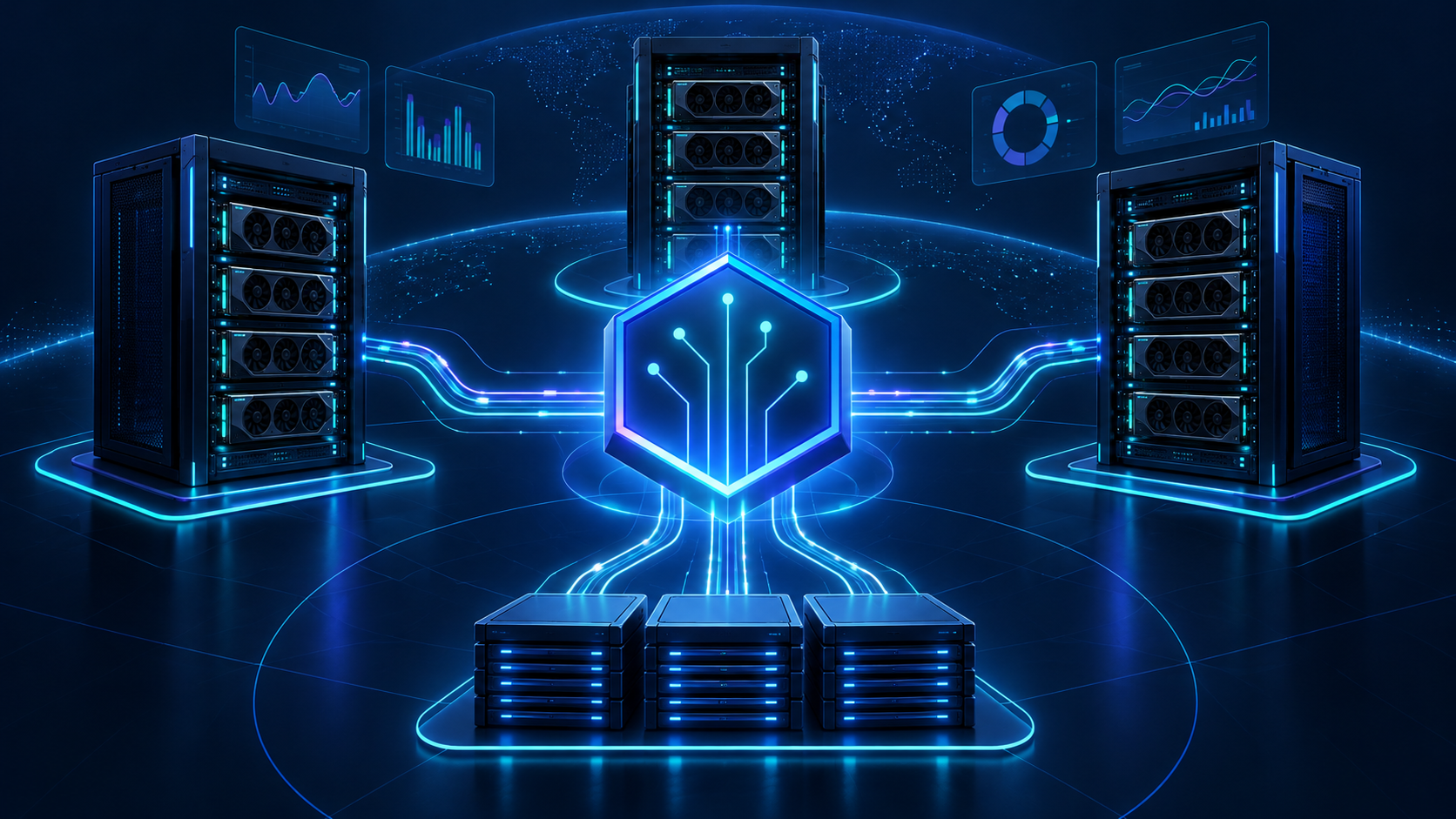
Building a kubernetes gpu cluster is not the same as attaching GPUs to a few worker nodes. For AI training and inference, Kubernetes has to expose accelerators safely, place jobs on the right nodes, queue scarce capacity, keep datasets and model weights close enough to the compute, and tell operators why an expensive run failed.
The practical rule: build the smallest Kubernetes GPU cluster that proves the workload, then expand only after the scheduler, drivers, network, storage, observability, and cost model have passed acceptance tests. A cluster that cannot explain queue time, GPU utilization, checkpoint restore time, and failure causes is not production infrastructure yet.
This guide walks through the architecture and operating model for a kubernetes gpu cluster used for AI training and inference. It covers node design, GPU exposure, queueing, workload APIs, observability, a practical kubernetes gpu cluster diagram, management tools, and the provider questions to ask before you rent or reserve capacity.
If the product only needs model outputs, compare a model API or managed inference path first. If you need custom weights, placement control, private serving, distributed training, or repeatable benchmark ownership, a Kubernetes GPU cluster can be the right control plane.
Kubernetes GPU cluster quick answer
A production kubernetes gpu cluster has six layers:
| Layer | What it owns | What to verify before production |
|---|---|---|
| GPU nodes | GPU model, GPU memory, CPU/RAM, local NVMe, NICs, node images, drivers, container runtime | The node shape matches the training or inference workload, not only the advertised GPU SKU. |
| GPU exposure | Device plugin, GPU Operator, Dynamic Resource Allocation, MIG or sharing policy | Pods request accelerators predictably and cannot accidentally consume the wrong devices. |
| Scheduling and queues | Kubernetes scheduler, Kueue, Volcano, Ray, Kubeflow, custom operators | Jobs wait fairly, preemption policy is explicit, and teams can explain queue time. |
| Network and storage | NVLink/NVSwitch inside nodes, InfiniBand/RoCE/EFA or Ethernet across nodes, object storage, shared filesystem, checkpoint path | Distributed jobs scale and recover without starving the GPUs. |
| Observability | DCGM, Prometheus, logs, events, traces, queue metrics, cost labels | Operators can see utilization, memory, power, failures, owner, and spend by workload. |
| Security and governance | RBAC, namespaces, quotas, image policy, secrets, network policy, audit logs | Multi-tenant access is controlled before the cluster becomes shared infrastructure. |
The key design question is not "Can Kubernetes run GPUs?" It can, with the right device plugin and node setup. The harder question is whether your ai infrastructure kubernetes gpu cluster can keep GPUs useful under real data, real users, real failures, and real budget constraints.
Kubernetes GPU cluster diagram
Use this kubernetes gpu cluster diagram as a review model before choosing tools:
                 developers / CI / notebooks / API traffic
                                  |
                                  v
        +--------------------------------------------------+
        | Kubernetes control plane                         |
        | API server, scheduler, RBAC, admission, secrets   |
        +--------------------------------------------------+
                                  |
                 +----------------+----------------+
                 |                                 |
                 v                                 v
        +------------------+              +------------------+
        | queue layer      |              | platform add-ons  |
        | Kueue / Volcano  |              | GPU Operator,     |
        | quotas, cohorts, |              | device plugin,    |
        | resource flavors |              | DCGM exporter     |
        +------------------+              +------------------+
                 |                                 |
                 +----------------+----------------+
                                  |
                                  v
        +--------------------------------------------------+
        | GPU worker node pools                            |
        | H100/H200/B200/A100/L40S/etc., CPU, RAM, NVMe,   |
        | NICs, CUDA/runtime, labels, taints, topology     |
        +--------------------------------------------------+
                 |                 |                 |
                 v                 v                 v
        training jobs       inference services       batch jobs
        PyTorch/JAX         vLLM/SGLang/Triton       Ray/Kubeflow
                 \                 |                 /
                  \                |                /
                   v               v               v
        +--------------------------------------------------+
        | network and data path                            |
        | high-speed fabric, object storage, shared FS,     |
        | model cache, checkpoints, logs, metrics, backups |
        +--------------------------------------------------+
This diagram is intentionally simple. A real kubernetes gpu cluster architecture will add load balancers, private registries, service mesh boundaries, IAM, artifact stores, experiment tracking, and billing exports. The diagram's job is to force one conversation: which layer owns each failure mode?
Step 1: decide whether Kubernetes is the right GPU control plane
Kubernetes is a strong fit when your AI platform needs container-native deployment, API-driven automation, multi-tenant namespaces, service endpoints, policy controls, and integration with existing cloud-native observability.
It is usually a fit for:
- Online inference services that need rollouts, autoscaling boundaries, routing, and service health checks.
- Batch inference or embedding workloads that run as Jobs, Ray workloads, or custom operators.
- Fine-tuning and training workloads where teams want shared infrastructure rather than individual GPU machines.
- Mixed platforms where notebooks, training jobs, model serving, and supporting services share the same operating model.
- Teams that already run Kubernetes and can extend existing identity, CI/CD, registry, logging, and policy systems.
Kubernetes may be the wrong first choice when the team only needs occasional research access, one-off HPC-style batch jobs, or simple SSH-driven training. In those cases, Slurm, a managed training service, a hosted notebook environment, or direct GPU rental may produce useful work faster.
Before building a kubernetes gpu cluster, write the workload boundary:
| Question | Why it matters |
|---|---|
| Is the workload training, batch inference, online inference, notebooks, or mixed? | The answer changes scheduling, storage, network, and uptime requirements. |
| Does the job need a full GPU, MIG slice, or time-shared access? | GPU sharing changes isolation, accounting, and performance predictability. |
| Is the workload single-node or multi-node? | Multi-node training requires network and placement tests, not only GPU availability. |
| How large are datasets, checkpoints, and model weights? | Data movement can dominate GPU cost. |
| What is the business denominator? | Use completed training run, accepted inference output, generated media job, or customer request, not raw GPU-hour alone. |
For broader system design, link this implementation plan back to your gpu cluster architecture review: compute, network, storage, and control plane have to be designed together.
Step 2: design GPU node pools around workload shapes
A kubernetes gpu cluster should have deliberate node pools, not a random mix of accelerator machines.
For each node pool, specify:
- GPU model and memory size.
- GPUs per node.
- PCIe, SXM, NVLink, NVSwitch, or other topology details where relevant.
- CPU model, CPU count, RAM, and NUMA layout.
- Local NVMe size and throughput.
- NIC count, NIC speed, and fabric type.
- OS image, kernel, driver, CUDA, container runtime, and patch process.
- Kubernetes labels, taints, tolerations, and topology labels.
- Whether workloads use full GPUs, MIG, time-slicing, or another sharing mode.
Keep training and inference needs separate unless there is a strong reason to merge them. Training may care most about all-reduce performance, checkpoint bandwidth, and gang scheduling. Online inference may care more about cold-start time, model cache locality, tail latency, and rollout safety.
A useful node pool naming pattern is:
gpu-pool:
  accelerator: h100-80gb
  topology: 8gpu-sxm-nvlink
  fabric: infiniband
  workload: distributed-training
  sharing: full-gpu
Those labels are not just documentation. They become scheduling selectors, quota dimensions, cost tags, and debugging context.
Step 3: expose GPUs with the right Kubernetes mechanism
Kubernetes schedules GPUs through specialized resource mechanisms. The common baseline is a vendor device plugin that advertises GPU resources to kubelet so pods can request them as extended resources. Kubernetes documents the request model and node-selection constraints in its GPU scheduling guide. NVIDIA's Kubernetes device plugin is the standard path for NVIDIA GPUs, and the NVIDIA GPU Operator packages several operational components, including driver and runtime management, device plugin deployment, MIG management, and GPU telemetry.
For many teams, the first production path is:
node image + kernel prerequisites
  -> NVIDIA driver and container runtime
  -> NVIDIA GPU Operator
  -> Kubernetes device plugin
  -> DCGM exporter metrics
  -> workload namespaces and quotas
Kubernetes Dynamic Resource Allocation is also important for teams evaluating a richer device-allocation model. DRA is designed around resource claims and device classes, which can be useful when simple extended-resource requests do not express enough placement or device-specific requirements. Treat it as a deliberate platform choice: the driver, Kubernetes version, workload API, and observability story should all be tested together.
The practical decision is:
| Need | Kubernetes mechanism to evaluate |
|---|---|
| Basic full-GPU pod scheduling | Device plugin and nvidia.com/gpu style extended resources. |
| NVIDIA GPU lifecycle management | NVIDIA GPU Operator. |
| GPU telemetry | DCGM exporter plus Prometheus/Grafana or your observability stack. |
| More expressive device claims | Kubernetes Dynamic Resource Allocation. |
| GPU partitioning | MIG where supported, with explicit isolation and performance caveats. |
| Time-shared development access | Time-slicing or platform policy, only after isolation and quota rules are clear. |
Do not hide this layer from application teams. They need to know whether a pod receives a whole accelerator, a MIG slice, or a time-shared device because performance and debugging assumptions change.
Step 4: add a queue layer before teams fight over GPUs
The default Kubernetes scheduler is not a complete multi-tenant AI queue by itself. AI teams usually need workload admission, fair sharing, quotas, preemption policy, and visibility into why jobs are waiting.
Kueue is the Kubernetes-native project to evaluate when batch and AI/ML queueing matter. Its core concepts include workloads, local queues, cluster queues, cohorts, and resource flavors. That lets platform teams model scarce GPU pools and decide which jobs are admitted when resources are available.
Volcano is another Kubernetes batch scheduling option for AI, big data, and HPC-style workloads. Its gang scheduler uses an all-or-nothing minimum-pod condition, which is useful to evaluate for distributed jobs that would otherwise waste partially allocated GPUs while waiting for peers.
For an ai infrastructure kubernetes gpu cluster, define queue policy in writing:
| Policy | Decision to make |
|---|---|
| Admission | Which jobs can enter the queue, and what metadata is required? |
| Fair share | How are GPUs divided across teams, projects, or environments? |
| Priority | Which production inference or launch-critical training jobs can jump the queue? |
| Preemption | Can jobs be evicted, and how are checkpoints required before eviction? |
| Resource flavors | Which GPU pools are interchangeable and which are not? |
| Backfill | Can smaller jobs run while a large distributed run is waiting? |
| Visibility | Can users see queue position and denial reasons without asking platform engineers? |
Queue policy is a cost-control mechanism. Without it, the loudest team can consume the most expensive capacity while smaller jobs wait or get moved to unmanaged shadow infrastructure.
Step 5: choose workload APIs for training and inference
A kubernetes gpu cluster is most useful when application teams can submit workloads without hand-writing low-level pod specs every time.
For training, evaluate:
- Native Kubernetes Jobs for simple single-node runs.
- Kubeflow Trainer for distributed training workflows across frameworks.
- Ray and KubeRay for distributed Python, batch inference, and serving patterns.
- Volcano or Kueue integration when gang scheduling or queue admission is needed.
- Custom operators only when the platform has stable internal patterns that generic tools do not cover.
For inference, evaluate:
- Deployments or StatefulSets for simple services.
- vLLM, SGLang, Triton, or TensorRT-LLM serving containers depending on model and performance goals.
- KServe or another model-serving layer when teams need model lifecycle abstractions.
- Horizontal and vertical scaling rules based on queue depth, latency, GPU memory, and request mix.
- Separate node pools for latency-sensitive production traffic and batch workloads.
Keep the workload API boring at first. A clean Job template with labels, resource requests, storage mounts, and log export is better than a complex platform no one can debug.
Step 6: validate the network and storage path
The difference between a working demo and a production kubernetes gpu cluster ai infrastructure often appears in network and storage tests.
For distributed training, validate:
- Cross-node placement.
- NCCL all-reduce behavior across every intended node.
- Fabric errors, retransmits, congestion, and node-to-node variance.
- Driver, CUDA, NCCL, and container image versions.
- Performance after the production container image is installed, not only on a clean benchmark image.
For storage, validate:
- Dataset staging time.
- Model weight download and cache warm-up.
- Checkpoint write frequency and duration.
- Restore time after node or pod failure.
- Shared filesystem behavior under concurrent jobs.
- Object storage region, egress, and lifecycle rules.
A minimal acceptance test looks like this:
1. Submit a queued training job with the production container.
2. Pull the real dataset sample and base model weights.
3. Run a multi-node communication benchmark if the workload is distributed.
4. Train or fine-tune for a fixed window.
5. Write a checkpoint, delete a pod, and restore from checkpoint.
6. Export GPU, network, storage, queue, and cost labels.
7. Compare useful work against the model/API or GPU rental baseline.
This test should run before long reservations or high-dollar commitments. It is cheaper to discover a weak fabric or slow checkpoint path during a benchmark than during a launch window.
Kubernetes GPU cluster management tools
The phrase kubernetes gpu cluster management tools covers several different jobs. Do not buy or install tools before naming the job they perform.
| Management need | Tools or projects to evaluate | What "good" looks like |
|---|---|---|
| GPU lifecycle | NVIDIA GPU Operator, device plugin, node image automation | Drivers, runtime, device exposure, and telemetry are repeatable across nodes. |
| Queueing | Kueue, Volcano, Ray job submission patterns | Users see admitted, pending, running, failed, and completed states clearly. |
| Training workflows | Kubeflow Training Operator, Ray, native Jobs | Distributed jobs are repeatable and do not require bespoke pod YAML each time. |
| Inference serving | vLLM, SGLang, Triton, KServe, Deployments | Rollouts, health checks, latency, and model cache behavior are visible. |
| Observability | DCGM exporter, Prometheus, Grafana, logs, traces, Kubernetes events | GPU metrics connect to job, team, model, and cost labels. |
| Policy | RBAC, ResourceQuota, LimitRange, admission controls, image policy, network policy | Multi-tenant access is constrained without blocking normal development. |
| Cost allocation | Namespace labels, workload labels, usage export, billing dashboard | Finance can map spend to team, environment, model, and accepted output. |
Avoid a platform that only reports allocated GPU-hours. Useful management shows why GPUs were idle, which failed jobs consumed capacity, and whether inference outputs or training milestones justified the spend.
CoreWeave Kubernetes GPU cluster questions
Some teams search for a coreweave kubernetes gpu cluster because they want Kubernetes-native access to cloud GPU capacity rather than generic virtual machines. Treat that provider-modified query as a due-diligence prompt: for CoreWeave or any similar GPU cloud provider, verify the exact Kubernetes access model, node pool controls, operator compatibility, quota exports, and support boundary before you commit production workloads.
Use the same due diligence for any provider:
| Question | Why it matters |
|---|---|
| Which GPU SKUs and node shapes are actually available in the requested region? | Marketing inventory and allocatable capacity are not the same thing. |
| Are nodes homogeneous inside the reservation or pool? | Mixed nodes can break performance assumptions. |
| What fabric is used between GPU nodes? | Multi-node training depends on placement and network behavior. |
| Who owns driver, CUDA, and Kubernetes upgrades? | Upgrade boundaries affect downtime and reproducibility. |
| Can you run GPU Operator, Kueue, Volcano, Ray, or your required operators? | Managed Kubernetes still needs platform compatibility. |
| How are quotas, usage exports, and labels exposed? | Finance and platform teams need cost attribution. |
| What is the support path during failed distributed runs? | You need logs, node identity, and escalation before production. |
| What is the exit path for data, model weights, and checkpoints? | Migration cost belongs in the architecture decision. |
Provider Kubernetes does not remove the need for acceptance testing. It changes which layers you operate directly and which layers you verify through service-level evidence.
Security and multi-tenancy checklist
GPU clusters often become shared infrastructure quickly. Security needs to be designed before the second team starts using the cluster.
Minimum controls:
- Namespace per team, environment, or workload boundary.
- RBAC tied to your identity provider.
- ResourceQuota and LimitRange for GPU, CPU, memory, and storage.
- Explicit policy for privileged pods, host mounts, host networking, and device access.
- Secrets management and rotation.
- Private image registry policy, signing, scanning, or admission checks.
- Network policy for egress, dataset access, and service boundaries.
- Audit logs for job submission, secret access, image usage, and administrative actions.
- Data cleanup rules for local NVMe, scratch volumes, checkpoints, logs, and failed jobs.
If the cluster handles customer data or proprietary model weights, treat worker nodes as sensitive infrastructure. A pod with GPU access may also have high-value data access, model artifacts, and credentials.
Observability and cost model
A production kubernetes gpu cluster needs three views at the same time:
- Platform view: node health, GPU health, network, storage, queue state, Kubernetes events.
- Workload view: job owner, image, model, dataset, runtime, retry count, exit reason, output quality.
- Finance view: allocated GPU time, useful GPU time, idle time, failed-job burn, cost per accepted unit.
Track at least:
- GPU utilization, GPU memory, power, temperature, and error events.
- Pod, job, namespace, node pool, model, and team labels.
- Queue wait time and admission reason.
- Training throughput, checkpoint duration, and restore time.
- Inference latency, throughput, batch size, cache hit rate, and error rate.
- Storage throughput and object-store transfer time.
- Node failures, evictions, preemptions, and retries.
Then normalize cost:
effective_kubernetes_gpu_cluster_cost =
  (compute + network + storage + support + idle + failed_runs + operations)
  / accepted_workload_units
The denominator should match the business: completed training runs, accepted model outputs, generated media jobs, indexing batches, or customer requests. For a deeper cost frame, use the GPU cluster TCO worksheet and compare against GPU cloud vs model API before expanding the cluster.
Implementation checklist
Use this as a build order for the first production slice:
| Phase | Deliverable | Pass condition |
|---|---|---|
| Workload brief | One-page workload spec | Team agrees on model, framework, data, scale, SLA, and cost denominator. |
| Node pool | GPU node spec and labels | Node shape, topology, driver, runtime, and upgrade policy are documented. |
| GPU exposure | Device plugin or GPU Operator installed | Pods can request GPUs and DCGM metrics are visible. |
| Queueing | Kueue, Volcano, or documented scheduling policy | Users can submit jobs and see queue/admission state. |
| Storage | Dataset, model cache, checkpoint, and log paths | Restore test passes after a forced pod or node failure. |
| Network | Fabric test and production traffic test | Distributed benchmark or inference path meets the workload threshold. |
| Security | RBAC, namespaces, quotas, secrets, image policy | A new team can onboard without cluster-admin access. |
| Observability | Dashboards and usage export | Operators can answer who used which GPUs and why jobs failed. |
| Acceptance | End-to-end workload run | Useful output beats or justifies the model/API or rental baseline. |
Do not scale from 8 GPUs to 80 GPUs until this checklist is boring. Boring is the goal: repeatable job submission, predictable placement, known failure recovery, visible cost, and clear ownership.
Common mistakes
- Buying GPU capacity before proving data movement and checkpoint recovery.
- Treating the device plugin as the whole platform.
- Mixing training and production inference on the same node pool without priority and isolation rules.
- Allowing every team to write unique pod specs with no common labels.
- Tracking allocated GPU time but not useful work.
- Skipping queue policy until the cluster is already overloaded.
- Assuming managed Kubernetes means managed AI infrastructure.
- Running benchmarks on a clean image and production on a different image.
- Forgetting an exit path for datasets, weights, checkpoints, and logs.
These mistakes are expensive because they burn scarce GPU time without producing accepted work.
FAQ
What is a Kubernetes GPU cluster?
A Kubernetes GPU cluster is a Kubernetes cluster with GPU-capable worker nodes, device exposure, scheduling policy, storage, networking, and observability configured so pods and jobs can use accelerators for training, inference, batch processing, or research workloads.
Do I need NVIDIA GPU Operator?
Not always, but many NVIDIA-based Kubernetes GPU platforms evaluate it because it packages driver, runtime, device plugin, MIG, and telemetry components into an operator-managed workflow. Some managed providers handle parts of this stack for you, so confirm the ownership boundary before installing it yourself.
Is Kueue required for a Kubernetes GPU cluster?
Kueue is not required for every cluster, but it is worth evaluating when scarce GPU capacity is shared across teams or batch AI jobs. Without a queue layer, users often get poor visibility into why jobs wait or why quotas are denied.
Can Kubernetes run multi-node training?
Yes, but multi-node training requires more than GPU scheduling. You need placement, high-speed network validation, compatible containers, checkpointing, and often queue or gang-scheduling behavior. Test the exact node pool and production image before committing large capacity.
Should inference and training share the same GPU cluster?
They can, but only with clear node pools, priority rules, quotas, and isolation. Production inference usually has latency and availability requirements that conflict with large training jobs. Start separate unless you can prove the shared policy under load.
When should I use a model API instead of a Kubernetes GPU cluster?
Use a model API first when you only need model outputs, your model mix changes frequently, utilization is low, or your team is not ready to operate GPU drivers, queues, storage, monitoring, and incidents. Build a cluster when control, privacy, custom weights, or workload economics justify the operating burden.
Official references
- Kubernetes: Schedule GPUs
- Kubernetes: Device Plugins
- Kubernetes: Dynamic Resource Allocation
- Kubernetes: Assigning Pods to Nodes
- NVIDIA GPU Operator
- NVIDIA: Install GPU Operator
- NVIDIA: Install DCGM Exporter
- Kueue Concepts
- Volcano Gang Scheduling
- Kubeflow Trainer Overview
Final take
A kubernetes gpu cluster is worth building when Kubernetes gives your AI infrastructure better control over placement, repeatability, security, observability, and cost than ad hoc GPU machines or managed APIs. Start with a narrow workload, prove the node pool, expose GPUs cleanly, add queueing before contention starts, and measure useful output rather than raw GPU allocation.
When the cluster cannot beat a simpler GPU rental or model/API path on accepted work, do not expand it. When it can, Kubernetes becomes the control plane that turns scarce accelerators into a shared AI platform.


