
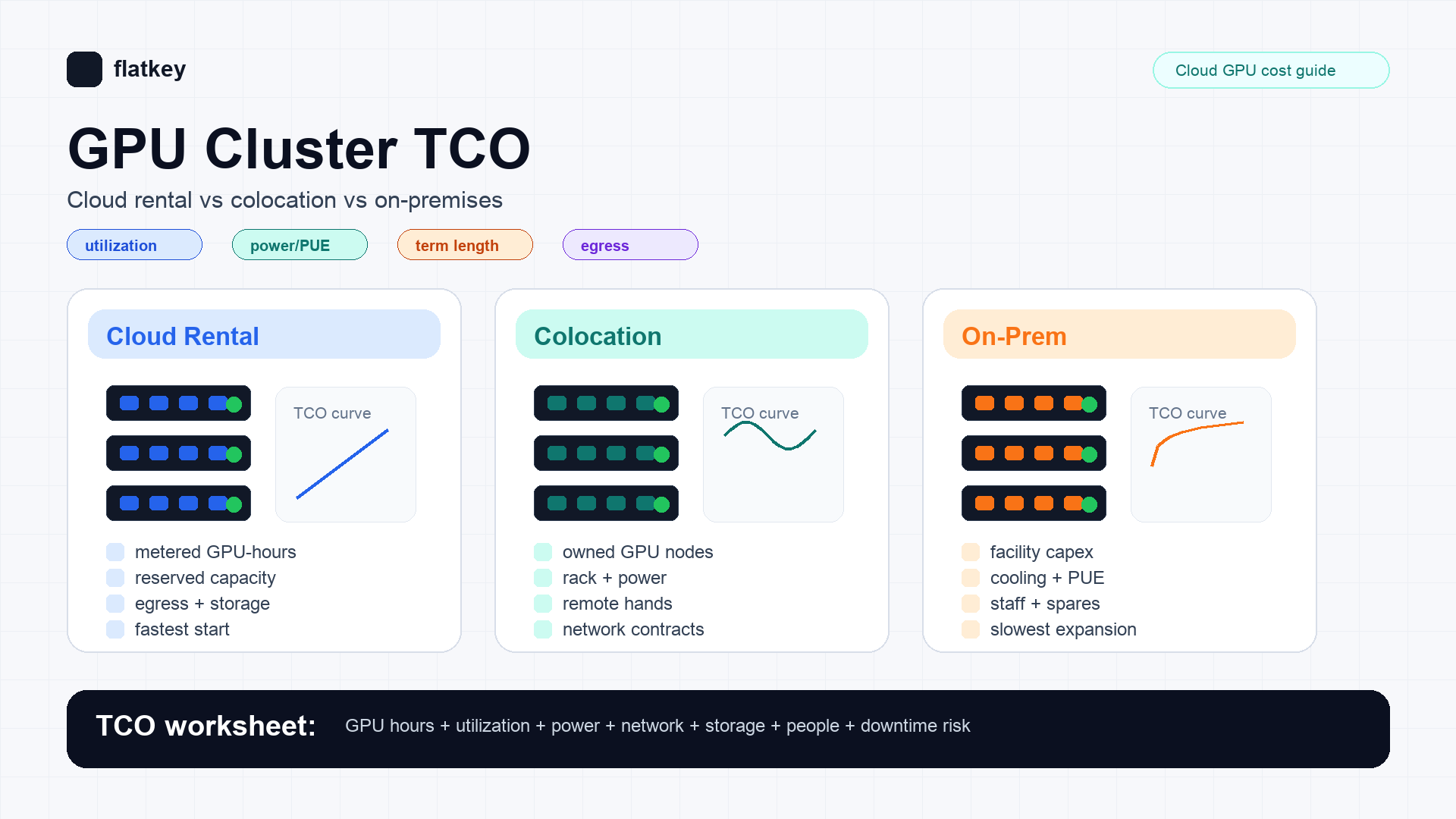
Most GPU cluster TCO comparisons fail for the same reason: they compare a cloud hourly rate against a hardware purchase order. That is not the decision.
The real decision is whether your AI team should buy flexibility, buy hardware, or buy facility control. A serious GPU cluster TCO model has to normalize cloud rental, colocation, and on-premises around the same output: completed training runs, accepted inference tokens, generated media jobs, or reserved capacity months.
For most teams, cloud GPU rental wins when utilization is uncertain, launch speed matters, or the workload changes by model family. Colocation starts to win when demand is steady, the team can operate hardware, and the contract is long enough to amortize GPUs, networking, spares, and remote hands. On-premises usually requires the strongest justification: very high and predictable utilization, existing data center operations, hard locality requirements, or a strategic mandate to own the facility layer.
Flatkey's practical rule: start with the workload, not the rack. If the workload can be served by a managed model API, compare that first. If you truly need dedicated GPUs, price cloud rental, colocation, and on-premises with the same worksheet before signing a capacity contract.
GPU cluster TCO quick answer
Use this first-pass decision table before building the full model.
| Situation | Usually start with | Why |
|---|---|---|
| Prototype, bursty fine-tuning, short benchmark window | Cloud GPU rental | Lowest commitment and fastest path to capacity. |
| Steady multi-month inference fleet with known model mix | Cloud reserved capacity or colocation | Utilization is high enough to negotiate term pricing, but ownership risk may still be avoidable. |
| Large training jobs with strict network topology requirements | Dedicated cloud cluster or colocation | You need predictable node placement, network fabric, storage locality, and benchmark acceptance. |
| Multi-year utilization above your internal hurdle rate | Colocation or on-premises | Hardware amortization can beat hourly rental only if idle time, operations, power, and downtime are honestly counted. |
| Regulated data locality or facility-control mandate | On-premises or controlled colocation | The TCO decision includes compliance and control, not only compute price. |
| App only needs model outputs, not GPU control | Model API or GPU market quote | Buying a cluster can be overkill when the business metric is cost per accepted output. |
The rest of this guide shows how to build a GPU cluster TCO worksheet that procurement, platform engineering, and finance can all use.
Normalize every option to one unit
Do not compare "H100 per hour" against "server purchase price." Pick one denominator and force every option into it.
Useful denominators include:
- Cost per completed training run: best for periodic fine-tuning, pretraining experiments, and batch jobs.
- Cost per accepted output: best for LLM inference, code generation, image generation, and video pipelines where retries matter.
- Cost per reserved GPU-month: best for platform teams buying internal capacity for multiple product teams.
- Cost per SLA-qualified token or job: best when downtime, preemption, or queue delay changes user-facing reliability.
For inference, the cleanest denominator is often:
effective_cost_per_accepted_output =
  total_monthly_cluster_cost
  / accepted_outputs_after_retries_and_quality_filters
That denominator catches two things hourly price hides: failed jobs and idle capacity.
GPU cluster TCO formula
Use this model before adding provider-specific details:
monthly_gpu_cluster_tco =
  capacity_cost
  + storage_cost
  + data_transfer_cost
  + network_and_interconnect_cost
  + software_and_observability_cost
  + labor_and_operations_cost
  + support_and_warranty_cost
  + financing_or_depreciation_cost
  + downtime_and_retry_waste
Then convert it to the unit you care about:
unit_cost =
  monthly_gpu_cluster_tco
  / useful_work_completed_per_month
This matters because a cheap GPU-hour can still be expensive if the cluster is underutilized, if jobs wait in queue, if storage sits in the wrong region, or if failed runs burn full-price time.
Cost components by deployment model
| Cost line | Cloud rental | Colocation | On-premises |
|---|---|---|---|
| GPU capacity | On-demand, spot, reserved, dedicated, or market quote. | Hardware purchase or lease plus rack contract. | Hardware purchase or lease plus internal facility allocation. |
| Power and cooling | Usually embedded in the rate, but not free. | Contracted power, metered power, cooling overhead, and power density limits. | Utility power, UPS, generator, cooling plant, and PUE exposure. |
| Network | Egress, private links, public IPs, cross-region traffic, interconnect. | Transit, cross-connects, private links, remote access, DDoS/security services. | WAN, internet transit, private links, firewalls, switching, redundant paths. |
| Storage | Block, object, filesystem, snapshots, backups, IOPS tiers. | Local NVMe, shared storage, backup target, remote replication. | Storage hardware, backup, replication, media replacement, lifecycle operations. |
| Operations | Mostly platform integration and cost controls. | Hardware lifecycle, remote hands, acceptance tests, spares, RMA coordination. | Full facility and hardware operations, physical access, spares, after-hours coverage. |
| Commitment risk | Low for on-demand; higher for reserved or dedicated contracts. | Medium to high. Contract exit and hardware resale matter. | Highest. Facility and equipment decisions can outlive the model roadmap. |
Cloud rental looks simple because many costs are bundled into the rate. Colocation and on-premises look cheaper when the spreadsheet forgets the people, power, networking, and failure budget.
Cloud rental: what to count
Cloud rental is the cleanest baseline for GPU cluster TCO because it converts capacity into a metered service. That does not mean the hourly rate is the full cost.
Count:
- GPU instance or bare-metal hourly rate.
- Reserved, committed, or dedicated capacity terms.
- Storage attached to the cluster.
- Object storage and snapshot retention.
- Data transfer and egress.
- Private networking, load balancers, public IPs, and NAT.
- Scheduler, Kubernetes, Slurm, observability, logging, and alerting.
- Idle time from queue gaps, failed deployments, cold starts, and poor bin packing.
- Spot or interruptible retry waste, if used.
- Support plan and account management costs.
Cloud rental usually wins when the team's demand curve is uncertain. It also gives procurement a current price benchmark. Public provider pages from AWS, Google Cloud, Lambda, RunPod, and other GPU clouds are useful as source checks, but the only number that matters for a large cluster is the quote you can actually reserve for the region, topology, and term you need.
Use official pages as checkpoints:
- AWS describes P5-class infrastructure for large-scale AI workloads on its EC2 P5 instance page.
- Google Cloud publishes GPU pricing and notes that pricing depends on GPU type, region, and usage model.
- Lambda and RunPod publish GPU cloud pricing surfaces that are useful for quick market checks.
- Flatkey Compute publishes a live GPU-hour price index and lets buyers post anonymous GPU requests for verified suppliers to bid on.
Treat every price as time-stamped. GPU availability and hourly rates move faster than ordinary SaaS pricing.
Colocation: what to count
Colocation is not just "cloud, but cheaper." It moves a large part of the operating burden from the provider to your team.
Count:
- GPU servers, network adapters, switches, optics, cables, and storage.
- Rack or cage fees.
- Contracted power and metered power.
- Cooling and density limitations.
- Cross-connects, internet transit, private links, and network security.
- Remote hands, shipping, receiving, installation, inventory, and RMA handling.
- Spare GPUs, power supplies, NICs, optics, fans, and storage drives.
- Hardware depreciation, lease cost, financing cost, and resale assumptions.
- Facility SLA, maintenance windows, and access procedures.
- Platform operations: images, drivers, CUDA stack, Kubernetes or Slurm, observability, security patching, and incident response.
Colocation starts to make sense when utilization is predictable and high, the team has real infrastructure operations capability, and the contract gives enough power density for the GPU generation you plan to run. It fails when teams buy the hardware but underestimate remote hands, networking, power constraints, spares, and slow expansion.
For GPU clusters, network fabric is often the line item that decides the architecture. A cluster that needs tightly coupled training is not equivalent to a set of isolated inference nodes. If the workload depends on InfiniBand, RoCE, NVLink, NVSwitch, or a specific storage layout, make that part of the quote and acceptance test.
On-premises: what to count
On-premises GPU cluster TCO should be treated as a facility project, not a server purchase.
Count:
- Everything in the colocation model.
- Data hall space allocation or buildout.
- Electrical work, UPS, generator, power distribution, and fire suppression.
- Cooling plant capacity and maintenance.
- Physical security and access control.
- Facility staff and after-hours escalation.
- Insurance, compliance audits, and safety procedures.
- Long-range capacity planning for the next GPU generation.
- Opportunity cost of capital tied up in facilities and hardware.
On-premises can be justified for organizations with existing data center muscle, high utilization, strict locality requirements, or strategic control mandates. It is the weakest choice when the team is still discovering model mix, context length, throughput target, and product-market fit.
The hidden risk is GPU generation turnover. A facility decision can last longer than the model architecture you are serving. If your TCO depends on one model family staying dominant for three years, stress-test that assumption.
Break-even utilization
The core break-even question is:
required_utilization =
  owned_monthly_cost
  / equivalent_cloud_monthly_cost_at_100_percent_use
If owned infrastructure costs $X per month and equivalent cloud rental at full utilization costs $Y per month, then ownership only works if useful utilization is above X / Y. Useful utilization means work that would otherwise have been paid for. It excludes idle inventory, failed jobs, queue padding, and capacity reserved for rare peaks.
Run the model under three scenarios:
| Scenario | What to test |
|---|---|
| Base case | Expected workload, expected utilization, expected term. |
| Downside case | Lower utilization, delayed product usage, weaker resale, higher power, slower acceptance. |
| Stress case | New model does not fit memory, network topology is wrong, or demand shifts to a managed API. |
If the downside case destroys the economics, cloud rental or a shorter dedicated contract is usually the safer first step.
Copyable GPU cluster TCO worksheet
Use this worksheet in your procurement doc. Fill it once for cloud rental, once for colocation, and once for on-premises.
| Field | Cloud rental | Colocation | On-premises |
|---|---|---|---|
| GPU model and count | |||
| Contract term | |||
| Expected useful utilization | |||
| Monthly GPU capacity cost | |||
| Storage and backup | |||
| Data transfer and network | |||
| Power and cooling | Included or quoted | ||
| Rack, cage, or facility allocation | N/A | ||
| Hardware amortization or lease | N/A | ||
| Remote hands / staff | |||
| Support, warranty, and spares | |||
| Observability and platform tooling | |||
| Downtime and retry waste | |||
| Estimated monthly TCO | |||
| Unit cost denominator | |||
| Cost per accepted output | |||
| Expansion lead time | |||
| Exit cost |
Do not skip the last two rows. Expansion lead time and exit cost are where attractive hardware economics often become expensive.
Procurement questions to ask every supplier
For cloud rental:
- Is the quoted capacity shared, reserved, dedicated, or bare metal?
- What region, availability zone, and node placement are guaranteed?
- What exact GPU model, memory size, interconnect, CPU, RAM, local storage, and network fabric are included?
- Are storage, snapshots, object storage, bandwidth, public IPs, and support included?
- What happens if the cluster is unavailable during the term?
- Can the provider run an acceptance benchmark before the commitment starts?
- How are failed jobs, platform outages, and maintenance windows credited?
For colocation:
- What power density is contracted per rack?
- Is power metered, committed, or blended into the rack price?
- What remote hands work is included, and what is billable?
- Which carriers and private links are available?
- How quickly can additional racks, power, and cross-connects be provisioned?
- Who owns spares, RMAs, and firmware maintenance?
- What acceptance test confirms the cluster is production-ready?
For on-premises:
- Does the facility already support the target power density?
- Is cooling capacity available without a buildout?
- Who owns 24/7 hardware response?
- What is the approval path for electrical, networking, and security changes?
- What is the depreciation period, and what resale value is assumed?
- What happens if the next model requires more memory, more bandwidth, or a different serving stack?
Decision matrix
| Criterion | Cloud rental | Colocation | On-premises |
|---|---|---|---|
| Start speed | Best | Medium | Slowest |
| Upfront capital | Lowest | Medium to high | Highest |
| Operating burden | Lowest | Medium | Highest |
| Long-term steady utilization economics | Medium | Strong if operated well | Strong only with facility maturity |
| Flexibility by GPU generation | Best | Medium | Lowest |
| Facility control | Low | Medium | Highest |
| Procurement reversibility | Best | Medium | Lowest |
| Benchmark requirement | Important | Critical | Critical |
The most defensible answer is rarely "always cloud" or "always buy." It is usually a phased approach: rent for discovery, reserve for steady demand, colocate when utilization is proven, and go on-premises only when facility control is part of the requirement.
Common mistakes in GPU cluster TCO models
Comparing list price to best-case ownership
A fair GPU cluster TCO model compares real quotes to real ownership cost. Cloud list price is not the same as reserved or negotiated capacity. Hardware purchase price is not the same as operated cluster cost.
Ignoring utilization
An owned cluster at 40% useful utilization can lose to a cloud cluster with a much higher hourly rate. Measure useful work, not installed GPUs.
Treating network topology as an afterthought
GPU count alone does not define a cluster. Training, fine-tuning, and high-throughput inference can have very different network and storage requirements.
Forgetting retry waste
Retries, failed deployments, preemptions, and low-quality outputs all raise unit cost. Put retry waste into the denominator, not just the numerator.
Underestimating people cost
Drivers, CUDA versions, container images, schedulers, monitoring, firmware, security patching, and incident response are part of GPU cluster TCO. Someone pays for them even when they are not on the quote.
When a model API beats a GPU cluster
A dedicated GPU cluster is not always the right abstraction. If your product only needs model outputs, not hardware control, compare cluster TCO against an API route.
Model APIs can win when:
- Traffic is spiky.
- The model mix changes often.
- You need access to multiple frontier and open models.
- The team cannot keep GPUs highly utilized.
- Quality filters and retries are easier to manage at the request layer.
- Finance wants per-request usage records instead of an infrastructure pool.
Flatkey is relevant here because the same buyer often needs both paths. Flatkey Compute helps teams compare live GPU-hour capacity, post anonymous GPU demand, and receive supplier bids. Flatkey's model and tool API layer gives teams a way to route AI workloads through one key, one balance, and one usage ledger when owning the GPU layer is unnecessary.
The practical workflow is:
- Benchmark the workload on rented GPUs.
- Calculate cost per accepted output.
- Compare the same workload through model APIs.
- Reserve or colocate only when dedicated hardware clearly wins under downside assumptions.
Source checklist for your GPU cluster TCO model
Use current source pages and quote documents rather than copying stale rates from another article.
| Source type | What to verify |
|---|---|
| Cloud GPU provider pages | Instance type, GPU count, region, storage, networking, and whether the price is on-demand, reserved, spot, or dedicated. |
| GPU vendor system specs | Power, memory, interconnect, server form factor, and supported topology. |
| Colocation quote | Rack/cage, power, remote hands, cross-connects, network, install charges, and expansion limits. |
| Utility or energy data | Electricity price assumptions and escalation. |
| Internal platform data | Real utilization, queue delay, failure rate, retry rate, accepted output volume, and staff time. |
| Finance assumptions | Depreciation period, cost of capital, tax treatment, residual value, and contract exit cost. |
Useful starting points:
- Flatkey Compute for live GPU-hour market context and demand posting.
- Flatkey Compute price index for hourly market reference checks.
- AWS EC2 P5 instances for H100 cloud cluster infrastructure context.
- Google Cloud GPU pricing for GPU pricing methodology by type and region.
- Lambda GPU Cloud for specialist cloud GPU pricing context.
- RunPod pricing for marketplace and cloud GPU price checks.
- NVIDIA DGX H100 and NVIDIA DGX B200 for vendor system specifications.
- U.S. Energy Information Administration electricity data for power-cost assumptions.
- FinOps FOCUS if your finance team needs standardized cloud cost fields.
Frequently asked questions
What is GPU cluster TCO?
GPU cluster TCO is the full cost of delivering useful AI compute from a cluster. It includes GPU capacity, storage, networking, power, cooling, labor, software, support, downtime, retry waste, and capital or contract risk.
Is cloud GPU rental always more expensive than buying GPUs?
No. Cloud GPU rental can be cheaper when utilization is uncertain, the workload is short-lived, the team lacks operations capacity, or the model stack changes quickly. Buying or colocating GPUs only wins when useful utilization is high enough to offset operations, power, networking, financing, and exit risk.
When does colocation beat cloud rental?
Colocation can beat cloud rental when demand is steady, the contract term is long, power density is sufficient, hardware is well-utilized, and the team can operate the cluster. It does not beat cloud rental just because the hardware purchase price looks lower than a cloud list rate.
When should a team choose on-premises GPUs?
Choose on-premises GPUs when facility control, data locality, compliance, or strategic infrastructure ownership is worth the operational burden. For most AI product teams, on-premises is the last option to justify, not the default.
How should FinOps teams compare GPU cluster options?
FinOps teams should compare options by cost per useful output, not by hourly rate alone. The worksheet should include utilization, retry waste, storage, data transfer, people cost, power, contract term, expansion lead time, and exit cost.
Where does Flatkey fit in GPU cluster TCO?
Flatkey helps teams avoid buying the wrong abstraction. Use Flatkey Compute when you need market-priced GPU capacity or supplier bids. Use Flatkey's model and tool API layer when you only need model outputs, one key, one balance, and a request-level usage ledger.
Bottom line
The best GPU cluster TCO model is not the longest spreadsheet. It is the one that makes three decisions obvious:
- Whether the workload needs dedicated GPUs at all.
- Whether cloud rental, colocation, or on-premises has the best downside-adjusted cost.
- Whether the contract still works when utilization, model mix, power, and availability change.
Start with rented capacity or a live GPU market quote, benchmark the real workload, normalize by accepted output, and only move toward colocation or on-premises when the useful-utilization math survives the downside case.
If the answer is still uncertain, keep the option value. GPU cluster TCO rewards teams that buy capacity in stages instead of locking into hardware before the workload proves itself.


