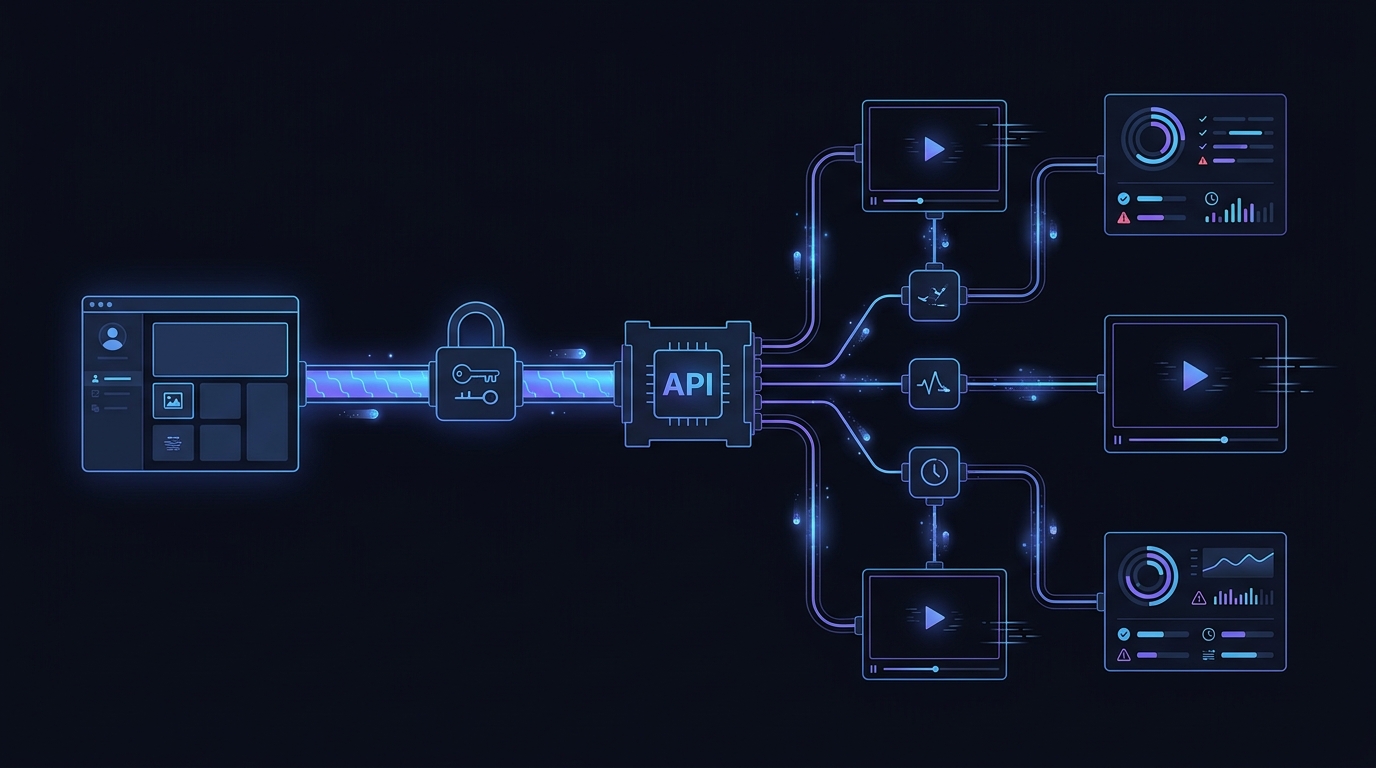
Your application already knows how to call an OpenAI-compatible client. Adding model choice should not require rebuilding that integration for every provider.
Flatkey gives you one OpenAI-compatible base URL:
https://router.flatkey.ai/v1
Point your existing OpenAI SDK client at that URL, use a Flatkey API key, and choose the model you want to test in the model field. Your request wrapper, prompt dataset, evaluation rubric, and application code can remain centered on one interface.
That makes Flatkey a practical fit when your team is ready to compare models, but does not want provider-specific account setup and client rewrites to become the evaluation project.
The lowest-friction path from one model to a shortlist
A typical model evaluation starts with a simple question: can another model improve quality, latency, or cost for this workload?
The implementation work can quickly overshadow that question. Separate integrations create separate environment variables, authentication patterns, retry behavior, response adapters, dashboards, and billing relationships. By the time the test harness is ready, the original prompt experiment has turned into an infrastructure project.
An OpenAI-compatible base URL changes the sequence. You keep one client shape and make the model the primary variable.
| Keep stable | Change deliberately | Validate per model |
|---|---|---|
| SDK and request wrapper | base_url once |
Output quality |
| Prompt dataset | model for each run |
Latency distribution |
| Evaluation rubric | Model-specific parameters when needed | Token usage and cost |
| Result storage | Timeout or retry settings when justified | Tool and structured-output behavior |
| Application-side observability | Production routing only after evaluation | Error and refusal patterns |
The goal is not to pretend every model behaves identically. The goal is to remove avoidable integration variance so your team can spend more time measuring the differences that matter.
Change the base URL, not your whole SDK layer
If you already use the OpenAI Python SDK, the core client change is small:
import os
from openai import OpenAI

client = OpenAI(
    api_key=os.environ["FLATKEY_API_KEY"],
    base_url="https://router.flatkey.ai/v1",
)
The same pattern works with the OpenAI JavaScript client:
import OpenAI from "openai";

const client = new OpenAI({
  apiKey: process.env.FLATKEY_API_KEY,
  baseURL: "https://router.flatkey.ai/v1",
});
After that, use a model ID from Flatkey's current model directory in the request. Do not hardcode model assumptions from an old spreadsheet or article; model availability and capabilities can change.
response = client.chat.completions.create(
    model=os.environ["EVAL_MODEL_ID"],
    messages=[
        {"role": "system", "content": "Answer using the supplied policy."},
        {"role": "user", "content": evaluation_prompt},
    ],
    temperature=0,
    max_tokens=800,
)
This is the core adoption advantage: your application can preserve its OpenAI-compatible client while your evaluation changes the model selection.
A focused multi-model prompt testing workflow
Use the following workflow to turn a base-URL migration into a decision your team can defend.
1. Freeze the request contract
Start from one request that already represents the production workload. Keep the following fixed across the first comparison pass:
- System and user prompts
- Input examples
- Temperature and token limits
- Tool definitions or response schema
- Timeout policy
- Evaluation rubric
If you change the prompt, model, and retry policy at the same time, you will not know which change produced the result.
2. Create a small, representative evaluation set
Do not begin with hundreds of synthetic prompts. Start with 20 to 50 examples that cover the cases your users actually create:
- Common, high-frequency requests
- Long or messy inputs
- Ambiguous instructions
- Safety-sensitive or refusal-prone cases
- Structured-output edge cases
- Tool-calling cases, if your application uses tools
Remove private data and secrets before sending evaluation traffic. The best evaluation set is small enough to inspect and representative enough to expose meaningful failures.
3. Run the same cases through each candidate model
Keep the Flatkey base URL and request wrapper fixed. Iterate through the model IDs on your shortlist.
import time

candidate_models = [
    "MODEL_ID_A",
    "MODEL_ID_B",
    "MODEL_ID_C",
]

results = []

for model_id in candidate_models:
    for case in evaluation_cases:
        started_at = time.perf_counter()
        try:
            response = client.chat.completions.create(
                model=model_id,
                messages=case["messages"],
                temperature=0,
                max_tokens=case.get("max_tokens", 800),
            )
            elapsed_ms = round((time.perf_counter() - started_at) * 1000)
            results.append({
                "case_id": case["id"],
                "model": model_id,
                "latency_ms": elapsed_ms,
                "output": response.choices[0].message.content,
                "usage": response.usage.model_dump() if response.usage else None,
                "error": None,
            })
        except Exception as error:
            results.append({
                "case_id": case["id"],
                "model": model_id,
                "latency_ms": None,
                "output": None,
                "usage": None,
                "error": type(error).__name__,
            })
Use placeholders in shared examples and select current model IDs from the live directory before running the test. Also confirm that every candidate supports the capabilities your workload needs.
4. Score the result, not the model's reputation
A useful scorecard separates hard requirements from preferences.
| Dimension | Example question | Suggested treatment |
|---|---|---|
| Correctness | Did the response satisfy the task? | Human or task-specific grader |
| Instruction following | Did it obey constraints and format? | Pass/fail plus notes |
| Structured output | Did the payload parse and match the schema? | Automated validation |
| Tool behavior | Were calls valid and appropriately selected? | Automated checks plus review |
| Latency | How long did successful requests take? | Median and tail percentiles |
| Reliability | How often did requests fail or time out? | Error rate by class |
| Usage | How many input and output tokens were reported? | Per-case and aggregate |
| Cost | What would the evaluated workload cost? | Calculate with current pricing |
Reject any candidate that fails a hard requirement, even if it is inexpensive. Among the remaining models, compare the tradeoffs that matter for your product.
5. Re-test finalists with production behavior
The first pass should be controlled. The finalist pass should be realistic.
Test streaming if your interface streams. Test tool calls if your agent uses tools. Test structured outputs if downstream code parses them. Exercise your real timeout and retry settings, and verify how your application handles rate limits, interrupted streams, malformed responses, and ambiguous completion states.
Flatkey's Usage Logs can help you confirm that requests reached the gateway and inspect request activity. Keep application-side request IDs and timing data as well, so you can connect gateway visibility to the user experience.
For retry and cutover details, use the OpenAI client migration guide for rate limits and retries.
Compatibility is a starting point, not a promise of identical behavior
An OpenAI-compatible API reduces client migration work. It does not make different models interchangeable.
Before you approve a model for production, verify:
- The exact model ID is currently available.
- The model supports the endpoint and modality you need.
- Required parameters are accepted and behave as expected.
- Tool calls, JSON or structured outputs, and streaming pass your tests.
- Token limits fit your real inputs and outputs.
- Safety behavior matches your product requirements.
- Timeouts, retries, and error handling do not create duplicate or ambiguous work.
- Current pricing fits the expected traffic mix.
If you need a broader engineering checklist, see the OpenAI-compatible API gateway migration guide. This page is intentionally narrower: it is for teams that already understand the migration pattern and want to turn one base-URL change into a fair multi-model test.
A practical cutover checklist
Move from evaluation to production only when you can answer yes to each item.
- Request parity: The finalist works with your real prompt, message, tool, and output patterns.
- Quality threshold: It passes the hard requirements in your rubric.
- Failure handling: Your application handles rate limits, timeouts, and interrupted responses safely.
- Observability: You record model, latency, usage, error class, and an application request identifier.
- Cost model: You have calculated expected spend from current pricing and realistic token usage.
- Rollback: You can return to the previous model or configuration without a code release.
- Canary plan: You can expose the change to a limited traffic slice before full rollout.
The stable interface makes rollback and repeated tests easier because the integration surface remains consistent. Your model decision can change without forcing a new provider-specific client layer into the application each time.
Start with one base URL and a real workload
If your team already uses an OpenAI-compatible SDK, the next useful step is not another architecture debate. It is a controlled test with your own prompts.
- Create a Flatkey account and API key.
- Set
base_urltohttps://router.flatkey.ai/v1. - Select a small model shortlist from the current directory.
- Run the same representative cases through each model.
- Review quality, latency, reliability, usage, and current cost together.
Compare current model pricing and choose your shortlist, then run the first evaluation through the same client your application already uses.
Frequently asked questions
What is the Flatkey OpenAI-compatible base URL?
Use https://router.flatkey.ai/v1. Configure it in your OpenAI-compatible client and authenticate with a Flatkey API key.
Do I need to replace the OpenAI SDK?
No. Flatkey's quickstart documents using the OpenAI Python and JavaScript SDKs with the Flatkey base URL. You should still test every request feature and model capability your application depends on.
Can I compare multiple models with the same prompt code?
Yes. Keep the client, prompt dataset, and evaluation logic stable, then change the model value for each candidate. Model-specific capabilities and parameters still need validation.
Is OpenAI compatibility the same as identical model behavior?
No. Compatibility reduces integration changes. Models can differ in output quality, tool use, structured-output behavior, latency, limits, safety behavior, and cost.
What should I measure in a multi-model test?
Measure task correctness, instruction following, schema or tool validity, latency, error rate, token usage, and current cost. Define hard requirements before comparing preferences.
Where should I check model prices?
Use Flatkey's live pricing page rather than copying prices into a long-lived evaluation document.