Streaming AI API reliability is the set of tests and operating rules that prove a streamed model response can start quickly, keep flowing, survive normal network behavior, and fail in a way your product can explain. It is not enough for a gateway, SDK, or provider to support stream: true. Production teams need to know what happens when an SSE stream stalls, a proxy buffers chunks, a browser reconnects, a provider fails after partial output, or a router considers a fallback after bytes have already reached the user.
This guide turns streaming support into a validation checklist for engineering teams. It covers Server-Sent Events, idle timeouts, partial outputs, replay risk, reverse proxy settings, router-level failure modes, and observability fields. The goal of streaming AI API reliability is simple: users should either receive a coherent stream or a controlled failure, and operators should be able to reconstruct the stream path later.
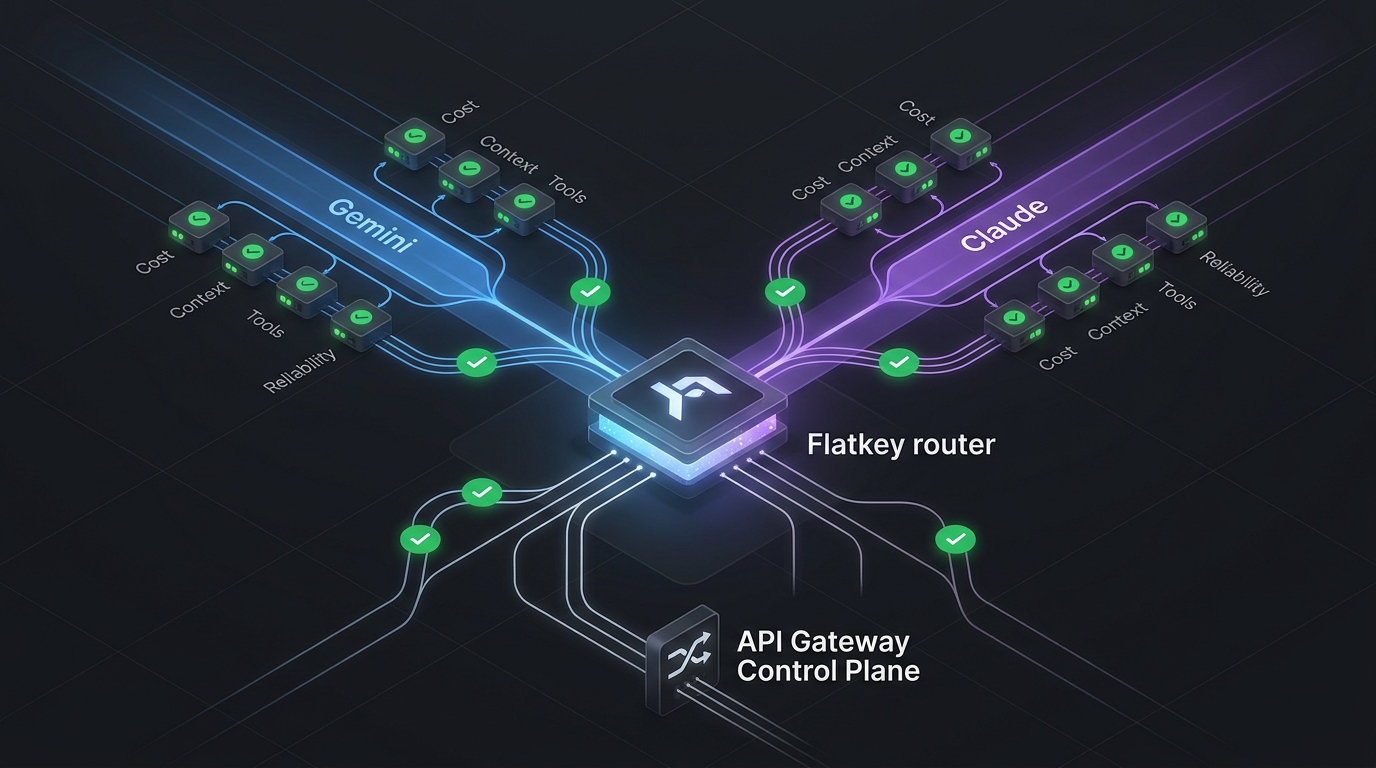
Flatkey is relevant because its public product copy positions flatkey.ai as one API gateway for production AI teams, with one API key, an OpenAI-compatible base URL at https://router.flatkey.ai/v1, routing, billing, usage analytics, and operational controls. The homepage also shows stream · sse. Treat that as a reason to validate streaming behavior explicitly, not as a substitute for your own staging tests.
Quick Answer: A Streaming AI API Reliability Test Matrix
Use this matrix before sending production traffic through a streaming AI route. It keeps streaming AI API reliability tied to observable behavior rather than a vague "streaming works" checkbox.
| Failure Mode | What It Looks Like | What To Test | Pass Condition |
|---|---|---|---|
| SSE setup failure | The request returns an error before the first event or token. | Force an invalid model, blocked key, or unavailable route. | The client sees a typed error, no partial answer is rendered, and logs show the selected route and error class. |
| Idle stream timeout | The stream starts, then no chunks arrive for longer than a proxy, browser, or client timeout. | Run a long-generation prompt and a low-activity prompt through every proxy layer. | The stream emits progress or keepalive behavior often enough, or fails with a controlled timeout reason. |
| Proxy buffering | Tokens are generated upstream but arrive in a burst at the end. | Compare provider event timestamps with browser receipt timestamps. | Chunks arrive incrementally; reverse proxies are not buffering the response unintentionally. |
| Client disconnect | User closes the page or mobile network drops during generation. | Abort the browser request mid-stream and inspect server/provider behavior. | The stream closes cleanly, work is cancelled when supported, and logs record partial delivery. |
| Partial output failure | Some text reaches the user, then the provider or router fails. | Inject a failure after the first output delta. | The UI marks the answer incomplete and does not silently append a second model's answer. |
| Router fallback ambiguity | A gateway tries another model or provider at the wrong point in the stream. | Force primary-route failure before first event and after first event. | Fallback is allowed before user-visible output, blocked or explicitly restarted after partial output, and logged as a route attempt. |
Why Streaming Reliability Is Different From Normal API Reliability
A non-streamed API call has a cleaner failure boundary. The application waits, receives one response, and can retry before anything reaches the user. Streaming changes that boundary. Once the first output event has been rendered, the request is user-visible state.
That changes three reliability decisions:
- Retries are not always safe: replaying a request after partial output can create a second answer, duplicate tool effects, or a different model response.
- Timeouts can be false failures: a stream may be healthy upstream while a proxy, browser, serverless runtime, or client library waits too long between chunks.
- Fallback can change the product: a router can switch providers before the stream starts, but after partial output the UI needs a restart model, not invisible continuation.
Good streaming AI API reliability engineering therefore separates pre-first-byte recovery from post-first-token recovery. Before the first event, a retry or fallback can be reasonable. After partial output, the product should usually mark the response incomplete, offer a fresh retry, and preserve the attempt trail.
Know The SSE Contract You Are Depending On
OpenAI's current streaming API guide describes HTTP streaming with stream=true over Server-Sent Events. It also notes that the Responses API emits typed semantic events such as response.created, response.output_text.delta, response.completed, and error. Those event types give you a better validation surface than treating the stream as anonymous text chunks.
MDN's Server-Sent Events guide describes SSE as a one-way server-to-client stream. The response uses text/event-stream; messages are separated by blank lines; comment lines can be used as keepalives; error events can be generated for network timeouts or access issues; and the browser can reconnect by default when a connection closes.
For streaming AI API reliability, that means your acceptance tests should verify at least these items:
- The response uses an SSE-compatible content type and reaches the browser without buffering.
- The client distinguishes lifecycle events, output deltas, completion, and error events.
- The UI records whether the response completed, failed before output, or failed after partial output.
- Reconnect behavior is deliberate. Browser-level reconnection should not accidentally replay a non-idempotent model request.
- Keepalive or progress behavior is sufficient for the slowest expected model/tool path.
OpenAI also warns that streaming production output can make moderation harder because partial completions are harder to evaluate and generation-time moderation scores arrive after the full output is available. That is a product and safety concern, not just a transport concern.
Timeout Layers To Test Before Production
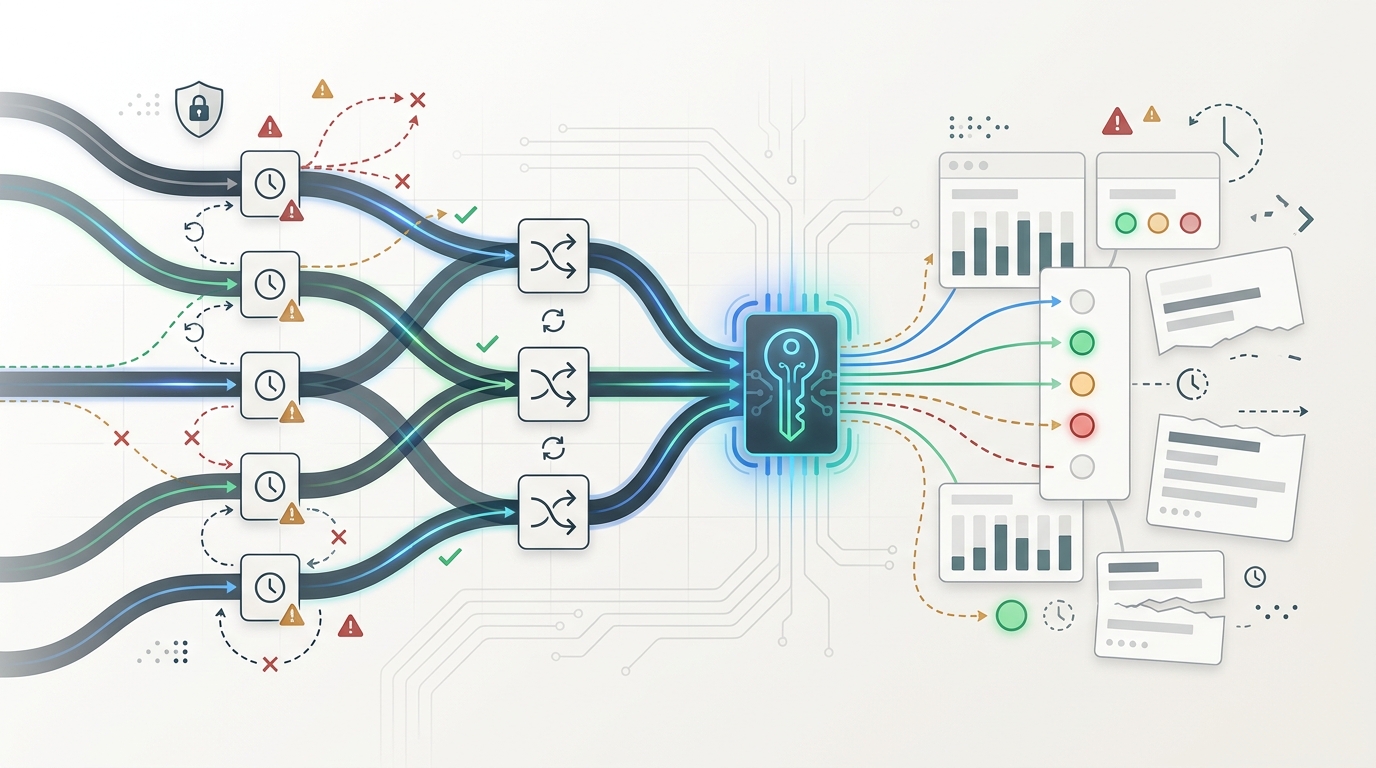
Most sse ai api timeout incidents are not caused by a single timeout setting. Streaming crosses several layers, and each layer can close a connection while the others still look healthy.
| Layer | Common Failure | Validation Question |
|---|---|---|
| Browser or mobile client | Reconnects or aborts without preserving request state. | Does the client know whether it is reconnecting to an event stream or replaying a model request? |
| SDK or fetch wrapper | Applies a total request timeout that is too short for long responses. | Does timeout apply to total generation time, idle time between chunks, or both? |
| Application server | Buffers upstream chunks or does not flush them promptly. | Can you prove first-token time and per-chunk receipt time at the browser? |
| Reverse proxy | Buffers responses or closes idle streams. | Are proxy buffering and read timeouts configured for streaming, not normal JSON responses? |
| AI gateway or router | Fails over after partial output or hides route-attempt errors. | Can the router prove which model/provider attempted and which one delivered visible output? |
| Provider | Produces slow deltas, tool-call gaps, overload errors, or mid-stream failure. | Does the product distinguish provider stall, provider error, and local transport timeout? |
Reverse Proxy Checks: Buffering And Idle Reads
Reverse proxies are a common source of llm streaming failure because settings that are good for normal JSON responses can be bad for streaming. NGINX proxy documentation says proxy_buffering is on by default and controls whether responses from the proxied server are buffered. It also documents proxy_read_timeout as a timeout between successive read operations; if the proxied server transmits nothing within that time, the connection is closed.
Do not copy a proxy snippet blindly. Treat this as a validation template for the gateway path you own:
# Template only: validate against your own proxy and hosting platform.
location /streaming-ai-api/ {
  proxy_http_version 1.1;
  proxy_buffering off;
  proxy_read_timeout 300s;
  proxy_send_timeout 300s;
  add_header X-Accel-Buffering no;
  proxy_pass https://your-upstream-ai-gateway;
}
The important test is not whether your config contains these exact lines. The important test is whether a slow model response reaches the browser as incremental events, and whether idle periods fail with a reason that your operators can diagnose.
Router-Level Failure Modes For Streaming
Router-level failure modes are where streaming AI API reliability becomes a gateway design problem. Public Vercel AI Gateway fallback docs describe ordered model fallbacks and provider metadata that can show model/provider attempts. That is useful pattern evidence: a gateway should expose which route was tried, which route succeeded, and which route failed. It is not evidence of Flatkey behavior, so validate your Flatkey route chain directly in staging.
For streaming, apply different rules before and after user-visible output:
| Router Moment | Safe Default | Why |
|---|---|---|
| Primary route fails before first event | Retry or fail over if the fallback model is pre-approved. | No user-visible answer has started, so the router can still choose a coherent route. |
| Provider stalls before first event | Use a short first-event timeout and then try the next allowed route. | Time-to-first-token is part of the user experience and a clean handoff is still possible. |
| Failure after output delta | Mark incomplete and ask the user to restart or retry explicitly. | Appending another model's continuation can change the answer and hide the incident. |
| Safety, auth, budget, or request-shape error | Fail closed. | Reliability recovery should not bypass policy, account ownership, or request validity. |
This pairs with the AI API retry strategy article: retry decisions should be based on failure owner and stop condition, not status code alone.
Observability Fields For Stream Debugging
If you cannot reconstruct the stream, you do not have streaming AI API reliability. Log metadata first; avoid storing raw user prompts or generated content unless your policy explicitly allows it.
| Field | Why It Matters |
|---|---|
| Parent request ID and client request ID | Separates retries, reconnects, and duplicate browser attempts. |
| Requested model, selected model, provider, and endpoint family | Shows whether a router changed the route before streaming began. |
| Time to first event, first output delta, last output delta, and completed time | Distinguishes model latency from proxy buffering and idle stalls. |
| Event counts by type | Confirms whether the stream emitted lifecycle, delta, completion, and error events. |
| Disconnect source | Separates browser abort, proxy timeout, app timeout, gateway timeout, and provider failure. |
| Partial-output flag | Tells support and incident review whether the user saw an incomplete answer. |
| Retry/fallback decision reason | Prevents final success from hiding a broken primary route. |
| Usage, cost, API key, team, and environment | Connects reliability recovery to quota and spend review. |
The companion AI API observability logs checklist covers the broader incident log shape. For streaming, add per-event timing and partial-delivery fields.
A Flatkey Staging Validation Plan
Use this plan to test streaming AI API reliability through Flatkey or any OpenAI-compatible AI gateway. It is intentionally staged so you can stop before production traffic if the stream path is unclear.
- Create a non-production key: use a staging key and staging app environment so failed tests do not affect customer traffic.
- Point one client at the gateway: configure an OpenAI-compatible client with
https://router.flatkey.ai/v1and one known model route. - Run a baseline non-stream request: confirm auth, model ID, endpoint family, usage, and logging before testing streams.
- Run a stream smoke test: enable streaming and capture lifecycle event timestamps, first output delta, final completion, and total duration.
- Test idle behavior: use a prompt or tool path that creates a long gap; confirm the stream stays alive or fails with a clear timeout reason.
- Test proxy buffering: compare gateway/provider timing with browser timing to make sure chunks are not being held until the end.
- Abort mid-stream: close the browser request and verify cancellation, cost, and partial-output logging behavior.
- Force pre-output failure: make the primary route fail before the first event and confirm retry or fallback policy is visible.
- Force post-output failure: inject a failure after the first delta and confirm the UI marks the answer incomplete rather than silently continuing with another model.
- Review spend and owner fields: pair this with AI API gateway and AI API load balancing and failover practices so recovery behavior is visible to platform and finance owners.
When checked on June 18, 2026, the Flatkey pricing API returned 638 model rows across 23 vendors and listed endpoint families including OpenAI chat completions and OpenAI Responses. Treat that as dated catalog proof only. Before production use, verify the exact model rows, endpoint type, availability status, dashboard fields, and streaming behavior for your chosen route.
Streaming Acceptance Tests You Can Automate
The best streaming AI API reliability tests run continuously in staging and after major route changes. Start with these assertions:
{
  "streaming_acceptance_tests": [
    "content_type_is_event_stream",
    "first_event_under_latency_budget",
    "output_deltas_arrive_incrementally",
    "completion_event_recorded",
    "error_event_recorded_for_forced_failure",
    "client_abort_logged_with_partial_output_flag",
    "proxy_does_not_buffer_until_completion",
    "fallback_blocked_after_partial_output",
    "route_attempt_chain_visible_in_logs",
    "usage_and_cost_recorded_for_stream_attempt"
  ]
}
This JSON is not a Flatkey API contract. It is a test manifest you can adapt to Playwright, k6, synthetic jobs, or your internal reliability checks.
Common Mistakes To Avoid
- Counting a curl demo as production proof: curl can show streaming support, but it will not prove browser reconnect, proxy buffering, UI behavior, or log completeness.
- Using one timeout for everything: total request time, first-event time, idle time between events, and user patience are different budgets.
- Failing over after partial output: this can create a stitched answer from two models unless the UI is explicitly designed for restart and disclosure.
- Dropping failed attempts: final completion should not erase route attempts, disconnects, and retries.
- Ignoring moderation timing: streamed partial output can appear before final moderation scores are available, so product policy needs a streaming-specific answer.
- Forgetting finance impact: disconnected streams and retries can still create usage and cost that need owner attribution.
FAQ
What is streaming AI API reliability?
Streaming AI API reliability is the ability to deliver streamed model output over SSE or a similar transport with predictable start time, incremental chunks, clear timeout behavior, safe retry rules, visible route attempts, and complete logs for partial-output failures.
What causes an SSE AI API timeout?
An SSE AI API timeout can come from the browser, SDK, application server, reverse proxy, gateway, or provider. The most common causes are idle gaps between chunks, proxy buffering, total request timeouts, serverless execution limits, provider overload, and client disconnects.
Should a router fail over after an LLM streaming failure?
Failover is safest before the first user-visible event. After an LLM streaming failure with partial output, the safer default is to mark the answer incomplete and let the user start a fresh request. Silent continuation from another model can hide the incident and change answer behavior.
How do you test whether SSE is buffered?
Record upstream event timestamps, application flush timestamps, and browser receipt timestamps. If the model emits deltas steadily but the browser receives them in one burst, a proxy, runtime, or app server is probably buffering the response.
What should be logged for streaming AI incidents?
Log request ID, client request ID, API key, environment, requested route, selected route, event timing, event counts, disconnect source, partial-output flag, retry/fallback decision, final status, usage, and cost. Use metadata-first logging unless content capture is explicitly approved.
Conclusion: Validate The Stream, Not The Checkbox
Streaming AI API reliability is proven by behavior under stress: first event timing, incremental delivery, idle gaps, client aborts, proxy behavior, partial output, router decisions, and logs. A production team should know exactly when retry is allowed, when fallback is blocked, and how to explain an incomplete answer.
If your team wants one key, an OpenAI-compatible base URL, and a clearer place to review model access, routing, usage, and reliability behavior, get a Flatkey key and run the streaming validation matrix in staging before production traffic.