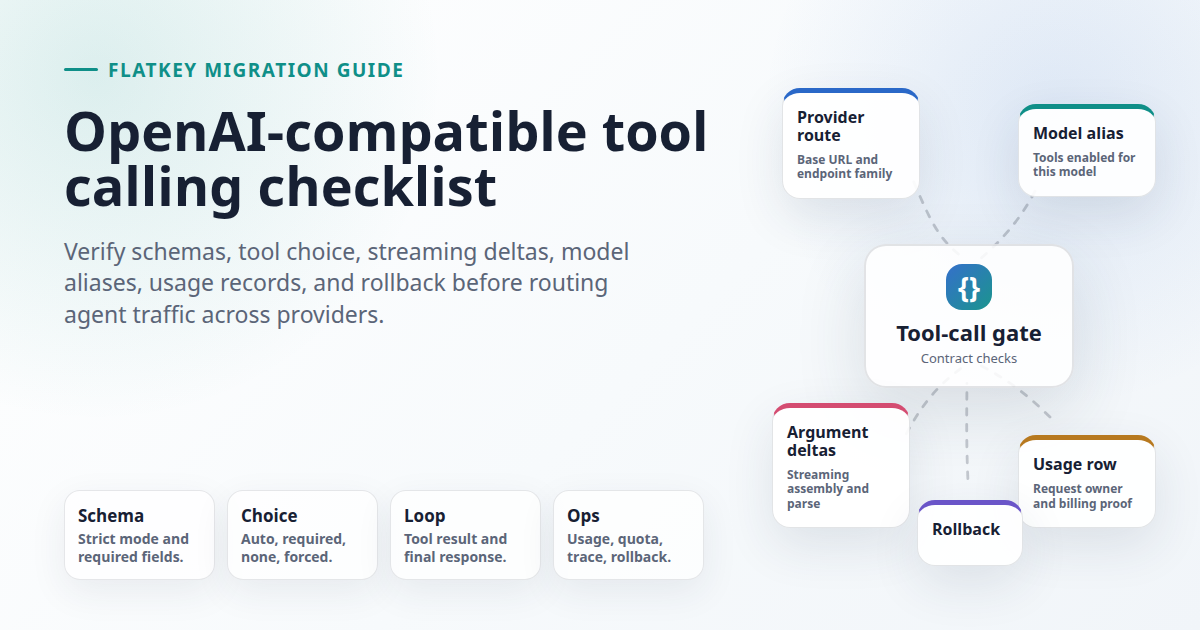
OpenAI-compatible tool calling is not a single yes/no feature. A route can accept an OpenAI-shaped request and still fail the parts that matter in production: the selected model may ignore tools, the provider may support tools but not your tool_choice, strict schema behavior may differ, streaming argument deltas may arrive in another shape, usage records may not identify the tool path, and fallback may silently move the request to a model that cannot call the same function.
This migration guide is for developers, AI product teams, automation builders, platform engineers, finance operators, and procurement reviewers evaluating Flatkey or another OpenAI-compatible gateway. It was prepared on June 27, 2026 from official OpenAI API documentation, current provider/runtime docs, saved Ahrefs planning data, and live Flatkey public pages. The snippets are templates. No live Flatkey API key was available in this task, so run every smoke test with your own key, model aliases, current console base URL, and staging traffic path.
Quick Answer: What To Test For OpenAI-Compatible Tool Calling
An OpenAI-compatible tool calling route is ready only after your actual app proves the complete tool loop. Test a no-tool answer, one required tool call, one forced named tool, one invalid schema, one parallel-call prompt if your app supports multiple calls, one streamed tool-call path, one tool error, and one rollback. Save the request body, endpoint family, model alias, response shape, tool call ID, parsed arguments, tool result message, final answer, usage record, error record, and quota behavior.
| Compatibility Gate | What Breaks | Pass Evidence |
|---|---|---|
| Endpoint family | Chat Completions and Responses use different tool schemas and result loops. | A separate saved pass for /v1/chat/completions and /v1/responses if both are in scope. |
| Model alias | The route accepts tools, but the chosen model or local runtime does not produce usable calls. |
Model alias, routed model, first tool-call response, and Flatkey usage row match. |
| Schema strictness | One provider treats a schema as best effort while another rejects or normalizes it. | Valid schema accepted, invalid schema rejected, and generated arguments parse under your validator. |
| Tool choice | auto, none, required, forced tool, or allowed-tool behavior differs. |
Each tool-choice mode your app depends on has a saved request and response. |
| Streaming | Text streams work, but tool-call arguments arrive as deltas your parser does not assemble. | Raw stream frames plus final parsed JSON arguments and final tool result loop. |
| Operations | Tool calls succeed but cannot be tied to spend, quota, owner, or incident review. | Trace ID, key, endpoint, model alias, status, usage, and owner are visible in logs or dashboard. |
What Current Sources Support
OpenAI's current function-calling guide defines tool calling as a multi-step flow: send tools, receive a tool call, execute application code, send the tool output back, and receive a final response or more tool calls. The same guide distinguishes function tools, custom tools, built-in tools, strict mode, parallel function calling, and streaming function-call argument events. OpenAI's Chat Completions API reference confirms that tools replaces legacy functions, that tool_choice can control none, auto, required, or a specific tool, and that parallel_tool_calls controls multiple calls. The Responses API uses its own output items and function_call_output loop, so do not treat Responses and Chat Completions as interchangeable.
Flatkey's homepage on June 27, 2026 positioned flatkey.ai as one API gateway for production AI teams and said it unifies model access, routing, billing, usage analytics, and operational controls. The same public page showed an example request to https://console.flatkey.ai/v1/chat/completions. Flatkey's pricing page on June 27, 2026 published an AI-readable summary for 599 AI models across 23 providers and exposed endpoint families including openai at /v1/chat/completions and openai-response at /v1/responses. Treat those as dated public catalog facts, not proof that every model alias, tool mode, strict schema, stream shape, or account quota works in every workspace.
Why Compatible Routes Still Break
The phrase OpenAI-compatible tool calling usually means the provider or gateway accepts familiar OpenAI-shaped fields. It does not guarantee that every model supports the same tool behavior, that every request parameter is honored, or that every streaming event looks the same. Provider docs make this visible. vLLM's tool-calling guide requires serving-time flags such as --enable-auto-tool-choice and a model-specific --tool-call-parser; it also lists different parsers and chat templates by model family. Ollama's OpenAI compatibility docs list supported fields for /v1/chat/completions and note that its Responses support is non-stateful. DeepSeek's function-calling docs say the user must provide the actual tool implementation and describe strict mode as a beta path that uses a beta base URL and validates supported JSON Schema types. Groq's tool-use docs show per-model support for local or remote tool use and parallel tool use.
The practical takeaway is simple: test the exact provider, route, model alias, endpoint family, and app loop you will run. Do not approve a gateway migration because one provider returned a single tool_calls object in a demo.
Start With A No-Tool Control
Before testing OpenAI-compatible tool calling, prove the basic route. A no-tool control separates authentication, base URL, model alias, and ordinary response parsing from tool-specific failures.
export FLATKEY_BASE_URL="https://console.flatkey.ai/v1" # confirm in your console
export FLATKEY_API_KEY="sk-fk-..."
export FLATKEY_CHAT_MODEL="your-chat-model-alias"

TRACE_ID="tool-control-$(date +%s)"

curl -sS "$FLATKEY_BASE_URL/chat/completions" \
  -H "Authorization: Bearer $FLATKEY_API_KEY" \
  -H "Content-Type: application/json" \
  -H "X-Client-Request-Id: $TRACE_ID" \
  -d '{
    "model": "'"$FLATKEY_CHAT_MODEL"'",
    "messages": [
      {"role": "system", "content": "Answer in one sentence."},
      {"role": "user", "content": "Return one migration control result."}
    ]
  }'
Save the status code, response ID, model string, content, finish reason, usage object, timestamp, trace ID, and key owner. If this fails, do not debug tools yet.
Run The Smallest Chat Completions Tool Test
For Chat Completions, send one function tool with a narrow schema and tool_choice: "auto". This tests the most common OpenAI-compatible tool calling contract: the model returns an assistant message with tool_calls, the app executes the function, then the app sends a role: "tool" message with the matching tool_call_id.
const baseURL = process.env.FLATKEY_BASE_URL;
const apiKey = process.env.FLATKEY_API_KEY;
const model = process.env.FLATKEY_CHAT_MODEL;

const headers = {
  Authorization: `Bearer ${apiKey}`,
  "Content-Type": "application/json",
  "X-Client-Request-Id": `tool-chat-${Date.now()}`,
};

const first = await fetch(`${baseURL}/chat/completions`, {
  method: "POST",
  headers,
  body: JSON.stringify({
    model,
    messages: [
      { role: "system", content: "Call the tool when account status is requested." },
      { role: "user", content: "Check account flatkey-demo." },
    ],
    tools: [{
      type: "function",
      function: {
        name: "lookup_account_status",
        description: "Return a test account status.",
        parameters: {
          type: "object",
          properties: {
            account_id: { type: "string" }
          },
          required: ["account_id"],
          additionalProperties: false
        },
        strict: true
      }
    }],
    tool_choice: "auto",
  }),
}).then(r => r.json());

const message = first.choices?.[0]?.message;
const call = message?.tool_calls?.[0];
if (!call) throw new Error("Expected one tool call");

const args = JSON.parse(call.function.arguments);
if (args.account_id !== "flatkey-demo") throw new Error("Unexpected arguments");

const second = await fetch(`${baseURL}/chat/completions`, {
  method: "POST",
  headers,
  body: JSON.stringify({
    model,
    messages: [
      { role: "system", content: "Call the tool when account status is requested." },
      { role: "user", content: "Check account flatkey-demo." },
      message,
      { role: "tool", tool_call_id: call.id, content: JSON.stringify({ status: "test-ok" }) }
    ],
  }),
}).then(r => r.json());

console.log({ first, second });
Approval requires more than seeing tool_calls. Verify finish_reason: "tool_calls" when applicable, a stable call ID, valid JSON arguments, no unexpected extra arguments, a successful second request, and a Flatkey usage or request record for both turns.
Test Tool Choice Modes Deliberately
The most common OpenAI-compatible tool calling regression is hidden in tool_choice. Some apps need the model to decide, some need exactly one tool, and some need to suppress tools for sensitive prompts. Test only the modes you will use, but test them explicitly.
| Mode | Request | Expected Result | Stop If |
|---|---|---|---|
| No tool | No tools field or tool_choice: "none". |
The assistant answers directly and returns no tool call. | The model tries to call a function anyway. |
| Auto | tools plus tool_choice: "auto". |
The model chooses tool or text based on the prompt. | Every prompt forces a tool or never calls one. |
| Required | tool_choice: "required". |
The model emits one or more tool calls. | The route ignores required or answers in text only. |
| Forced tool | Specific function selected by name. | The chosen function is the only called tool. | The model picks another tool or returns text. |
| Parallel | Prompt asks for two independent lookups. | Either multiple calls appear, or parallel_tool_calls: false limits it to one. |
Your executor assumes one call but receives several. |
If your app cannot safely execute multiple tool calls, set the relevant parallel-call control where the selected API supports it and prove the response stays within your executor's assumptions.
Do Not Reuse One Parser For Chat And Responses
OpenAI-compatible tool calling can target Chat Completions, Responses, or both. These are different contracts. Chat Completions returns an assistant message with tool_calls and expects a follow-up role: "tool" message with tool_call_id. Responses returns typed output items such as function_call and expects a function call output item that references call_id. Streaming also differs: Chat Completions streams chat chunks, while Responses streams typed events such as function-call argument deltas.
Flatkey's pricing page exposed both /v1/chat/completions and /v1/responses on June 27, 2026. Use that as a catalog starting point only. Test the exact endpoint family, model alias, parser, tool output loop, usage record, and rollback path you will use in production.
Validate Strict Schema Behavior
Strict schema behavior is one of the easiest places for OpenAI-compatible tool calling parity to break. OpenAI's function-calling guide recommends strict mode and documents requirements such as additionalProperties: false and marking fields required. DeepSeek documents strict mode as a beta path using https://api.deepseek.com/beta and says the server validates supported JSON Schema types. vLLM's docs describe constrained decoding for tool schemas, but also warn that a validly parseable function call is not the same as a high-quality one.
| Schema Test | Why It Matters | Evidence |
|---|---|---|
| Valid strict schema | Proves the provider accepts your production schema shape. | Status, response, and parsed arguments. |
| Missing required field in schema | Shows whether bad schemas are rejected early. | Provider error body and gateway error record. |
| Unsupported JSON Schema keyword | Finds provider-specific schema subset limits. | Reject/accept behavior and migration note. |
| Unexpected extra argument | Protects your executor from undeclared input. | Your app-side validator rejects before execution. |
Even if a provider claims strict mode, keep an app-side validator. The model requests tool execution; your application owns the decision to execute.
Test Streaming Tool Calls Separately
A text stream passing does not prove OpenAI-compatible tool calling streaming. Tool arguments often arrive as fragments. Your parser must accumulate the right fragments by tool-call index or item ID before parsing JSON or executing the function.
TRACE_ID="tool-stream-$(date +%s)"

curl -N -sS "$FLATKEY_BASE_URL/chat/completions" \
  -H "Authorization: Bearer $FLATKEY_API_KEY" \
  -H "Content-Type: application/json" \
  -H "Accept: text/event-stream" \
  -H "X-Client-Request-Id: $TRACE_ID" \
  -d '{
    "model": "'"$FLATKEY_CHAT_MODEL"'",
    "messages": [
      {"role": "user", "content": "Use the lookup_account_status tool for flatkey-demo."}
    ],
    "tools": [{
      "type": "function",
      "function": {
        "name": "lookup_account_status",
        "description": "Return a test account status.",
        "parameters": {
          "type": "object",
          "properties": {"account_id": {"type": "string"}},
          "required": ["account_id"],
          "additionalProperties": false
        }
      }
    }],
    "tool_choice": "auto",
    "stream": true
  }' | tee "flatkey-tool-stream-$TRACE_ID.sse"
Inspect the raw file. Confirm you see incremental frames, the final tool name and arguments can be reconstructed, the stream closes cleanly, and the follow-up tool-result turn works. Include a cancellation test so you know whether partial tool calls leave jobs, UI state, or retries hanging.
Provider And Runtime Compatibility Notes
Use provider docs as setup guidance, then trust your own smoke tests. The current public docs reviewed for this article support the following practical checks.
| Provider Or Runtime | Current Doc Signal | Migration Test |
|---|---|---|
| OpenAI Chat Completions | tools, tool_choice, legacy functions deprecation, streaming, and parallel_tool_calls are documented on the create endpoint. |
Run Chat-specific tool loop and stream parser. |
| OpenAI Responses | Function calls are typed output items with call_id; streaming emits typed function-call argument events. |
Run Responses-specific parser and function-call-output loop. |
| vLLM | Tool calling depends on serving flags, tool-call parsers, chat templates, and model families. | Record server flags, parser, model, and prompt template used for the test. |
| Ollama | OpenAI compatibility covers parts of the OpenAI API; Chat Completions lists tools and tool_choice, while Responses support is non-stateful. |
Test local model pull, Chat path, tool path, and any Responses limitations separately. |
| DeepSeek | Function calling is documented with OpenAI SDK examples; strict mode is beta and uses a beta base URL. | Test normal tool calls and strict schema behavior as separate gates. |
| Groq | Tool-use docs show model-by-model support for local or remote tools and parallel tool use. | Pick the exact model and confirm whether parallel calls are supported before enabling them. |
| Flatkey gateway route | Flatkey public pages support current positioning around one gateway, model access, routing, billing, usage analytics, operational controls, and OpenAI-style endpoint families. | Use Flatkey records to prove key owner, model alias, endpoint, usage, quota, errors, and rollback. |
Usage, Quota, And Finance Checks
A tool call can look correct in an SDK response and still fail procurement review. For OpenAI-compatible tool calling, finance and operations need to know which route executed the request, which model generated the tool call, which tool result turn followed, and whether cost and quota records make sense.
| Record | Fields To Match | Why It Matters |
|---|---|---|
| Request trace | Trace ID, timestamp, environment, key, endpoint, and app owner. | Incident review can find the exact call. |
| Model route | Requested alias, routed model, provider family, and status. | Fallback cannot hide a tool-capability change. |
| Tool event | Tool name, call ID, argument JSON hash, execution status, and retry count. | Operators can separate model choice from tool execution failure. |
| Usage and cost | Input/output tokens, request unit, selected pricing family, and quota state. | Finance can reconcile agent traffic instead of reading raw logs. |
| Error path | Invalid schema, unsupported tool, timeout, rate limit, stream cancel, and quota block. | Teams know whether to retry, fail closed, or roll back. |
Flatkey's public positioning around billing and usage analytics supports this checklist, but it does not prove a specific account export schema. Confirm your own dashboard and API evidence before production launch.
Rollback And Fallback Rules
Do not allow fallback to change the tool contract quietly. If the primary model supports tool calls and the backup model does not, automatic fallback can create worse failures than a controlled error. Your rollback plan should include the previous base URL, previous key, previous model, Flatkey model alias, allowed endpoint family, and a decision table for unsupported tools.
| Failure | Safe Action | Do Not Do This |
|---|---|---|
| Model returns no tool call when required | Fail closed or route to an approved equivalent model. | Execute a guessed function based on natural-language text. |
| Arguments fail validation | Reject before execution and log the schema error. | Coerce unknown fields into a production action. |
| Tool execution times out | Return a controlled tool failure and decide whether to retry idempotently. | Retry a side-effecting tool without an idempotency key. |
| Fallback model lacks tools | Use a non-tool degrade path only if product owners approved it. | Let the model pretend it called the tool. |
Production Cutover Checklist
Use this final checklist before moving real agent traffic to an OpenAI-compatible tool calling route.
- Confirm the current Flatkey base URL, endpoint family, key, and model alias in configuration.
- Run no-tool, auto-tool, required-tool, forced-tool, invalid-schema, and tool-error checks.
- Run streaming tool-call checks if production streams tool calls.
- Verify tool arguments with your own JSON Schema validator before execution.
- Prove the full tool-result loop, not only the first tool-call response.
- Check Flatkey usage, quota, model alias, endpoint, key owner, and error records.
- Document fallback rules for models that cannot call the same tools.
- Keep the previous provider route available behind configuration until staged traffic and production canary traffic pass.
- Save a reviewer packet with request samples, response samples, dashboard evidence, and rollback triggers.
- Re-run the test suite whenever you change model aliases, provider routes, SDK versions, or gateway configuration.
FAQ
What is OpenAI-compatible tool calling?
OpenAI-compatible tool calling means an API route accepts OpenAI-shaped tool definitions and can return OpenAI-shaped tool-call responses for the endpoint, model, and parameters you use. It still needs endpoint, model, schema, streaming, usage, and rollback tests.
Does OpenAI-compatible mean Chat Completions and Responses work the same way?
No. Chat Completions and Responses use different request and response shapes for tool calls. Test each endpoint family with its own parser and tool-result loop.
Should I rely on strict mode alone?
No. Use strict mode where the selected API and model support it, but keep app-side validation before execution. Strict mode can differ by provider, model, endpoint, and schema subset.
Why do vLLM and local runtimes need extra testing?
Local runtimes can expose an OpenAI-compatible server while still relying on model-specific tool parsers, chat templates, and serving flags. A successful text response does not prove the tool parser for your model.
When is a Flatkey cutover ready?
A Flatkey cutover is ready when the exact OpenAI-compatible tool calling route passes no-tool, tool, strict-schema, streaming, usage, quota, error, fallback, and rollback checks for the model aliases and application path that will receive production traffic.
Bottom Line
OpenAI-compatible tool calling should be approved with evidence, not assumption. Treat the OpenAI schema as the starting contract, then test the provider, runtime, model alias, endpoint family, parser, strict schema, streaming deltas, tool-result loop, usage records, quota behavior, and rollback. A gateway like Flatkey helps centralize model access and operational review, but the migration still needs a concrete smoke-test packet for the exact traffic you plan to move.
For the broader base URL pattern, read the OpenAI-compatible API migration guide. For gateway design review, use the LLM API gateway architecture guide. If your tool paths also stream, pair this with the OpenAI-compatible streaming SSE test guide. When you are ready to compare current catalog entries, review Flatkey pricing and get a key.