成功した推論の推移アクティビティ
Flatkey 料金
ライブカタログモデル料金 / 画像
$0.0088 / 画像
料金 / 画像
$0.0088 / 画像$0.011 / 画像

GPT Image 2 は Flatkey の画像生成フローで提供される OpenAI の画像モデルです。/v1/images/generations を使い、送信前に枚数、サイズ、品質、形式、背景、モデレーションを設定します。

プレビューのみです。Flatkey に送信するにはログインしてください。
{
  "model": "gpt-image-2",
  "prompt": "Goal: Create a 2x2 grid of four surreal miniature edible city foodscapes, each city rising from a vast desert of fine golden cane sugar, photographed like a premium macro diorama with cinematic lighting. Use {argument name=\"overall theme\" default=\"Universal Mini World Foodscape\"} as the concept: iconic landmarks and skyscrapers are meticulously crafted from colorful candies, pastries, vegetables, spices, biscuits, sugar glass, jellies, and confectionery materials.\n\nCanvas: Square image, four equal panels separated by thick black gutters, each panel a polished miniature scene with shallow depth of field, glowing city lights, sparkling sugar grains, tiny trees, and dreamy atmospheric haze. High-detail macro photography look, saturated jewel tones, warm highlights, dark vignette edges, no people except miniature statues or landmark replicas.\n\nLayout: Exactly 4 labeled panels in a 2x2 arrangement. Count and labels: 1) top-left: “MINI NYC”; 2) top-right: “MINI LONDON”; 3) bottom-left: “MINI BEIJING”; 4) bottom-right: “MINI TOKYO”. Each title appears in elegant white serif uppercase lettering near the upper-left of its panel, with “MINI” smaller where appropriate. Keep the labels readable and spelled exactly.\n\nPanel details: Top-left “MINI NYC” shows a miniature New York skyline beside a turquoise lake, with a tiny Statue of Liberty on a small island in the foreground, an Empire State Building-like candy skyscraper, Chrysler Building-like spire, assorted cylindrical candy towers, palm-like edible plants, broccoli-like trees, glowing windows, and rolling sugar dunes behind the skyline. Use {argument name=\"first city label\" default=\"MINI NYC\"} for the visible title.\n\nTop-right “MINI LONDON” shows edible London landmarks on golden sugar terrain with a small river or lagoon in front: Tower Bridge made from orange biscuit/candy, a Big Ben/Elizabeth Tower-style clock tower, the tall Shard-shaped sugar-glass tower, the Gherkin with diamond icing pattern, red-orange skyscrapers, tiny trees, and moody night sky with pink and red bokeh lights. Use {argument name=\"second city label\" default=\"MINI LONDON\"} for the visible title.\n\nBottom-left “MINI BEIJING” shows a miniature Beijing foodscape with a grand circular Temple of Heaven-style structure, ornate red-and-gold palace roofs, pagoda-like towers, a CCTV Headquarters-style angular building in the background, a red Chinese gate bridge over blue water in the foreground, lush edible greenery, sugar dunes, mist, and warm lantern-like glow. Use {argument name=\"third city label\" default=\"MINI BEIJING\"} for the visible title.\n\nBottom-right “MINI TOKYO” shows a miniature Tokyo foodscape at dusk with a vivid red Tokyo Tower at center, a pale Tokyo Skytree-like tower to the right, dense candy skyscrapers, a red torii gate over dark blue water in the foreground, koi fish-shaped sweets, pink blossom-like candy flowers, manicured edible shrubs, and a purple-blue neon skyline glow. Use {argument name=\"fourth city label\" default=\"MINI TOKYO\"} for the visible title.\n\nVisual style: Ultra-detailed macro diorama, whimsical surreal food art, photorealistic textures, edible architecture, sparkling granulated sugar sand, dramatic studio lighting, soft fog, miniature scale, tilt-shift depth of field, rich contrast, high saturation, crisp landmarks, fantasy travel-poster mood.\n\nConstraints: Use exactly 4 panels and exactly the 4 city titles listed. Do not add extra panels, captions, logos, watermarks, UI elements, or real humans. Preserve black borders between panels. Make every city visually distinct and recognizable through its landmarks while keeping all structures edible and miniature.",
  "n": 1,
  "size": "1024x1024",
  "quality": "high",
  "output_format": "png",
  "background": "opaque",
  "moderation": "auto"
}
機能
Flatkey の GPT Image 2 に関するリクエストテレメトリは、十分なトラフィックがある場合に表示されます。ベンチマークや品質スコアを推測するものではありません。
API
このセクションは GPT Image 2 への Flatkey の実際のリクエストを反映します。十分なトラフィックが集まるまでデータは報告されません。
以下は文書化された統合項目です。ベンチマークや品質の約束は推測していません。
/v1/images/generations で新しい画像を生成し、/v1/images/edits で既存画像を編集できます。
画像コンテキストを使い、商品・編集・キャンペーンの主題と構図を保ちます。
1つの企画から正方形・縦長・横長の素材を各チャネル向けに展開します。
記録された品質、形式、背景、モデレーションの挙動に沿って成果物を整えます。
比較
以下は文書化された統合項目です。ベンチマークや品質の約束は推測していません。
| 機能 | GPT Image 1 | GPT Image 2 |
|---|---|---|
| エンドポイント | ここでは不明 | /v1/images/generations; /v1/images/edits |
| サイズ | ここでは不明 | 1024x1024, 1536x1024, 1024x1536, auto |
| 形式 | ここでは不明 | PNG, JPEG, WebP |
| 品質/背景/モデレーション | ここでは不明 | 上記に記載 |
| 画像品質の順位 | 主張なし | 主張なし |
対応ワークフロー、現在の費用、Flatkey の正確なパラメータ契約を確認します。
固定単価がある場合、現在の設定とライブ料金から計算します。
最終料金は送信内容とアカウントグループに従います。トークン・段階料金は固定額にできません。
利用可能なものだけを使用します。公開モデル ID は共通で、入力方式はリクエスト本文で選択します。
テキストから新しい画像を生成します。
gpt-image-2/v1/images/generations参照画像で編集やバリエーションを作ります。
gpt-image-2/v1/images/generationsPlayground と同じモデル設定に基づく値です。
n画像数1–10
既定値: 1sizeサイズ1024x1024 · 1536x1024 · 1024x1536 · auto
既定値: 1024x1024quality品質auto · high · medium · low
既定値: highoutput_format出力形式png · jpeg · webp
既定値: pngbackground背景opaque · auto
既定値: opaquemoderationモデレーションauto · low
既定値: autoimage参照上限4 ファイル
エンドポイント: /v1/images/generationsPlayground と API で同じ契約を使い、検証、残高、状態、結果取得を明示的に処理します。
モデル、プロンプト、参照、出力を検証。
画像リクエストを送信。
結果または非同期タスクを取得。
ファイルとメタデータを保存。
非対応の値や参照数を送信前に拒否します。
キー、残高、制限、グループ料金を分けて処理します。
交換すべきプロンプトや素材を明示します。
task ID を保持し、再試行を制限し、成功扱いしません。
プロンプトライブラリ
具体的な被写体、動作、カメラまたは構図と出力設定から始め、リクエスト項目はプロンプトとは別に指定します。
Image 2 で生成
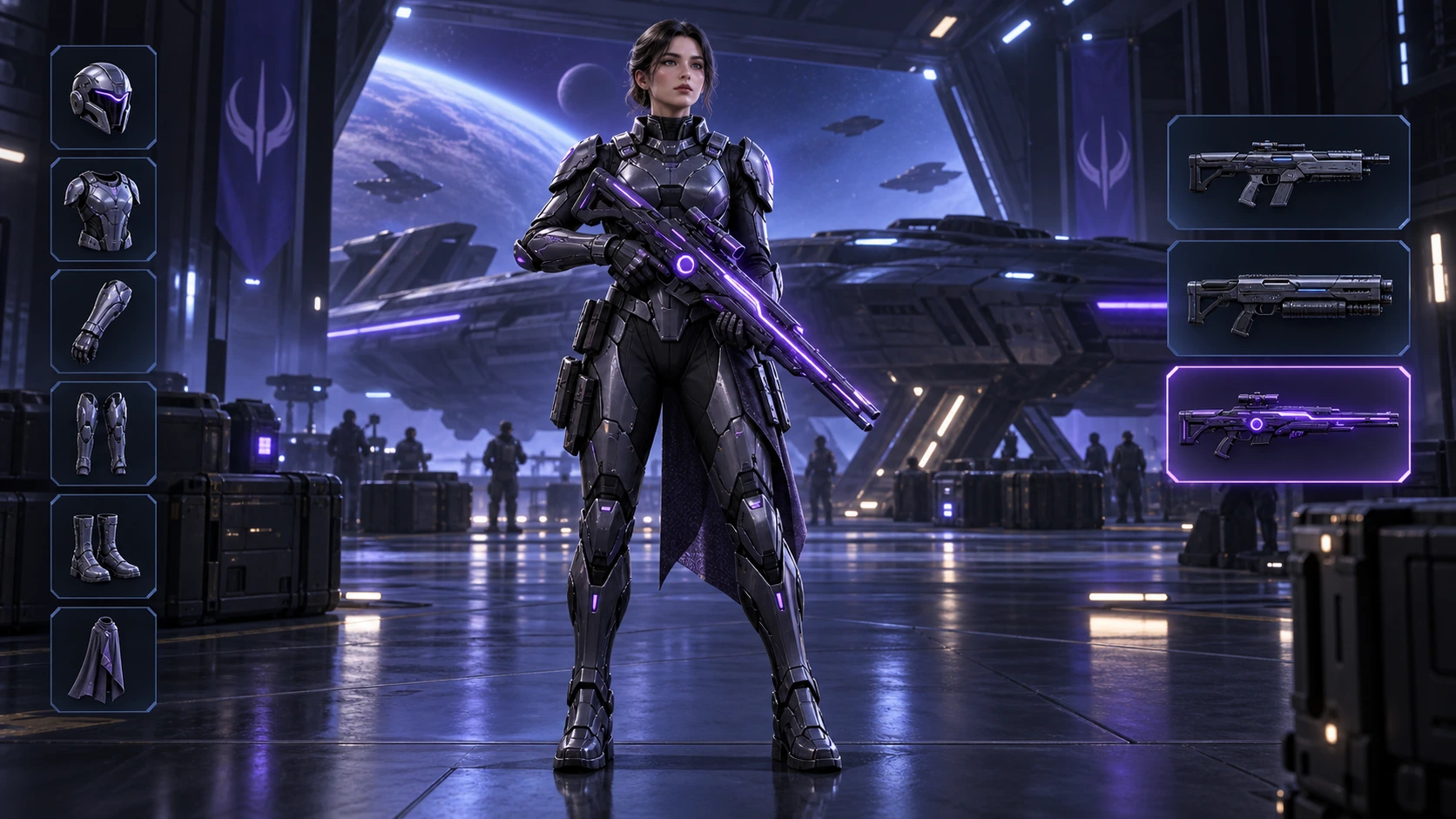
Scene: A 16:9 sci-fi game loadout screen in a blue-purple spaceship hangar. A female armored character stands centered with a glowing violet rifle; armor slots line the left, three weapon slots line the right, and the lower slot is highlighted. Keep the HUD hierarchy, pose, lighting, and equipment geometry fixed for an exact equipment-switch frame. No readable words, logos, invented stats, or watermark. Composition and rendering: Deliver one 16:9 game-interface keyframe. Separate the character, held equipment and HUD into clear depth layers; keep slot spacing and icon scale consistent, with the selected item visually dominant. Preserve the scene-specific game art style. Let material edges catch the existing light without letting interface glow obscure the silhouette. Keep all equipment fully inside the frame. Avoid: warped perspective, malformed anatomy, merged objects, inconsistent shadows, excessive sharpening and watermarks. Follow the scene-specific text and branding restrictions above.
Image 2 で生成
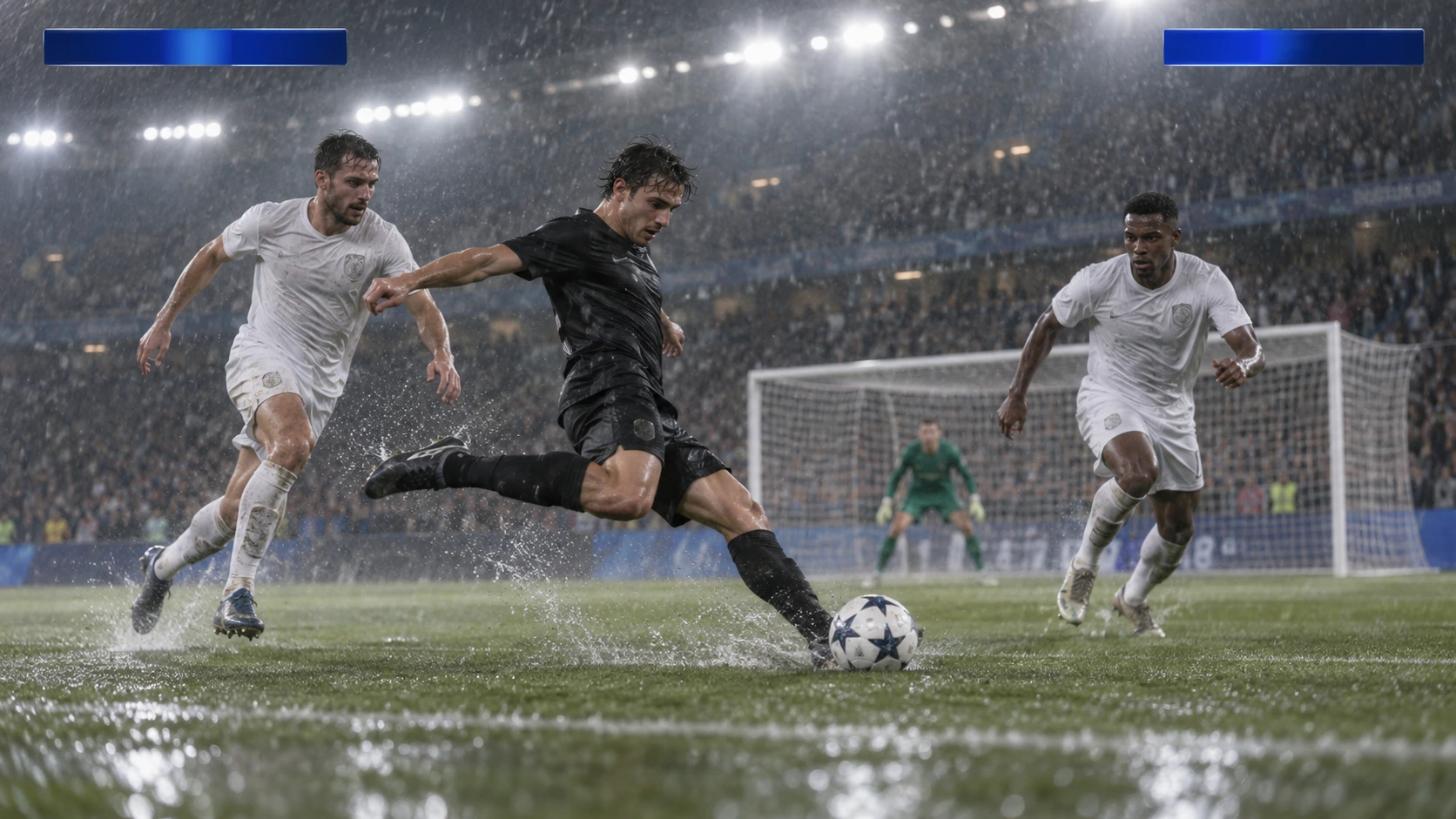
Scene: A rainy night soccer broadcast frame under bright stadium floodlights. A black-uniform player strikes the ball while two white-uniform defenders close in, with the goal and a blurred crowd behind. Keep the broadcast camera angle, blank blue score bars, spray, and motion blur consistent; leave overlays abstract and text-free. No real teams, athletes, logos, or watermark. Composition and rendering: Deliver one 16:9 broadcast still at the decisive instant. Use coherent perspective for the playing surface and equipment, readable separation between competitors, and a softer crowd behind the action. Keep the principal subject sharp, with directional blur limited to fast extremities and spray. Preserve the specified broadcast angle and reserve overlay areas clear of the action. Avoid: warped perspective, malformed anatomy, merged objects, inconsistent shadows, excessive sharpening and watermarks. Follow the scene-specific text and branding restrictions above.
Image 2 で生成
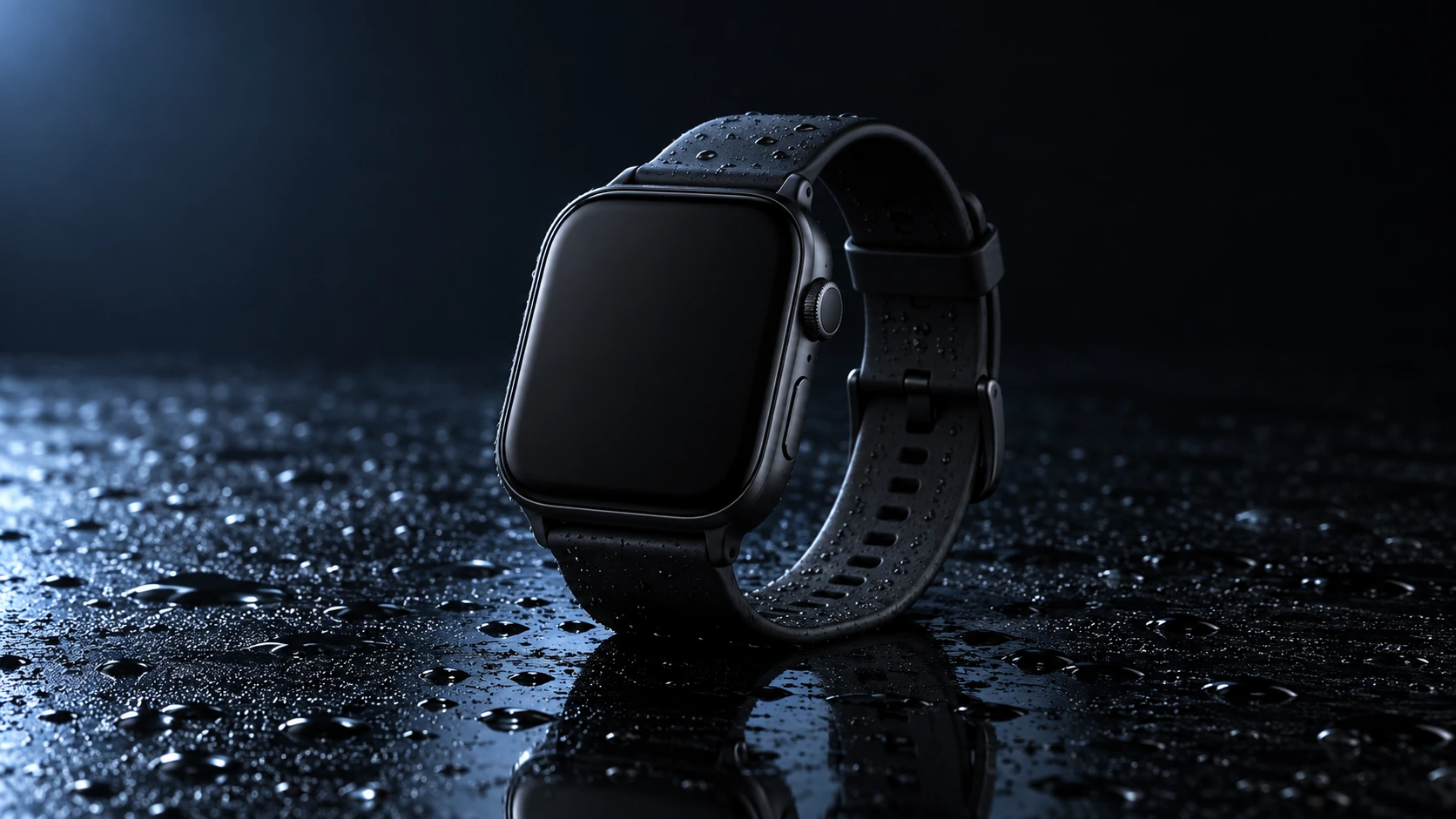
Scene: A closed matte-black square smartwatch with a black strap rests on a wet glossy black tabletop. Water droplets catch a cool blue rim light and a soft reflection sits beneath the watch. Use a low three-quarter product camera and preserve the case, strap, highlights, and empty dark background. No readable branding, extra products, hands, or watermark. Composition and rendering: Deliver one 16:9 commercial product still. Keep the complete product silhouette inside generous crop-safe margins. Resolve edges, seams and material transitions precisely; shape highlights to describe volume without clipping bright surfaces or crushing dark details. Align reflections with the object and light source. Retain the stated camera angle and existing negative space; add no decorative props. Avoid: warped perspective, malformed anatomy, merged objects, inconsistent shadows, excessive sharpening and watermarks. Follow the scene-specific text and branding restrictions above.
Image 2 で生成
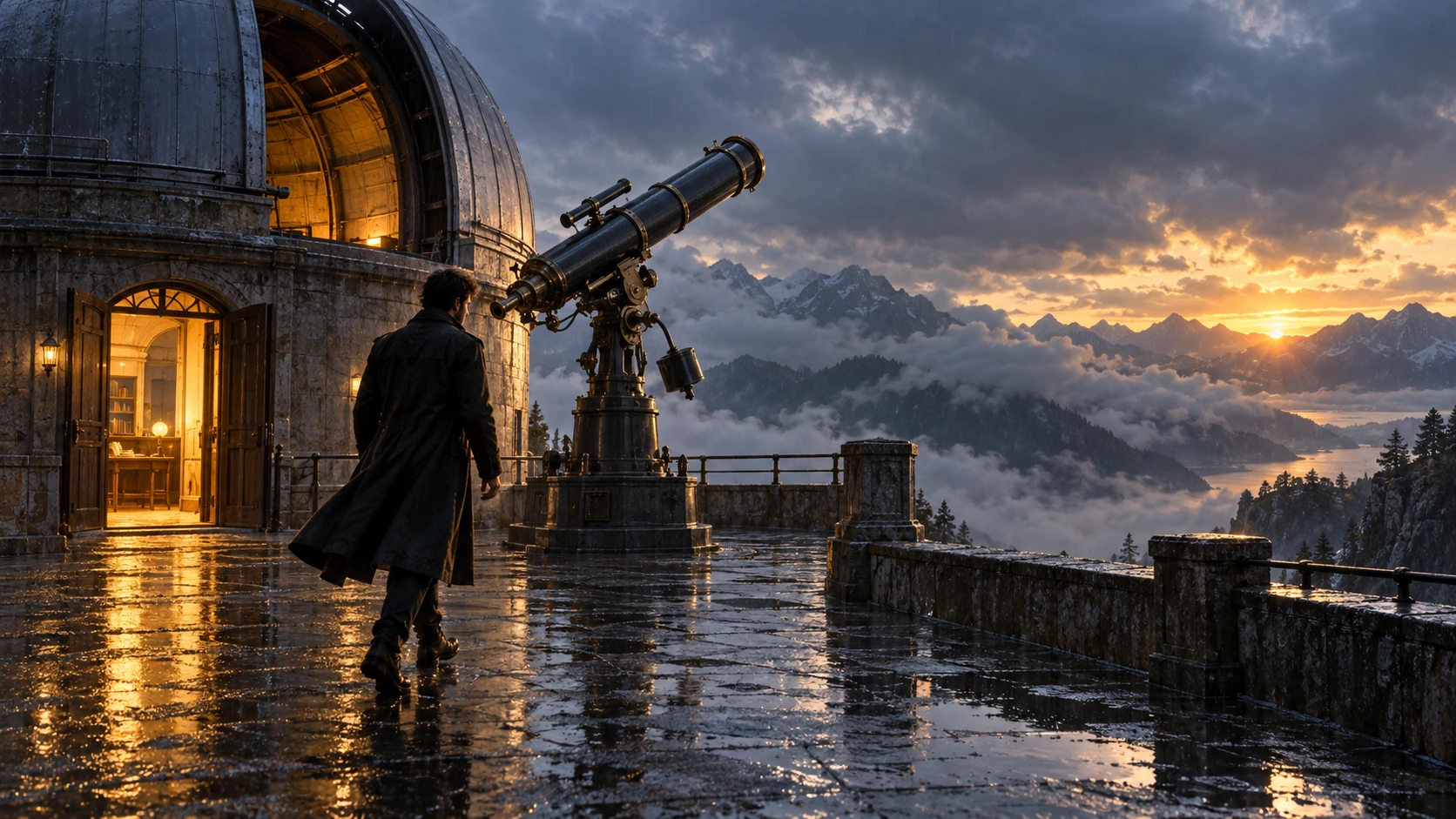
Scene: On a rain-soaked observatory roof at sunrise, a lone figure in a long dark coat walks toward a large telescope beside an open dome. Wet stone reflects the warm doorway light; cloud-covered mountains sit beyond. Hold the screen direction and end on the telescope and figure in the same wide composition. No readable text, logos, or watermark. Composition and rendering: Deliver one 16:9 storyboard keyframe, not a collage or an action sequence. Separate foreground, character plane and background through the existing light and atmospheric depth. Keep the stated pose and eyelines readable, and retain environmental landmarks for continuity. Match the described photographic, illustrated or puppet medium; give fabric and surfaces texture appropriate to that medium. Avoid: warped perspective, malformed anatomy, merged objects, inconsistent shadows, excessive sharpening and watermarks. Follow the scene-specific text and branding restrictions above.
Image 2 で生成
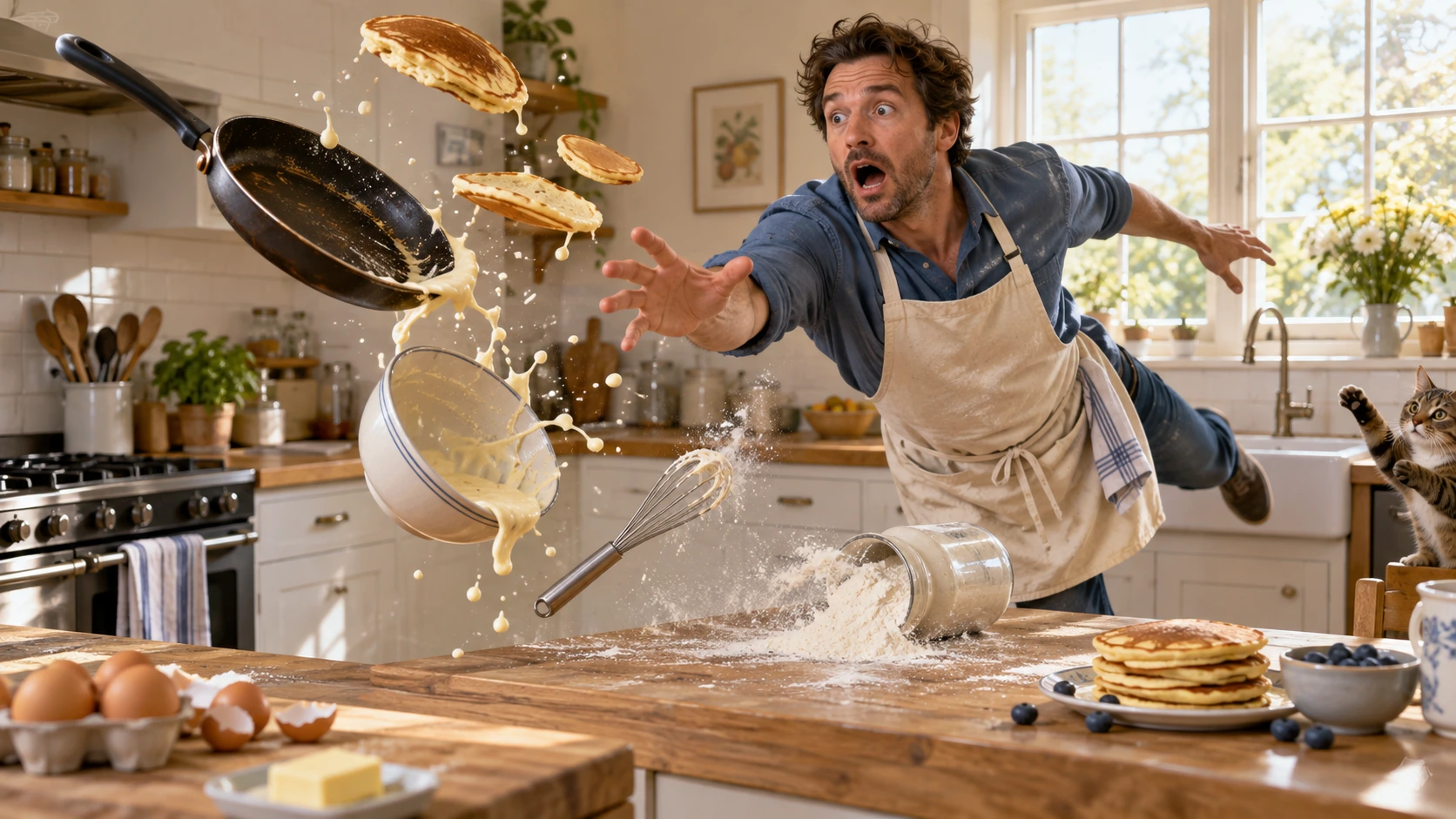
Scene: In a bright home kitchen, a surprised cook in a blue shirt and cream apron reaches toward pancakes, a frying pan, flour, bowl, and whisk suspended midair. Freeze the comic cause-and-effect moment with believable weight, warm daylight, and a clear path for each object. No injury, logos, readable words, or watermark. Composition and rendering: Deliver one 16:9 physical-comedy still at the described instant. Make the cause of the gag readable through body balance, grip and object spacing. Separate the reaction from the airborne props; retain believable gravity and contact points. Keep the face and important props sharp, with only restrained directional blur on fast edges. Preserve the stated lighting and room or stage layout. Avoid: warped perspective, malformed anatomy, merged objects, inconsistent shadows, excessive sharpening and watermarks. Follow the scene-specific text and branding restrictions above.
Image 2 で生成
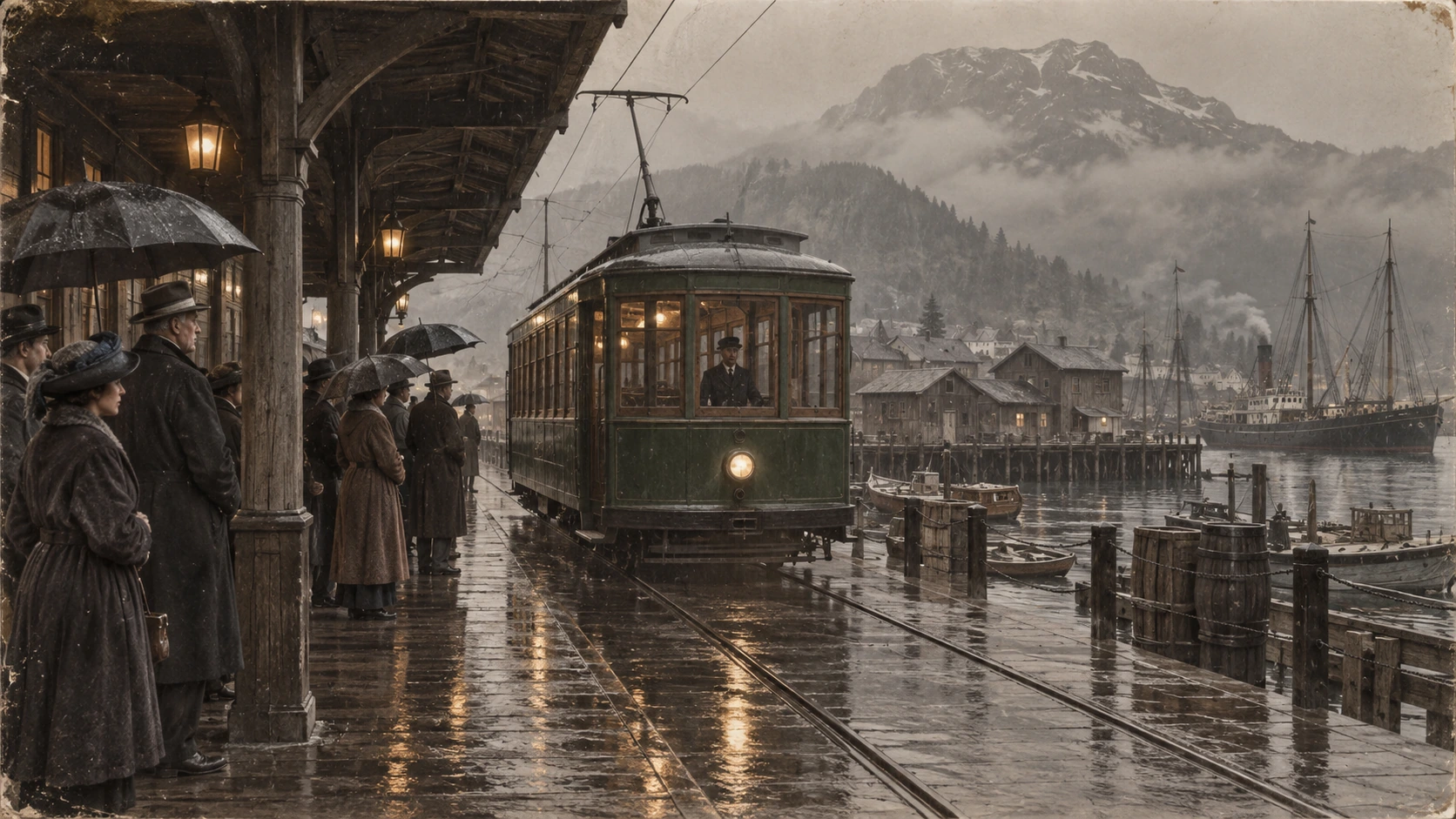
Scene: A rainy period harbor platform shelters people in era-appropriate coats and umbrellas as a vintage green tram arrives on wet tracks. Wooden waterfront buildings and misty mountains sit behind the reflections. Preserve the historical clothing, tram shape, rain direction, and stable wide composition; no readable signage, logos, or watermark. Composition and restoration: Deliver one 16:9 archival-style still. Preserve the original framing, period-specific construction and restrained tonal range; retain monochrome, sepia or faded color as described. Recover modest detail in faces, clothing and architecture without synthetic sharpening. Keep fine grain and authentic aging consistent across the frame; repair damage without replacing historical features. Avoid: warped perspective, malformed anatomy, merged objects, inconsistent shadows, excessive sharpening and watermarks. Follow the scene-specific text and branding restrictions above.
Flatkey を選ぶ理由
テストから本番へ移行する間も、GPT Image 2 の事実、リクエスト項目、料金の境界を確認できます。
コンソールに渡す前に n、size、quality、output format、background、moderation を設定します。
GPT Image 2 の入力・出力・キャッシュの各項目を確認し、見出しの価格を一律料金とみなさないでください。
商品、広告、絵コンテの例を編集可能なプロンプトの出発点として使います。
確認されていない事実について、透明な出力、無料生成、固定の画像単価を約束しません。
API
モデル ID と対応する画像設定を一緒に送信します。
curl https://router.flatkey.ai/v1/images/generations \
  -H "Content-Type: application/json" \
  -H "Authorization: Bearer sk-***" \
  -d '{"model":"gpt-image-2","prompt":"Creative direction: Create a vertical illustrated fantasy narrative poster with a large dark-haired profile silhouette on the left, a layered mountain temple city in the center, a red torii gate, drifting cherry blossoms, and small travelers along the bottom edge. Use a cream paper texture with ink-and-wash detail, a restrained charcoal, vermilion, and muted violet palette, and reserve a clean right margin for the title and credits.\n\nComposition, material and finish: Build the silhouette and temple city as nested visual layers, with the gate as the vermilion focal accent. Keep small travelers distinct from architectural detail. Use delicate ink edges and paper grain rather than photographic skin or glossy 3D surfaces. Leave the right title margin genuinely empty; avoid added lettering, duplicated gates, muddied silhouettes and watermarks.","n":1,"size":"1024x1024","quality":"high","output_format":"png","background":"opaque","moderation":"auto"}'
よくある質問
料金、互換性、制限、モデル固有のリクエスト情報。