Тренд успешных инференсовАктивность
Пока недостаточно данных

GPT Image 2 — модель изображений OpenAI в потоке генерации Flatkey. Используйте /v1/images/generations и перед отправкой настройте количество, размер, качество, формат, фон и модерацию.
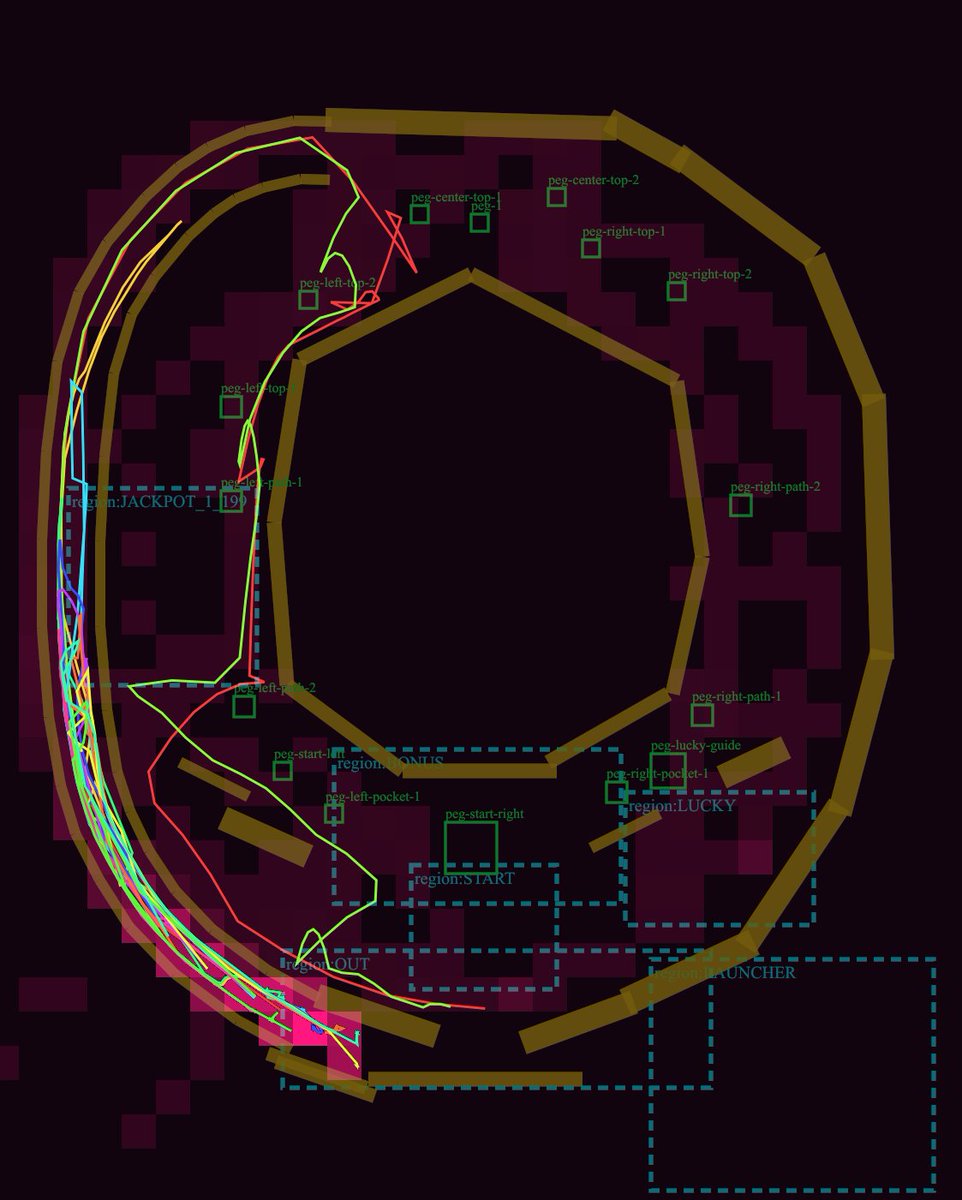
Только предпросмотр. Войдите, чтобы отправить запрос в Flatkey.
{
  "model": "gpt-image-2",
  "prompt": "Goal: Create a dark technical debug visualization of a pachinko machine playfield layout, showing ball lanes, collision rails, pegs, named gameplay regions, and simulated ball trajectories.\n\nCanvas: Square-ish 4:5 technical diagram on a nearly black burgundy background, with a transparent-engineering-overlay feel. Use a dark maroon grid of blocky rectangular obstacle silhouettes behind the layout.\n\nMain layout: Draw a large pachinko board occupying almost the full canvas. The board is formed by thick angular golden-brown rails: one large outer oval/octagonal loop around the perimeter, one large inner polygonal ring around an empty central dark void, and several short rail segments near the bottom and lower-right. Keep the rails chunky, beveled, and slightly translucent, like debug collision geometry.\n\nTrajectory paths: Add exactly 5 thin neon ball-path traces over the rails and lanes: 1 cyan path hugging the far-left launch lane, 1 hot pink path weaving near the left edge and bottom exit, 1 lime green path that curves from the upper-left across the mid-left and down to the bottom, 1 red path that crosses sharply through the left-middle and upper-left, and 1 yellow path following the outer left arc. The paths should overlap and look like simulated pachinko ball travel, with sharp turns and curved segments.\n\nDebug regions: Draw dashed cyan rectangular region boxes with small cyan labels. Include exactly 7 labeled regions: \"region:JACKPOT_1\" at left-middle, \"region:STATIC\" near the lower-left/middle, \"region:START\" centered lower-middle, \"region:LUCKY\" right-lower-middle, \"region:LAUNCHER\" bottom-right, \"region:OUT\" lower-left exit area, and one tall dashed launch/channel region along the left side.\n\nPegs and labels: Add exactly 15 small green square peg markers with green debug labels. Place them around the central playfield: 2 near the upper-left labeled \"peg-left-top-1\" and \"peg-left-top-2\"; 3 near the top center labeled \"peg-center-top-1\", \"peg-center-top-2\", and \"peg-1\"; 3 on the upper-right labeled \"peg-right-top-1\", \"peg-right-top-2\", and \"peg-right-path-2\"; 3 on the lower-right/lower-middle labeled \"peg-right-path-1\", \"peg-lucky-guide\", and \"peg-right-pocket-1\"; 4 in the lower-left/lower-middle labeled \"peg-left-path-1\", \"peg-left-pocket-1\", \"peg-start-left\", and \"peg-start-right\". Make labels small, thin, and green, as if from a game-engine editor overlay.\n\nAdditional details: Include one tiny cyan number box reading \"19\" near the left-middle jackpot area. Add a few small red guide triangles and line fragments near the top-left lane. The diagram should look like a GPT-generated game-layout review screenshot rather than polished UI art.\n\nVisual style: Low-light debug render, dark maroon and black palette, golden collision rails, cyan dashed UI overlays, green peg annotations, neon trajectory lines. No photorealism, no characters, no real pachinko machine cabinet, no decorative anime art.\n\nCustomizable concept: Build the layout as a {argument name=\"machine type\" default=\"pachinko\"} physics debug map titled by implication around {argument name=\"gameplay focus\" default=\"ball trajectory and lane review\"}. Use rail color {argument name=\"rail color\" default=\"muted golden brown\"}, background color {argument name=\"background color\" default=\"near-black burgundy\"}, and trajectory colors {argument name=\"trajectory colors\" default=\"cyan, hot pink, lime green, red, yellow\"}.",
  "n": 1,
  "size": "1024x1024",
  "quality": "high",
  "output_format": "png",
  "background": "opaque",
  "moderation": "auto"
}
возможности
Телеметрия запросов Flatkey для GPT Image 2 появляется при достаточном трафике; бенчмарк или оценка качества из неё не выводятся.
API
Этот раздел отражает реальные запросы Flatkey к GPT Image 2; данные не публикуются, пока не накопится достаточный трафик.
Цены
Цена GPT-image-2 использует текущую единицу каталога Flatkey, а не прямой тариф OpenAI. Задайте размер, качество и число изображений. Для редактирования приложите референсы и укажите, что сохранить.
Используйте один баланс Flatkey и API-ключ для моделей изображений, видео, аудио и текста.
Ниже приведены документированные поля интеграции; обещания о бенчмарках или качестве не делаются.
Создавайте новые изображения или изменяйте существующие через /v1/images/generations и /v1/images/edits.
Используйте визуальный контекст, чтобы сохранять объект и композицию в продуктовых и рекламных задачах.
Преобразуйте один бриф в квадратные, вертикальные и горизонтальные материалы для разных каналов.
Готовьте результат с учетом задокументированных качества, формата, фона и модерации.
Сравнить
Ниже приведены документированные поля интеграции; обещания о бенчмарках или качестве не делаются.
| Возможность | GPT Image 1 | GPT Image 2 |
|---|---|---|
| Конечная точка API | Неизвестно здесь | /v1/images/generations; /v1/images/edits |
| Размеры | Неизвестно здесь | 1024x1024, 1536x1024, 1024x1536, auto |
| Форматы | Неизвестно здесь | PNG, JPEG, WebP |
| Качество/фон/модерация | Неизвестно здесь | Указано выше |
| Рейтинг качества изображения | Не заявлено | Не заявлено |
Проверьте сценарии, текущую стоимость и точный контракт параметров Flatkey.
Считается по текущим настройкам и живому тарифу каталога при наличии фиксированной цены.
Итог зависит от запроса и группы аккаунта; токены и тарифные уровни нельзя свести к одной сумме.
Используйте только доступные сценарии. Flatkey сохраняет один публичный ID, тип входа задаёт тело запроса.
Создайте изображение из текста.
gpt-image-2/v1/images/generationsИспользуйте референсы для правок и вариантов.
gpt-image-2/v1/images/generationsЗначения из той же конфигурации, что использует Playground.
nИзображения1–10
По умолчанию: 1sizeРазмер1024x1024 · 1536x1024 · 1024x1536 · auto
По умолчанию: 1024x1024qualityКачествоauto · high · medium · low
По умолчанию: highoutput_formatФормат выводаpng · jpeg · webp
По умолчанию: pngbackgroundФонopaque · auto
По умолчанию: opaquemoderationМодерацияauto · low
По умолчанию: autoimageЛимит референсов4 файлов
Endpoint: /v1/images/generationsИспользуйте единый контракт в Playground и API и обрабатывайте проверку, баланс, статус и результат.
Проверить модель, prompt, референсы и вывод.
Отправить запрос изображения.
Прочитать результат или асинхронную задачу.
Сохранить файл и метаданные.
Не отправляйте неподдерживаемые значения и референсы.
Разделяйте ошибки ключа, баланса, лимитов и группы.
Покажите, какой prompt или файл нужно заменить.
Сохраните task ID, ограничьте повторы и не считайте таймаут успехом.
Библиотека промптов
Начните с конкретного объекта, действия, камеры или композиции и явной настройки вывода; поля запроса задавайте отдельно от промпта.
Сгенерировано с Image 2
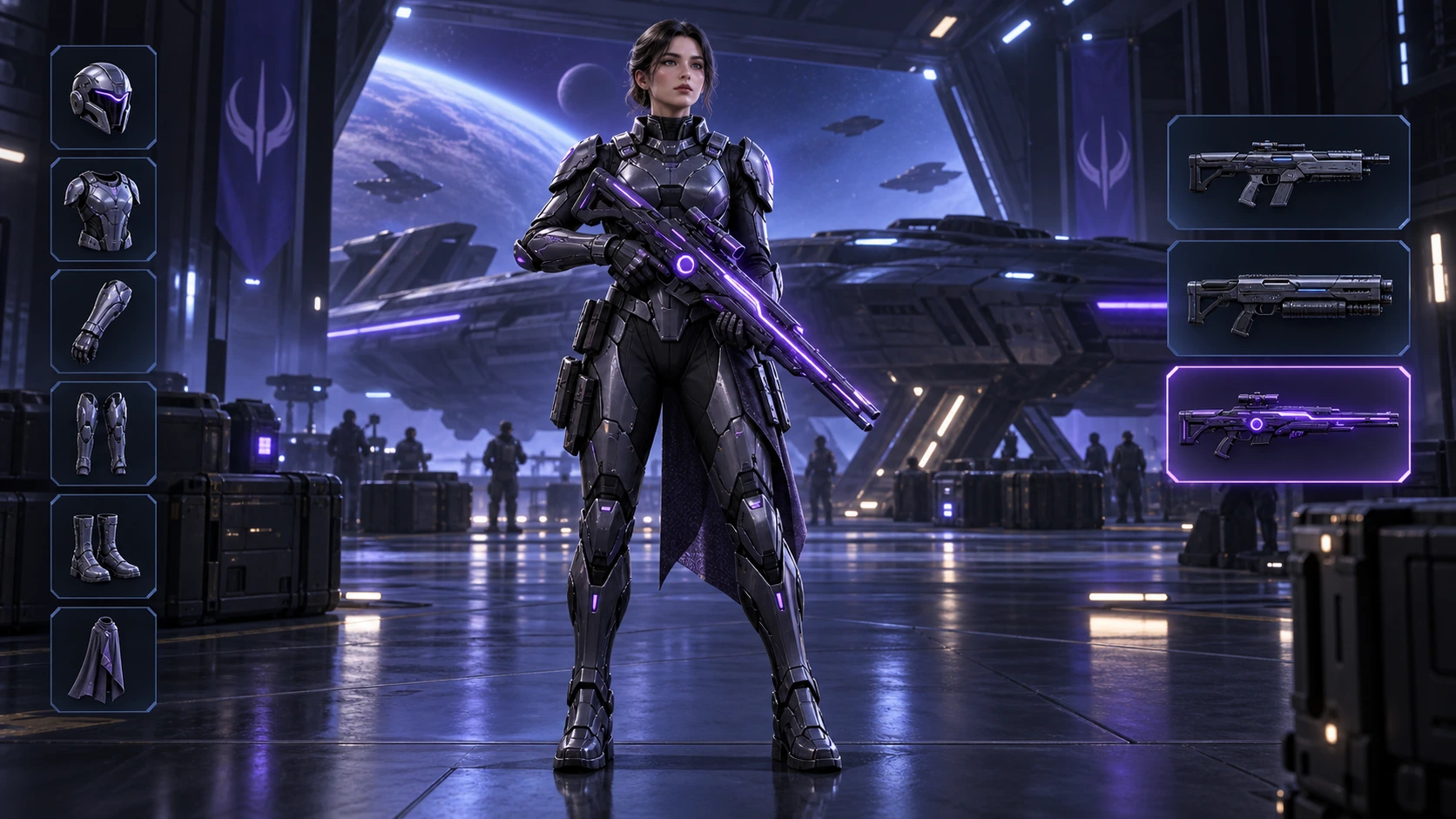
Scene: A 16:9 sci-fi game loadout screen in a blue-purple spaceship hangar. A female armored character stands centered with a glowing violet rifle; armor slots line the left, three weapon slots line the right, and the lower slot is highlighted. Keep the HUD hierarchy, pose, lighting, and equipment geometry fixed for an exact equipment-switch frame. No readable words, logos, invented stats, or watermark. Composition and rendering: Deliver one 16:9 game-interface keyframe. Separate the character, held equipment and HUD into clear depth layers; keep slot spacing and icon scale consistent, with the selected item visually dominant. Preserve the scene-specific game art style. Let material edges catch the existing light without letting interface glow obscure the silhouette. Keep all equipment fully inside the frame. Avoid: warped perspective, malformed anatomy, merged objects, inconsistent shadows, excessive sharpening and watermarks. Follow the scene-specific text and branding restrictions above.
Сгенерировано с Image 2
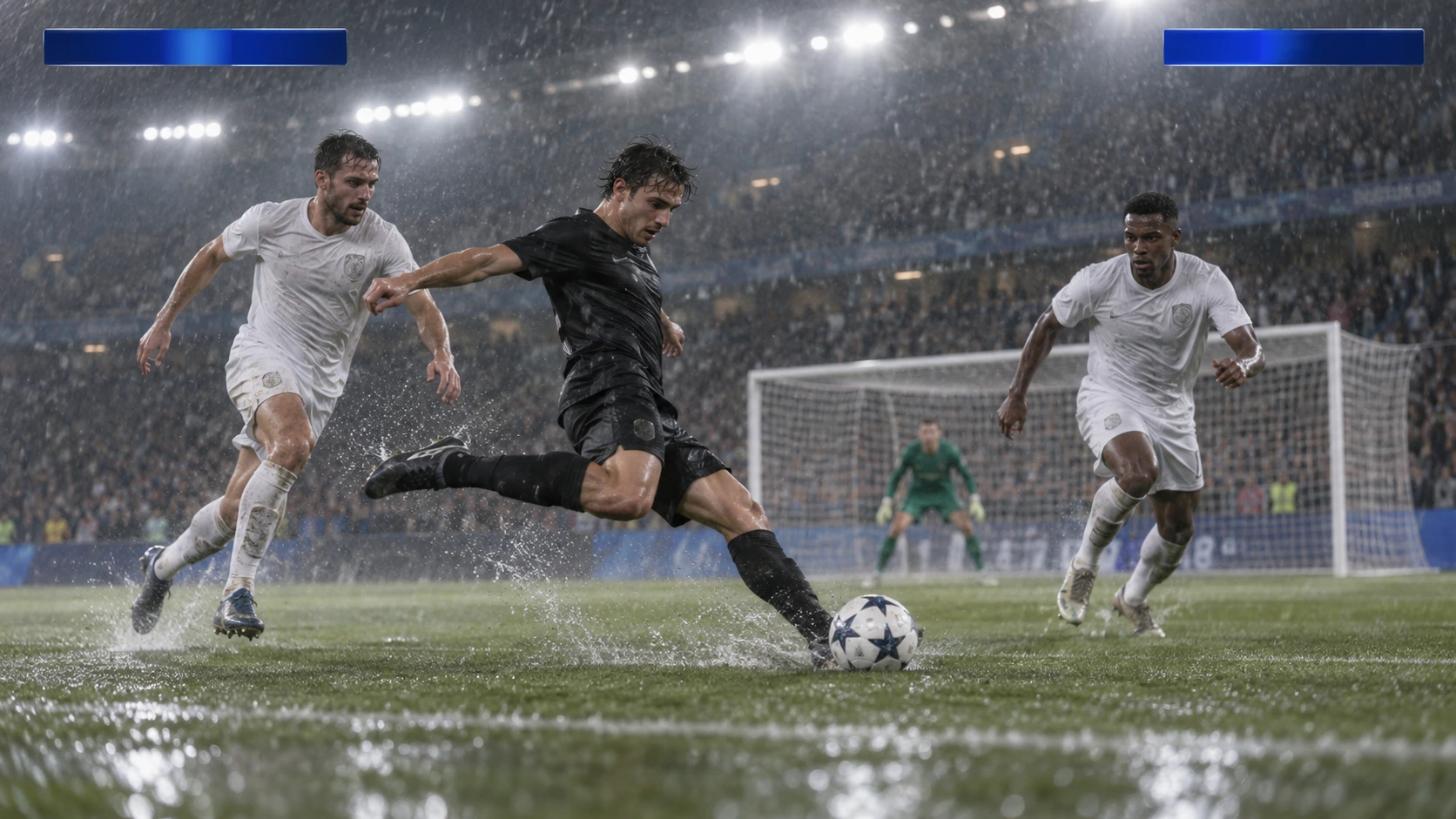
Scene: A rainy night soccer broadcast frame under bright stadium floodlights. A black-uniform player strikes the ball while two white-uniform defenders close in, with the goal and a blurred crowd behind. Keep the broadcast camera angle, blank blue score bars, spray, and motion blur consistent; leave overlays abstract and text-free. No real teams, athletes, logos, or watermark. Composition and rendering: Deliver one 16:9 broadcast still at the decisive instant. Use coherent perspective for the playing surface and equipment, readable separation between competitors, and a softer crowd behind the action. Keep the principal subject sharp, with directional blur limited to fast extremities and spray. Preserve the specified broadcast angle and reserve overlay areas clear of the action. Avoid: warped perspective, malformed anatomy, merged objects, inconsistent shadows, excessive sharpening and watermarks. Follow the scene-specific text and branding restrictions above.
Сгенерировано с Image 2
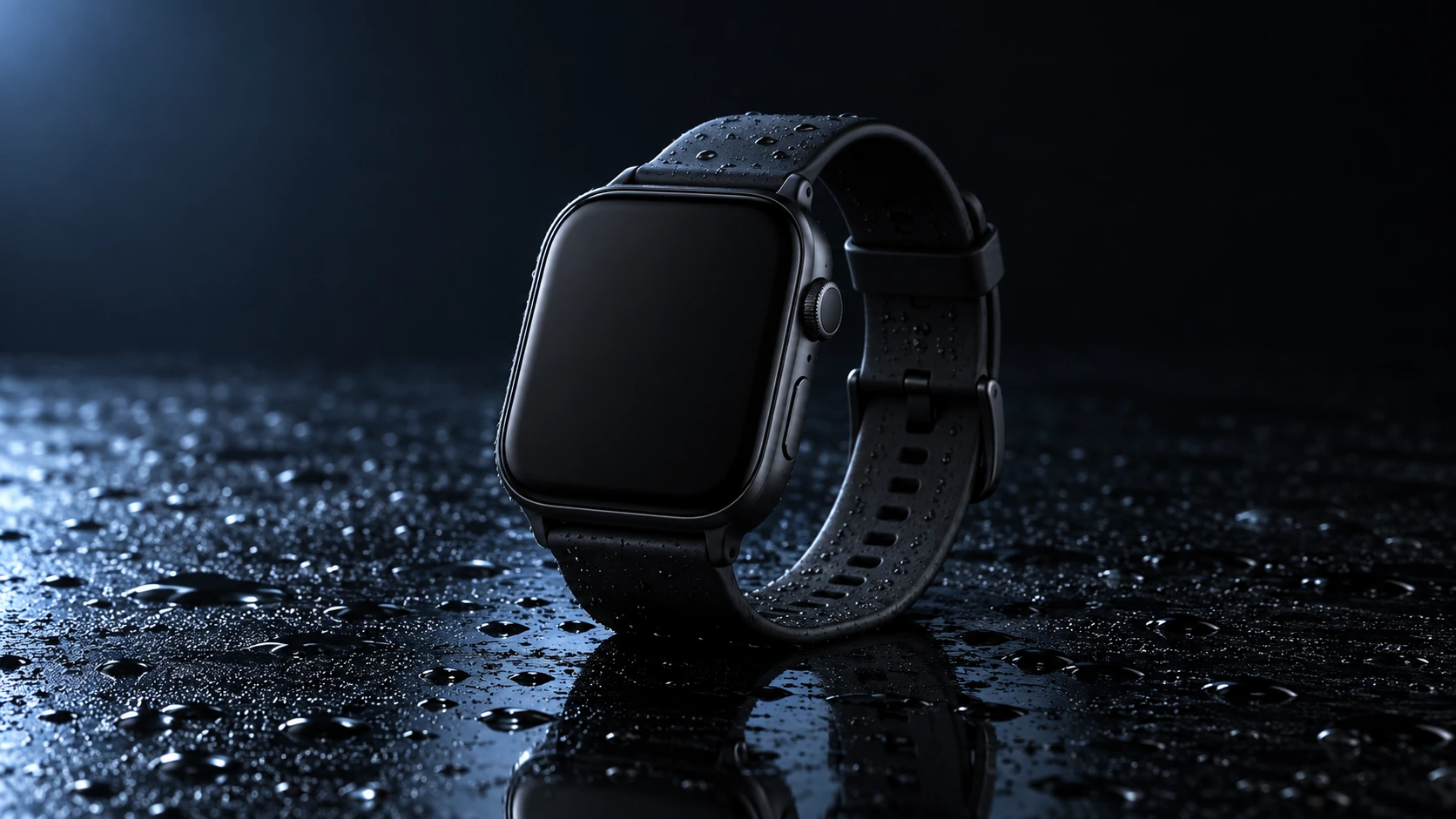
Scene: A closed matte-black square smartwatch with a black strap rests on a wet glossy black tabletop. Water droplets catch a cool blue rim light and a soft reflection sits beneath the watch. Use a low three-quarter product camera and preserve the case, strap, highlights, and empty dark background. No readable branding, extra products, hands, or watermark. Composition and rendering: Deliver one 16:9 commercial product still. Keep the complete product silhouette inside generous crop-safe margins. Resolve edges, seams and material transitions precisely; shape highlights to describe volume without clipping bright surfaces or crushing dark details. Align reflections with the object and light source. Retain the stated camera angle and existing negative space; add no decorative props. Avoid: warped perspective, malformed anatomy, merged objects, inconsistent shadows, excessive sharpening and watermarks. Follow the scene-specific text and branding restrictions above.
Сгенерировано с Image 2
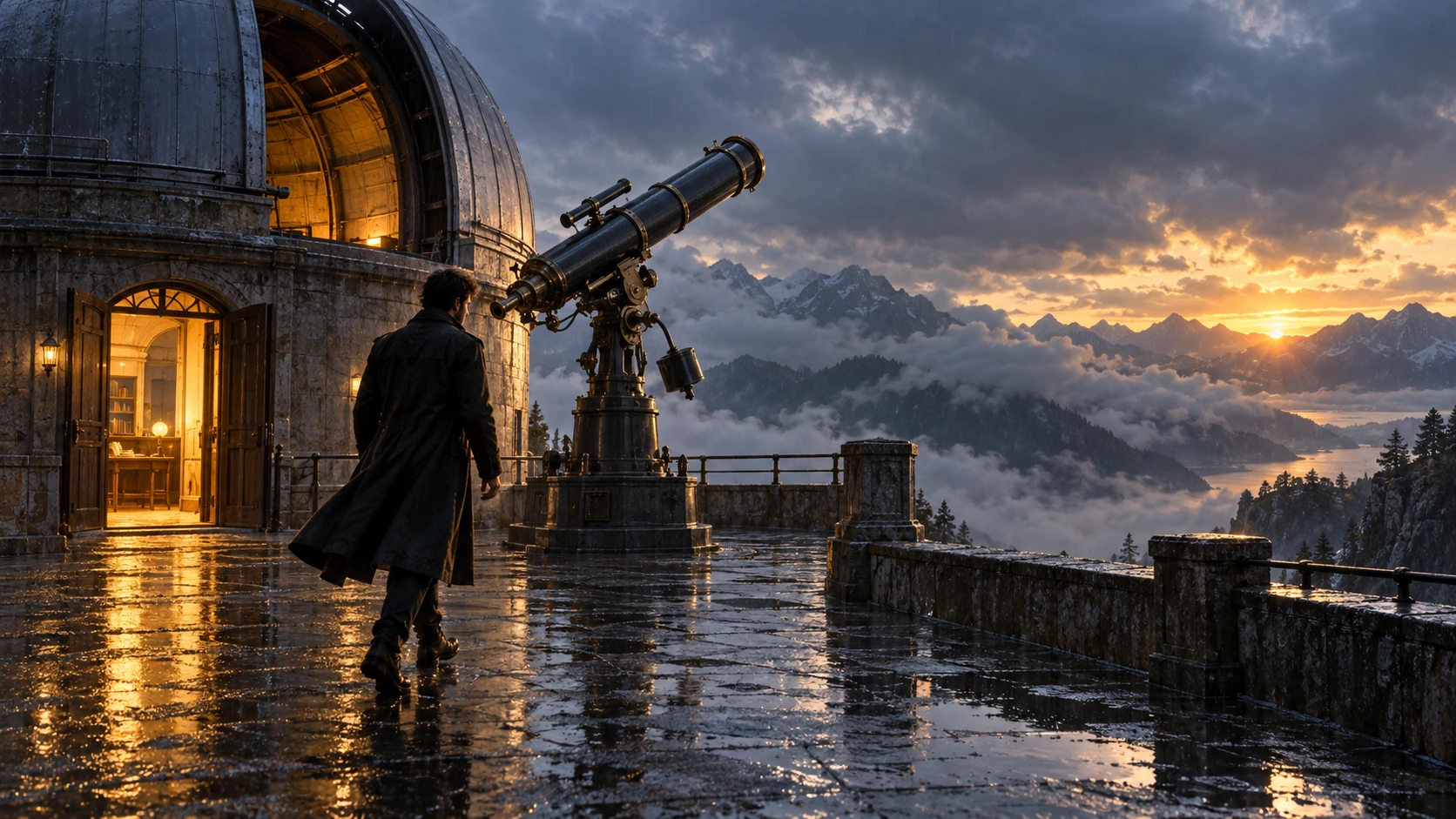
Scene: On a rain-soaked observatory roof at sunrise, a lone figure in a long dark coat walks toward a large telescope beside an open dome. Wet stone reflects the warm doorway light; cloud-covered mountains sit beyond. Hold the screen direction and end on the telescope and figure in the same wide composition. No readable text, logos, or watermark. Composition and rendering: Deliver one 16:9 storyboard keyframe, not a collage or an action sequence. Separate foreground, character plane and background through the existing light and atmospheric depth. Keep the stated pose and eyelines readable, and retain environmental landmarks for continuity. Match the described photographic, illustrated or puppet medium; give fabric and surfaces texture appropriate to that medium. Avoid: warped perspective, malformed anatomy, merged objects, inconsistent shadows, excessive sharpening and watermarks. Follow the scene-specific text and branding restrictions above.
Сгенерировано с Image 2
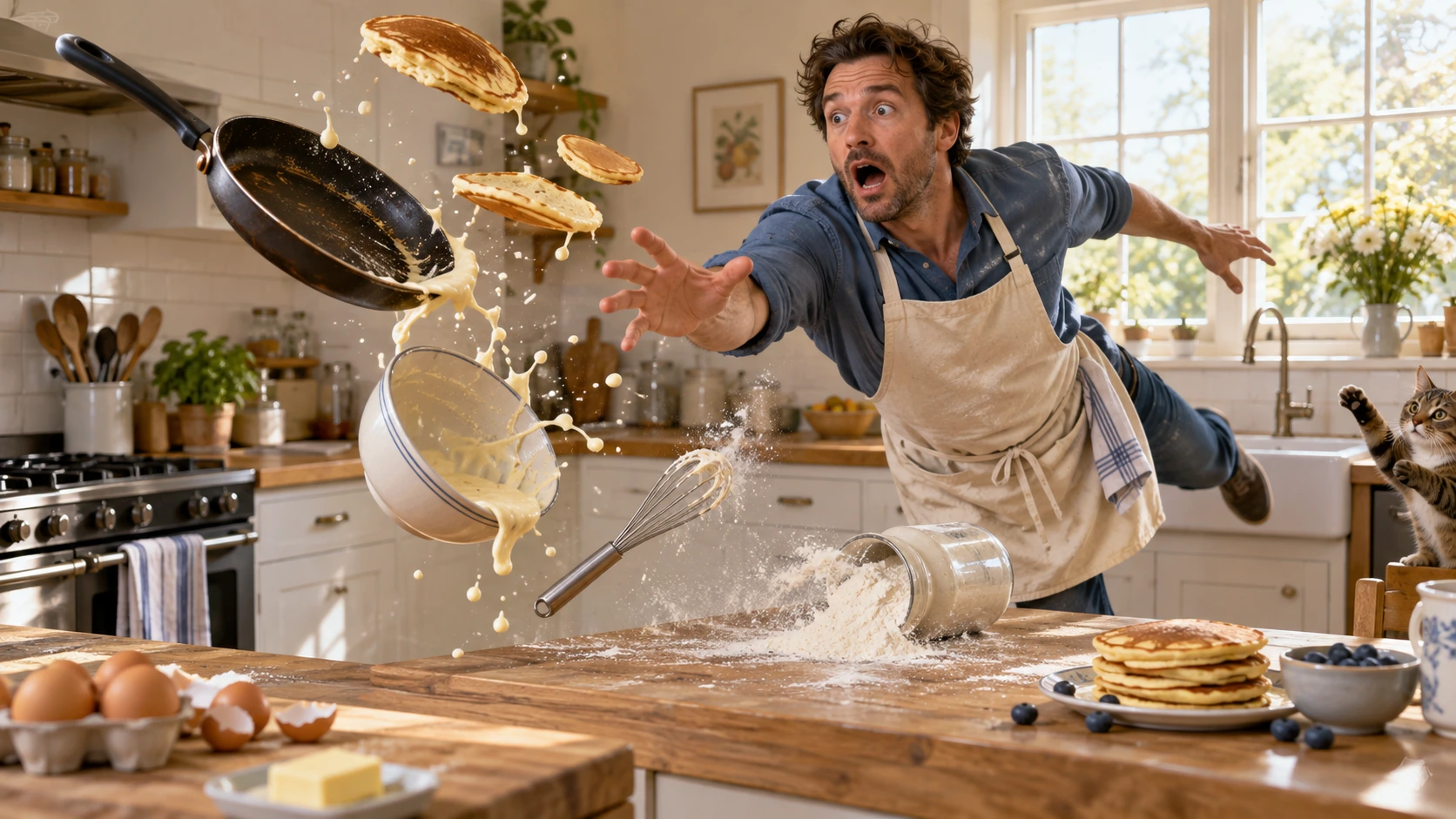
Scene: In a bright home kitchen, a surprised cook in a blue shirt and cream apron reaches toward pancakes, a frying pan, flour, bowl, and whisk suspended midair. Freeze the comic cause-and-effect moment with believable weight, warm daylight, and a clear path for each object. No injury, logos, readable words, or watermark. Composition and rendering: Deliver one 16:9 physical-comedy still at the described instant. Make the cause of the gag readable through body balance, grip and object spacing. Separate the reaction from the airborne props; retain believable gravity and contact points. Keep the face and important props sharp, with only restrained directional blur on fast edges. Preserve the stated lighting and room or stage layout. Avoid: warped perspective, malformed anatomy, merged objects, inconsistent shadows, excessive sharpening and watermarks. Follow the scene-specific text and branding restrictions above.
Сгенерировано с Image 2
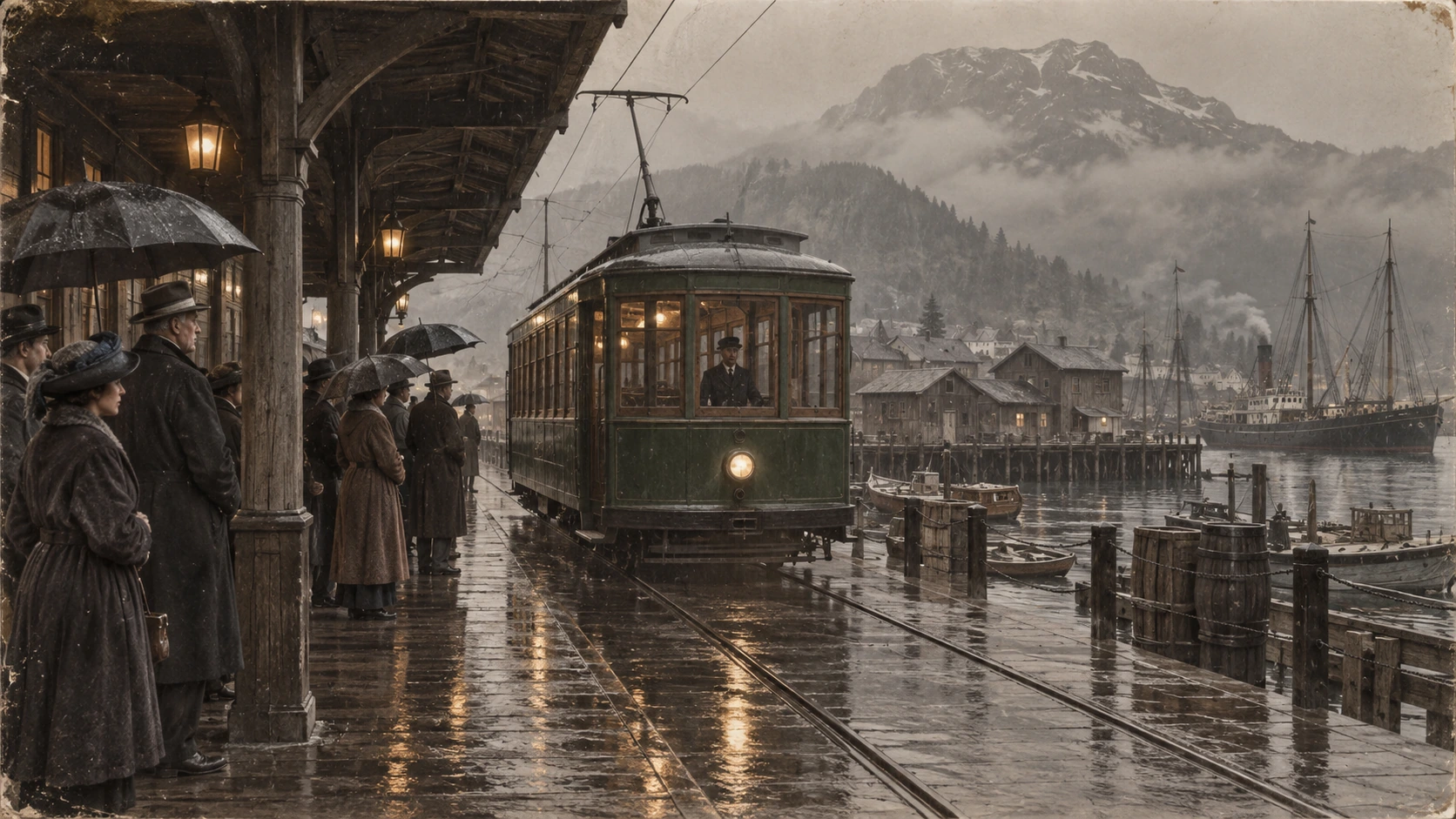
Scene: A rainy period harbor platform shelters people in era-appropriate coats and umbrellas as a vintage green tram arrives on wet tracks. Wooden waterfront buildings and misty mountains sit behind the reflections. Preserve the historical clothing, tram shape, rain direction, and stable wide composition; no readable signage, logos, or watermark. Composition and restoration: Deliver one 16:9 archival-style still. Preserve the original framing, period-specific construction and restrained tonal range; retain monochrome, sepia or faded color as described. Recover modest detail in faces, clothing and architecture without synthetic sharpening. Keep fine grain and authentic aging consistent across the frame; repair damage without replacing historical features. Avoid: warped perspective, malformed anatomy, merged objects, inconsistent shadows, excessive sharpening and watermarks. Follow the scene-specific text and branding restrictions above.
Почему Flatkey
При переходе от тестового запроса к продакшену держите на виду факты GPT Image 2, поля запроса и границы тарификации.
Перед передачей запроса в консоль задайте n, size, quality, output format, background и moderation.
Проверяйте каждое документированное измерение входа, выхода и кэша GPT Image 2, а не воспринимайте одну цену как универсальную.
Используйте примеры товара, рекламы и раскадровки как редактируемые промпты.
Страница не обещает прозрачный результат, бесплатную генерацию или фиксированную цену изображения, если это не подтверждено.
API
Четыре способа с одним ключом и каталогом. Выберите вариант, чтобы увидеть рабочий пример.
curl https://router.flatkey.ai/v1/images/generations \
  -H "Content-Type: application/json" \
  -H "Authorization: Bearer sk-***" \
  -d '{"model":"gpt-image-2","prompt":"Создайте с помощью GPT-image-2 качественное изображение продукта: чистая композиция, точный свет, акцент на объекте и реалистичные детали.","n":1,"size":"1024x1024","quality":"high","output_format":"png","background":"opaque","moderation":"auto"}'
Частые вопросы
Цены, совместимость, ограничения и детали запросов для этой модели.