Xu hướng suy luận thành côngHoạt động
Chưa đủ dữ liệu

GPT Image 2 là mô hình ảnh của OpenAI trong luồng tạo ảnh Flatkey. Dùng /v1/images/generations và cấu hình số lượng, kích thước, chất lượng, định dạng, nền và moderation trước khi gửi.
Chỉ xem trước. Đăng nhập để gửi yêu cầu đến Flatkey.
{
  "model": "gpt-image-2",
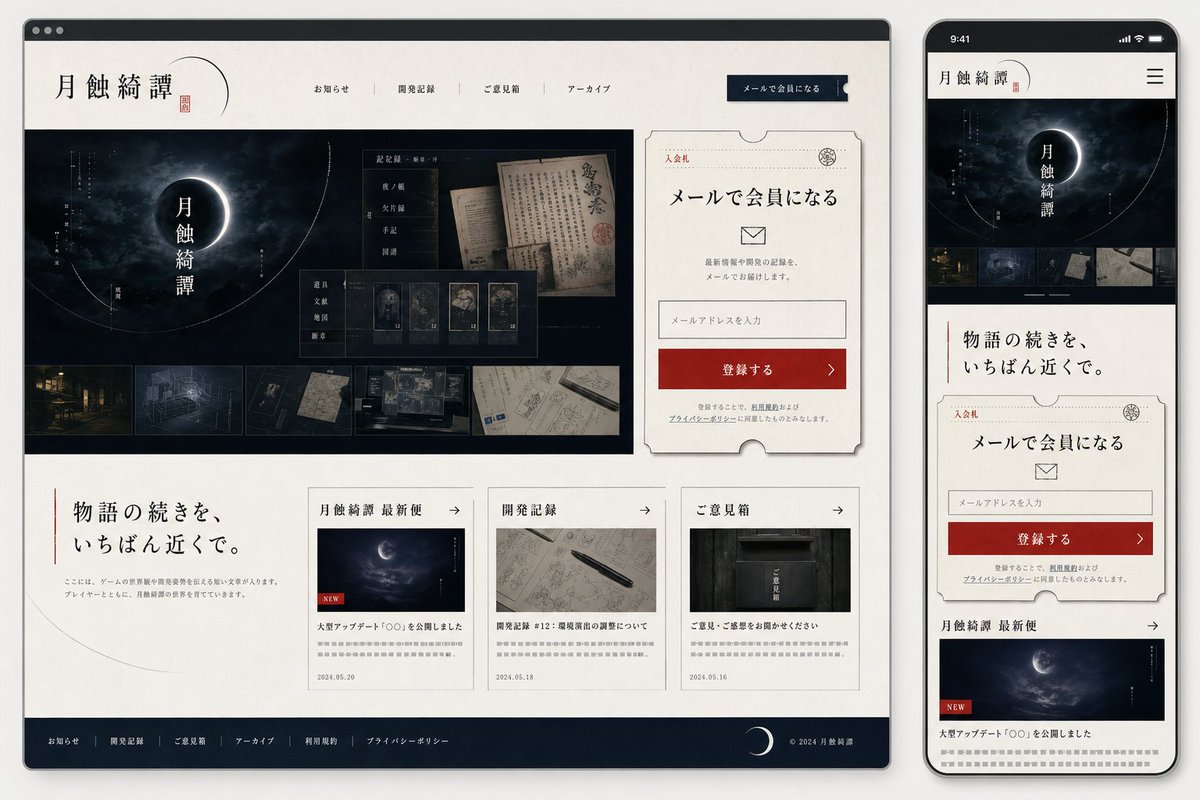
  "prompt": "Goal: Create a polished website mockup for a Japanese mystery game or story archive titled {argument name=\"site title\" default=\"月蝕綺譚\"}, shown as a responsive design preview with one desktop browser window on the left and one smartphone screen on the right.\n\nCanvas: Wide 16:9 presentation image on a light gray background. Place a large desktop browser mockup occupying about 75% of the width on the left, and a tall smartphone mockup occupying about 22% of the width on the right. Use realistic device frames with soft shadows.\n\nVisual style: Elegant Japanese literary horror, quiet mystery, archival documents, moonlit darkness. Palette of ivory paper, black ink, deep navy-black, muted gray, and one strong vermilion red accent. Use serif Japanese typography, thin ruled lines, ticket-like borders, subtle paper texture, old manuscript imagery, and faint crescent-orbit line graphics. The overall mood should feel like a premium official website for a narrative game.\n\nDesktop layout: Show a browser window with a dark top bar and three small window dots. Inside the page, use an ivory header with the site title {argument name=\"site title\" default=\"月蝕綺譚\"} on the left, a small red seal mark, and exactly 5 horizontal navigation items: 「お知らせ」, 「開発記録」, 「ご意見箱」, 「アーカイブ」, and a dark navy button labeled 「メールで会員になる」. The hero section below is a wide dark moon-eclipse visual with the vertical title 「月蝕綺譚」 centered over a glowing crescent/eclipse. Overlay a translucent archive UI card with old Japanese documents and exactly 5 small collectible/document cards along the bottom of that overlay. Along the very bottom of the hero image, include exactly 5 horizontal thumbnail strips showing: a night street, a blueprint-like room, a dark folder or object, old handwritten papers, and a desk/workspace map.\n\nDesktop right signup card: To the right of the hero, place a large cream ticket-shaped membership card with clipped semicircle notches and a thin decorative border. It includes the small label 「入会札」, a stamp emblem, headline 「メールで会員になる」, an envelope icon, short explanatory text, one email input field with placeholder 「メールアドレスを入力」, and a red CTA button labeled 「登録する」 with a right arrow. Include tiny privacy-policy text beneath.\n\nDesktop lower content: Under the hero, make a two-column-feeling section. On the left, a large Japanese tagline {argument name=\"tagline text\" default=\"物語の続きを、いちばん近くで。\"} with a thin vertical red line and a small descriptive paragraph. On the right, place exactly 3 article cards in a row. The 3 cards are: 1) 「月蝕綺譚 最新便」 with a moon image, a small red NEW label, title 「大型アップデート『○○』を公開しました」, date 2024.05.20; 2) 「開発記録」 with a notebook and pen image, title 「開発記録 #12:環境音の調整について」, date 2024.05.18; 3) 「ご意見箱」 with a dark mailbox image, title 「ご意見・ご感想をお聞かせください」, date 2024.05.16. Each card has a thin border, a small arrow in the header, and gray placeholder summary lines.\n\nDesktop footer: Add a dark navy footer spanning the bottom with exactly 6 footer links: 「お知らせ」, 「開発記録」, 「ご意見箱」, 「アーカイブ」, 「利用規約」, 「プライバシーポリシー」. Include a crescent moon icon and copyright 「© 2024 月蝕綺譚」 on the right.\n\nMobile layout: On the right smartphone, show the same site adapted to mobile. Status bar time reads 9:41. Header contains the title 「月蝕綺譚」 and a hamburger menu icon. Below it, show a compact dark hero with the eclipse and vertical title, then exactly 5 small horizontal thumbnails. Continue with the tagline 「物語の続きを、いちばん近くで。」, then the same ticket-shaped email signup card, then the first news card 「月蝕綺譚 最新便」 with moon image and red NEW label. The mobile view should be vertically scrollable-looking but contained within the phone screen.\n\nConstraints: Keep all visible interface text in Japanese as specified. Use clean, high-fidelity UI mockup rendering, crisp typography, subtle shadows, and no extra logos or watermarks. The design should look like a finished web/app mock generated for implementation planning.",
  "n": 1,
  "size": "1024x1024",
  "quality": "high",
  "output_format": "png",
  "background": "opaque",
  "moderation": "auto"
}
khả năng
Telemetry request của Flatkey cho GPT Image 2 sẽ xuất hiện khi có đủ lưu lượng; không suy ra benchmark hay điểm chất lượng từ dữ liệu này.
API
Phần này phản ánh các request thực tế của Flatkey cho GPT Image 2 và không hiển thị dữ liệu cho đến khi thu thập đủ lưu lượng.
Giá
Giá GPT-image-2 theo đơn vị hiện tại trong danh mục Flatkey, không áp giá trực tiếp OpenAI. Chọn kích thước, chất lượng và số ảnh. Khi chỉnh sửa, cung cấp ảnh tham chiếu và nêu phần cần giữ nguyên.
Dùng cùng số dư và API key Flatkey cho mô hình hình ảnh, video, âm thanh và văn bản.
Các trường tích hợp được ghi nhận hiển thị bên dưới; không suy diễn cam kết benchmark hay chất lượng.
Tạo hình ảnh mới hoặc chỉnh sửa ảnh hiện có qua /v1/images/generations và /v1/images/edits.
Dùng ngữ cảnh hình ảnh để giữ chủ thể và bố cục cho nội dung sản phẩm, biên tập và chiến dịch.
Chuyển một brief thành tài sản vuông, dọc hoặc ngang cho từng kênh.
Chuẩn bị kết quả theo hành vi đã ghi nhận về chất lượng, định dạng, nền và kiểm duyệt.
So sánh
Các trường tích hợp được ghi nhận hiển thị bên dưới; không suy diễn cam kết benchmark hay chất lượng.
| Khả năng | GPT Image 1 | GPT Image 2 |
|---|---|---|
| Endpoint API | Chưa rõ tại đây | /v1/images/generations; /v1/images/edits |
| Kích thước | Chưa rõ tại đây | 1024x1024, 1536x1024, 1024x1536, auto |
| Định dạng | Chưa rõ tại đây | PNG, JPEG, WebP |
| Chất lượng/nền/moderation | Chưa rõ tại đây | Đã ghi nhận ở trên |
| Xếp hạng chất lượng ảnh | Không khẳng định | Không khẳng định |
Kiểm tra luồng hỗ trợ, chi phí hiện tại và hợp đồng tham số chính xác của Flatkey.
Tính từ cấu hình hiện tại và giá danh mục khi có đơn giá cố định.
Phí cuối cùng phụ thuộc yêu cầu và nhóm tài khoản; giá token hoặc phân tầng không thể quy về một số cố định.
Chỉ dùng luồng được đánh dấu khả dụng. Flatkey giữ một ID công khai, phần thân chọn kiểu đầu vào.
Tạo ảnh mới từ văn bản.
gpt-image-2/v1/images/generationsDùng ảnh tham chiếu để chỉnh sửa hoặc tạo biến thể.
gpt-image-2/v1/images/generationsCác giá trị từ cùng cấu hình mà Playground sử dụng.
nSố ảnh1–10
Mặc định: 1sizeKích thước1024x1024 · 1536x1024 · 1024x1536 · auto
Mặc định: 1024x1024qualityChất lượngauto · high · medium · low
Mặc định: highoutput_formatĐịnh dạng đầu rapng · jpeg · webp
Mặc định: pngbackgroundNềnopaque · auto
Mặc định: opaquemoderationKiểm duyệtauto · low
Mặc định: autoimageGiới hạn tham chiếu4 tệp
Endpoint: /v1/images/generationsDùng cùng hợp đồng trong Playground và API, đồng thời xử lý xác thực, số dư, trạng thái và đầu ra.
Kiểm tra mô hình, prompt, tham chiếu và đầu ra.
Gửi yêu cầu ảnh.
Đọc kết quả hoặc tác vụ bất đồng bộ.
Lưu tệp và siêu dữ liệu.
Chặn giá trị và số tham chiếu không hỗ trợ.
Xử lý riêng khóa, số dư, giới hạn và giá nhóm.
Nêu rõ prompt hoặc tài sản cần thay.
Giữ task ID, giới hạn thử lại và không coi timeout là thành công.
Thư viện prompt
Bắt đầu bằng chủ thể, hành động, máy quay hoặc bố cục cụ thể cùng thiết lập đầu ra rõ ràng; tách trường yêu cầu khỏi prompt.
Tạo bằng Image 2
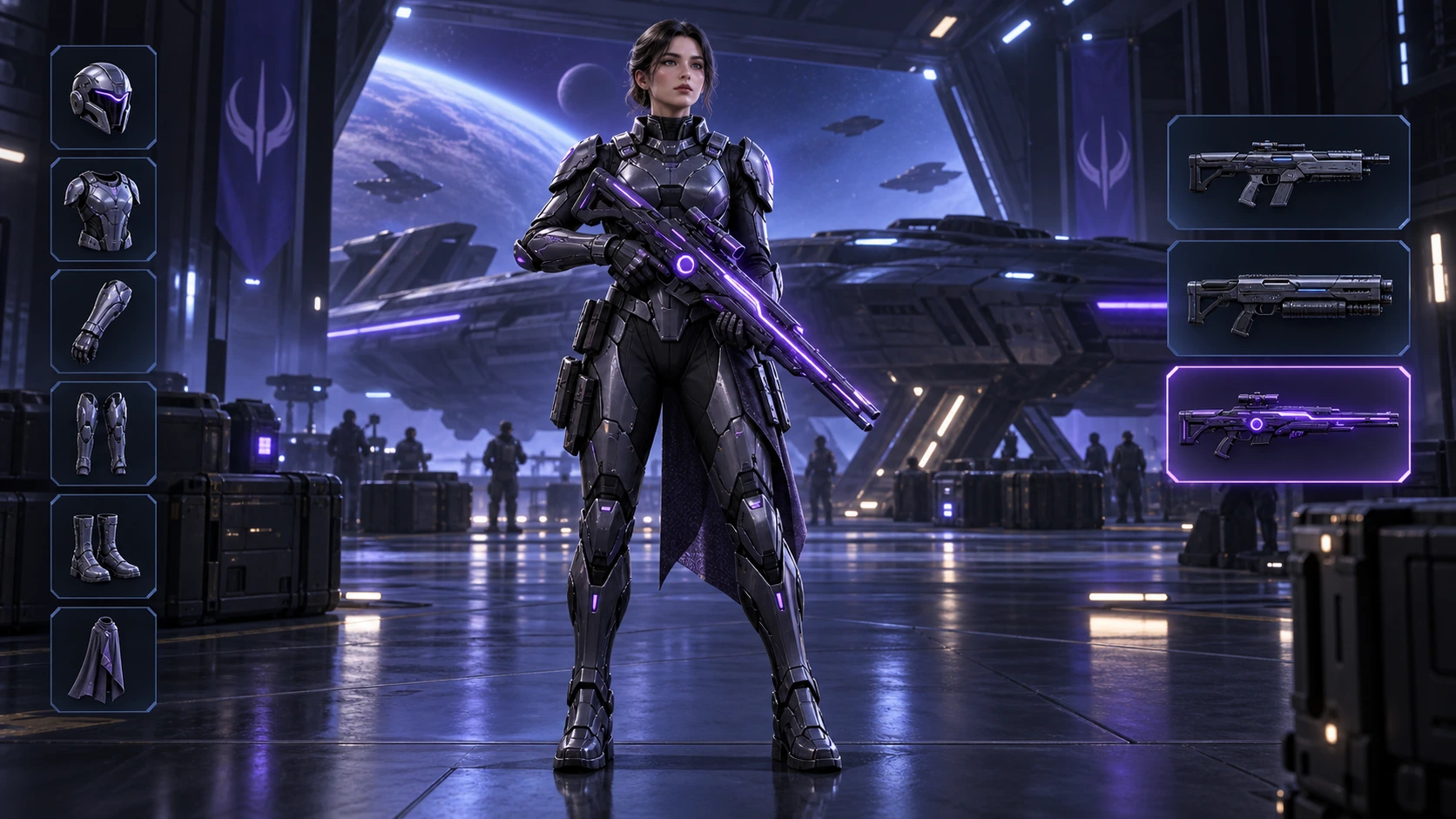
Scene: A 16:9 sci-fi game loadout screen in a blue-purple spaceship hangar. A female armored character stands centered with a glowing violet rifle; armor slots line the left, three weapon slots line the right, and the lower slot is highlighted. Keep the HUD hierarchy, pose, lighting, and equipment geometry fixed for an exact equipment-switch frame. No readable words, logos, invented stats, or watermark. Composition and rendering: Deliver one 16:9 game-interface keyframe. Separate the character, held equipment and HUD into clear depth layers; keep slot spacing and icon scale consistent, with the selected item visually dominant. Preserve the scene-specific game art style. Let material edges catch the existing light without letting interface glow obscure the silhouette. Keep all equipment fully inside the frame. Avoid: warped perspective, malformed anatomy, merged objects, inconsistent shadows, excessive sharpening and watermarks. Follow the scene-specific text and branding restrictions above.
Tạo bằng Image 2
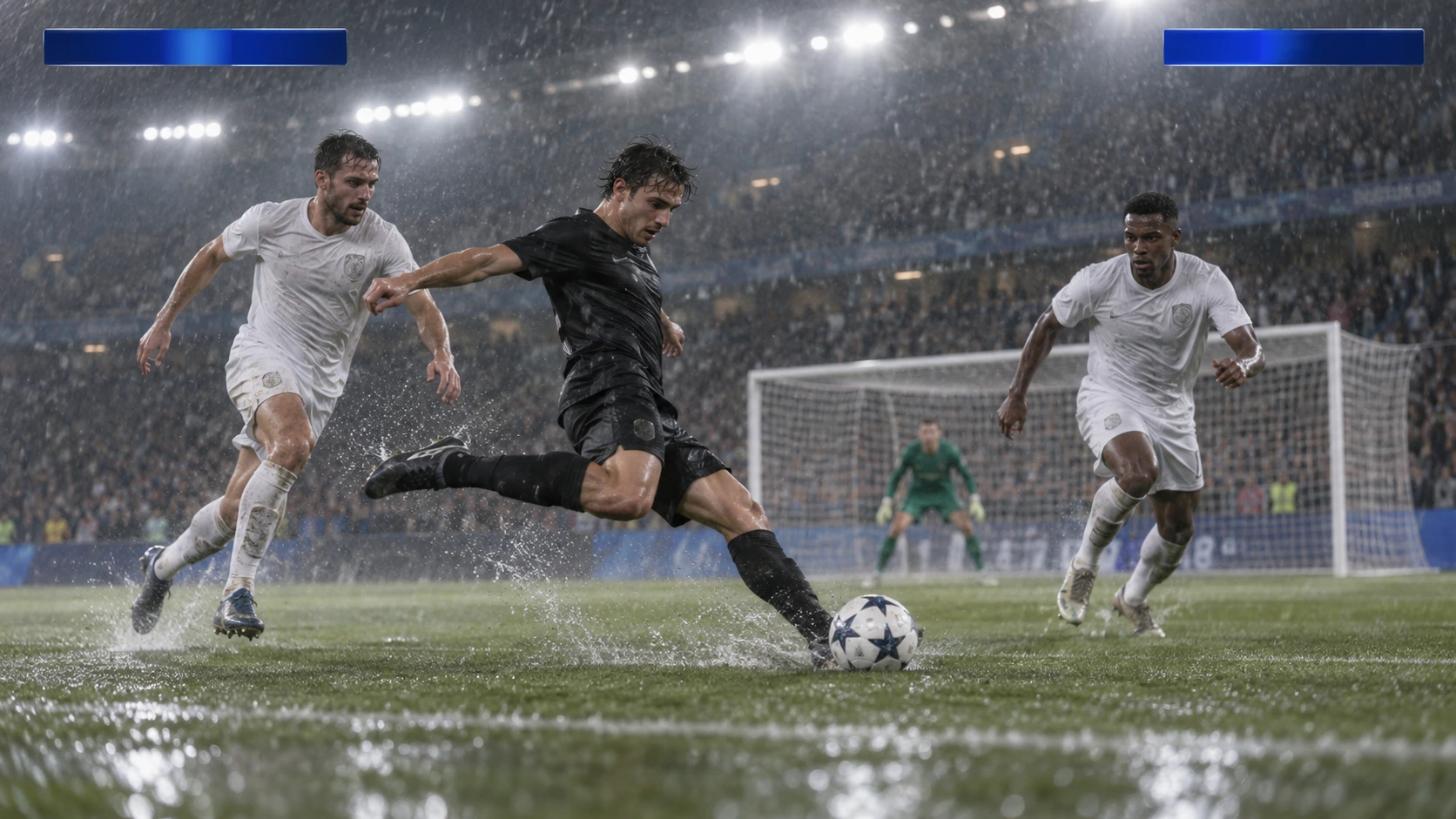
Scene: A rainy night soccer broadcast frame under bright stadium floodlights. A black-uniform player strikes the ball while two white-uniform defenders close in, with the goal and a blurred crowd behind. Keep the broadcast camera angle, blank blue score bars, spray, and motion blur consistent; leave overlays abstract and text-free. No real teams, athletes, logos, or watermark. Composition and rendering: Deliver one 16:9 broadcast still at the decisive instant. Use coherent perspective for the playing surface and equipment, readable separation between competitors, and a softer crowd behind the action. Keep the principal subject sharp, with directional blur limited to fast extremities and spray. Preserve the specified broadcast angle and reserve overlay areas clear of the action. Avoid: warped perspective, malformed anatomy, merged objects, inconsistent shadows, excessive sharpening and watermarks. Follow the scene-specific text and branding restrictions above.
Tạo bằng Image 2
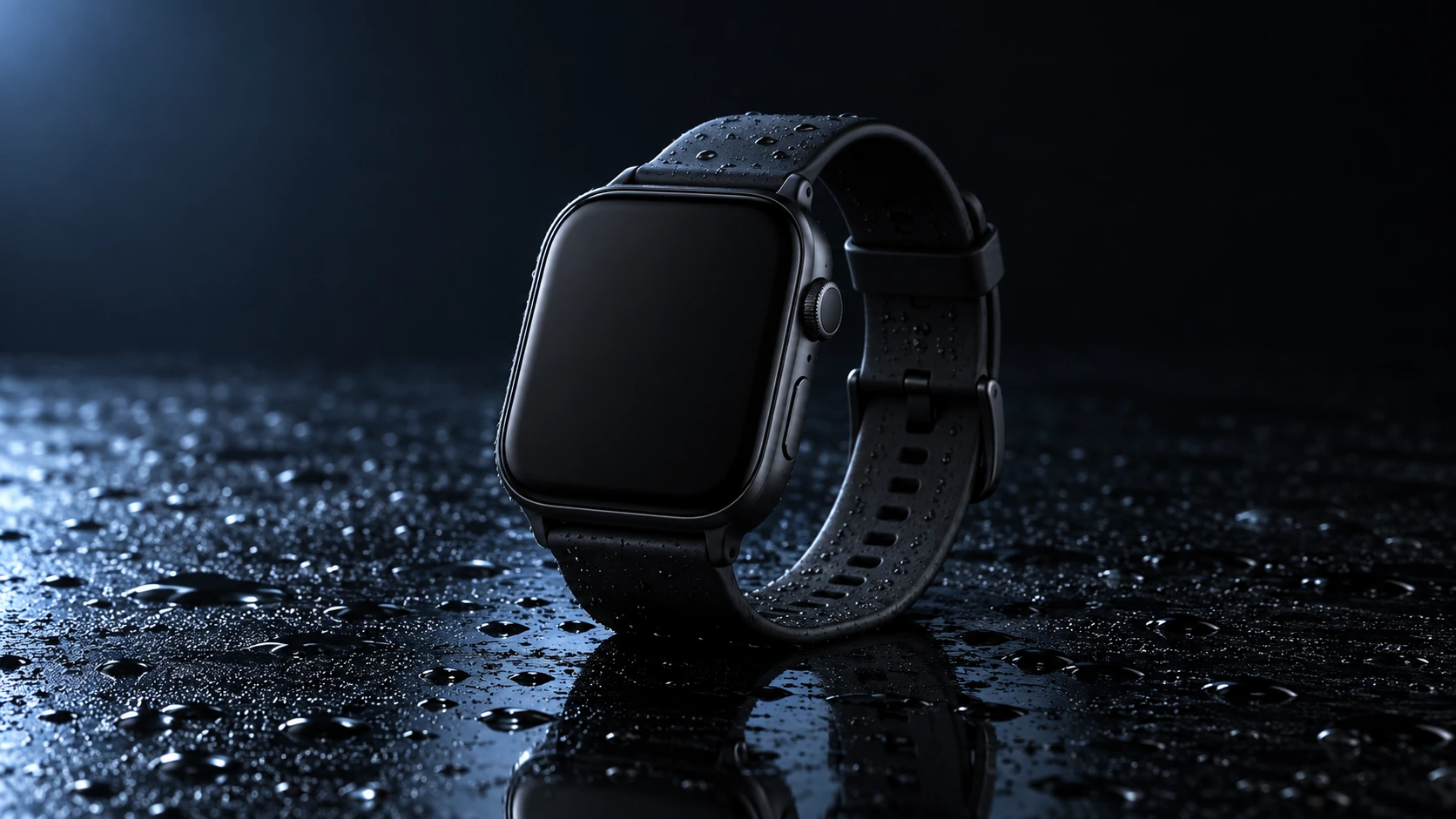
Scene: A closed matte-black square smartwatch with a black strap rests on a wet glossy black tabletop. Water droplets catch a cool blue rim light and a soft reflection sits beneath the watch. Use a low three-quarter product camera and preserve the case, strap, highlights, and empty dark background. No readable branding, extra products, hands, or watermark. Composition and rendering: Deliver one 16:9 commercial product still. Keep the complete product silhouette inside generous crop-safe margins. Resolve edges, seams and material transitions precisely; shape highlights to describe volume without clipping bright surfaces or crushing dark details. Align reflections with the object and light source. Retain the stated camera angle and existing negative space; add no decorative props. Avoid: warped perspective, malformed anatomy, merged objects, inconsistent shadows, excessive sharpening and watermarks. Follow the scene-specific text and branding restrictions above.
Tạo bằng Image 2
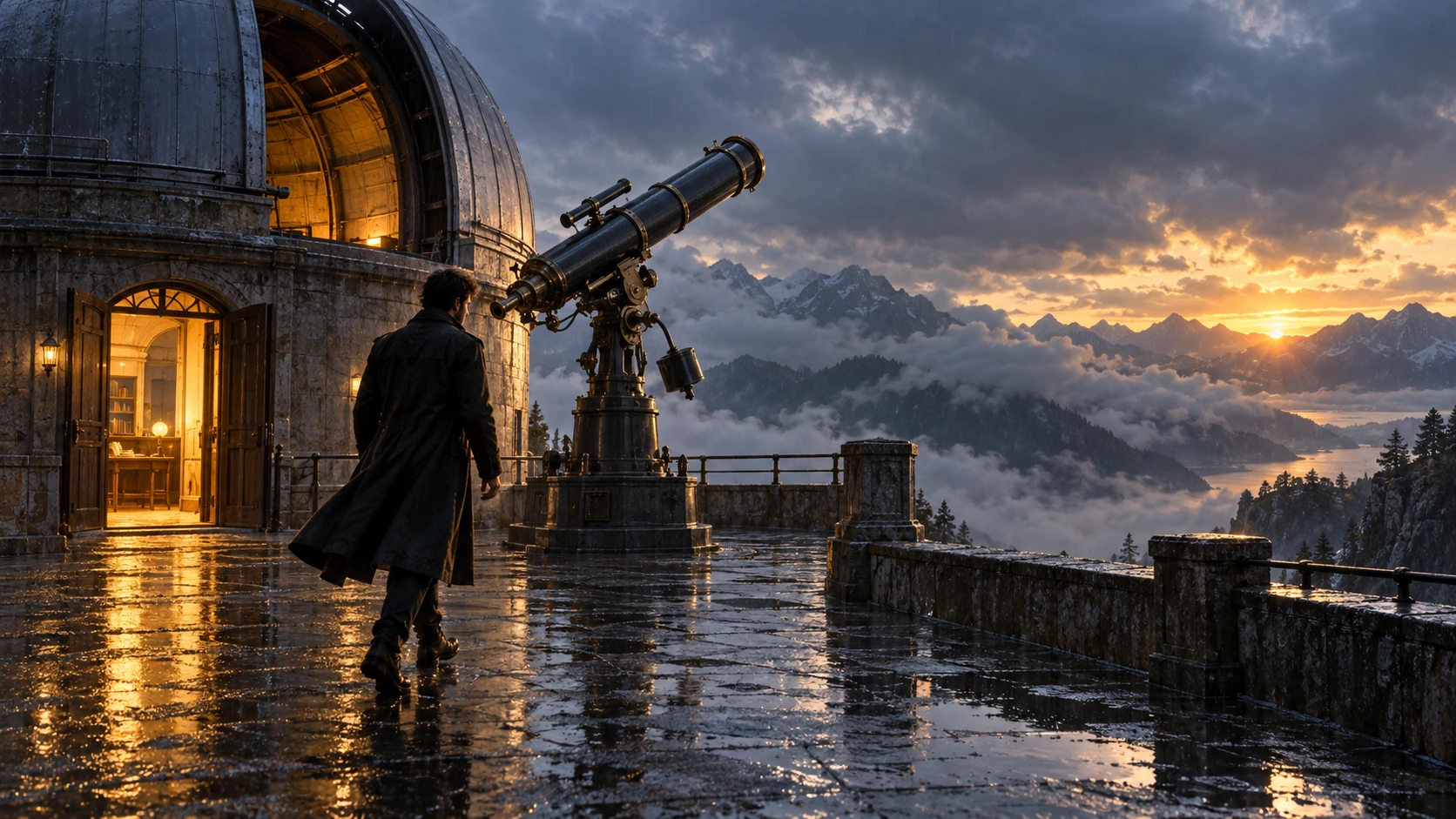
Scene: On a rain-soaked observatory roof at sunrise, a lone figure in a long dark coat walks toward a large telescope beside an open dome. Wet stone reflects the warm doorway light; cloud-covered mountains sit beyond. Hold the screen direction and end on the telescope and figure in the same wide composition. No readable text, logos, or watermark. Composition and rendering: Deliver one 16:9 storyboard keyframe, not a collage or an action sequence. Separate foreground, character plane and background through the existing light and atmospheric depth. Keep the stated pose and eyelines readable, and retain environmental landmarks for continuity. Match the described photographic, illustrated or puppet medium; give fabric and surfaces texture appropriate to that medium. Avoid: warped perspective, malformed anatomy, merged objects, inconsistent shadows, excessive sharpening and watermarks. Follow the scene-specific text and branding restrictions above.
Tạo bằng Image 2
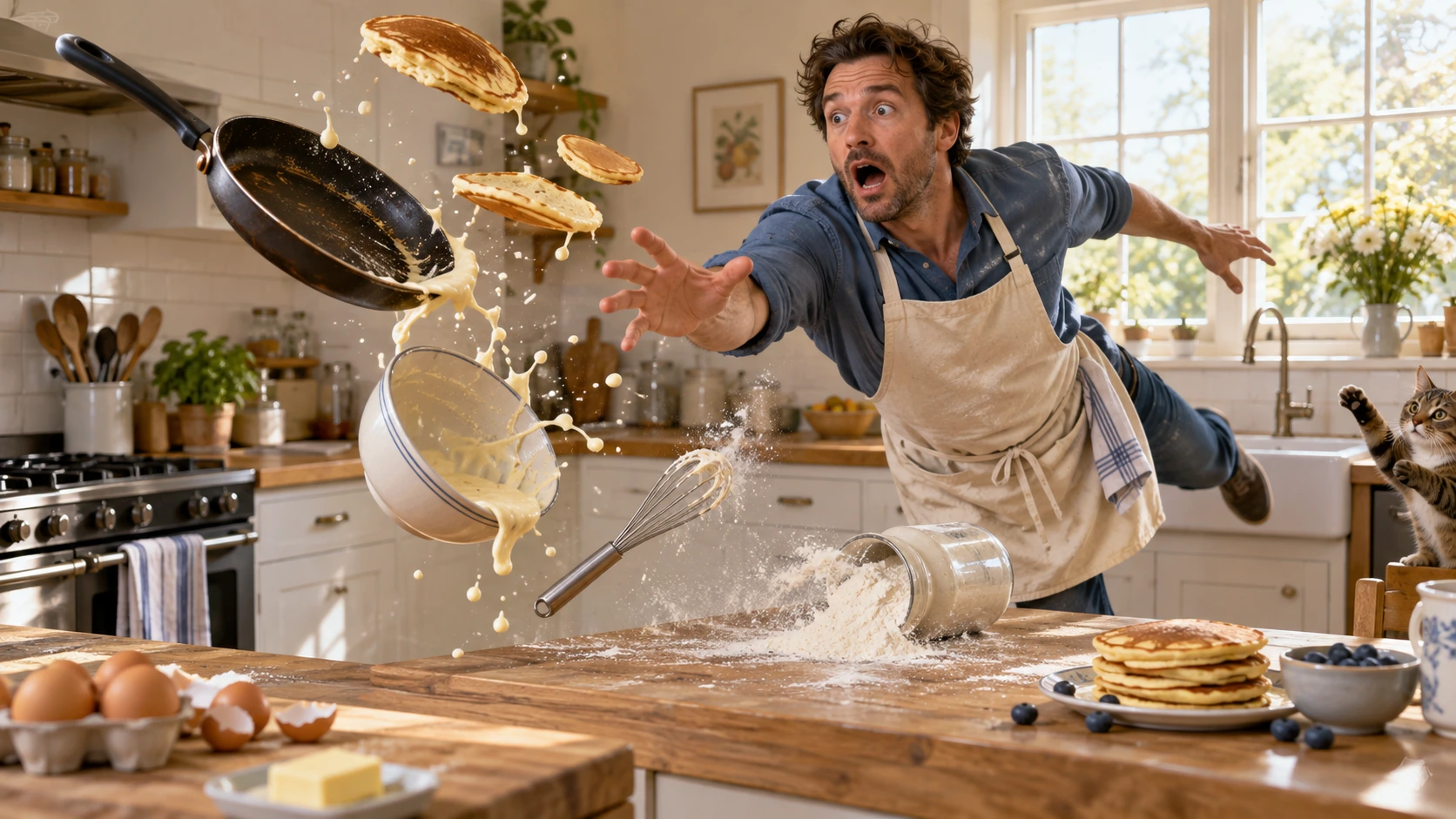
Scene: In a bright home kitchen, a surprised cook in a blue shirt and cream apron reaches toward pancakes, a frying pan, flour, bowl, and whisk suspended midair. Freeze the comic cause-and-effect moment with believable weight, warm daylight, and a clear path for each object. No injury, logos, readable words, or watermark. Composition and rendering: Deliver one 16:9 physical-comedy still at the described instant. Make the cause of the gag readable through body balance, grip and object spacing. Separate the reaction from the airborne props; retain believable gravity and contact points. Keep the face and important props sharp, with only restrained directional blur on fast edges. Preserve the stated lighting and room or stage layout. Avoid: warped perspective, malformed anatomy, merged objects, inconsistent shadows, excessive sharpening and watermarks. Follow the scene-specific text and branding restrictions above.
Tạo bằng Image 2
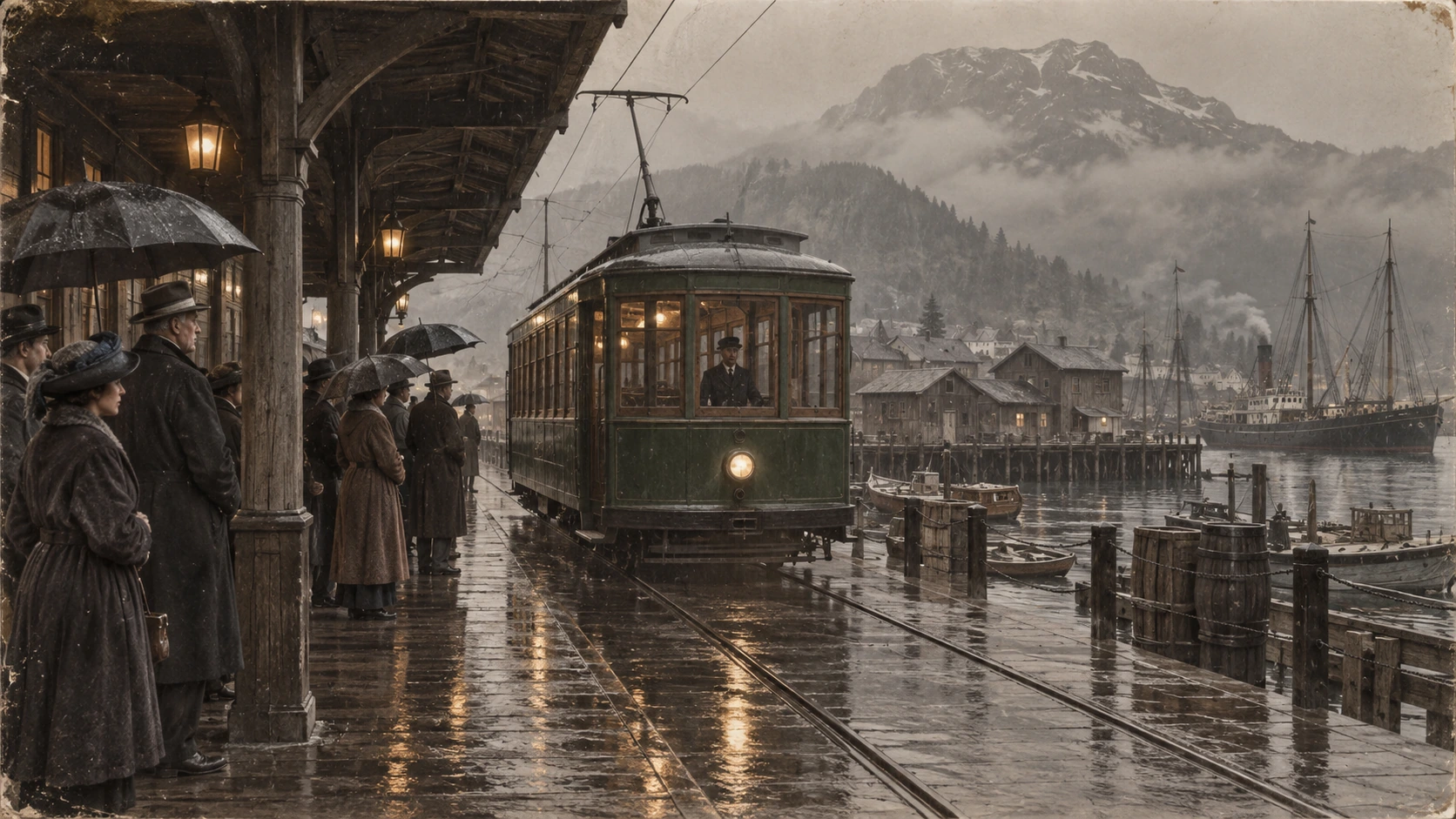
Scene: A rainy period harbor platform shelters people in era-appropriate coats and umbrellas as a vintage green tram arrives on wet tracks. Wooden waterfront buildings and misty mountains sit behind the reflections. Preserve the historical clothing, tram shape, rain direction, and stable wide composition; no readable signage, logos, or watermark. Composition and restoration: Deliver one 16:9 archival-style still. Preserve the original framing, period-specific construction and restrained tonal range; retain monochrome, sepia or faded color as described. Recover modest detail in faces, clothing and architecture without synthetic sharpening. Keep fine grain and authentic aging consistent across the frame; repair damage without replacing historical features. Avoid: warped perspective, malformed anatomy, merged objects, inconsistent shadows, excessive sharpening and watermarks. Follow the scene-specific text and branding restrictions above.
Vì sao chọn Flatkey
Giữ rõ dữ kiện, trường yêu cầu và ranh giới giá của GPT Image 2 khi chuyển từ thử nghiệm sang môi trường thực tế.
Đặt n, size, quality, output format, background và moderation trước khi chuyển request cho console.
Xem từng chiều input, output và cache đã ghi nhận của GPT Image 2, thay vì coi một giá nổi bật là giá chung.
Dùng ví dụ sản phẩm, quảng cáo và storyboard làm prompt có thể chỉnh sửa.
Trang không hứa đầu ra nền trong suốt, tạo miễn phí hay giá cố định mỗi ảnh khi các dữ kiện đó chưa được xác minh.
API
Bốn cách truy cập với cùng key và danh mục mô hình. Chọn một cách để xem ví dụ chạy được.
curl https://router.flatkey.ai/v1/images/generations \
  -H "Content-Type: application/json" \
  -H "Authorization: Bearer sk-***" \
  -d '{"model":"gpt-image-2","prompt":"Tạo ảnh sản phẩm chất lượng cao bằng GPT-image-2: bố cục sạch, ánh sáng chính xác, tập trung rõ vào chủ thể và chi tiết chân thực.","n":1,"size":"1024x1024","quality":"high","output_format":"png","background":"opaque","moderation":"auto"}'
Câu hỏi thường gặp
Giá, khả năng tương thích, giới hạn và chi tiết yêu cầu riêng của mô hình.