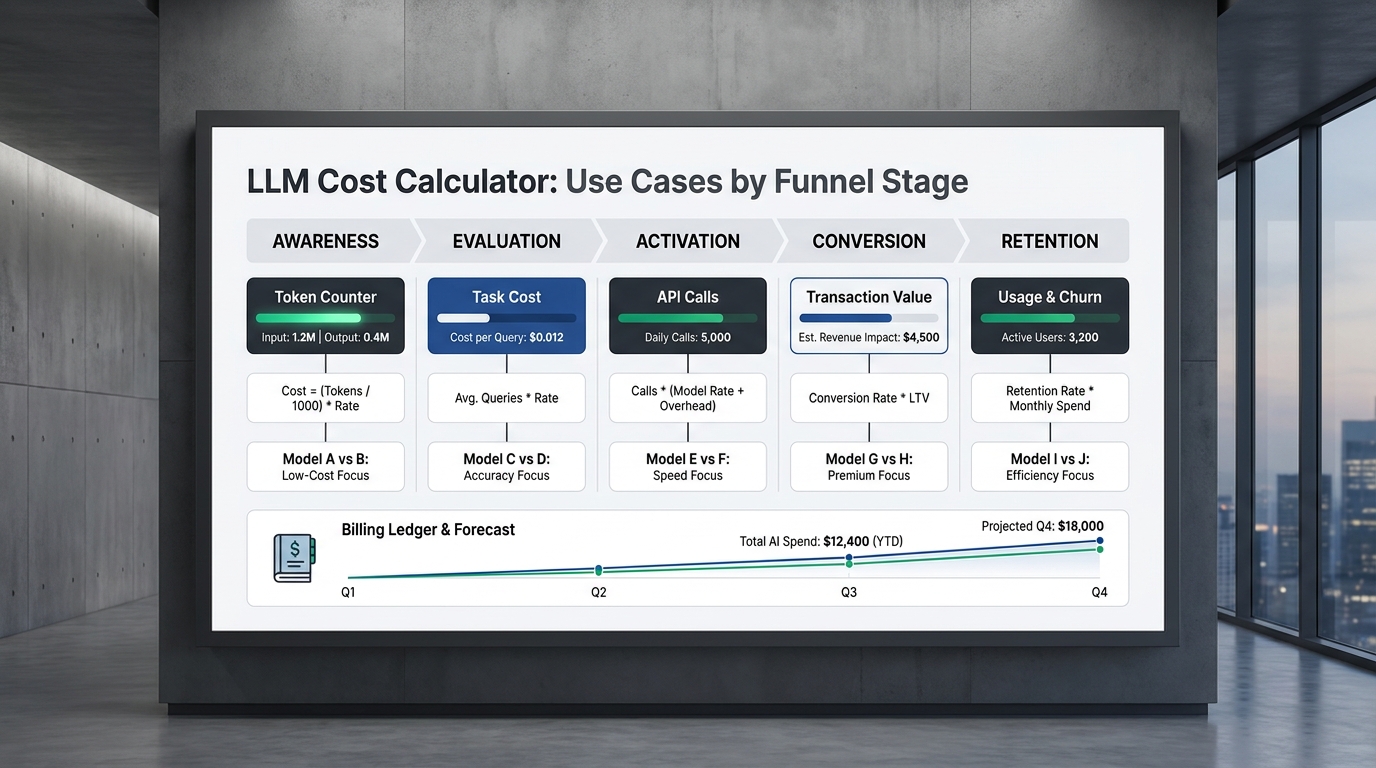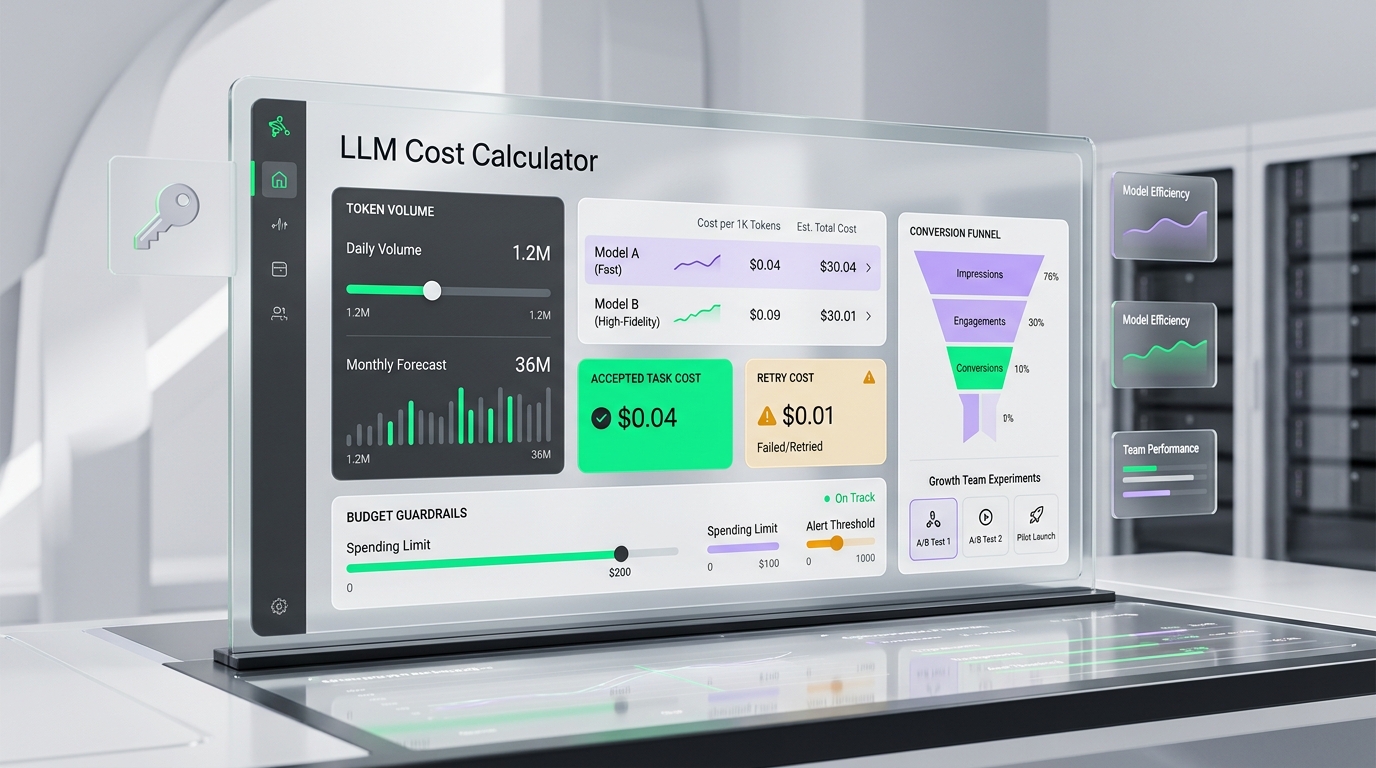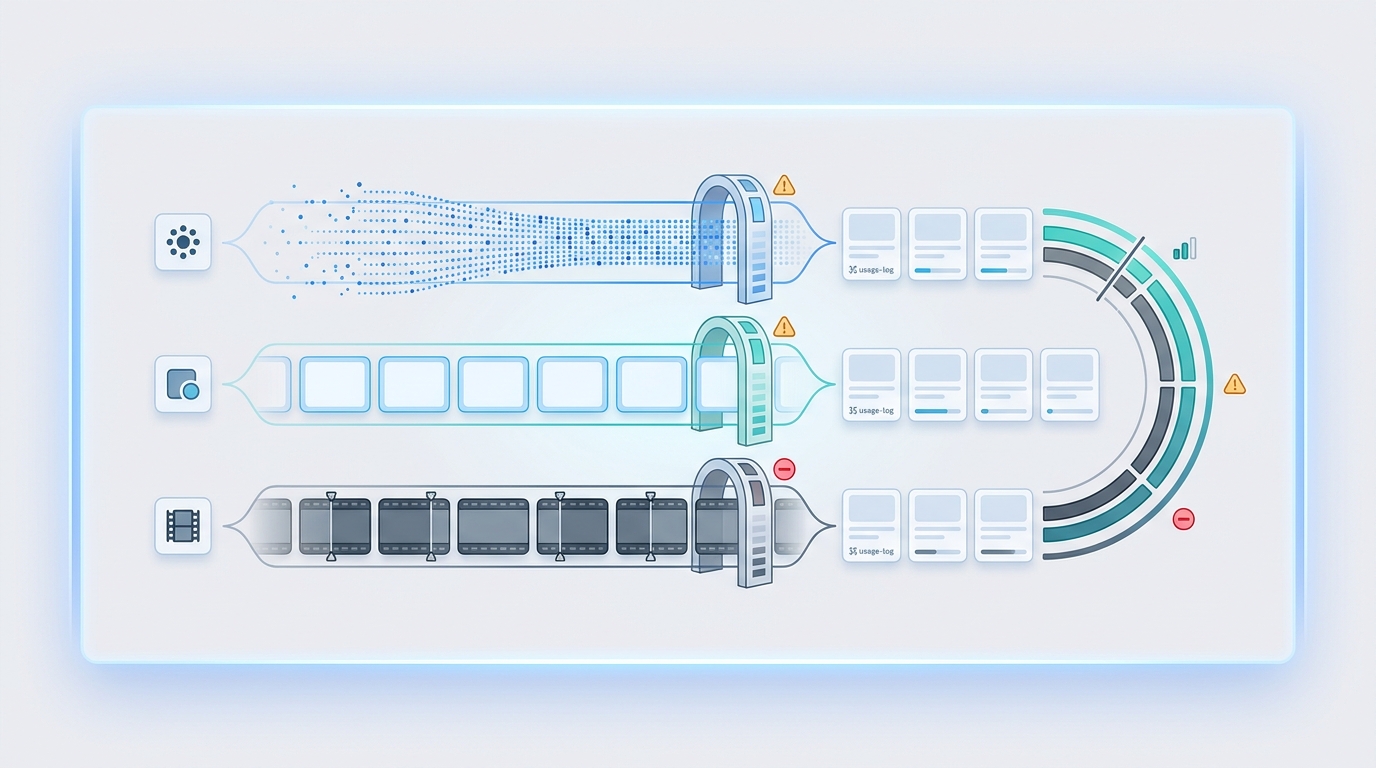
AI API quota management is the operating layer that keeps model experiments from turning into runaway token, image, and video bills. Rate limits protect throughput. Quotas protect budget, ownership, and launch safety by deciding how much a key, team, workflow, environment, model, or modality is allowed to spend before the next approval step.
This guide was checked on June 17, 2026 Asia/Shanghai using official OpenAI rate limit guidance, OpenAI API error guidance, Anthropic rate limit documentation, Google Gemini API rate limit documentation, Cloudflare AI Gateway spend limits, Cloudflare AI Gateway rate limiting, Vercel AI Gateway documentation, and a current Flatkey public pricing snapshot. Treat any model, provider, and pricing unit as point-in-time evidence; verify the exact row in Flatkey pricing before production traffic.
Quick Answer: What AI API Quota Management Should Control
Effective AI API quota management controls more than requests per minute. A useful policy covers:
- Spend: daily, weekly, monthly, and campaign-level budget limits.
- Throughput: requests per minute, tokens per minute, images per minute, and job concurrency.
- Ownership: budget by API key, team, user, customer, workflow, and environment.
- Modality: separate limits for text tokens, image generations, video jobs, audio minutes, embeddings, and batch queues.
- Model route: premium model caps, fallback limits, preview model restrictions, and deprecated model blocks.
- Recovery behavior: retry budgets, backoff rules, fallback stop conditions, and manual review gates.
The practical goal is not to block every expensive request. The goal is to make sure each expensive request is intentional, logged, attributable, and inside a budget owner's policy.
AI API Quota Management Is Not The Same As Rate Limiting
Rate limits and quotas overlap, but they solve different problems. OpenAI documents rate limits across RPM, RPD, TPM, TPD, IPM, and audio-minute style metrics, and notes that limits can be hit by whichever dimension is exhausted first. Anthropic separates monthly spend limits from rate limits, and its Messages API exposes request, input-token, and output-token limits. Google Gemini API rate limits are measured across dimensions such as RPM, TPM, RPD, and IPM for image-capable models.
AI API quota management starts where those provider limits stop. Provider limits tell you what your account is allowed to do. Product quotas tell your app what it should do for one workspace, one feature, one customer tier, one test environment, or one automation script.
| Control | Usually Protects | Typical Unit | What To Log |
|---|---|---|---|
| Rate limit | Provider capacity and burst abuse | Requests, tokens, images, or audio minutes per time window | Provider headers, 429 responses, retry-after behavior, and remaining headroom |
| Spend limit | Budget and billing exposure | Dollars, credits, route units, or model-specific cost | Estimated request cost, final usage cost, budget owner, and reset window |
| Product quota | Feature-level fairness and customer packaging | Messages, generations, jobs, images, video seconds, or workflow runs | User, key, team, customer tier, feature, environment, and approval state |
| Fallback budget | Unexpected cost from recovery paths | Retry count, fallback attempts, or fallback spend | Primary model error, fallback model, number of attempts, and final outcome |
The Units You Need To Control
The most common failure in AI API quota management is pretending that all usage is a request. A 200-token classification request, a long-context analysis, an image edit with reference inputs, and an async video generation job can all be one request, but they have very different financial exposure.
| Unit | Runaway Pattern | Quota Policy | Review Signal |
|---|---|---|---|
| Input tokens | Long documents, large retrieval payloads, duplicated context, or cache misses | Cap input tokens by workflow and reject payloads above the approved context size | Spike in average input tokens per successful request |
| Output tokens | Unbounded generation, agents that keep planning, or verbose batch jobs | Set max output tokens by feature and require approval for long-form generation | High output-to-input ratio or repeated truncation |
| Image generations | Preview loops that use final quality or retries after rejected results | Separate draft, preview, edit, and final-render quotas | High final-quality share before human selection |
| Video jobs | Concurrent async jobs, high-resolution tests, or user-triggered retries | Limit job count, duration, resolution, and in-flight concurrency by workspace | Pending job backlog or repeated rerenders for the same prompt |
| Cached tokens | Budget assumes cache savings that do not appear in actual usage | Track cached and uncached input separately where the provider reports it | Cache hit rate drops below the plan used for budget approval |
| Retries and fallbacks | Automatic recovery multiplies the original cost | Limit retry attempts and fallback spend per original user action | More than one billable attempt per accepted output |
Quota Policy Matrix
Use this policy matrix as the value asset for your next AI API quota management review. The numbers should come from your own budget, product tier, and provider contract. The structure is the important part.
| Scope | Hard Cap | Soft Alert | Manual Approval | Example Policy |
|---|---|---|---|---|
| API key | Stops one leaked or misused key | Warns when one integration is trending above baseline | Required before increasing a production key | Separate keys for dev, staging, production, batch, and customer-facing apps. |
| Team | Prevents one team from consuming the shared account budget | Gives finance early warning by owner | Required for launch campaigns or new high-cost features | Engineering, growth, support, and data each get a monthly quota owner. |
| Workflow | Stops loops in agents, webhooks, cron jobs, and batch processors | Flags abnormal usage per business process | Required before moving experiments into scheduled automation | Support summary, creative image, research agent, and video render each get their own cap. |
| Environment | Blocks staging or local scripts from using production-level spend | Shows when test data is becoming load-test traffic | Required before running large backfills | Development can use low-cost models and small limits; production uses approved routes. |
| Model family | Protects premium, preview, or deprecated rows | Shows when traffic migrates to a more expensive model | Required for new premium route, preview model, or lifecycle-risk model | Default to approved models; require approval for high-context, video, or final-render models. |
| Customer or user | Prevents one account from exhausting shared resources | Surfaces packaging and abuse signals | Required for enterprise tier overrides | Quota by plan, customer workspace, and trusted automation status. |
Hard Caps, Soft Alerts, And Approval Gates
Every quota should have a default action. In AI API quota management, a hard cap blocks or degrades a request, a soft alert notifies an owner, and an approval gate pauses expansion until a human changes the policy.
| Policy Type | Use It For | Avoid Using It For | Operational Detail |
|---|---|---|---|
| Hard cap | Leaked keys, test environments, unauthenticated features, video jobs, and premium routes | Critical production workflows without a fallback path | Return a clear error, cheaper route, or user-visible upgrade path. |
| Soft alert | Normal product growth, weekly spend review, and early anomaly detection | Known abuse channels or public endpoints | Alert at 50%, 75%, 90%, and 100% of budget, with owner and scope attached. |
| Manual approval | Launch campaigns, bulk backfills, customer import jobs, and final-render creative workflows | Small routine calls that should be automated | Approve scope, reset window, maximum spend, rollback owner, and post-run review. |
Cloudflare AI Gateway documentation is a useful example of the distinction: its rate limiting page caps request count in a time window, while its spend limits page describes cost-based budgets by model, provider, or custom metadata and says exceeded spend limits return a 429 response. Do not assume every gateway enforces spend in the same way; use the concept as a checklist and verify the exact behavior in your chosen platform.
Image And Video Spend Need Separate Guardrails
Text token budgets are usually the first quota people design. Image and video budgets need different treatment because a single user action can create several billable operations: prompt rewrite, reference image handling, image generation, moderation, upscaling, video job creation, polling, retries, and final download.
For image generation, set separate quotas for draft quality, edit requests, final renders, and retries. A product team should not accidentally run all thumbnail previews through a final-quality route. For video, set quotas on jobs, concurrent jobs, duration, resolution, and rerenders. A video route also needs a stop condition for pending jobs so a stuck queue does not trigger repeated submits.
Flatkey's public pricing snapshot checked for this article showed 638 model rows and endpoint families including /v1/chat/completions, /v1/responses, /v1/images/generations, /v1/video/generations, Anthropic Messages, and Gemini generateContent. That makes AI API quota management a multimodal policy problem: the same account can route text, image, and video workloads, but each workload needs its own unit and owner.
Retry And Fallback Stop Conditions
Retries can be necessary, but they are also one of the easiest ways to multiply cost. OpenAI's error guidance distinguishes 429 rate limit errors from quota or billing errors, and its rate limit guidance notes that unsuccessful requests can contribute to per-minute limits. That matters because a retry loop can both fail and keep consuming headroom.
Define these stop conditions before launch:
- Max attempts per original action: for example, one primary attempt and one fallback attempt unless the workflow has explicit batch approval.
- Max fallback spend: the fallback model must have its own cap, not an invisible blank check.
- Backoff requirement: use provider headers and retry-after signals where available instead of tight loops.
- Non-retryable classes: billing/quota errors, invalid requests, and policy blocks should not be retried as if they were temporary capacity errors.
- Accepted-output rule: measure cost per accepted user result, not just cost per API call.
How To Test AI API Quota Management In Flatkey
Flatkey's role is to centralize model access, routing, usage visibility, billing visibility, and operational controls. The public Flatkey site positions the platform around one API gateway for production AI teams, with model pricing, billing, usage analytics, and controls. The practical test plan should stay concrete:
- Open Flatkey pricing and confirm the exact model row, provider, endpoint family, availability status, and pricing unit you intend to use.
- Create or select a separate API key for the workflow, team, environment, or customer segment being tested.
- Set quota limits before exposing the route to users. Start with a small limit in development or staging.
- Run a low-risk smoke test through the intended endpoint and record model row, request ID where available, latency, status, and usage.
- Review Flatkey usage and billing logs after the call. Confirm that the logged unit matches your estimate.
- Test the over-limit path with a deliberately low quota so the product behavior is known before a real incident.
- Repeat the same test for text, image, and video routes because each modality has a different cost shape.
Use this as a template, not as a claim that every exact enforcement behavior is identical across providers, routes, or time. For production, verify current dashboard labels, current model availability, current provider pricing, and the precise response your application receives when a quota is exceeded.
Template: Quota Policy Record
Keep one record per approved route. It should be readable by engineering, finance, and support.
Quota policy record
Owner: team or budget owner
Environment: dev, staging, production, batch, or customer-facing
Route: provider, model row, endpoint family, and fallback route
Unit: requests, input tokens, output tokens, images, video jobs, seconds, or credits
Limit: hard cap, soft alert, and reset window
Approval: who can raise the limit and under what condition
Retry policy: max attempts, backoff rule, and non-retryable errors
Logging: key, user, workspace, workflow, model, status, and final usage
Review cadence: daily launch review, weekly ops review, or monthly finance review
This record is the difference between ad hoc throttling and repeatable AI API quota management. It also gives support and finance a shared reference when a customer asks why a route stopped, downgraded, or required an upgrade.
Common Quota Mistakes
- One shared production key: when every workflow uses one key, you cannot isolate spend by owner or turn off one route without affecting everything.
- Request-only caps: requests are not enough for long-context, image, video, and batch jobs.
- No retry budget: automatic recovery can hide cost increases until the invoice arrives.
- No test environment cap: staging scripts and load tests can spend like production if they share the same policy.
- Preview model drift: teams test on a preview or premium route, forget the policy, and later ship it broadly.
- No accepted-output metric: a workflow may look cheap per call but expensive per usable result after rejected outputs and retries.
FAQ
What is AI API quota management?
AI API quota management is the process of setting budget, usage, and approval limits for AI API calls by key, team, user, workflow, model, environment, and modality. It covers requests, tokens, images, video jobs, retries, fallbacks, and spend.
How is AI API quota management different from rate limiting?
Rate limiting usually controls throughput over a time window. AI API quota management controls business ownership and budget exposure. A team can be under a provider's rate limit and still exceed its internal budget if long prompts, image generations, video jobs, or retries are not capped.
What should an LLM API budget limit include?
An LLM API budget limit should include input tokens, output tokens, context size, model family, environment, retry attempts, fallback route, owner, reset window, and alert thresholds. For multimodal workflows, add image, audio, and video units separately.
How do I prevent runaway AI API spend?
Use separate keys, set hard caps on risky routes, alert before budget exhaustion, limit retries, isolate environments, log usage by owner, and test the over-limit path before launch. For image and video features, cap final-render quality, job duration, and concurrency.
Can Flatkey help with AI API spend control?
Flatkey can help centralize API access, model pricing checks, usage logs, billing visibility, quota limits, and routing across supported endpoint families. Verify the exact model row, endpoint, pricing unit, and dashboard behavior before relying on any route for production.
For the broader cost stack, pair this guide with the AI model pricing comparison, the enterprise AI API gateway checklist, the AI image generation API pricing comparison, and the AI video generation API pricing comparison.
View Pricing: use Flatkey pricing and the Flatkey dashboard to verify model rows, endpoint families, usage logs, billing visibility, and quota controls before moving production traffic.