Image generation API pricing looks simple until a team tries to compare real invoices. OpenAI prices image work with image and text token rows, cached-input rules, and model-specific output rates. Google separates Gemini image routes, Imagen routes, and Vertex AI pricing surfaces. fal exposes a marketplace-style pay-per-use catalog where the unit can be generations, megapixels, credits, seconds, or GPU time.
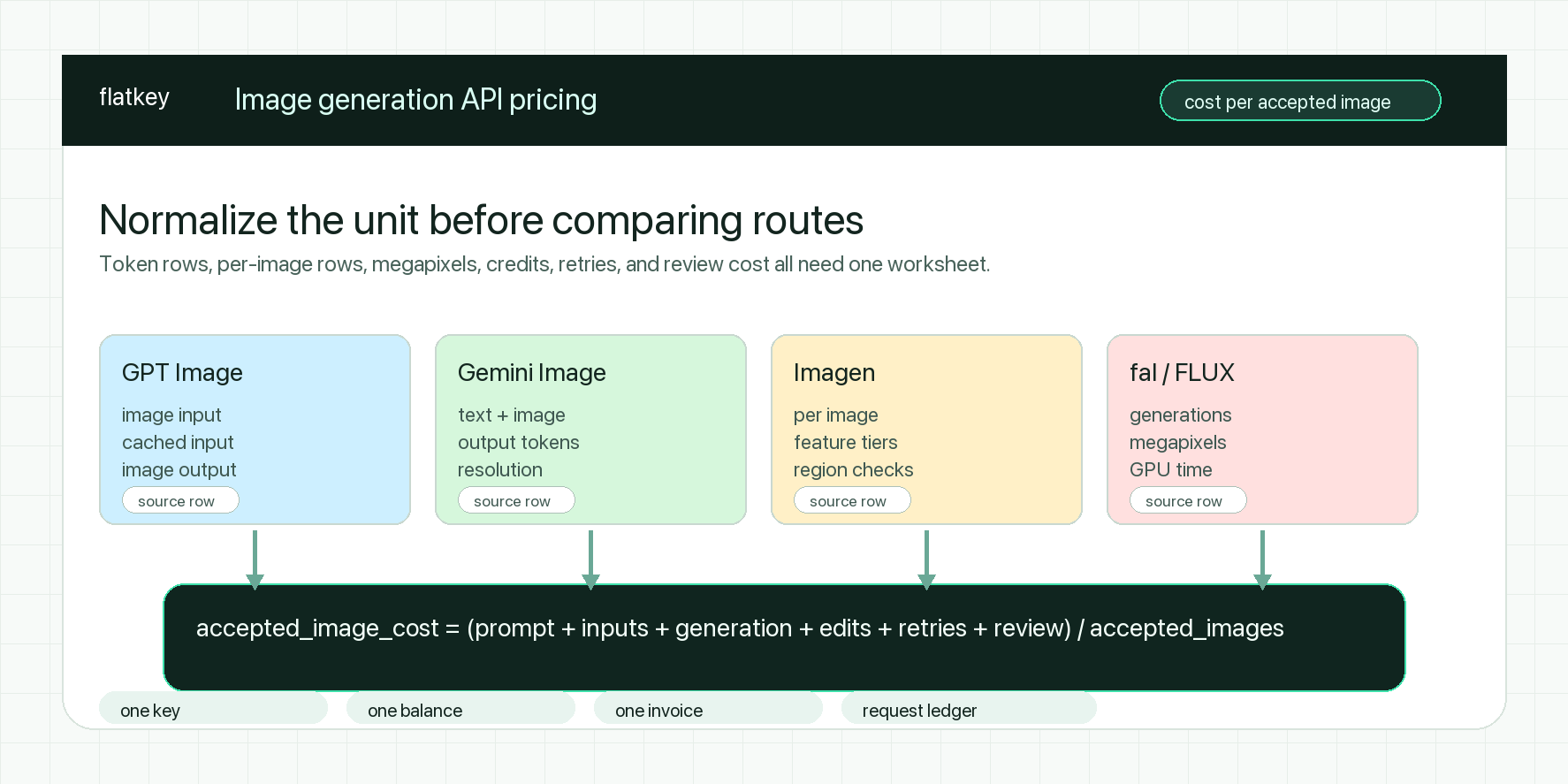
That is why an image generation api pricing comparison should not start with a universal "cheapest model" claim. The useful comparison is cost per accepted image: the all-in cost of prompt text, reference images, output generation, edits, retries, safety rejects, upscales, and manual review divided by the images your workflow can actually ship.
This guide is for developers, product teams, and procurement teams comparing image generation API pricing across OpenAI GPT Image, Google Gemini Image, Google Imagen, fal/FLUX-style routes, and a multi-provider API layer such as Flatkey. Sources were checked on October 13, 2026. Treat every price row as point-in-time planning data and recheck the official provider page before a production rollout.
Quick Answer: Normalize Pricing Units First
Use this table before you compare image generation API pricing rows.
| Provider route | Public pricing shape to normalize | What usually changes the bill |
|---|---|---|
| OpenAI GPT Image | Image input, cached image input, image output, and text token rows by model | Model version, quality level, output size, direct Images API vs Responses API, edits, masks, reference images, and streamed partial images |
| Google Gemini Image | Gemini model token pricing plus image output or image-equivalent rows | Current vs preview model, 1K/2K/4K output, input images, grounding, batch/flex mode, and model lifecycle |
| Google Imagen | Per-generated-image or feature-specific image rows through Google AI / Vertex AI surfaces | Fast, standard, and premium tiers; editing, upscaling, product recontextualization, region, and endpoint availability |
| fal / model marketplace | Per generation, per megapixel, credits, seconds, or GPU time depending on the model page | Model choice, resolution, LoRA or fine-tune options, queue mode, failed jobs, and whether you deploy your own model |
| Flatkey route | Route-level model row, request ledger, one balance, and one invoice | The provider billing unit still matters, but usage evidence and reconciliation stay in one place |
The worksheet metric is:
accepted_image_cost =
  (prompt_text_cost
  + input_image_cost
  + generation_cost
  + edit_or_upscale_cost
  + retry_cost
  + human_review_or_retouch_cost)
  / accepted_images
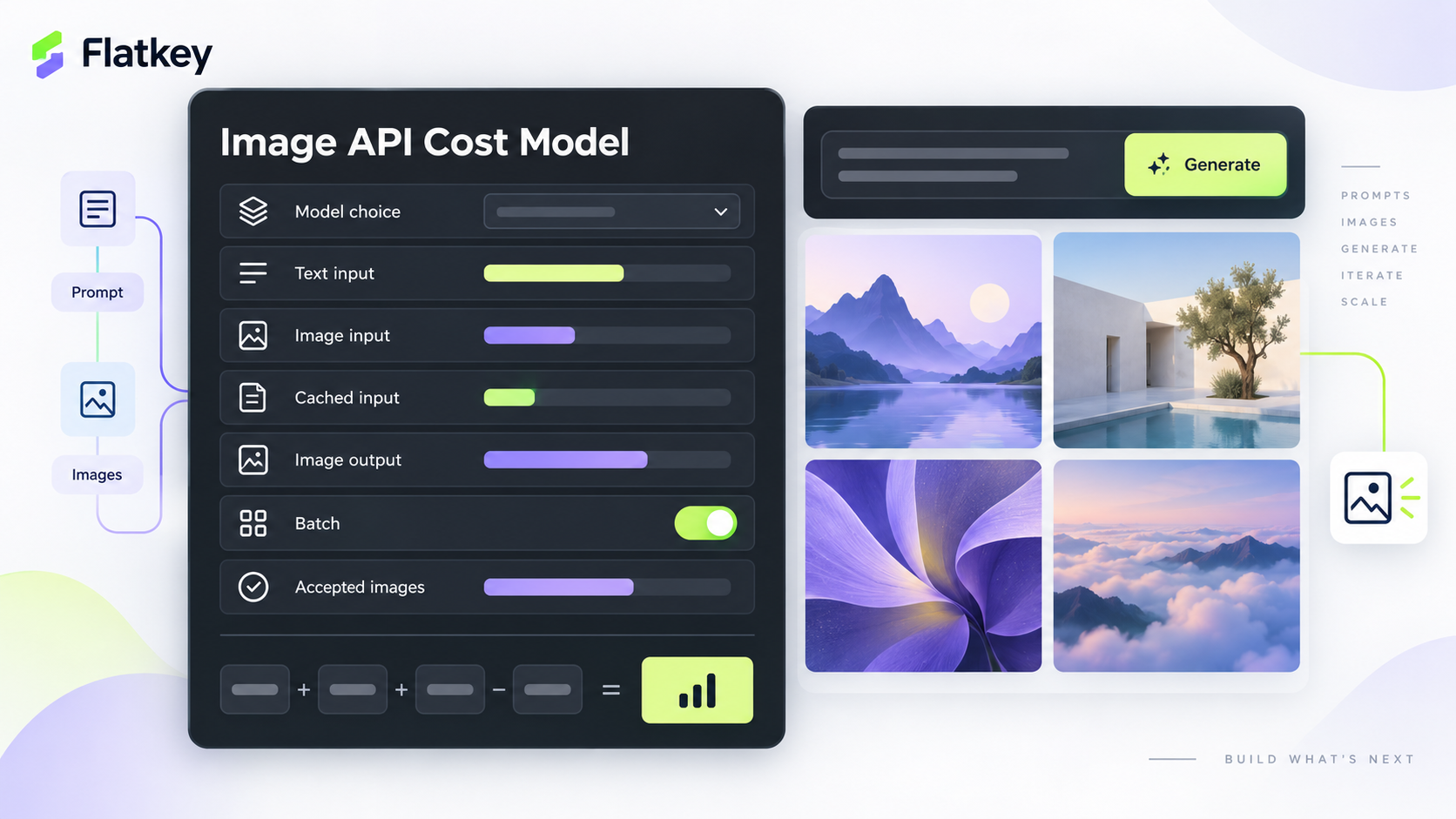
For creative workflows, "accepted" is the important word. If a $0.04 generation has a 35% acceptance rate and a $0.08 generation has a 75% acceptance rate, the second route can be cheaper for the final asset even when the sticker price is higher.
Image Generation API Pricing Comparison
The comparison below is intentionally compact. It shows how to read each pricing surface, not a stale master table that will be wrong the next time a model family changes.
| Route family | Current pricing evidence checked | Best starting use case | Procurement warning |
|---|---|---|---|
| GPT Image | OpenAI's pricing table lists current GPT Image model rows, including image input, cached image input, and image output prices per 1M tokens. The image guide also points readers to a cost calculator for image generation. | Product hero images, edits, transparent-background work, and workflows where output control is worth measuring carefully | Do not compare one low-quality sample to another provider's premium output. Responses API cached-input rules do not apply to every image endpoint path. |
| Gemini Image | Google AI's pricing page lists current Gemini model pricing and model pages for Gemini image routes. Older preview or deprecated model IDs can still appear in old examples. | Multimodal applications where image generation sits near image understanding, prompt reasoning, or broader Gemini workflow logic | Include input images, output resolution, grounding, and batch/flex eligibility before calling it cheaper. |
| Imagen | Google Cloud Vertex AI pricing is the authoritative planning source for Vertex-hosted Imagen rows and feature families. | Forecastable campaign generation, product imagery, and teams that prefer per-image budgeting | Per-image pricing is easier to explain, but region, endpoint, feature support, and model lifecycle still need verification. |
| fal / FLUX-style routes | fal's pricing page describes pay-per-use model APIs and serverless GPU pricing, while individual model pages expose the exact billing unit for each route. | Teams that need broad model-marketplace access, open media models, fast experiments, or serverless custom inference | Units vary by model. A per-generation row, per-megapixel row, and GPU-hour row should not be compared without a job spec. |
| Flatkey | Flatkey's product source positions one key, one balance, one invoice, and request-level usage evidence across supported models and tools. | Teams testing multiple model families without managing separate provider keys and invoices | Flatkey simplifies routing and billing evidence; it does not remove the need to verify the source model unit and route-specific price. |
GPT Image Pricing: Token Rows Need A Job Spec
OpenAI's image pricing has moved beyond a single "per image" number. The current pricing page lists GPT Image model rows by modality. For example, current GPT Image 2 rows expose image input, cached image input, and image output prices, while text input has its own row. The practical point is not only the exact price; it is that a generated image can include more than one priced component.
Before you compare GPT Image with Gemini or Imagen, create a job spec:
route_family: openai_gpt_image
model: gpt-image-2_or_other_current_model
endpoint_surface: images_api_or_responses_api
task: product_hero | marketplace_image | ad_variant | edit | transparent_background
output_size: 1024x1024 | 1536x1024 | 4k_if_supported
quality: low | medium | high | provider_specific_setting
reference_images: count_and_resolution
edits_or_masks: yes_or_no
streamed_partial_images: yes_or_no
accepted_images_required: number
max_attempts_per_image: number
Then compare actual request records, not only table rows. A reference-heavy edit flow can have different economics from a clean text-to-image batch. A streaming creative UI can also produce partial outputs that belong in the budget.
GPT Image is often worth testing first when quality control is expensive: product-shape fidelity, transparent backgrounds, edit continuity, brand-safe campaign images, or cases where manual retouching would erase savings from a cheaper generation route.
Gemini Image Pricing: Include Input Images, Resolution, And Lifecycle
Gemini Image pricing can be misread when teams only look at the output example. A Gemini workflow can include prompt text, input images, image output, higher-resolution output, grounding, and batch/flex choices. Google also changes model status over time, so a current model page matters as much as a pricing table.
Use this checklist for Gemini image routes:
| Check | Why it matters |
|---|---|
| Exact model ID | Preview, deprecated, and current model IDs can have different availability and pricing. |
| Output resolution | A 1K/2K creative preview and a 4K final asset should be forecast separately. |
| Input images | Reference images and product images can change the effective cost. |
| Grounding or search | Grounding can add a separate cost when used. |
| Batch or flex mode | Lower-cost modes may not match interactive creative review latency. |
| Acceptance rate | Strong multimodal fit can reduce rejected outputs even if the listed unit is not lowest. |
Gemini is a strong candidate when image generation is part of a broader multimodal product: image understanding, prompt reasoning, customer-uploaded references, and generated creative variants in one flow. It is less clean as a comparison if you only need a simple batch of images and never use the surrounding multimodal capability.
For image generation api pricing, the Gemini lesson is straightforward: do not separate image output cost from the multimodal context that creates the image.
Imagen Pricing: Easier Forecasting, Still Not Automatic
Imagen-style pricing is easier for finance teams because many planning rows can be expressed per generated image or by feature family. That makes campaign forecasting clearer:
monthly_imagen_budget =
  accepted_images_required
  * attempts_per_accepted_image
  * price_per_generated_image
  + feature_specific_costs
The simplicity helps, but it does not remove production checks. Confirm:
- The exact Imagen model or feature family.
- Whether the route is accessed through Gemini API, Vertex AI, or another provider surface.
- Region and account availability.
- Whether your workflow needs generation, editing, upscaling, virtual try-on, or product recontextualization.
- Current lifecycle status and migration notes.
- Whether the selected Flatkey route exposes the endpoint your app actually calls.
Imagen is often a good first test for bulk campaign variants, ecommerce product imagery, and teams that want a more finance-friendly per-image forecast. But a lower per-image row can lose if the acceptance rate is lower or the feature set forces extra retouching.
fal And Marketplace Routes: Compare The Unit, Not Just The Model Name
Marketplace-style image API platforms are useful because they expose many media models quickly. The tradeoff is that each route can have its own billing grammar. One page may charge per generation. Another may charge per megapixel. Another may charge credits, seconds, or serverless GPU time.
For fal/FLUX-style routes, build a row like this:
| Field | Example value |
|---|---|
| Model page URL | The exact route you will call |
| Billing unit | Generation, megapixel, credit, second, or GPU hour |
| Resolution | Final output pixels, not only the prompt setting |
| Queue mode | Interactive or batch |
| Failure billing | Whether failed jobs, cancellations, or safety blocks are charged |
| Variant count | Number of outputs per prompt |
| Acceptance rate | Accepted final assets divided by generated assets |
This matters because a marketplace model can look cheap at one resolution and become less attractive after upscales, variants, retries, and human review. Marketplace access is valuable for testing; procurement still needs normalized units.
The Cost Per Accepted Image Worksheet
Use this worksheet before committing production traffic.
| Worksheet field | GPT Image | Gemini Image | Imagen | fal / marketplace |
|---|---|---|---|---|
| Prompt text | Include text token row | Include text token row | Verify provider surface | Usually included in route unit, but verify |
| Reference images | Include image input row | Include image input row | Verify feature-specific input unit | Verify whether charged separately |
| Generation unit | Image output tokens by model | Image output or model token row | Generated image / feature row | Generation, megapixel, credit, second, or GPU time |
| Edits/upscales | Include if separate | Include if separate | Feature-specific | Model-specific |
| Attempts per accepted image | Measure in pilot | Measure in pilot | Measure in pilot | Measure in pilot |
| Human review / retouch | Include labor if meaningful | Include labor if meaningful | Include labor if meaningful | Include labor if meaningful |
| Final comparison metric | Cost per accepted image | Cost per accepted image | Cost per accepted image | Cost per accepted image |
Define "accepted" before the pilot starts. For an ecommerce or media workflow, accepted might mean:
- The image passes creative review.
- The product shape, color, and packaging are correct.
- No text, hand, anatomy, face, logo, or safety defect needs retouching.
- The output meets marketplace or ad platform rules.
- The asset is approved within the allowed retry budget.
This turns image generation API pricing from a table-reading exercise into an operations metric.
Example Forecast
Suppose a campaign needs 500 accepted images.
| Route | Listed generation cost | Attempts per accepted image | All-in accepted-image logic |
|---|---|---|---|
| Route A | Lower sticker unit | 3.0 attempts | May be more expensive after rejected outputs and retouching |
| Route B | Medium sticker unit | 1.8 attempts | May win if prompt adherence and edit continuity are stronger |
| Route C | Higher sticker unit | 1.3 attempts | Can still win for high-value hero assets if review time drops |
The forecast is:
campaign_cost =
  accepted_images_required
  * attempts_per_accepted_image
  * all_in_cost_per_attempt
  + human_review_or_retouch_cost
Run a 30- to 50-image pilot before procurement treats a route as cheaper. The pilot should use the same prompt set, reference images, size requirements, and reviewer rules for every route.
How Flatkey Helps With Pricing Control
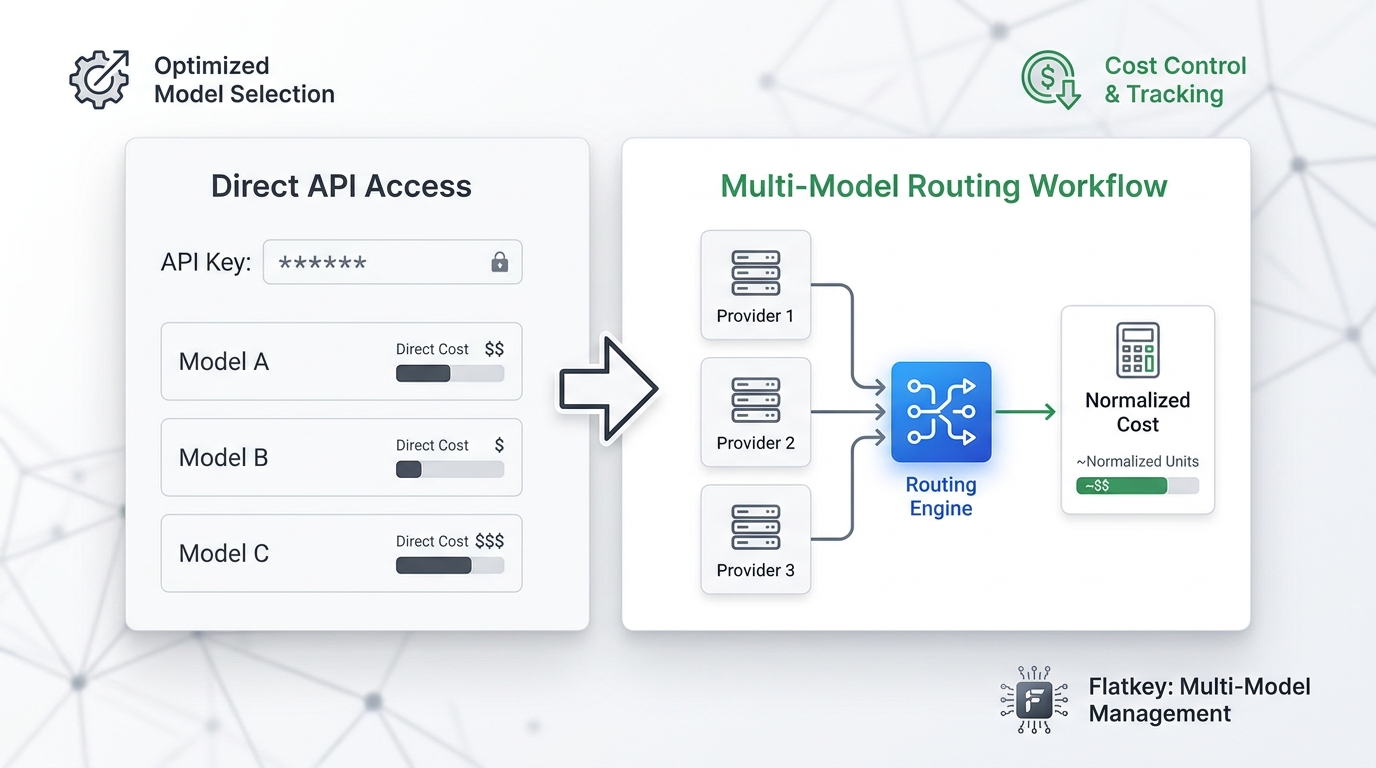
Flatkey's role is not to claim that one provider is universally cheaper. Its value is operational: one key, one prepaid balance, one invoice, and route-level usage evidence across supported models and tools. That helps developers and finance teams compare image generation API pricing without scattering provider keys across agents, services, and environments.
Before you move traffic through a multi-provider API layer, verify:
- The model appears in the Flatkey model directory or pricing page.
- The endpoint family matches your application path.
- The pricing row and provider unit are current.
- The request ledger records model ID, route, unit count, cost, status, and request ID.
- Flatkey-side failures, provider-side failures, rejected creative outputs, and human-review rejects are tagged separately.
- The finance owner can reconcile usage against one invoice.
For adjacent route decisions, read the GPT Image vs Gemini Image API guide, the Imagen API pricing and routing checklist, and the broader AI model pricing comparison.
When Each Pricing Model Wins
| Scenario | Better starting point | Why |
|---|---|---|
| Strict product hero images | GPT Image or Gemini Pro-style image route | Output quality, edit continuity, and fewer rejected images can beat lower sticker cost. |
| Multimodal creative app | Gemini Image | Generation can sit near image understanding and text/image reasoning. |
| Bulk campaign variants | Imagen fast/standard or marketplace routes | Per-image or route-specific units can be easier to forecast at scale. |
| Model experimentation | fal / marketplace routes | Broad catalog access helps teams benchmark style, speed, and acceptance rate. |
| Finance needs one ledger | Flatkey route comparison | One balance and one invoice reduce reconciliation work across provider experiments. |
Common Pricing Mistakes
Avoid these mistakes when comparing image generation API pricing:
- Comparing one provider's low-quality route against another provider's high-quality route.
- Ignoring reference-image input cost.
- Treating preview or deprecated model IDs as production routes.
- Forgetting retries, safety rejections, and manual retouching.
- Measuring cost per generated image instead of cost per accepted image.
- Mixing direct provider prices with routed prices without labeling the source.
- Assuming the endpoint supports edits, masks, transparent backgrounds, or 4K output without a smoke test.
- Letting each product team buy separate provider credits without a shared ledger.
Official Pricing References
Check these pages before production rollout:
- OpenAI API pricing
- OpenAI image generation guide
- Google AI Gemini API pricing
- Google Cloud Vertex AI generative AI pricing
- fal pricing
- Flatkey pricing
- Flatkey model directory
FAQ
What is the best way to compare image generation API pricing?
Compare cost per accepted image. Normalize prompt text, input images, generation unit, resolution, quality, retries, rejected outputs, and review cost before deciding which route is cheaper.
Is GPT Image priced per image or per token?
OpenAI's current pricing surface includes image and text token rows for GPT Image models. Treat sample image estimates as planning aids and verify actual usage for your endpoint and workload.
Is Gemini Image cheaper than GPT Image?
Not automatically. Gemini Image can be attractive for multimodal workflows, but input images, output resolution, grounding, batch mode, and acceptance rate can change the final cost.
Is Imagen easier to budget?
Often, yes. Imagen-style routes can be easier to forecast because many planning rows are per generated image or feature family. You still need to verify model status, endpoint, region, feature support, and acceptance rate.
How should procurement compare fal or marketplace routes?
Use the exact model page and billing unit. A marketplace route priced per generation should not be compared directly with another route priced per megapixel, credit, second, or GPU hour until both are normalized into accepted-image cost.
How does Flatkey help control image generation API pricing?
Flatkey gives teams one key, one balance, one invoice, and request-level usage evidence across supported routes. That makes side-by-side provider testing and reconciliation easier while preserving the need to verify each source provider unit.
Bottom Line
The practical image generation api pricing comparison is not a static cheapest-model table. GPT Image, Gemini Image, Imagen, and marketplace routes all expose different units. Normalize them into cost per accepted image, run a small pilot with the same prompts and reviewer rules, then use Flatkey's model directory, pricing page, and usage ledger to control routing and spend before production traffic scales.