Cheapest LLM APIs (2026): AI Model Pricing Comparison
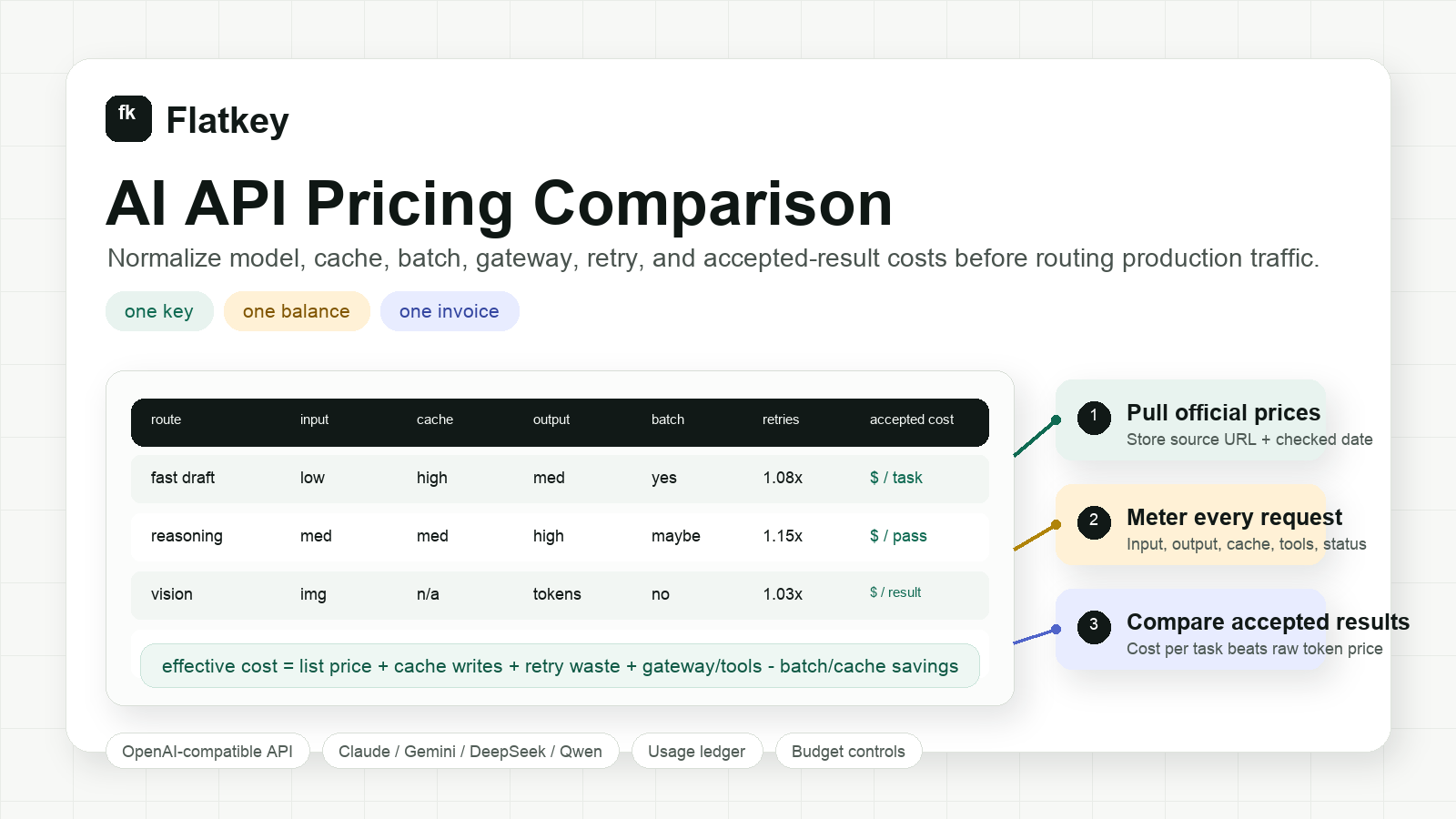
Quick answer: there is no single cheapest LLM API for every workload. For simple, high-volume text tasks, low-cost small models usually win on list price; for production, the real winner is the model with the lowest cost per accepted result after output length, retries, cache hits, tool calls, and quality failures.
As checked on October 12, 2026, several low-cost reference points are:
| Model | Input / 1M tokens | Cached input | Output / 1M tokens | Best fit |
|---|---|---|---|---|
| Gemini 2.5 Flash-Lite | $0.10 | $0.01 | $0.40 | Simple classification, extraction, and high-volume multimodal tasks |
| Mistral Small 4 | $0.15 | $0.015 | $0.60 | Low-cost chat, coding, and structured workflows |
| GPT-5.6 Luna | $0.20 | $0.02 | $1.20 | Cost-sensitive OpenAI workloads and tool-using agents |
| Gemini 3.1 Flash-Lite | $0.25 | $0.025 | $1.50 | Newer-generation high-volume agentic and multimodal tasks |
These rates are snapshots from official provider pages, not a permanent ranking. A model that costs less per token can cost more per successful task if it generates longer answers, needs more retries, or fails your quality gate. Recheck the official rate and lifecycle status before switching production traffic.
How to choose the cheapest LLM API for your workload
- Pick one repeatable task, not a generic benchmark.
- Replay the same inputs, output limits, tools, and validators across candidate models.
- Record input, cached input, output, retries, fallbacks, latency, and acceptance rate.
- Divide total spend by accepted results.
- Keep a stronger fallback only where the quality gain justifies its cost.
For example, if a $0.10-input model passes 70% of tasks and a $0.20-input model passes 95%, the second route may be cheaper after retries and escalations. This is why the rest of this guide uses accepted-result economics rather than declaring one universal winner.
Quick AI model pricing comparison framework
Use this framework before switching providers, approving a larger model budget, or routing production traffic through a new model.
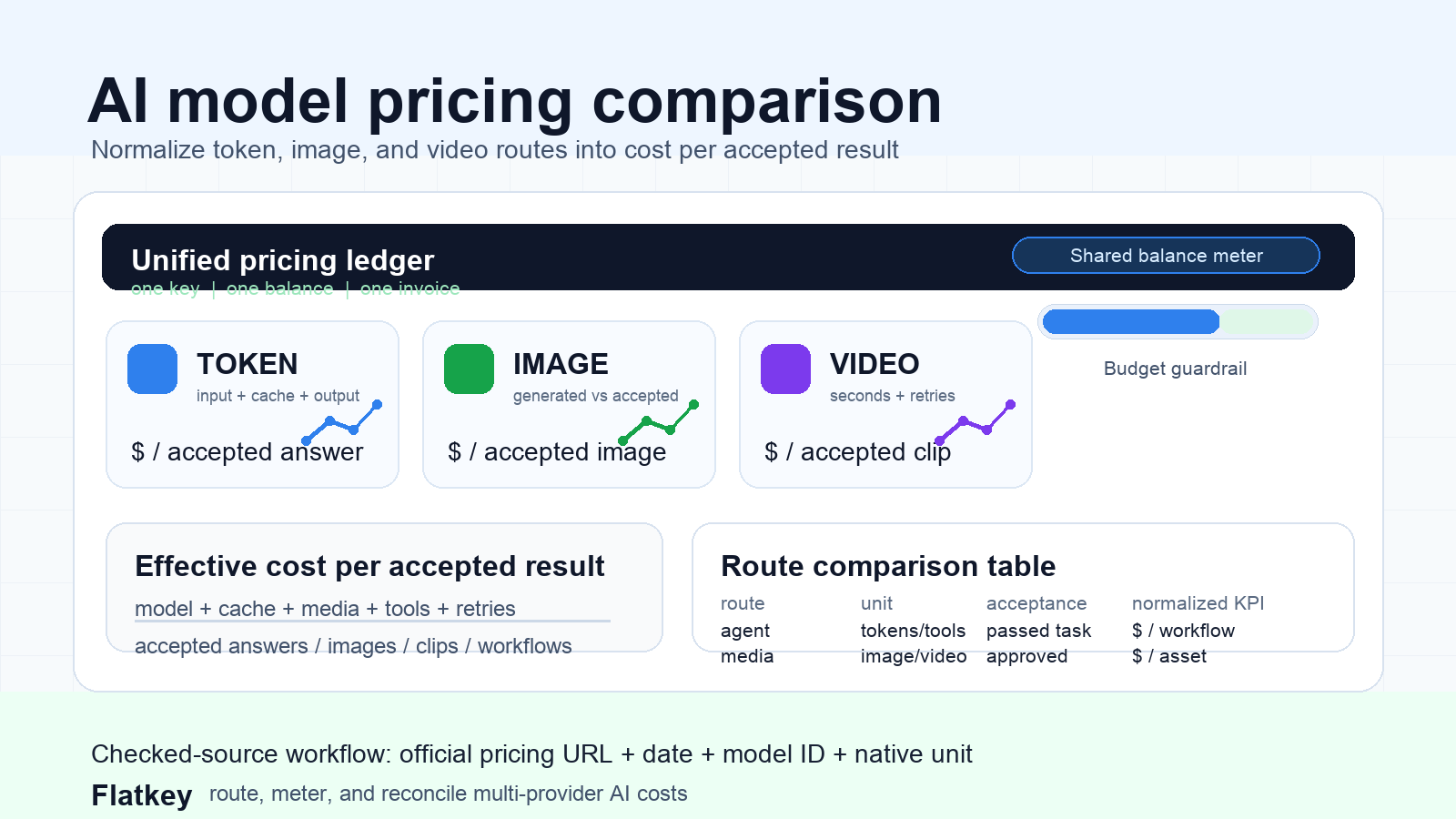
| Cost layer | Native pricing unit | Normalize to | Dashboard field |
|---|---|---|---|
| Text and agent calls | Input tokens, cached input, output tokens, cache writes, batch jobs, tool calls | Cost per accepted answer or completed task | accepted_task_cost_usd |
| Image generation | Prompt tokens, image input, output image tokens, generated images, resolution, accepted images | Cost per accepted image | accepted_image_cost_usd |
| Video generation | Seconds, clips, resolution, queue attempts, failed async jobs | Cost per accepted clip or accepted clip-second | accepted_clip_cost_usd |
| Multimodal workflows | Mixed text, files, images, video, tools, retries, fallbacks | Cost per completed workflow | workflow_cost_usd |
| Procurement and governance | Keys, invoices, exports, budgets, allowlists, audit needs | Cost to operate the route safely | operating_cost_note |
The executive metric can be simple: cost per accepted result. The engineering ledger should remain detailed, because the reason cost moved may be a cache miss, an output-length change, a retry spike, a model fallback, or a lower user acceptance rate.
Why list price is an incomplete answer
The cheapest token row can become the expensive route after launch. A model with a low input-token price can still lose if it needs longer prompts, produces longer answers, misses cache opportunities, retries more often, or falls back to a pricier route during overload.
Media costs make the problem sharper:
- An image model can look cheap per generation and expensive per accepted image if users reject many outputs.
- A video model can look affordable per second and expensive when users request multiple previews before saving one clip.
- A coding or research agent can have a cheap chat model but expensive tool, browser, image, or enrichment side calls.
- A direct provider account can have a lower raw model price but higher operating cost if procurement needs separate keys, invoices, usage exports, and budget controls.
That is why an ai model pricing comparison should preserve native pricing units and then normalize every route into accepted-result economics.
Current pricing sources to check
Provider pricing changes frequently. Do not copy a rate table once and treat it as durable. Keep a source table with the official URL, checked date, model or route ID, unit, and notes.
| Provider or route | Official source to check | Pricing dimensions to capture | Dashboard note |
|---|---|---|---|
| OpenAI API | OpenAI API pricing | Input, cached input, output, batch mode, fine-tuning, image, audio, video, regional processing | Confirm the exact model ID, serving mode, and whether batch pricing applies. |
| Anthropic Claude API | Claude pricing | Input, output, prompt caching, batch pricing, model family, context window | Cache write and cache hit behavior can materially change repeated-agent economics. |
| Google Gemini API | Gemini API pricing | Free or paid tier, input, output, caching, batch mode, priority/flex options, search grounding, media | Capture model family and serving mode, especially when search or grounding is enabled. |
| DeepSeek API | DeepSeek API pricing | Input cache miss, input cache hit, output, peak or off-peak timing, model alias | Request logs need timestamp and cache status if pricing varies by time window or cache hit. |
| Alibaba Model Studio / Qwen | Alibaba Model Studio models | Model family, modality, region, token or media unit, console model ID | Check the exact model detail page and region before putting Qwen routes into a budget. |
| Flatkey multi-provider API | Flatkey pricing and Flatkey models | Unified model routes, one balance, per-request ledger, tool calls, invoices, sub-key budgets | Use for route availability, multi-provider governance, and ledger-based comparison. |
For every pricing row, store three required fields: checked date, model or route ID, and unit. A dollar-per-token value is not directly comparable to a dollar-per-image, dollar-per-video-second, or pay-per-tool-call value.
The dashboard schema
Start with one request ledger. Do not split text, image, video, and tool usage into disconnected finance systems.
{
  "request_id": "req_01j...",
  "workspace_id": "wk_product",
  "environment": "production",
  "feature": "creative_generator",
  "customer_id": "cus_123",
  "provider": "flatkey",
  "model_or_route": "example-route",
  "route_type": "image",
  "billing_unit": "output_image",
  "input_tokens": 1240,
  "output_tokens": 0,
  "cache_read_tokens": 0,
  "cache_write_tokens": 0,
  "tool_calls": 0,
  "images_generated": 4,
  "images_accepted": 1,
  "video_seconds_generated": 0,
  "video_seconds_accepted": 0,
  "retry_count": 1,
  "fallback_count": 0,
  "provider_cost_usd": 0.16,
  "gateway_or_platform_cost_usd": 0.00,
  "total_cost_usd": 0.16,
  "accepted_result": true,
  "latency_ms": 11800,
  "pricing_source_url": "https://provider.example/pricing",
  "pricing_checked_at": "2026-10-12"
}
This schema gives finance a number it can reconcile and gives engineering the fields needed to explain why a model route became cheaper or more expensive.
Cost formulas to use
Text and agent calls
For text routes, calculate the raw request cost first:
raw_text_cost =
  input_tokens * input_rate
+ output_tokens * output_rate
+ cache_write_tokens * cache_write_rate
+ cache_read_tokens * cache_read_rate
+ tool_call_costs
+ retry_and_fallback_costs
Then normalize it:
accepted_task_cost =
  sum(raw_text_cost for all attempts, retries, and fallbacks)
/ accepted_tasks
If a request fails and the user never gets an answer, do not hide it. Track failed-call cost separately. A pricing dashboard becomes useful when it makes failed, retried, and fallback traffic visible.
Image generation
Image API pricing is not one universal unit. Some models expose prompt tokens and image output tokens. Others expose per-image, resolution, edit, or provider-specific units. Preserve the native unit and normalize to accepted images:
accepted_image_cost =
  (prompt_cost + input_image_cost + output_image_cost + retry_cost)
/ accepted_images
Track images_generated and images_accepted separately. A route that generates four images for every accepted image should not be compared directly with a route where users accept one of one.
Video generation
Video pricing needs duration, resolution, and async job state. A video call may be queued, failed, canceled, regenerated, or accepted later.
accepted_clip_cost =
  sum(video_seconds_generated * per_second_rate by resolution)
+ retry_cost
+ fallback_cost
+ storage_or_tool_costs
For product decisions, also track:
accepted_clip_secondspreview_countregeneration_countfailed_job_counttime_to_first_preview_mstime_to_accepted_clip_ms
A video model can be cheaper per listed unit and still worse for the product if users regenerate twice as often.
Compare direct provider accounts with a multi-provider API
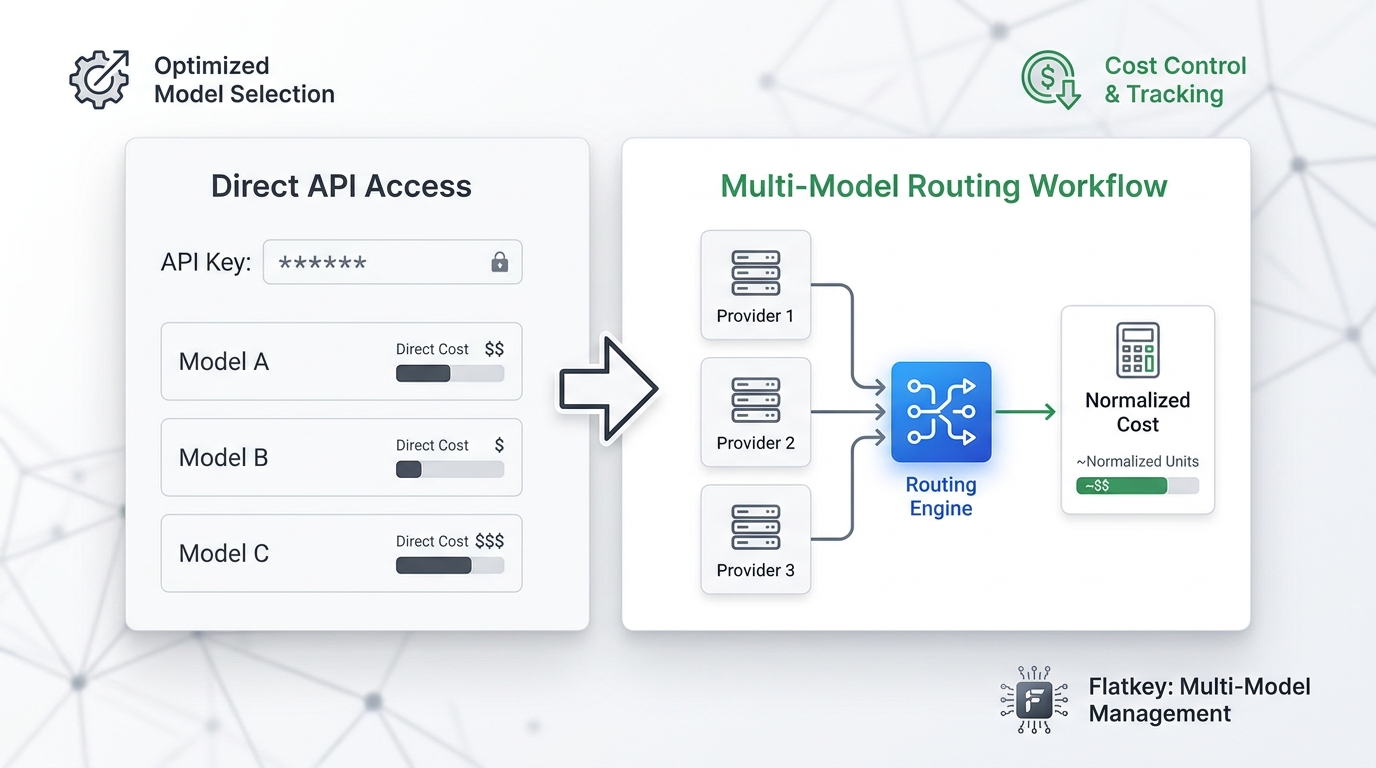
Direct provider accounts are enough when one model family handles most of your workload and separate billing is easy to manage. A multi-provider API becomes more useful when you need continuous model comparison, fallback routing, or one ledger across many providers.
| Decision point | Direct provider accounts may be enough when... | A multi-provider API helps when... |
|---|---|---|
| Model choice | One provider wins most tasks. | Different workloads need OpenAI, Claude, Gemini, DeepSeek, Qwen, image, video, and tool routes. |
| Engineering effort | Your code already calls one provider and rarely changes. | You want OpenAI-compatible routing and fewer integration rewrites. |
| Cost control | One invoice and one dashboard are acceptable. | You need sub-key budgets, model allowlists, and per-request usage exports. |
| Procurement | Separate contracts are manageable. | Duplicate contracts, idle seats, and scattered provider keys slow the team down. |
| Reliability | Occasional provider outages are acceptable. | You need fallback policy and a shared ledger for retry and fallback cost. |
| Agent workflows | The app only calls text models. | Agents call models, web search, browser actions, enrichment tools, images, and video. |
Flatkey is built for the second column: one API key, one balance, one invoice, and a request ledger across many official model and tool routes. That does not replace official provider pricing. It gives your team a single place to route, meter, govern, and reconcile those costs. For the gateway-fee and operating-cost lens, see AI gateway pricing.
Five workload examples
1. Support chat
Support chat usually has moderate input, short output, and high volume. Compare:
- Prompt cache hit rate for system prompts and policy text.
- Output token budget by answer type.
- Escalation rate to a stronger model.
- Cost per resolved conversation, not only cost per message.
For this workload, a cheaper fast model can win if it keeps resolution quality high. If the cheaper model increases handoff or edit rate, the apparent token savings disappear.
2. Coding agent
Coding agents often have large context, tool calls, long output, and multiple retries. Compare:
- Context size after repository search or file reads.
- Cacheable project instructions.
- Tool-call count per accepted task.
- Retry waste from overloaded routes.
- Cost per merged change or accepted patch.
This is where an ai model pricing comparison needs a ledger. A single agent run may include model calls, tool calls, fallback calls, and failed attempts.
3. RAG answer generation
RAG workloads are dominated by retrieved context and answer length. Compare:
- Average retrieved token count.
- Stable prompt prefix share.
- Cache behavior for repeated documents.
- Citation or grounding costs.
- Evaluator pass rate for factuality.
Do not pick a model only because its input tokens are cheap. If it needs twice the context or produces answers that fail evaluation, the accepted-answer cost may be higher. If this is the main migration question, use the deeper worksheet in how to compare AI model prices.
4. Batch classification
Batch classification can often tolerate delayed results. Compare:
- Whether the provider has a batch, flex, or delayed-processing tier.
- Maximum batch size and completion window.
- Error replay cost.
- Output schema validation pass rate.
- Total cost per accepted row.
If a provider gives lower batch pricing, the savings only apply when your workflow can wait and your retry process is clean.
5. Image and video generation
Image and video APIs rarely fit a token-only spreadsheet. Compare:
- Output unit: image, second, clip, resolution, token, or credit.
- Failed-generation billing rules.
- Edit and regeneration rate.
- Human approval rate.
- Cost per accepted creative asset.
For media pipelines, keep token models and generation models in separate worksheet tabs, then roll them up into accepted workflow cost. The unit economics are too different for one blended row.
Seven-step pricing comparison workflow
- Freeze the workload. Pick one real task family, such as support answers, coding-agent patches, RAG answers, batch classification, image generation, or video generation.
- Collect current official prices. Use provider pricing pages, Flatkey model pages, and a checked date. Avoid copied rate cards without source URLs.
- Replay representative traffic. Use the same prompts, inputs, output caps, tool policy, and validators across routes.
- Log every billable unit. Capture input tokens, cached tokens, output tokens, media units, tool calls, retry attempts, errors, and status.
- Score accepted results. Use human review, automated validators, or task-specific pass/fail checks.
- Calculate effective cost. Divide total route cost by accepted results, not total requests.
- Add operating controls. Decide whether the winning route also satisfies budget caps, invoice needs, key governance, data retention, and incident fallback.
The result is a pricing decision engineering, product, and procurement can all defend.
Minimum dashboard views
Route comparison
Show text, image, and video routes in one table.
| Route | Native unit | Native cost field | Acceptance field | Normalized KPI |
|---|---|---|---|---|
| Text model | Tokens | Input, output, cache tokens | Accepted answer | Cost per accepted answer |
| Coding agent | Tokens plus tools | Token and tool costs | Merged PR, resolved ticket, completed task | Cost per completed workflow |
| Image model | Image or token units | Generated images, output image tokens | Accepted image | Cost per accepted image |
| Video model | Seconds, clips, or provider units | Generated seconds by resolution | Accepted clip | Cost per accepted clip |
Feature budget
Group by feature, not just provider. For product teams, this is more useful than a vendor invoice because it shows whether onboarding, chat, creative generation, search, or export is driving spend.
Suggested columns:
featureroute_typerequestsaccepted_resultsacceptance_ratetotal_cost_usdcost_per_accepted_resultp95_latency_msfallback_rateretry_rate
Provider and model drift
Every provider changes model availability, pricing, and lifecycle status. Store:
- Pricing source URL.
- Pricing checked date.
- Model version or route ID.
- Unit type.
- Cache policy.
- Batch discount policy, if used.
- Deprecation or lifecycle notes.
This keeps an ai model pricing comparison useful after launch, not just during initial model selection.
Margin guardrails
Add a simple margin rule to every AI feature:
max_ai_cost_per_customer_action =
  expected_revenue_per_action * target_ai_cost_percentage
Example:
If a customer action earns $0.40 gross margin
and AI cost should stay under 20%,
then the route budget is $0.08 per accepted result.
This keeps model selection tied to the business instead of abstract benchmark scores.
Common mistakes
| Mistake | What to do instead |
|---|---|
| Comparing only input token rates | Compare input, cached input, output, media, tools, retries, and accepted results. |
| Mixing text, image, video, and tools into one unit | Preserve native units, then normalize each route to accepted-result cost. |
| Ignoring prompt caching | Measure stable prompt prefixes and cache hit rate. |
| Ignoring batch eligibility | Separate latency-sensitive and offline workloads. |
| Trusting stale copied price tables | Store official source URLs and checked dates. |
| Treating gateway cost as only markup | Include governance, failover, usage exports, invoices, and engineering time. |
| Picking the cheapest request | Pick the cheapest accepted result that meets quality and reliability requirements. |
FAQ
What is the best way to compare AI model pricing?
The best way to compare AI model pricing is to preserve each provider's native billing unit, then normalize every route to cost per accepted result. For text, that may be cost per accepted answer. For images, use cost per accepted image. For video, use cost per accepted clip or accepted clip-second.
What should an AI model comparison chart include?
An AI model comparison chart should include model or route ID, provider, pricing source URL, checked date, input tokens, cached input, output tokens, media units, tool calls, retry rate, fallback rate, acceptance rate, latency, and cost per accepted result.
Should pricing tables include exact provider prices?
Use exact prices inside your internal worksheet, but store the source URL and checked date beside every row. Public static articles should avoid unsourced copied rate tables because provider prices, model names, discounts, and lifecycle status can change quickly.
How do you compare token costs with image and video costs?
Do not force every route into tokens. Keep native units in the ledger, then add normalized fields such as accepted_task_cost_usd, accepted_image_cost_usd, and accepted_clip_cost_usd.
Where does Flatkey help with AI model pricing comparison?
Flatkey helps when you want one key, one balance, one invoice, and one usage ledger across many model and tool routes. That makes it easier to compare text, image, video, and agent costs without reconciling separate provider accounts first.
How often should pricing be rechecked?
Recheck pricing before every major routing change, contract review, or budget forecast. For fast-moving production workloads, refresh critical route prices weekly and immediately after a provider launches, renames, deprecates, or reprices a model you use.
Final takeaway
An ai model pricing comparison is not a prettier price table. It is an operating system for model selection.
Keep the provider units. Add acceptance tracking. Normalize every route to cost per accepted result. Then choose the route that improves product margin, reliability, and governance, not the route that looks cheapest in isolation.
With Flatkey, that comparison can live on top of one key, one balance, and one ledger, so developers, product teams, and procurement teams can move from scattered provider bills to route-level cost decisions.