Claude Model Version Not Found: Fix Wrong Model IDs, Aliases, and API Routes
If you see a Claude model version not found error, do not start by changing the prompt. Start by proving three things: the model ID exists today, your endpoint expects that exact ID format, and the workspace or router you are using is allowed to call it.
The fast fix is usually one of these:
| Check | What usually broke | Fix |
|---|---|---|
| Model ID | A stale hard-coded Claude snapshot, typo, or copied model name from another provider | Replace it with a current Claude API alias such as claude-sonnet-5-5, claude-opus-5-5, claude-haiku-5-5, or claude-fable-5-1 after checking the current Anthropic model list. |
| Endpoint contract | A Bedrock, Vertex, Azure, OpenAI-compatible, or gateway-specific ID was sent to the wrong API | Match the model string to the endpoint you are calling. |
| Base URL | The SDK is pointed at the wrong base_url, path, or route |
Confirm whether the client is using Anthropic-native /v1/messages or an OpenAI-compatible route. |
| Access | The model exists, but your workspace, provider account, or sub-key is not allowed to use it | Check workspace permissions, allowlists, and model access before retrying. |
| Rollout state | A newly announced model is visible in docs but not yet present in your router or deployment | Canary the route and keep the previous working model until the new route passes. |
This guide gives you a practical runbook for claude model version not found, claude model version, and claude model versions failures in production apps, Claude Code setups, gateways, and agent infrastructure.
What "Claude model version not found" means
Claude model version not found is usually an integration-level description of a model resolution failure. Direct Anthropic API errors are structured JSON errors. Anthropic documents 404 - not_found_error for a requested resource that cannot be found, and its error bodies include an error.type, error.message, and request ID. Anthropic's Messages API also requires a model field that names the model completing the prompt.
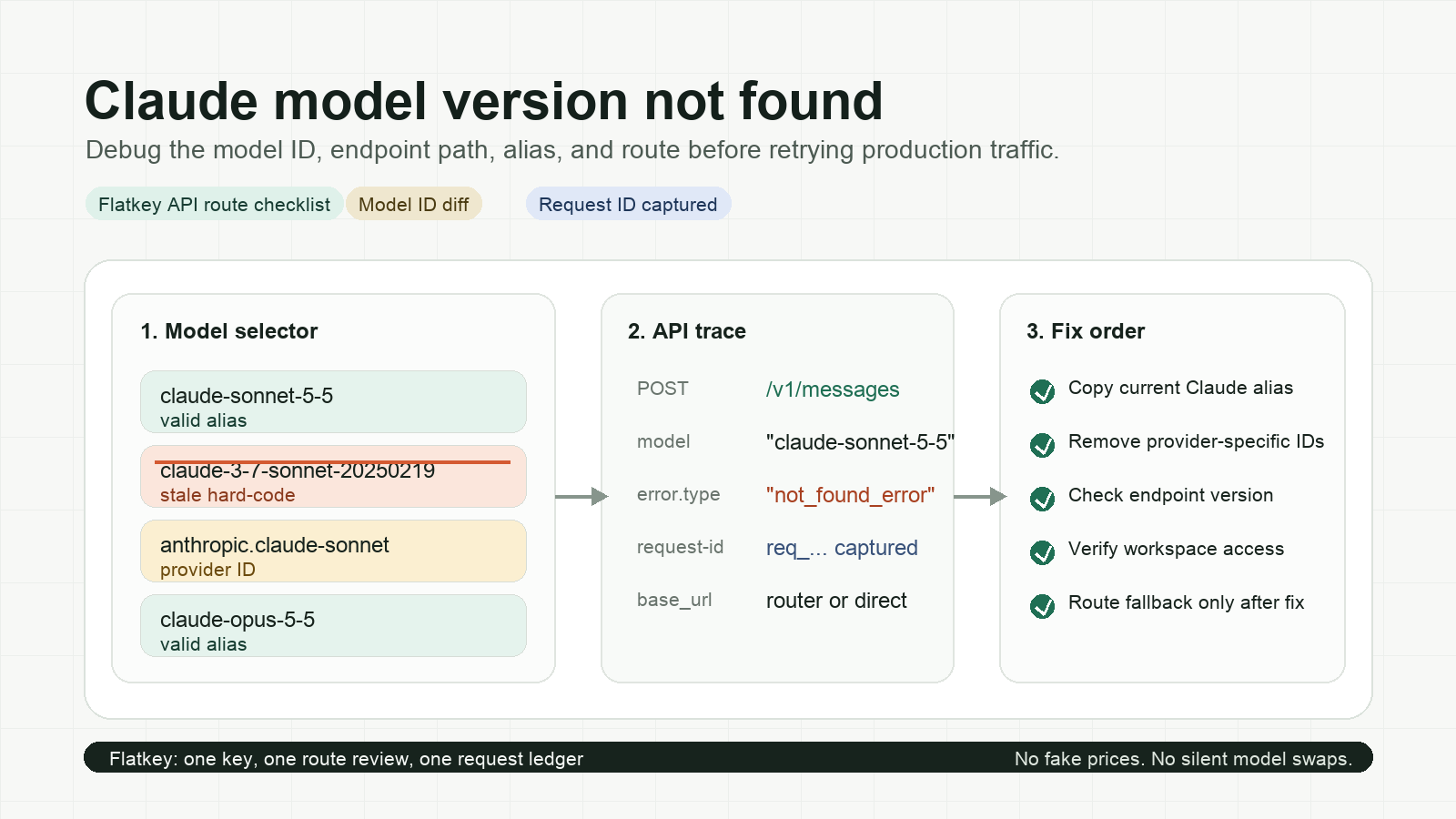
That distinction matters. A direct API response, an SDK exception, a gateway wrapper, and an agent CLI may all phrase the same underlying failure differently. Your job is to preserve the raw status code, error.type, message, request ID, model string, endpoint path, and base URL before you retry.
Use this triage rule:
- 404 /
not_found_error: check endpoint path, model identifier, and resource IDs first. - 400 /
invalid_request_error: check whether the model exists but rejects a setting, tool type, thinking mode, prefill, or request shape. - 401 / 403: check authentication, workspace access, and model permissions.
- Gateway-specific "model version not found": check both the gateway model catalog and the upstream provider ID it maps to.
Current Claude model ID check
Before editing code, compare the failing model string with the current official list. As of the current Anthropic models documentation checked for this article, the visible Claude API aliases include:
| Family | Claude API alias to verify |
|---|---|
| Fable | claude-fable-5-1 |
| Opus | claude-opus-5-5 |
| Sonnet | claude-sonnet-5-5 |
| Haiku | claude-haiku-5-5 |
Do not assume a model name from a blog post, UI label, provider marketplace, or older code sample is valid for every API surface. Anthropic's docs show separate IDs for Claude API, Amazon Bedrock, Google Cloud, Microsoft Foundry, and Claude Platform on AWS. Those IDs can look similar, but they are not interchangeable.
Six common causes
1. A stale hard-coded Claude model version
Hard-coded model IDs age badly. A service may still contain an older snapshot such as:
const model = "claude-3-7-sonnet-20250219";
If the endpoint no longer accepts that snapshot, or your router never mapped it, the request can fail before the prompt is evaluated. Replace the hard-coded value with a current alias that your endpoint supports, then store that alias in one config source rather than scattered files.
const model = process.env.CLAUDE_MODEL ?? "claude-sonnet-5-5";
For production systems, log both the configured alias and the resolved route. That makes the next Claude model version not found incident a config diff instead of a code search.
2. A provider-specific ID was sent to the Claude API
Provider platforms use their own model identifiers. A Bedrock-style or Vertex-style ID may be valid on that provider and invalid against the native Claude API. The reverse is also true: a native Claude API alias may not be the full identifier expected by a cloud-provider runtime.
Use this endpoint contract table:
| You are calling | Model ID should look like | Avoid |
|---|---|---|
Anthropic Claude API /v1/messages |
Claude API alias from Anthropic docs, for example claude-sonnet-5-5 |
Bedrock, Vertex, or Foundry-prefixed IDs |
| Amazon Bedrock | Bedrock model ID shown in the provider docs or console | Native Claude-only aliases when the SDK expects Bedrock IDs |
| Google Cloud / Vertex | Google Cloud model ID shown for that deployment | Native or Bedrock IDs pasted from another environment |
| OpenAI-compatible router | The router's model catalog ID | Native Anthropic request shapes unless the router explicitly supports them |
| Flatkey router | A Flatkey-supported route from the Flatkey model catalog or setup instructions | Scattered provider keys and unreviewed per-agent overrides |
If your deployment spans direct Anthropic, cloud-provider endpoints, and a router, keep a small translation table in config:
routes:
  claude_primary:
    api_surface: anthropic_messages
    model: claude-sonnet-5-5
  claude_gateway:
    api_surface: openai_compatible_router
    model: claude-sonnet-5-5
  claude_bedrock:
    api_surface: bedrock
    model: anthropic.claude-sonnet-5-5
The exact strings must come from the provider or router you are using. The point is to make the API surface explicit.
3. The base URL and SDK do not match
The Anthropic SDK expects Anthropic's Messages API contract. An OpenAI-compatible router expects an OpenAI-compatible client and payload unless it documents an Anthropic-compatible route. If the client, path, and model field are mixed, the error may look like a missing Claude model version even when the real issue is the wrong route.
Check these fields together:
SDK/client:        Anthropic SDK, OpenAI SDK, Claude Code, Cursor, Cline, custom HTTP
Base URL:          direct provider, router, staging proxy, local mock
Path:              /v1/messages, /v1/chat/completions, provider-specific runtime path
Model ID format:   native Claude alias, cloud-provider ID, router catalog ID
Auth header:        x-api-key, Authorization: Bearer, provider-specific signing
If one line belongs to a different API surface, fix that before retrying.
4. A new Claude alias has not reached your router yet
Model launches are not atomic across every SDK, proxy, cloud provider, and gateway. A model can appear in one catalog before your route, allowlist, or deployment supports it.
Use a canary instead of flipping production traffic immediately:
model_canary:
  candidate_model: claude-sonnet-5-5
  previous_model: claude-sonnet-5
  checks:
    - minimal non-streaming request
    - streaming request if your app streams
    - tool-call request if your app uses tools
    - token-count or dry-run path if available
    - billing and usage ledger row
  rollout:
    start: 1%
    promote_when: 100 successful requests and no model-resolution errors
    rollback_on: any repeated not_found_error or route mismatch
This is where Flatkey's routing and ledger view helps. If Claude is one route among many models, use one model catalog, one base route review, and one usage ledger instead of debugging separate provider consoles and separate agent configs.
5. Workspace permissions or model allowlists block access
Sometimes the model string is valid, but your key cannot call it. That can happen at the provider workspace, cloud account, router, or sub-key layer.
Check:
- Whether the API key belongs to the workspace you expect.
- Whether the model is enabled for that workspace.
- Whether a gateway sub-key, environment key, or agent key has a model allowlist.
- Whether staging and production keys have different model access.
- Whether spend limits or policy controls are returning a permission-shaped error.
Do not solve access failures by widening every key. Create a narrow policy that says which agents and environments can call each Claude model version.
6. The model exists, but your request uses unsupported model features
Anthropic's error docs list several validation failures where the model is real but the request shape is invalid. Examples include thinking-mode differences, forced tool-use settings, tool type support, and prefilled assistant messages on newer models.
If the status is 400 invalid_request_error, stop searching for a missing model version. Diff the request body against the model's current capability rules instead. The fix may be changing thinking, tool_choice, tool declarations, or message history handling rather than changing model.
A production debug runbook
Step 1: Capture the full failing request record
Save a minimal debug record before you edit anything:
{
  "provider": "anthropic_or_router_name",
  "base_url": "https://api.example.com",
  "path": "/v1/messages",
  "model": "claude-sonnet-5-5",
  "sdk": "anthropic-typescript",
  "status": 404,
  "error_type": "not_found_error",
  "request_id": "req_...",
  "environment": "production",
  "api_key_scope": "prod-agent-key"
}
If you use Flatkey, also capture the route, sub-key, usage-ledger row, and any fallback decision. If you use direct Anthropic, keep the request-id value from the response because Anthropic asks for that identifier in support cases.
Step 2: Reproduce with the smallest request
Remove tools, long history, images, cached thinking blocks, and framework wrappers. Test one short message with the exact same model and key.
curl https://api.anthropic.com/v1/messages \
  -H "x-api-key: $ANTHROPIC_API_KEY" \
  -H "anthropic-version: 2023-06-01" \
  -H "content-type: application/json" \
  -d '{
    "model": "claude-sonnet-5-5",
    "max_tokens": 64,
    "messages": [
      {"role": "user", "content": "Reply with ok."}
    ]
  }'
If the minimal request works, the model version exists for that key and endpoint. Move to request-shape debugging. If it fails with the same not-found result, focus on the model string, endpoint, or access layer.
Step 3: Normalize model IDs in one place
Create a single config source for Claude model versions:
models:
  claude_default:
    owner: platform
    api_surface: anthropic_messages
    model: claude-sonnet-5-5
    fallback: claude-haiku-5-5
    last_verified: "2026-10-10"
  claude_reasoning:
    owner: agents
    api_surface: anthropic_messages
    model: claude-opus-5-5
    fallback: claude-sonnet-5-5
    last_verified: "2026-10-10"
Then block raw model IDs in application code. The app should ask for claude_default, not paste a new Claude model version into five services.
Step 4: Check agent and CI config
Claude model version not found errors often come from a forgotten environment variable rather than a code change. Inspect:
.env,.env.production, and secret-manager values.- Claude Code, Cursor, Cline, Roo, Aider, and GitHub Actions variables.
- Docker image defaults and Kubernetes config maps.
- Per-customer or per-team sub-key model allowlists.
- Local development overrides that were copied into production.
If your team uses Claude Code through a gateway, also check the auth and base URL setup. A bad ANTHROPIC_BASE_URL or key scope can make the model diagnosis noisy; use the Claude Code auth token error guide when authentication is also failing.
Step 5: Decide whether to retry, fallback, or fail closed
Do not retry a deterministic missing-model error forever. Use this policy:
| Error pattern | Retry? | Fallback? | Human action |
|---|---|---|---|
| Typo or stale model ID | No | Only after config is corrected | Update model registry and redeploy |
| New alias not yet in router | No repeated retries | Keep previous verified model | Open route enablement/canary task |
| Workspace lacks access | No | Maybe, if approved fallback exists | Fix key, workspace, or allowlist |
| 400 request-shape mismatch | No | Not until request is fixed | Patch request body or feature flags |
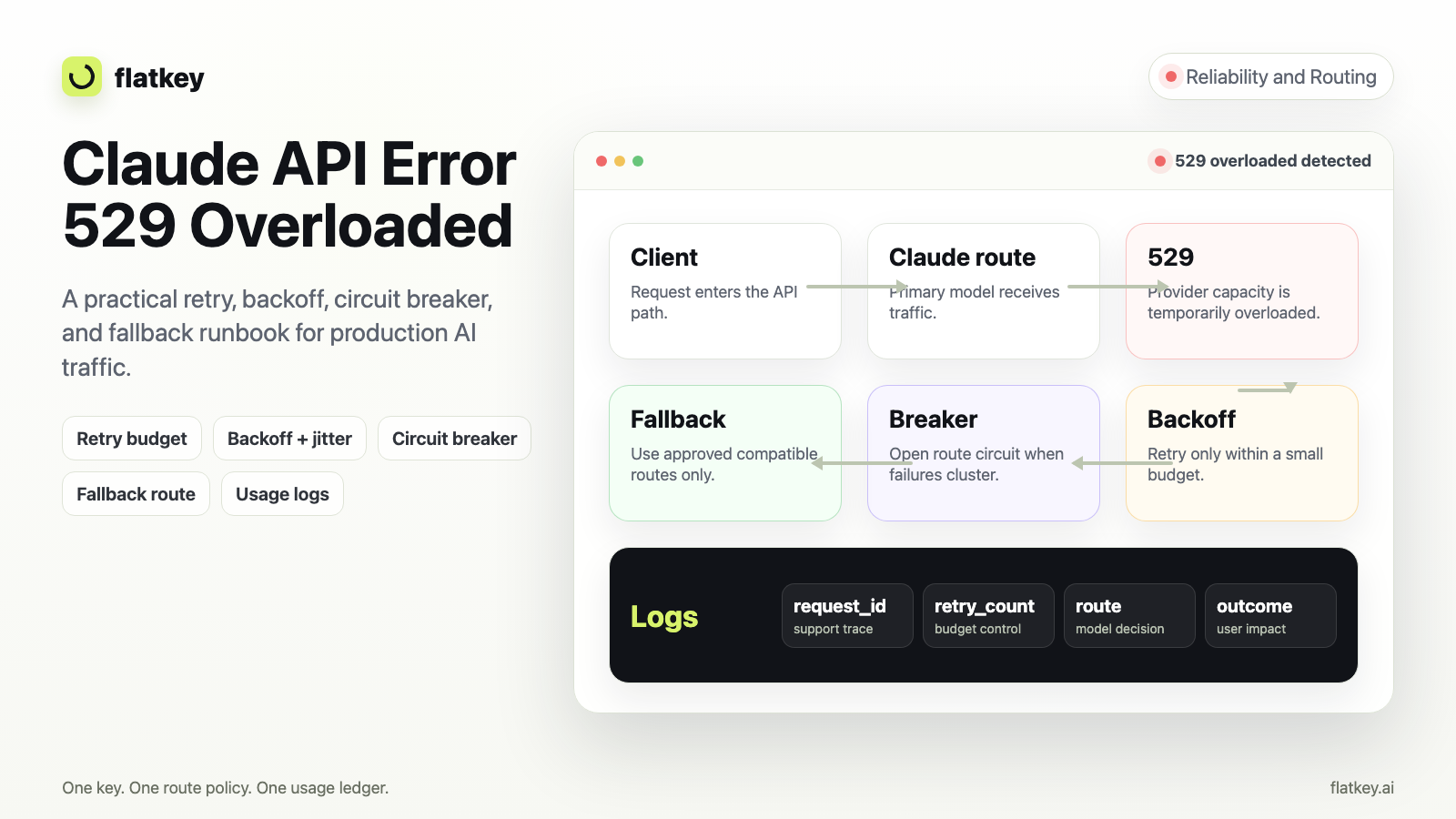
| 529 overloaded or transient upstream outage | Yes, bounded backoff | Yes, if fallback policy allows | Monitor route health |
For transient overload handling, use a different runbook: API Error 529 overloaded. A model-version failure is usually deterministic until you change config.
Flatkey route review checklist
When Claude is part of a multi-model system, a router gives you one place to review model names, keys, allowlists, spend, and fallbacks. Flatkey's positioning is one key, one balance, one invoice, official model endpoints, and a shared usage ledger across models and tools.
Use this checklist before promoting a new Claude route:
route_review:
  route_name: claude_primary
  current_model: claude-sonnet-5-5
  endpoint_contract: openai_compatible_or_anthropic_native
  owner: platform
  environments:
    dev: verified
    staging: verified
    production: canary
  controls:
    sub_key_allowlist: true
    request_ledger: true
    fallback_policy: explicit
    usage_alert: true
  rollback:
    previous_model: claude-sonnet-5
    trigger: repeated model-resolution errors
For broader route design, read Claude API proxy vs multi-model router and the AI model catalog guide. For cost and routing tradeoffs, pair this article with Claude API pricing and LLM API fallback routing.
Copyable incident checklist
Use this in Slack, Linear, GitHub, or your incident doc:
## Claude model version not found incident

- Failing model string:
- API surface: Anthropic native / router / Bedrock / Vertex / other
- Base URL:
- Request path:
- SDK or client:
- Status code:
- error.type:
- request-id:
- First failing deploy:
- Current official model alias checked:
- Does minimal request pass?
- Is model enabled for this workspace/key/sub-key?
- Is this an unsupported feature error instead of model-not-found?
- Rollback model:
- Owner:
Keep the checklist boring. The goal is to prevent a missing Claude model version from turning into a broad incident where every team changes a different setting.
FAQ
Is "Claude model version not found" the same as a 404?
Often, but not always. Anthropic documents 404 - not_found_error for missing resources, while SDKs and gateways may rephrase the message. Preserve the raw status code and error.type before deciding.
Which Claude model versions should I use?
Use the current model aliases from the API or provider surface you are calling. Do not copy a Claude model version from another cloud provider, router, or old code sample without checking that endpoint's catalog.
Should I use an alias or a dated snapshot?
For most app teams, a current alias is easier to operate because the provider controls the supported mapping. If you need strict reproducibility, document the exact snapshot policy, retirement plan, and rollback path.
Can Flatkey fix Claude model version not found automatically?
Flatkey cannot make an invalid upstream model ID valid, but it can reduce the places where bad IDs hide. Use Flatkey to centralize model catalog review, one-key routing, sub-key allowlists, usage logs, and fallback policy when Claude is one model route among many.
When should I fall back to another model?
Fallback is appropriate after you classify the failure. Do not fall back on a typo, wrong base URL, or unauthorized key. Do fall back when your policy says the current route is unavailable and the next route has passed the same input, quality, and cost checks.
Final check
Before you close a claude model version not found ticket, confirm the fix in three places: source config, minimal API smoke test, and production route logs. Then add the working Claude model version to your model registry so the next deployment does not reintroduce the same stale string.
If you are already routing multiple models, test the same change through Flatkey so your request ledger, fallback policy, and model allowlists all agree before production traffic moves.