
Gemini API free tier: quick answer
The Gemini API free tier is available for selected models and modes, not every Gemini route. Google publishes model-specific free-tier rows and changing rate limits, so verify the current model on the official pricing page and check your active quota in Google AI Studio before launch. Google also states that free-tier usage may be used to improve its products, while paid-tier usage is marked differently in the pricing table.
Use the free tier for prototypes, evaluation sets, and low-volume development. Move to a paid project or a managed multi-model route when you need higher limits, predictable production capacity, consolidated billing, or fallback outside Gemini.
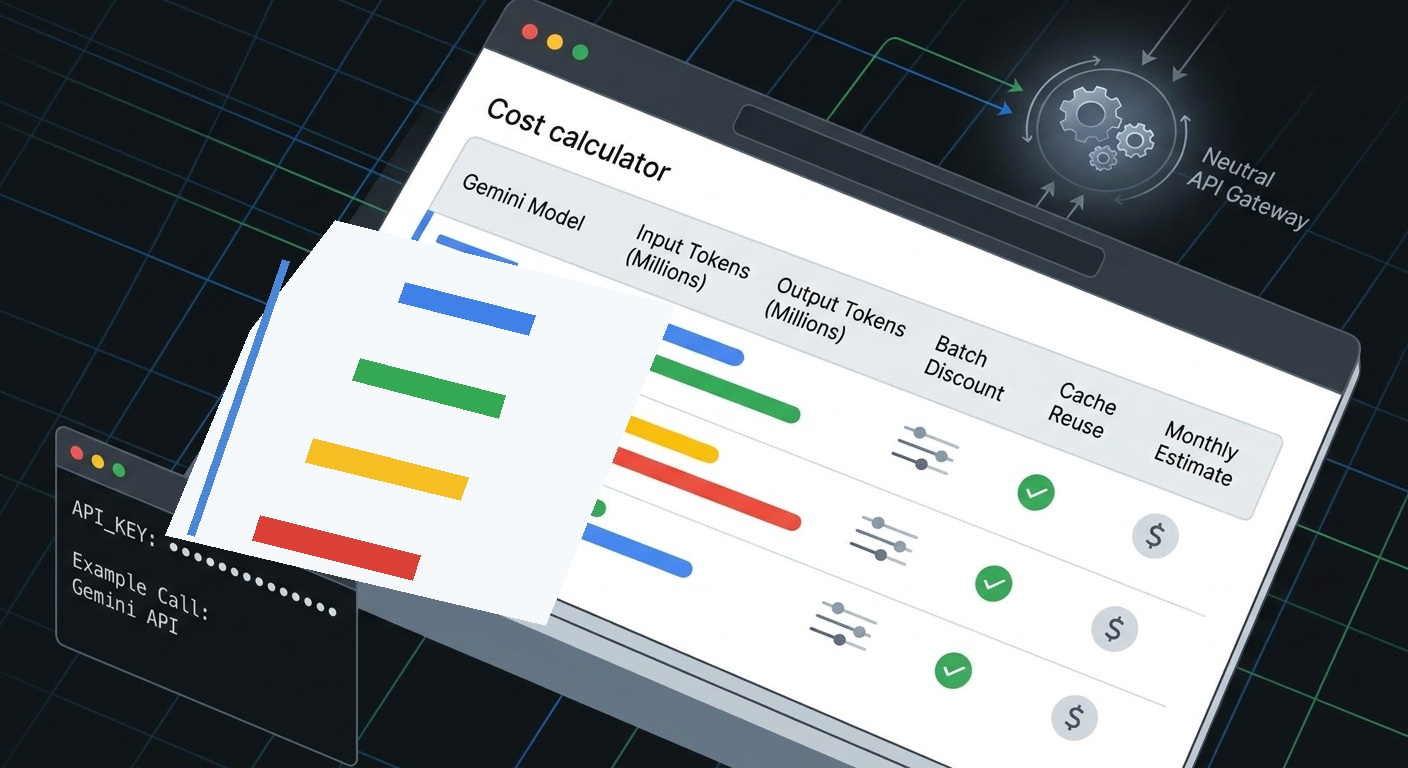
If you are comparing Gemini API Pricing in 2026: Current Model Costs and Workload Calculator, do not stop at the headline token rate. The same Gemini workload can price very differently depending on model generation, Standard versus Batch/Flex execution, prompt length, cache reuse, audio or image modality, and whether the request uses grounding.
This refresh focuses on the Gemini Developer API, not consumer Gemini subscriptions or Vertex AI SKUs. Pricing and billing facts below were checked against Google's official Gemini API pricing, billing, Batch API, and OpenAI compatibility pages on September 24, 2026.
The quick answer:
- Gemini 3.8 Flash, 3.7 Flash, and 3.6 Flash currently list promotional paid rates of $0.75 input and $3.75 output per 1M tokens through December 31, 2026, then $1.50 input and $7.50 output starting January 1, 2027.
- Gemini 3.1 Pro Preview prices text by prompt size: $2 input / $12 output per 1M tokens at prompts up to 200k tokens, and $4 input / $18 output above 200k tokens.
- Gemini 2.5 Flash remains a useful stable cost anchor at $0.30 text/image/video input and $2.50 output per 1M tokens.
- Gemini 2.5 Flash-Lite is the lowest text-token row in this guide at $0.10 text/image/video input and $0.40 output per 1M tokens.
- Google's Batch API is designed for asynchronous workloads and is priced at 50% of the equivalent interactive API cost.
Use the calculator tables below to normalize Gemini API pricing by workload instead of comparing model rows in isolation.
Gemini API pricing at a glance
Prices are in US dollars per 1 million tokens unless noted. The table summarizes the rows most relevant to text-first product workflows, coding agents, extraction jobs, and indie SaaS prototypes.
| Model | Current use case | Standard input | Standard output | Batch/Flex input | Batch/Flex output | Notes |
|---|---|---|---|---|---|---|
| Gemini 3.8 Flash | Latest Flash default to evaluate | $0.75 through 2026; $1.50 from Jan. 1, 2027 | $3.75 through 2026; $7.50 from Jan. 1, 2027 | $0.375 through 2026; $0.75 from Jan. 1, 2027 | $1.875 through 2026; $3.75 from Jan. 1, 2027 | Same listed Standard rates as Gemini 3.7 and 3.6 Flash at time checked |
| Gemini 3.7 Flash | Flash fallback or pinned model | $0.75 through 2026; $1.50 from Jan. 1, 2027 | $3.75 through 2026; $7.50 from Jan. 1, 2027 | $0.375 through 2026; $0.75 from Jan. 1, 2027 | $1.875 through 2026; $3.75 from Jan. 1, 2027 | Check lifecycle before pinning |
| Gemini 3.6 Flash | Older Flash route still in catalogs | $0.75 through 2026; $1.50 from Jan. 1, 2027 | $3.75 through 2026; $7.50 from Jan. 1, 2027 | $0.375 through 2026; $0.75 from Jan. 1, 2027 | $1.875 through 2026; $3.75 from Jan. 1, 2027 | Still needs route validation |
| Gemini 3.1 Pro Preview | Harder reasoning or custom-tools evaluation | $2.00 up to 200k prompt tokens; $4.00 above 200k | $12.00 up to 200k prompt tokens; $18.00 above 200k | $1.00 up to 200k; $2.00 above 200k | $6.00 up to 200k; $9.00 above 200k | Preview row; do not budget as a stable contract |
| Gemini 2.5 Flash | Stable fast multimodal/text baseline | $0.30 text/image/video; $1.00 audio | $2.50 | $0.15 text/image/video; $0.50 audio | $1.25 | Good anchor for production comparisons |
| Gemini 2.5 Flash-Lite | Lowest-cost stable text route | $0.10 text/image/video; $0.30 audio | $0.40 | $0.05 text/image/video; $0.15 audio | $0.20 | Best first-pass budget row in this guide |
The first pricing trap is time. Gemini 3.8 Flash, 3.7 Flash, and 3.6 Flash have a listed promotional period through December 31, 2026. If a prototype launched in Q4 2026 will still run in Q1 2027, use the January 1, 2027 rates in your renewal model.
The second trap is modality. A "Gemini API pricing" query often mixes text, audio, image generation, video understanding, Live API, grounding, and cache storage. Keep a separate line item for every non-text feature.
Copyable Gemini API workload calculator
Use this formula for a text-first monthly estimate:
monthly_cost =
  input_mtokens * input_rate
+ output_mtokens * output_rate
+ cached_input_mtokens * cache_read_rate
+ cache_storage_mtokens_hours * storage_rate
+ grounding_billable_requests / 1000 * grounding_rate
Where:
input_mtokensis monthly input tokens divided by 1,000,000.output_mtokensis monthly output tokens divided by 1,000,000.cache_read_rateis the context-cache read/input price for the selected model and tier.cache_storage_mtokens_hoursis cached token volume multiplied by hours retained, then divided by 1,000,000.grounding_billable_requestsexcludes any free monthly or daily allowance that applies to the selected grounding feature.
For Batch API jobs, use the Batch/Flex input and output rows instead of Standard rows. Do not apply the 50% discount manually if you already copied the Batch/Flex rates.
Scenario 1: small SaaS assistant
Assumption: 5M input tokens and 1M output tokens per month, no cache, no grounding, text only.
| Route | Standard monthly token cost | Batch/Flex monthly token cost |
|---|---|---|
| Gemini 3.8 Flash through Dec. 31, 2026 | $7.50 | $3.75 |
| Gemini 3.8 Flash from Jan. 1, 2027 | $15.00 | $7.50 |
| Gemini 3.1 Pro Preview, prompts <= 200k | $22.00 | $11.00 |
| Gemini 2.5 Flash | $4.00 | $2.00 |
| Gemini 2.5 Flash-Lite | $0.90 | $0.45 |
For this workload, output volume matters as much as model choice. Moving from 1M to 3M output tokens would add $7.50 on Gemini 3.8 Flash at the promotional Standard rate, but only $0.80 on Gemini 2.5 Flash-Lite.
Scenario 2: coding-agent or RAG-heavy workflow
Assumption: 200M input tokens and 30M output tokens per month, no cache, no grounding, text only.
| Route | Standard monthly token cost | Batch/Flex monthly token cost |
|---|---|---|
| Gemini 3.8 Flash through Dec. 31, 2026 | $262.50 | $131.25 |
| Gemini 3.8 Flash from Jan. 1, 2027 | $525.00 | $262.50 |
| Gemini 3.1 Pro Preview, prompts <= 200k | $760.00 | $380.00 |
| Gemini 2.5 Flash | $135.00 | $67.50 |
| Gemini 2.5 Flash-Lite | $32.00 | $16.00 |
This is where a routing layer becomes practical rather than theoretical. If a coding agent sends every first-pass patch to a premium route, the monthly bill can swing by hundreds of dollars before quality is even measured. A better pattern is to start with the cheapest route that meets acceptance criteria, escalate failures, and measure cost per accepted output rather than cost per request.
Scenario 3: long-context review
Assumption: 100 requests, each with 250k input tokens and 5k output tokens, for 25M input tokens and 0.5M output tokens. This crosses the 200k prompt breakpoint on Gemini 3.1 Pro Preview.
| Route | Standard monthly token cost | Batch/Flex monthly token cost |
|---|---|---|
| Gemini 3.8 Flash through Dec. 31, 2026 | $20.63 | $10.31 |
| Gemini 3.1 Pro Preview, prompts > 200k | $109.00 | $54.50 |
| Gemini 2.5 Flash | $8.75 | $4.38 |
| Gemini 2.5 Flash-Lite | $2.70 | $1.35 |
This table does not say the cheaper model can solve the same task. It says the budget owner should test answer quality, latency, and retry rate before approving the expensive route as the default. If Gemini 3.1 Pro Preview fixes failures that the cheaper Flash route cannot, the right decision may still be the higher-price route for that subset.
What Batch API changes
Google describes the Gemini Batch API as an asynchronous path for large volumes of requests at 50% of the standard cost, with a target turnaround time of 24 hours and many jobs completing sooner.
That makes Batch pricing a strong fit for:
- offline enrichment
- evaluation suites
- synthetic-data review
- nightly classification
- bulk document extraction
- non-urgent coding-agent replay or benchmark jobs
It is usually a poor fit for:
- live chat
- request/response user actions
- streaming UX
- tasks where intermediate results are needed immediately
- control loops that need retry decisions in seconds
The decision rule is simple: if the user is waiting, budget Standard or Priority. If the user is not waiting and the job can tolerate asynchronous completion, model the Batch/Flex row first.
When context caching lowers the real bill
Context caching matters when the same large context appears across many requests. For example, an agent that repeatedly includes the same repo summary, documentation bundle, or policy manual can avoid paying the full input price every time if the route supports cache reuse.
But caching has two cost components:
- the reduced cached-input read rate
- the storage charge for keeping cached tokens alive
That means cache economics depend on reuse frequency. If you cache a large context once and reuse it only a few times, storage can erase much of the benefit. If hundreds of requests reuse the same context within the cache lifetime, the savings can be meaningful.
Add these columns to your internal calculator:
| Field | Why it matters |
|---|---|
| Repeated context tokens | The portion eligible for cache reuse |
| Reuse count | The multiplier that makes caching worthwhile |
| Cache lifetime hours | Storage is billed over time |
| Uncached input tokens | Still billed at the normal input rate |
| Output tokens | Usually the larger cost lever for agentic work |
Do not treat context caching as a universal discount. Treat it as a workload pattern.
Billing and free tier notes for 2026
Gemini API billing is now more operational than a simple credit-card switch.
According to Google's billing guide, new accounts begin on the Free Tier, and teams move to paid tiers by linking billing and adding prepaid credits or using an eligible postpay account. Google's page also notes that upgrading from Free Tier to Paid Tier can require a minimum $5 prepay credit, that paid-tier status is tied to billing-account history, and that requests can stop when a Prepay balance reaches zero.
For indie hackers, that creates three practical rules:
- Keep a small direct Gemini project for evaluation so you can verify model behavior and Google-native features.
- Add budget alerts or auto-reload limits before giving an agent or batch job broad access.
- Use a separate usage ledger for product traffic so cost attribution does not depend only on provider-console totals.
Flatkey fits after the direct test phase: use the direct Google key to validate one or two Gemini routes, then put production traffic behind one OpenAI-compatible routing layer when you need one key, one balance, usage logs, and cross-model fallback options across providers.
Direct Gemini API or Flatkey router?
Use the direct Gemini API when:
- you only need Gemini routes
- you depend on a Gemini-specific feature that must be tested without abstraction
- your team is still in a short evaluation phase
- billing ownership is simple enough for one provider account
Use Flatkey when:
- the same product may route across Gemini, Claude, GPT, DeepSeek, Qwen, image models, or video models
- you want OpenAI-compatible routing without rewriting every integration
- you need a usage ledger across teams, agents, and projects
- you want to compare accepted-output cost across providers, not just list prices
- you want one key and one balance rather than many provider keys scattered through repos and agent configs
Google's OpenAI compatibility guide shows that Gemini models can be called with OpenAI libraries by changing the API key and base_url to Google's OpenAI-compatible endpoint. Flatkey uses the same operational idea for multi-provider routing: keep the app-side integration stable while changing model routes and billing visibility behind the gateway.
Gemini API pricing checklist before launch
Run this checklist before you commit a launch budget:
- Pick the exact model ID. Do not budget "Gemini" as a single price.
- Separate Standard, Batch/Flex, and Priority. Use the row that matches the workload's latency requirement.
- Check time-limited rates. Gemini 3.8/3.7/3.6 Flash have listed rate changes on January 1, 2027.
- Model output separately. Output tokens are often several times more expensive than input tokens.
- Mark long-context thresholds. Pro rows can change when prompts pass 200k tokens.
- Keep audio out of text estimates. Audio input has different rates on several models.
- Add cache storage. Cache read discounts are incomplete without storage time.
- Add grounding and tool calls. Grounding has request-based pricing and allowances.
- Measure accepted-output cost. Retries, refusals, and low-quality responses can make a cheap route expensive.
- Recheck before publishing or budgeting. Pricing pages change faster than annual planning cycles.
FAQ
Is Gemini API free in 2026?
Google lists Free Tier access for certain Gemini API models, but free-tier limits, model availability, data-use terms, and paid-tier access differ by model and account state. Treat the free tier as an evaluation path, not a production budget.
Which Gemini model is cheapest for text?
Among the rows covered here, Gemini 2.5 Flash-Lite has the lowest listed text-token rates: $0.10 input and $0.40 output per 1M tokens on Standard, or $0.05 input and $0.20 output on Batch/Flex. The cheapest route is not automatically the best route; test accepted-output quality.
Why does Gemini 3.8 Flash have two prices?
Google's pricing page lists promotional Gemini 3.8 Flash rates through December 31, 2026 and higher rates starting January 1, 2027. Use the later rates for any budget that extends into 2027.
How do I calculate Gemini API cost?
Multiply monthly input token volume by the input rate, monthly output token volume by the output rate, then add cache storage, grounding, audio, image, video, or Live API charges where used. If the workload can run asynchronously, use the Batch/Flex rows rather than Standard rows.
When does Flatkey help with Gemini API pricing?
Flatkey helps when Gemini is one route in a broader AI stack. It gives teams one key, one balance, OpenAI-compatible routing, and usage visibility across providers, so cost decisions can be made from observed workload behavior rather than separate provider consoles. Start with the Flatkey pricing page and model directory, then compare accepted-output cost in your own logs.
Source notes
Primary source checks used for this refresh:
- Google AI for Developers: Gemini API pricing page, checked September 24, 2026.
- Google AI for Developers: Gemini API billing guide, checked September 24, 2026.
- Google AI for Developers: Batch API guide, checked September 24, 2026.
- Google AI for Developers: OpenAI compatibility guide, checked September 24, 2026.
- Flatkey project knowledge: one key, one balance, one invoice positioning; OpenAI-compatible router; usage-ledger and model-catalog internal linking.
If you are comparing Gemini API pricing against Claude, GPT, DeepSeek, or Qwen, start with the model catalog, the pricing page, and related comparisons such as Gemini vs Claude API routing or DeepSeek API pricing, then run a small accepted-output test through Flatkey before moving production traffic.


