Ollama OpenAI Compatible API: Access, Pricing, Integration, and Production Guide
The Ollama OpenAI compatible API lets an application keep the familiar OpenAI SDK shape while sending requests either to a local Ollama server or directly to Ollama Cloud. That is useful, but it is not a promise of one-for-one feature parity: Ollama documents support for a subset of the OpenAI API, and some capabilities depend on the endpoint and model you choose.
This guide shows how to access this interface, configure it in an existing Python or JavaScript application, understand cloud versus local costs, and put real production boundaries around it.
Quick answer: use
http://localhost:11434/v1/for a local Ollama server and a placeholder API key required by the SDK but ignored by Ollama. Usehttps://ollama.com/v1plusOLLAMA_API_KEYfor direct cloud access. Validate the exact endpoint and model before relying on streaming, vision, tools, structured output, or Responses API behavior.
What does “OpenAI compatible” mean for Ollama?
This is an OpenAI-client integration surface, not an OpenAI-hosted API. It lets you point compatible clients at Ollama base URLs and use supported routes such as chat completions, embeddings, model discovery, and non-stateful Responses requests.
Ollama’s compatibility reference is the source of truth for the supported subset. In particular:
/v1/chat/completionssupports features including streaming, JSON mode, vision, tools, reproducible outputs, logprobs, and controls that only apply to compatible models./v1/embeddingssupports string and array inputs./v1/modelsand/v1/models/{model}support model discovery, but some returned fields have Ollama-specific meanings.POST /v1/responsesis available, but it is non-stateful: do not rely onprevious_response_idorconversation.
See the live Ollama OpenAI compatibility reference before enabling a capability in production. “Compatible” should be treated as a reason to reuse your client and request shape—not a reason to skip feature testing.
Access the Ollama OpenAI compatible API: local versus cloud
The simplest implementation choice is whether inference runs on your own machine or reaches Ollama’s cloud endpoint.
| Decision | Local Ollama server | Direct Ollama Cloud |
|---|---|---|
| OpenAI-compatible base URL | http://localhost:11434/v1/ |
https://ollama.com/v1 |
| Authentication | Local API has no authentication; the OpenAI SDK still needs a non-empty placeholder value | Bearer API key via OLLAMA_API_KEY |
| Model setup | Pull a local model before use | Choose a cloud-enabled model; no local Ollama installation is required |
| Cost shape | No per-token provider bill from Ollama, but hardware, power, storage, operations, and capacity are yours | Published per-token prices and account credits |
| Best first fit | Local development, offline-controlled environments, or hardware you operate | Fast hosted evaluation and workloads that should not depend on your own GPU fleet |
| Main production concern | Network exposure, host capacity, queues, model lifecycle | Key management, spending controls, model availability, and integration limits |
This split is documented in Ollama’s API introduction and authentication guide. Direct cloud calls require an API key. Local calls do not.
Local setup
Install Ollama, then pull the model you intend to use. Ollama’s documentation shows the general pattern:
ollama pull gpt-oss:20b
ollama serve
Now validate that the local endpoint can enumerate models:
curl http://localhost:11434/v1/models
If that connection fails, solve the local server issue before changing application code. A client migration is much easier to debug when the API base URL and model inventory already work independently.
Direct cloud setup
For direct cloud use, create an API key in your Ollama account and put it in an environment variable:
export OLLAMA_API_KEY="replace-with-your-key"
The cloud base URL is https://ollama.com/v1. Ollama documents that its hosted API uses Authorization: Bearer; do not put a long-lived key in browser code, a repository, or a client-side configuration file.
Integrate the Ollama OpenAI compatible API with the OpenAI SDK
The migration point is the client configuration. Keep application messages and error handling behind your own interface, then swap only the base URL, key, and model configuration.
Python: local server
from openai import OpenAI

client = OpenAI(
    base_url="http://localhost:11434/v1/",
    api_key="ollama",  # required by the SDK; ignored by the local server
)

response = client.chat.completions.create(
    model="gpt-oss:20b",
    messages=[
        {"role": "user", "content": "Summarize the production risks of exposing a local API."}
    ],
)

print(response.choices[0].message.content)
The local endpoint does not authenticate requests. The placeholder key exists only because the OpenAI client expects a value; it does not protect the local server.
Python: direct cloud
import os
from openai import OpenAI

client = OpenAI(
    base_url="https://ollama.com/v1",
    api_key=os.environ["OLLAMA_API_KEY"],
)

response = client.chat.completions.create(
    model="gemma4:31b",
    messages=[
        {"role": "user", "content": "Give one sentence on safe API key storage."}
    ],
)

print(response.choices[0].message.content)
The code shape is deliberately similar. The operational difference is not: direct cloud calls depend on an API key and the chosen cloud model; local calls depend on a pulled model and the resources available on the host.
JavaScript: keep the endpoint configurable
import OpenAI from "openai";

const client = new OpenAI({
  baseURL: process.env.OLLAMA_BASE_URL ?? "http://localhost:11434/v1/",
  apiKey: process.env.OLLAMA_API_KEY ?? "ollama",
});

const completion = await client.chat.completions.create({
  model: process.env.OLLAMA_MODEL ?? "gpt-oss:20b",
  messages: [{ role: "user", content: "Return a concise health-check message." }],
});

console.log(completion.choices[0].message.content);
Set environment variables per deployment:
# Local
OLLAMA_BASE_URL=http://localhost:11434/v1/
OLLAMA_API_KEY=ollama
OLLAMA_MODEL=gpt-oss:20b

# Direct cloud
OLLAMA_BASE_URL=https://ollama.com/v1
OLLAMA_API_KEY=replace-with-your-key
OLLAMA_MODEL=gemma4:31b
This configuration makes a later change of route or model explicit and reviewable. It also prevents an environment-specific base URL from becoming hidden application behavior.
Compatibility matrix: what to test before you ship
The Ollama OpenAI compatible API is most useful when you make compatibility a test plan rather than an assumption.
| Area | What Ollama documents | Production action |
|---|---|---|
| Chat Completions | /v1/chat/completions with streaming, JSON mode, vision, tools, and other supported fields |
Test your exact schema, tool definitions, stream parser, and selected model |
| Responses API | POST /v1/responses with non-stateful requests |
Do not depend on previous_response_id or conversation; persist conversation state in your app |
| Embeddings | /v1/embeddings accepts strings, string arrays, token arrays, and dimensions |
Validate vector length, normalization assumptions, and retrieval quality after any model change |
| Model discovery | /v1/models works with Ollama-specific field meanings |
Treat the result as inventory, not a universal capability registry |
| Vision and tools | Supported at the API surface when the model supports them | Gate those features by model test results, not by endpoint name alone |
| Cloud Responses limitations | The cloud reference excludes stateful Responses, built-in web search through /v1/responses, and custom/freeform tool-call replay |
Keep a capability matrix in source control and select a fallback path before launch |
Two details commonly surprise teams:
- State belongs in your application. Your app should store the messages or conversation state it needs instead of expecting stateful Responses behavior from Ollama.
- A model name is not a capability guarantee. A request can use a compatible endpoint while still failing to provide the quality or tool behavior a workflow needs. Test the model, prompt size, output limits, and tools together.
If an existing integration hard-codes a default OpenAI model name, Ollama documents ollama cp as a way to create a temporary local model alias. Use this only as a deliberate compatibility shim, document the alias, and remove it once your configuration is explicit.
Ollama pricing: local TCO versus cloud token rates
Pricing for the Ollama OpenAI compatible API depends on the route.
Local inference is not a token bill—but it is not costless
Running a local model does not create a per-token Ollama cloud invoice. It does create an operating cost profile:
- GPU or CPU capacity, RAM/VRAM, storage, and machine depreciation
- Electricity and cooling
- Model pull time and image storage
- Capacity planning, monitoring, patching, and incident response
- The opportunity cost of keeping a model warm for low-latency requests
For a single developer, this can be an excellent trade. For a product with bursty traffic or multiple models, calculate hardware utilization and reliability work alongside raw inference cost.
Direct cloud pricing is published per million tokens
Ollama’s live pricing page lists cloud rates per one million tokens, including separate input, cached-input, and output prices. The examples below were checked on October 22, 2026; use the live price list for procurement and deployment decisions.
| Example cloud model | Input / 1M tokens | Cached input / 1M tokens | Output / 1M tokens |
|---|---|---|---|
gpt-oss:20b |
$0.07 | $0.035 | $0.30 |
gemma4 |
$0.14 | $0.05 | $0.40 |
deepseek-v4.1-flash |
$0.30 | $0.006 | $1.20 |
Ollama’s price page also describes off-peak pricing for eligible entries. Do not build a budget from a model label alone: use the price row that applies to the actual route, model, and timing.
A practical monthly estimate is:
monthly_cloud_cost =
  (input_tokens / 1,000,000 × input_rate)
+ (cached_input_tokens / 1,000,000 × cached_input_rate)
+ (output_tokens / 1,000,000 × output_rate)
For example, at the published gpt-oss:20b rates above, 1 million uncached input tokens plus 250,000 output tokens estimates to $0.145 before any pricing changes or account-specific credits. Use observed token telemetry, not guessed chat length, for a production forecast.
Production guide: secure the local server before exposing it
The most important production rule for the Ollama OpenAI compatible API is simple: a local Ollama server is unauthenticated by default.
Ollama binds to 127.0.0.1:11434 by default. Its docs show that OLLAMA_HOST can change the bind address, and that a proxy such as Nginx can forward traffic to the server. These are implementation options—not authentication. If you move the service beyond localhost, put deliberate controls around it.
Production checklist
- Keep the default loopback binding unless you have a defined access path. Do not expose port
11434directly to the internet. - Put TLS and authentication at the edge. Use a reverse proxy, private network, service identity, and per-client authorization appropriate for your environment. A dummy OpenAI SDK key is not an access control.
- Allow browser origins narrowly. Ollama documents
OLLAMA_ORIGINSfor additional allowed origins. Add only the exact web app or extension origins that need access; do not turn it into a blanket cross-origin bypass. - Use a model allow-list. Treat the requested
modelas an input you validate. Production callers should not be able to pull arbitrary models or select unreviewed ones. - Set a queue policy and handle overloads. Ollama documents that an overloaded server can return HTTP 503 and exposes
OLLAMA_MAX_QUEUE. Use bounded retries with exponential backoff and jitter, then surface a controlled failure to the caller. - Capacity-plan VRAM and concurrency together.
OLLAMA_NUM_PARALLELincreases per-model parallelism, but memory requirements grow with it.OLLAMA_MAX_LOADED_MODELSandOLLAMA_KEEP_ALIVEdetermine how aggressively models occupy memory. - Instrument the paths that matter. Track latency, queue time, HTTP 503s, active model inventory, request size, stream disconnects, tool-call errors, and GPU/CPU memory pressure.
ollama pshelps verify where loaded models are running. - Test restarts and cold starts. A local model can need loading time after deployment or eviction. Run load, rollback, and timeout drills before the API backs a customer-facing workflow.
- Keep secrets out of clients. For cloud mode, store
OLLAMA_API_KEYin a server-side secret manager or protected runtime environment—not in a frontend bundle. - Pin the acceptance suite, not just the dependency version. Re-run chat, streaming, tool, JSON, vision, and response-state tests whenever you upgrade Ollama, change a model, or alter the routing layer.
Ollama’s FAQ documents the bind address, CORS configuration, queue behavior, concurrency settings, and local/cloud controls behind these recommendations.
A safer rollout path
Use this sequence for an application that begins locally and may later use hosted models:
- Prove the local endpoint. Pull one model, list models, and send a non-streaming chat completion.
- Stabilize the OpenAI client configuration. Make base URL, API key, and model environment variables—not literals spread through the codebase.
- Create a compatibility suite. Include JSON output, streaming, every tool schema, vision inputs where relevant, timeout behavior, and malformed requests.
- Load-test the host. Record latency, queue depth, VRAM/RAM, and the point at which 503s begin.
- Add an authenticated edge before remote access. Keep Ollama private behind the application service or a trusted proxy.
- Evaluate cloud mode separately. Use a dedicated cloud key, allow-listed models, budget alerts, and test cases that cover the cloud-specific Responses limitations.
- Decouple provider choice from business logic. If a product needs to compare hosted models or add a fallback route, keep the OpenAI-client contract behind a small adapter.
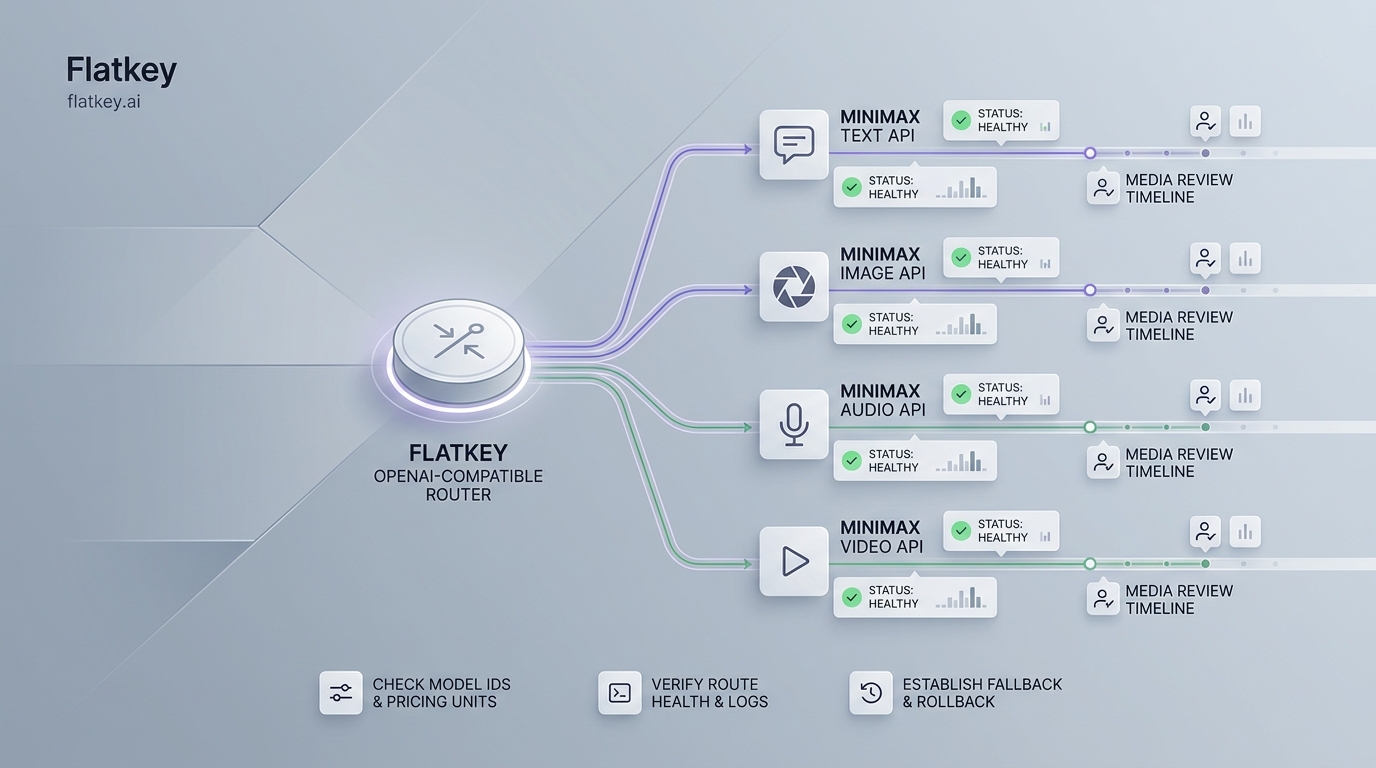
For the last step, an OpenAI-compatible API gateway migration checklist can help you separate client integration from model-provider selection. If you want to evaluate multiple hosted providers without adding a new client pattern for each, see the Flatkey API quickstart and the guide to deciding when an AI API gateway is useful.
Common mistakes with the Ollama OpenAI compatible API
Treating a localhost server like a secured service
A local request may work because the process is on the same machine, not because access is authenticated. The moment a bind address, tunnel, proxy, or container port changes, revisit identity, network policy, TLS, and audit logging.
Assuming OpenAI feature parity
Ollama explicitly supports a subset of the OpenAI API. Build a capability check into CI and test semantics—not just a 200 response. A tool definition that parses locally may behave differently after a model swap.
Using cloud price labels as a budget
Input, cached-input, and output rates can differ substantially. Log token fields, calculate effective cost per successful task, and re-check the pricing page before committing a fixed budget.
Raising parallelism without a memory model
More parallel requests can increase context and memory requirements. Watch real host pressure under representative prompts before changing concurrency settings.
Giving the browser a cloud key
A direct browser-to-cloud call makes key rotation, budget control, and abuse prevention much harder. Keep the cloud key on a trusted backend and expose only the operation your application needs.
FAQ
Is Ollama’s OpenAI-compatible API the same as the OpenAI API?
No. Ollama’s compatibility layer supports a documented subset of the OpenAI API so compatible clients can connect to Ollama. Confirm individual endpoints and fields in Ollama’s compatibility reference before treating a feature as portable.
Does the local Ollama API need an API key?
No. Ollama says the local API does not require authentication. The api_key="ollama" value in SDK examples is a non-empty client requirement, not a credential. Keep the local server on localhost or add real controls before remote exposure.
Does Ollama Cloud need an API key?
Yes. Direct cloud access to https://ollama.com/v1 requires an API key passed as a Bearer token. Store it server-side.
Can I use /v1/responses?
Yes, for non-stateful Responses requests. Do not rely on previous_response_id or conversation. The cloud docs also call out limitations around built-in web search and custom/freeform tool-call replay.
Is the Ollama OpenAI compatible API free?
Local inference does not have a per-token Ollama cloud charge, but you still pay for the hardware and operations you run. Direct cloud inference uses published per-token pricing and account credits.
When should I use a gateway instead?
Use direct Ollama when the local/cloud route meets the workload’s model, privacy, and operational needs. Consider a gateway when your product needs a consistent integration across multiple hosted providers, a model-evaluation workflow, or a separate fallback path. Start with a clear unified AI API decision, then preserve the same application-level client adapter.
Conclusion
The Ollama OpenAI compatible API gives developers a practical way to reuse an OpenAI SDK with local or cloud-served models. The safe implementation is not just a base-URL change: it is a tested capability matrix, clear local-versus-cloud cost model, private local deployment boundary, and load-tested plan for queues and model memory.
Start local if you need control and can operate the hardware. Use direct cloud when you want hosted inference through the same client shape. In either case, keep endpoint choice configurable and make each supported feature earn its place in your production test suite.