Perplexity AI API: Access, Pricing, Integration, and Production Guide
Last verified against Perplexity documentation: October 24, 2026.
The Perplexity AI API is no longer one undifferentiated “search-chat API.” It now has distinct surfaces for web-grounded agent responses, open-weight model routing, raw search, embeddings, and typed decisions. Pick the surface that matches the job before you write code: it determines the endpoint, SDK method, pricing unit, rate limit, and what you need to log in production.
For most new research or assistant features, start with the Agent API. It follows the OpenAI Responses format, can use web search, and returns structured output with sources. Use the Orchestrator API when your existing OpenAI Chat Completions code needs access to its open-weight model catalog. Use Search when you need ranked results without an LLM answer.
The short answer: which Perplexity API should you use?
| Need | Use | What you receive | Integration shape |
|---|---|---|---|
| A researched answer with sources, tools, or a multi-step workflow | Agent API | Structured Responses output, including source-aware result items | POST /v1/agent or the accepted /v1/responses alias |
| Open-weight models behind an OpenAI Chat Completions-style client | Orchestrator API | Chat Completions-style response | POST /orchestrator/v1/chat/completions |
| Ranked web results that your own pipeline will process | Search API | Raw search results | POST /search |
| Vectors for semantic search, RAG, or classification | Embeddings API | Embeddings | Perplexity embeddings endpoint/SDK |
| A calibrated yes/no, multiple-choice, or rubric decision | Decisions API | Typed answer plus probabilities | Decisions endpoint/SDK |
That distinction is the most important Perplexity AI API design choice. Perplexity’s current overview describes the Agent API as an OpenAI Responses-compatible, web-grounded API; its Orchestrator API is a separate compatibility surface for hosted open-weight models. Read Perplexity’s overview.
Get access to the Perplexity AI API
- Create an account in the Perplexity API Console.
- Generate a key from the API Keys page.
- Store it only on the server or in your deployment secret manager.
- Set
PERPLEXITY_API_KEYin the runtime environment—not in browser code, git, examples, or logs. - Add billing before sending production traffic. Perplexity documents pay-as-you-go API billing without a subscription requirement; check the live pricing page before launch because model and tool rates can change.
On macOS or Linux, set the secret without printing it:
export PERPLEXITY_API_KEY="replace-in-your-secret-manager"
test -n "$PERPLEXITY_API_KEY" && echo "PERPLEXITY_API_KEY is set"
The final command deliberately confirms presence without exposing the value. Perplexity explicitly advises against printing keys or even key fragments in terminal output. For the rest of your application, follow the same rule: redact Authorization headers, rotate compromised keys, and give each environment its own credential. Pair this with a secure API key management workflow before adding customer traffic.
Integrate the Agent API with the OpenAI SDK
The Agent API is the right Perplexity AI API surface when your product needs a web-grounded answer, citations, tool use, or a response that can continue across turns. Perplexity documents the OpenAI SDK configuration as base_url="https://api.perplexity.ai/v1", using client.responses.create().
import os
from openai import OpenAI

client = OpenAI(
    api_key=os.environ["PERPLEXITY_API_KEY"],
    base_url="https://api.perplexity.ai/v1",
)

response = client.responses.create(
    model="perplexity/sonar",
    input="What changed in the last 30 days for this topic? Cite primary sources.",
    tools=[{"type": "web_search"}],
    max_output_tokens=600,
)

print(response.output_text)
The canonical endpoint is POST /v1/agent; the OpenAI SDK sends POST /v1/responses, which Perplexity accepts as an alias. This is compatible at the Responses layer, not a promise that every Chat Completions option maps cleanly. Perplexity’s OpenAI compatibility guide is the source of truth for supported request and response fields.
Two production details matter here:
- Web search is opt-in. A request with only
modelandinputuses model knowledge and returns no citations; use an effort level or aweb_searchtool when freshness and sources matter. - Keep the structured
output, not justoutput_text, in your application boundary. Citations, tool activity, status, usage, and the response ID are operational data—not decoration for the UI.
Before you hard-code a model identifier, query GET /v1/models in your deployment workflow or review the current Agent API model catalog. Perplexity documents that endpoint in an OpenAI-compatible format, which makes it useful for allowlists and release checks.
Use the Orchestrator API when you need Chat Completions compatibility
The Perplexity AI API has a second OpenAI-compatible path for a different job. The Orchestrator API uses the Chat Completions shape and a different base URL:
import os
from openai import OpenAI

client = OpenAI(
    api_key=os.environ["PERPLEXITY_API_KEY"],
    base_url="https://api.perplexity.ai/orchestrator/v1",
)

completion = client.chat.completions.create(
    model=os.environ["PPLX_ORCHESTRATOR_MODEL"],
    max_tokens=500,
    messages=[
        {"role": "user", "content": "Summarize these notes in five bullets."}
    ],
)

print(completion.choices[0].message.content)
Use an environment variable for the model ID and validate it in CI or a release check. Catalog availability, aliases, and price cards change more often than your application code should. The key mistake to avoid is treating the Agent API and Orchestrator API as interchangeable:
- Agent API:
https://api.perplexity.ai/v1+responses.create(). - Orchestrator API:
https://api.perplexity.ai/orchestrator/v1+chat.completions.create().
If your goal is a cited, current answer, do not switch to Chat Completions merely because that client is familiar. If your goal is a drop-in OpenAI Chat Completions migration for the hosted open-weight catalog, do not point it at the Agent base URL. The Perplexity quickstart shows both patterns.
Perplexity AI API pricing: calculate the whole request
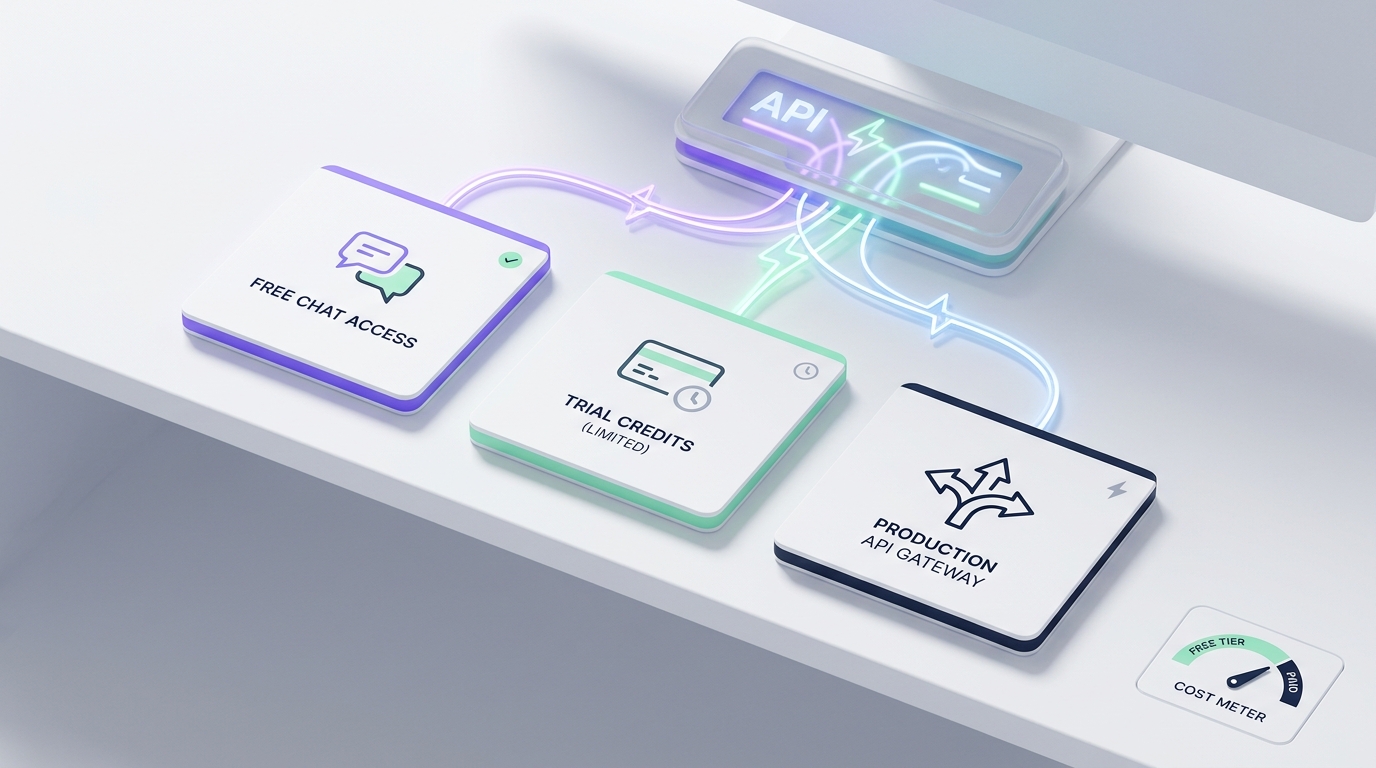
The practical way to budget the Perplexity AI API is to separate token charges from tool or request charges. The exact rate card is live and model-specific, so use the pricing page as a deployment input—not a number you copy into a slide once a quarter.
| Surface | Billing model | Production implication |
|---|---|---|
| Orchestrator API | Per-model input, output, and cache-read token rates; reasoning tokens bill at the output rate; no per-request fee | Estimate from measured input, output, and cache tokens. |
| Agent API model | Transparent token-based pricing by selected provider/model | Record the returned usage and selected model for every user-visible request. |
Agent web_search |
Standard: $0.0025/invocation; Fast Search: $0.001/invocation | Make web access deliberate; it is a separate cost line. |
Agent fetch_url |
$0.0005/invocation | Cap URL fetches in agent loops. |
| Agent sandbox | $0.03/session, plus SDK search queries | Treat a sandbox session as a distinct resource. |
| Search API | $5.00 per 1,000 successful standard requests; $1.00 per 1,000 Fast Search requests | A request containing up to five queries is one successful request billing unit. |
Rates above were checked on October 24, 2026. The official pricing page and Agent API model catalog should be checked again before you set a margin, customer quota, or budget alert.
A useful planning formula is:
request_cost =
  (input_tokens / 1,000,000 × input_rate) +
  (output_tokens / 1,000,000 × output_rate) +
  (cache_read_tokens / 1,000,000 × cache_read_rate) +
  tool_invocations × tool_rate +
  search_requests × search_request_rate
Do not estimate a researched answer from output tokens alone. Agent workflows may use input context, output/reasoning tokens, and tool calls. Store each of those dimensions with your tenant ID, feature name, requested model, final model, and response ID. That same event model makes AI model price comparisons much more meaningful than comparing list prices alone.
Build a production-ready Perplexity AI API workflow
1. Make the API surface an explicit product decision
Define a small adapter per surface, such as perplexity_agent, perplexity_search, and perplexity_orchestrator. Do not hide their different response types behind a generic chat() function until you have decided what happens to citations, search results, usage, and tool events.
For a customer-facing research answer, your adapter should return at least:
answer_text, citations, response_id, status, requested_model,
served_model, input_tokens, output_tokens, tool_calls, cost, latency_ms
For raw Search, return results separately from any later synthesis. That preserves provenance and makes it possible to change the writing model without silently changing the search provider.
2. Treat citations as data you must preserve
When your Perplexity AI API request uses web search, show the cited sources next to the claim they support. Save the returned source URL, title when supplied, and the response ID used to create the answer. A friendly answer without inspectable sources is not enough for a research feature, support agent, or internal decision workflow.
Decide your policy before launch:
- Do you require at least one primary source for a factual answer?
- Will you remove a statement when no citation supports it?
- Can a user open the cited URL before acting on the answer?
- How long do you retain source metadata and response records?
3. Budget for rolling rate windows, not a single “requests per minute” number
Perplexity’s Agent API documents an organization-wide request limit shared across Agent calls, polls, cancellation/resume operations, and file downloads. It also documents per-model token limits on rolling minute and hour windows. Polling is not free: at a low tier, polling an asynchronous request once per second can consume the whole request allowance.
For 429 responses, honor Retry-After. For capacity-related overloaded errors, apply exponential backoff with jitter and use a documented fallback list only when the product can safely accept a different model. Do not retry authentication, validation, or quota configuration errors as though they were transient. See Perplexity’s rate-limit and usage-tier guidance for current thresholds and response semantics.
Pseudocode for a bounded retry policy:
for attempt in range(3):
    try:
        return call_perplexity()
    except RateLimitError as error:
        wait_seconds = retry_after_or_jittered_backoff(error, attempt)
        sleep(wait_seconds)
    except TransientCapacityError:
        sleep(jittered_backoff(attempt))

raise ServiceTemporarilyUnavailable()
Keep the retry count small, use an end-to-end deadline, and make the caller’s fallback state visible. Retries that turn a slow research request into a 90-second spinner are not reliability.
4. Log enough to debug cost, quality, and freshness together
Track the request ID, endpoint family, model, effort level, tool list, time-to-first-token, completion time, token dimensions, tool-call count, HTTP status, retry count, and a safe error classification. For cited responses, track citation count and source domains. For Search, track query count and result count.
This gives you the evidence to answer questions such as: “Did latency rise because we enabled search?”, “Which tenant is spending on sandbox sessions?”, and “Did a fallback improve availability but lower citation coverage?” For a more general architecture, see the AI API gateway guide and the LLM rate-limit guide.
5. Plan a Sonar migration if you have legacy code
Perplexity’s current migration guidance says Sonar Chat Completions support ended on September 27, 2026. It recommends the Agent API for new projects; synchronous and streaming legacy requests are being reformulated gradually, while asynchronous Sonar requests are no longer supported. If you still call a Sonar endpoint, test an Agent API adapter now instead of discovering an async break in production. Read the migration guide.
Direct Perplexity API or a separate multi-model gateway?
Use a direct Perplexity AI API integration when the feature depends on Perplexity-specific Agent, Search, citations, effort levels, or API behavior. It keeps the production contract clear.
Use a separate multi-model gateway only for models and endpoints that gateway currently lists as supported. For example, Flatkey documents an OpenAI-compatible base URL at https://router.flatkey.ai/v1 for its supported catalog and a request-level usage dashboard. Its public model directory should be checked live before you assume a provider or model is available. Start with the Flatkey API quickstart.
For teams that need both, use two explicit clients:
| Requirement | Recommended client boundary |
|---|---|
| Perplexity web-grounded research and citations | Direct Perplexity Agent/Search client |
| Supported non-Perplexity models with one compatible base URL and consolidated usage controls | Flatkey client |
| Product needs both in one workflow | An application-level router with typed adapters, independent model allowlists, and a common observability event schema |
Do not route a direct Perplexity endpoint through another service unless its current documentation explicitly supports that route. The point is not to force every call through one layer; it is to preserve the capability and billing behavior your feature actually relies on.
Production launch checklist
- [ ] Each feature has selected Agent, Orchestrator, Search, Embeddings, or Decisions intentionally.
- [ ] API keys are server-side, scoped by environment, and absent from client bundles and logs.
- [ ] The Agent base URL (
/v1) and Orchestrator base URL (/orchestrator/v1) are not mixed up. - [ ] Model IDs and live price cards are validated in a release check.
- [ ] Web search is explicitly enabled only where cited freshness is useful.
- [ ] Cited responses retain source metadata and a response ID.
- [ ] Cost events include token dimensions and tool or search invocation counts.
- [ ]
429honorsRetry-After; transient capacity failures use bounded exponential backoff with jitter. - [ ] Polling is backed off or replaced with streaming/reconnect behavior.
- [ ] A staged test covers source quality, latency, cost, retry behavior, and user-visible fallbacks.
Perplexity AI API FAQ
Is the Perplexity AI API compatible with the OpenAI SDK?
Yes, but choose the matching API shape. The Agent API uses the OpenAI Responses format at https://api.perplexity.ai/v1; the Orchestrator API uses Chat Completions at https://api.perplexity.ai/orchestrator/v1.
Does every Agent API request search the web and include citations?
No. Perplexity documents web search as opt-in. Add an effort level or web_search tool when you need web-grounded output; preserve the structured output so your application can render and audit citations.
How much does the Perplexity AI API cost?
It depends on the selected API surface, model, token use, cache reads, reasoning tokens, and tools. Use the live official rate card and meter actual request usage. A search-enabled agent request has both model-token and tool-cost components.
What should I do after a rate-limit error?
Honor Retry-After, pace new requests, and use bounded exponential backoff with jitter. Do not poll aggressively; Agent API polls count against the organization’s shared request limit.
Next step
Start with one narrow production use case: a cited research answer, a raw search feature, or a Chat Completions-compatible model call. Instrument it before you expand traffic. If the rest of your application also needs supported models behind one OpenAI-compatible client, explore Flatkey’s model catalog and keep its client boundary explicit.