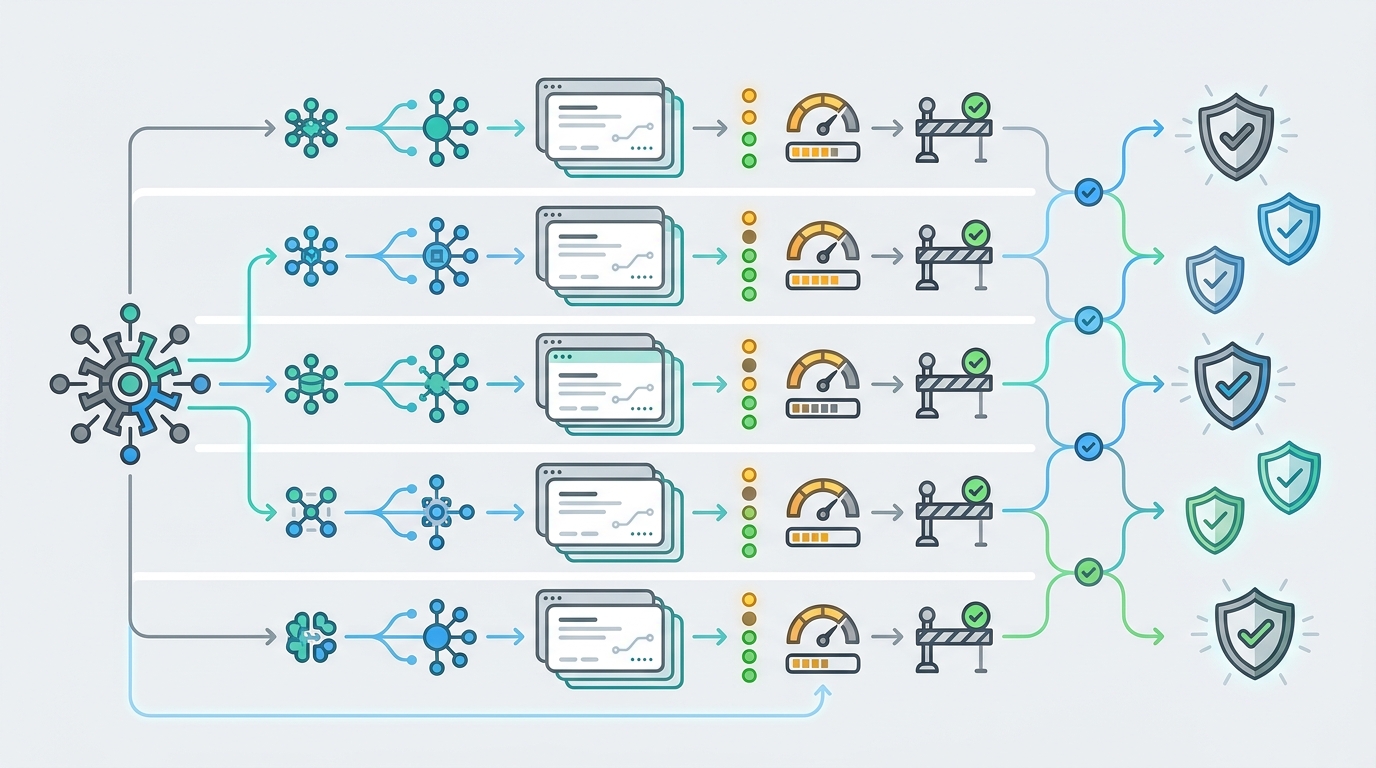
AI API budget alerts are useful only when they connect spend to an owner and a decision. A token chart can show that usage climbed. A real budget alert tells the right team what crossed the line, whether traffic should continue, who can approve more spend, and what evidence finance will need later.
The pattern is simple: use soft limits to warn owners before a budget problem becomes urgent, use hard caps to stop or downgrade traffic that should not exceed an approved budget, and use owner escalation to make every exception reviewable. Without all three, AI API budget alerts become noisy messages that engineers mute and finance cannot reconcile.
This guide was checked on June 26, 2026 Asia/Shanghai against the OpenAI organization spend alerts API reference, OpenAI organization usage and cost API schemas, OpenAI RBAC permissions, the OpenAI usage and costs cookbook, Cloudflare AI Gateway logging and custom metadata docs, Vercel AI Gateway observability, and current Flatkey public homepage and pricing snapshots. Treat provider fields, endpoint shapes, catalog counts, and UI labels as point-in-time evidence. Verify current rows in Flatkey pricing and your account dashboard before making production budget decisions.
Quick Answer: How AI API Budget Alerts Should Work
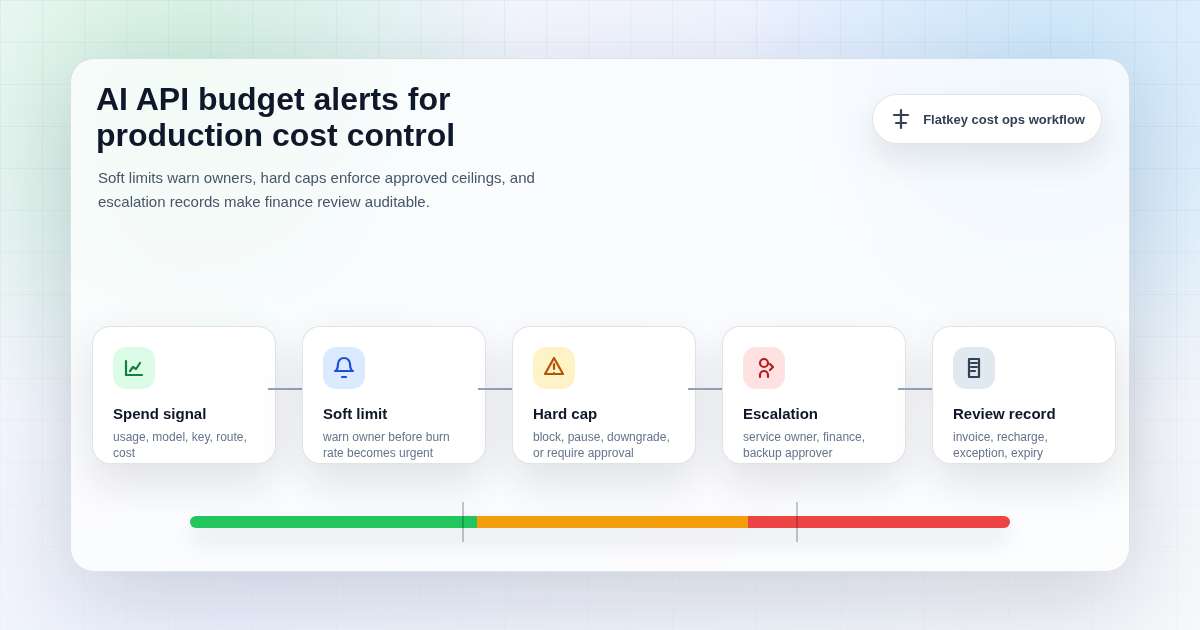
AI API budget alerts should create a decision path, not just a notification. A practical setup has five layers:
| Layer | What It Does | Owner Question | Evidence To Keep |
|---|---|---|---|
| Budget scope | Defines the spend boundary by organization, project, key, team, workflow, model, or customer segment | Who owns this spend? | Project ID, API key ID, team, cost center, workflow, environment |
| Soft limit | Warns before the budget is exhausted | Should we investigate, optimize, or approve a higher limit? | Threshold, current usage, trend, recipient, acknowledgement |
| Hard cap | Blocks, pauses, downgrades, or requires approval after the approved ceiling | What should happen when spend can no longer grow automatically? | Cap value, action taken, affected route, exception ticket |
| Escalation | Routes unresolved alerts to the accountable owner, finance, platform, or incident channel | Who can approve the next dollar? | Escalation path, approver, timestamp, reason, expiry |
| Review record | Connects alert events to billing, recharge, invoice, and monthly review | Can finance explain the variance? | Amount, currency, line item, pricing version, recharge ID, review note |
If one layer is missing, the control weakens. A soft limit without an owner creates noise. A hard cap without an escalation path breaks production workflows. An alert without a review record leaves finance to rebuild context after the billing period closes.
Soft Limits, Hard Caps, And Escalation Are Different Controls
Teams often use the word alert for every budget control, but the controls have different jobs.
| Control | Best Use | Typical Action | Risk If Misused |
|---|---|---|---|
| Soft limit | Early warning for expected growth, launch spikes, prompt changes, retry loops, or test traffic | Notify owner, open review, ask for acknowledgement, compare baseline | Too many alerts become background noise |
| Hard cap | Maximum approved spend for a scope that should not continue unattended | Block, pause, route to a cheaper model, reduce concurrency, or require approval | Overly broad caps can break production and support workflows |
| Owner escalation | Unacknowledged alerts, repeated cap hits, emergency quota increases, or finance exceptions | Notify engineering owner, platform owner, finance owner, and backup approver | No one knows who can approve the next action |
A good AI API budget alerts design usually starts with soft limits, because they reveal whether your owner mapping is correct. Once the team trusts the signals, add hard caps only where the operational tradeoff is acceptable. Production chat, support automation, background evaluation jobs, image generation, and video generation may need different cap actions.
Budget Scope Comes Before Thresholds
Before setting threshold numbers, decide what each alert is watching. Provider docs and gateway dashboards often expose usage by organization, project, API key, model, batch flag, service tier, request status, token count, cost, duration, or metadata tag. Those fields are the raw material. They are not the operating policy.
Use this scope checklist before creating AI API budget alerts:
| Scope Field | Why It Matters | Example Budget Rule |
|---|---|---|
| Organization | Catches total exposure across all projects and teams | Warn finance at 70 percent of monthly approved AI API spend |
| Project | Separates product lines, environments, or internal automation | Hard cap staging at a low monthly ceiling |
| API key | Connects spend to a service, workflow, environment, or owner | Escalate if one production key grows faster than baseline |
| Team or cost center | Makes showback and chargeback review possible | Notify the team owner before finance review |
| Workflow | Distinguishes support agents, batch enrichment, evals, image jobs, and customer traffic | Pause non-customer batch work before blocking production calls |
| Model or route | Shows whether spend changed because traffic moved to a different provider, model, tier, or fallback path | Escalate if a fallback route increases daily cost beyond the approved window |
OpenAI's usage API schema supports filters such as project, user, API key, model, and batch, and grouping by project, user, API key, model, batch, and service tier. Its costs schema supports cost filters by project and API key and grouping by project, line item, and API key. Cloudflare AI Gateway logs can be filtered by status, provider, model, cost, tokens, duration, metadata key, and metadata value. These are useful patterns for AI API budget alerts, but your internal policy still has to map those fields to owners and actions.
AI API Budget Alerts Matrix
Use this matrix as the value asset for a rollout. Replace the example thresholds with your own baseline, traffic criticality, and finance policy.
| Alert Type | Trigger | Primary Recipient | Action | Escalates When |
|---|---|---|---|---|
| Monthly soft budget | Scope reaches 60 to 80 percent of approved monthly budget | Budget owner | Review baseline, launch calendar, model mix, and retry/fallback rate | No acknowledgement within one business day |
| Daily burn-rate spike | Current day spend is materially above recent daily baseline | Engineering owner | Check prompt size, output length, cache hit rate, batch jobs, and retries | Spike continues into the next alert window |
| Key-level runaway | One API key exceeds its expected share of spend or request volume | Service owner | Inspect deployment, environment tag, customer segment, and request logs | Owner cannot identify the source |
| Model-route variance | Traffic shifts to a higher-cost model, provider, tier, or fallback route | Platform owner | Confirm route change, fallback reason, availability issue, and pricing unit | Route change affects an unapproved budget or provider path |
| Staging hard cap | Non-production environment reaches approved ceiling | Platform owner | Block or pause non-production traffic until reviewed | Team requests an exception |
| Production hard cap | Critical production scope reaches maximum approved spend | Engineering and finance owners | Require approval, degrade to a cheaper route, or continue under incident policy | Customer impact or emergency budget increase is required |
| Recharge or balance alert | Prepaid balance, credit window, or recharge record approaches review threshold | Finance owner | Match spend to team owner, invoice period, and approved top-up policy | Top-up would exceed approved budget |
The exact threshold values matter less than the ownership. If the recipient cannot approve a quota increase, change a route, pause a workflow, or explain the bill, the alert is routed to the wrong person.
What To Capture In Every Alert Event
Every AI API budget alerts event should leave enough evidence for engineering and finance to agree on what happened. At minimum, capture:
- Alert identity: alert ID, scope, threshold, interval, severity, created time, acknowledged time, and resolved time.
- Owner context: project, API key, team, cost center, service owner, finance owner, and backup approver.
- Usage context: input tokens, output tokens, cached tokens, request count, media units, batch flag, and service tier where exposed.
- Cost context: amount, currency, line item, pricing unit, pricing snapshot date, invoice period, and recharge record.
- Route context: provider, model, endpoint family, fallback route, route group, and final status.
- Action context: notification recipients, hard-cap action, downgrade route, ticket ID, approver, exception note, and expiry date.
OpenAI's organization spend alert schema uses fields such as threshold amount, currency, interval, notification channel, recipients, and subject prefix for organization spend alerts. That is a good base layer for notification. For a full operating workflow, teams still need the owner context, route context, hard-cap action, and approval record around the provider alert.
Owner Escalation Workflow
Owner escalation should be explicit before traffic hits a cap. A simple workflow works well:
- Notify: send the first soft-limit alert to the service or budget owner with the current usage, expected budget, and recent variance.
- Acknowledge: require the owner to mark expected growth, investigation needed, false positive, or emergency exception.
- Investigate: route engineering issues to the service owner and billing questions to finance, but keep one shared record.
- Act: reduce max output, fix retries, pause batch jobs, downgrade a route, rotate a leaked key, or approve more spend.
- Escalate: if the owner does not respond, alert the backup owner, platform owner, and finance owner before a hard cap fires.
- Review: link the final decision to the invoice, recharge record, or monthly variance note.
This is where per-key AI usage tracking matters. If every workflow shares one key, escalation becomes guesswork. Separate keys or reliable metadata tags let AI API budget alerts reach the team that can actually fix or approve the spend.
Hard Cap Actions: Block, Downgrade, Pause, Or Approve
A hard cap does not always have to block every request. The right action depends on the workflow and the cost of interruption.
| Action | Best Fit | Implementation Note |
|---|---|---|
| Block | Staging, development, experiments, eval jobs, and non-customer batch traffic | Return a clear error to the owner and create a review ticket |
| Pause | Background enrichment, scheduled jobs, or retry-heavy workflows | Hold work until the owner approves a new window |
| Downgrade | Production traffic with acceptable quality tiers | Route to an approved lower-cost model or shorter context policy |
| Throttle | High-volume workflows where latency can absorb queueing | Reduce concurrency or requests per minute while preserving service |
| Require approval | Customer-facing workflows with high business impact | Continue only under documented incident or finance approval |
Pair this with AI API quota management. Quotas set the allowed operating envelope. AI API budget alerts tell the right owner when that envelope is about to be crossed or has already crossed.
Common Failure Modes
- No owner mapping: alerts go to a shared channel where nobody has authority to approve or fix the spend.
- One budget for every environment: staging and batch jobs can consume money that should be reserved for production.
- Soft limits treated like hard caps: teams either ignore every warning or panic on normal launch growth.
- Hard caps without customer-impact rules: a cap can protect a budget while creating a product incident.
- No model-route context: the alert shows cost but not whether the cause was model mix, fallback, provider route, or request design.
- No finance record: the incident is fixed technically, but the monthly invoice still has no explanation.
- No expiry on exceptions: temporary quota increases become permanent spend creep.
Where Flatkey Fits
Flatkey's public homepage positions the product as one API gateway for production AI teams, with model access, routing, billing, usage analytics, and operational controls. The current Flatkey pricing page checked for this article states that it publishes pricing for 632 AI models across 23 providers and exposes endpoint families for OpenAI-style chat completions and responses, Anthropic messages, Gemini generateContent, image generation, and video generation.
That makes Flatkey relevant to AI API budget alerts because budget controls work best when routing, billing, usage review, and key boundaries are close together. The safe claim is not that every alert field, hard-cap action, route, export, or model row is permanently available in every account. The safe claim is that teams evaluating unified AI API access should verify whether the current Flatkey dashboard, key setup, quotas, usage records, pricing rows, and billing records support the budget-alert workflow they need.
A practical Flatkey validation plan:
- Open Flatkey pricing and confirm the current model row, provider, endpoint family, status, and pricing unit for the workflow.
- Define separate keys or metadata boundaries for production, staging, batch, evaluation, customer-facing traffic, and internal automation.
- Map each key or workflow to a service owner, finance owner, cost center, quota window, and escalation path.
- Run a low-risk request through the intended route and confirm which usage, cost, status, owner, and billing fields appear in the current dashboard.
- Set a soft-limit test, a hard-cap test where safe, and an exception review process before broader rollout.
- Use AI API cost attribution by team, per-key tracking, and quota management as the surrounding operating model.
When that evidence is clear, the next step is straightforward: Get a key and keep the first production rollout behind documented owners, budget thresholds, and review windows.
FAQ
What are AI API budget alerts?
AI API budget alerts are notifications and control events that warn owners when AI API usage approaches a budget threshold and define what happens when usage exceeds an approved cap.
What is the difference between a soft limit and a hard cap?
A soft limit warns the owner before the budget is exhausted. A hard cap enforces a maximum by blocking, pausing, throttling, downgrading, or requiring approval after the approved ceiling is reached.
Who should receive AI API budget alerts?
The first recipient should be the person who can act: the service owner, budget owner, platform owner, or finance owner. Shared notification channels are useful only when the alert also identifies an accountable owner.
Should production AI traffic have hard caps?
Sometimes, but only with a customer-impact plan. Non-production and batch traffic can usually be capped more aggressively. Critical production workflows may need downgrade, throttle, or approval actions instead of an immediate block.
What fields are needed for finance review?
Finance usually needs owner, team, cost center, project, API key, amount, currency, line item, invoice period, quota state, recharge record, approver, exception note, and pricing snapshot.
Make Budget Alerts Operational
The best AI API budget alerts are boring in the right way. They reach the correct owner, include enough usage and cost context, trigger a known action, and leave a record finance can review later. They do not rely on one person watching a dashboard or one shared channel noticing a spike.
Start with owner mapping, add soft limits, test hard-cap behavior where interruption is safe, and record every exception with an expiry date. If you want one gateway surface for model access, routing, billing, usage analytics, and operational controls, get a Flatkey key and validate the budget-alert workflow with a small production-like rollout before widening access.