An AI API is easiest to evaluate when you stop treating it as one generic integration and start mapping it to a specific funnel decision. The right use case for awareness research is not the same as the right use case for onboarding, conversion, retention, or operations. Each stage needs a different input, model choice, tool surface, budget guardrail, and success metric.
This guide gives teams a practical way to choose AI API workflows by funnel stage. Use it when you are deciding what to build first, which API surface matters, and how to know whether a prototype deserves production traffic.
The Quick Answer
Use an AI API when a workflow needs language understanding, content generation, retrieval, classification, extraction, image or video generation, or tool calling inside a product or operating process. Do not start with a model leaderboard. Start with the funnel question:
| Funnel stage | Business question | Useful AI API workflow | Metric that matters |
|---|---|---|---|
| Awareness | What should we learn from the market? | Research synthesis, topic clustering, competitive signal extraction | Useful findings per source reviewed |
| Evaluation | Which model or workflow should we trust? | Prompt tests, model comparisons, multimodal trials | Accepted output rate at target latency and cost |
| Activation | Can new users reach value faster? | Onboarding copilots, docs Q&A, setup assistants | Time to first successful task |
| Conversion | Can we reduce buying friction? | Proposal drafting, ROI explainers, qualification summaries | Qualified conversion assist rate |
| Retention | Can we keep customers successful? | Support triage, account summaries, usage-risk detection | Resolved issue time and churn-risk coverage |
| Operations | Can we govern spend and reliability? | Usage logs, quota checks, fallback reviews, key controls | Cost per accepted task and incident recovery time |
The scarce part is not calling a model. The scarce part is connecting the AI API call to a measurable stage-specific decision.
What Counts as an AI API Use Case?
An AI API use case has four parts:
- A repeatable input, such as a prompt, transcript, support ticket, product event, file, image, or customer record.
- A model or tool action, such as generation, extraction, classification, retrieval, web search, enrichment, image generation, or video generation.
- A controlled output, such as JSON, a ranked list, a draft, a summary, a score, a media asset, or a recommended next step.
- A metric that tells you whether the result was useful enough to keep.
That definition matters because it keeps teams from launching vague automation. A good AI API use case says, "for this funnel stage, we will turn this input into this output, and we will judge it with this metric."
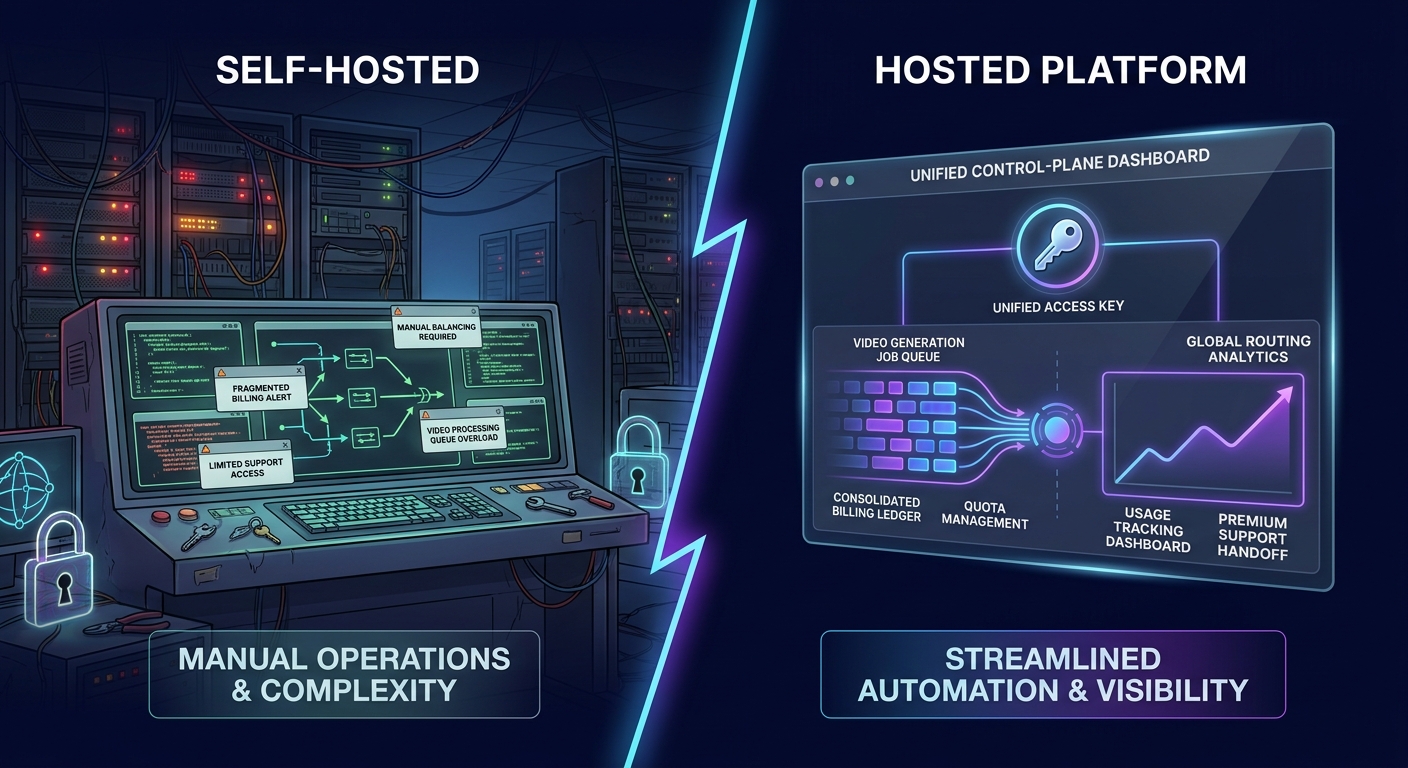
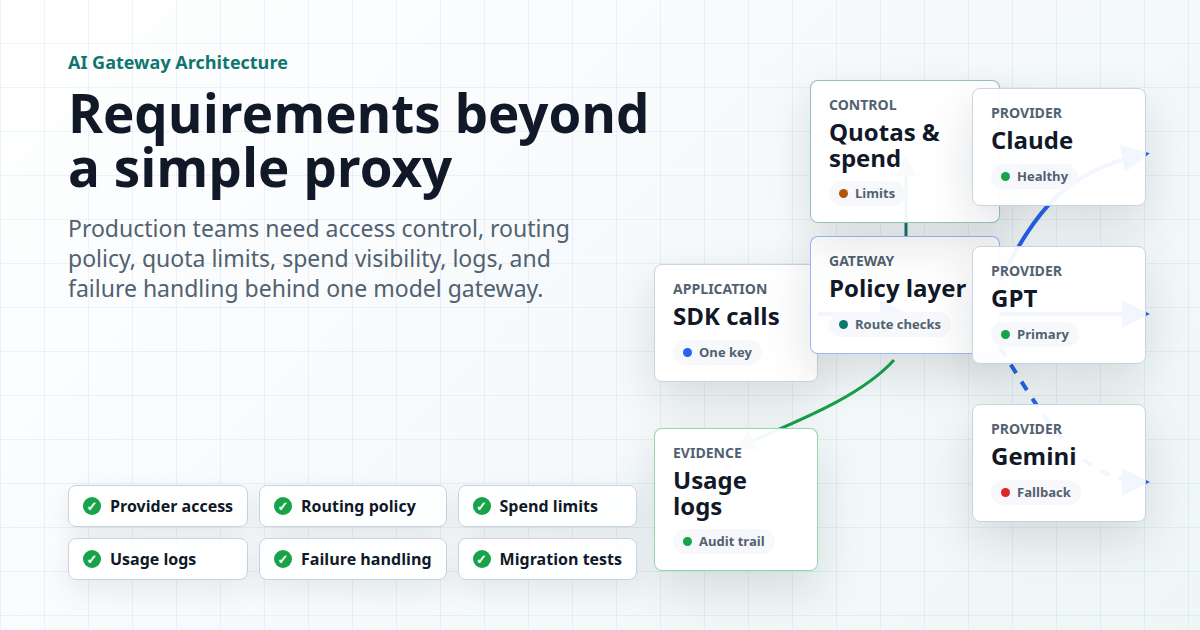
If you are still choosing the access layer, the architecture choice is separate. A direct provider API can be enough for one stable workload. An AI API gateway becomes more useful when you need multiple models, one OpenAI-compatible base URL, routing, shared billing, or request-level usage review.
Awareness: Turn Market Noise Into Searchable Signals
Top-of-funnel teams usually have too much raw information and too little synthesis. Product launches, competitor pages, social posts, reviews, community threads, and sales notes can all contain weak signals. An AI API can help turn that material into clusters and questions.
Good awareness-stage use cases include:
- Topic clustering from customer interviews, call notes, reviews, community threads, and search queries.
- Competitive launch monitoring that extracts claims, positioning, target user, pricing hints, and proof points.
- Source-backed brief generation for GTM, content, sales, or product research.
- Keyword and question grouping before a content calendar is finalized.
The metric should not be "words generated." Better awareness metrics are source coverage, useful findings per source reviewed, deduplication rate, citation acceptance, and the number of decisions the brief actually changes.
For this stage, you often need AI API tools as much as text generation. A model can summarize what you provide, but a workflow may also need search, browser, enrichment, or data APIs before the model can reason over the source set.
Evaluation: Compare Models Against Real Work, Not Demos
Evaluation is where many teams waste time. They compare models on generic prompts, then discover that production traffic behaves differently. A better AI API evaluation use case starts with a small set of real user tasks and a scoring rubric.
Useful evaluation-stage workflows include:
- Running the same prompt set across candidate text models.
- Testing structured output reliability for JSON, function calls, tags, and summaries.
- Comparing image or video models against brand, speed, and editability needs.
- Measuring fallback behavior when a preferred model is slow, unavailable, or too expensive for the task.
The important metrics are accepted output rate, retry rate, p90 latency, cost per accepted output, human edit time, and failure category. The AI routing API metrics article goes deeper on these operator metrics.
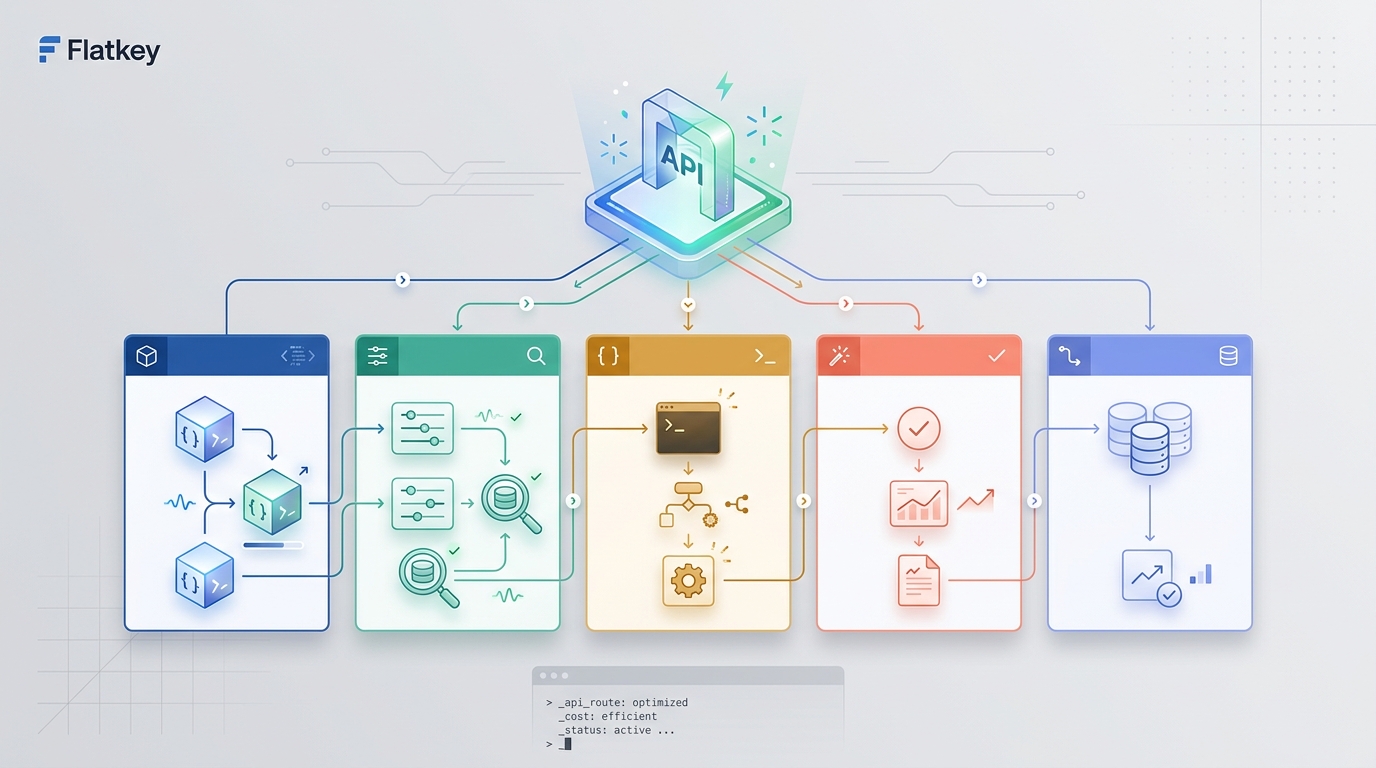
This is also where a unified AI API can reduce migration work. Flatkey's docs describe an OpenAI-compatible REST API at https://router.flatkey.ai/v1, and its OpenAI SDK guide shows how the same request code can be pointed at Flatkey by changing the base URL and API key. That makes it easier to test model choices without rewriting the entire client.
Activation: Help Users Complete the First Valuable Task
Activation-stage use cases should be narrow. The goal is not to add a chatbot because everyone else has one. The goal is to help a new user complete the first valuable task with less friction.
Strong activation AI API examples include:
- A setup assistant that reads a user's stated goal and recommends the right first configuration.
- A docs Q&A surface that answers implementation questions with links to the relevant documentation.
- A code or prompt template generator that uses the user's selected framework, model, or environment.
- A first-run checklist that converts a vague goal into a sequence of steps.
Track time to first successful task, completion rate, support deflection quality, hallucination reports, and the share of users who continue after the first generated result. If the assistant produces fluent answers that do not move users forward, it is not an activation win.
Flatkey's quickstart documents several entry points for developers: plain REST API, OpenAI SDK, Flatkey CLI, and coding-agent setup. That kind of source material is useful grounding for an activation assistant because it lets the assistant recommend a path without inventing unsupported setup steps.
Conversion: Make Technical Buying Easier To Explain
Conversion-stage AI API use cases should reduce uncertainty, not fabricate urgency. For technical products, the buyer usually needs help translating a workflow into business language: expected usage, operational risk, procurement requirements, and implementation effort.
Practical conversion workflows include:
- Summarizing discovery notes into use-case-specific implementation requirements.
- Drafting a technical evaluation plan for a prospect's preferred stack.
- Generating ROI or workload narratives from approved inputs and current usage assumptions.
- Producing sales-engineering handoff notes after a demo, trial, or support thread.
The metric should be assisted conversion quality: qualified next steps created, sales-engineering time saved, requirements clarified, proof assets reused, and fewer back-and-forth cycles. Avoid letting the model invent pricing, commitments, compliance claims, or customer references. Keep those fields templated, sourced, or blank.
If cost is part of the buying conversation, pair the workflow with a real calculator or usage data. The LLM cost calculator by funnel stage is a useful companion for deciding which cost assumptions belong in awareness, evaluation, activation, conversion, and retention.
Retention: Detect Friction Before It Becomes Churn
Retention use cases need stronger guardrails because they often touch customer history, support data, and product usage. The AI API should help a team notice friction earlier and respond consistently.
Useful retention workflows include:
- Support-ticket triage and suggested routing.
- Account-summary generation from product events, support notes, and recent usage.
- Churn-risk explanation from approved signals, not hidden guesses.
- Release-note personalization by customer segment or product module.
- Knowledge-base gap detection from repeated unanswered questions.
The metric should connect to the customer outcome: faster time to first response, fewer escalations, improved resolution time, higher adoption of key features, and clearer account owner handoffs. If the workflow cannot explain why it flagged an account or issue, it is risky for customer success.
This is also where usage visibility matters. Flatkey's usage documentation says teams can review request logs with model names, token counts, per-request costs, timestamps, key filters, and exports. That is the kind of evidence retention and operations teams need when they are trying to separate a product problem from a model, prompt, routing, or budget problem.
Operations: Keep Spend, Keys, and Reliability Under Control
Operations is the stage that determines whether an AI API pilot can survive production traffic. Once usage spreads across features, agents, environments, or teams, leaders need answers to practical questions:
- Which key, app, or environment generated this cost?
- Which model was selected, and did it succeed?
- Which requests failed, retried, or fell back?
- Are development tests consuming production budget?
- Can finance reconcile usage without asking engineering to export ad hoc logs?
Good operations-stage use cases include usage-log review, API-key segmentation, model allowlists, monthly caps, fallback incident summaries, and request-level ledger exports. Flatkey's API key documentation recommends separate keys by environment, descriptive key names, environment variables, regular rotation, and revocation when a key is compromised.
The key metric is cost per accepted task, not cost per raw request. Failed retries, low-quality outputs, and manual cleanup all belong in the real cost model. For more detail, see the AI API quota limits guide.
How To Pick Your First AI API Workflow
Use this five-step filter before writing code:
- Pick one funnel stage. Do not mix awareness research, onboarding, and retention in the same pilot.
- Name the decision the workflow should improve. If there is no decision, there is no use case.
- Choose the minimum API surface. Start with chat, responses, embeddings, images, video, or tools only when the workflow needs them.
- Define an acceptance metric before testing. Use accepted output rate, time saved, latency, cost per accepted task, or verified handoff quality.
- Decide the operating guardrails. Plan API keys, environments, quotas, logs, fallback behavior, and human review before launch.
This is also the right point to decide between direct provider access and a gateway. Direct access is simpler when one model, one team, and one bill are enough. A unified AI API becomes more practical when the workflow needs multiple models, shared usage review, one key across environments, or a cleaner migration path for OpenAI-compatible clients.
Where Flatkey Fits
Flatkey is relevant when the AI API use case spans more than one model, team, tool, or operating constraint. The current Flatkey docs describe:
- An OpenAI-compatible API at
https://router.flatkey.ai/v1. - Bearer-token authentication with Flatkey API keys.
- Chat, responses, embeddings, image generation, video generation, and model-list endpoints.
- OpenAI SDK setup by changing the base URL and API key.
- Usage logs for model names, token counts, request costs, timestamps, and key-level filtering.
- API-key management for separate environments, revocation, and quotas through groups.
For a team choosing its first AI API workflow, those details matter because they connect the build decision to operations. You can start with a single stage, test real tasks, and review whether the output, latency, cost, and governance are good enough before expanding.
FAQ
What is the best first AI API use case?
The best first AI API use case is the one with a repeatable input, a clear output, and a measurable decision. For many teams, that means evaluation-stage prompt testing or activation-stage setup assistance because both can be scoped tightly.
Should an AI API use case start with one model or many?
Start with one model if the task is narrow and stable. Compare several models when quality, latency, modality, or cost might change the decision. Use a gateway when the evaluation itself needs cleaner routing, shared billing, or one OpenAI-compatible client.
How do AI API tools differ from model APIs?
Model APIs generate or transform content. AI API tools perform actions or fetch data, such as search, browsing, enrichment, or media workflows. Many production use cases need both: tools gather or act on context, and models reason over it.
What should I measure before scaling an AI API workflow?
Measure accepted output rate, p90 latency, retry rate, cost per accepted task, human edit time, and failure categories. For customer-facing workflows, also measure user completion, support escalation, and quality complaints.
When should a team not use an AI API?
Do not use an AI API when deterministic rules, static content, or a normal database query will solve the problem more reliably. Also pause when the workflow requires sensitive data but lacks key controls, retention policy clarity, logging, quotas, or human review.
Final Checklist
Before you ship an AI API workflow, confirm:
- The funnel stage is explicit.
- The input and output are repeatable.
- The API surface is the smallest one that can solve the task.
- The success metric is stage-specific.
- The cost metric includes retries, fallbacks, and human cleanup.
- Keys, quotas, logs, and ownership are defined.
- Unsupported pricing, compliance, and performance claims are excluded from generated outputs.
An AI API is not a strategy by itself. It becomes useful when it is attached to a funnel stage, judged by a real metric, and operated with enough visibility to keep improving.