AI Gateway Pricing (October 2026): Vercel, Cloudflare, OpenRouter, Portkey, LiteLLM, Helicone, and Flatkey Compared
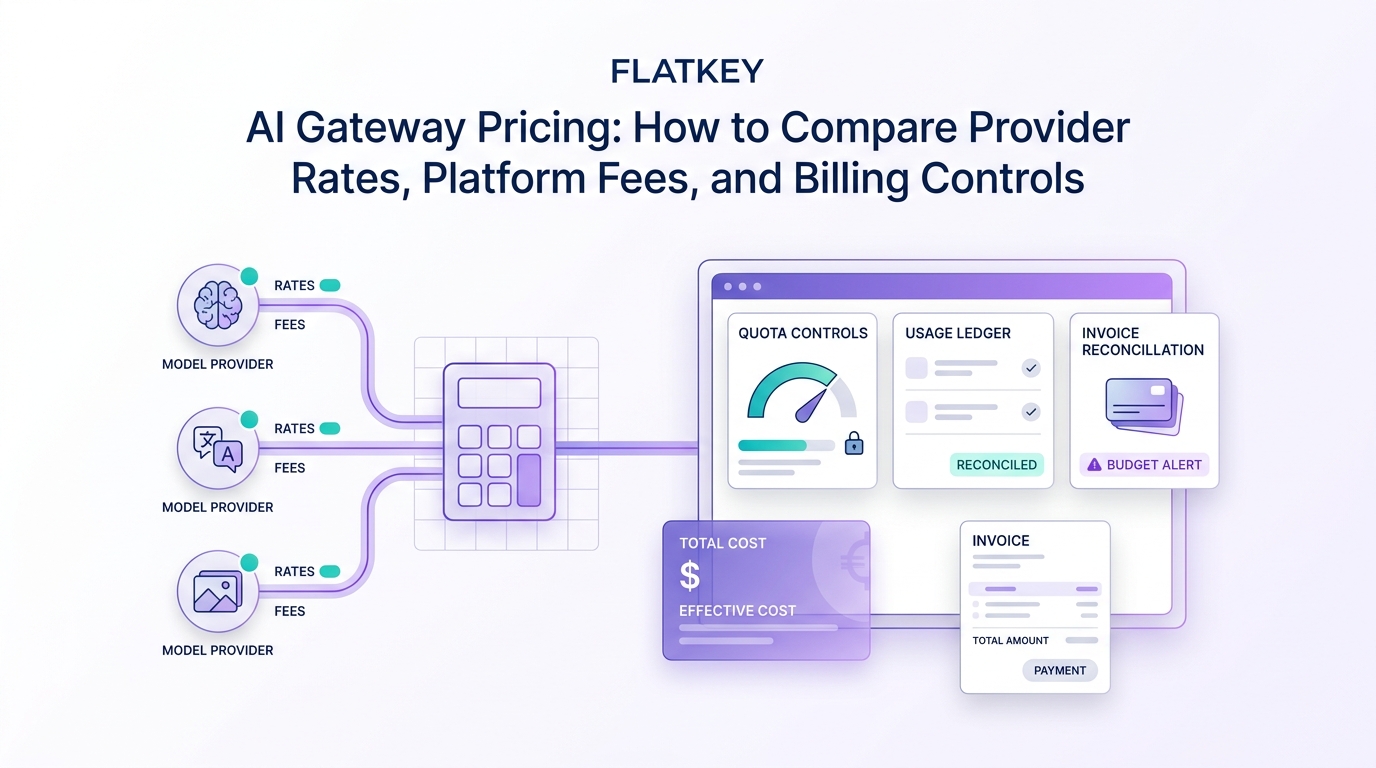
Most AI gateways in October 2026 charge nothing per token on top of provider list prices; the real cost sits in credit-purchase fees, logging plans, and add-ons. Vercel AI Gateway passes tokens through at zero markup and gives every team $5 of free credit a month. Cloudflare AI Gateway's core features are free, with a 5% fee on Unified Billing credits. OpenRouter charges 5.5% on credit purchases (8% on Business). Portkey and Helicone sell observability plans at $49 and $79 a month, and LiteLLM is free to self-host.
This guide is for indie developers and small teams deciding which gateway to put between their app and the model providers. It breaks down each vendor's official pricing (checked October 22, 2026), shows the five cost layers you actually pay, runs the numbers for three monthly spend levels, and ends with a checklist so you can verify a gateway's real cost in a week.
AI gateway pricing at a glance
| Gateway | Token markup | Platform or funding fee | Free tier | Paid plans | BYOK |
|---|---|---|---|---|---|
| Vercel AI Gateway | None (provider list rates) | Payment processing fees may apply; invoicing for Enterprise | $5/month credit, subset of models | Pay-as-you-go credits | Paid tier only, no fee |
| Cloudflare AI Gateway | None | 5% on Unified Billing credits | Core features free | Workers plan pricing for logs | Yes |
| OpenRouter | None (provider list price) | 5.5% (Standard) or 8% (Business) on credit purchases | 50 requests/day on free models | Standard, Business, Enterprise | $25,000/month list-price inference free, then 5% |
| Portkey | n/a (BYOK gateway) | None | 10k recorded logs/month | Production $49/month incl. 100k logs, +$9 per extra 100k | Yes (core model) |
| Helicone | n/a | Usage-based storage and requests | 10,000 requests, 1 GB | Pro $79/month, Team $799/month | Yes |
| LiteLLM | None | None (you host it) | Open source | Enterprise via sales | Yes (your keys) |
| Flatkey | Below list on many models | None; bonus credit on top-ups | n/a | Prepaid top-ups $10 to $300 | Bills from prepaid credit |
All figures from each vendor's official pricing page, checked October 22, 2026.
Vercel AI Gateway pricing
From Vercel's AI Gateway pricing docs, checked October 22, 2026:
| Free tier | Paid tier | |
|---|---|---|
| Monthly credit | $5 per month included | Pay as you go with purchased credits |
| Model access | Free-tier eligible models only | All models |
| Token pricing | Provider list rates, zero markup | Provider list rates, zero markup |
| Rate limits | Lower per-model limits | Custom limits available |
| BYOK | Not available | Available, no fee |
Two details matter for budgeting. First, buying credits moves you to the paid tier and the $5 monthly free credit stops. Second, if a BYOK request with your own key fails, Vercel retries it with its own credentials and charges that fallback to your credit balance.
Vercel add-on surcharges (off by default):
| Add-on | Price |
|---|---|
| Custom Reporting writes | $0.075 per 1,000 tag, user ID, or quota-entity writes |
| Custom Reporting queries | $5 per 1,000 queries |
| Team-wide provider allowlist | $0.10 per 1,000 successful requests (per-request filter is free) |
| Team-wide zero data retention | $0.10 per 1,000 requests (per-request ZDR is free) |
| Trace Drains | Billed per trace event and per GB transferred |
Volume discounts on token spend are available by contacting sales. If you already use the Vercel AI SDK and want a different provider behind it, see our guide to a custom provider base URL or the Vercel AI Gateway alternative comparison.
Cloudflare AI Gateway pricing
Cloudflare's pricing reference, checked October 22, 2026, says the core features (dashboard analytics, caching, and rate limiting) are free on all plans. The paid parts are:
- Unified Billing: a 5% fee on credits purchased, so a $100 credit costs $105. Inference is passed through at provider rates.
- Logs: accounts that created their first gateway on or after September 24, 2026 use Workers Logs pricing. Older accounts keep Legacy Logs limits: 100,000 logs total on Workers Free and 10,000,000 logs per gateway on Workers Paid.
- DLP scanning: free, with two predefined profiles unless you have a Zero Trust subscription.
Cloudflare's caching can cut provider spend for repeated identical prompts, which no per-token price table shows.
OpenRouter pricing
From OpenRouter's pricing page, checked October 22, 2026: inference is billed at the provider's list price on every plan, and the fee is charged when you buy credits, not per request: 5.5% on Standard and 8% on Business. The Free plan allows 50 requests per day on free models. With BYOK, Standard and Business include $25,000 of list-price inference per month with no fee and charge 5% above that. Compare options in our OpenRouter alternatives guide.
Portkey, Helicone, and LiteLLM pricing
These sell control and observability rather than tokens. You bring provider keys and pay the provider directly.
- Portkey: Developer plan is free with 10,000 recorded logs per month. Production is $49 per month with 100,000 recorded logs, then $9 per additional 100,000 up to 3 million. Enterprise is custom.
- Helicone: Free includes 10,000 requests and 1 GB storage. Pro is $79 per month and Team is $799 per month, both with usage-based pricing on top and a 7-day trial.
- LiteLLM: the open-source proxy is free; you pay for the server, database, and your time. Enterprise features are sold through sales. See LiteLLM proxy operations cost for what self-hosting really takes.
Flatkey pricing
Flatkey is a reseller-style gateway: you buy credit once and call many models through one OpenAI- and Anthropic-compatible key. Per flatkey.ai/pricing, checked October 22, 2026:
| Top-up | Bonus | Credits |
|---|---|---|
| Go, $10 | $1 (10%) | $11 |
| Pro, $30 | $3 (10%) | $33 |
| Max, $100 | $15 (15%) | $115 |
| Ultra, $300 | $60 (20%) | $360 |
Credits never expire and there is no subscription. Enterprise gets custom pricing with committed-volume discounts and invoicing. Many per-token prices sit below provider list, for example Claude Sonnet 5.5 at $1.60 / $8 versus Anthropic's $2 / $10, but not all: Gemini 3.8 Flash is $1.20 / $6 on Flatkey while Google's promotional rate is $0.75 / $3.75 until December 31, 2026. Check each model on the model directory. Usage is billed from your prepaid Flatkey credit.
The five cost layers in AI gateway pricing
- Model tokens. Usually the provider's list price; sometimes below (reseller discounts) or above (if a markup exists).
- Funding fees. A percentage on credit purchases (OpenRouter 5.5% to 8%, Cloudflare Unified Billing 5%) or payment processing fees.
- Observability. Log storage and retention plans (Portkey, Helicone, Cloudflare Workers Logs, Vercel Trace Drains).
- Governance add-ons. Allowlists, zero data retention, custom reporting.
- Retries and fallbacks. Failed requests that get retried on another provider bill twice in tokens. OpenRouter says failed attempts are not charged; your own retry logic can still double-bill. See our fallback routing playbook.
Worked example: three monthly spend levels
Assume all traffic would cost a fixed amount at provider list prices, and that you buy exactly that much credit. Figures use the published fee rates as of October 22, 2026; Portkey and Helicone add plan fees on top of provider bills you pay directly.
| Monthly list-price spend | Vercel (paid) | Cloudflare Unified Billing | OpenRouter Standard | Portkey Production + direct |
|---|---|---|---|---|
| $100 | $100 | $105 | $105.50 | $149 |
| $1,000 | $1,000 | $1,050 | $1,055 | $1,049 |
| $10,000 | $10,000 | $10,500 | $10,550 | $10,049 + log overages |
# Gateway total cost per month, using published fee rates checked Oct 22, 2026
def gateway_cost(list_spend, gateway):
    if gateway == "vercel":          return list_spend               # zero markup; card fees not modeled
    if gateway == "cloudflare_ub":   return list_spend * 1.05        # 5% on Unified Billing credits
    if gateway == "openrouter_std":  return list_spend * 1.055       # 5.5% on credit purchases
    if gateway == "openrouter_biz":  return list_spend * 1.08
    if gateway == "portkey_prod":    return list_spend + 49          # + $9 per extra 100k logs
    raise ValueError(gateway)

for spend in (100, 1_000, 10_000):
    print(spend, {g: round(gateway_cost(spend, g), 2)
                  for g in ["vercel", "cloudflare_ub", "openrouter_std", "openrouter_biz", "portkey_prod"]})
A reseller like Flatkey changes the first layer instead: if your mix is mostly models priced 20% below list, a $1,000 list-price workload costs about $800 before top-up bonuses. Run that on your own model mix using the AI API pricing comparison.
Switching gateways is a base-URL change
Most gateways speak the OpenAI Chat Completions format, so testing one costs minutes:
curl -s https://router.flatkey.ai/v1/chat/completions \
  -H "Authorization: Bearer $FLATKEY_API_KEY" -H "Content-Type: application/json" \
  -d '{"model":"claude-sonnet-5-5","messages":[{"role":"user","content":"ping"}],"max_tokens":20}'
import OpenAI from "openai";
// Swap baseURL and key to compare gateways on the same prompts
const client = new OpenAI({ baseURL: "https://router.flatkey.ai/v1", apiKey: process.env.FLATKEY_API_KEY });
const r = await client.chat.completions.create({ model: "gpt-6-sol", messages: [{ role: "user", content: "ping" }] });
console.log(r.usage);
Flatkey's OpenAI SDK guide covers setup. For architecture background, read what an LLM gateway is and direct provider accounts vs an AI API gateway.
Seven-day pricing proof checklist
- Export last month's token usage per model from your provider dashboards.
- Price it at list on each candidate gateway, adding funding fees and log plans.
- Send 1% of real traffic through the gateway for seven days.
- Compare the gateway's billed amount to your own token count from the
usagefields. - Count retries and fallbacks separately.
- Check budget controls: can you cap spend per key or per project?
- Decide on total cost per accepted request, not per token. Our AI gateway evaluation matrix has a scoring template.
FAQ
How much does Vercel AI Gateway cost?
Tokens are billed at provider list rates with zero markup. Every team gets $5 of free credit per month on a subset of models until it buys credits; optional add-ons such as custom reporting and team-wide ZDR cost extra.
Is Cloudflare AI Gateway free?
Its core features (analytics, caching, rate limiting) are free. Unified Billing adds a 5% fee on credits, and logs follow Workers Logs pricing for accounts created on or after September 24, 2026.
Does OpenRouter mark up model prices?
No per-token markup; it charges 5.5% (Standard) or 8% (Business) when you buy credits. BYOK is free up to $25,000 of list-price inference per month, then 5%.
Is an AI gateway more expensive than calling providers directly?
Often only by the funding fee, typically 0% to 8%. Resellers can be cheaper than direct on some models, while observability plans add a flat monthly fee.
What is the cheapest AI gateway?
For pure pass-through, Vercel AI Gateway (zero markup) and self-hosted LiteLLM (no fee, but you run it). For lower token prices, a reseller such as Flatkey on models priced below list.
Should I use BYOK or buy gateway credits?
BYOK keeps your provider discounts and contracts; credits simplify billing across many providers. Vercel and OpenRouter support both; Flatkey bills from prepaid credit.
Sources
- Vercel AI Gateway pricing, Cloudflare AI Gateway pricing, OpenRouter pricing, Portkey pricing, Helicone pricing, LiteLLM docs, all checked October 22, 2026
- Flatkey pricing and model directory, checked October 22, 2026