If your team tests prompts on one model at a time, you are probably measuring the wrong thing. A prompt that looks strong on one route can fail a JSON contract on another, become too slow under longer context, or look cheap until retries and rejected outputs are included.
This guide gives AI product teams a practical multi-model prompt testing workflow for comparing prompt versions across model routes before launch. The goal is not to crown a universal winner. The goal is to separate prompt quality, model fit, latency, and cost so the team can pick a route with evidence instead of screenshots from a playground.
Flatkey is useful in this workflow because the same account can call many model routes through an OpenAI-compatible API, inspect available models through the model list, and review request-level usage logs with model names, token counts, per-request cost, status, and timestamps. Use that shared layer to run the test, then store the winning prompt/model cell as a regression baseline.
The Short Answer
A reliable multi-model prompt testing workflow has eight parts:
- Freeze the task contract before touching model settings.
- Split prompt version and model route into separate variables.
- Use a representative dataset, not three favorite examples.
- Run repeated samples where nondeterminism matters.
- Validate structure with code before asking a human to grade quality.
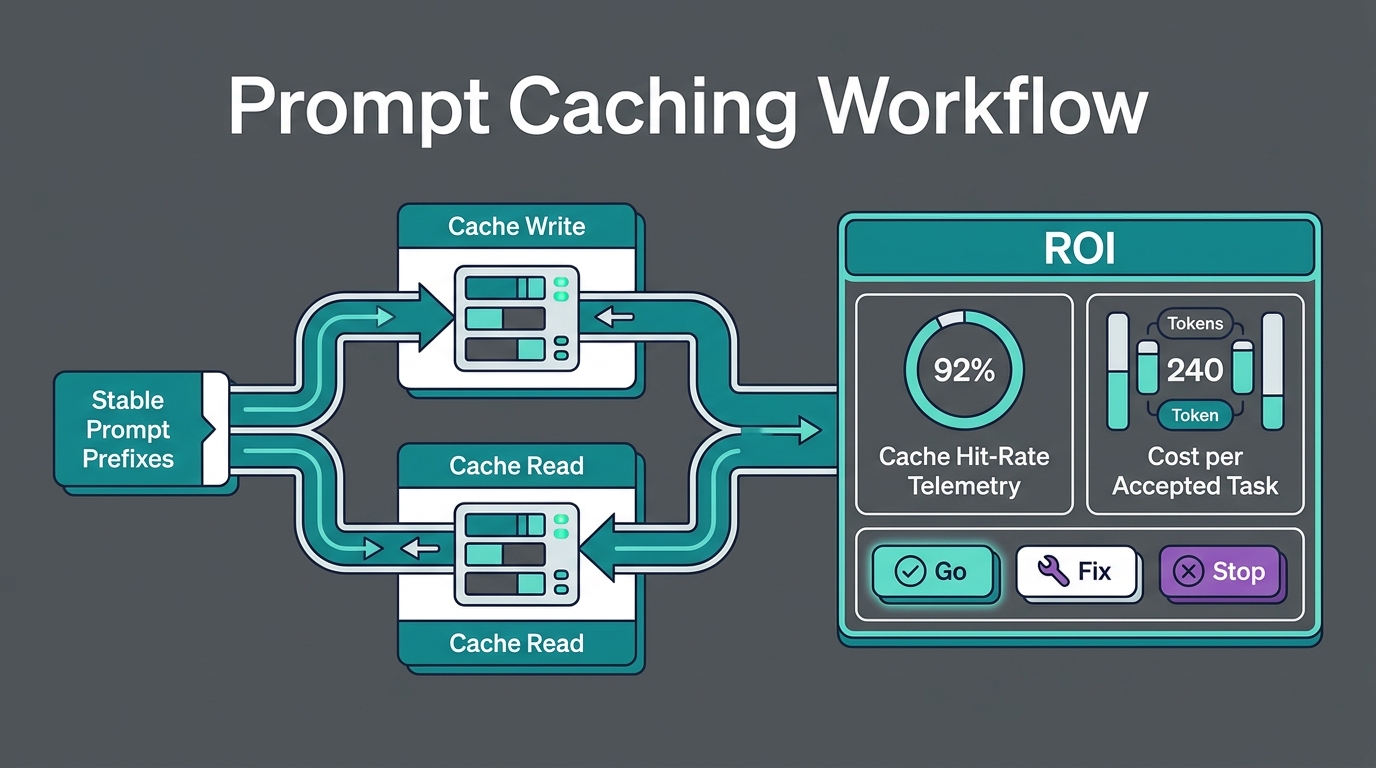
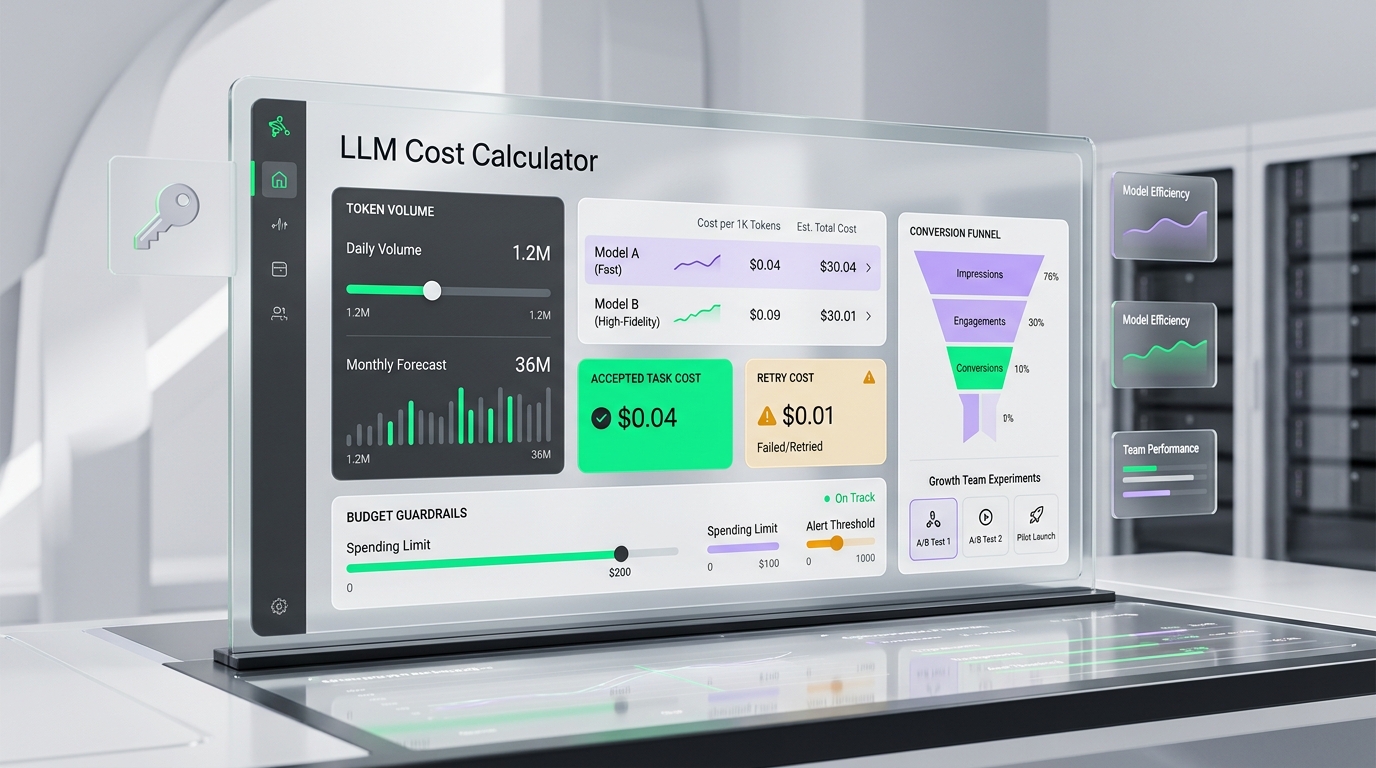
- Track cost per accepted task, not just token price.
- Promote a winner only if it passes regression gates.
- Store the decision record so the next model test starts from evidence.
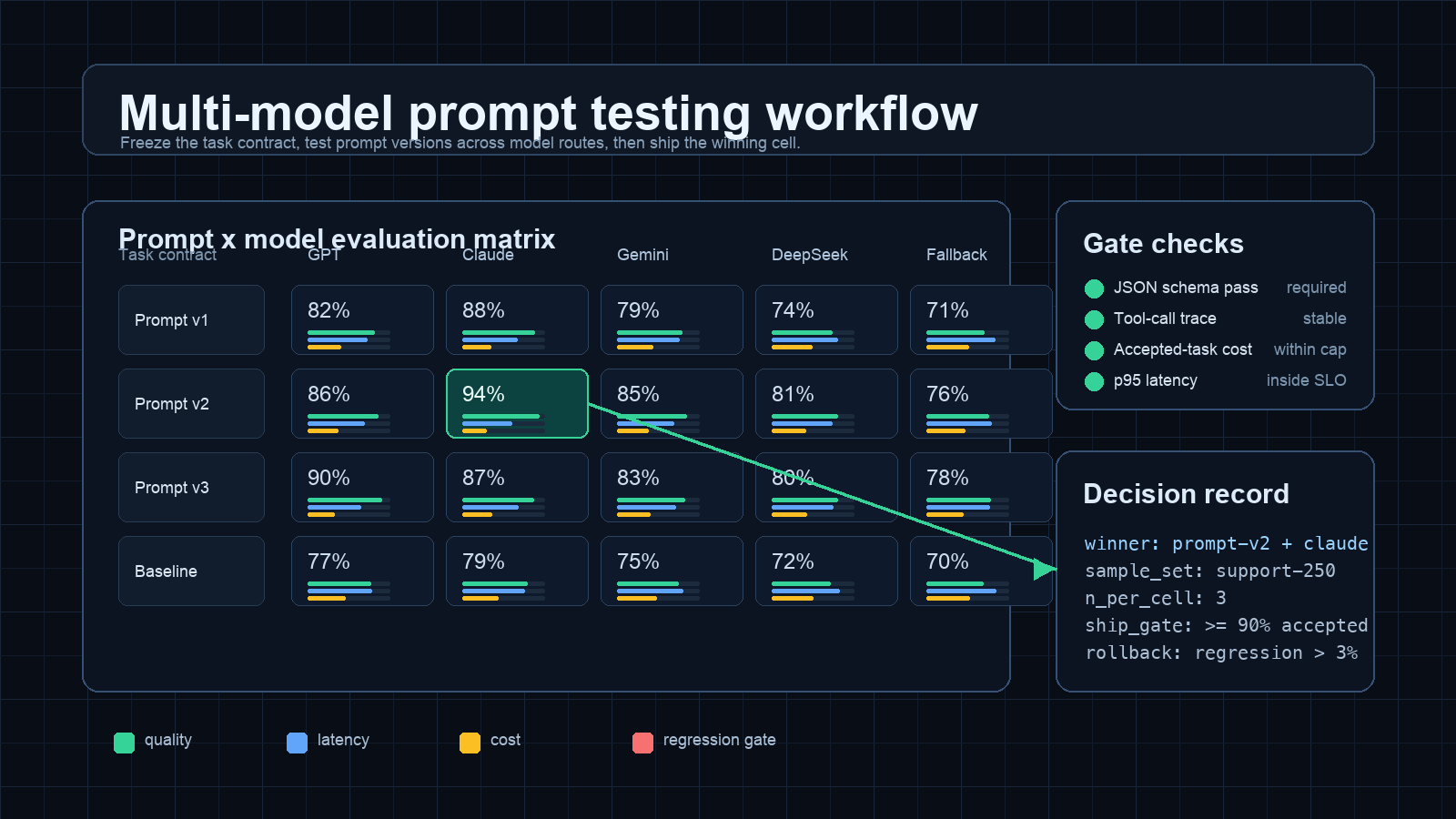
This is the difference between "Claude looked better in a demo" and "Prompt v2 on route B passed 94% of our contract tests, stayed under our p95 latency target, and reduced cost per accepted task after retries."
When You Need This Workflow
Use a multi-model prompt testing workflow when one of these is true:
| Situation | Why one-model testing is weak |
|---|---|
| You are switching from one provider to another | Prompt wording, tool-call behavior, structured output reliability, and refusal style can all change. |
| You are adding a cheaper fallback route | The cheaper model may need a different prompt or stricter validator to produce accepted results. |
| You are testing long-context prompts | Context length changes cost, latency, cache behavior, and the chance of instruction drift. |
| You are launching a product workflow | Internal demos hide retries, rejected outputs, and support escalations. |
| You need finance visibility | Finance does not care about token price alone; it needs cost per accepted task and budget guardrails. |
If the decision affects production behavior, do not test "model A vs model B" as a vibe check. Test prompt-version by model-route as a matrix.
Step 1: Freeze The Task Contract
Before comparing models, write down the contract the model must satisfy. A task contract should define:
| Field | Example |
|---|---|
| User job | Classify support tickets and draft one safe reply. |
| Input shape | Ticket text, customer tier, product area, previous reply count. |
| Required output | JSON with category, priority, reply, handoff_required, and reason_codes. |
| Hard failures | Invalid JSON, missing required field, unsupported promise, unsafe refund language. |
| Quality criteria | Correct category, concise reply, no invented policy, useful escalation reason. |
| Operating limits | p95 latency under 4 seconds, cost per accepted task under the team cap. |
Do this first because the contract keeps the multi-model prompt testing workflow honest. Without it, reviewers will optimize for the response that reads best in one example, not the route that survives production.
Step 2: Build The Prompt x Model Matrix
Separate the variables. Prompt version and model route should each get their own axis.
| Test cell | Prompt | Model route | What it answers |
|---|---|---|---|
| A1 | Prompt v1 | Current default | Is the baseline still acceptable? |
| A2 | Prompt v1 | Candidate cheaper route | Does the current prompt transfer? |
| B1 | Prompt v2 | Current default | Did the prompt improve quality without changing model? |
| B2 | Prompt v2 | Candidate cheaper route | Is there a better prompt/model pair? |
| C1 | Prompt v3 | Current default | Did stricter instructions reduce failures? |
| C2 | Prompt v3 | Candidate premium route | Is escalation worth the added cost? |
This matrix is the heart of the multi-model prompt testing workflow. It prevents a common mistake: blaming the model when the prompt is the real variable, or praising the prompt when the model is carrying weak instructions.
Step 3: Use A Representative Dataset
Do not evaluate on whatever examples are easiest to copy. Build a small dataset that mirrors real traffic.
For a support workflow, include:
- Common tickets that should be easy.
- Edge cases where the policy is strict.
- Short ambiguous tickets.
- Long tickets with irrelevant detail.
- Multilingual or mixed-language examples if they occur in production.
- Known historical failures.
- Examples that should trigger handoff.
For each row, keep the expected behavior. It does not always need a perfect golden answer, but it needs enough ground truth for a validator or reviewer to decide whether the result is acceptable.
A good first dataset often has 50 to 250 rows. That is small enough to run repeatedly and large enough to expose more than demo behavior.
Step 4: Run The Matrix With Repeat Samples
For deterministic extraction or classification, one run per cell may be enough for early screening. For writing, reasoning, tool use, or agentic tasks, run multiple samples per cell.
Use this starting rule:
| Task type | Samples per test row |
|---|---|
| Strict classification | 1 to 2 |
| JSON extraction | 2 |
| Customer-facing writing | 3 |
| Tool calling | 3 |
| Long-context reasoning | 3 to 5 |
| Agent workflow | 5 if cost allows |
Repeated samples show variance. A route that scores 94% once and 71% on the next pass is not production-ready, even if the best sample looks impressive.
Step 5: Validate Structure Before Quality
Every multi-model prompt testing workflow should grade structure before taste. Run automated checks first:
| Validator | What it catches |
|---|---|
| JSON parse | Invalid structured output. |
| Schema validation | Missing fields, wrong enum, wrong type. |
| Regex or policy checks | Disallowed phrases, forbidden claims, missing citations. |
| Tool trace validator | Wrong tool, missing argument, unsafe side effect. |
| Deterministic unit checks | Wrong category, wrong numeric transformation, invalid date handling. |
Only accepted structural outputs should reach human or model-assisted quality review. That saves reviewer time and keeps the scoring fair across routes.
Step 6: Track Cost Per Accepted Task
Do not compare routes on list price alone. Compare what the team actually pays for accepted outcomes.
Use this metric:
cost_per_accepted_task =
  total_cost_for_cell / accepted_outputs
Then add context:
accepted_output_rate =
  accepted_outputs / total_attempts

retry_adjusted_cost =
  total_cost_for_cell + retry_cost + reviewer_rerun_cost
This matters because a route with a lower token price can become more expensive if it creates more invalid JSON, longer outputs, tool-call errors, or manual reruns. Flatkey Usage Logs are designed for this kind of review: each request can be inspected by model, input tokens, output tokens, cost, key, status, and timestamp.
If your existing cost guide is still token-only, pair this article with the internal workflow from How to Compare AI Model Prices Before Switching API Providers. The prompt test should answer the next question: which route produces accepted work at the lowest operational cost?
Step 7: Score The Matrix
Use a weighted scorecard. Keep the first version simple enough that product, engineering, and finance can agree on it.
| Metric | Weight | Measurement |
|---|---|---|
| Contract pass rate | 30% | Required schema and policy checks pass. |
| Human acceptance | 25% | Reviewer accepts the answer for production use. |
| Cost per accepted task | 20% | Total cell spend divided by accepted outputs. |
| p95 latency | 15% | Route latency under the workflow target. |
| Regression safety | 10% | No drop on historical failure cases. |
Example decision:
| Prompt/model cell | Contract pass | Human accept | Cost/task | p95 latency | Final decision |
|---|---|---|---|---|---|
| Prompt v1 + current route | 88% | 84% | 1.00x | Pass | Keep as fallback baseline |
| Prompt v2 + current route | 93% | 91% | 1.04x | Pass | Strong but not cheapest |
| Prompt v2 + cheaper route | 91% | 89% | 0.62x | Pass | Ship for default traffic |
| Prompt v3 + cheaper route | 84% | 80% | 0.58x | Pass | Reject due to quality drop |
| Prompt v2 + premium route | 96% | 94% | 2.30x | Borderline | Use only for escalation |
The winning cell is not always the highest quality score. It is the cell that clears quality, latency, reliability, and cost gates for the job.
Step 8: Store A Decision Record
A prompt test that cannot be repeated is not a workflow. Save the decision record with the prompt, route, dataset, scorecard, and rollback conditions.
workflow: support_reply_generation
decision_date: 2026-09-26
dataset: support-eval-250
winner:
  prompt_version: prompt-v2
  model_route: candidate-cheaper-route
  reason: "Passed quality gate with lower cost per accepted task"
baseline:
  prompt_version: prompt-v1
  model_route: current-default
metrics:
  accepted_output_rate: 0.91
  cost_per_accepted_task_index: 0.62
  p95_latency_status: pass
regression_gates:
  - invalid_json_rate <= 0.02
  - policy_failure_rate <= 0.01
  - historical_failure_pass_rate >= 0.95
rollback_if:
  - accepted_output_rate drops below 0.88 for two days
  - p95 latency misses target for one release window
  - cost per accepted task rises above budget cap
This record lets the next evaluator ask: did the new model beat the current production cell, or did it only beat an old memory of the product?
A Copyable Runner Skeleton
This TypeScript-style skeleton shows the shape of the test loop. Adapt it to your stack.
type PromptVersion = {
  id: string;
  system: string;
};

type ModelRoute = {
  id: string;
  model: string;
};

type EvalRow = {
  id: string;
  input: Record<string, unknown>;
  expected: Record<string, unknown>;
};

type EvalResult = {
  rowId: string;
  promptId: string;
  routeId: string;
  sample: number;
  outputText: string;
  validJson: boolean;
  schemaPass: boolean;
  accepted: boolean;
  latencyMs: number;
  costUsd?: number;
};

async function runCell(
  prompt: PromptVersion,
  route: ModelRoute,
  rows: EvalRow[],
  samplesPerRow: number
): Promise<EvalResult[]> {
  const results: EvalResult[] = [];

  for (const row of rows) {
    for (let sample = 0; sample < samplesPerRow; sample++) {
      const started = Date.now();

      const response = await callModel({
        model: route.model,
        system: prompt.system,
        input: row.input,
      });

      const latencyMs = Date.now() - started;
      const parsed = safeJsonParse(response.text);
      const schemaPass = parsed.ok && validateSchema(parsed.value);
      const accepted = schemaPass && validateExpected(parsed.value, row.expected);

      results.push({
        rowId: row.id,
        promptId: prompt.id,
        routeId: route.id,
        sample,
        outputText: response.text,
        validJson: parsed.ok,
        schemaPass,
        accepted,
        latencyMs,
        costUsd: response.usageCost,
      });
    }
  }

  return results;
}
The important part is not the language. The important part is that every result row has prompt version, route, sample number, validator results, latency, and cost fields.
What To Review In Flatkey After The Run
After the matrix finishes, review the same test window in Flatkey:
- Filter usage logs by the test API key.
- Group by model route.
- Export request logs if finance or ops needs spreadsheet review.
- Compare input tokens, output tokens, status, and cost per route.
- Check whether failures clustered around one prompt version, one model, or one dataset segment.
Then connect the result to your routing policy. If the default route wins on quality but a cheaper route wins on accepted-task cost for simple cases, you may not need one winner. You may need a default route, an escalation route, and a fallback route. For that next step, use the routing logic in Model Fallback Strategy Workflow Playbook.
Common Mistakes
| Mistake | Fix |
|---|---|
| Testing only the final prompt on five examples | Use a representative dataset and multiple prompt versions. |
| Comparing models without validators | Parse and schema-check every structured output first. |
| Optimizing for average score only | Track variance and historical failure cases. |
| Ignoring retries | Use cost per accepted task, not cost per raw call. |
| Forgetting latency | A high-quality route can still fail the product experience. |
| Losing the decision | Store the matrix result as a regression baseline. |
How This Connects To Cost Forecasting
The canonical URL for this article is about AI API spend forecasting because prompt testing is one of the first places AI spend becomes unpredictable. The updated multi-model prompt testing workflow makes spend forecastable by turning evaluation into a repeatable table:
| Forecast input | Comes from |
|---|---|
| Test volume | Dataset rows x prompt versions x model routes x samples. |
| Retry rate | Failed validators and rejected outputs. |
| Cost per accepted task | Usage logs and accepted output count. |
| Launch buffer | Regression risk, fallback share, and expected growth. |
| Budget controls | Per-key quota, monthly cap, and usage review cadence. |
For a finance-ready rollout plan, connect the test matrix to AI API Spend Management for Operations and Finance Teams.
FAQ
What is a multi-model prompt testing workflow?
A multi-model prompt testing workflow is a repeatable process for testing multiple prompt versions across multiple model routes, scoring each cell with validators, quality review, cost, latency, and regression gates.
How many examples do I need?
Start with 50 to 250 representative rows. Add more rows when the task is high risk, traffic is diverse, or the route will make autonomous decisions.
Should I use an LLM judge?
You can, but do not make it the first gate. Use deterministic validators for schema, policy, and exact requirements before model-assisted grading. Human review is still important for launch-critical workflows.
How often should we rerun the workflow?
Rerun it before switching default models, changing major prompts, adding fallback routes, changing tool schemas, or launching to a new segment. Also rerun a smaller regression set after provider or model updates.
Where does Flatkey fit?
Flatkey gives teams one API key and one model catalog for multi-route tests, plus usage visibility for model name, token counts, request cost, key, status, and timestamp. That makes the multi-model prompt testing workflow easier to run and easier to explain to finance or operations.
Final Takeaway
The winning prompt is not a prompt. It is a prompt/model cell that passes the task contract under realistic traffic, budget, and latency conditions. Use the multi-model prompt testing workflow above to turn model selection from a debate into an evidence trail: dataset, matrix, validators, cost per accepted task, regression gates, and a decision record.
When your team is ready to test through one OpenAI-compatible surface, start with the Flatkey quickstart, verify available routes with the model list, and inspect spend in Usage Logs.