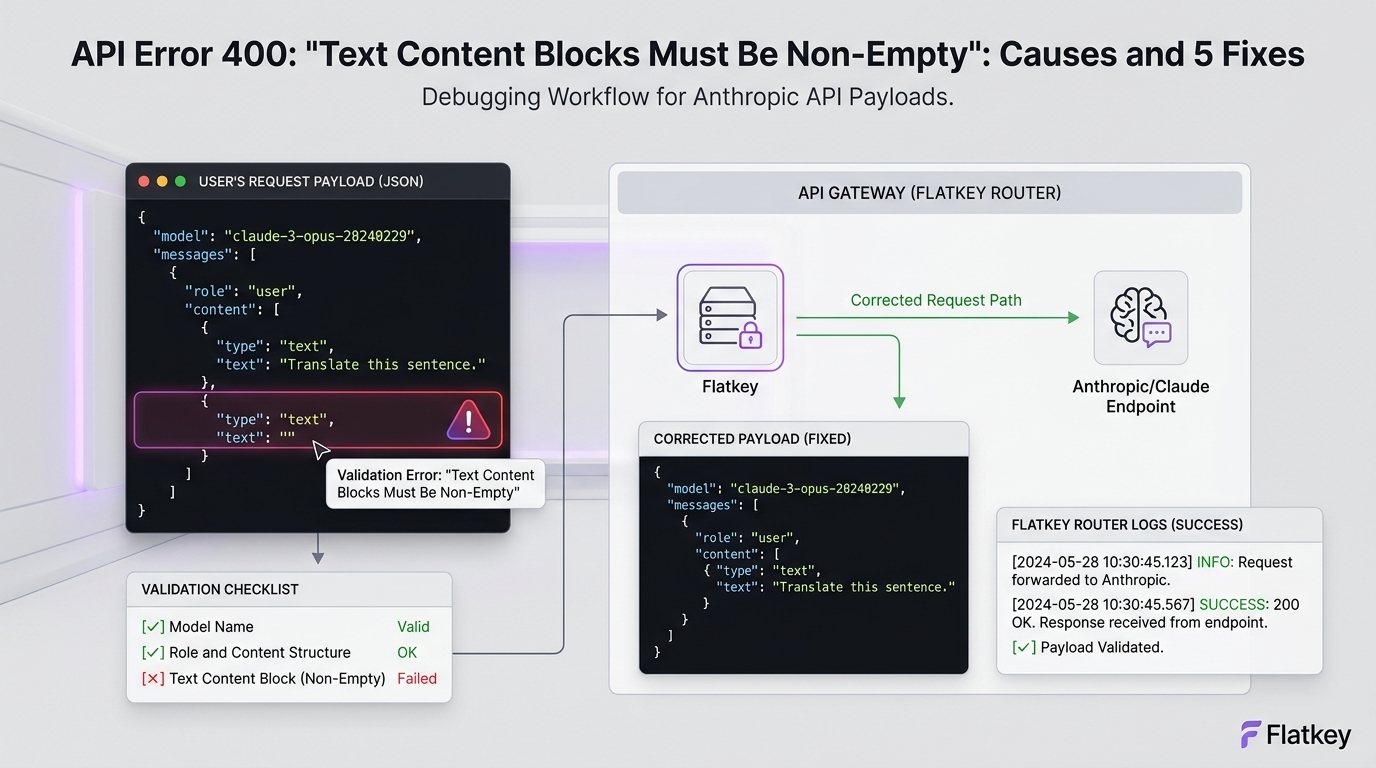
API Error 400 "Text Content Blocks Must Be Non-Empty": Causes and 5 Fixes means an Anthropic Messages API request contains at least one text block whose text value is empty. The request may look valid at the message level, but the provider rejects it before generation because a text content block must contain at least one character.
The fast fix is simple: remove empty text blocks, trim whitespace-only user input before request construction, and never send placeholder blocks such as {"type":"text","text":""}. The harder part is finding where those blocks are introduced. In production apps, they often come from chat UI drafts, empty retrieval chunks, markdown cleaners, template variables, streaming transcript buffers, or multimodal adapters that build a content array before they know whether text is present.
Use this guide to debug the error, patch the request builder, and add a preflight guard so the same 400 does not ship again.
Quick Answer: API Error 400 "Text Content Blocks Must Be Non-Empty"
Anthropic accepts message content as either a plain string or an array of typed content blocks. In the array form, a text block looks like this:
{
  "type": "text",
  "text": "Summarize this support ticket."
}
This fails because the text field is empty:
{
  "type": "text",
  "text": ""
}
This can also fail in practice if your app normalizes a whitespace-only value into an empty string:
{
  "type": "text",
  "text": "   "
}
The safest rule is:
- Trim text values before building the Anthropic request.
- Drop text blocks whose trimmed text is empty.
- If a message has no remaining content blocks, do not send that message.
- Log the sanitized payload shape without logging private prompt text.
- Add a unit test for empty strings, whitespace, nulls, and empty retrieval results.
That is the practical fix for API Error 400 "Text Content Blocks Must Be Non-Empty": Causes and 5 Fixes.
Why This Error Happens
Anthropic's Messages API uses structured conversation turns. Each input message has a role and content. The content value can be a single string, or it can be an array of blocks such as text and image blocks. The official Messages API reference describes string content as shorthand for one text block and lists text on a text block with minLength: 1.
Anthropic's error reference classifies HTTP 400 as invalid_request_error: a problem with the request format or content. So this is not a rate limit, auth failure, provider outage, or model-quality issue. It is a request-validation issue.
For AI product teams, the operational lesson is important: retrying the same request will not help. You need to fix the payload before retrying.
Five Common Causes
1. Empty Chat Input Reaches The API
The most common path is a chat composer that lets a user submit an empty draft or a draft that becomes empty after trimming.
Bad request:
{
  "model": "claude-sonnet-5",
  "max_tokens": 512,
  "messages": [
    {
      "role": "user",
      "content": [
        { "type": "text", "text": "" }
      ]
    }
  ]
}
Fix it before the API call:
const input = userInput.trim();

if (!input) {
  throw new Error("Message text is required before calling Anthropic.");
}

const messages = [
  {
    role: "user",
    content: input
  }
];
Use a product-level validation message in the UI. Do not let the backend discover an empty prompt from a provider 400.
2. Retrieval Adds Empty Chunks
RAG pipelines often map retrieved documents into prompt sections. If a retrieval result has an empty snippet, a removed HTML body, or a failed OCR field, the adapter can create an empty text block.
Bad adapter:
const content = retrievedDocs.map((doc) => ({
  type: "text",
  text: doc.cleanedText
}));
Safer adapter:
const content = retrievedDocs
  .map((doc) => (doc.cleanedText ?? "").trim())
  .filter(Boolean)
  .map((text) => ({ type: "text", text }));
If the model needs source context, also keep a count of dropped chunks. If every retrieved chunk is empty, stop and return a retrieval error instead of sending an empty prompt.
3. Template Variables Render To Nothing
Prompt templates are another frequent cause of API Error 400 "Text Content Blocks Must Be Non-Empty": Causes and 5 Fixes. A template can look populated in code but render an empty section at runtime:
const prompt = `
Customer message:
${customerMessage}
`;
If customerMessage is undefined, null, or blank after cleaning, the final prompt may be useless or empty.
Use explicit required fields:
function requiredText(name: string, value: unknown): string {
  const text = String(value ?? "").trim();
  if (!text) {
    throw new Error(`Missing required prompt field: ${name}`);
  }
  return text;
}

const prompt = `Customer message:\n${requiredText("customerMessage", customerMessage)}`;
This turns a vague provider error into a local application error with the missing field name.
4. Multimodal Builders Add A Placeholder Text Block
Teams building image-plus-text flows sometimes initialize content arrays with a placeholder text block and fill it later. If the text is optional and no text arrives, the placeholder remains empty.
Bad pattern:
[
  { "type": "text", "text": "" },
  {
    "type": "image",
    "source": {
      "type": "base64",
      "media_type": "image/png",
      "data": "..."
    }
  }
]
Safer pattern:
const content: Array<Record<string, unknown>> = [];

const instruction = optionalInstruction.trim();
if (instruction) {
  content.push({ type: "text", text: instruction });
}

content.push({
  type: "image",
  source: imageSource
});
Build blocks only when the corresponding content exists. Do not use empty text blocks as separators.
5. Message History Compaction Leaves Blank Turns
Long-running assistants often compact or summarize previous turns. If the compaction step removes a message body but leaves the turn in the history, your request may contain a blank assistant or user message.
Example failure:
{
  "role": "assistant",
  "content": [
    { "type": "text", "text": "" }
  ]
}
Use a history sanitizer before every call:
type TextBlock = { type: "text"; text: string };
type Message = { role: "user" | "assistant"; content: string | TextBlock[] };

function sanitizeMessages(messages: Message[]): Message[] {
  return messages.flatMap((message) => {
    if (typeof message.content === "string") {
      const text = message.content.trim();
      return text ? [{ ...message, content: text }] : [];
    }

    const content = message.content
      .map((block) => ({ ...block, text: block.text.trim() }))
      .filter((block) => block.type !== "text" || block.text.length > 0);

    return content.length ? [{ ...message, content }] : [];
  });
}
Then assert that at least one message remains before calling the API.
A Copyable Preflight Validator
Use a request preflight validator near the final network boundary. This catches empty blocks even if an upstream UI, template, RAG, or memory module misses them.
type ContentBlock =
  | { type: "text"; text?: unknown }
  | { type: string; [key: string]: unknown };

type AnthropicMessage = {
  role: "user" | "assistant";
  content: string | ContentBlock[];
};

export function validateAnthropicMessages(messages: AnthropicMessage[]) {
  const cleaned = messages.flatMap((message, messageIndex) => {
    if (typeof message.content === "string") {
      const text = message.content.trim();
      return text ? [{ ...message, content: text }] : [];
    }

    const content = message.content.flatMap((block, blockIndex) => {
      if (block.type !== "text") return [block];

      const text = String(block.text ?? "").trim();
      if (!text) {
        console.warn("Dropped empty Anthropic text block", {
          messageIndex,
          blockIndex
        });
        return [];
      }

      return [{ ...block, text }];
    });

    return content.length ? [{ ...message, content }] : [];
  });

  if (!cleaned.length) {
    throw new Error("Anthropic request has no non-empty message content.");
  }

  return cleaned;
}
This is intentionally conservative. It removes empty text blocks, preserves non-text blocks, removes empty messages, and refuses to call the model if no usable message content remains.
Python Version
If your backend is Python, use the same boundary check:
def sanitize_anthropic_messages(messages):
    cleaned_messages = []

    for message_index, message in enumerate(messages):
        content = message.get("content")

        if isinstance(content, str):
            text = content.strip()
            if text:
                cleaned_messages.append({**message, "content": text})
            continue

        if isinstance(content, list):
            cleaned_blocks = []

            for block_index, block in enumerate(content):
                if block.get("type") != "text":
                    cleaned_blocks.append(block)
                    continue

                text = str(block.get("text") or "").strip()
                if text:
                    cleaned_blocks.append({**block, "text": text})
                else:
                    print(
                        "Dropped empty Anthropic text block",
                        {"message_index": message_index, "block_index": block_index},
                    )

            if cleaned_blocks:
                cleaned_messages.append({**message, "content": cleaned_blocks})

    if not cleaned_messages:
        raise ValueError("Anthropic request has no non-empty message content.")

    return cleaned_messages
Keep the log metadata structural. Do not log raw user prompts, customer documents, or private retrieval text unless your privacy policy and debugging workflow explicitly allow it.
Debugging Checklist
When API Error 400 "Text Content Blocks Must Be Non-Empty": Causes and 5 Fixes appears in production, debug in this order:
| Check | What to inspect | Fix |
|---|---|---|
| UI input | Empty or whitespace-only user draft | Block submit until trimmed text exists |
| Prompt template | Required variable rendered as empty | Validate required fields by name |
| RAG chunks | Empty cleanedText, OCR result, or markdown body |
Filter chunks and fail if all context is empty |
| Multimodal request | Placeholder text block before an image/file block | Only push text blocks when text exists |
| History compaction | Blank user or assistant turns after summarization | Sanitize the final message list |
| Network boundary | Final payload still contains text: "" |
Add a preflight validator and unit tests |
The final network payload is the source of truth. If your logs show no empty text block, confirm that the SDK is not converting null, undefined, or an empty array into a text block during serialization.
Unit Tests To Add
At minimum, add tests for these cases:
const cases = [
  { name: "plain empty string", content: "" },
  { name: "plain whitespace string", content: "   " },
  { name: "empty text block", content: [{ type: "text", text: "" }] },
  { name: "missing text field", content: [{ type: "text" }] },
  { name: "null text field", content: [{ type: "text", text: null }] },
  { name: "valid text block", content: [{ type: "text", text: "Hello" }] }
];
Your expected behavior should be explicit:
- Empty text-only messages are removed or rejected locally.
- Valid text survives with leading and trailing whitespace removed.
- Non-text content blocks are preserved.
- A request with no usable content throws before calling Anthropic.
- The thrown error identifies your application boundary, not just the provider response.
Where Flatkey Fits
If your team routes Claude traffic through Flatkey, keep the same Anthropic payload discipline. Flatkey's Anthropic SDK guide shows base_url="https://router.flatkey.ai" for the Anthropic SDK path, while the OpenAI-compatible API uses https://router.flatkey.ai/v1 for chat-completions-style requests. Use the route that matches your client and endpoint shape.
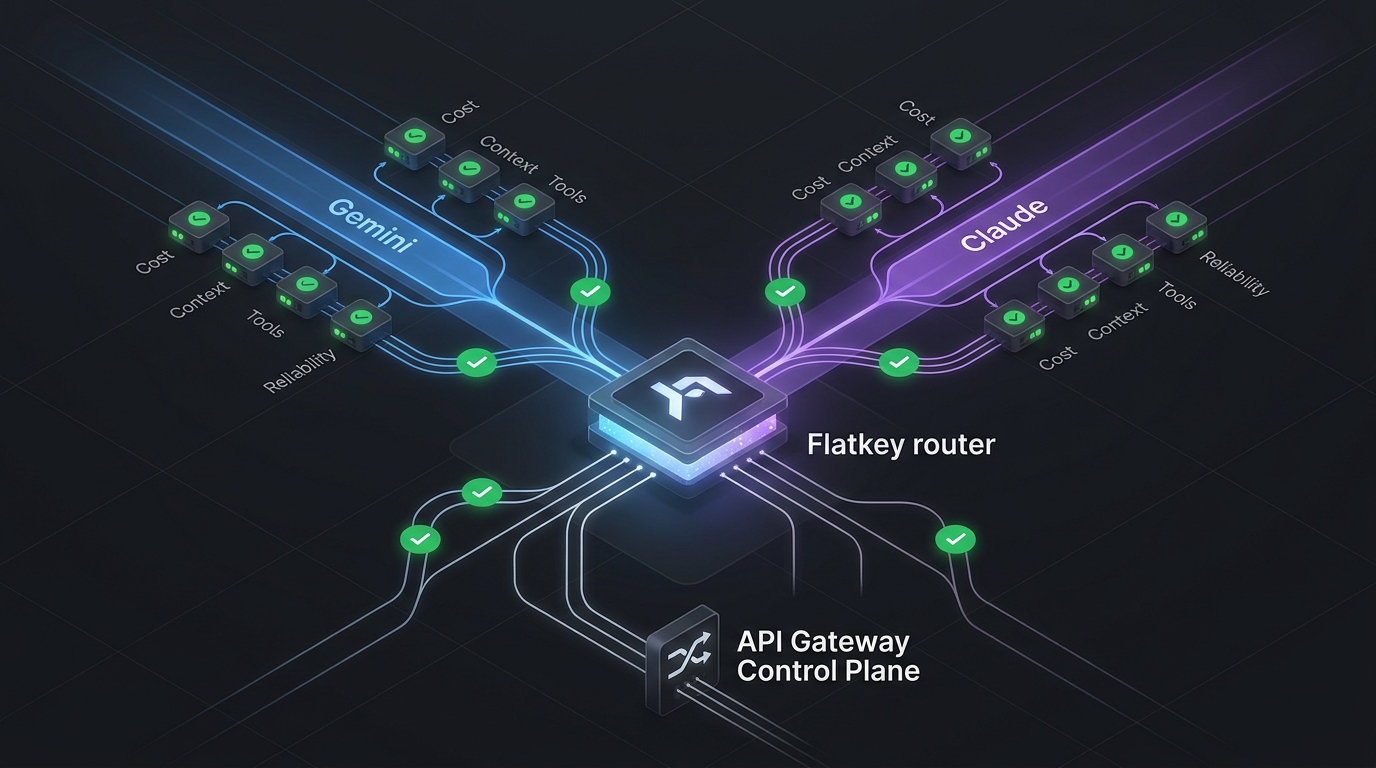
For this error, Flatkey is most useful as the operating layer around the fix:
- Keep one place to verify whether the request reached the gateway.
- Compare request status and usage evidence after a successful retry.
- Keep a small smoke test separate from the user's full prompt.
- Avoid mixing Anthropic-format requests and OpenAI-compatible requests in the same adapter.
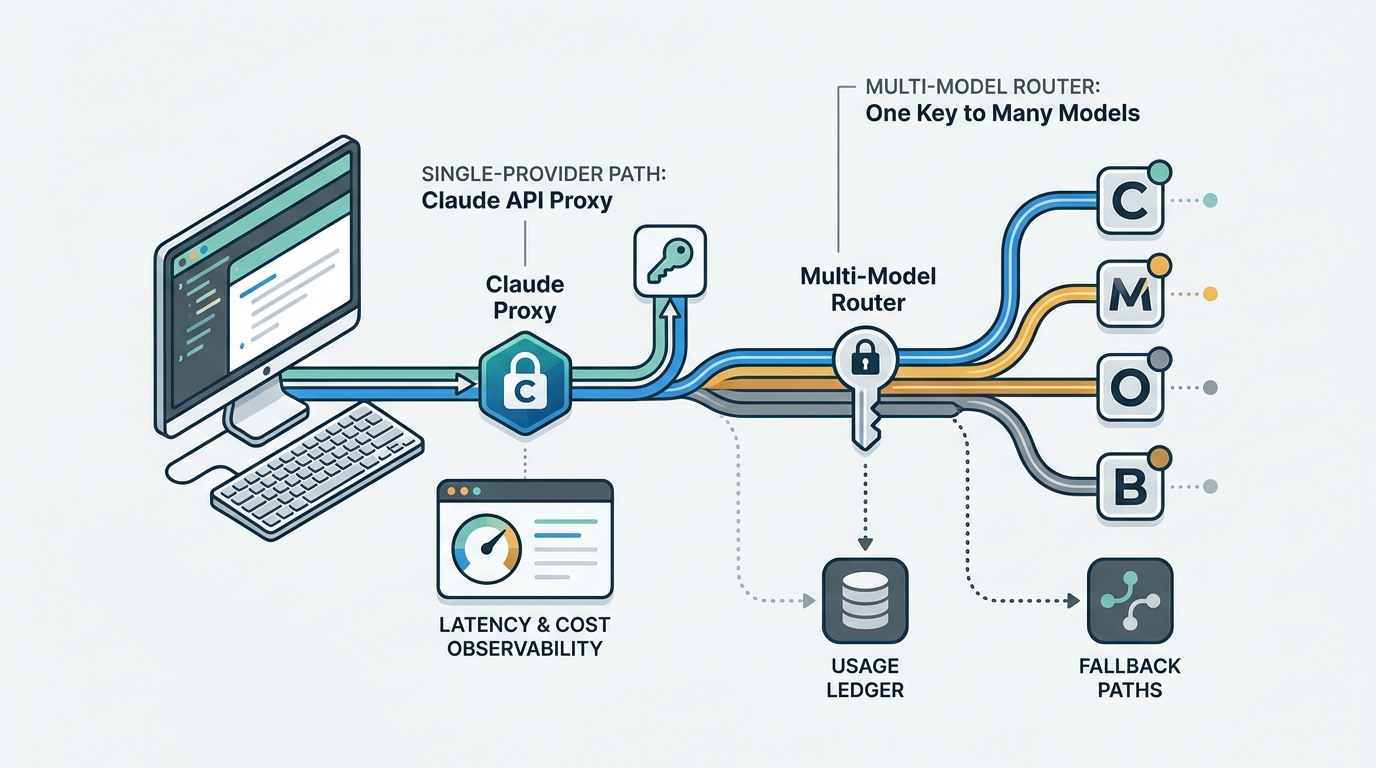
If you are choosing a route for a Claude workload, read Claude API Proxy vs Multi-Model Router. If you are standardizing how engineers make their first safe call, keep the Flatkey API quickstart nearby. For broader production checks, pair this with AI routing API metrics and the AI model catalog guide.
What Not To Do
Do not solve API Error 400 "Text Content Blocks Must Be Non-Empty": Causes and 5 Fixes with blind retries. The provider is telling you the request is malformed.
Avoid these anti-patterns:
| Anti-pattern | Why it fails |
|---|---|
| Retrying the same payload | A deterministic validation error will keep failing |
Replacing empty text with "." |
It hides upstream data loss and may change model behavior |
| Sending empty assistant turns | It pollutes history and can break response continuation |
| Logging full prompts to debug | It can expose customer data or secrets |
| Fixing only the UI | Backend jobs, RAG, webhooks, and agent loops can still create empty blocks |
The durable fix is to validate content at both the producer boundary and the final API boundary.
FAQ
Is this an Anthropic outage?
No. A 400 invalid_request_error for empty text blocks is a request validation problem. Check the payload your application sends.
Can I send a plain string instead of a text block array?
Yes. Anthropic's Messages API allows message content to be a string, and the docs describe that as shorthand for one text block. Use a string when you only need simple text. Use an array when you need multiple blocks or multimodal input.
Should whitespace count as non-empty?
Treat whitespace-only text as empty in your own validator. Even if a provider accepted it, it is not useful prompt content and usually indicates a UI, template, or retrieval bug.
Can image-only messages work?
A multimodal request does not need an empty text placeholder. If you include an image block, build the image block directly and add a text block only when you have real instruction text.
What should I log?
Log message count, content block types, block indexes, model, endpoint, route, status code, and request ID if available. Avoid logging full prompt text unless your team's privacy rules allow it.
Official References
- Anthropic Messages API reference: https://platform.claude.com/docs/en/api/messages
- Anthropic API errors reference: https://platform.claude.com/docs/en/api/errors
- Anthropic Messages API guide: https://platform.claude.com/docs/en/build-with-claude/working-with-messages
- Flatkey Anthropic SDK guide: https://docs.flatkey.ai/guides/anthropic-sdk.md
- Flatkey API overview: https://docs.flatkey.ai/api-reference/overview.md