A CrewAI OpenAI compatible router setup is useful when you want several CrewAI agents to use one gateway boundary instead of scattering provider keys, base URLs, and model aliases across every role in the workflow.
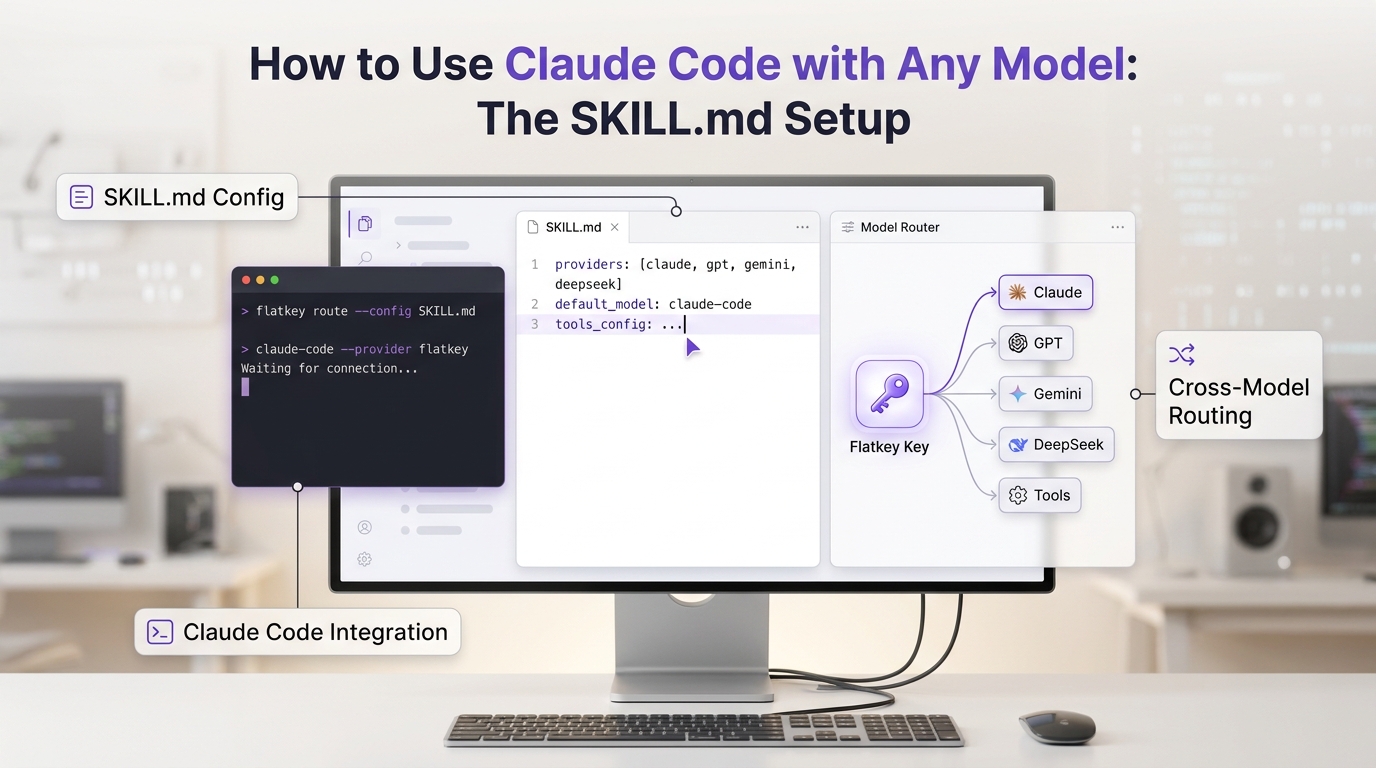
CrewAI's current LLM documentation shows two important setup paths for OpenAI-compatible endpoints: environment variables such as OPENAI_API_BASE, and explicit LLM(...) attributes such as model, base_url, and api_key. Flatkey fits at that boundary. Its public site points OpenAI-compatible clients at https://router.flatkey.ai/v1, with usage, cost, routing, and error review in the product dashboard.
This guide shows a practical CrewAI OpenAI compatible router pattern for multi-agent workflows. The code is a template: validate the exact model aliases, tool behavior, and logs with your own Flatkey key before routing production agents.
Quick answer for a CrewAI OpenAI compatible router
Use one gateway API root and explicit route names. Do not bury routing in prompt text.
| CrewAI layer | What you configure | Gateway check |
|---|---|---|
| LLM client | LLM(model=..., base_url=..., api_key=...) | The base URL is https://router.flatkey.ai/v1, not a full /chat/completions path. |
| Agent role | Planner, researcher, tool user, verifier, or other role-specific agents | Each role has an intentional model alias or shares a tested default. |
| Task and crew | The sequence of tasks, context handoff, and expected output | The same key and timestamp appear in Flatkey usage or request logs. |
| Tool-heavy path | Agents that call external tools or structured actions | Tool schema, arguments, call count, retries, and failure handling are tested separately. |
| Operations review | Usage, cost owner, route owner, and rollback plan | The team can change model aliases without rewriting the CrewAI workflow. |
That is the core CrewAI OpenAI compatible router pattern: keep CrewAI responsible for orchestration, keep Flatkey responsible for the OpenAI-compatible gateway boundary, and make the operational checks visible.
Why multi-agent workflows need a gateway boundary
CrewAI workflows often start with a simple shape: one manager agent, a few specialist agents, and a final task. That works until the workflow moves from a demo to a service that other teams rely on.
Production multi-agent systems usually need more than a working response:
| Risk | What happens without a router boundary | What to verify through Flatkey |
|---|---|---|
| Key sprawl | Every agent or script gets a different provider key | One workload key and a clear owner. |
| Model drift | Agents quietly switch model names during experiments | Approved aliases in environment or config. |
| Tool uncertainty | A tool-heavy agent uses a model route that does not support the needed schema | One deterministic tool-call test per route. |
| Cost ambiguity | Finance cannot map model usage to a workflow | Usage review by key, model alias, and timestamp. |
| Retry loops | Agent failures create repeated calls with little visibility | Retry limit, stop condition, and error class in logs. |
For adjacent design controls, use the Flatkey guide to AI agent gateway controls. A CrewAI OpenAI compatible router should make those controls concrete for each agent role.
Step 1: Create the Flatkey route values
Create one Flatkey key for this workload and keep route values outside source control.
FLATKEY_API_KEY=sk-fk-your-key
FLATKEY_BASE_URL=https://router.flatkey.ai/v1
FLATKEY_DEFAULT_MODEL=your-default-flatkey-model-alias
FLATKEY_PLANNER_MODEL=your-planner-model-alias
FLATKEY_TOOL_MODEL=your-tool-capable-model-alias
FLATKEY_VERIFIER_MODEL=your-verifier-model-alias
Keep the API root separate from the endpoint path. CrewAI's LLM object should receive the base URL. Direct curl tests add /chat/completions.
curl "$FLATKEY_BASE_URL/chat/completions" \
  -H "Authorization: Bearer $FLATKEY_API_KEY" \
  -H "Content-Type: application/json" \
  -d '{
    "model": "'"$FLATKEY_DEFAULT_MODEL"'",
    "messages": [
      { "role": "user", "content": "Reply with exactly: flatkey route ok" }
    ]
  }'
If this direct request fails, fix the Flatkey key, model alias, endpoint family, or account route first. A CrewAI OpenAI compatible router cannot compensate for a model alias that the gateway account cannot call.
Step 2: Configure CrewAI LLM objects explicitly
CrewAI supports setting the base API URL for an LLM through base_url, and its docs show OpenAI-compatible LLM setup through either environment variables or LLM class attributes. For production work, explicit LLM objects are easier to review because each agent role points to a known route.
import os

from crewai import Agent, Crew, LLM, Process, Task


BASE_URL = os.environ.get("FLATKEY_BASE_URL", "https://router.flatkey.ai/v1")
API_KEY = os.environ["FLATKEY_API_KEY"]


def flatkey_llm(model_env: str, temperature: float = 0.2) -> LLM:
    return LLM(
        model=os.environ[model_env],
        base_url=BASE_URL,
        api_key=API_KEY,
        temperature=temperature,
    )


planner_llm = flatkey_llm("FLATKEY_PLANNER_MODEL", temperature=0.1)
tool_llm = flatkey_llm("FLATKEY_TOOL_MODEL", temperature=0.0)
verifier_llm = flatkey_llm("FLATKEY_VERIFIER_MODEL", temperature=0.0)
This is the most important setup decision in a CrewAI OpenAI compatible router migration. The model alias can change by environment, but the CrewAI code keeps one OpenAI-compatible API root and one gateway key owner.
Step 3: Assign routes by agent responsibility
Give each CrewAI agent an LLM route that matches its risk profile. Start with a small route set. You can always split more roles later after logs prove the first policy works.
planner = Agent(
    role="Workflow planner",
    goal="Break the request into a short execution plan.",
    backstory="You keep the crew scoped and avoid unnecessary model calls.",
    llm=planner_llm,
)

researcher = Agent(
    role="Researcher",
    goal="Collect only the facts needed for the task.",
    backstory="You prefer source-backed notes over broad speculation.",
    llm=planner_llm,
)

tool_user = Agent(
    role="Tool operator",
    goal="Use approved tools only when the task requires them.",
    backstory="You verify tool inputs before calling external systems.",
    llm=tool_llm,
)

verifier = Agent(
    role="Verifier",
    goal="Check the final answer against requirements and evidence.",
    backstory="You look for missing proof, tool errors, and rollback risks.",
    llm=verifier_llm,
)
For a first CrewAI OpenAI compatible router rollout, avoid assigning a unique model to every agent. Two or three route types are usually enough: planning, tool-capable execution, and verification.
Step 4: Build a small crew and keep evidence fields
The crew can stay ordinary. The routing evidence should not. Add simple fields to the task description, output, or your surrounding application logs so the request can be matched to Flatkey logs.
analysis_task = Task(
    description=(
        "Review the support ticket and produce a short resolution plan. "
        "Do not call tools unless an account lookup is required. "
        "Evidence fields to keep outside this prompt: workflow=crew_support_triage, "
        "route_policy=crewai-router-v1."
    ),
    expected_output="A concise plan with risks, tool needs, and next action.",
    agent=planner,
)

verification_task = Task(
    description=(
        "Check whether the plan cites the ticket facts, avoids unsupported claims, "
        "and names any tool call that still needs approval."
    ),
    expected_output="Pass/fail notes with required fixes.",
    agent=verifier,
    context=[analysis_task],
)

crew = Crew(
    agents=[planner, researcher, tool_user, verifier],
    tasks=[analysis_task, verification_task],
    process=Process.sequential,
)

result = crew.kickoff(
    inputs={
        "ticket_id": "TICKET-123",
        "request_id": "support-triage-2026-07-08-001",
    }
)
print(result)
The request_id in this template is not a CrewAI routing feature by itself. It is an observability habit. Your app should log the request ID, route policy, model alias, timestamp, and key label so the CrewAI OpenAI compatible router path can be checked in Flatkey.
Step 5: Verify tool calls before broad rollout
Tool use is where OpenAI-compatible routing gets risky. A plain chat route may work while a tool-heavy route fails schema validation, streams tool arguments differently, or produces arguments your executor rejects.
Use a narrow tool test before you trust a CrewAI tool route. For broader provider behavior, pair this guide with the Flatkey article on OpenAI-compatible tool calling.
| Tool route check | Pass condition |
|---|---|
| Tool definition accepted | The selected model route accepts the tool schema without a request error. |
| Tool selected | A deterministic prompt causes the expected tool call. |
| Arguments validate | Required fields, IDs, enums, and nested objects parse before execution. |
| Call count capped | The route stops after the approved maximum number of tool calls. |
| Failure controlled | Tool errors become a controlled task result, not an infinite retry. |
| Flatkey log visible | The request appears under the expected key, model alias, and timestamp. |
Do not treat this as optional. A CrewAI OpenAI compatible router is only production-ready when the tool route is tested as a separate contract.
Step 6: Add budget, retry, and fallback rules outside prompts
Do not ask the agents to remember every operational rule in natural language. Keep budget and fallback rules in code or configuration that reviewers can inspect.
| Condition | Recommended behavior | Reason |
|---|---|---|
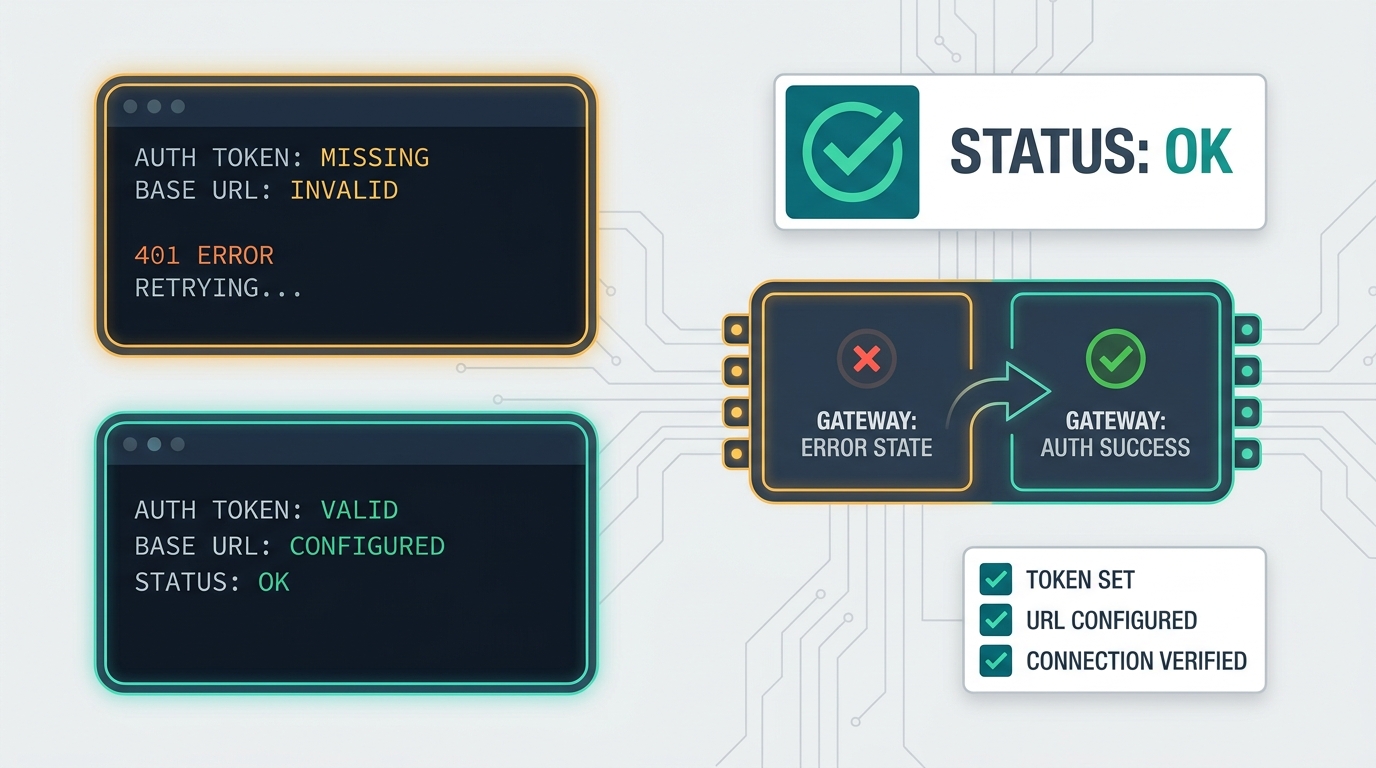
Missing key or 401 | Stop and fix credentials | Retrying cannot repair auth. |
| Model alias not found | Stop and verify the alias in Flatkey | The route may be using the wrong model or endpoint family. |
Temporary 429 or 5xx | Retry once with backoff or use an approved fallback alias | Limit runaway cost and repeated agent loops. |
| Tool validation error | Stop the tool path and return a controlled message | Repeating invalid arguments is rarely useful. |
| Budget threshold reached | Stop before another model call | Spend protection should run before the next request. |
| Verification failure | Return to a known agent step or require human review | Do not hide failed checks behind more model calls. |
When fallback is approved, keep the fallback alias explicit. The useful question is not "did the crew finish?" but "which route finished, why did it switch, and what did it cost?" That is the operational value of a CrewAI OpenAI compatible router.
Step 7: Save a verification packet
Before making Flatkey the default gateway for a CrewAI workflow, save a compact verification packet.
- Direct
curlrequest tohttps://router.flatkey.ai/v1/chat/completionssucceeds with the selected model alias. - Each CrewAI
LLMobject runs one small prompt outside the full crew. - The full crew runs one simple workflow and one tool-heavy workflow.
- A forced failure path stops cleanly instead of retrying forever.
- Flatkey logs show the expected key, model alias, timestamp, and request owner.
- Token or usage fields are visible enough for the budget owner to review.
- Rollback is one environment or config change, not a CrewAI refactor.
Use the Flatkey token usage dashboard guide to decide what fields your operations team should inspect after the first smoke test. For pricing and account review, start from the live Flatkey pricing page, then verify the actual route in your account.
Troubleshooting a CrewAI OpenAI compatible router
| Symptom | Likely cause | What to check |
|---|---|---|
| CrewAI cannot authenticate | Missing or wrong FLATKEY_API_KEY | Confirm the key is present in the runtime and not hardcoded in source. |
404 or duplicate path error | Base URL includes too much path | Use https://router.flatkey.ai/v1 as base_url; direct tests add /chat/completions. |
| Every agent uses the same route | All agents share the same LLM object | Decide whether role-specific aliases are actually needed, then make them explicit. |
| Tool agent fails | Route has not been tested for your tool schema | Run one deterministic tool-call prompt before the full crew. |
| Costs are hard to explain | No workload key, route policy, or timestamp label | Log request ID, route policy, model alias, and key owner. |
| Retries increase spend | Retry policy is duplicated in CrewAI, tools, and app code | Choose one retry owner and cap attempts. |
| Rollback is unclear | Model aliases are embedded in code | Move aliases into environment or config and document the previous values. |
If the first request fails, keep the debugging surface small: one key, one base URL, one model alias, one CrewAI LLM, one direct request, and one Flatkey log lookup.
FAQ
Is a CrewAI OpenAI compatible router the same as model fallback?
No. A CrewAI OpenAI compatible router is the gateway and configuration boundary that CrewAI uses to reach model routes. Fallback is one policy that may run when a chosen route fails. Test routing and fallback separately.
Should every CrewAI agent get a different model?
No. Start with a default route and one special route for tool-heavy or verifier work if needed. Too many aliases make logs, cost review, and rollback harder.
Can CrewAI use environment variables instead of explicit LLM objects?
Yes. CrewAI docs show OpenAI-compatible setup through environment variables such as OPENAI_API_BASE. Explicit LLM objects are often easier for production review because each agent role shows model, base_url, and api_key in one place.
Can I use the same Flatkey key for every CrewAI workflow?
You can, but workload-specific keys are easier to audit. Use separate keys or labels when different teams, environments, budgets, or risk levels need separate review.
Final checklist
Your CrewAI OpenAI compatible router setup is ready to move beyond a template when:
- CrewAI
LLMobjects use the Flatkey API root asbase_url. - Model aliases live in environment or config, not scattered through prompts.
- Each agent role has an intentional route decision.
- Tool-heavy routes pass schema, argument, cap, and failure tests.
- Budget, retry, and fallback limits run outside agent prose.
- Flatkey usage or request logs confirm the expected key and model alias.
- Rollback is one config change.
When you are ready to route CrewAI traffic through one gateway, get a Flatkey key, test one low-risk crew, and expand only after the logs prove the policy works.