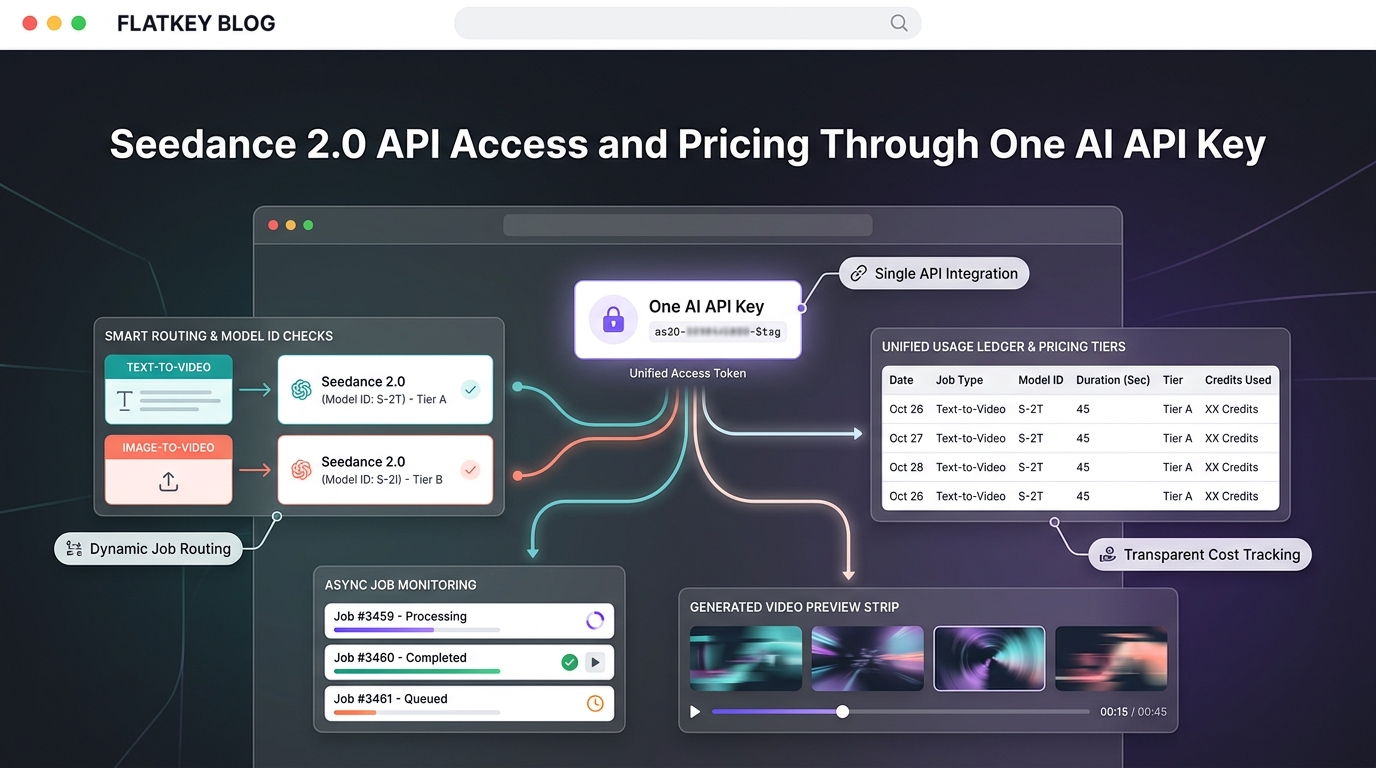
If you are evaluating the Seedance 2.0 API Access and Pricing Through One AI API Key workflow, the hard part is not only whether you can find a Seedance endpoint. The harder production question is whether your team can verify the active model ID, understand the billing unit, keep video jobs observable, and compare Seedance spend against the rest of the AI stack without adding another isolated provider account.
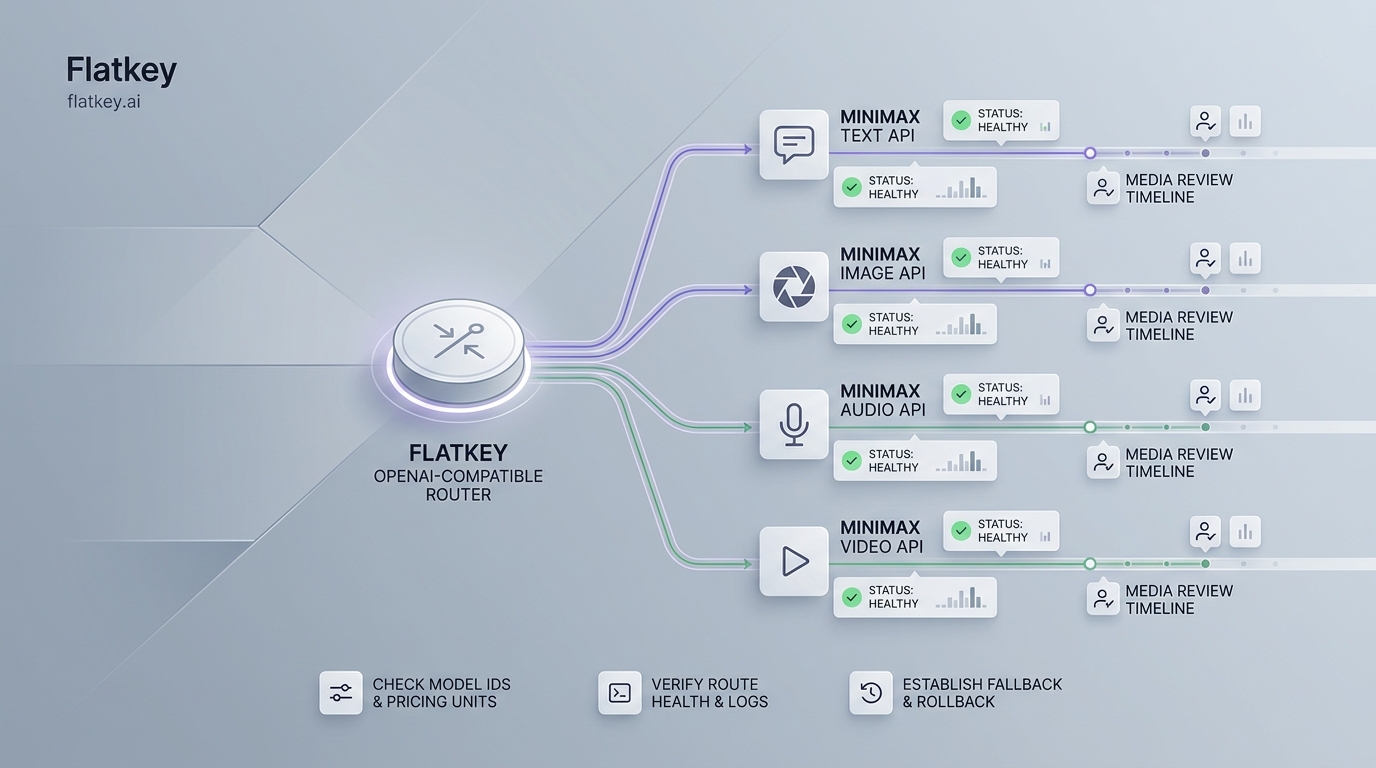
Flatkey’s role is the access layer: one API key, one model catalog, one pricing surface, and one usage review path for supported text, image, audio, and video models. For media teams, that matters because video generation behaves differently from chat completions. A five-second 480p clip, a 1080p product variation, and a retry-heavy creator workflow do not have the same cost profile.
This guide shows how to verify current Seedance routes in Flatkey, how to read per-second pricing, and how to budget video generation before you send production traffic through one AI API key.
The quick answer
Use Flatkey for Seedance 2.0 API Access and Pricing Through One AI API Key when Seedance is part of a broader media or AI product stack rather than a one-off vendor test.
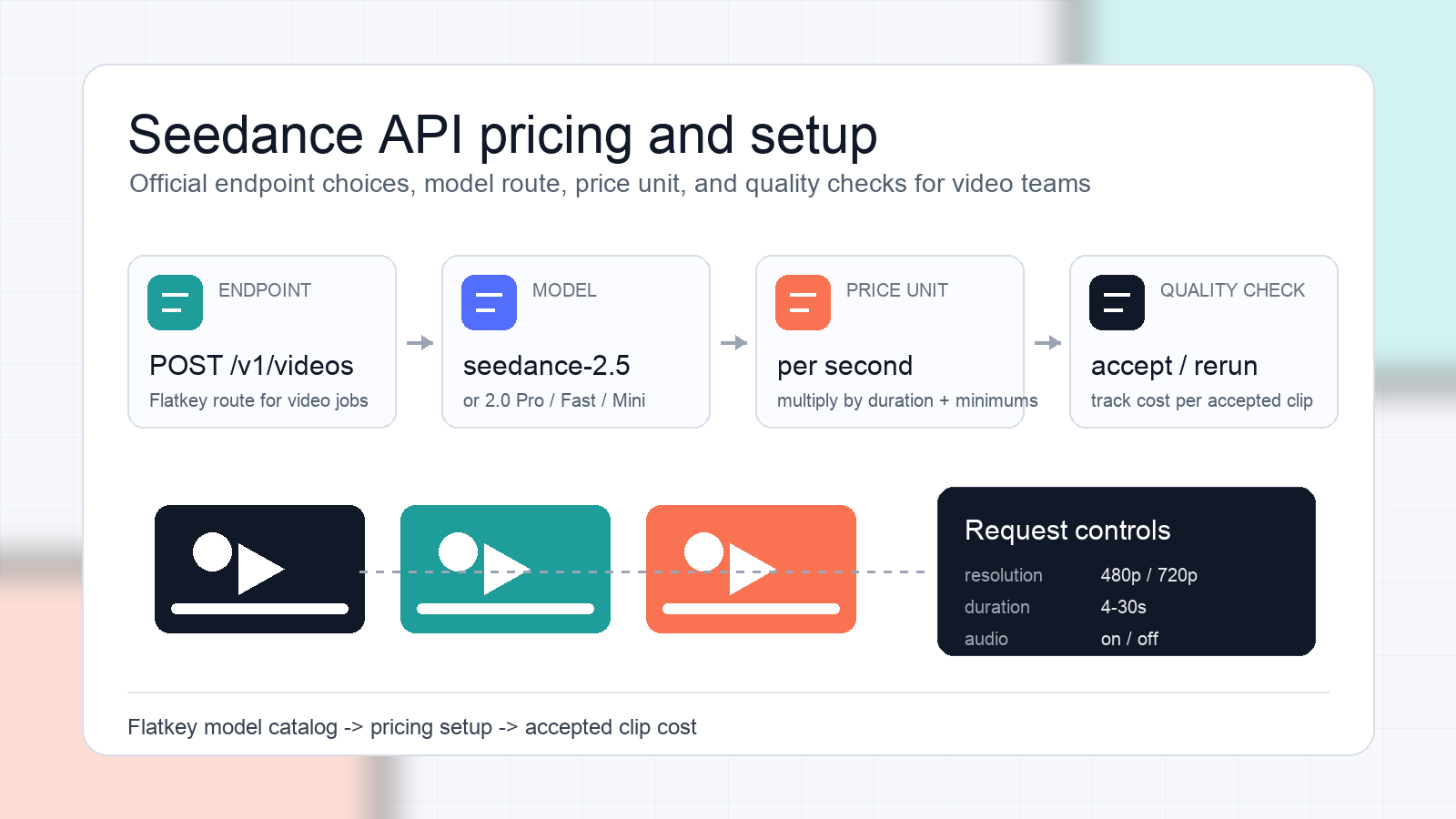
The current public Flatkey model pages checked on September 22, 2026 list Seedance-family routes as video models with openai-video endpoint support and per-second pricing. The route names and prices can change, so treat the model page and console as the implementation source of truth at launch time.
| Route to verify in Flatkey | Current public pricing signal | What to check before launch |
|---|---|---|
seedance-2.5 |
from $0.084 per second |
Whether the newer 2.5 route fits your quality, reference-input, and budget needs |
seedance-2.0 |
from $0.037181 per second |
Whether this should be your default Seedance 2.0 lane |
seedance-2.0-pro |
480p from $0.037181, 720p from $0.083592, 1080p from $0.205578, 4K from $0.419904 per second |
Whether higher output tiers belong behind explicit user or workflow controls |
seedance-2.0-fast |
480p from $0.028535, 720p from $0.064152 per second |
Whether lower latency or lower cost is more important than maximum output tier |
seedance-2.0-mini |
480p from $0.018158, 720p from $0.040824 per second |
Whether inexpensive draft generation can reduce accepted-clip cost |
The safe operating rule: choose the route by workflow, then calculate cost per accepted clip, not just listed price per second.
What changed since the older access page
The previous public article for this slug was published on June 10, 2026 and described Seedance access as token-priced. That is no longer the clearest public framing for this page.
The current Flatkey model pages expose Seedance video routes with per-second prices and resolution-specific rows. That makes the useful buyer question more concrete: “How many seconds of accepted video will this workflow generate, at which resolution, and how many retries will it take?”
For a media team, this is a better pricing model because it matches how video generation actually burns budget:
- Duration controls how many billable seconds a job can produce.
- Resolution changes the cost tier for many routes.
- Retries can make prompt exploration more expensive than the accepted final clip.
- Reference inputs can change request behavior and validation needs.
- Moderation, failed jobs, and canceled jobs need separate operational review.
What Seedance 2.0 API access means in practice
Seedance 2.0 is part of ByteDance’s Seedance video-generation model family. BytePlus ModelArk documents a native video-generation task workflow for direct provider access, including task creation and task retrieval patterns. That direct documentation is still useful because it shows that video generation should be treated as an asynchronous media job, not as a synchronous chat response.
Flatkey sits one layer above that provider-specific workflow. Instead of asking every application team to manage another model account, key, billing trail, and usage view, Flatkey gives teams one access layer for supported AI models.
For Seedance 2.0 API Access and Pricing Through One AI API Key, the practical workflow is:
- Open the Flatkey model catalog.
- Search for
Seedance. - Confirm the active model route and endpoint type.
- Confirm current per-second and resolution-specific pricing.
- Create or reuse the team’s Flatkey API key.
- Send a small route-specific smoke test.
- Check usage logs and billing records before production rollout.
Do not copy a model ID from an old blog post into production. Copy it from the current Flatkey model page or console when you ship.
Access checklist before you make the first call
Use this checklist before routing Seedance video jobs through one AI API key.
| Check | Why it matters |
|---|---|
| Active model ID | Seedance labels vary across provider docs, model pages, and route aliases |
| Endpoint family | Video routes may use openai-video, not the same request shape as chat completions |
| Input modes | Text-to-video, image-to-video, and reference-to-video need different prompt and asset handling |
| Resolution support | A route that is economical at 480p may be expensive at 1080p or 4K |
| Duration limits | Long clips multiply spend and can increase queue pressure |
| Job lifecycle | Product UX needs queued, processing, completed, failed, canceled, and moderated states |
| Usage logs | Finance and support need to trace accepted clips, retries, and failures |
| Fallback policy | Backups should be capability-compatible, not just cheaper |
This is the difference between a demo and production access. A demo proves the model can return a clip. A production route proves the team can operate the workflow repeatedly.
Seedance API pricing: model the accepted clip
For Seedance 2.0 API Access and Pricing Through One AI API Key, do not stop at the public price row. Convert pricing into accepted-clip economics.
Use this planning formula:
accepted_clip_cost =
  route_price_per_second
  x generated_seconds_per_attempt
  x attempts_per_accepted_clip
  + storage_review_and_postprocessing_costs
That formula forces the right questions:
- Are users allowed to generate three, five, or ten variations per prompt?
- Is the default route 480p, 720p, 1080p, or 4K?
- Are drafts generated on a cheaper lane before final render?
- Does moderation or prompt failure consume product-support time?
- Can the team trace each accepted clip back to a request, model, and user?
For example, a product team may decide to:
- use
seedance-2.0-minifor draft concepts, - reserve
seedance-2.0-fastfor low-latency creator previews, - use
seedance-2.0-proonly for final renders or paid tiers, - test
seedance-2.5separately before making it the default route.
That is a routing policy, not just a pricing comparison.
Direct provider access vs one AI API key
Direct BytePlus access can be enough when Seedance is the only video model your product needs and the engineering team wants maximum provider-specific control.
One AI API key becomes more useful when:
- Seedance is one route inside a larger video, image, or agent workflow.
- Finance wants one place to review AI usage.
- Developers want a consistent access pattern across model families.
- Product teams expect to compare Seedance with Veo, MiniMax, image models, or text models.
- Support needs request-level evidence when a generation fails or costs more than expected.
The core benefit is not that a gateway removes evaluation work. It makes evaluation repeatable. You still need route checks, prompt tests, and output review, but the access, billing, and usage trail live in one place.
Recommended launch workflow
Use this workflow before exposing Seedance generation to users.
- Select the workload. Decide whether this route is for drafts, final creative, user-generated content, ads, ecommerce media, or internal prototyping.
- Choose the route class. Pick the current Flatkey Seedance route that fits input mode, output tier, latency, and cost.
- Set output defaults. Choose default duration and resolution explicitly. Do not let the highest tier become the default by accident.
- Run a controlled prompt set. Test your real prompt patterns, not only cinematic demos.
- Calculate accepted-clip cost. Include retries, rejected outputs, and manual review.
- Check usage logs. Confirm each job maps back to model, route, user, workspace, and cost.
- Set budget controls. Use caps or review gates before opening high-resolution generation.
- Define fallback behavior. Fallback only to routes that preserve required input modes, rights, quality, and data controls.
- Document the route. Record model ID, date checked, pricing unit, output assumptions, and rollback path.
That launch record is worth keeping. Seedance model pages, availability, and pricing can change. A dated route record prevents future teams from inheriting an invisible assumption.
A copyable route review record
Use this template before production rollout:
seedance_route_review:
  checked_at: "2026-09-22"
  access_layer: "Flatkey"
  model_route: "seedance-2.0"
  endpoint_family: "openai-video"
  default_input_mode: "text-to-video"
  allowed_input_modes:
    - text-to-video
    - image-to-video
    - reference-to-video
  default_resolution: "720p"
  max_resolution_without_approval: "720p"
  default_duration_seconds: 5
  attempts_allowed_per_user_action: 2
  pricing_unit: "per generated second"
  pricing_source: "Flatkey public model page checked on 2026-09-22"
  accepted_clip_cost_formula: "price_per_second x generated_seconds x attempts"
  usage_log_required: true
  fallback_allowed: false
  fallback_notes: "Enable only after a second video route passes the same prompt and cost checks."
Change the defaults to match your product. The useful part is the discipline: every production Seedance route should carry a dated model, pricing, and output assumption.
Internal links for the next evaluation step
If you are still deciding whether Seedance is the right video model, read the Seedance API evaluation framework. It gives product teams a scorecard for prompt quality, input modes, latency, and accepted output.
If your decision is between Seedance and Google’s Veo family, use the Seedance vs Veo API routing and pricing review. That comparison helps separate creative capability, pricing unit, and fallback-policy questions.
For broader model governance, the AI model catalog guide explains how to read providers, endpoints, groups, and prices before routing production traffic.
FAQ
Is Seedance 2.0 API access available through one Flatkey API key?
Flatkey’s public model directory currently lists Seedance-family routes, including Seedance 2.0 variants, with video endpoint support. Always verify the current model page and your account console before launch because model availability and route names can change.
Is Seedance API pricing token-based or per-second?
The current public Flatkey model pages checked for this refresh present Seedance video routes with per-second prices and resolution-specific rows. For this article, per-second accepted-clip budgeting is the right external framing.
Which Seedance route should I use first?
Start with the lowest-cost route that can satisfy the workflow’s quality and input-mode requirements. For drafts, a mini or fast lane may be enough. For final creative, higher tiers may be appropriate but should sit behind explicit budget controls.
Can I use the same request code as chat completions?
Not necessarily. Seedance is a video-generation workflow, and Flatkey model pages can show an openai-video endpoint family. Treat video jobs as route-specific media requests, not as ordinary chat completions.
What metric should media teams track?
Track cost per accepted clip. It is more useful than raw listed price because it includes duration, resolution, retries, failed jobs, and product review overhead.
Bottom line
Seedance 2.0 API Access and Pricing Through One AI API Key is most useful when your team wants video generation inside a governed model stack, not as another isolated provider experiment.
Use the Flatkey model page to verify the active route, read pricing as per generated second, model cost by accepted clip, and keep a dated route record. That gives creators and media teams a practical way to test Seedance, control spend, and decide when higher-quality or fallback video routes are worth the extra operational complexity.