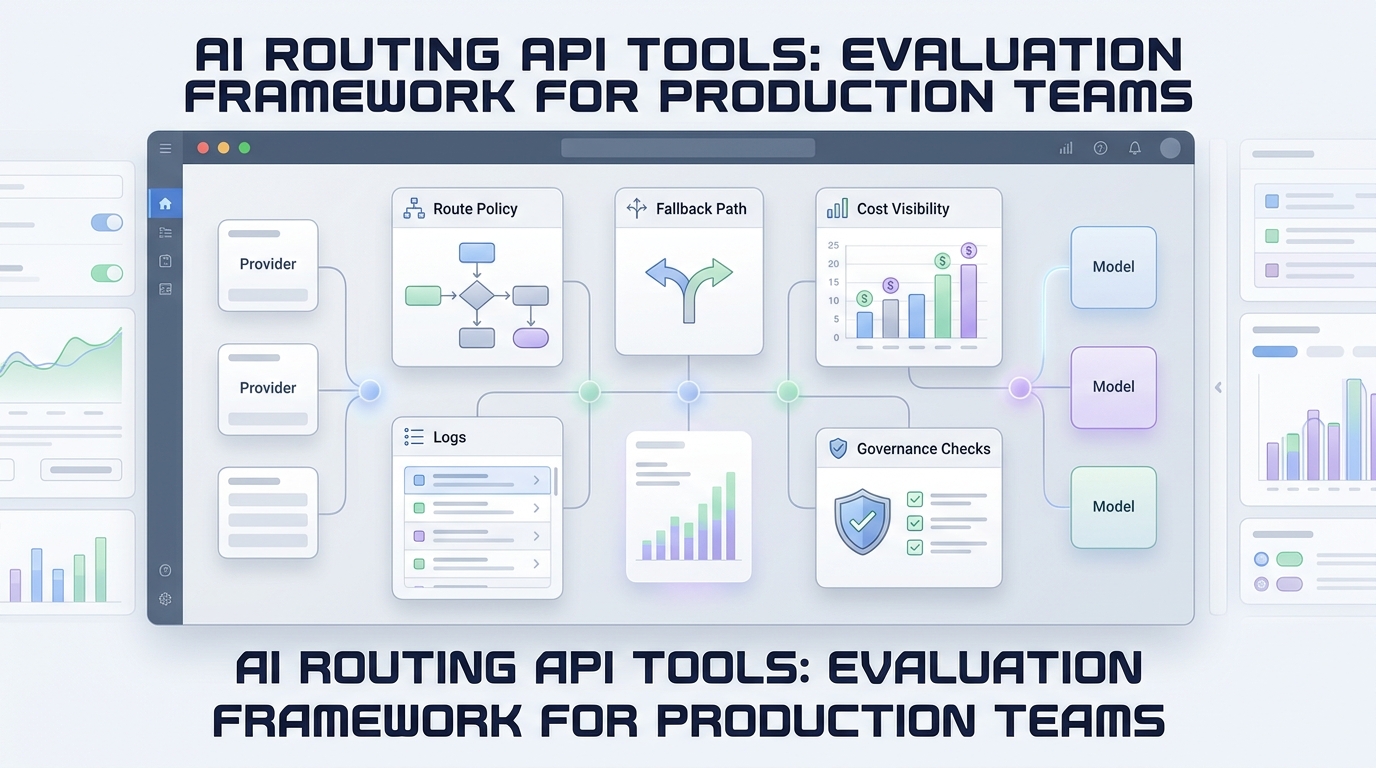
Seedance API production checklist for text-to-video teams
A Seedance API prototype can look finished after one successful video. A production integration is finished only when your system can survive slow jobs, duplicate events, changing model routes, partial failures, and uncertain cost.
That difference matters because video generation is not a normal request-response feature. The application submits work, waits, receives status changes, stores a large output, and decides whether a failure should be retried. The model call is only one stage in a longer workflow.
This checklist turns that workflow into a production contract your product, platform, and finance teams can review together.
Current-route note: Flatkey's public model catalog listed
seedance-2.5for text-to-video and image-to-video, plusseedance-2.0-i2vfor image-to-video, when this guide was checked on Monday, July 27, 2026. Treat those names as catalog state, not permanent constants. Confirm the current Flatkey model directory before shipping or changing an allowlist.
The short answer
Do not connect your user-facing request directly to a video provider call. Put a durable job layer between them.
Your minimum production path should be:
- accept and validate the user's generation request
- assign your own idempotency key and job ID
- store the request before calling the model route
- submit the job through a server-side adapter
- process webhook and polling updates idempotently
- copy completed media to storage you control
- record latency, failure reason, model route, and estimated cost
- expose a stable product status independent of provider wording
If one of those steps is missing, the integration may still demo well, but it is harder to operate safely.
Why Seedance API production work is different
Text generation often returns a useful response in one HTTP exchange. Video generation usually behaves like a distributed batch job. A user action can outlive an application request, a deploy, a browser session, or even the temporary URL that eventually holds the result.
The practical consequences are easy to underestimate:
| Production concern | Prototype behavior | Production requirement |
|---|---|---|
| Response time | Keep the browser waiting | Return an internal job ID immediately |
| Status | Display provider status directly | Map provider states to your own state machine |
| Retries | Let the user click again | Retry only with an idempotency policy |
| Output | Use the returned URL | Copy media to controlled storage |
| Cost | Inspect a bill later | Estimate before submit and reconcile after completion |
| Model changes | Hardcode one route | Validate the current model catalog and keep a rollback path |
| Failure handling | Show “failed” | Save a normalized reason and a safe next action |
The goal is not to hide the provider. It is to keep provider-specific behavior from becoming your product's permanent contract.
1. Freeze the product contract before the payload
Start with the experience you promise users, not the provider fields available today.
Define:
- accepted input types: text only, image plus text, or both
- supported aspect ratios and duration bands
- maximum upload size and accepted media formats
- moderation and rights checks before submission
- expected status updates and cancellation behavior
- output retention period
- whether a failed job consumes a user credit
- what “retry” means in the product
Then translate that contract into the current Seedance route inside an adapter.
This separation protects you from two common failure modes. First, a route update can add or rename parameters without forcing a frontend rewrite. Second, your application can reject unsupported combinations before spending money on a doomed job.
2. Use your own job ID and idempotency key
Every request needs two identifiers:
- product job ID: the stable identifier shown throughout your system
- idempotency key: the identifier used to prevent accidental duplicate submission
Do not use a provider task ID as your primary key. It does not exist until after submission, and it can change if you deliberately resubmit through another route.
A simple request record can look like this:
type VideoJob = {
  id: string;
  idempotencyKey: string;
  accountId: string;
  requestedModel: string;
  resolvedModel: string | null;
  providerTaskId: string | null;
  status: "accepted" | "queued" | "running" | "succeeded" | "failed" | "cancelled";
  attempt: number;
  outputUrl: string | null;
  failureCode: string | null;
  createdAt: string;
  updatedAt: string;
};
Create this record before the outbound API call. If the application crashes after submission but before saving the response, the idempotency key gives you a way to reconcile instead of blindly charging for another generation.
3. Put Seedance behind one server-side adapter
Keep provider-specific request construction in one module. The rest of your product should send a normalized command such as:
type GenerateVideoCommand = {
  prompt: string;
  sourceImageUrl?: string;
  aspectRatio: "16:9" | "9:16" | "1:1";
  durationSeconds: number;
  qualityProfile: "draft" | "standard" | "high";
};
The adapter is responsible for:
- resolving
qualityProfileto a currently available model and settings - attaching authentication server-side
- translating your aspect and duration choices into the active API schema
- submitting the task
- normalizing provider errors
- storing the provider task ID
- reporting enough metadata for cost and reliability analysis
Flatkey gives teams one API key, a stable router endpoint, a shared balance, and centralized usage visibility across model families. For teams that already use that access layer, keep the Seedance-specific async logic in the adapter rather than scattering route assumptions across the codebase. The earlier guide on a stable OpenAI-compatible base URL for Seedance API teams explains that boundary in more detail.
4. Model the workflow as a state machine
Do not let arbitrary status strings flow into product logic. Normalize them.
stateDiagram-v2
    [*] --> accepted
    accepted --> queued: submit accepted
    accepted --> failed: validation or submit error
    queued --> running: provider starts work
    queued --> failed: terminal provider error
    running --> succeeded: output verified
    running --> failed: terminal provider error
    accepted --> cancelled: cancelled before submit
    queued --> cancelled: cancellation confirmed
    succeeded --> [*]
    failed --> [*]
    cancelled --> [*]
Only allow forward transitions unless you are running an explicit recovery process. A late running event must not overwrite a job already marked succeeded. A duplicated succeeded webhook must not trigger two storage copies or two customer notifications.
Store the raw provider event separately for debugging, but make product decisions from the normalized state.
5. Use webhooks and polling together
Webhooks are efficient, but they are not a guarantee that your application will process every event once and in order. Polling is slower, but it is valuable for reconciliation.
Use both:
- webhook path: low-latency status updates
- polling path: scheduled recovery for jobs that have not changed recently
Your webhook handler should:
- authenticate the callback when the active API supports verification
- parse the event without doing heavy work inline
- write an event fingerprint to a deduplication table
- enqueue processing
- return success quickly
Your reconciliation worker should poll only jobs that are still non-terminal after a sensible delay. Add jitter so a deploy does not cause thousands of status checks at the same instant.
The provider-specific webhook and query fields can change. Verify them against the current official API reference during implementation rather than copying an old payload from a blog post.
6. Make retry decisions by failure class
“Retry failed jobs” is not a policy. It is a cost risk.
Normalize errors into classes:
| Failure class | Examples | Default action |
|---|---|---|
| Validation | Unsupported dimensions, missing image, invalid duration | Do not retry; return a fixable product error |
| Authentication | Expired or invalid key | Pause submissions and alert the operator |
| Rate or capacity | Throttling, temporary queue pressure | Retry with exponential backoff and jitter |
| Transport | Timeout before a confirmed task ID | Reconcile by idempotency key before resubmitting |
| Provider terminal | Safety rejection, generation failure | Do not auto-retry unless the provider marks it retryable |
| Output handling | Temporary download or storage failure | Retry the copy, not the generation |
The last distinction is especially important. If the video was generated successfully but your storage copy failed, regenerating the video creates unnecessary cost and can produce a different result.
Set a retry budget per job. A reasonable policy might permit more status checks and storage-copy attempts than generation submissions.
7. Copy outputs to storage you control
Treat any provider-hosted result URL as a transfer location, not your permanent product asset.
After a job succeeds:
- verify the response contains the expected media type
- download with a size and time limit
- validate that the file is not empty or obviously truncated
- compute a checksum
- copy it to your object storage
- save duration, dimensions, codec, and size
- switch the product job to
succeededonly after the durable copy is available
If your product allows users to download the original provider asset before the copy finishes, represent that as a separate transient state. Do not silently promise permanence.
8. Add cost controls before opening the feature
Video jobs are expensive enough that product limits should exist before public launch.
At minimum, define:
- a per-key or per-team spend cap
- a model allowlist for the application key
- maximum concurrent jobs per account
- maximum duration and quality profile by plan
- a daily submission limit for new or untrusted accounts
- a circuit breaker when failure rate or cost per success rises
Flatkey's public documentation describes per-key caps, optional model allowlists, and usage visibility through Usage & Logs or the ledger API. Use those controls as the access-layer guardrail, then add product-level quotas based on your own plans and abuse risk.
Before enabling a new route, compare the current catalog and Flatkey pricing. Do not embed a numeric price from this article in application logic; pricing and route availability are refreshable data.
9. Measure the full job, not only API latency
For an asynchronous Seedance API workflow, a successful submission can still produce a poor customer experience.
Track at least:
- submission acceptance rate
- queue wait time
- generation time
- total time to durable output
- success rate by resolved model
- failure rate by normalized failure class
- webhook delivery lag
- polling recovery rate
- storage-copy failure rate
- cost per submitted job
- cost per successful durable output
- duplicate-submission prevention count
Use percentiles, not only averages. A median generation time can look healthy while the slowest ten percent of jobs create most support tickets.
Also record the requestedModel and resolvedModel separately. That makes route changes visible and gives you evidence for rollback decisions.
10. Ship model changes as migrations
A catalog change is not merely a string replacement. Treat it like a dependency upgrade.
Before moving production traffic to a new Seedance route:
- confirm the current route in the live model directory
- compare supported inputs and output constraints
- run a fixed evaluation set across your common prompt types
- compare success rate, latency, output acceptance, and cost
- test webhook, polling, and error normalization
- canary a small traffic percentage
- preserve a rollback route until the canary is stable
- update the model allowlist and operational runbook
If your application exposes a “quality” setting, map it to a capability profile rather than a permanent model ID. That lets you change the backing route without breaking the product API.
Production readiness checklist
Use this list as a launch gate.
Request and access
- [ ] API keys remain server-side
- [ ] the application key has a spend cap and model allowlist
- [ ] every request has an internal job ID and idempotency key
- [ ] inputs are validated before submission
- [ ] the current Seedance model route is checked on the live catalog
Async execution
- [ ] provider-specific logic lives in one adapter
- [ ] product statuses use a normalized state machine
- [ ] webhook events are authenticated when supported and deduplicated
- [ ] polling reconciles stale non-terminal jobs
- [ ] late or duplicate events cannot reverse terminal states
Reliability and cost
- [ ] retry behavior varies by failure class
- [ ] generation retries have a strict budget
- [ ] output-copy retries do not regenerate successful videos
- [ ] concurrency and daily job limits are enforced
- [ ] a circuit breaker can pause a degraded route
Output and observability
- [ ] successful media is copied to controlled storage
- [ ] output metadata and checksum are stored
- [ ] requested and resolved model IDs are logged
- [ ] cost per successful durable output is measured
- [ ] operators have a runbook for stuck, failed, and duplicated jobs
Where Flatkey fits
Flatkey does not remove the need for an asynchronous video job layer. It reduces the access and governance work around that layer: one account, one balance, API-key controls, a stable router surface, a live model catalog, and centralized usage records.
For a first integration, start with the broader Seedance API quickstart for text-to-video product teams. When the feature moves toward production, apply this checklist to the queue, state, retry, storage, and observability layers around the model call.
If your team is deciding which current route and usage controls fit the rollout, review the live models and pricing before approving the production configuration.
Frequently asked questions
Is the Seedance API synchronous or asynchronous?
Treat video generation as an asynchronous job. Your product should submit work, return its own job ID, and process status updates through webhooks and/or polling according to the current API reference.
Should I use a provider task ID as my database primary key?
No. Create your own stable job ID before submission. Store the provider task ID as an external reference so you can reconcile, resubmit, or change routes without changing the product identifier.
Do I need both webhooks and polling?
For a resilient production system, yes. Webhooks provide fast updates; polling recovers jobs whose events were delayed, missed, or not processed.
When is it safe to retry a failed Seedance job?
Retry only after classifying the failure. Capacity and network failures may be retryable. Validation, authentication, safety, or other terminal failures usually need a configuration or user change. If submission timed out, reconcile by idempotency key before sending another paid job.
Should I store the generated video myself?
Yes. Copy completed output to storage you control, validate the file, and save its metadata. Provider-hosted result URLs should not be treated as permanent product storage unless the current terms explicitly guarantee that behavior.
How should I handle a new Seedance model version?
Treat it as a migration: verify the current catalog, run a fixed evaluation set, compare quality, latency, failures, and cost, canary traffic, and preserve a rollback route until the change is stable.
Which Seedance model should I hardcode?
Avoid permanently hardcoding a model based on a static article. Resolve a product capability profile to a model listed in the current Flatkey model directory, and keep the chosen route in configuration so operators can change it safely.