vLLM Expert Parallel Deployment for DeepSeek and Other MoE Models
vLLM expert parallel is the deployment mode to use when an MoE model’s expert layers should be split across GPUs instead of being handled as one large tensor-parallel group. In current vLLM, the switch is --enable-expert-parallel. You size expert parallelism indirectly through tensor-parallel (TP) and data-parallel (DP) settings: vLLM documents EP_SIZE = TP_SIZE × DP_SIZE.
That detail matters. Many runbooks search for a separate “vLLM expert parallel size flag,” then try to force a flag that is not part of their pinned build. Start with the supported switch, check vllm serve --help in the exact image you will deploy, and make TP/DP choices from a measured capacity plan.
This playbook covers a safe path from a single-node DeepSeek MoE deployment to multi-node vLLM expert parallel, including backend choice, expert-load balancing, acceptance tests, and failure isolation. It is written for ML and AI infrastructure engineers, not for a one-command demo.
Version note: vLLM’s MoE kernels, dependencies, and CLI surface evolve quickly. The documented behavior and commands below were checked against the official vLLM documentation on October 16, 2026. Pin the vLLM image and verify flags against that pinned version before a production rollout.
The short answer
| Question | Practical answer |
|---|---|
| What enables vLLM expert parallel? | Add --enable-expert-parallel to a supported MoE deployment. |
| How is EP size chosen? | In the current vLLM expert-parallel documentation, it is computed as TP × DP; set --tensor-parallel-size and --data-parallel-size, not a guessed EP-size flag. |
| What changes? | MoE expert layers are sharded across EP ranks; attention layers still follow the documented TP/DP behavior. |
| When should you use it? | When an MoE model, GPU topology, communication fabric, and request volume justify distributing expert work. It is not a generic speed switch for dense models. |
| Where should you start? | One node, fixed model revision, fixed traffic trace, and a baseline that does not use EP. |
The official vLLM expert parallel deployment guide is the source of truth for the feature. It describes expert parallelism as distributing MoE experts over GPUs, usually together with data parallelism.
What vLLM expert parallel actually changes
An MoE model routes each token to a small subset of many expert networks. Without expert parallelism, vLLM’s documented MoE behavior forms a tensor-parallel group across DP × TP. With --enable-expert-parallel, expert layers instead use expert parallelism while attention layers keep their own TP/DP behavior.
For a concrete topology, consider TP=2 and DP=4:
| Component | Parallel behavior with EP enabled |
|---|---|
| Expert layers | An EP group spanning 8 ranks; experts are distributed across those GPUs. |
| Attention layers | Tensor-parallel groups of 2 within each of 4 DP groups. |
| Effective EP size | 2 × 4 = 8. |
This is why vLLM expert parallel is not a substitute for deciding how attention, KV cache capacity, request concurrency, and network topology fit together. It is one part of a distributed serving design.
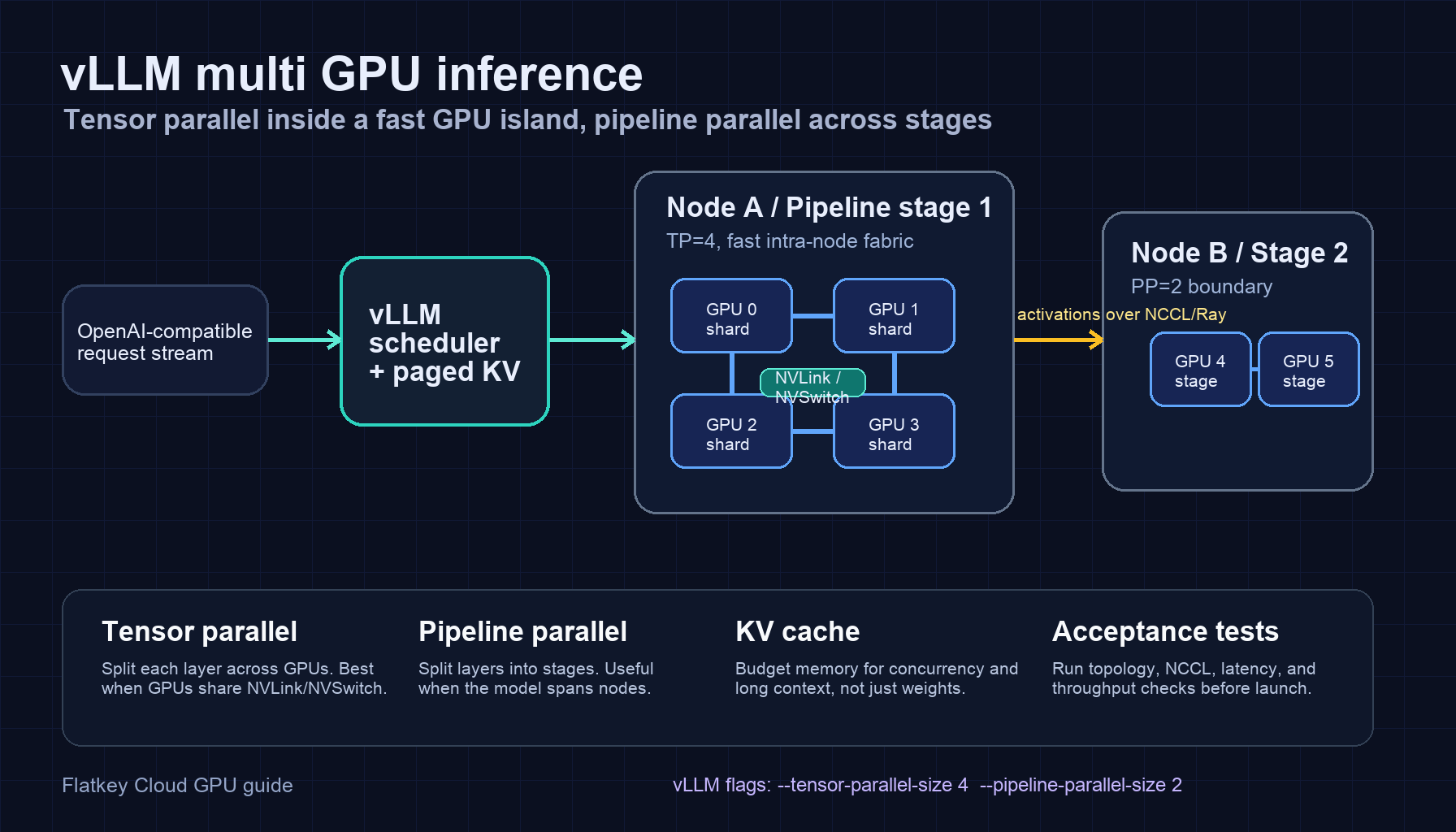
For a broader primer on which multi-GPU pattern fits a workload, see vLLM multi-GPU inference: tensor and pipeline parallel setup.
The vLLM expert parallel flag and the “size flag” question
The current public documentation gives the canonical activation flag:
--enable-expert-parallel
It also states that expert-parallel size is calculated from tensor and data parallel sizes:
EP_SIZE = TP_SIZE × DP_SIZE
So the vLLM expert parallel deployment docs pattern is:
vllm serve <MODEL> --tensor-parallel-size <TP> --data-parallel-size <DP> --enable-expert-parallel
Do not copy a separate --expert-parallel-size option from an old issue, an internal wrapper, or another serving stack and assume it applies to your vLLM build. Treat the question “what is my EP size?” as a topology question:
- Choose the number of GPUs and nodes available to one serving group.
- Choose TP for attention-layer sharding and local model behavior.
- Choose DP for independent engine capacity and request distribution.
- Enable EP for the MoE layers.
- Confirm the computed process topology in startup logs and run a load test.
The vLLM serve CLI reference is the final authority for flags in a specific release.
Before you deploy: the readiness gate
Do these checks before blaming expert parallelism for a startup or throughput problem.
| Gate | What to verify | Why it matters |
|---|---|---|
| Version | Pin the vLLM container, CUDA stack, and model revision across every worker. | A mixed image or mismatched wheel can turn a topology problem into an opaque kernel error. |
| Model fit | Account for model weights, KV cache, runtime workspaces, and any redundant experts before choosing GPU count. | EP does not eliminate memory planning. |
| Dependencies | Follow the current vLLM EP-kernel prerequisites, including DeepEP and DeepGEMM where the documentation requires them. | The expert-parallel documentation calls these out as prerequisites. |
| Fabric | Verify GPU topology on one node and verify inter-node GPU communication before the first production request. | EP adds communication to every MoE forward pass. |
| Control network | Make primary-node address, port reachability, and NIC selection explicit. | A healthy data plane does not help when control-plane discovery is pointed at the wrong interface. |
| Baseline | Capture latency, throughput, error rate, and GPU-memory headroom without EP. | You need a comparable answer to “did EP help?” |
For the memory side of this gate, use the LLM GPU memory requirements guide to build a capacity worksheet before reserving a larger cluster.
Keep the first experiment boring
Use one model revision, one known tokenizer, one request mix, one concurrency envelope, and one fixed set of launch flags. Avoid changing quantization, cache settings, hardware, and all-to-all backend in the same test. A clean baseline makes it possible to tell whether vLLM expert parallel changed useful throughput or only moved the bottleneck.
Single-node DeepSeek MoE deployment
The current vLLM guide uses DeepSeek-V3-0324 as its single-node example with one-way TP, eight-way DP, and EP enabled:
vllm serve deepseek-ai/DeepSeek-V3-0324 --tensor-parallel-size 1 --data-parallel-size 8 --enable-expert-parallel
The documentation explains the intended effect: attention weights are replicated across DP ranks while expert weights are split across GPUs. It uses an eight-GPU H200 or H20 node as the example topology and advises teams with different hardware to validate their own fit rather than treating the example as a universal sizing promise.
Use that command as a topology starting point, not as a production configuration copy-paste. Before exposing an endpoint:
- Confirm the server reaches a healthy ready state with no hidden fallback to a different kernel path.
- Run a correctness test with known prompts and expected schema or tool-call behavior.
- Drive a small steady load, then a burst and a long-context sample.
- Compare p50 and p99 time to first token, inter-token latency, output throughput, memory headroom, and errors to the non-EP baseline.
- Save the launch command, image digest, model revision, driver version, and metrics snapshot with the benchmark result.
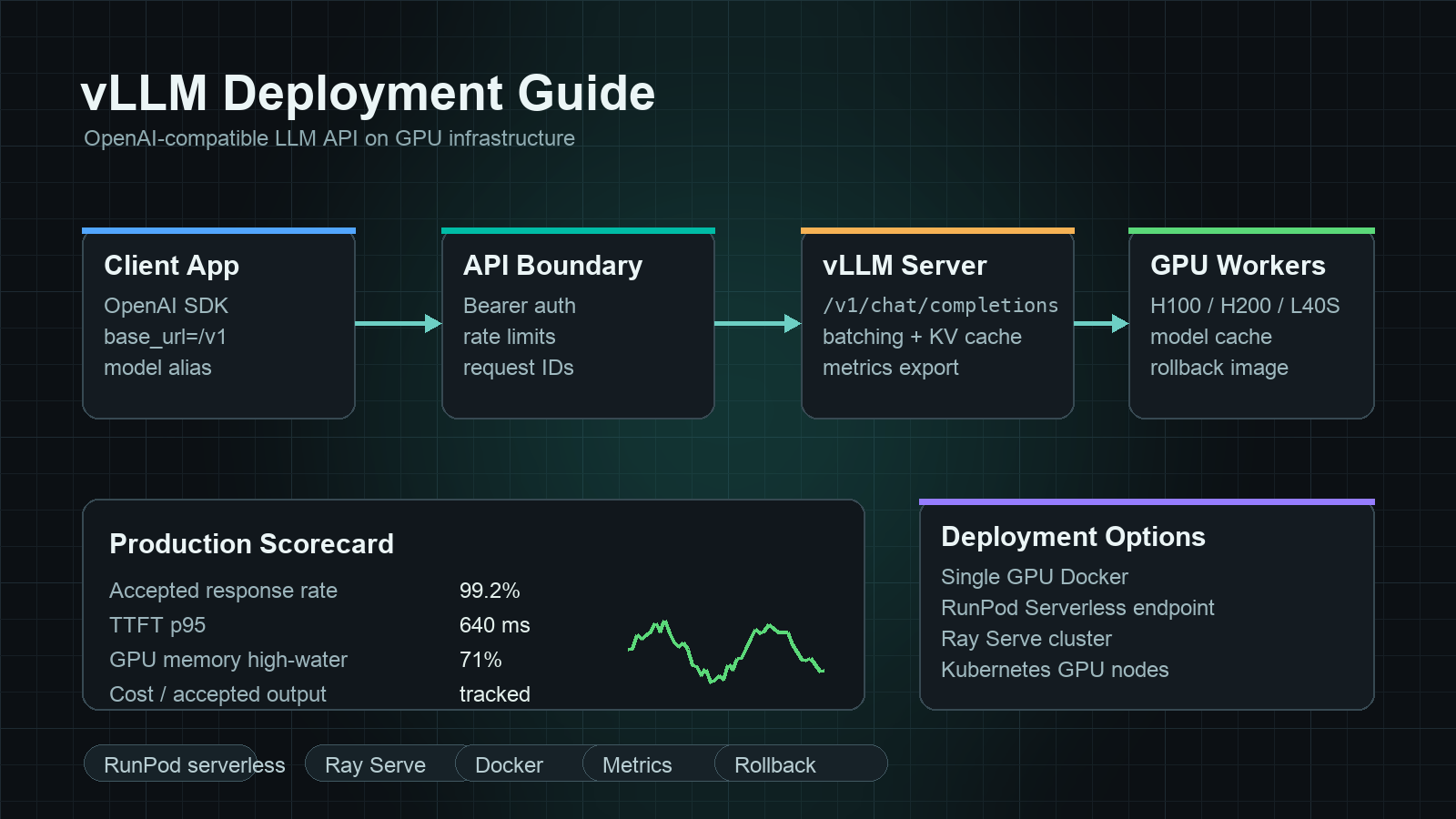
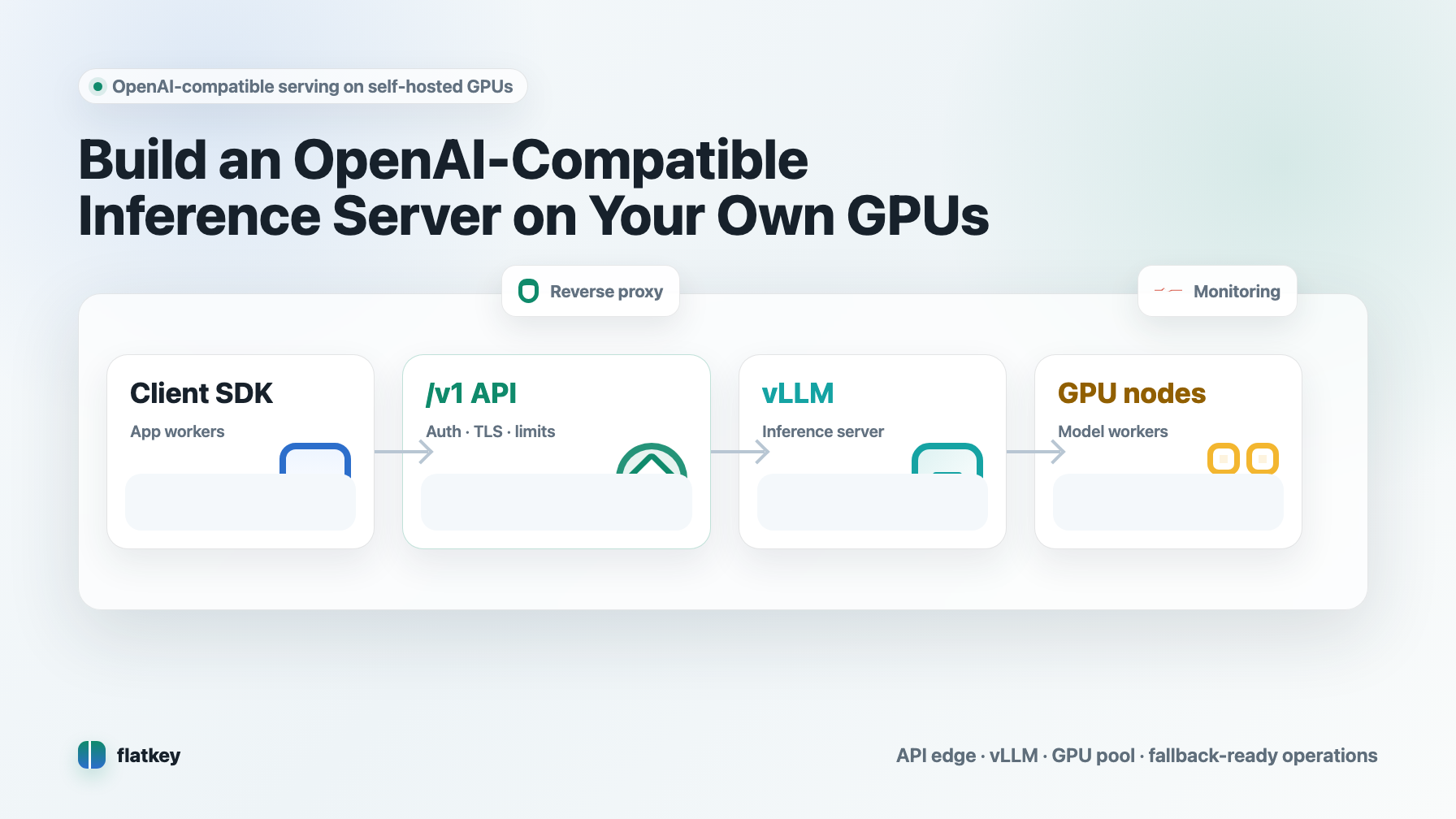
If you are still building the surrounding API layer, this vLLM deployment guide covers the OpenAI-compatible server path separately from the MoE-parallelism decision.
Select the all-to-all backend by workload, not habit
vLLM exposes --all2all-backend for expert-parallel communication. The official guide currently describes a general-purpose default plus specialized DeepEP modes. Match the backend to the traffic you actually measured.
| Backend | Documented fit | Deployment implication |
|---|---|---|
allgather_reducescatter |
General-purpose EP + DP deployments | A sensible control configuration before specialized tuning. |
deepep_high_throughput |
Multi-node, prefill-dominated workloads | Evaluate when long prompts and aggregate throughput dominate the service objective. |
deepep_low_latency |
Multi-node, decode-dominated workloads | Evaluate when generated-token latency matters more than maximum prefill throughput. |
| FlashInfer NVLink modes | MNNVL / NVLink-specific systems | Use only when the hardware and the current vLLM documentation match the backend’s requirements. |
The point is not to pick the fastest-looking label. It is to test one backend at a time against your prompt-length mix, concurrency, fabric, and SLO. Measure the effect on tail latency as well as tokens per second.
Multi-node vLLM expert parallel: a two-node pattern
For multi-node deployment, the vLLM documentation uses a primary node that handles API traffic and a secondary --headless worker node. The following is a parameterized form of that documented pattern. Replace addresses and counts with values that match the cluster you actually tested.
On the primary node:
export GLOO_SOCKET_IFNAME=eth0
vllm serve deepseek-ai/DeepSeek-V3-0324 --all2all-backend deepep_low_latency --tensor-parallel-size 1 --enable-expert-parallel --data-parallel-size 16 --data-parallel-size-local 8 --data-parallel-address <PRIMARY_NODE_IP> --data-parallel-rpc-port 13345 --api-server-count 8
On the second node:
export GLOO_SOCKET_IFNAME=eth0
vllm serve deepseek-ai/DeepSeek-V3-0324 --all2all-backend deepep_low_latency --tensor-parallel-size 1 --enable-expert-parallel --data-parallel-size 16 --data-parallel-size-local 8 --data-parallel-start-rank 8 --data-parallel-address <PRIMARY_NODE_IP> --data-parallel-rpc-port 13345 --headless
The numbers matter:
--data-parallel-sizeis the total DP size across the serving group.--data-parallel-size-localis the number of DP ranks launched on that node.--data-parallel-start-rankis the cumulative local DP size of earlier nodes.- The secondary node is headless because the primary handles client requests.
For InfiniBand clusters, the current vLLM guide specifically calls out GLOO_SOCKET_IFNAME=eth0 to keep distributed-group discovery on the selected Ethernet control interface. That is not a substitute for validating NCCL and GPU-to-GPU communication across nodes.
Multi-node acceptance checklist
Before sending customer traffic to a multi-node vLLM expert parallel group, prove all of the following:
- Every worker resolves the same model revision and starts with the intended rank.
- The primary node can reach the configured RPC address and port from every peer.
- The distributed group initializes repeatedly after a clean restart.
- A request completes at low concurrency, then under a sustained trace.
- A deliberately skewed request mix does not cause silent hangs or a tail-latency cliff.
- Restarting one test worker produces an observable, actionable failure signal rather than indefinite queued requests.
The vLLM distributed troubleshooting guide recommends verifying inter-node GPU communication and making communication environment variables available to every node. If you use Ray, it also documents keeping the vLLM and Ray host-IP configuration aligned.
Add Expert Parallel Load Balancing only after you observe imbalance
MoE routing is not always evenly distributed in production. vLLM’s Expert Parallel Load Balancer (EPLB) collects load data and periodically redistributes expert mappings across EP ranks. The feature is enabled with --enable-eplb.
vllm serve Qwen/Qwen3-30B-A3B --enable-expert-parallel --enable-eplb --eplb-config '{"window_size":1000,"step_interval":3000,"num_redundant_experts":2,"log_balancedness":true}'
Start without EPLB unless you have evidence of hot experts, uneven per-rank work, or persistent tail latency that tracks routing skew. EPLB can use redundant experts, and those extra expert copies consume GPU memory. Treat it as an optimization with a capacity cost, not as a mandatory vLLM expert parallel flag.
For an initial experiment:
- Log per-rank utilization and request latency without EPLB.
- Enable balancedness logging for a controlled window.
- Add the smallest redundancy setting that fits the memory budget.
- Compare tail latency, throughput, memory headroom, and rebalance disruption under the same trace.
- Keep the rollback command and non-EPLB deployment config ready.
A benchmark plan that answers the right question
Do not call an EP rollout successful because the process starts. Use the same model revision, prompts, output caps, concurrency, quantization, cache settings, and hardware reservation for every comparison.
| Test | What it exposes | Decision signal |
|---|---|---|
| Short-prompt, high-concurrency decode | Decode-side collective and queue behavior | p99 inter-token latency and generated-token throughput |
| Long-prompt prefill | Prefill and all-to-all overhead | p99 time to first token and aggregate prefill throughput |
| Expert-skew trace | Whether a small set of experts creates hot ranks | Rank imbalance, queue growth, and the case for EPLB |
| Long-context capacity test | Memory headroom under realistic cache pressure | OOM rate, admission failures, and safe concurrency |
| Restart / partition drill | Operational behavior under a failed peer or blocked port | Time to detection, error visibility, and recovery path |
Record more than average throughput. A deployment that improves the mean while breaking p99 latency or making recovery opaque is not a clean production win.
Troubleshooting vLLM expert parallel deployments
| Symptom | Likely class of cause | First move |
|---|---|---|
Unknown --expert-parallel-size argument |
Runbook and installed vLLM do not match | Run vllm serve --help, pin the build, and use TP/DP sizing documented for that build. |
| Startup fails around an EP kernel or all-to-all backend | Missing or incompatible EP dependency / container stack | Re-check the current EP prerequisites and container image rather than changing several launch flags at once. |
| Multi-node workers hang during initialization | Control-plane address, port, NIC, or process-group configuration | Verify reachability, selected interfaces, rank math, and distributed communication before tuning kernels. |
| First request hangs after workers appear ready | Inter-node GPU communication is not healthy | Run the vendor/vLLM communication checks, then inspect NCCL and interface configuration. |
| Throughput does not improve | Traffic mix, fabric, batch behavior, or attention-side configuration is still the bottleneck | Compare against the baseline by prompt length and concurrency; change one topology variable at a time. |
| Out-of-memory after enabling EPLB | Redundant-expert memory consumed the safety margin | Reduce redundancy or reserve more memory headroom; repeat the capacity test. |
| One rank is persistently slower | Expert-routing skew or uneven host/fabric performance | Measure rank-level load first; consider EPLB only if the evidence supports it. |
The important habit is narrow diagnosis. Keep the model, image, traffic trace, and topology fixed while you change one factor. That turns a vague “EP is slow” report into an actionable observation.
Production rollout sequence
- Establish the baseline. Run the target MoE model without EP and keep the metrics, logs, and launch manifest.
- Enable EP on one node. Use
--enable-expert-parallelwith an explicitly chosen TP/DP topology. - Verify quality and capacity. Check output behavior, memory headroom, p50/p99 latency, and sustained throughput.
- Choose a backend by traffic shape. Compare the general backend to a relevant specialized backend only with the same trace.
- Add EPLB only on evidence. Use balancedness data and memory headroom to justify redundant experts.
- Expand to multi-node. Verify rank allocation, control networking, and inter-node GPU communication before raising traffic.
- Run a failure drill. Test restart, port loss, and an unhealthy worker before production traffic finds the gap for you.
- Pin and document. Save versions, launch flags, topology, metrics, and rollback steps beside the deployment.
When not to self-host the MoE serving layer
vLLM expert parallel is the right investment when control over model placement, data path, hardware reservation, and serving behavior is part of the product requirement. It is a poor fit when the team mainly needs model access and cannot own GPU utilization, distributed networking, upgrade testing, and on-call recovery.
Before reserving a larger cluster, compare the operating model to a managed API path in GPU cloud vs. model API: when self-hosting actually saves money. The right answer can be a hybrid: self-host the workload that needs infrastructure control and use an API layer for the rest.
FAQ
Does --enable-expert-parallel enable vLLM expert parallel?
Yes. The current vLLM CLI documents --enable-expert-parallel as using expert parallelism instead of tensor parallelism for MoE layers.
What is the vLLM expert parallel size flag?
For the current documented deployment flow, EP size is derived from --tensor-parallel-size and --data-parallel-size: EP_SIZE = TP × DP. Verify the exact CLI surface in your pinned vLLM release instead of assuming a separate size flag.
Does expert parallel replace tensor parallelism everywhere?
No. EP changes the MoE expert-layer strategy. Attention-layer behavior still depends on the TP and DP values you choose.
Should every DeepSeek deployment enable EPLB?
No. First demonstrate expert-load imbalance under representative traffic and confirm that the redundant-expert memory cost fits the cluster. EPLB is an optimization, not a default requirement.
Which all-to-all backend should I use?
Start from the current vLLM guidance, then test the backend that matches your workload shape: a general-purpose option for broad compatibility, a high-throughput DeepEP mode for prefill-heavy traffic, or a low-latency DeepEP mode for decode-heavy traffic.
References
- vLLM Expert Parallel Deployment documentation
- vLLM Data Parallel Deployment documentation
- vLLM serve CLI reference
- vLLM distributed deployment troubleshooting
Next step: use the single-node command as a controlled validation environment, capture a baseline, and promote only the topology that improves the SLO you actually care about. That is how vLLM expert parallel becomes a production decision rather than a flag you hope is faster.