
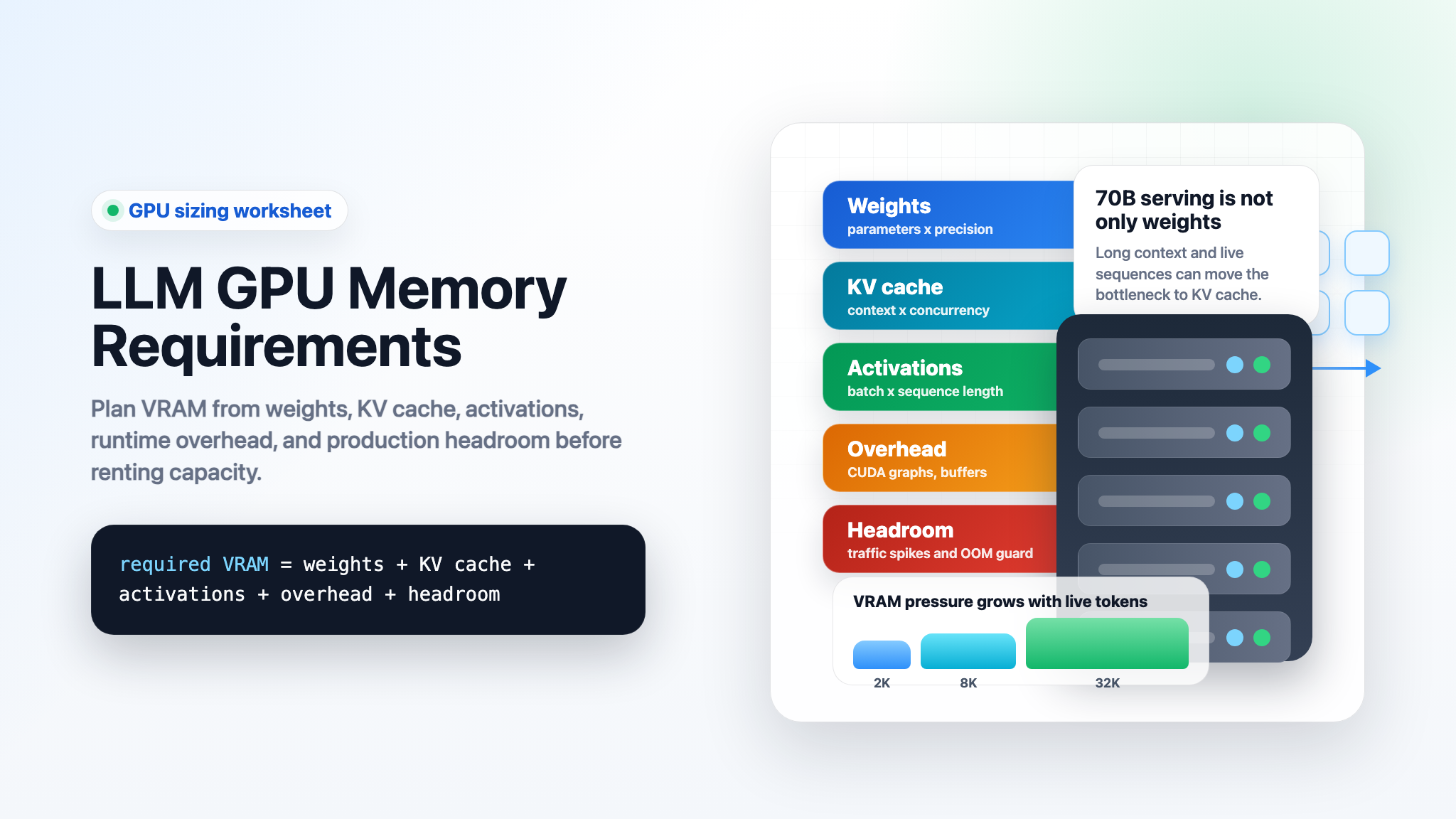
LLM GPU memory requirements are not just "model size plus a little room." A serving or training job has several separate memory buckets: model weights, KV cache, activations, framework workspaces, CUDA graphs, temporary buffers, and operational headroom.
The quick planning rule is this:
required VRAM =
  model weights
+ KV cache for live tokens
+ activation and workspace memory
+ training state, if training or full fine-tuning
+ allocator and safety headroom
That is why two teams can run the same 70B model on the same GPU class and see different outcomes. One uses short prompts, one stream, FP8 KV cache, and conservative batching. The other uses long context, many concurrent requests, CUDA graph capture, and a high gpu_memory_utilization setting. The first job fits. The second job fails with out-of-memory errors or burns latency while spilling work elsewhere.
This guide gives a practical worksheet for llm gpu memory requirements across inference, vLLM serving, fine-tuning, and training. Use it before renting a GPU, choosing H100 versus H200 versus B200 capacity, or deciding whether a model API is simpler than operating your own GPU endpoint.
LLM GPU memory requirements quick answer
For inference, start with the weights, then size KV cache from context length and concurrency. For training, weights are only the beginning; optimizer states, gradients, and saved activations dominate the memory plan.
| Workload | What usually dominates VRAM | Fast planning rule |
|---|---|---|
| Single-request inference | Weights | parameters x bytes_per_weight, then add KV cache for the prompt and generated tokens. |
| High-throughput inference | KV cache and scheduler headroom | Size by concurrent sequences x tokens per sequence, not just by model parameter count. |
| Long-context serving | KV cache | Doubling context length roughly doubles KV cache memory for the same model and batch. |
| Full fine-tuning | Optimizer states, gradients, activations | Mixed-precision AdamW can require many times the model-weight memory before activations. |
| LoRA or adapter tuning | Base weights plus activations and adapter state | Much smaller than full fine-tuning, but long context and batch size still matter. |
| Pretraining | Training state plus activations plus distributed overhead | Plan from a measured framework run; formulas are only the first pass. |
If you only need model outputs, compare direct GPU serving with a model API baseline first. Direct GPUs make sense when you need custom weights, placement control, private runtime policy, or a workload that is cheaper after utilization is measured. If you mainly need reliable API responses, a managed model route can avoid weeks of GPU sizing, queueing, and operations work.
LLM GPU memory requirements worksheet
Use this worksheet before choosing an instance.
| Bucket | Formula or check | Notes |
|---|---|---|
| Weights | parameter_count x weight_bytes |
BF16/FP16 use about 2 bytes per parameter. INT8 uses about 1 byte. 4-bit uses about 0.5 bytes before quantization metadata. |
| KV cache | active_tokens x layers x kv_heads x head_dim x 2 x kv_bytes |
The 2 is for keys and values. Grouped-query attention reduces kv_heads versus full multi-head attention. |
| Activations | Inference: usually modest. Training: scales with batch, sequence length, hidden size, layers, and checkpointing choices. | Hugging Face's model memory anatomy calls out weights, optimizer states, gradients, saved activations, temporary buffers, and functionality-specific memory for training. |
| Serving framework reserve | vLLM, TensorRT-LLM, SGLang, PyTorch, CUDA graphs, attention kernels, scheduling queues | vLLM exposes memory controls such as gpu_memory_utilization, kv_cache_memory_bytes, kv_cache_dtype, max_model_len, and max_num_seqs. |
| Safety headroom | 10-20% for production, more during first benchmarks | Leave room for allocator fragmentation, traffic spikes, longer prompts, model reloads, and observability agents. |
The most common mistake is to fit the weights and forget the live tokens. For an LLM inference GPU memory requirements estimate, KV cache can be the difference between a stable endpoint and an OOM loop.
Step 1: calculate model weight memory
Weights are the simplest part of GPU memory requirements for LLM workloads.
weight_memory_gib = parameters x bytes_per_parameter / 1024^3
| Model size | BF16 / FP16 weights | INT8 weights | 4-bit weights before metadata |
|---|---|---|---|
| 7B | ~13.0 GiB | ~6.5 GiB | ~3.3 GiB |
| 13B | ~24.2 GiB | ~12.1 GiB | ~6.1 GiB |
| 34B | ~63.3 GiB | ~31.7 GiB | ~15.8 GiB |
| 70B | ~130.4 GiB | ~65.2 GiB | ~32.6 GiB |
| 405B | ~754.4 GiB | ~377.2 GiB | ~188.6 GiB |
This table is a lower bound. Real deployments add quantization scales, non-parameter buffers, tokenizer/runtime state, temporary workspaces, and serving overhead.
For a vLLM GPU memory requirements 70B model VRAM estimate, BF16/FP16 weights alone already exceed a single 80 GB H100. A single H200 has 141 GB HBM3e according to NVIDIA's H200 page, so the weights can fit in principle, but the remaining KV cache and runtime headroom may still force smaller context, lower concurrency, KV-cache quantization, or tensor parallelism. NVIDIA lists H100 SXM at 80 GB, H200 at 141 GB, and DGX B200 as eight Blackwell GPUs with 1,440 GB total HBM3e, which is effectively 180 GB per B200 GPU in that system.
Step 2: calculate KV cache memory for LLM GPU memory requirements
KV cache is the memory used to store attention keys and values for tokens already processed. It lets the model generate without recomputing the full prefix every time.
For decoder-only transformer inference:
kv_cache_bytes =
  active_tokens
x num_layers
x num_kv_heads
x head_dim
x 2
x bytes_per_kv_element
Where:
| Variable | Meaning |
|---|---|
active_tokens |
Sum of prompt and generated tokens currently resident in the cache across live requests. |
num_layers |
Transformer layer count. |
num_kv_heads |
KV heads, not always attention heads. Grouped-query attention can make this much smaller. |
head_dim |
Per-head dimension. |
2 |
Key plus value tensors. |
bytes_per_kv_element |
2 for BF16/FP16, 1 for FP8, lower for supported lower-bit cache modes. |
As an example, a Llama-style 70B shape with 80 layers, 8 KV heads, and 128 head dimension uses:
80 x 8 x 128 x 2 x 2 bytes = 327,680 bytes per token
That is about 0.3125 MiB per active token in BF16/FP16 KV cache.
| Active context per sequence | Approx KV cache for one sequence | Approx KV cache for 16 live sequences |
|---|---|---|
| 2,048 tokens | ~0.6 GiB | ~10.0 GiB |
| 4,096 tokens | ~1.3 GiB | ~20.0 GiB |
| 8,192 tokens | ~2.5 GiB | ~40.0 GiB |
| 16,384 tokens | ~5.0 GiB | ~80.0 GiB |
| 32,768 tokens | ~10.0 GiB | ~160.0 GiB |
The exact number changes by model architecture. A model with more KV heads uses more KV memory. A model with multi-query or grouped-query attention can use far less KV memory than a full multi-head attention design.
vLLM documents several knobs that matter here: --gpu-memory-utilization controls the fraction of GPU memory used by the model executor, --kv-cache-memory-bytes can explicitly size KV cache, --kv-cache-dtype can select cache precision, and the conserving-memory guide recommends reducing max_model_len and max_num_seqs when memory is tight. vLLM also documents FP8 KV cache as a way to reduce KV cache footprint and support longer context or higher throughput, with accuracy validation still required.
Step 3: add activations and runtime overhead
For inference, activation memory is usually smaller than weights and KV cache, but it is not zero. Prefill, CUDA graphs, attention kernels, temporary buffers, multimodal processors, speculative decoding, and batch scheduling can reserve extra memory.
For training, activation memory becomes a first-order term. Hugging Face's model memory anatomy lists training memory components as model weights, optimizer states, gradients, forward activations saved for gradient computation, temporary buffers, and functionality-specific memory. It also notes that activation memory depends on sequence length, hidden size, and batch size.
A useful planning split is:
| Scenario | Activation and overhead posture |
|---|---|
| Simple inference, batch 1 | Leave at least 10% headroom after weights and KV cache. |
| vLLM serving with CUDA graphs and batching | Start with 15-20% headroom, then tune gpu_memory_utilization, max_model_len, and max_num_seqs. |
| Long-context serving | Treat KV cache as the main variable and reserve more headroom for prefill spikes. |
| Fine-tuning | Measure a small run at target sequence length before scaling; activations can dominate once batch and context grow. |
| Multimodal models | Add processor cache and media input memory; vLLM's conserving-memory guide notes multimodal cache and input-limit controls. |
Do not run production at 99% memory just because a test request fits. That leaves no space for longer prompts, hot reloads, CUDA graph capture, allocator behavior, or a traffic mix that differs from the benchmark.
Step 4: estimate training and fine-tuning memory
Training memory is larger because the GPU must hold more than the forward-pass weights.
For full fine-tuning with mixed precision and AdamW, Hugging Face's memory anatomy gives a practical breakdown: mixed-precision training may keep FP32 and FP16/BF16 weight copies, AdamW optimizer states, gradients, saved activations, temporary buffers, and functionality-specific memory. The same page summarizes a typical mixed-precision AdamW setup as 18 bytes per model parameter plus activation memory.
That means:
| Model size | 18 bytes per parameter before activations |
|---|---|
| 7B | ~117 GiB |
| 13B | ~218 GiB |
| 34B | ~570 GiB |
| 70B | ~1,173 GiB |
This is why gpu memory requirements LLM training queries need a different answer than inference queries. A 70B model that can be served with tensor parallelism and quantized KV cache is not automatically practical for full fine-tuning on a small number of GPUs.
Ways to reduce training memory include:
| Technique | What it reduces | Tradeoff |
|---|---|---|
| LoRA / QLoRA | Trainable parameter and optimizer memory | Not the same as full fine-tuning; still needs base model memory and activations. |
| Activation checkpointing | Saved activation memory | More recomputation and lower training throughput. |
| ZeRO / FSDP / tensor parallelism | Per-GPU optimizer, gradient, parameter, or compute memory | More distributed complexity and communication sensitivity. |
| Shorter sequence length | Activation and attention memory | May reduce task quality if the workload needs long context. |
| Smaller micro-batch | Activation memory | May require gradient accumulation to preserve effective batch size. |
For full training, formulas get you to a first cluster shape. They do not replace a measured framework run.
Step 5: map LLM GPU memory requirements to common GPU memory sizes
Use GPU memory capacity as a constraint, not the only buying criterion. Memory bandwidth, NVLink topology, networking, storage, scheduling, and utilization can matter as much as raw VRAM.
| GPU class | Public memory anchor | What it usually means for LLM GPU memory requirements |
|---|---|---|
| H100 SXM | 80 GB HBM3 | Strong default for 7B-34B serving and many fine-tuning jobs. 70B BF16 usually needs tensor parallelism or quantization. |
| H100 NVL | 94 GB per GPU, 188 GB pair in NVIDIA's H100 page | Designed for larger LLM inference in power-constrained enterprise racks; still validate topology and provider SKU. |
| H200 | 141 GB HBM3e | More comfortable for large-model weights and longer context than H100, but high-concurrency 70B serving can still be KV-cache constrained. |
| B200 in DGX B200 | 1,440 GB total across 8 GPUs | Large memory pool for enterprise training and inference systems, with operational requirements that go beyond one GPU spec. |
If your worksheet says a single H200 "just fits" a 70B model, that is not a deployment plan. It is a signal to benchmark these settings:
| Setting | Why it matters |
|---|---|
max_model_len |
Upper-bounds context and therefore KV cache. |
max_num_seqs |
Upper-bounds concurrent sequences and scheduler pressure. |
kv_cache_dtype |
Can cut KV cache memory, but requires quality checks. |
| Tensor parallel size | Splits model work across GPUs; also changes communication needs. |
| Quantization format | Shrinks weights and sometimes KV cache; may affect quality and kernel support. |
| Target p95 latency | Higher throughput settings can hurt latency even when memory fits. |
For hardware selection details, use this worksheet alongside Flatkey's best GPU for LLM inference, H200 vs H100, and B200 vs H200 guides.
Example: 70B inference sizing in vLLM
Here is a conservative way to reason about vllm gpu memory requirements 70b model vram before you rent capacity.
Assume:
| Input | Value |
|---|---|
| Model weights | 70B parameters |
| Weight precision | BF16 / FP16 |
| Weight memory | ~130.4 GiB |
| KV cache shape | 80 layers, 8 KV heads, 128 head dimension |
| KV precision | BF16 / FP16 |
| KV per active token | ~0.3125 MiB |
Then compare a few serving shapes:
| Serving target | Approx KV cache | Why it matters |
|---|---|---|
| 1 live sequence, 4K tokens | ~1.3 GiB | Weights dominate. A single large-memory GPU may fit only with low headroom. |
| 8 live sequences, 4K tokens | ~10.0 GiB | Requires real headroom beyond weights. |
| 16 live sequences, 8K tokens | ~40.0 GiB | A single-GPU plan is usually fragile unless weights or KV cache are quantized. |
| 16 live sequences, 16K tokens | ~80.0 GiB | KV cache alone is roughly one H100 SXM worth of memory. |
Operationally, a 70B vLLM plan usually falls into one of these paths:
| Path | Fit |
|---|---|
| BF16 weights, low concurrency, shorter context | H200-class memory may work after overhead checks. |
| BF16 weights, production concurrency | Use tensor parallelism and verify network/topology. |
| Quantized weights, BF16/FP16 KV cache | Good first benchmark when quality allows weight quantization. |
| Quantized weights plus FP8 KV cache | Can unlock longer context or more concurrency, but needs accuracy and latency validation. |
| No hardware-control requirement | Compare a model API route before committing to GPU operations. |
This is the practical answer to gpu memory requirements for LLM serving: parameter count tells you whether the model can load; KV cache and runtime reserve tell you whether it can serve useful traffic.
Why context length changes the answer
Long context is expensive because the cache grows with live tokens. If you double context from 8K to 16K, the KV cache roughly doubles for the same model, precision, and concurrency. If you double concurrency at the same context, KV cache roughly doubles again.
For teams comparing llm hardware requirements gpu memory plans, this creates a simple sizing pattern:
more users x longer prompts x more output tokens = more KV cache
Before renting a larger GPU, ask whether the product truly needs the maximum context for every request. Many systems can route:
| Request type | Memory-saving policy |
|---|---|
| Short chat or extraction | Smaller context cap, higher concurrency. |
| Long document analysis | Larger context cap, lower concurrency pool. |
| Batch jobs | Queue by token budget, not only by request count. |
| Premium workloads | Dedicated pool with explicit max context and p95 target. |
This is often cheaper and more stable than running one giant endpoint with one global memory setting.
What to measure in the first benchmark
Run a benchmark that looks like production traffic, not a single happy-path prompt.
| Metric | Why it belongs in the first benchmark |
|---|---|
| Peak allocated and reserved VRAM | Catches allocator and framework headroom, not only tensor math. |
| Prefill latency | Long prompts stress memory bandwidth and attention kernels. |
| Decode tokens per second | Shows steady-state generation throughput. |
| p95 and p99 latency | Prevents a throughput-only configuration from harming users. |
| OOM rate | Tracks memory failures under real traffic mix. |
| KV cache usage | Explains whether context/concurrency or weights are the bottleneck. |
| Accepted-output cost | Connects GPU rental cost to usable completions, not raw tokens. |
For multi-node deployments, pair this with the GPU cluster architecture and GPU cluster TCO checklists. A memory-fit model can still be expensive if networking, storage, queueing, or utilization are poor.
Common mistakes
| Mistake | Better approach |
|---|---|
| Sizing only from parameter count | Add KV cache, activations, framework reserve, and headroom. |
| Treating "fits once" as production-ready | Test the target context, concurrency, output length, and retry behavior. |
| Ignoring KV cache precision | Validate FP8 or other cache formats when memory is the bottleneck. |
| Using the provider's GPU name without exact SKU | Confirm memory capacity, interconnect, MIG policy, driver stack, and whether GPUs are shared. |
| Assuming training memory equals inference memory | Training adds optimizer states, gradients, saved activations, and distributed overhead. |
Running gpu_memory_utilization too aggressively |
Leave enough reserve for CUDA graphs, buffers, traffic spikes, and allocator behavior. |
Decision guide: rent GPUs or use a model API?
Direct GPU capacity is the right direction when you need one or more of these:
| Choose direct GPUs when... | Choose a model API baseline when... |
|---|---|
| You serve custom weights or private fine-tunes. | You use common hosted models and mainly need reliable outputs. |
| You need placement, isolation, or runtime control. | You do not want to operate queues, autoscaling, images, drivers, and GPU failures. |
| Your measured utilization is high enough to beat API economics. | Traffic is bursty, early, or hard to forecast. |
| You can own benchmarking and incident response. | Your team would rather spend engineering time on product logic. |
Flatkey is useful as the baseline path when hardware control is not the product requirement. It gives teams one balance across official models and tools, so you can compare GPU rental against model API output cost before committing to a long-running cluster. If the benchmark proves direct GPUs win, use the memory worksheet above to rent the smallest reliable shape instead of the largest impressive one.
Frequently asked questions
How much GPU memory does a 70B LLM need?
BF16 or FP16 weights for a 70B model require about 130 GiB before KV cache and runtime overhead. INT8 weights are about 65 GiB before metadata. 4-bit weights are about 33 GiB before quantization metadata. For production inference, add KV cache for context and concurrency, serving framework reserve, and safety headroom.
Why does a model load but fail under traffic?
The load test may fit only the weights. Real traffic adds KV cache for active prompts and generated tokens, batching overhead, temporary buffers, and framework reserves. Longer prompts and more concurrent sequences can push the same model into OOM.
What affects LLM inference GPU memory requirements most?
The largest variables are model size, weight precision, context length, concurrent sequences, KV cache precision, and serving framework settings. For long-context serving, KV cache often becomes the bottleneck.
What affects LLM hardware requirements GPU memory for training?
Training adds optimizer states, gradients, saved activations, temporary buffers, and distributed framework overhead. Batch size, sequence length, activation checkpointing, optimizer choice, and sharding strategy can change the GPU count dramatically.
Does vLLM reduce GPU memory requirements?
vLLM gives useful memory controls and efficient KV-cache management, but it does not remove the underlying memory budget. You still need enough VRAM for weights, KV cache, activations, runtime reserve, and headroom. Its memory controls help you choose the tradeoff among context length, concurrency, precision, and throughput.
Can FP8 KV cache solve long-context memory pressure?
It can reduce KV cache footprint, and vLLM documents FP8 KV cache support. Treat it as a benchmark setting, not a free switch: validate output quality, latency, supported hardware/software paths, and failure behavior before using it in production.
Final checklist
Before you rent capacity, answer these questions:
- What model size and weight precision are you serving?
- What is the maximum context length users can actually send?
- How many concurrent sequences must fit at p95 load?
- What output length do you reserve for generation?
- Is KV cache BF16/FP16, FP8, or another supported format?
- What headroom remains after weights and KV cache?
- Are you using tensor parallelism, quantization, LoRA, FSDP, or ZeRO?
- What exact GPU SKU, memory capacity, and topology will the provider allocate?
- What OOM, latency, and cost-per-accepted-output thresholds define success?
- If you do not need hardware control, what does the model API baseline cost?
The best llm gpu memory requirements estimate is the one that survives a production-shaped benchmark. Use the worksheet to reject impossible GPU shapes quickly, then validate the short list with real context lengths, real concurrency, and enough headroom to stay online.
Sources
- vLLM engine arguments:
gpu_memory_utilization,kv_cache_memory_bytes,kv_cache_dtype, and related cache controls: https://docs.vllm.ai/en/latest/configuration/engine_args.html - vLLM conserving memory guide: tensor parallelism, quantization, context length, batch size, CUDA graph memory, and multimodal memory controls: https://docs.vllm.ai/en/latest/configuration/conserving_memory/
- vLLM quantized KV cache guide: FP8 KV cache options and tradeoffs: https://docs.vllm.ai/en/latest/features/quantization/quantized_kvcache.html
- Hugging Face Transformers model memory anatomy: training memory buckets, optimizer states, gradients, activations, and mixed-precision memory notes: https://huggingface.co/docs/transformers/v4.57.1/en/model_memory_anatomy
- NVIDIA H100 product page: H100 memory, bandwidth, H100 NVL, and LLM positioning: https://www.nvidia.com/en-us/data-center/h100/
- NVIDIA H200 product page: 141 GB HBM3e and memory bandwidth: https://www.nvidia.com/en-us/data-center/h200/
- NVIDIA DGX B200 product page: eight B200 GPUs and 1,440 GB total HBM3e: https://www.nvidia.com/en-us/data-center/dgx-b200/


