
NVIDIA Blackwell Ultra B300: What Changed from B200?
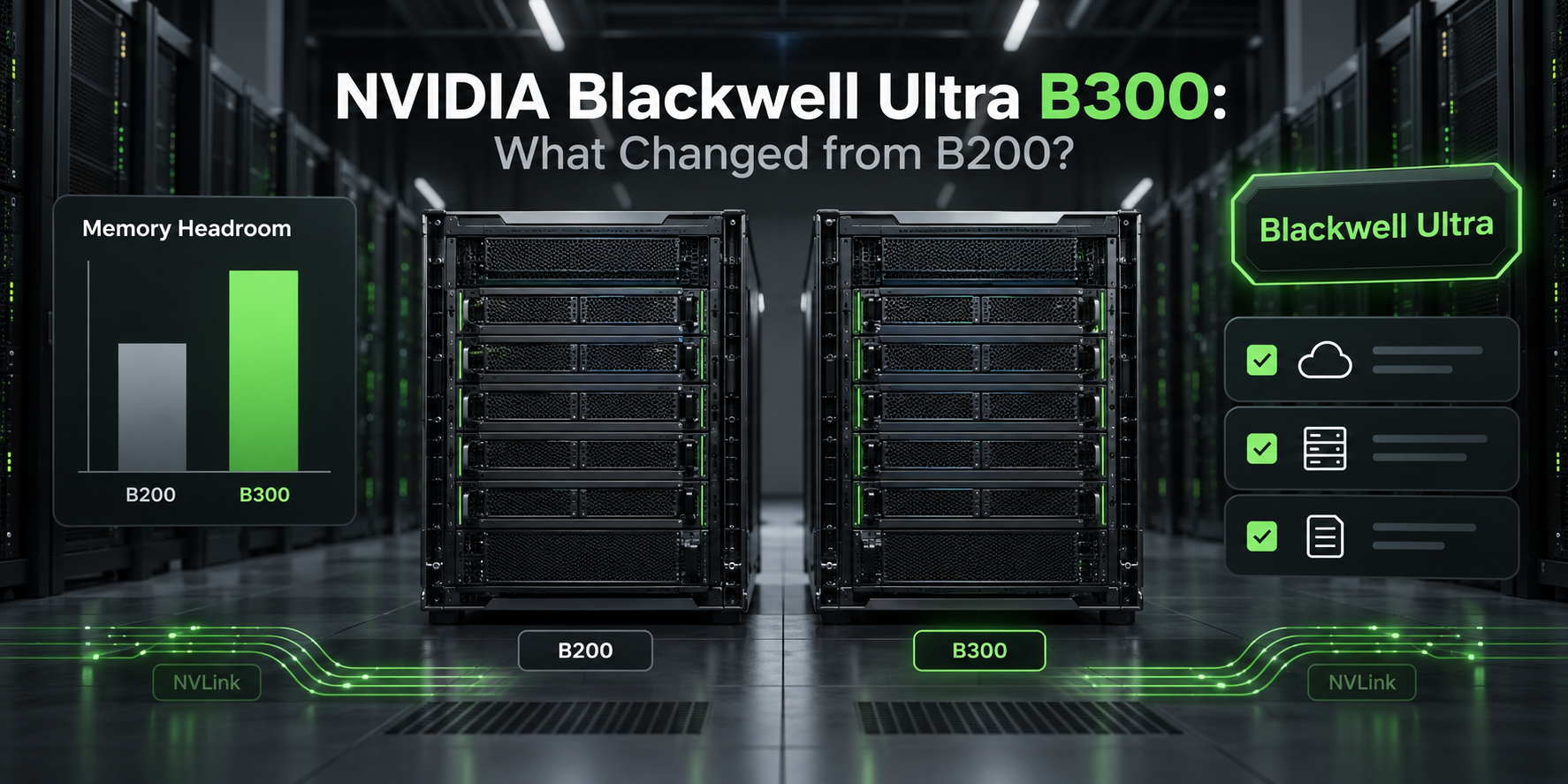
The practical answer: NVIDIA B300 Blackwell Ultra changes the B200 decision mostly through memory headroom, system networking, serviceability, and new DGX B300 platform design. It is not a simple "B200, but every number is higher" upgrade.
In the official DGX B300 user guide, NVIDIA lists the system with eight NVIDIA B300 Blackwell Ultra GPUs and 8 x 288 GB of GPU memory, for 2.3 TB total. The earlier DGX B200 user guide lists eight NVIDIA B200 GPUs with 1,440 GB total GPU memory. That makes the NVIDIA B300 Blackwell Ultra the more interesting option for long-context inference, large KV cache, larger batches, and model deployments that are memory-constrained on B200. It does not automatically make every training or inference workload cheaper.
Checked on October 13, 2026.
NVIDIA B300 Blackwell Ultra: the quick answer
The NVIDIA B300 Blackwell Ultra GPU is the memory-heavy Blackwell Ultra step after B200 in NVIDIA's DGX system line. In a DGX B300 system, the most visible change from DGX B200 is GPU memory: 288 GB per GPU class versus 180 GB per GPU class, based on NVIDIA's published DGX totals.
Use B300 as the first benchmark when your B200 deployment is hitting memory boundaries:
- Long-context LLM inference with large KV cache.
- Very large model serving where tensor-parallel degree is driven by memory.
- Multi-tenant endpoints that need more placement flexibility.
- Training or fine-tuning runs limited by activation memory, checkpoint memory, or micro-batch size.
- AI factory racks where 800 Gb/s cluster links, front I/O, power redundancy, and serviceability matter.
Use B200 as the first benchmark when the workload already fits, B200 capacity is materially cheaper or available sooner, or your bottleneck is software, storage, data loading, or network scheduling rather than GPU memory.
For a deeper benchmark worksheet, use Flatkey's separate B300 vs B200 comparison. This page focuses on what changed in the NVIDIA B300 Blackwell Ultra platform and how buyers should interpret specs, release status, and price.
What changed from B200 to B300?
| Area | DGX B200 | DGX B300 | What changed |
|---|---|---|---|
| GPU generation | NVIDIA B200, Blackwell | NVIDIA B300 Blackwell Ultra | B300 is the Blackwell Ultra step, not a Hopper-to-Blackwell migration. |
| GPU count | 8 GPUs | 8 GPUs | Same DGX-scale comparison point. |
| GPU memory | 1,440 GB total | 8 x 288 GB = 2.3 TB total | The clearest B300 upgrade is memory headroom. |
| Implied memory per GPU | 180 GB class | 288 GB class | Important for KV cache, long context, batch size, and model placement. |
| Listed FP8 / FP4 system performance | DGX B200 product page lists 72 PFLOPS FP8 and 144 PFLOPS FP4 | DGX B300 guide lists 72 PFLOPS FP8 training and 144 PFLOPS FP4 inference | Public peak math does not make B300 a universal speed winner. |
| Cluster networking | ConnectX-7, up to 400 Gb/s in the B200 guide/product page | ConnectX-8, 8 x 800 Gb/s InfiniBand/Ethernet in the B300 guide | B300 updates the cluster network path and system I/O design. |
| CPU | 2 x Intel Xeon 8570 in the B200 guide | 2 x Intel Xeon Platinum 6776P in the B300 guide | Host platform refresh. |
| System memory | 2 TB, configurable to 4 TB | 2 TB default, up to 4 TB | Similar host-memory envelope. |
| Power | 14.3 kW max, six 3.3 kW PSUs | 14.5 kW, 12 x 3.2 kW PSUs or DC busbar version | B300 adds stronger redundancy and busbar-oriented deployment options. |
| Cache drives | U.2 cache drives | E1.S cache drives | Service and platform packaging changed. |
| Operating system | DGX OS / Ubuntu on the product page | DGX OS 7 based on Ubuntu 24.04 LTS | B300 ships on a newer DGX OS baseline. |
Sources: NVIDIA's DGX B300 user guide, DGX B200 user guide, and DGX B200 product page.
NVIDIA B300 Blackwell Ultra specs that matter
The headline NVIDIA B300 Blackwell Ultra specs are useful only if you map them to a workload. The buyer-facing shortlist should be:
| Spec | Why it matters |
|---|---|
| 8 x NVIDIA B300 Blackwell Ultra GPUs | Compare B300 at the system level, not as an isolated GPU label. |
| 8 x 288 GB HBM3e, 2.3 TB total | This is the spec most likely to change LLM serving design. |
| 72 PFLOPS FP8 training, 144 PFLOPS FP4 inference | Useful for capability framing, but not a replacement for workload replay. |
| 2 x 5th generation NVLink interconnects | Multi-GPU topology still matters for sharded models. |
| 8 x ConnectX-8 cluster network cards, 8 x 800 Gb/s InfiniBand/Ethernet | Important for multi-node training and scale-out inference architecture. |
| 2 x BlueField-3 DPUs at 400 Gb/s InfiniBand/Ethernet | Relevant for storage and management network design. |
| 14.5 kW system power | Power, cooling, and rack planning are part of the real B300 price. |
| AC/PDU and DC/busbar versions | Procurement needs to confirm which physical power design the provider is offering. |
For LLM teams, the NVIDIA B300 Blackwell Ultra GPU should be evaluated first as a memory-capacity change. If your workload fits comfortably on B200 and is bandwidth, scheduling, or kernel limited, B300 still needs to prove itself with accepted-output cost.
Memory is the main B300 change
The biggest practical change from B200 to NVIDIA B300 Blackwell Ultra is memory per GPU.
B200's 180 GB-class memory is already large, but long-context inference can burn memory quickly. A production LLM endpoint needs room for model weights, KV cache, request batching, runtime buffers, adapters, safety margin for prompt-length outliers, and framework overhead. When those pieces are close to the B200 ceiling, B300's 288 GB-class memory can simplify the serving design.
The win can show up as:
- Fewer tensor-parallel shards for a large model.
- Higher stable concurrency at a target context length.
- Larger prompt windows before KV cache pressure forces tradeoffs.
- Fewer out-of-memory retries and less waste.
- Better placement for multi-tenant model endpoints.
- More room for adapters, rerankers, or multimodal side paths.
That is why "NVIDIA B300 Blackwell Ultra specifications" should not be read as a generic speed list. The useful question is whether B300 changes the number of GPUs, replicas, retries, or accepted outputs needed for your workload.
What did not obviously change?
The official public tables also prevent overclaiming.
DGX B300 and DGX B200 are both eight-GPU DGX systems. NVIDIA's B300 guide lists 72 PFLOPS FP8 training and 144 PFLOPS FP4 inference. NVIDIA's B200 product page lists the same headline FP8 and FP4 system values for DGX B200. That means a buyer should not assume B300 wins every workload from peak compute alone.
The safer interpretation:
- B300 can win when extra memory changes placement, batching, sharding, or retry rate.
- B300 may not win enough when B200 already fits the model and keeps utilization high.
- B300 price and availability can erase a spec advantage if launch-window capacity is scarce.
- Software stack differences can dominate hardware deltas.
For inference, benchmark prefill, decode, time to first token, time per output token, p95 and p99 latency, maximum stable context window, and accepted responses per hour. For training, benchmark completed job cost, not only samples per second.
NVIDIA B300 Blackwell Ultra release date and availability
Searchers often ask for the NVIDIA B300 Blackwell Ultra release date. The actionable answer is not a single consumer-style street date.
As of October 13, 2026, NVIDIA has public DGX B300 documentation online, including the DGX B300 user guide and system feature summary. For cloud GPU buyers, that does not mean every provider has rentable B300 capacity today. Availability depends on the exact system, rack power design, region, reservation model, service tier, and provider allocation.
Ask providers these questions before treating B300 as available:
| Provider question | Why it matters |
|---|---|
| Is the capacity DGX B300, HGX B300, GB300, or another Blackwell Ultra system? | The system design can matter more than the B300 label. |
| Is it generally available, private preview, quote-only, or reserved-capacity only? | "Available" can mean very different things in cloud GPU sales. |
| Which region and fabric are included? | Multi-node training and latency-sensitive inference depend on location and networking. |
| Can you reserve full systems, partial systems, or only managed jobs? | Scheduling control affects cost and reliability. |
| What benchmark window is included before commitment? | B300 should prove accepted-output cost before a long-term buy. |
| What support SLA and replacement path apply? | Downtime belongs in the real price. |
If your workload is not pinned to custom weights or low-level GPU control, compare B300 quotes against a managed model/API path before signing. Flatkey gives teams one key, one balance, one invoice, usage records, and routing across 300+ official models and 1,000+ pay-per-call tools. That model/API baseline is useful when B300 capacity is scarce, expensive, or operationally premature.
NVIDIA B300 Blackwell Ultra price: what to compare
There is no useful single public NVIDIA B300 Blackwell Ultra price for most cloud buyers. A DGX system price, a provider hourly rental price, a reserved cluster quote, and a managed inference quote are different products.
Instead of asking "what is B300's price?", normalize every quote into completed-workload cost:
accepted_output_cost =
  GPU hourly or committed capacity cost
  + storage, snapshots, egress, support, idle time, queue time, retries
  + engineering and migration overhead
  divided by accepted responses, accepted tokens, or completed jobs
For NVIDIA B300 Blackwell Ultra GPU capacity, request line items for:
- On-demand hourly price.
- Reserved or committed price.
- Minimum commitment period.
- Full-system versus fractional access.
- Storage, snapshot, and egress costs.
- Inter-node networking and fabric charges.
- Support and replacement SLA.
- Idle-time billing.
- Benchmark or burn-in period.
Then compare B300 to B200 and to a model/API baseline using the same output metric. For the rental side of the worksheet, pair this article with Flatkey's GPU rental prices guide, GPU cluster TCO guide, and GPU cloud vs model API.
Workloads that should test B300 first
Use NVIDIA B300 Blackwell Ultra as the preferred benchmark candidate when memory is the binding constraint.
| Workload | Why B300 may help | What to measure |
|---|---|---|
| Long-context LLM inference | KV cache can dominate memory at high concurrency. | Stable context length, p95 latency, accepted responses/hour. |
| Very large model serving | More HBM can reduce sharding or simplify placement. | GPU count, tensor-parallel degree, p99 latency, error rate. |
| Multi-tenant inference | More memory can make mixed model/adapters easier to schedule. | Utilization, isolation, tail latency, eviction/retry rate. |
| Training with activation pressure | More memory can allow larger micro-batches or less recomputation. | Completed-job cost, wall time, failed-run rate. |
| Multimodal workloads | Larger input state and model components can create memory pressure. | Batch size, memory headroom, throughput at quality target. |
Use B200 first when the model fits comfortably, your provider has mature B200 capacity, or B300 quotes are still launch-window expensive. A well-utilized B200 system can beat an underutilized B300 system.
Procurement checklist for B300 quotes
Before buying or renting B300 capacity, require system-level answers:
- Confirm the exact SKU and platform: DGX B300, HGX B300, GB300, or another Blackwell Ultra configuration.
- Confirm usable HBM per GPU after software and tenancy overhead.
- Confirm whether the provider exposes full systems, GPU slices, containers, or managed jobs.
- Confirm NVLink, NVSwitch, InfiniBand, Ethernet, and cross-node topology.
- Confirm whether ConnectX-8 and 800 Gb/s links are included in your quoted system.
- Confirm power, cooling, and maintenance windows for private clusters.
- Confirm storage, snapshot, and egress pricing.
- Confirm reservation terms, cancellation terms, and capacity replacement SLA.
- Run the same replay on B200 and B300.
- Compare both against a model/API route if direct GPU control is not required.
For adjacent architecture decisions, use Flatkey's GB200 vs B200, what is an AI factory, and AI GPU selection guide.
Benchmark template
Copy this before testing NVIDIA B300 Blackwell Ultra against B200:
model_id:
model_size:
weights_precision:
serving_runtime:
gpu_system: DGX B200 | DGX B300 | other
gpu_count:
usable_hbm_per_gpu:
context_input_p50:
context_input_p95:
output_tokens_p50:
output_tokens_p95:
target_ttft_ms:
target_tpot_ms:
concurrency_ladder:
kv_cache_policy:
quality_eval_suite:
hourly_or_committed_cost:
storage_network_support_cost:
accepted_responses_per_hour:
accepted_output_tokens_per_hour:
cost_per_1m_accepted_output_tokens:
oom_or_retry_rate:
Do not let a provider substitute a generic peak benchmark for this replay. B300's value comes from the workload you can actually run, not the spec row you can screenshot.
When to skip B300 for now
Skip or delay NVIDIA B300 Blackwell Ultra procurement when:
- Your current model/API usage is still volatile.
- You change foundation models frequently.
- You do not need custom weights.
- Utilization would be low outside traffic peaks.
- You lack GPU operations coverage for incidents and upgrades.
- The provider cannot give a system-level topology and cost breakdown.
- B200 already meets latency and quality targets at lower accepted-output cost.
In those cases, start with managed model/API routing, collect real request-volume and quality data, then revisit B300 with a better forecast. Flatkey fits that evaluation path by giving engineering and finance one usage ledger across official models and tools before they commit to fixed GPU capacity.
FAQ
What is NVIDIA B300 Blackwell Ultra?
NVIDIA B300 Blackwell Ultra is NVIDIA's Blackwell Ultra GPU generation as exposed in DGX B300 systems. NVIDIA's DGX B300 user guide lists eight B300 Blackwell Ultra GPUs with 8 x 288 GB HBM3e, for 2.3 TB total GPU memory.
What changed from B200 to B300?
The biggest change from B200 to B300 is memory headroom: DGX B300 lists 2.3 TB total GPU memory, while DGX B200 lists 1,440 GB total GPU memory. DGX B300 also updates the platform with ConnectX-8 cluster networking, 800 Gb/s links, newer CPUs, DGX OS 7, and revised power/service design.
Is NVIDIA B300 Blackwell Ultra faster than B200?
Not automatically. B300 can be faster or cheaper for memory-constrained workloads, especially long-context inference and large model placement. If the workload already fits on B200 and is limited by software, data loading, scheduling, or utilization, B300 has to prove its advantage in a workload replay.
What is the NVIDIA B300 Blackwell Ultra release date?
For cloud buyers, there is no single useful retail-style release date. NVIDIA's DGX B300 documentation is public as of this October 13, 2026 check, but provider availability depends on region, system design, reservation model, and service tier.
What is the NVIDIA B300 Blackwell Ultra price?
Treat B300 pricing as quote-based unless your provider publishes a specific rental rate for the exact system and region. Compare B300, B200, and managed model/API options using accepted-output cost, including storage, network, support, idle time, retries, and engineering overhead.
Bottom line
The NVIDIA B300 Blackwell Ultra story is not "newer always wins." The real change from B200 is memory headroom and system design. If 288 GB-class GPU memory changes your serving topology, training plan, context window, or retry rate, B300 belongs at the top of the benchmark queue. If B200 already fits and runs efficiently, B300 needs to earn its place through accepted-output cost.
Before committing to B300 capacity, run the same replay on B200, B300, and a managed model/API path. Flatkey gives you the model/API baseline: one key, one balance, one invoice, official model routes, and usage records across 300+ models and 1,000+ tools, so the GPU decision is measured against the simplest production alternative.


