
GPU Rental Prices Explained: On-Demand, Spot, Reserved, and Hidden Costs
GPU rental prices look simple until you try to forecast a real training run, inference launch, or image-generation batch. The headline hourly rate is only one line item. Your final bill also depends on whether the GPU is on-demand, spot or interruptible, reserved, serverless, or dedicated; how long the machine sits idle; where storage lives; how much data leaves the region; and how much reliability work your team has to absorb.
This guide gives developers, AI founders, platform teams, and procurement reviewers a practical way to compare GPU rental prices without getting trapped by a single attractive hourly number.
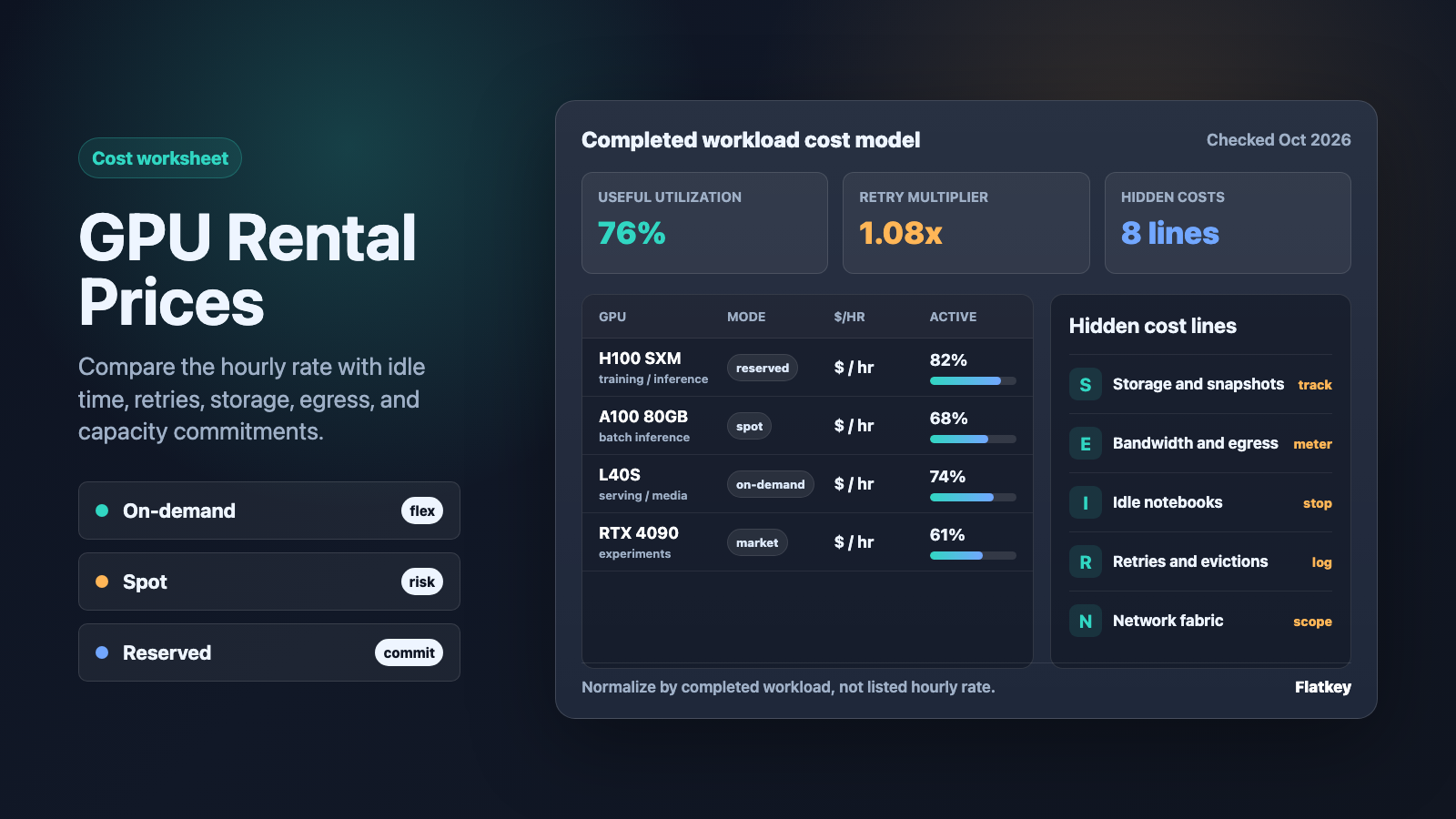
The short version: compare cost per completed workload hour, not only GPU price per clock hour.
The quick GPU rental prices framework
Start every GPU rental prices comparison with one normalized formula:
effective GPU cost per completed workload =
  (GPU compute + storage + snapshots + bandwidth + idle time + retries + support + engineering overhead)
  / completed training, inference, batch, or media job units
Then split the decision into four questions:
| Question | Why it changes GPU rental prices |
|---|---|
| Which GPU class do you need? | H100, H200, B200, A100, L40S, RTX 4090, and RTX 6000-class machines have different memory, networking, supply, and price curves. |
| How predictable is the workload? | Stable production inference can justify reserved or committed capacity; experiments and bursty jobs often fit on-demand or spot better. |
| How interruptible is the job? | Spot and community-marketplace capacity can be cheaper, but retries and checkpointing decide whether it is actually cheaper. |
| What sits outside the GPU hour? | Storage, snapshots, egress, idle notebooks, container pulls, support plans, and cluster networking can change the real cost. |
For most teams, the right answer is not "find the cheapest GPU." The right answer is "rent the cheapest reliable capacity that finishes the job with acceptable queue time, restart risk, and operating overhead."
Current pricing source table
GPU rental prices change frequently and marketplace pages can move faster than procurement reviews. Treat the table below as a source checklist, not a frozen rate card. Capture the checked date, GPU model, region, memory size, billing unit, and whether the price is on-demand, spot, reserved, community, secure cloud, serverless, or dedicated.
| Provider or market | Official pricing source to check | What to capture | Notes for comparison |
|---|---|---|---|
| Vast.ai | Vast.ai pricing and Vast.ai FAQ | GPU model, host reliability, interruptible status, storage, bandwidth, verification tier, datacenter or community host | Vast.ai GPU rental prices are marketplace-driven, so two RTX 4090 or H100 offers can differ by location, host, reliability, storage, and network. |
| RunPod | RunPod pricing and RunPod storage and network volume docs | Secure Cloud vs Community Cloud, GPU model, pod storage, network volume, serverless worker pricing, idle time | RunPod GPU rental prices vary by cloud type and product mode. Compare pods, serverless, and storage separately. |
| Massed Compute | Massed Compute pricing | On-demand hourly GPU rate, long-term reservation or cluster quote, GPU memory, region, support scope | Massed Compute GPU rental prices are useful to benchmark dedicated AI cloud capacity, but private or reserved clusters may need a quote. |
| Lambda Cloud | Lambda Cloud pricing | On-demand GPU instance, GPU count, local storage, region availability, reserved cluster terms | Lambda publishes simple hourly GPU cloud rates for common NVIDIA instances; confirm current availability before planning a time-sensitive run. |
| AWS EC2 | Amazon EC2 pricing and EC2 Spot Instances | Instance family, region, On-Demand, Spot, Savings Plans, Reserved Instances, EBS, data transfer, support | AWS is often the reference model for on-demand, spot, and committed-use economics, but GPU instance families and regional availability matter. |
| Google Cloud | Compute Engine GPU pricing and Spot VMs | GPU type, machine family, region, Spot VM status, committed use discount, persistent disk, network egress | Google Cloud separates GPU, machine, disk, network, and discount mechanics. Normalize all of them before comparing to specialist GPU clouds. |
Add one line to every source row: checked on October 12, 2026. If you reuse the worksheet later, update the checked date before you reuse any number.
On-demand GPU rental prices
On-demand GPU rental prices are the cleanest starting point: you pay for the GPU capacity while the instance, pod, or server is running, usually with no long-term commitment. This is the mode most teams should use for first benchmarks because it keeps engineering variables simple.
On-demand is usually the right default when:
- You are testing a new model, framework, dataset, or prompt pipeline.
- The job is urgent and cannot wait for spot capacity.
- You need a stable endpoint for demos, QA, or early customer traffic.
- You do not yet know utilization well enough to reserve capacity.
- You need provider support and predictable networking more than the lowest hourly rate.
The risk is idle time. A GPU notebook that costs less per hour can still be expensive if it runs all weekend with no jobs attached. For on-demand, measure billable running time against useful compute time.
on-demand waste rate =
  1 - useful GPU-active minutes / billable instance minutes
If the waste rate is high, do not negotiate the GPU rate first. Fix shutdown automation, queue scheduling, autoscaling, and job packing.
Spot, interruptible, and marketplace GPU pricing
Spot GPU pricing uses unused capacity and can offer meaningful discounts compared with on-demand, but the capacity can disappear. AWS describes EC2 Spot Instances as spare EC2 capacity available at discounts of up to 90% compared with On-Demand pricing. Google Cloud Spot VMs are also discounted but can be preempted. Community marketplaces such as Vast.ai add another variation: the price is set by host supply and demand, and the reliability profile is not the same as a hyperscaler on-demand instance.
Spot or interruptible GPU rental prices can win when:
- Training jobs checkpoint frequently.
- Batch inference can retry without user-visible failure.
- Image or video generation queues tolerate delays.
- You can split work across many workers.
- You have orchestration that notices eviction, restarts jobs, and avoids duplicate billing.
Spot can lose when:
- A single multi-day training run restarts from an old checkpoint.
- Data loading takes long enough that each interruption wastes hours.
- The model needs multi-node networking and one lost worker kills the job.
- Engineers spend days maintaining retry and checkpoint logic.
- You promise customer-facing latency on capacity you do not control.
For spot, calculate the effective rate with restart waste:
spot effective hourly rate =
  spot hourly rate / (1 - interruption waste share)
If a spot H100 is 45% cheaper but interruptions waste 35% of elapsed job time, the real advantage is much smaller than the headline discount.
Reserved, committed, and dedicated GPU capacity
Reserved capacity trades flexibility for predictability. You commit to a term, spend level, or dedicated cluster so the provider can allocate hardware and you can lower the effective hourly rate or secure scarce GPUs.
Reserved GPU rental prices make sense when:
- Production inference has stable baseline utilization.
- Training schedules are predictable for months.
- Procurement needs a known monthly budget.
- You need guaranteed capacity for a launch window.
- Multi-node networking, storage locality, and support are part of the requirement.
Reserved capacity can backfire when:
- Model choice changes before the term ends.
- Demand is spiky and baseline utilization stays low.
- A newer GPU class changes the performance-per-dollar curve.
- The contract excludes the storage, support, or network tier you actually need.
Before you reserve, calculate the utilization break-even:
reserved break-even utilization =
  reserved monthly cost / (on-demand hourly rate * hours in month)
If the break-even is 58% utilization and your real baseline is 30%, reserve less capacity and burst the rest on-demand or spot.
Vast.ai GPU rental prices
People search for Vast.ai GPU rental prices because Vast is a marketplace, not a single fixed cloud rate card. That is the appeal and the risk. You may find aggressive RTX 4090, A100, or H100 offers, but each listing needs a quality check.
When comparing Vast.ai GPU rental prices, capture:
- GPU model and VRAM.
- Number of GPUs in the machine.
- Host reliability and verification status.
- Datacenter vs community host context.
- Interruptible or non-interruptible status.
- Local disk size and disk bandwidth.
- Upload/download bandwidth and public IP needs.
- Container image startup time.
- Whether your job can checkpoint and resume.
For vast.ai gpu rental prices rtx 4090, do not compare only the RTX 4090 hourly rate. Also compare VRAM, host history, disk size, storage cost, and whether the job is training, inference, ComfyUI, data labeling, or one-off experimentation. A very cheap RTX 4090 can be the right choice for short experiments and the wrong choice for production inference.
RunPod GPU rental prices
RunPod GPU rental prices need a split between product modes. A RunPod pod is not the same economic unit as a serverless endpoint, and Secure Cloud is not the same risk profile as Community Cloud.
When comparing RunPod GPU rental prices, capture:
- Secure Cloud or Community Cloud.
- Pod GPU hourly rate.
- Serverless worker pricing if you are using endpoints instead of pods.
- Persistent volume and network volume cost.
- Cold start behavior and minimum workers.
- Idle pod behavior.
- Data locality and whether the workload pulls large models repeatedly.
RunPod can be cost-effective for AI app teams that want fast GPU access without operating a full cluster. The hidden-cost check is startup and storage: if every worker repeatedly downloads large weights or leaves volumes attached after experiments, the hourly GPU line will understate the bill.
Massed Compute GPU rental prices
Massed Compute GPU rental prices are a useful reference for buyers comparing specialist GPU cloud providers, especially when the question is no longer a single dev pod and starts to involve dedicated AI capacity. For a simple experiment, compare the published hourly rate. For production inference or multi-node training, ask what is included in the cluster price.
Capture:
- GPU model and memory.
- Hourly on-demand price versus reservation quote.
- Minimum commitment.
- Network fabric.
- Storage tier.
- Support and SLA terms.
- Region and compliance requirements.
- Whether the quote includes setup, migration, or managed services.
This is where procurement language matters. "Reserved GPU cluster" can mean a lower rate, guaranteed hardware, private networking, support access, or all of the above. Ask for each line item separately.
GPU rental prices over time
GPU rental prices over time do not move in a straight line. Three forces usually pull in different directions:
| Force | Effect on price |
|---|---|
| New hardware supply | Older GPUs can get cheaper when H200, B200, B300, or newer classes become available. |
| AI demand spikes | H100/H200-class capacity can stay expensive or scarce during model-launch, training, or inference surges. |
| Efficiency gains | Better quantization, batching, serving engines, and model routing can reduce cost per task even when hourly GPU price is flat. |
Do not rely on a single "GPU prices are falling" or "GPU prices are rising" story. Track the exact GPU family you use, the region, committed terms, and your workload efficiency. Your cost per token, image, fine-tune, or training sample can improve even if hourly GPU rental prices stay the same.
Hidden costs in cloud GPU rentals
The hidden costs are not always malicious. They are often normal cloud primitives that become large because GPU workloads move big files and sit idle during debugging.
| Hidden cost | How it appears | How to control it |
|---|---|---|
| Idle time | Running pods, notebooks, or instances with no active job | Auto-stop idle resources; tag experiments; alert on long-running GPUs. |
| Persistent storage | Volumes, disks, snapshots, model caches, datasets | Separate reusable model weights from temporary outputs; clean abandoned volumes. |
| Network egress | Moving datasets, checkpoints, outputs, or model artifacts across regions or out to the internet | Keep data, GPU, and object storage in the same region when possible. |
| Cold starts | Pulling containers and model weights before useful work begins | Prebuild images; use local caches; measure startup time as billable time. |
| Retries and failed jobs | Out-of-memory failures, evictions, bad drivers, flaky hosts | Run small canaries; checkpoint; pin known-good images; log failure cost. |
| Multi-node networking | InfiniBand, RoCE, placement, or cluster fabric premiums | Reserve only when the workload truly needs distributed training. |
| Support and compliance | Paid support plans, private clusters, audit needs, managed services | Decide which workloads need enterprise terms and which can stay experimental. |
| Engineering overhead | Time spent maintaining scripts, schedulers, and cloud-specific setup | Include setup and incident hours in the TCO worksheet. |
For GPU rental prices, storage and idle time are the two hidden costs most likely to surprise small teams. For larger teams, support, networking, and underused reserved capacity usually become the bigger budget risks.
GPU rental price worksheet
Use this worksheet before you approve a provider, reserve a cluster, or migrate a workload.
| Field | Example | Why it matters |
|---|---|---|
| Provider | RunPod, Vast.ai, Massed Compute, AWS, Google Cloud, Lambda | Keeps marketplace, specialist cloud, and hyperscaler economics separate. |
| Product mode | On-demand pod, spot instance, reserved cluster, serverless endpoint | The billing unit and reliability profile change by mode. |
| GPU model | H100 SXM, H100 PCIe, A100 80GB, L40S, RTX 4090 | Memory and interconnect often matter more than brand name. |
| Region or host | US-East, EU, community host, datacenter host | Availability, data rules, latency, and bandwidth differ by location. |
| Hourly GPU price | $x.xx/hour |
Starting point only. |
| Minimum billing unit | second, minute, hour, month | Short jobs are sensitive to rounding and cold starts. |
| Storage cost | volume, disk, snapshot, object storage | Model weights and checkpoints can become durable monthly costs. |
| Bandwidth or egress | inbound, outbound, public IP, cross-region | Large datasets and generated media change total cost. |
| Idle percentage | 22% |
Direct measure of wasted rental time. |
| Failure/retry rate | 1.08x |
Captures evictions, OOMs, bad images, and restarts. |
| Useful output unit | trained epoch, accepted image, 1M tokens, completed job | Converts hourly price into business value. |
| Support and operations | self-managed, managed, SLA, private cluster | Procurement and reliability costs belong in the same model. |
For a deeper model-level cost worksheet after the workload is served through APIs, compare this with AI model pricing comparison and how to compare AI model prices.
When a model API is cheaper than renting GPUs
Renting GPUs is not automatically cheaper than using a model API. GPU rental wins when you have high utilization, clear model ownership needs, custom inference stacks, privacy constraints, or training workloads that cannot be delegated to an API.
A model API can be cheaper when:
- Utilization is low or spiky.
- The team changes models frequently.
- Reliability, scaling, and upgrades would distract from product work.
- The workload needs many model families rather than one self-hosted model.
- Finance needs a usage ledger more than a cluster operations project.
Flatkey sits on the API side of that decision. It gives teams one API key, one balance, one invoice, and a usage ledger across many official models and tools. If your worksheet shows that self-hosted GPUs are not the real bottleneck yet, start with a multi-provider API and compare cost per accepted result before committing to cluster operations. For the API governance layer, see AI gateway pricing, AI API spend management, and AI API quota controls.
Decision guide: on-demand, spot, reserved, or API
| Workload | Better starting point | Why |
|---|---|---|
| First model benchmark | On-demand GPU | Cleanest measurement, fewer interruption variables. |
| One-off ComfyUI or image workflow | On-demand or marketplace GPU | Fast setup; RTX 4090-class capacity may be enough. |
| Batch inference with retries | Spot or interruptible GPU | Discounts can win if retry logic is strong. |
| Production inference baseline | Reserved or committed GPU | Stable utilization can justify commitment. |
| Multi-node training | Dedicated cluster or reserved capacity | Networking and placement matter as much as hourly rate. |
| Low-volume AI feature | Model API through a gateway | Avoids idle GPU capacity and operations overhead. |
| Multi-model agent workflow | Model API through Flatkey | One key and ledger can beat operating many GPU endpoints. |
Common GPU rental pricing mistakes
| Mistake | What to do instead |
|---|---|
| Comparing only the listed hourly GPU price | Compare completed workload cost after storage, bandwidth, idle time, and retries. |
| Treating spot discounts as guaranteed savings | Add interruption waste and checkpoint overhead. |
| Reserving capacity before measuring utilization | Run on-demand long enough to know baseline demand. |
| Ignoring storage cleanup | Alert on unattached volumes, snapshots, and old checkpoints. |
| Mixing RTX 4090, L40S, A100, H100, and H200 as if they are interchangeable | Match VRAM, tensor performance, interconnect, and software stack to the workload. |
| Forgetting data gravity | Put datasets, object storage, and GPUs near each other. |
| Using GPU rental for every AI workload | Compare against model APIs when operations overhead dominates. |
FAQ
What is the best way to compare GPU rental prices?
The best way to compare GPU rental prices is to calculate cost per completed workload. Include GPU hourly rate, storage, egress, idle time, retries, failed jobs, support, and engineering overhead. A lower hourly rate can lose if it causes more restarts or idle time.
Are Vast.ai GPU rental prices cheaper than cloud providers?
Vast.ai GPU rental prices can be lower for some GPUs because it is a marketplace, but the comparison depends on host reliability, interruptibility, disk, bandwidth, verification tier, and workload tolerance. Treat every listing as a specific offer, not a universal price.
Are RunPod GPU rental prices on-demand or spot?
RunPod GPU rental prices depend on the product and cloud type you choose. Compare Secure Cloud, Community Cloud, pods, serverless endpoints, storage, network volumes, and idle behavior separately.
When should I use reserved GPU capacity?
Use reserved GPU capacity when utilization is predictable, the GPU type will remain useful for the commitment period, and guaranteed capacity matters. If your baseline utilization is low, reserve only the baseline and burst the rest through on-demand or spot.
Why do GPU rental prices over time change so much?
GPU rental prices over time change because hardware supply, AI demand, regional capacity, provider competition, and serving efficiency all move at once. Track the exact GPU family and your workload efficiency, not only market averages.
What hidden costs matter most in GPU cloud services?
The hidden costs that matter most are idle time, persistent storage, snapshots, egress, cold starts, retries, failed jobs, network fabric, support, and engineering overhead. Small teams usually feel idle and storage first; larger teams usually feel networking, support, and underused reserved capacity.
Final checklist
Before you choose a GPU rental provider, confirm:
- The GPU model, memory size, region, and billing unit are recorded.
- The pricing mode is on-demand, spot, reserved, serverless, marketplace, or dedicated.
- Storage, bandwidth, snapshots, and idle time are included.
- Spot interruption and retry waste are modeled.
- Reserved capacity has a utilization break-even.
- The source URL and checked date are attached to every price.
- The final decision is based on completed workload cost, not only hourly GPU rental prices.
That is the practical way to evaluate GPU rental prices: current source pages, a workload-shaped worksheet, and a clear decision about when renting hardware is worth the operating complexity.


