Cheapest LLM APIs in 2026: Compare Prices by Workload, Not Hype
If you are searching for the cheapest LLM APIs, start with a workload, not a leaderboard. A low input-token rate can still lose once you add output length, cache writes, tool calls, retries, or the human time needed to repair weak answers.
This guide compares a small, source-checked set of low-cost production options using public list prices checked on October 23, 2026. It is not a claim that one provider is universally cheapest. Pricing, availability, rate limits, and model quality can change; confirm the current model card before you ship.
Cheapest LLM APIs: the quick answer
For straightforward, high-volume text tasks, the public list prices below put Gemini 2.5 Flash-Lite, OpenAI gpt-6-luna, Claude Haiku 5.5, and DeepSeek Flash on a sensible first test list. In the specific 1M-input-token plus 250K-output-token example below, Gemini 2.5 Flash-Lite has the lowest illustrative standard-rate token subtotal among these four. That does not make it the automatic production choice.
The right answer to “what is the cheapest LLM API?” depends on all of the following:
- How many input, output, and cached tokens a successful task consumes.
- Whether the model's structured output, tool use, language coverage, or safety behavior avoids expensive rework.
- Whether an async or batch tier fits the latency requirement.
- Whether search, browser, storage, or other tool calls are billed separately.
- Whether your routing layer adds a fee or changes the available model, region, rate limit, or support terms.
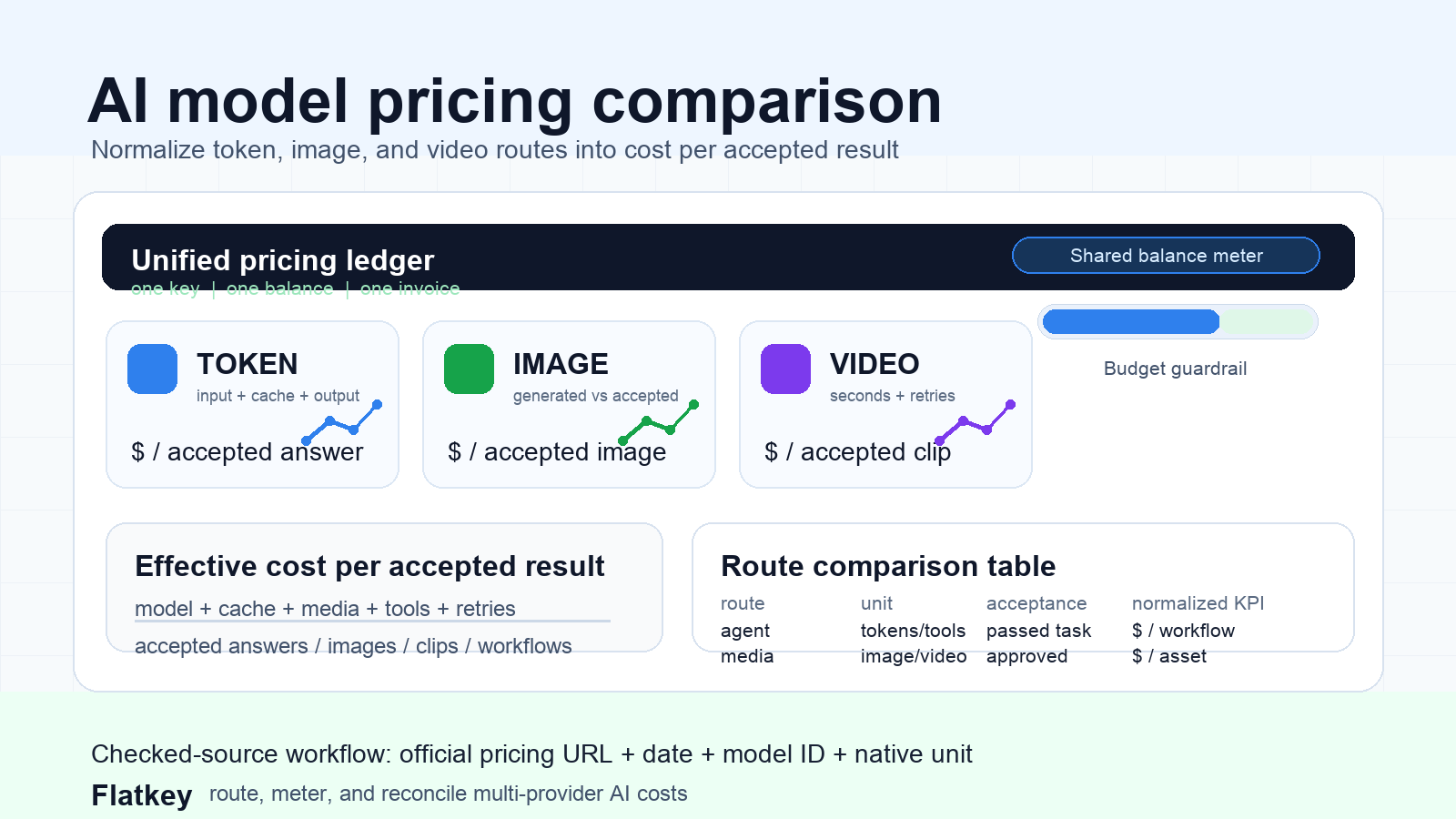
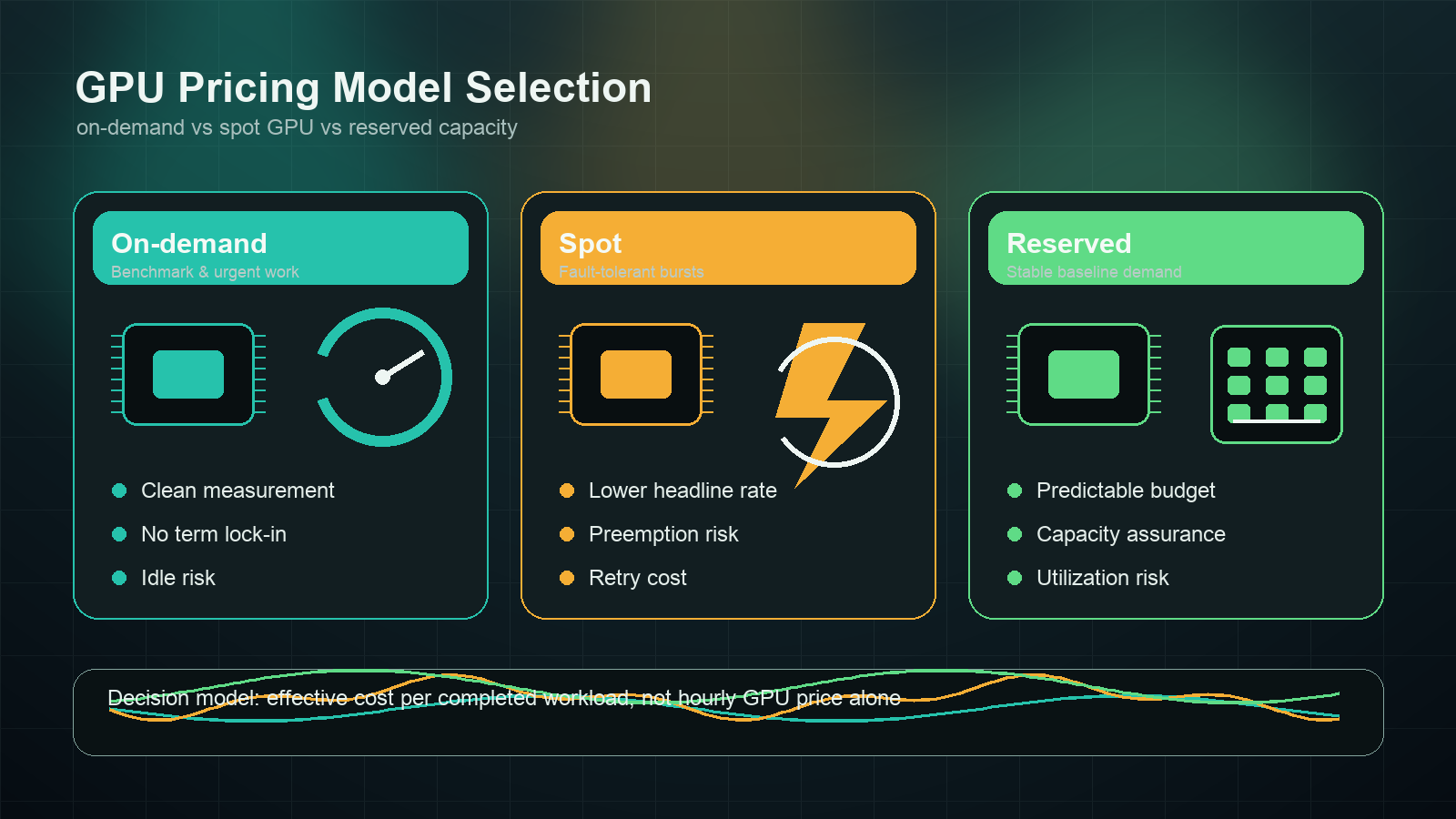
In other words, the cheapest LLM APIs are the routes with the lowest cost per accepted result for your actual workload—not necessarily the smallest number in an input-price column.
A dated price snapshot for cheapest LLM APIs
The table uses public standard list prices per 1 million tokens, accessed October 23, 2026. It deliberately compares a few widely used low-cost text models rather than pretending to be an exhaustive market-wide ranking. Taxes, enterprise discounts, regional pricing, credits, gateway fees, tool charges, and promotions are excluded.
| Provider | Model | Input / 1M tokens | Output / 1M tokens | Important pricing condition |
|---|---|---|---|---|
| Gemini 2.5 Flash-Lite | $0.10 | $0.40 | Google lists separate cached-token and storage prices; free-tier terms differ from paid production use. | |
| OpenAI | gpt-6-luna | $0.10 | $0.50 | Cached input, batch/flex, fast, and ultrafast modes have distinct prices. |
| Anthropic | Claude Haiku 5.5 | $0.10 | $0.50 | The listed input rate applies to prompts up to 100K tokens; longer prompts cost more. |
| DeepSeek | DeepSeek Flash | $0.30 peak / $0.15 off-peak | $1.20 peak / $0.60 off-peak | DeepSeek documents time-dependent peak and off-peak rates, plus separate cache-hit and cache-miss input prices. |
Sources: Google Gemini API pricing, OpenAI API pricing, Anthropic Claude pricing, and DeepSeek Models & Pricing.
The same workload can produce a different “winner”
Here is a transparent example: 1M uncached input tokens plus 250K output tokens, using the standard published token rates above. It is an illustrative list-price subtotal, not a forecast of an invoice.
| Model | Example calculation | Illustrative token subtotal |
|---|---|---|
| Gemini 2.5 Flash-Lite | (1 × $0.10) + (0.25 × $0.40) | $0.20 |
| gpt-6-luna | (1 × $0.10) + (0.25 × $0.50) | $0.225 |
| Claude Haiku 5.5 | (1 × $0.10) + (0.25 × $0.50) | $0.225 |
| DeepSeek Flash, peak | (1 × $0.30) + (0.25 × $1.20) | $0.60 |
| DeepSeek Flash, off-peak | (1 × $0.15) + (0.25 × $0.60) | $0.30 |
Use this snapshot as a starting point for cheapest LLM APIs research, then replace the token quantities with a representative sample from your own logs. A support chatbot with short answers, a coding agent that emits long patches, and an extraction pipeline with a stable cached prompt have radically different cost curves.
Why a token price is not the full cost
Three teams can send the same number of customer requests and pay very different effective prices:
- The short-answer team mostly pays for input, low output, and high throughput.
- The agent team may pay for long tool definitions, repeated context, tool calls, retries, and verbose output.
- The workflow team may accept asynchronous processing and earn a meaningful batch discount.
That is why a cheapest LLM API 2026 comparison should separate these line items instead of blending them into one vague “per token” number:
| Cost component | What to measure | Why it changes the decision |
|---|---|---|
| Input tokens | Median and p95 tokens sent | Long system prompts and retrieval context can dominate the bill. |
| Output tokens | Median and p95 tokens generated | A slightly higher output rate matters a lot for code, reasoning, and long-form generation. |
| Cached input | Cache-read and cache-write ratio | Repeated instructions can be materially cheaper only when cache reuse is real. |
| Batch or async eligibility | Share of work that can wait | Google and Anthropic both document 50% batch discounts for qualifying workloads. |
| Tool and media units | Calls, searches, images, storage, or compute | Tool fees can be separate from model-token fees. |
| Retry and repair rate | Attempts per accepted result | A cheaper model is expensive when it causes extra calls or manual review. |
| Gateway and operations | Fee, balance terms, invoices, account overhead | The lowest model list price is not the same as the lowest all-in operating cost. |
For example, OpenAI lists web-search call pricing separately from model tokens, while Anthropic notes that server-side tools can have additional usage-based charges. Check each provider's tool pricing before you use a token-only comparison for an agent workflow. OpenAI pricing and Anthropic pricing are the authoritative starting points.
A copyable cost-per-accepted-result calculator
Use this calculation for each model and route:
Cost per accepted result = (input token cost + output token cost + cache cost + tool cost + retry cost + platform fee) / accepted outputs
For a batch of requests, calculate the pieces explicitly:
- Input token cost = input tokens / 1,000,000 × input rate.
- Output token cost = output tokens / 1,000,000 × output rate.
- Cache cost = cache reads × cache-read rate + cache writes × cache-write rate.
- Retry cost = all billed attempts, including failed attempts that you must repeat.
- Accepted outputs = outputs that pass your evaluation or human-review rule without a paid repair step.
Add two extra columns that most price sheets miss:
| Field | Example | Why it matters |
|---|---|---|
| Acceptance rate | 91% | A 10% price advantage disappears quickly if another route passes materially more tasks. |
| Repair cost | $0.04 per failed task | Include the second model call, human review, or downstream correction that turns an initial failure into a usable result. |
This is the point where a search for the cheapest LLM APIs becomes a procurement decision instead of a listicle.
How to choose among the cheapest LLM APIs
1. Segment work before comparing models
Create separate test buckets for classification, extraction, translation, customer-facing answers, code generation, long-context analysis, and tool-using agents. Do not use a single blended prompt set. A route that wins at tagging tickets can be the wrong choice for code edits or multilingual customer support.
2. Run a small, fixed evaluation
Start with 100 representative tasks per bucket. For every attempt, record:
- Model and exact route ID.
- Input, output, cached-input, and reasoning-token counts where available.
- Tool calls and their result status.
- Latency and timeout rate.
- Structured-output validity.
- Task-specific pass/fail result.
- Whether a retry, fallback, or human repair was required.
You do not need a huge benchmark to rule out false economies. A reliable cheapest LLM APIs decision comes from a consistent task set and a clear acceptance rule, not a vendor demo prompt.
3. Compare standard, cache, and batch paths separately
Google describes a 50% reduction for Gemini Batch API usage, and Anthropic documents a 50% Batch API discount on input and output tokens. Those rates are useful only when your SLA permits asynchronous work. Gemini pricing and Claude pricing should be checked again before a production rollout because eligibility and model availability can change.
4. Set a routing policy, not just a default model
Once the tests are in, write a simple policy:
- Send low-risk, high-volume tasks to the lowest accepted-result-cost route.
- Use a higher-capability route only when an evaluation trigger requires it.
- Cache stable instructions when the provider and workload support it.
- Use batch processing only for work that can wait.
- Set output caps, timeouts, and retry limits so a failure does not quietly create a large bill.
- Keep a fallback route for availability or quality regressions.
This is more durable than locking an application to whichever page happens to rank first for “cheapest LLM API.”
When a multi-provider API layer helps
Comparing direct accounts is reasonable when you have one stable model and a small workload. It gets harder when a team is continuously testing several model families, managing balances, reconciling invoices, or routing different task types.
In that situation, use a gateway only after checking the all-in price, supported model ID, regional and data-handling requirements, rate limits, and fallback behavior. Flatkey’s Models Directory is a useful place to inspect live model availability and pricing; its pricing page explains the current top-up terms. For a broader buying framework, read the AI API pricing comparison, how to compare AI model prices before switching providers, and AI gateway pricing.
The conversion test is simple: if your team needs repeated cross-provider evaluation, a common integration and consolidated usage view can reduce operating overhead. If you only need one direct API and its pricing fits the workload, direct can still be the cleanest choice.
FAQ
What are the cheapest LLM APIs for simple text tasks?
The cheapest LLM APIs for simple text tasks are usually the low-cost variants that pass your quality threshold. In the dated price snapshot above, Gemini 2.5 Flash-Lite, OpenAI gpt-6-luna, Claude Haiku 5.5, and DeepSeek Flash are sensible routes to test first. Do not treat that shortlist as a permanent leaderboard; use the official pricing links and your own evaluation data.
Is a free LLM API always cheaper?
No. A free tier can be excellent for prototyping, but production cost includes rate limits, availability, data handling, retries, and the work required when a quota is exhausted. See the free LLM API production guide for a readiness checklist.
Does batch processing make an LLM API cheaper?
Often, yes—when the workload can wait. Google and Anthropic currently document 50% batch reductions for eligible processing. Confirm the specific model, turnaround time, and feature support before assuming batch is suitable for a user-facing request.
What should a procurement team ask beyond the token rate?
Ask for the exact model ID, input/output/cache/tool pricing, batch conditions, rate limits, data terms, regional availability, support level, gateway fee, and the team’s measured cost per accepted result. That checklist turns “cheapest” from a headline into an auditable decision.
Choose the route that makes successful work cheapest
The best way to find the cheapest LLM APIs is to price a real workload, measure quality, and count every paid recovery step. Begin with the verified public rates above, test a small evaluation set, and route each workload to the lowest accepted-result-cost option. When you need to compare multiple providers repeatedly, keep the model, route, and usage data in one place so your next pricing decision takes hours—not another integration project.