
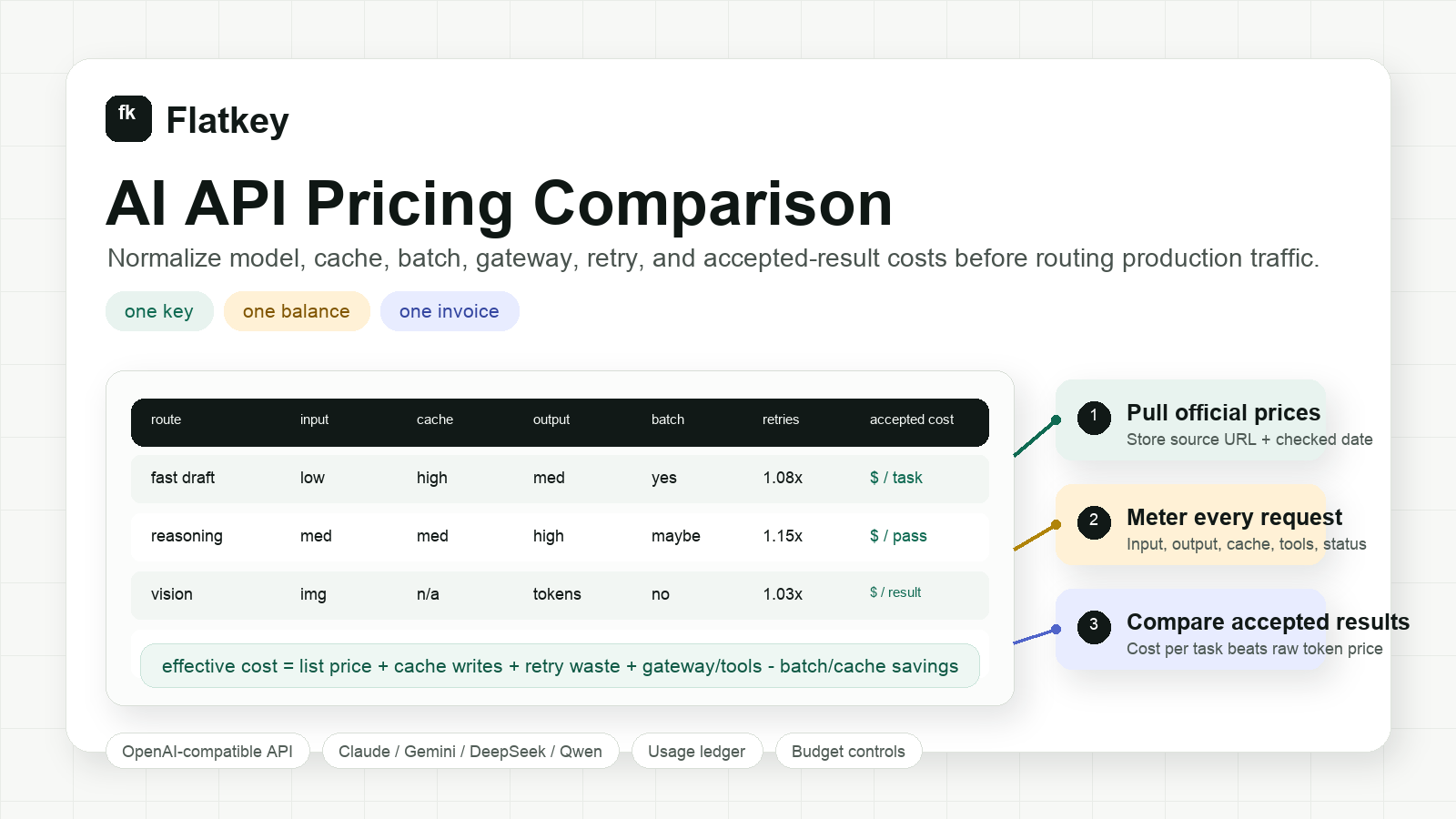
AI API Pricing Comparison: Model, Cache, Batch, and Gateway Costs
An AI API pricing comparison is only useful when it matches the way your product actually sends requests. A table of input and output token prices is a starting point, not a budget. Real spend changes with cached input, reasoning tokens, retries, batch discounts, tool calls, media generation, gateway fees, and the percentage of outputs your users accept.
This guide gives developers, product teams, and procurement teams a practical worksheet for comparing AI API pricing across OpenAI, Anthropic Claude, Google Gemini, DeepSeek, Alibaba Model Studio/Qwen, and a multi-provider API such as Flatkey.
The short version: compare cost per accepted result, not only list price per million tokens.
The quick AI API pricing comparison framework
Use this normalized comparison before you switch providers, approve a larger budget, or put an agent workflow into production.
| Layer | What to compare | Why it changes your bill |
|---|---|---|
| Model list price | Input, cached input, output, image, audio, video, and tool-call rates | The visible rate card can favor one provider for prompts and another for completions. |
| Workload shape | Average input tokens, output tokens, cacheable prefix, media size, and tool calls | A cheap output model can become expensive if it needs long prompts or repeated retries. |
| Discounts and modes | Batch API, flex/priority tiers, cache hits, off-peak windows, committed use, or volume terms | The same model can have different economics depending on scheduling and latency tolerance. |
| Reliability cost | Retry rate, fallback rate, timeout rate, and failed-call policy | Retry waste can erase the advantage of a lower list price. |
| Operating cost | API keys, invoices, usage exports, budget controls, data retention, and procurement overhead | Finance and platform teams need governance, not only cheaper tokens. |
| Accepted result | Acceptance rate, human edit rate, evaluator pass rate, or successful task rate | The cheapest request is not the cheapest result if quality drops. |
For any AI API pricing comparison, start with this formula:
effective cost per accepted result =
  (input cost + cached-input cost + output cost + media/tool cost + gateway cost + retry waste)
  / accepted-result count
If you only compare input and output token list prices, you will miss the costs that usually appear after launch: cache behavior, retries, tool calls, and finance reconciliation.
Current pricing source table
Provider pricing changes frequently. Instead of copying a large stale rate card into your planning doc, keep a live source table with the official URL, the date checked, and the pricing dimensions you must normalize.
| Provider or route | Official pricing source to check | Pricing dimensions to capture | Notes for comparison |
|---|---|---|---|
| OpenAI API | OpenAI API pricing | Input, cached input, output, batch mode, fine-tuning, media, regional processing | Useful for products already built around OpenAI-compatible request patterns. Confirm model IDs and whether you are using standard or batch pricing. |
| Anthropic Claude API | Claude pricing | Input, output, prompt caching, batch pricing, model family, context window | Strong for coding, reasoning, and agent tasks; cache-write and cache-hit behavior matter for repeated prompts. |
| Google Gemini API | Gemini API pricing | Free/paid tier, input, output, caching, batch mode, priority/flex options, search grounding | Gemini pricing can vary by model family and serving mode. Capture whether search or grounding charges apply. |
| DeepSeek API | DeepSeek API pricing | Input cache miss, input cache hit, output, peak/off-peak timing, model alias | DeepSeek-style cache-hit and time-window pricing requires request logs with timestamp and cache status. |
| Alibaba Model Studio / Qwen | Alibaba Model Studio models | Model family, modality, region, token or media unit, console model ID | Useful for Qwen and China-region model access. Check the exact model detail page for the billable unit. |
| Flatkey multi-provider API | Flatkey pricing and Flatkey models | Unified model routes, one balance, per-request ledger, tool calls, invoices, sub-key budgets | Useful when you need one key, one balance, and one usage ledger across many official models and tools. |
Add three required fields to every row: checked date, model ID, and unit. “$ per 1M tokens” is not comparable to “$ per image,” “$ per video second,” “$ per tool call,” or “priority tier.”
Build the worksheet before you negotiate
A durable AI API pricing comparison worksheet needs columns that mirror production traffic.
| Column | Example value | Why it matters |
|---|---|---|
| Provider | Anthropic, OpenAI, Google, DeepSeek, Alibaba, Flatkey route | Keeps direct-provider and gateway routes separate. |
| Model or route ID | claude-*, gpt-*, gemini-*, deepseek-*, qwen-* |
Prevents silent comparisons between different model tiers. |
| Pricing source URL | Official provider page or Flatkey model page | Makes procurement review traceable. |
| Checked date | 2026-10-12 |
Pricing can change faster than contract reviews. |
| Input tokens per task | 8,000 |
Long prompts change economics quickly. |
| Cacheable input share | 65% |
Stable system prompts and retrieval prefixes may get cheaper. |
| Output tokens per task | 1,200 |
Reasoning and verbose answers raise output cost. |
| Batch eligible | yes/no | Offline jobs may qualify for lower batch rates. |
| Tool/media calls | search, browser, image, video, enrichment | Agent workflows are not text-only. |
| Retry multiplier | 1.08x |
Timeouts and fallback attempts add hidden spend. |
| Acceptance rate | 82% |
Low-quality output raises cost per accepted result. |
| Governance cost | invoice, budget cap, export, audit need | Procurement cost is real even when token rates are low. |
Do not average every model into one row. Split by workload: chat, RAG, coding agent, data extraction, batch classification, image generation, video generation, and tool-heavy agent runs.
Compare direct provider pricing with a multi-provider API
Direct provider accounts are simplest when one model family handles most of your work and your finance team is comfortable with separate vendors. A multi-provider API becomes more useful when you need to compare models continuously, route by workload, or govern many keys and invoices.
| Decision point | Direct provider accounts may be enough when... | A multi-provider API helps when... |
|---|---|---|
| Model choice | One provider wins most tasks. | Different workloads need OpenAI, Claude, Gemini, DeepSeek, Qwen, image, video, and tool routes. |
| Engineering effort | Your code already calls one provider and rarely changes. | You want OpenAI-compatible routing and fewer integration rewrites. |
| Cost control | One invoice and one dashboard are acceptable. | You need sub-key budgets, model allowlists, and per-request usage exports. |
| Procurement | Separate contracts are manageable. | Duplicate contracts, idle seats, and scattered provider keys slow the team down. |
| Reliability | Occasional provider outages are acceptable. | You need fallback policies and a shared ledger for retry/fallback cost. |
| Agent workflows | The app only calls text models. | Agents call models, web search, browser actions, enrichment tools, images, and video. |
Flatkey is built for the second column: one API key, one balance, one invoice, and a request ledger across 300+ official models and 1,000+ pay-per-call tools. That does not remove the need to check official model prices. It gives your team a single place to route, meter, and reconcile those costs. For a related gateway-fee breakdown, see AI gateway pricing.
Five workload examples
1. Support chat
Support chat usually has moderate input, short output, and high volume. Compare:
- Prompt cache hit rate for the system prompt and policy text.
- Output token budget by answer type.
- Escalation rate to a stronger model.
- Cost per resolved conversation, not only cost per message.
For this workload, a cheaper fast model can win if it keeps resolution quality high. If the cheaper model increases handoff or edit rate, the apparent token savings disappear.
2. Coding agent
Coding agents often have large context, tool calls, long output, and multiple retries. Compare:
- Context size after repository search or file reads.
- Cacheable project instructions.
- Tool-call count per accepted task.
- Retry waste from overloaded routes.
- Cost per merged change or accepted patch.
This is where an AI API pricing comparison needs a ledger. A single agent run may include model calls, tool calls, fallback calls, and failed attempts.
3. RAG answer generation
RAG workloads are dominated by retrieved context and answer length. Compare:
- Average retrieved token count.
- Stable prompt prefix share.
- Cache behavior for repeated documents.
- Citation and grounding costs.
- Evaluator pass rate for factuality.
Do not pick a model only because its input tokens are cheap. If it needs twice the context or produces answers that fail evaluation, the accepted-answer cost may be higher. If this is the main migration question, use the deeper worksheet in how to compare AI model prices.
4. Batch classification
Batch classification can often tolerate delayed results. Compare:
- Whether the provider has a batch or flex tier.
- Maximum batch size and completion window.
- Error replay cost.
- Output schema validation pass rate.
- Total cost per accepted row.
If a provider gives lower batch pricing, the savings only apply when your workflow can wait and your retry process is clean.
5. Image and video generation
Image and video APIs rarely fit a token-only spreadsheet. Compare:
- Output unit: image, second, clip, resolution, or credit.
- Failed-generation billing rules.
- Edit/regeneration rate.
- Human approval rate.
- Cost per accepted creative asset.
For media pipelines, put token models and generation models in separate worksheet tabs. The unit economics are too different for one blended row.
A seven-step AI API pricing comparison workflow
- Freeze the workload. Pick one real task family, such as support answers, coding-agent patches, RAG answers, batch classification, image generation, or video generation.
- Collect current official prices. Use provider pricing pages, Flatkey model pages, and a checked date. Avoid copied rate cards without source URLs.
- Replay representative traffic. Use the same prompts, inputs, output caps, tool policy, and validators across routes.
- Log every billable unit. Capture input tokens, cached tokens, output tokens, media units, tool calls, retry attempts, errors, and status.
- Score accepted results. Use human review, automated validators, or task-specific pass/fail checks.
- Calculate effective cost. Divide total route cost by accepted results, not total requests.
- Add operating controls. Decide whether the winning route also satisfies budget caps, invoice needs, key governance, data retention, and incident fallback.
The result is a pricing decision you can defend to engineering and finance.
Where Flatkey fits
Flatkey is not a static price table. It is the routing and billing layer for teams that need to run a real AI API pricing comparison in production. For the broader model-level view across token, image, and video costs, start with the AI model pricing comparison.
Use Flatkey when you want to:
- Call many official models through one API key.
- Keep model and tool usage on one balance.
- Compare routes without scattering provider keys across agents and repositories.
- Track input, output, cached tokens, tool calls, status, and cost in one ledger.
- Give teams sub-key budgets and model allowlists.
- Reconcile one invoice instead of many provider dashboards.
Start with Flatkey when the comparison itself has become an operating problem. If your team already knows exactly which provider wins and does not need cross-provider routing, a direct account may be enough. When finance needs owner, key, and budget accountability, pair this worksheet with AI API spend management and AI API quota controls.
Common mistakes in AI API pricing comparison
| Mistake | What to do instead |
|---|---|
| Comparing only input token rates | Compare input, cached input, output, retries, and accepted results. |
| Mixing text, image, video, and tools in one unit | Normalize each modality separately, then roll up the accepted workflow cost. |
| Ignoring prompt caching | Measure stable prompt prefixes and cache hit rates. |
| Ignoring batch eligibility | Separate latency-sensitive and offline jobs. |
| Trusting stale copied price tables | Store official source URLs and checked dates. |
| Treating gateways as only markup | Include governance, failover, usage exports, invoices, and engineering time. |
| Picking the cheapest request | Pick the cheapest accepted result that meets quality and reliability requirements. |
FAQ
What is the best way to compare AI API pricing?
The best way to compare AI API pricing is to normalize every route to cost per accepted result. Include input tokens, cached input, output tokens, media units, tool calls, retries, gateway fees, and the acceptance rate for the workload.
Why do AI API prices differ so much?
AI API prices differ because providers use different model architectures, serving tiers, context windows, cache rules, batch discounts, media units, and regional or priority options. A low input price does not automatically mean the route is cheaper for your workload.
Should I use one provider or a multi-provider API?
Use one provider when a single model family covers the workload and separate billing is easy to manage. Use a multi-provider API when you need to compare routes continuously, manage many keys, route across text and media models, or reconcile usage in one ledger.
How often should pricing be rechecked?
Recheck pricing before every major routing change, contract review, or budget forecast. For fast-moving production workloads, store the pricing source and checked date in your cost worksheet so finance and engineering can see when numbers may be stale.
Does lower token price always lower total AI spend?
No. Lower token price can lose once you include longer prompts, longer outputs, lower acceptance rate, retries, fallback calls, tool usage, and extra governance overhead. The durable metric is effective cost per accepted result.
Final checklist
Before you pick a route, confirm:
- The model ID, pricing source, and checked date are recorded.
- Input, cached input, output, media, and tool units are separated.
- Batch or priority mode is explicitly marked.
- Retry and fallback cost is included.
- Acceptance rate is measured with real tasks.
- Procurement can reconcile the invoice and export the usage ledger.
- The final decision is based on accepted-result cost, not only list price.
That is the practical AI API pricing comparison: current source prices, production-shaped traffic, and a ledger that finance and engineering can both trust.


