
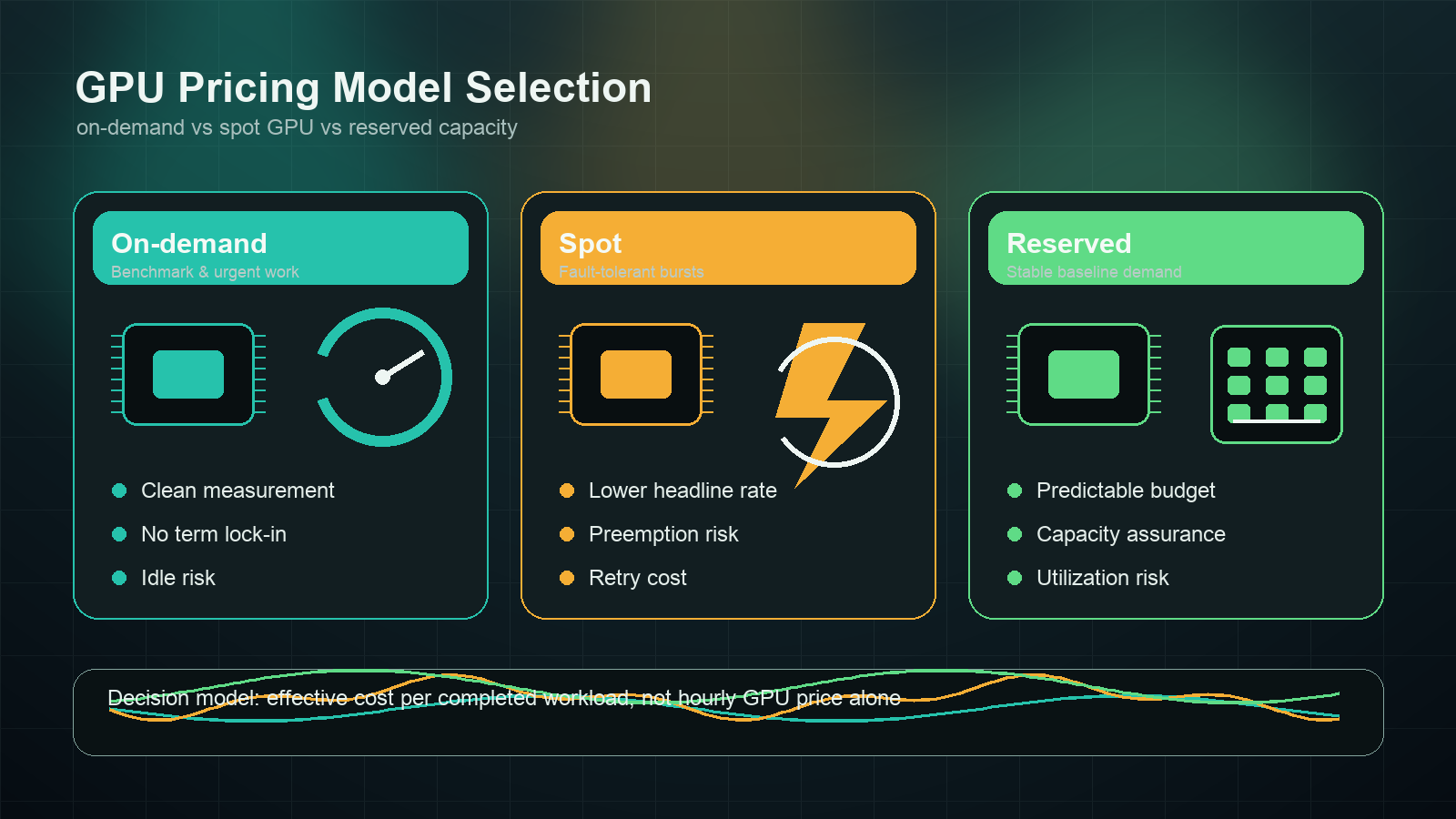
Choosing between on-demand vs spot GPU capacity is not just a rate-card exercise. The cheaper hourly price can lose if jobs restart, checkpoints are weak, data has to reload, or engineers spend days keeping interruptible machines alive. Reserved GPU capacity can also look cheaper until model demand shifts and the team is locked into underused hardware.
This guide compares on-demand, spot, and reserved GPU pricing for AI infrastructure buyers, FinOps teams, and platform engineers who need a practical workload decision model. The short answer: use on-demand GPUs for first measurements and urgent work, spot GPUs for fault-tolerant batch workloads, and reserved GPU capacity only after you can prove baseline utilization.
If you are still deciding whether you should rent GPUs at all, start with the broader GPU rental prices and GPU cloud vs model API guides. This article focuses on the pricing-model choice after you already know that GPU capacity belongs in the plan.
The quick answer: on-demand vs spot GPU vs reserved
For most teams, the first pass should look like this:
| Pricing model | Best fit | Main risk | Metric to watch |
|---|---|---|---|
| On-demand GPU | Benchmarks, urgent experiments, demos, early production, unknown utilization | Idle time and higher headline hourly rate | Useful GPU-active minutes / billable minutes |
| Spot GPU | Batch inference, offline evals, checkpointed training, media queues, retryable workers | Eviction, queue delay, restart waste, duplicate work | Completed jobs after interruption cost |
| Reserved GPU | Stable production inference, scheduled training, launch windows, dedicated clusters | Underutilization, hardware lock-in, contract mismatch | Baseline utilization versus commitment break-even |
The durable rule for on-demand vs spot GPU decisions is simple: compare effective cost per completed workload, not the advertised GPU hour.
effective cost per completed workload =
  (compute + storage + bandwidth + idle time + restart waste + support + engineering overhead)
  / accepted jobs, trained tokens, inference tokens, images, clips, or benchmark runs
That formula matters because each model moves risk to a different place. On-demand puts risk in idle time. Spot puts risk in interruptions and orchestration. Reserved capacity puts risk in forecast accuracy.
What on-demand GPU pricing means
On-demand GPU pricing is the cleanest baseline. You pay while the instance, pod, or server is running, with no long-term commitment. AWS describes On-Demand Instances as pay-as-you-go capacity with no long-term commitments. Specialist GPU clouds use similar language for pods, instances, or hourly GPU servers, even if the billing unit and included storage vary.
Use on-demand first when the workload is still unknown:
| Use case | Why on-demand fits |
|---|---|
| First benchmark of a model or serving stack | You need clean timing without interruption variables. |
| Driver, CUDA, container, or framework validation | Debugging should not be mixed with spot eviction risk. |
| Customer demo or QA environment | Predictability matters more than the lowest rate. |
| Early production endpoint | You need availability before you have stable utilization data. |
| Short urgent training or fine-tuning run | Queue delay can cost more than hourly savings. |
The trap is idle time. If a notebook, pod, or inference server runs for 100 billable hours but the GPU is active for only 28 useful hours, the real cost is not the provider's listed hourly price. The real rate is inflated by idle waste.
on-demand effective hourly rate =
  listed on-demand hourly rate / useful utilization share
If utilization is 35%, a $4/hour GPU behaves like an $11.43/useful-hour resource before storage, bandwidth, or engineering overhead. For on-demand vs spot GPU decisions, fix idle shutdowns and queue packing before negotiating a better hourly rate.
What spot GPU pricing means
Spot GPU pricing uses spare or interruptible capacity. AWS says EC2 Spot Instances use spare EC2 capacity and can offer discounts of up to 90% compared with On-Demand prices. Google Cloud Spot VMs and Azure Spot Virtual Machines follow the same broad pattern: lower-priced capacity that can be preempted or evicted when the cloud needs it back.
Spot GPUs are attractive for AI workloads because training, evaluation, image generation, and batch inference often have large retryable chunks. But "retryable" is not automatic. You need checkpointing, idempotent jobs, data locality, monitoring, and a scheduler that can restart without corrupting results.
Spot is usually a strong candidate when:
- Training jobs checkpoint frequently and resume cleanly.
- Batch inference can retry without user-visible failure.
- Offline evaluations can run across many workers.
- Media generation jobs sit behind a queue.
- A failed worker does not invalidate the full multi-node job.
- The team already has orchestration for evictions and duplicate prevention.
Spot is usually a weak candidate when:
- A single multi-day training run restarts from an old checkpoint.
- Startup time is dominated by pulling models, images, or datasets.
- Customer-facing latency depends on the machine staying alive.
- Multi-node training fails when one worker disappears.
- Engineers have to manually babysit restarts.
For spot vs on-demand GPU instances pros and cons, the math should include interruption waste:
spot effective hourly rate =
  spot hourly rate / (1 - interruption waste share)
If spot is 60% cheaper but interruptions, data reloads, failed steps, and queue delay waste 35% of elapsed work, the true discount is much smaller than the listed rate. If restart waste reaches the same order as the discount, on-demand capacity is often cleaner.
What reserved GPU pricing means
Reserved GPU pricing is a commitment model. It may appear as reserved instances, Savings Plans, committed use discounts, reserved clusters, private capacity, capacity blocks, or dedicated GPU contracts. The names differ by provider, but the tradeoff is the same: you trade flexibility for predictable capacity or a lower effective rate.
Reserved GPU capacity makes sense when:
| Signal | What it means |
|---|---|
| Stable baseline inference traffic | You can keep GPUs busy across most hours of the month. |
| Repeated training calendar | You know when capacity is needed and for how long. |
| Launch capacity requirement | You cannot rely on best-effort spot availability. |
| Multi-node topology requirement | Network placement, fabric, and storage locality matter. |
| Procurement needs fixed spend | A known monthly commitment is easier to approve than volatile usage. |
The central reserved-capacity question is utilization break-even:
reserved break-even utilization =
  reserved monthly commitment
  / (on-demand hourly rate * hours in month)
If the reserved commitment breaks even at 62% utilization and your real baseline is 25%, reserved capacity is not a discount. It is an idle-capacity subscription. For GPU clusters, combine this with the GPU cluster TCO model so networking, storage, support, remote hands, and operations are included.
Decision matrix by workload
The best pricing model depends on failure tolerance and utilization more than model size alone.
| Workload | Better starting point | Why |
|---|---|---|
| First model benchmark | On-demand GPU | You need a clean baseline for throughput, latency, memory, and failure modes. |
| New serving stack evaluation | On-demand GPU | Validate vLLM, SGLang, TensorRT-LLM, drivers, images, and model loading before optimizing price. |
| Offline eval suite | Spot GPU | Results can be retried, split, and checked for duplicate work. |
| Batch embedding or batch inference | Spot GPU, with on-demand fallback | Jobs are queueable if idempotency and retry controls exist. |
| Customer-facing inference baseline | Reserved plus on-demand burst | Stable demand can justify commitment; burst remains flexible. |
| One-time launch or short campaign | On-demand or capacity block | Capacity assurance may matter more than long-term discount. |
| Multi-node distributed training | Reserved or dedicated cluster | Placement, network fabric, and failure domains dominate the hourly price. |
| Low-volume AI product feature | Model API or gateway | Idle GPU capacity can cost more than managed usage-based inference. |
For GPU model selection inside any row, pair this article with the AI GPU selection guide, best GPU for LLM inference, and vLLM deployment guide.
On-demand vs spot GPU economics: a simple example
Assume an inference batch can run on the same GPU class in either on-demand or spot mode.
| Field | On-demand | Spot |
|---|---|---|
| Listed hourly rate | $4.00 |
$1.80 |
| Useful utilization | 70% |
70% |
| Restart and eviction waste | 0% |
22% |
| Effective useful-hour cost | $5.71 |
$3.30 |
Spot still wins in this example because the discount is larger than the waste. Now change the restart waste to 55% because the job repeatedly reloads weights and loses partial batches.
| Field | On-demand | Spot |
|---|---|---|
| Listed hourly rate | $4.00 |
$1.80 |
| Useful utilization | 70% |
70% |
| Restart and eviction waste | 0% |
55% |
| Effective useful-hour cost | $5.71 |
$5.71 |
At that point, the apparent spot discount disappears. This is why an on-demand vs spot GPU comparison should include operational waste, not just the provider's spot percentage.
Reserved GPU economics: the utilization test
Reserved capacity needs a different test. Suppose an on-demand GPU is $4/hour, and a reserved monthly commitment for equivalent capacity is $1,900/month.
monthly on-demand cost at 100% utilization =
  $4 * 730 hours = $2,920

reserved break-even utilization =
  $1,900 / $2,920 = 65%
That reservation is attractive only if the workload can keep the GPU busy for more than about two-thirds of the month. If your production endpoint uses the GPU hard during business hours but sits cold at night and on weekends, the real baseline may be below the break-even point.
The procurement version of the question is:
- What is the measured baseline, not the forecast peak?
- Which workloads are allowed to fill idle reserved capacity?
- What happens if the model moves from H100 to H200, B200, L40S, or a managed API?
- Are storage, support, networking, and egress inside or outside the commitment?
- Can the contract scale down, convert GPU type, or move region?
Do not reserve against hope. Reserve against measured utilization.
Provider source checklist
GPU pricing pages change often, and marketplace prices can change faster than a procurement cycle. Use this as a source checklist, not a frozen rate card. Re-check it on the day you approve spend.
| Provider category | Official source to check | What to capture |
|---|---|---|
| AWS | Amazon EC2 pricing, EC2 Spot Instances, EC2 Capacity Blocks for ML | Region, GPU instance family, On-Demand, Spot, Savings Plans or Reserved Instances, capacity block timing, EBS, data transfer, support. |
| Google Cloud | Compute Engine GPU pricing, Spot VMs, Committed use discounts | GPU type, machine family, region, Spot VM status, commitment term, reservation needs, persistent disk, network egress. |
| Microsoft Azure | Azure Spot Virtual Machines, Reserved VM Instances | GPU VM SKU, region, eviction policy, max price setting, reservation term, managed disk, bandwidth, support. |
| RunPod | RunPod pricing and product docs | Secure Cloud vs Community Cloud, pod pricing, serverless pricing, persistent storage, network volume, cold start behavior. |
| Vast.ai | Vast.ai pricing and Vast.ai docs | Host reliability, datacenter/community status, interruptible flag, disk, bandwidth, verified host, public IP needs. |
| Lambda | Lambda Cloud GPU pricing | Instance type, GPU count, region, on-demand availability, reserved cluster quote terms, storage and networking assumptions. |
Add a checked-date row to your spreadsheet. For this article, the source checklist was reviewed on October 13, 2026.
Procurement questions before you choose
Before you choose on-demand vs spot GPU capacity or sign a reserved GPU contract, ask these questions:
| Question | Why it matters |
|---|---|
| Can the job checkpoint and resume without manual repair? | Determines whether spot interruption risk is acceptable. |
| How long does startup take before useful GPU work begins? | Long model and data loading reduces spot savings and hurts on-demand efficiency. |
| What is the measured idle rate? | Idle time is the main on-demand cost leak. |
| What is the baseline, not the peak? | Reserved pricing only works when baseline demand is real. |
| Does the workload need a specific region or network fabric? | Scarce topology can make generic spot/on-demand rates irrelevant. |
| Are storage, snapshots, bandwidth, and support included? | GPU hours are only one line in the actual bill. |
| What is the exit path if model choice changes? | Hardware lock-in is expensive when model architecture shifts. |
| Can a managed model API meet the requirement instead? | Low-utilization or multi-model workloads may not justify GPU operations. |
For multi-node and private capacity decisions, compare this with GPU cluster rental and private GPU cloud.
When a model API beats all three GPU pricing models
On-demand, spot, and reserved GPUs all assume that renting and operating hardware is the right layer of abstraction. That is not always true.
A managed model API can be the better economic starting point when:
- Utilization is low, bursty, or unknown.
- The product needs many models rather than one self-hosted model.
- Reliability, upgrades, and scaling would distract from the product roadmap.
- The team needs usage ledgers, budgets, and invoices more than hardware control.
- The workload is production inference rather than model training or custom serving research.
Flatkey sits on that API side of the decision. It gives AI teams one API key, one balance, one invoice, usage visibility, and access to official model routes across providers. If the on-demand vs spot GPU worksheet shows that hardware utilization is not yet high enough, compare managed API cost per accepted result before buying or reserving GPU capacity. The next step is the AI model pricing comparison and AI gateway pricing guides.
Final recommendation
Use this sequence:
- Start with on-demand GPU capacity until the benchmark and utilization numbers are trustworthy.
- Move retryable jobs to spot GPUs only after checkpointing, idempotency, and restart automation are proven.
- Reserve GPU capacity only for measured baseline demand, committed launch windows, or topology-sensitive clusters.
- Keep a model API path open when utilization is low, model choice changes often, or finance needs cleaner usage attribution.
The best on-demand vs spot GPU decision is not the one with the lowest listed hourly rate. It is the on-demand vs spot GPU decision that minimizes cost per completed workload while keeping the reliability risk where your team can actually manage it.


