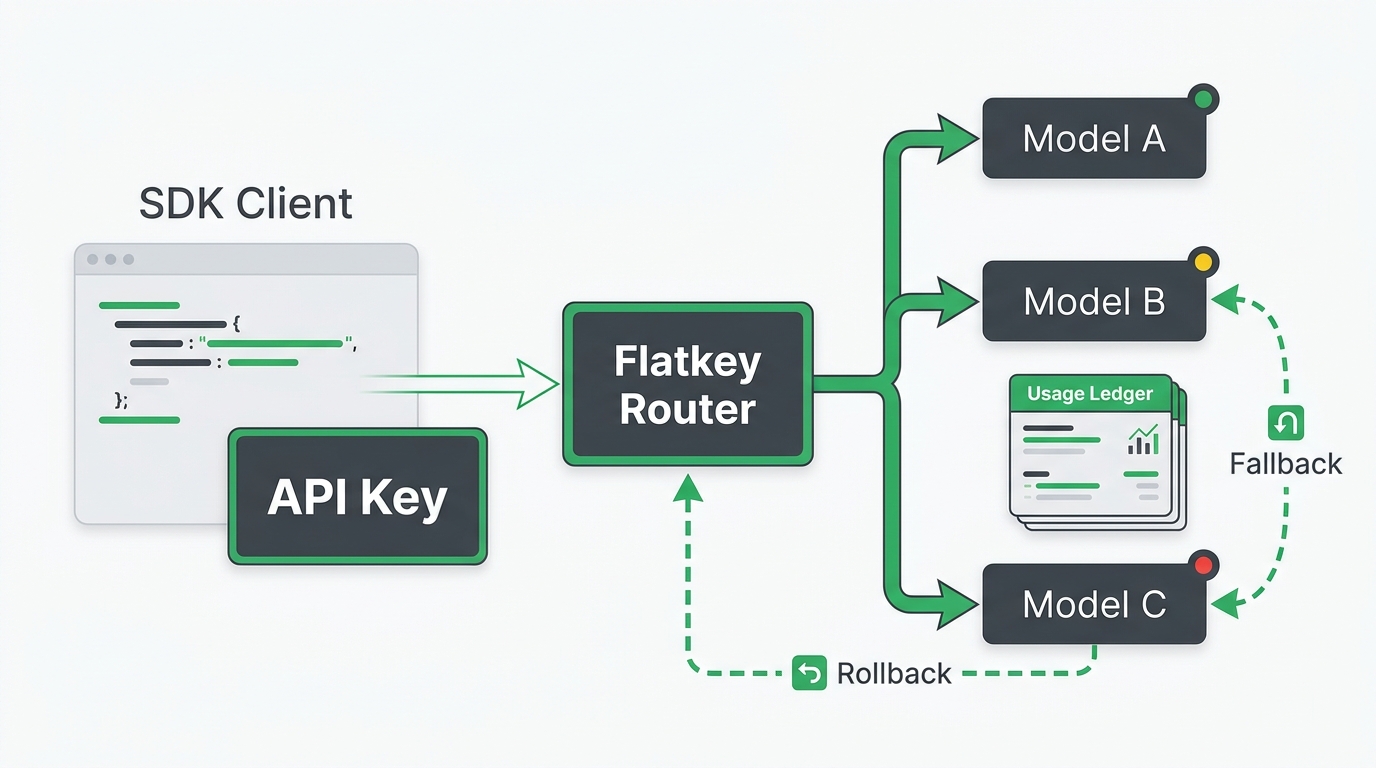
An OpenAI 401 error is an authentication problem, but it does not always mean the same thing. The fastest fix is to identify the request hostname, confirm which secret the running process actually loaded, and then use the error body to distinguish a wrong key from a revoked key, a gateway credential mismatch, or an IP allowlist block.
If you are searching for how to get an OpenAI API key because a request just failed, do not paste a new secret into the same configuration blindly. First establish whether the request is going to api.openai.com or to an OpenAI-compatible gateway. Those two endpoints can require different credentials.
Never paste a full API key into a ticket, chat, screenshot, log, or this checklist. Compare a safely derived fingerprint or the masked suffix shown by your provider instead.
What does “invalid API key” mean?
It means the service that received the request could not authenticate the credential presented for that request. For a direct OpenAI request, the official error can say Incorrect API key provided. OpenAI’s first checks are to compare the masked key in the error with the intended key, make sure an application is not switching between two keys, and confirm the correct organization configuration when one is required. OpenAI’s incorrect-key guidance is the source of truth for that exact message.
The HTTP status alone is not enough to diagnose the cause. For example, OpenAI documents that a request blocked by IP allowlisting returns HTTP 401 with the ip_not_authorized error type—even with a valid key. Read the error body before rotating anything. OpenAI’s IP allowlisting guide explains the distinction.
The five-minute diagnosis checklist
Work through these checks in order. Stop when the evidence points to a cause; changing several things at once makes a working fix hard to prove.
| Check | What to inspect safely | Likely conclusion | Next move |
|---|---|---|---|
| 1. Request host | The hostname after redirects, for example api.openai.com versus a gateway domain |
A direct OpenAI key was sent to a different provider, or vice versa | Use the credential issued by the endpoint operator |
| 2. Exact error body | Error message, type, and code—never the full secret |
Wrong/revoked key, IP block, or a provider-specific auth rule | Follow the branch below that matches the body |
| 3. Runtime secret source | Process environment, deployment secret reference, CI secret name, or container revision | An old, empty, truncated, or quoted value is still running | Update the active secret source and restart/redeploy deliberately |
| 4. Key lifecycle | Whether the key was deleted, revoked, exposed, or configured to expire | The original key cannot authenticate anymore | Create a replacement and rotate it safely |
| 5. Project and permissions | Project membership, intended project, and key permissions | The key exists but does not have the access the request needs | Use the intended project key or ask an owner to adjust access |
| 6. Network controls | Outbound IP and OpenAI IP allowlist configuration | ip_not_authorized or an infrastructure IP change |
Update the allowlist; allow propagation time before retesting |
1. Confirm the endpoint before touching the key
This is the most important check when an SDK has a configurable base_url.
- A request to
https://api.openai.com/...needs an OpenAI API credential. - A request to a gateway or proxy needs the credential and authentication format that gateway documents.
- A request can look “OpenAI-compatible” in code while still being sent to a non-OpenAI host.
How to get an OpenAI API key is only relevant after you confirm that the request is actually going to OpenAI. If the host is a gateway, creating a fresh OpenAI key will not fix a 401 from that gateway. Compare the configured hostname, SDK base URL, deployment variables, and any proxy configuration; do not log Authorization headers while doing it.
For a multi-model routing setup, keep endpoint and key configuration together. The broader OpenAI-compatible API troubleshooting guide covers base URLs, model names, streaming, and routing-specific checks after this direct credential test passes.
2. Verify the application is loading one intended secret
Common causes of an “invalid API key” error are mundane configuration mistakes:
OPENAI_API_KEYis unset in the running process even though it exists on your laptop.- A deployment still references an older secret version.
- A
.envfile is not being loaded in the environment that actually makes the request. - The value includes unintended quotes, whitespace, a line break, or a copied placeholder.
- One code path uses a library default while another overrides the key or base URL.
Use a non-reversible fingerprint in a private debug environment. This lets you compare which secret different processes loaded without printing the secret itself:
import crypto from "node:crypto";

const key = process.env.OPENAI_API_KEY?.trim();

if (!key) {
  throw new Error("OPENAI_API_KEY is not set in this process");
}

const fingerprint = crypto
  .createHash("sha256")
  .update(key)
  .digest("hex")
  .slice(0, 12);

console.info({ keyConfigured: true, keyLength: key.length, fingerprint });
Compare the fingerprint between local development, CI, staging, workers, and production. Do not compare or store the full key.
3. Test a direct request with the same runtime environment
Run a minimal request from the same machine, container, or job that is failing. This separates credential loading from application logic. The following command uses the standard bearer header but deliberately leaves the key in an environment variable:
curl https://api.openai.com/v1/models \
  -H "Authorization: Bearer $OPENAI_API_KEY"
Interpret the result carefully:
- The same 401 from the same runtime points to the credential, endpoint, organization/project setting, or network policy.
- A successful response points to application configuration: a different runtime, a base-URL override, duplicate client creation, or a different environment variable.
- An
ip_not_authorizedresponse is an IP allowlisting issue, not evidence that the key text is invalid.
Do not replace this test with a browser request. OpenAI advises against deploying API keys in browsers or mobile apps because they can be exposed and used by others. Send requests through your own backend instead. OpenAI’s API-key safety guidance explains why.
4. Check whether the key was revoked, deleted, exposed, or expired
OpenAI API secrets are only fully shown at creation time. If you did not save the secret, you cannot recover it from the dashboard; create a new one and update the application. Deleted keys cannot be used. OpenAI’s key-management article confirms both behaviors.
If you are setting up a new integration rather than recovering from an incident, use the companion Open AI API key production guide for a broader setup, security, and operating checklist.
Treat these events as a reason to rotate, not to retry indefinitely:
- The key was deleted or intentionally revoked.
- The key may have been committed to a repository, sent in a message, embedded in a client app, or otherwise exposed. OpenAI says it disables keys it detects on the public internet or leaked inside an app-store app.
- A project key was created with an expiration date, and that date has passed.
- A deployment references a prior key after a planned rotation.
For a replacement, create the new key in the intended project, write it to the correct secret store, deploy it, confirm one minimal request, then revoke the old key. OpenAI recommends expirations and a regular rotation process; it also recommends separate keys rather than shared team credentials. See the current safety recommendations.
5. Check project membership and key permissions
If you can create or see a key but a team workload still fails, check the project boundary before assuming the secret is malformed. OpenAI projects manage API keys, members, service accounts, model access, and spend limits. User-owned keys can be set to full, restricted, or read-only permissions. OpenAI’s projects guide documents the available controls.
Ask these questions:
- Is the key from the same project as the application’s resources and intended usage?
- Is the service account or user still a member of that project?
- Does the key have the endpoint/resource permissions the call needs?
- If the error identifies an organization, is the client configured for the intended organization rather than a stale one?
Permission and project problems may have a more specific message or a different status code than Incorrect API key provided. Preserve the error’s request ID and sanitized body for your platform owner or OpenAI Support rather than guessing.
6. Rule out IP allowlisting before you rotate a valid key
An OpenAI organization can restrict API traffic to approved IP ranges. A request from any other address is rejected with HTTP 401 and ip_not_authorized, even when the credential itself is valid. That makes this a particularly easy 401 to misdiagnose.
If the error type is ip_not_authorized:
- Identify the real egress IP of the workload—not the developer laptop’s public IP.
- Compare it with the configured allowlist and check whether a cloud NAT, serverless egress address, or proxy changed.
- Update the allowed range through the appropriate organization controls.
- Allow the documented propagation window before running the minimal test again.
Keep the key unchanged until this branch is disproved. Rotating a valid key only adds a second variable to the incident.
How to get an OpenAI API key after a 401
If the evidence shows that the credential is missing, deleted, compromised, or expired, follow this short recovery flow:
- Open the OpenAI API key page in the intended organization and project.
- Create a new secret key with the least access appropriate for the workload.
- Save it directly to a server-side secret manager or deployment secret; do not put it in browser code, a committed
.envfile, or a shared document. - Update one environment first and run the minimal direct request.
- Roll the change through the remaining environments and confirm the fingerprint changed where expected.
- Revoke the previous key only after the replacement is verified, unless the old key is exposed—in that case revoke it immediately and investigate usage.
This is how to get an OpenAI API key safely for a recovery. It is not a reason to share one key across teammates or environments. Use separate project/user or service-account credentials so a future 401 has a smaller blast radius.
A gateway-specific 401 needs a different question
When a codebase uses an OpenAI-compatible SDK with a custom base_url, begin with: Which service received the request? A gateway can return its own 401 before it sends anything upstream to OpenAI. In that case, validate the gateway credential, tenant/workspace, API base URL, and model identifier in the gateway’s own documentation.
Once the request is authenticated, use the Flatkey API quickstart for a focused compatible-router setup, or return to the OpenAI-compatible API troubleshooting guide for model, streaming, and base-URL checks. Keep a direct OpenAI key and a gateway key in separately named secret variables so a future incident is obvious from configuration rather than from trial and error.
Before you close the incident
- [ ] The hostname and
base_urlmatch the credential issuer. - [ ] The production process loaded the expected secret fingerprint.
- [ ] The key has not been deleted, revoked, exposed, or expired.
- [ ] Project membership and key permissions are correct for the workload.
- [ ]
ip_not_authorizedhas been ruled out or the allowlist was updated. - [ ] A minimal request works from the failing runtime.
- [ ] No full credential appeared in logs, source control, tickets, or chat.
- [ ] The old key was revoked only after the replacement was verified, unless it was exposed.
How to get an OpenAI API key is a useful setup task; diagnosing the host, secret source, lifecycle, and network policy is what turns a 401 fix into a durable production repair.
To avoid key problems in the first place, follow our API key management best practices.
Frequently asked questions
What does invalid API key mean in OpenAI?
It means the service handling the request could not authenticate the presented credential. For the exact Incorrect API key provided message, compare the intended key with the masked value in the error, ensure the app is not using two keys, and check the correct organization configuration. A different error type such as ip_not_authorized indicates another cause.
How do I get an OpenAI API key if the old one no longer works?
Create a new secret key in the intended OpenAI project, save it in a server-side secret store, update the active deployment, and verify a minimal request before revoking the old key. You cannot retrieve the full value of an existing key after the creation screen is gone.
Can I fix an OpenAI 401 by putting a new key in browser JavaScript?
No. A browser or mobile app is the wrong place for a provider secret. Route requests through your backend and store the secret in server-side configuration or a secret manager.
Why does a valid OpenAI key return 401 ip_not_authorized?
OpenAI IP allowlisting can reject requests from an address that is not on the organization’s allowlist. Check the real egress IP of the server or cloud workload, then compare it with the configured IP ranges.
Why did a new OpenAI key not fix a gateway 401?
A gateway endpoint may require its own API key and configuration. Confirm the request hostname and use the credential issued by that endpoint’s operator; a direct OpenAI key does not authenticate a request to every OpenAI-compatible API.