OpenAI API Access for Multi-Model Products: A Production Setup Guide
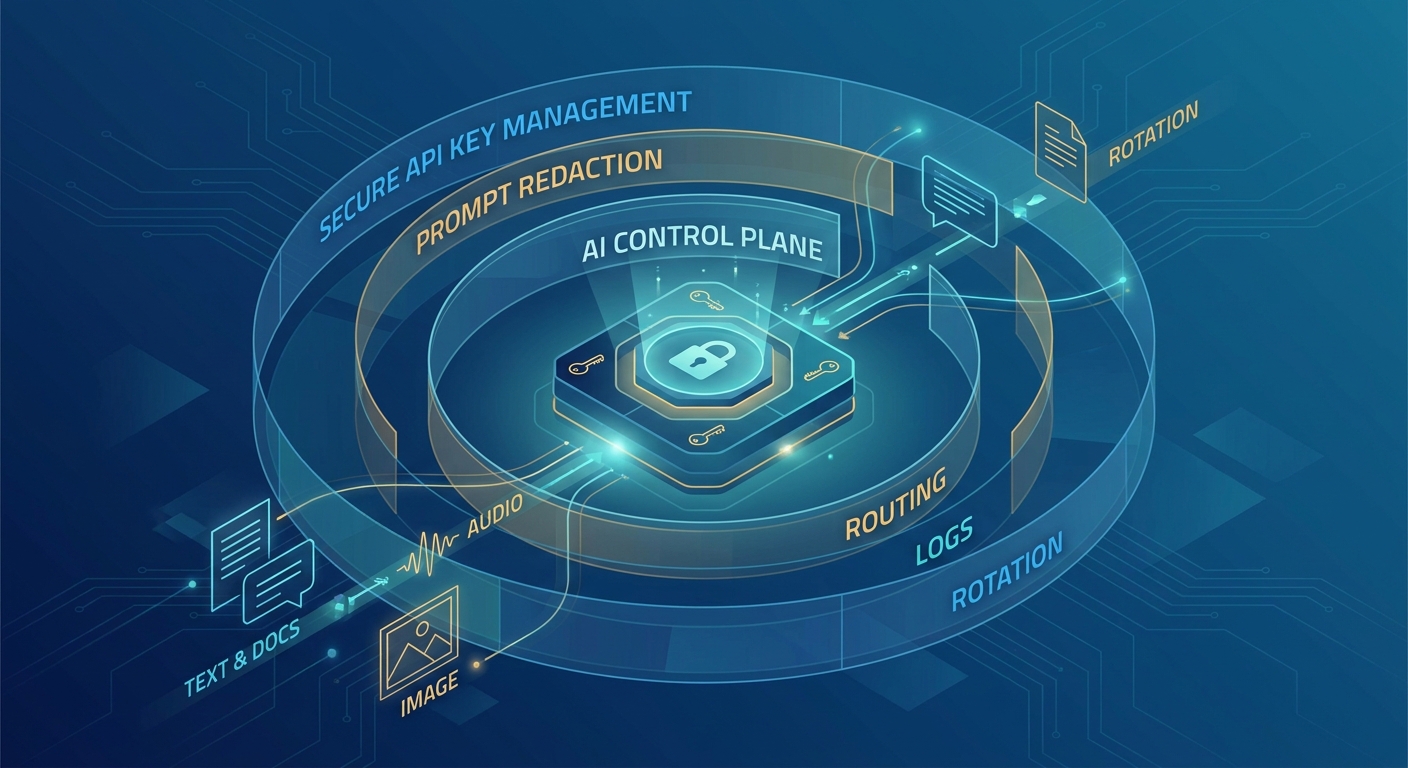
Getting an OpenAI API key is easy. Designing OpenAI API access that stays secure, testable, and replaceable as your product adds more models is the real engineering work.
For a prototype, one personal key and one model call may be enough. A production multi-model product needs a different setup: project-scoped credentials, separate environments, explicit endpoint and capability checks, rate-limit handling, usage visibility, and a controlled path for introducing fallback providers.
This guide turns those requirements into an implementation checklist. It covers direct OpenAI access first, then shows where an OpenAI-compatible gateway can reduce operational work when your product expands beyond one provider.
Checked July 28, 2026: OpenAI's current platform guidance centers API development on projects, supports project service accounts and restricted key permissions, recommends secure server-side key handling, and positions the Responses API as the primary interface for new agentic and multimodal workflows. Verify current model access and limits in your own account before production deployment.
The Short Version
Use this sequence for a new multi-model product:
- Create separate OpenAI projects for development, staging, and production.
- Use a project service account or a tightly scoped project key for server workloads.
- Keep secrets on the server and outside source control, browsers, and mobile apps.
- Choose the Responses API or Chat Completions based on the features your application actually uses.
- Test model availability, structured outputs, tools, streaming, and multimodal inputs separately.
- Measure rate limits, timeouts, retries, latency, and cost per successful task.
- Put the provider base URL, key, and model behind configuration.
- Add a second provider only after you have a shared evaluation set and a rollback path.
The goal is not merely to make a successful request. It is to make access governable and portable.
What OpenAI API Access Means in Production
Production access has six layers. If any layer remains implicit, it usually becomes an incident later.
| Access layer | Production question | Evidence to capture |
|---|---|---|
| Organization and project | Which environment and team owns the workload? | Project ID, owner, environment, budget owner |
| Credential | Which machine or service may call the API? | Service account or project key, permission scope, rotation owner |
| Endpoint | Which API interface does the application depend on? | Responses, Chat Completions, Realtime, embeddings, image, or other endpoint |
| Model | Which capabilities and limits does the task require? | Model ID, tool support, modalities, context needs, output contract |
| Operations | What happens under load or partial failure? | Rate-limit test, retry policy, timeout, queue behavior, request IDs |
| Portability | How quickly can the workload move or fall back? | Config switch, compatibility test, evaluation score, rollback procedure |
This access matrix is more useful than a list of API keys. It ties every credential to a workload, every workload to a contract, and every contract to an operating plan.
Step 1: Separate Projects by Environment
OpenAI projects provide a boundary for API keys, service accounts, usage, model access, rate limits, and budgets. That makes projects the right starting point for separating development, staging, and production.
A practical structure is:
| Project | Typical users | Credential type | Main purpose |
|---|---|---|---|
| Development | Individual engineers and CI test jobs | Personal project keys or restricted automation keys | Local development and low-risk experiments |
| Staging | CI/CD and pre-production services | Project service account | Load tests, integration tests, release candidates |
| Production | Deployed backend services only | Project service account with minimum permissions | Customer traffic |
Do not share one production key across laptops, CI, staging, and multiple services. Shared credentials make rotation disruptive and make it difficult to attribute unexpected usage.
OpenAI documents project service accounts as project-scoped identities. When a service account is created, its secret is shown once, so store it immediately in your secrets manager. OpenAI also supports key permissions such as All, Restricted, and Read Only; use the narrowest permissions compatible with the workload.
Step 2: Keep API Keys Server-Side
An OpenAI API key is a secret, not an application identifier. Never expose it in browser JavaScript, mobile application bundles, public repositories, client-side logs, or support screenshots.
Use environment variables or a managed secret store:
OPENAI_API_KEY="your-project-or-service-account-key"
OPENAI_MODEL="your-validated-model-id"
OPENAI_BASE_URL="https://api.openai.com/v1"
Then create the client in one server-side module:
import os
from openai import OpenAI

client = OpenAI(
    api_key=os.environ["OPENAI_API_KEY"],
    base_url=os.environ.get("OPENAI_BASE_URL", "https://api.openai.com/v1"),
)
The base URL belongs in configuration even if you only use OpenAI today. That small choice makes staging proxies, regional infrastructure, and future OpenAI-compatible routing easier to test without editing every call site.
Minimum key-management policy
- Assign an owner for each production credential.
- Record the service and environment that use it.
- Store it in a secrets manager, not a shared document.
- Rotate it on a schedule and immediately after suspected exposure.
- Remove unused keys and former team members' access.
- Alert on unexpected usage and spend changes.
- Avoid embedding keys in images, tickets, analytics events, or application errors.
OpenAI's key-safety guidance also recommends never committing keys to a repository and using environment variables instead of hardcoding them.
Step 3: Choose the API Interface Before the Model
Model selection receives most of the attention, but endpoint choice often creates the larger migration cost.
OpenAI's current docs recommend the Responses API for new projects that need built-in tools, multimodal inputs, or agent-like workflows. Chat Completions remains useful when your application already has a stable message-based integration or needs broad compatibility with OpenAI-style clients and gateways.
| Requirement | Start with | Migration note |
|---|---|---|
| New agentic workflow | Responses API | Validate tool behavior, state handling, and output contracts |
| Built-in OpenAI tools | Responses API | Confirm the selected model and account support each tool |
Existing messages integration |
Chat Completions | Keep if it is stable; migrate for a specific capability, not fashion |
| Cross-provider client portability | Chat Completions or a tested compatibility layer | Compatibility varies by provider and parameter |
| Low-latency speech interaction | Realtime API | Treat transport, session lifecycle, and audio handling as separate tests |
| Embeddings, image, or other modality-specific work | Relevant endpoint | Do not assume a chat smoke test proves another endpoint |
A multi-model architecture can use more than one interface. The important rule is to define each workload's contract explicitly instead of hiding incompatible behavior behind a single generic generate() function.
Step 4: Run an Access Smoke Test
Start with the smallest server-side request that proves authentication, endpoint access, and model access.
import os
from openai import OpenAI

client = OpenAI(
    api_key=os.environ["OPENAI_API_KEY"],
    base_url=os.environ.get("OPENAI_BASE_URL", "https://api.openai.com/v1"),
)

response = client.responses.create(
    model=os.environ["OPENAI_MODEL"],
    input="Return exactly: access-ok",
)

print(response.output_text)
For an existing Chat Completions client:
response = client.chat.completions.create(
    model=os.environ["OPENAI_MODEL"],
    messages=[
        {"role": "user", "content": "Return exactly: access-ok"}
    ],
)

print(response.choices[0].message.content)
Do not treat this as the full integration test. It only proves a narrow path.
Record:
- HTTP status and normalized application result
- model ID requested and model ID returned, when available
- request ID or trace identifier
- latency and timeout
- input and output usage
- project and environment
- SDK version
- retry count
Step 5: Build a Capability Test Matrix
Model names change faster than production requirements. Test capabilities, not marketing labels.
Create one row per workload:
| Workload | Required capability | Pass condition | Failure or fallback behavior |
|---|---|---|---|
| Support classification | Structured output | Valid schema on representative tickets | Retry once, then queue for review |
| Research assistant | Tool use and citations | Correct tool invocation and source mapping | Use search-disabled fallback response |
| Document extraction | File or image input | Required fields meet accuracy threshold | Route to stronger vision model |
| Customer chat | Streaming | First token and full response meet latency SLO | Switch to non-streaming or fallback model |
| Code generation | Long context and instruction adherence | Test suite passes | Escalate to higher-quality model |
For each candidate model, test the same prompt set and the same scoring rules. Include malformed inputs, empty context, long context, timeouts, and provider errors. A successful demo prompt does not prove production compatibility.
Useful metrics include:
- task success rate
- schema-valid response rate
- tool-call success rate
- p50 and p95 latency
- retry rate
- cost per successful task
- human escalation rate
This is the bridge between OpenAI API access and multi-model routing: routing should follow measured workload performance, not a static provider preference.
Step 6: Plan for Rate Limits and Usage Tiers
OpenAI rate limits can apply across dimensions such as requests and tokens, and limits vary by model and account tier. Check the current limits page for your organization and model before setting production concurrency.
Your client should distinguish at least four failure classes:
| Failure class | Typical response | Correct action |
|---|---|---|
| Authentication or permission | 401 or 403 | Stop retries, check project, key, and permission scope |
| Rate limit | 429 | Back off with jitter, reduce concurrency, or queue work |
| Provider/server failure | 5xx | Retry a bounded number of times, then use fallback or queue |
| Invalid request | 4xx | Fix the request; do not create a retry storm |
Use exponential backoff with jitter and a maximum attempt count. Put a total time budget around the whole operation, not just each HTTP call. Otherwise three long retries can exceed the user-facing service-level objective.
For asynchronous or batch-friendly work, a queue can absorb temporary limits. For interactive work, a validated fallback model may be better. Those are different operating modes and should have different retry policies.
Step 7: Design the Multi-Model Boundary
There are two common ways to add more models.
Option A: Direct provider integrations
Use separate native SDKs and credentials for each provider.
This is a good fit when:
- you need provider-specific features immediately;
- your team can manage multiple billing accounts and credentials;
- you want the earliest access to each provider's native capabilities;
- you are prepared to normalize errors, usage, retries, and telemetry yourself.
Option B: An OpenAI-compatible gateway
Use one compatible base URL and select models through configuration or routing policy.
This is a good fit when:
- multiple workloads share the OpenAI client pattern;
- you want one access, billing, quota, and usage layer;
- you need faster model evaluation and fallback experiments;
- provider account management is becoming operational overhead.
Flatkey provides an OpenAI-compatible base URL at https://router.flatkey.ai/v1. With a compatible workload, the client boundary can remain stable while the key, base URL, and model move into configuration.
FLATKEY_API_KEY="your-flatkey-key"
OPENAI_BASE_URL="https://router.flatkey.ai/v1"
FLATKEY_MODEL="your-validated-flatkey-model-id"
client = OpenAI(
    api_key=os.environ["FLATKEY_API_KEY"],
    base_url=os.environ["OPENAI_BASE_URL"],
)
“OpenAI-compatible” does not mean every endpoint and parameter behaves identically. Re-run the capability matrix for streaming, structured outputs, tools, multimodal inputs, error responses, usage fields, and timeouts before changing production traffic.
For a hands-on migration sequence, use the OpenAI-compatible API gateway migration checklist. For model-level testing, use the multi-model prompt testing workflow.
Step 8: Roll Out with Staging, Shadow Tests, and Canaries
Use a staged rollout even when the new path passes every offline evaluation.
- Staging: run representative traffic with production-like concurrency and timeouts.
- Shadow: copy eligible requests to the candidate path without using its response for the customer.
- Canary: send a small percentage of live traffic to the candidate.
- Expand: increase traffic only when success rate, latency, and cost remain within thresholds.
- Rollback: restore the prior key, base URL, and model through configuration.
Define rollback thresholds before the release. Examples include:
- schema-valid rate drops below the baseline;
- p95 latency exceeds the workload SLO;
- retry rate or 429 rate rises above the agreed ceiling;
- task success rate declines on a protected customer segment;
- cost per successful task exceeds the budget threshold;
- a required tool or modality fails.
The rollback must be executable by the on-call engineer without a code deployment.
A Production-Ready OpenAI API Access Checklist
Identity and secrets
- [ ] Development, staging, and production use separate projects or equivalent boundaries.
- [ ] Production uses a project service account or minimum-scope project key.
- [ ] Secrets are stored server-side in a secrets manager.
- [ ] Key owner, service, environment, creation date, and rotation process are documented.
- [ ] Keys are absent from repositories, browser bundles, mobile apps, logs, and tickets.
API contract
- [ ] Endpoint choice is documented per workload.
- [ ] Current model access is verified in the target project.
- [ ] Required tools, modalities, structured outputs, and streaming are tested independently.
- [ ] SDK and API behavior are pinned or recorded for reproducibility.
- [ ] Provider-specific fields are isolated from shared application logic.
Reliability and cost
- [ ] 401/403, 429, 4xx, 5xx, and timeout behavior are tested.
- [ ] Retries use exponential backoff, jitter, attempt limits, and a total time budget.
- [ ] Usage, latency, request IDs, errors, and cost are observable.
- [ ] Concurrency has been tested against current project limits.
- [ ] Cost is measured per successful task, not only per token.
Multi-model readiness
- [ ] Base URL, API key, and model are configuration values.
- [ ] Candidate models use one representative evaluation set.
- [ ] Fallback rules are workload-specific.
- [ ] Staging, shadow, canary, and rollback procedures are documented.
- [ ] Gateway compatibility is tested for every required feature.
Common Questions
Do I need an OpenAI account for each developer?
Developers can be added to the relevant organization and project with appropriate roles. Production workloads should use a dedicated project service account or project credential rather than an individual's personal key.
Should a multi-model product use the Responses API or Chat Completions?
Use the Responses API for new OpenAI-native workflows that need agentic features, built-in tools, or multimodal behavior. Keep Chat Completions when it matches an existing stable contract or when OpenAI-compatible portability is a priority. Test the exact capabilities you need either way.
Can I put an OpenAI API key in a frontend application?
No. Route requests through your backend so the key remains secret and you can enforce authentication, quotas, logging, and abuse controls.
Does one successful API call prove production access?
No. It proves only that one key, endpoint, model, and request worked once. Production readiness also requires permission checks, capability tests, rate-limit behavior, observability, cost measurement, and rollback.
When should I add an API gateway?
Add one when managing separate provider keys, billing, quotas, retries, and usage logs starts slowing product delivery—or when you need repeatable cross-model testing and fallback routing. Keep direct provider access when provider-native features are strategically important and your team can operate the additional integrations.
Build Access That Can Evolve
The best OpenAI API setup is not the one with the fewest configuration fields. It is the one that makes ownership, permissions, workload contracts, limits, and rollback obvious.
Start with direct OpenAI access if that is all the product needs. Put the key, base URL, and model behind one configuration layer. Build a capability test matrix before adding providers. Then, if multi-provider operations become the bottleneck, move compatible workloads to a unified routing layer without losing the tests that proved them.
Flatkey gives multi-model teams one OpenAI-compatible base URL, one key, and centralized usage controls. Review current model access and pricing, then follow the Flatkey integration starter to run your first controlled test.
Official OpenAI References
- Production best practices
- Migrate to the Responses API
- Rate limits
- Managing projects in the API platform
- API key safety best practices
For every current GPT-6 and GPT-5.6 token rate, including Batch, Flex, and cached input, see our OpenAI API pricing guide.