OpenAI API Pricing (October 2026): GPT-6, GPT-5.6, and Every Token Rate Explained
OpenAI API pricing in October 2026 runs from $0.10 per 1M input tokens and $0.50 per 1M output tokens for gpt-6-luna up to $10 input and $50 output for the flagship gpt-6-astra, with gpt-6.1-sol in the middle at $2 input and $10 output. Batch and Flex cut those rates in half, Fast mode doubles them, and any request with more than 272K input tokens moves to a higher long-context rate. Every figure below comes from OpenAI's official API pricing page, checked on October 21, 2026.
This guide is written for indie hackers and small teams who pay the bill themselves. It covers the current GPT-6 and GPT-5.6 rows, the processing tiers that change your real cost, the new cache-write pricing, tool and media fees, a worked monthly estimate, copyable cost code, and how OpenAI compares with Claude, Gemini, and DeepSeek on price.
OpenAI API pricing at a glance
| Question | Answer (as of Oct 21, 2026) |
|---|---|
| Cheapest current flagship-family model | gpt-6-luna: $0.10 input / $0.01 cached / $0.50 output per 1M tokens |
| Balanced default | gpt-6.1-sol: $2.00 input / $0.10 cached / $10.00 output |
| Top model | gpt-6-astra: $10.00 input / $1.00 cached / $50.00 output |
| Long-context threshold | More than 272K input tokens uses the long-context column |
| Batch and Flex | 50% of Standard rates |
| Fast mode (formerly Priority) | 2x Standard rates |
| Ultrafast | 6x Standard rates (Astra and 6.1 Sol only) |
| Regional data residency | +10% for models released on or after March 5, 2026 |
| Web search tool | $10 per 1,000 calls, plus search content tokens |
Source: OpenAI API pricing, October 21, 2026. OpenAI notes that Priority processing was renamed Fast mode on July 30, 2026.
GPT-6 and GPT-5.6 pricing per 1M tokens
The table shows Standard rates. "Short" means up to 272K input tokens; "Long" means more than 272K. OpenAI's models page positions Astra for complex reasoning and coding, 6.1 Sol as the balance of intelligence and cost, and Luna for cost-sensitive, high-volume work.
| Model | Input (short) | Cached input | Output (short) | Input (long) | Output (long) |
|---|---|---|---|---|---|
gpt-6-astra |
$10.00 | $1.00 | $50.00 | $20.00 | $75.00 |
gpt-6.1-sol |
$2.00 | $0.10 | $10.00 | $4.00 | $15.00 |
gpt-6-sol |
$2.00 | $0.20 | $10.00 | $4.00 | $15.00 |
gpt-6-luna |
$0.10 | $0.01 | $0.50 | $0.20 | $0.75 |
gpt-5.6-sol |
$4.00 | $0.40 | $20.00 | $8.00 | $30.00 |
gpt-5.6-terra |
$2.00 | $0.20 | $12.00 | $4.00 | $18.00 |
gpt-5.6-luna |
$0.20 | $0.02 | $1.20 | $0.40 | $1.80 |
gpt-5.5 |
$5.00 | $0.50 | $30.00 | $10.00 | $45.00 |
gpt-5.4 |
$2.50 | $0.25 | $15.00 | $5.00 | $22.50 |
Source: OpenAI API pricing, Standard tier, October 21, 2026.
Three things stand out once you read the rows side by side:
gpt-6.1-solandgpt-6-solcost the same per token, but 6.1 Sol has half the cached-input price ($0.10 vs $0.20). If your app resends a long system prompt, 6.1 Sol is the cheaper Sol on real traffic.- Older does not mean cheaper.
gpt-5.6-solcosts twice as much asgpt-6.1-solon both input and output, andgpt-5.5costs 2.5x more on input. OpenAI says GPT-5.6 Sol's promotional pricing is available at least through November 21, 2026, so re-check it before you budget past that date. - Long prompts change the price class. Crossing 272K input tokens doubles input on every GPT-6 row and raises output by 50%. Retrieval or chunking that keeps requests under 272K is often the biggest single saving on document-heavy workloads.
Older and smaller models still on the price list
| Model | Input | Cached input | Output |
|---|---|---|---|
gpt-5.4-mini |
$0.75 | $0.075 | $4.50 |
gpt-5.4-nano |
$0.20 | $0.02 | $1.25 |
gpt-5-mini |
$0.25 | $0.025 | $2.00 |
gpt-5-nano |
$0.05 | $0.005 | $0.40 |
gpt-4.1 |
$2.00 | $0.50 | $8.00 |
gpt-4o-mini |
$0.15 | $0.075 | $0.60 |
o3 |
$2.00 | $0.50 | $8.00 |
o4-mini |
$1.10 | $0.275 | $4.40 |
Source: OpenAI API pricing, October 21, 2026. gpt-5-nano is the lowest token price on the page, but test quality before you trade gpt-6-luna for it: Luna is the model OpenAI currently recommends for high-volume work.
Processing tiers: Standard, Batch, Flex, Fast, and Ultrafast
The same model has up to five prices depending on how fast you need the answer. Here is gpt-6.1-sol across tiers (short context, per 1M tokens):
| Tier | Input | Cached input | Output | When to use it |
|---|---|---|---|---|
| Standard | $2.00 | $0.10 | $10.00 | Interactive product traffic |
| Batch | $1.00 | $0.05 | $5.00 | Offline jobs that can wait for the Batch API |
| Flex | $1.00 | $0.05 | $5.00 | Lower-priority requests that tolerate slower, occasionally unavailable capacity |
| Fast | $4.00 | $0.20 | $20.00 | Latency-critical paths (formerly Priority) |
| Ultrafast | $12.00 | $0.60 | $60.00 | The lowest-latency option, Astra and 6.1 Sol only |
Source: OpenAI API pricing, October 21, 2026.
For an indie product the practical rule is simple: put evals, nightly enrichment, backfills, and content generation on Batch, keep user-facing chat on Standard, and only pay for Fast on the one or two endpoints where latency is visible in your conversion funnel. If you also care about throughput ceilings, read our guide to LLM rate limits, RPM, TPM, and retries before you buy speed.
Prompt caching: cached reads and the new cache-write rates
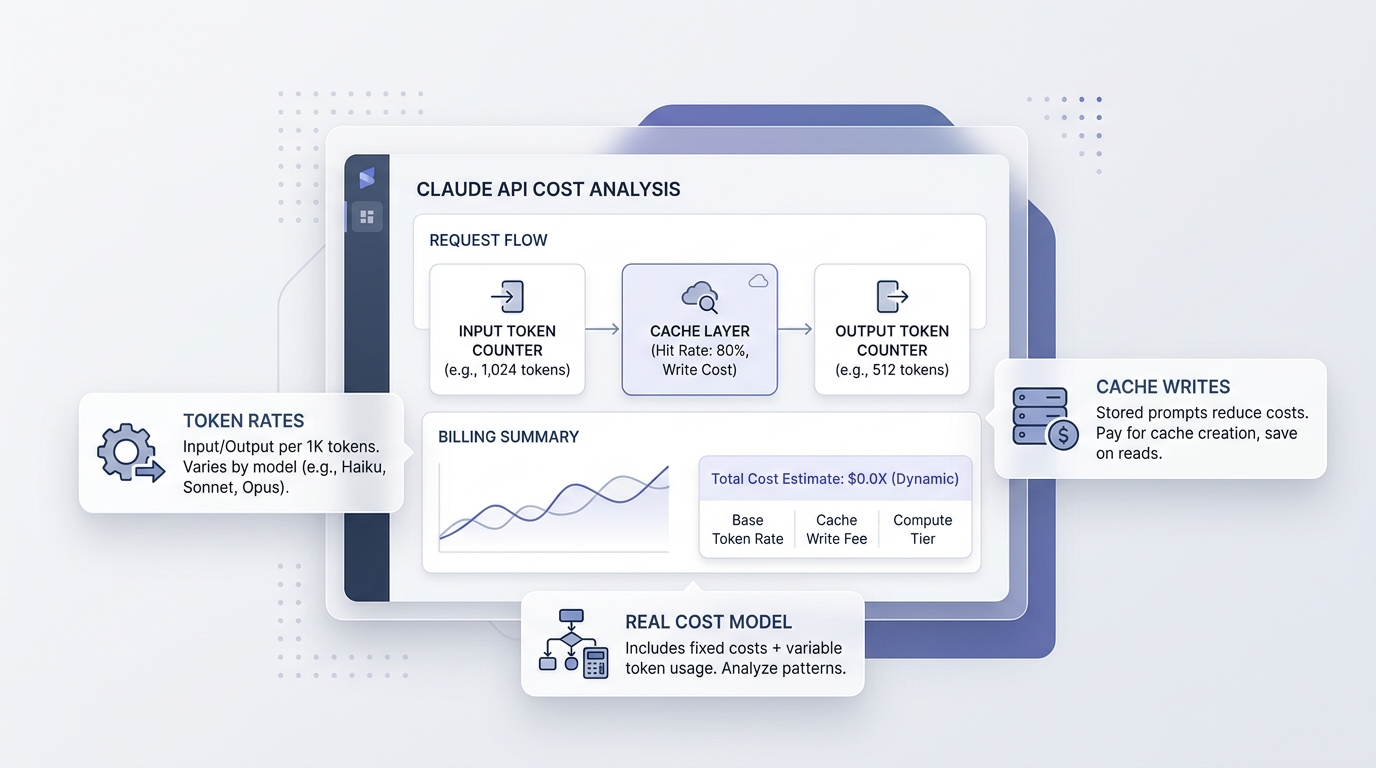
OpenAI's pricing table now has two cache-write columns. According to the prompt caching guide, for GPT-5.6 and later a cache write costs 1.25x the normal input rate for the default 30-minute lifetime, a 12-hour lifetime (Responses API) costs 2.5x, and later reads cost 0.1x. Cache-write pricing is not an extra fee: each input token is billed once, at either the uncached, cached, or cache-write rate.
OpenAI's own math: writing a prefix once and reusing it once costs 1.35x its normal input cost, versus 2x without caching; one write plus nine reads costs 2.15x versus 10x. In other words, caching pays for itself on the second request.
What that means for your app:
- Put stable content first: system prompt, tool definitions, few-shot examples, product docs.
- Put user-specific and changing content last so it does not trigger new writes.
- Use the 12-hour lifetime only for prefixes you will hit many times across a day, because the write costs twice as much as a 30-minute write.
We go deeper on break-even math in prompt caching workflow cost and ROI.
Tool, image, audio, and other fees
Token rates are only part of the bill once you turn on built-in tools or media models. Rates from the official pricing page, October 21, 2026:
| Item | Price |
|---|---|
| Web search (all models) | $10.00 per 1,000 calls + search content tokens at model rates |
| File search | $0.10 per GB per day storage (1 GB free); $2.50 per 1,000 tool calls |
| Hosted Shell / Code Interpreter containers | From $0.03 per 20-minute session (1 GB) to $1.92 (64 GB) |
gpt-image-2.5-sunburst / gpt-image-2.5-flare |
Image input $8.00, image output $30.00, text input $5.00 per 1M tokens |
gpt-realtime-2.1 |
Audio $32.00 input / $64.00 output; text $4.00 / $24.00 per 1M tokens |
gpt-live-1 voice sessions |
$0.05 per minute, billed per second |
gpt-transcribe |
$0.0045 per minute |
gpt-5.3-codex |
$1.75 input / $14.00 output per 1M tokens |
OpenAI also states that the Responses, Chat Completions, Realtime, Batch, and Assistants APIs are not priced separately: you pay the model's token rates whichever endpoint you call. Fine-tuning is being wound down and is closed to new users, so do not plan new work around it. For image budgets, see our OpenAI image API pricing guide.
Worked example: what a small SaaS actually pays
Assume an AI feature that sends 20M input tokens and generates 4M output tokens per month on Standard, short context, before caching:
| Model | Input cost | Output cost | Monthly total |
|---|---|---|---|
gpt-6-luna |
20 x $0.10 = $2.00 | 4 x $0.50 = $2.00 | $4.00 |
gpt-5.6-luna |
20 x $0.20 = $4.00 | 4 x $1.20 = $4.80 | $8.80 |
gpt-6.1-sol |
20 x $2.00 = $40.00 | 4 x $10.00 = $40.00 | $80.00 |
gpt-5.6-terra |
20 x $2.00 = $40.00 | 4 x $12.00 = $48.00 | $88.00 |
gpt-6-astra |
20 x $10.00 = $200.00 | 4 x $50.00 = $200.00 | $400.00 |
Calculated from OpenAI's published rates, October 21, 2026.
Now add caching on gpt-6.1-sol. If half the input (10M tokens) is a reused prefix, 1M of it is written to the cache at $2.50 and 9M is read at $0.10: 10M x $2 + 1M x $2.50 + 9M x $0.10 + 4M x $10 = $20 + $2.50 + $0.90 + $40 = $63.40, about 21% less. Move the same job to Batch and the total roughly halves again. The cheapest change of all is usually model choice: if Luna passes your evals for a route, it is 20x cheaper than 6.1 Sol on this workload.
Notice that output is half the bill on Sol and Astra. Capping max_output_tokens, asking for structured output instead of prose, and lowering reasoning effort on simple routes all cut the most expensive line.
Copyable code: call the API and price every request
Use the usage object the API returns rather than estimating tokens by hand.
curl https://api.openai.com/v1/responses \
  -H "Authorization: Bearer $OPENAI_API_KEY" \
  -H "Content-Type: application/json" \
  -d '{
    "model": "gpt-6.1-sol",
    "input": "Summarize this changelog in three bullet points: ...",
    "max_output_tokens": 300
  }'
# pip install openai
from openai import OpenAI

# Standard short-context rates per 1M tokens, OpenAI pricing page, Oct 21, 2026
RATES = {
    "gpt-6-luna":  {"in": 0.10, "cached": 0.01, "out": 0.50},
    "gpt-6.1-sol": {"in": 2.00, "cached": 0.10, "out": 10.00},
    "gpt-6-astra": {"in": 10.00, "cached": 1.00, "out": 50.00},
}

def request_cost(model: str, usage) -> float:
    r = RATES[model]
    cached = getattr(usage.input_tokens_details, "cached_tokens", 0) or 0
    uncached = usage.input_tokens - cached
    return (uncached * r["in"] + cached * r["cached"] + usage.output_tokens * r["out"]) / 1_000_000

client = OpenAI()
resp = client.responses.create(model="gpt-6.1-sol", input="Write a SQL query that finds churned users.", max_output_tokens=400)
print(resp.output_text)
print(f"cost: ${request_cost('gpt-6.1-sol', resp.usage):.6f}")
// npm install openai
import OpenAI from "openai";

const client = new OpenAI(); // reads OPENAI_API_KEY
const resp = await client.responses.create({
  model: "gpt-6-luna",
  input: "Classify this ticket as billing, bug, or feature request: ...",
  max_output_tokens: 20,
});
const u = resp.usage;
const cost = (u.input_tokens * 0.10 + u.output_tokens * 0.50) / 1e6; // gpt-6-luna Standard
console.log(resp.output_text, `$${cost.toFixed(6)}`);
The prices in RATES are a snapshot. Store them in config with the date you checked them, and alert when your computed cost drifts from the invoice. Our token usage dashboard guide shows how to track that per feature.
OpenAI vs Claude, Gemini, and DeepSeek on price
Comparable tiers, Standard rates per 1M tokens, each from its provider's official page on October 21, 2026:
| Model | Input | Output | Source |
|---|---|---|---|
gpt-6-luna |
$0.10 | $0.50 | OpenAI |
claude-haiku-5-5 (prompts up to 100K) |
$0.10 | $0.50 | Anthropic |
gemini-3.8-flash (promo through Dec 31, 2026) |
$0.75 | $3.75 | |
deepseek-v4-pro (peak / off-peak) |
$1.32 / $0.66 | $3.96 / $1.98 | DeepSeek |
gpt-6.1-sol |
$2.00 | $10.00 | OpenAI |
claude-sonnet-5-5 |
$2.00 | $10.00 | Anthropic |
gemini-3.1-pro-preview (prompts up to 200K) |
$2.00 | $12.00 | |
gpt-6-astra |
$10.00 | $50.00 | OpenAI |
At the budget end, gpt-6-luna and Claude Haiku 5.5 have identical list prices, so the decision is about quality on your task and each vendor's rate limits. In the middle, gpt-6.1-sol and Claude Sonnet 5.5 are also priced identically; Gemini 3.1 Pro Preview is slightly dearer on output. For the full picture see our Claude API pricing, Gemini API pricing, and DeepSeek API pricing guides, or the multi-vendor AI API pricing comparison.
Paying less without changing your code much
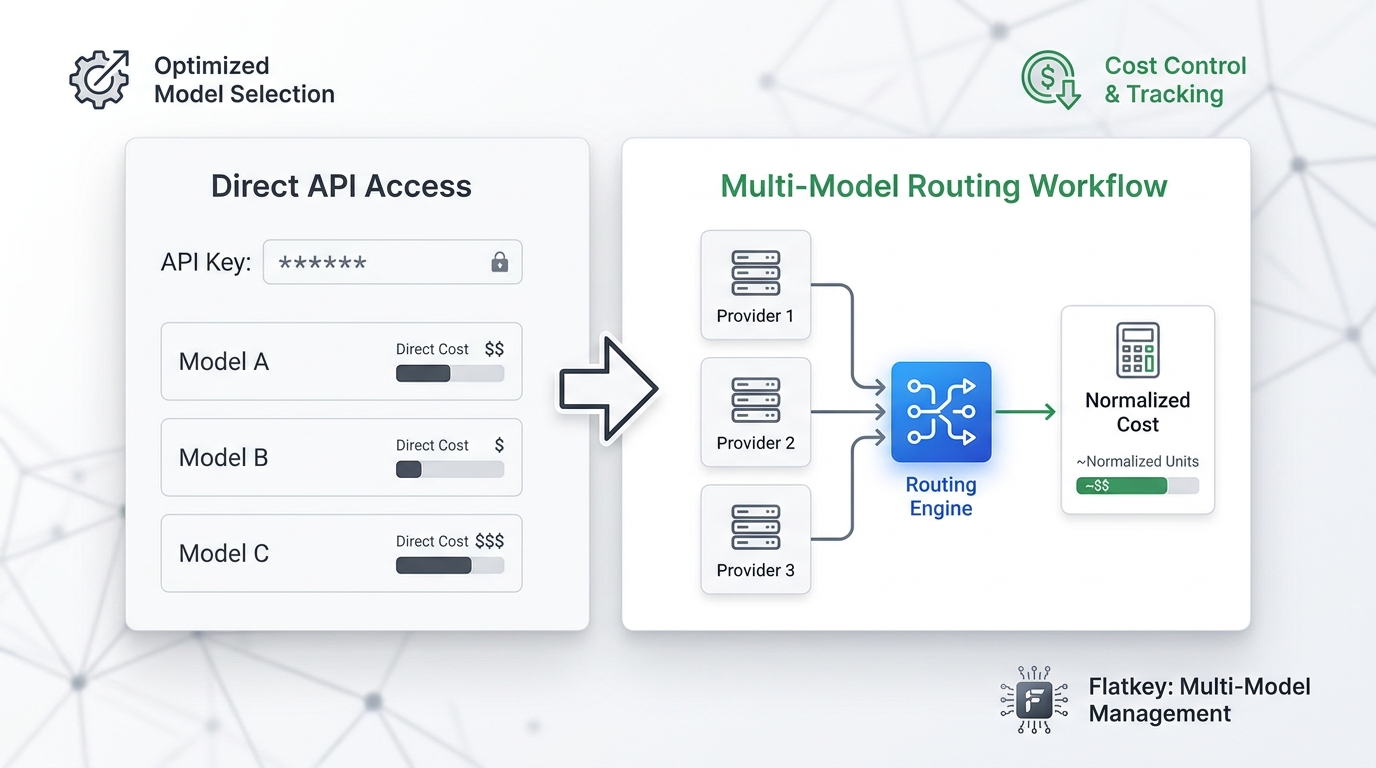
Once the model choice is right, the remaining levers are the processing tier, caching, and where you buy tokens. Flatkey is an OpenAI-compatible gateway: you keep the OpenAI SDK, change the base URL to https://router.flatkey.ai/v1, and pay from one balance that also covers Claude, Gemini, and DeepSeek. On October 21, 2026, Flatkey's model directory listed gpt-6.1-sol at $1.20 input / $6.00 output per 1M tokens (40% below OpenAI's $2/$10 list price) as part of a GPT promotion its homepage says runs until October 23; gpt-6-luna was $0.06 / $0.30. Discounts change, so check the live page before you commit a budget.
from openai import OpenAI

client = OpenAI(api_key="YOUR_FLATKEY_KEY", base_url="https://router.flatkey.ai/v1")
resp = client.chat.completions.create(
    model="gpt-6.1-sol",
    messages=[{"role": "user", "content": "Draft a release note for v2.3."}],
)
print(resp.choices[0].message.content)
The Flatkey quickstart and OpenAI SDK guide cover keys and model IDs. Direct OpenAI access is still the right call if you need features that only exist on OpenAI's own platform, such as specific Responses API tools or an enterprise agreement.
OpenAI API pricing checklist before launch
- Pin the exact model ID (for example
gpt-6.1-sol, not a generic alias) and record the price and date you checked. - Estimate input and output separately; output is often 50% or more of the bill.
- Keep requests under 272K input tokens unless you have budgeted the long-context rate.
- Move anything that can wait to Batch or Flex.
- Structure prompts for caching and log
cached_tokensto confirm hits. - Budget tool calls (web search, file search, containers) as separate line items.
- Add a 10% uplift if you use regional data-residency endpoints.
- Re-check promotional rows (GPT-5.6 Sol) before their end dates.
FAQ
How much does the OpenAI API cost?
It depends on the model. As of October 21, 2026, gpt-6-luna costs $0.10 per 1M input tokens and $0.50 per 1M output tokens, gpt-6.1-sol costs $2 and $10, and gpt-6-astra costs $10 and $50, per OpenAI's pricing page. A typical small feature with 20M input and 4M output tokens a month costs about $4 on Luna and $80 on 6.1 Sol.
Is the OpenAI API free or paid?
Paid. OpenAI bills API usage per token at the rates on its pricing page; there is no free row in the current price table. API usage is billed in the API platform, separately from ChatGPT subscriptions. If you want to experiment at zero cost, see our list of free LLM APIs.
Why is the OpenAI API so expensive?
Usually it is not the base rate but the shape of the traffic: long prompts resent on every call, verbose outputs, reasoning-heavy models on simple tasks, and Fast mode where Standard would do. Caching cuts repeated input to 0.1x, Batch halves everything, and routing simple requests to gpt-6-luna costs 20x less than gpt-6.1-sol.
Is the ChatGPT API cheaper than ChatGPT Plus?
They are different products. ChatGPT Plus is a flat monthly subscription for using ChatGPT; the API is pay-per-token for building your own software. A light personal workload can cost less than a dollar a month on gpt-6-luna, while a heavy one on gpt-6-astra can cost far more than any subscription. Compare your real token volume against the per-token rates above.
What is the difference between Batch and Flex?
Both are priced at 50% of Standard on the pricing page. Batch is an asynchronous job API for large offline workloads; Flex keeps the normal request flow but trades speed and availability for the lower price. Use Batch for bulk jobs and Flex for background requests that still fit your existing code path.
Does long context cost more on OpenAI?
Yes. For the GPT-6, GPT-5.6, GPT-5.5, and GPT-5.4 rows, requests with more than 272K input tokens are billed at the long-context column, which doubles input and raises output by 50% on GPT-6 models.
Sources
- OpenAI API pricing, checked October 21, 2026
- OpenAI models overview, checked October 21, 2026
- OpenAI prompt caching guide, checked October 21, 2026
- OpenAI Batch API guide, checked October 21, 2026
- Anthropic Claude pricing, Gemini API pricing, and DeepSeek pricing, checked October 21, 2026
- Flatkey prices from the Flatkey model directory, checked October 21, 2026