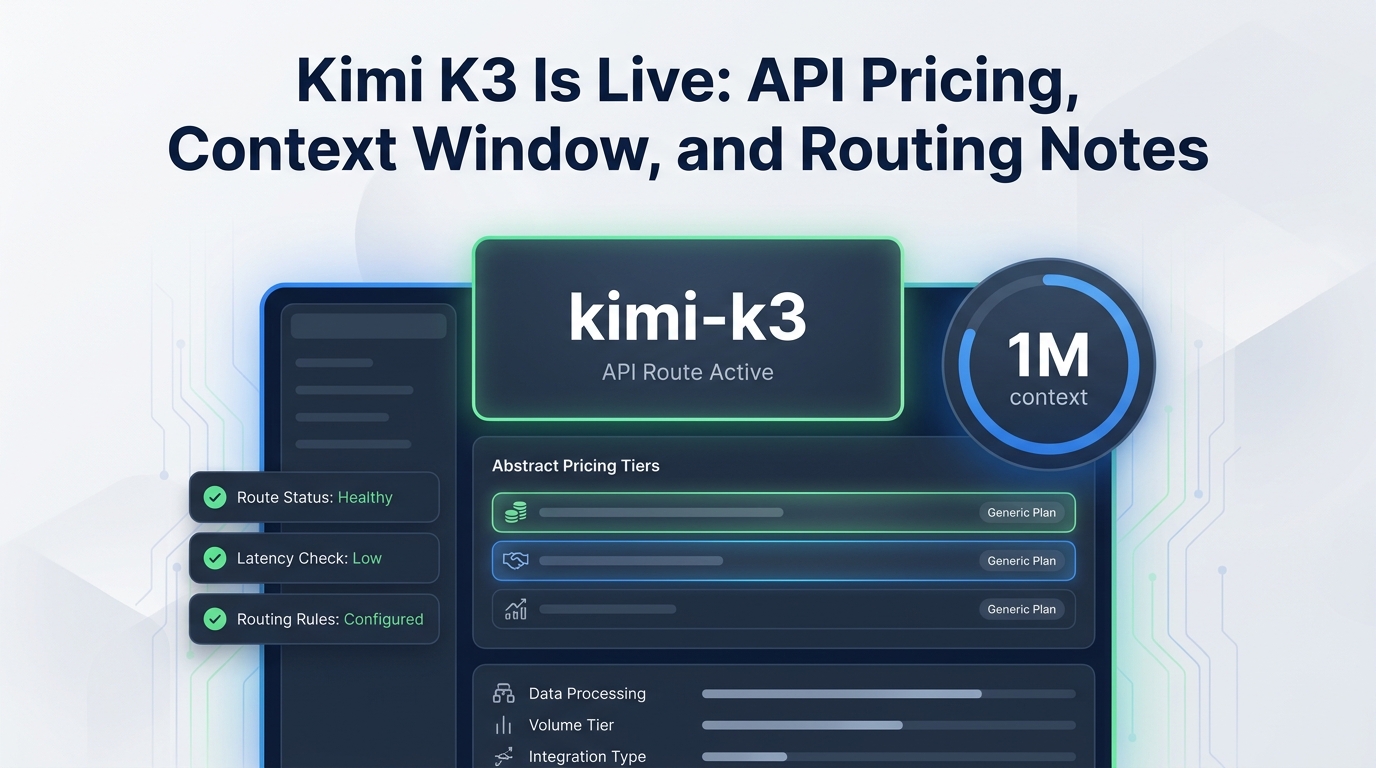
Kimi K3 is live for API teams that need a long-context model route for coding, knowledge work, visual reasoning, and agent workflows. The short version: the official model ID is kimi-k3, Kimi lists a 1,048,576-token context window, direct Kimi pricing is published per 1M tokens, and Flatkey currently exposes a kimi-k3 route through an OpenAI-compatible endpoint.
This guide is for product teams deciding whether Kimi K3 should enter a production routing plan today. It covers API pricing, context-window limits, compatibility notes, route checks, and the operational questions to answer before sending real traffic. Read Kimi K3 Is Live: API Pricing, Context Window, and Routing Notes as a launch checklist, not just a model announcement.
Quick Answer
For teams searching Kimi K3 Is Live: API Pricing, Context Window, and Routing Notes, the important release-day facts are:
| Item | Current source-backed detail |
|---|---|
| Official model ID | kimi-k3 |
| Direct Kimi endpoint pattern | OpenAI-compatible Chat Completions at https://api.moonshot.ai/v1 |
| Context window | 1,048,576 tokens |
| Direct input price | $3.00 per 1M tokens |
| Direct cached input price | $0.30 per 1M tokens |
| Direct cache write price | $3.00 per 1M tokens for 5-minute TTL; $6.00 per 1M tokens for 1-hour TTL |
| Direct output price | $15.00 per 1M tokens |
| Thinking mode | Always enabled; control effort with reasoning_effort values low, high, or max |
| Flatkey route | kimi-k3 is available in Flatkey route data under the China LLM group |
The release is not just a larger context window. Kimi's own model list describes K3 as its most capable model to date, with 2.8T parameters, native visual understanding, and a 1M-token context window for software engineering, knowledge work, and deep reasoning.
What Changed With Kimi K3
Kimi K3 replaces older Kimi routes as the model teams should evaluate for continued Kimi support. Kimi's model documentation marks kimi-k2.5 and the moonshot-v1 series as discontinued on August 31, 2026, and points users to kimi-k3 for continued support.
That matters for routing. If your app still stores moonshot-v1-*, kimi-latest, or older kimi-k2-* aliases in config, the safe move is not a blind search-and-replace. Treat this as a route migration:
- Find every Kimi model ID in code, prompts, eval configs, and customer workspace settings.
- Move one staging workload to
kimi-k3. - Run a context, tool-call, JSON, vision, and streaming smoke test.
- Compare accepted-output cost, not just token price.
- Add a fallback route before production rollout.
Flatkey teams can use the same release-day evaluation process in the new model evaluation checklist before moving Kimi K3 into a primary route.
Kimi K3 Is Live: API Pricing, Context Window, and Routing Notes For Teams
Direct Kimi API pricing for K3 is published as token pricing per 1M tokens. For Kimi K3 Is Live: API Pricing, Context Window, and Routing Notes, the current direct pricing rows are:
| Billing item | Direct Kimi price | Notes for product teams |
|---|---|---|
| Cache write, 5-minute TTL | $3.00 / 1M tokens | Default TTL if no TTL is specified |
| Cache write, 1-hour TTL | $6.00 / 1M tokens | Useful only when the longer reuse window is worth the write cost |
| Cached input | $0.30 / 1M tokens | Applies when repeated prefixes hit the context cache |
| Input | $3.00 / 1M tokens | Applies to non-cached prompt tokens |
| Output | $15.00 / 1M tokens | Often the largest driver for agent loops and verbose reasoning |
This is the part of Kimi K3 Is Live: API Pricing, Context Window, and Routing Notes that teams should turn into workload math. A long-context route can look affordable on input price and still become expensive if every request creates a large cache write, produces long reasoning output, or repeats low-value context.
Use this planning formula:
accepted_output_cost =
  (cache_write_tokens * cache_write_rate)
  + (cached_input_tokens * cached_input_rate)
  + (uncached_input_tokens * input_rate)
  + (output_tokens * output_rate)
  divided by accepted results
For a production decision, run that formula against a real sample. Include failed generations, retries, tool-call loops, and outputs rejected by your product quality gate.
Context Window And Caching Notes
Kimi lists a 1,048,576-token context window for Kimi K3. That makes it relevant for repository-wide coding tasks, large document review, multi-file product analysis, and long-running agent sessions.
But a 1M-token window does not remove the need for context discipline:
- Keep stable prefixes stable so automatic caching can work.
- Avoid putting every document into every request when retrieval would be cheaper.
- Cap output length for tasks that do not need long-form reasoning.
- Keep a smaller fallback model for short requests that do not benefit from 1M context.
- Measure latency separately from price because long prompts change user experience even when they fit.
Kimi's docs say automatic caching applies to regular model requests, with no cache ID, TTL, or extra parameter required. They also note that a new request can hit the prefix cache only when the previous prompt exceeds 256 tokens. Product teams should verify cache behavior in their own logs before promising cost reductions from Kimi K3.
API Compatibility And Request Shape
Kimi's quickstart uses the OpenAI Python SDK with base_url="https://api.moonshot.ai/v1" and model="kimi-k3". That makes Kimi K3 a practical candidate for teams already using OpenAI-compatible Chat Completions clients.
The compatibility details still need a release-day smoke test:
from openai import OpenAI

client = OpenAI(
    api_key="MOONSHOT_API_KEY",
    base_url="https://api.moonshot.ai/v1",
)

completion = client.chat.completions.create(
    model="kimi-k3",
    reasoning_effort="low",
    messages=[
        {"role": "user", "content": "Summarize the routing risks for this release."}
    ],
)

print(completion.choices[0].message.content)
For Flatkey, keep the model ID as kimi-k3, point compatible calls through the Flatkey router, and verify the route in the AI model catalog guide workflow before production. The model page is the right place to confirm current availability, endpoint support, and effective route pricing.
Routing Notes For Flatkey Teams
Flatkey's current pricing API shows kimi-k3 as available and routed through the China LLM group with OpenAI endpoint support. The public Flatkey model page also exposes a Kimi K3 model route and states that it is a chat/completions model with 1M-token context.
Before adding Kimi K3 to a production router, capture this route-review record. It is the handoff artifact for Kimi K3 Is Live: API Pricing, Context Window, and Routing Notes when platform, product, and finance teams need the same source of truth:
model_id: kimi-k3
provider: Moonshot AI / Kimi
route_owner: product-or-platform-team
primary_use_cases:
  - long-context coding
  - knowledge-work agent sessions
  - visual reasoning review
context_window_tokens: 1048576
direct_pricing_checked_at: 2026-09-22
flatkey_route_checked_at: 2026-09-22
endpoint_contract:
  chat_completions: required
  streaming: test_required
  structured_output: test_required
  tool_calls: test_required
  vision_input: test_required
cost_metric: cost_per_accepted_output
fallback_routes:
  - short_context_default
  - cheaper_coding_route
rollback_condition:
  - error_rate_above_threshold
  - accepted_output_cost_above_budget
  - latency_p95_above_slo
This turns Kimi K3 Is Live: API Pricing, Context Window, and Routing Notes from a release announcement into an operating checklist.
Production Checklist
Use this Kimi K3 Is Live: API Pricing, Context Window, and Routing Notes checklist before shifting traffic:
| Check | What to verify |
|---|---|
| Model ID | kimi-k3 works in staging and is not hidden behind an account tier your production key lacks |
| Top-up/access | Kimi says K3 is unlocked after a successful top-up, with account tier affecting rate limits |
| Context | Your largest prompt fits below 1,048,576 tokens with room for output |
| Output budget | max_completion_tokens is controlled for each workload |
| Reasoning effort | low, high, and max are tested against latency, cost, and quality |
| Caching | Repeated-prefix workloads actually hit cache in logs |
| Vision | Public image URLs are not assumed; Kimi docs call out base64 or ms://<file-id> input |
| Tools | Tool-call loops return the complete assistant message, not just content |
| Fallback | A cheaper or more stable route is ready before production traffic moves |
| Billing | Direct provider logs and Flatkey usage logs reconcile for the same sample workload |
When To Route Kimi K3
Kimi K3 is worth testing first when the workload has one or more of these traits:
- Large codebase context, long planning threads, or multi-document analysis.
- Tasks where reasoning quality matters more than raw latency.
- Workflows that can benefit from repeated-prefix caching.
- Multimodal review where text and visual inputs belong in one reasoning pass.
- Agent tasks where a larger context window reduces brittle retrieval stitching.
It is less likely to be the default route for every request. Short classification, extraction, and support-message tasks may perform better on a cheaper low-latency model. The practical routing pattern is to reserve Kimi K3 for workloads where 1M context, reasoning effort, or visual understanding changes the accepted-output rate.
FAQ
Is Kimi K3 live through the API?
Yes. Kimi's API docs include a Kimi K3 quickstart, model list, pricing page, and launch banner. Flatkey route data also shows kimi-k3 available for OpenAI-style routing as of September 22, 2026.
What is the Kimi K3 context window?
Kimi lists the Kimi K3 context window as 1,048,576 tokens. Treat that as capacity, not a recommendation to send every available document on every call.
What is Kimi K3 API pricing?
Direct Kimi pricing lists K3 at $3.00 per 1M uncached input tokens, $0.30 per 1M cached input tokens, $3.00 or $6.00 per 1M cache-write tokens depending on TTL, and $15.00 per 1M output tokens. Check the Flatkey model page for the current effective Flatkey route price before launch.
Does Kimi K3 support reasoning controls?
Yes. Kimi says K3 always has thinking mode enabled and supports a top-level reasoning_effort field with low, high, and max, where max is the default.
How should teams use this Kimi K3 Is Live: API Pricing, Context Window, and Routing Notes page?
Use it as a release-day triage page: confirm the official pricing and context facts, run the routing checklist, calculate accepted-output cost, and only then decide whether Kimi K3 becomes a primary route, fallback route, or experimental route.
Bottom Line
Kimi K3 Is Live: API Pricing, Context Window, and Routing Notes is useful because this release affects both model capability and production operations. The headline is 1M context and a new flagship kimi-k3 route. The decision should still come down to measured accepted-output cost, latency, cache behavior, tool-call reliability, and fallback readiness.
Flatkey helps teams keep that evaluation practical: one key, one balance, and model routing through a shared API layer, with the model catalog and usage logs available for route checks before and after launch.