Can You Run Kimi K3 Locally? Hardware, GGUF, and vLLM Guide (2026)
Yes, Kimi K3 can run locally because Moonshot AI publishes its weights on Hugging Face, but it is a 2.8-trillion-parameter model, so "local" means roughly 610 GB of combined RAM and VRAM for the smallest 1-bit GGUF, or a full 8-GPU Blackwell node for the native weights. On a single workstation with less memory it will still load from disk, just very slowly. For most developers, running K3 on rented GPUs or calling it through an API is cheaper than buying hardware.
This guide covers what you need to run Kimi K3 on your own machines as of October 24, 2026: the license, exact memory requirements by quantization, step-by-step llama.cpp and vLLM commands, how to call your local server from code, and a cost comparison against rented GPUs and hosted APIs. Figures come from Moonshot AI's model card, the official vLLM and SGLang recipes, and Unsloth's documentation; anything we estimated is labeled as an estimate.
Kimi K3 at a glance
| Spec | Value |
|---|---|
| Developer | Moonshot AI |
| Weights | moonshotai/Kimi-K3 on Hugging Face |
| Architecture | Mixture of experts: 2.8T total parameters, 104B active per token |
| Experts | 896 routed experts, 16 selected per token, plus 2 shared |
| Layers | 93 (69 KDA linear-attention layers and 24 gated MLA layers) |
| Context window | 1,048,576 tokens |
| Inputs | Text and images (MoonViT-V2 vision encoder, 401M parameters) |
| Native precision | MXFP4 weights with MXFP8 activations (quantization-aware training) |
| Reasoning | Thinking always on; reasoning_effort low, high, or max (default max) |
| License | Kimi K3 License (modified MIT) |
Source: the Kimi K3 model card, checked October 24, 2026.
Two notes before you start. First, Moonshot AI now offers Kimi K3.1 Pro on its API and calls K3 its "previous-generation flagship," but as of October 24, 2026 the newest open weights on Hugging Face are still Kimi K3, so K3 is the model you can run yourself. Second, K3 is thinking-only: your client must pass back reasoning_content and tool calls in multi-turn conversations, as the model card describes.
Can you use Kimi K3 commercially?
The Kimi K3 License is MIT-style with two extra conditions, per the license file on Hugging Face (October 2026):
- If you offer K3 as a model-as-a-service business with more than $20 million in revenue over the preceding 12 months, you need a separate agreement with Moonshot AI.
- If your product has more than 100 million monthly active users or more than $20 million in monthly revenue, you must display "Kimi K3" in the user interface.
Internal use inside your company is not restricted by those conditions. For most startups and teams, local or self-hosted use is permitted; read the full license text before you ship.
How much hardware does Kimi K3 need?
GGUF quantizations (llama.cpp)
Unsloth publishes dynamic GGUF quantizations. Its rule of thumb: your RAM plus VRAM should be at least the size of the quant, or the model will offload to disk and run much slower.
| Quantization | Memory needed (RAM + VRAM) | Notes |
|---|---|---|
Dynamic 1-bit S (UD-IQ1_S) |
about 610 GB | 594 GB of files; Unsloth's recommended size and quality balance, about 79% top-1 accuracy |
| Dynamic 1-bit M | about 665 GB | |
| Dynamic 2-bit XXS | about 726 GB | |
| Dynamic 2-bit XL | about 880 GB | Unsloth reports about 90% accuracy for its 861 GB dynamic 2-bit |
Q8 (UD-Q8_K_XL, lossless) |
about 1.6 TB | 1.56 TB of files; matches the native MXFP4 weights |
Unsloth reports about 20 tokens per second of generation when the 1-bit quant fits on B200 GPUs. On CPU-heavy machines that keep most weights in system RAM, expect far lower speeds; we have not measured them, so treat any number you see as an estimate until you test your own hardware.
What does that mean in practice? Some realistic local setups:
| Setup | Fits 1-bit (610 GB)? | Expectation (estimate) |
|---|---|---|
| Gaming PC: 1x RTX 4090 (24 GB) + 128 GB RAM | No | Runs only with heavy disk offload; very slow, useful only for tests |
| Workstation or server: 1-2 GPUs + 768 GB DDR5 | Yes | Usable for single-user experiments at low speed |
| Multi-GPU server with 8x 80-141 GB GPUs | Yes, in VRAM | Interactive speeds for one or a few users |
| 8x B300 / GB300-class node | Native MXFP4 weights | Production serving with vLLM or SGLang |
Native weights (vLLM and SGLang)
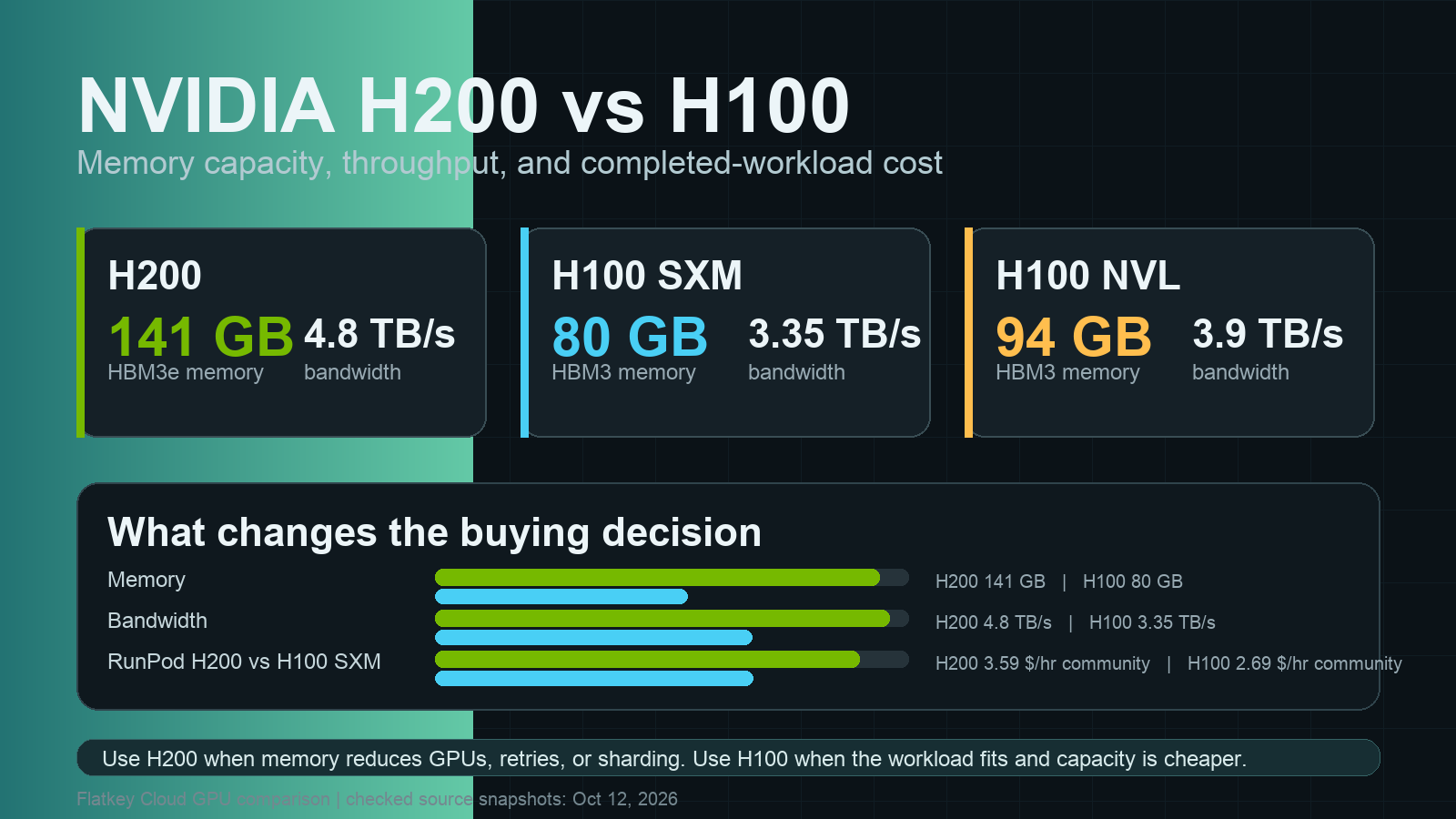
For the official weights, the vLLM recipe for Kimi K3 calls for at least 8x GB300 GPUs (or at least 8x MI355X or MI350X on AMD ROCm), using the vllm/vllm-openai:kimi-k3 image, which requires CUDA 13 and NVIDIA driver r580 or later. The SGLang cookbook lists node shapes such as B300 1x8, GB300 2x4, B200 2x8, GB200 4x4, H200 2x8, H100 4x8, and MI350X/MI355X 1x8, but as of October 2026 only the B300 1x8 configuration is marked as verified. In other words, H100 deployments need four 8-GPU nodes, which is out of reach for almost everyone running "locally."
For a deeper look at sizing, see our LLM GPU memory requirements guide and vLLM expert-parallel deployment guide.
Run Kimi K3 locally with llama.cpp (GGUF)
These steps follow Unsloth's guide. K3 vision support currently needs Unsloth's fork of llama.cpp; text-only use follows the same steps.
1. Build llama.cpp. Use -DGGML_CUDA=OFF if you have no NVIDIA GPU.
git clone https://github.com/unslothai/llama.cpp
cd llama.cpp
git fetch origin pull/48/head:kimi-k3-fullsize-vision
git checkout kimi-k3-fullsize-vision
cd ..
cmake llama.cpp -B llama.cpp/build -DBUILD_SHARED_LIBS=OFF -DGGML_CUDA=ON
cmake --build llama.cpp/build --config Release -j --clean-first \
  --target llama-cli llama-mtmd-cli llama-server llama-gguf-split
cp llama.cpp/build/bin/llama-* llama.cpp
2. Download the 1-bit quant (about 594 GB) and the vision projector. Check free disk space first.
pip install -U huggingface_hub
df -h .   # need roughly 650 GB free
hf download unsloth/Kimi-K3-GGUF \
  --local-dir unsloth/Kimi-K3-GGUF \
  --include "*mmproj-BF16*" \
  --include "*UD-IQ1_S*"
3. Chat in the terminal. Use Moonshot's recommended sampling: temperature 1.0 and top_p 0.95 (top_p 1.0 for agentic tasks).
FIRST=$(ls unsloth/Kimi-K3-GGUF/UD-IQ1_S/*00001-of-*.gguf | head -1)
./llama.cpp/llama-cli --model "$FIRST" \
  --mmproj unsloth/Kimi-K3-GGUF/mmproj-BF16.gguf \
  --temp 1.0 --top-p 0.95
4. Serve an OpenAI-compatible API. llama-server exposes /v1/chat/completions. A smaller context size saves memory for the KV cache.
./llama.cpp/llama-server --model "$FIRST" \
  --mmproj unsloth/Kimi-K3-GGUF/mmproj-BF16.gguf \
  --ctx-size 32768 --temp 1.0 --top-p 0.95 \
  --host 127.0.0.1 --port 8080
Serve Kimi K3 with vLLM (full node)
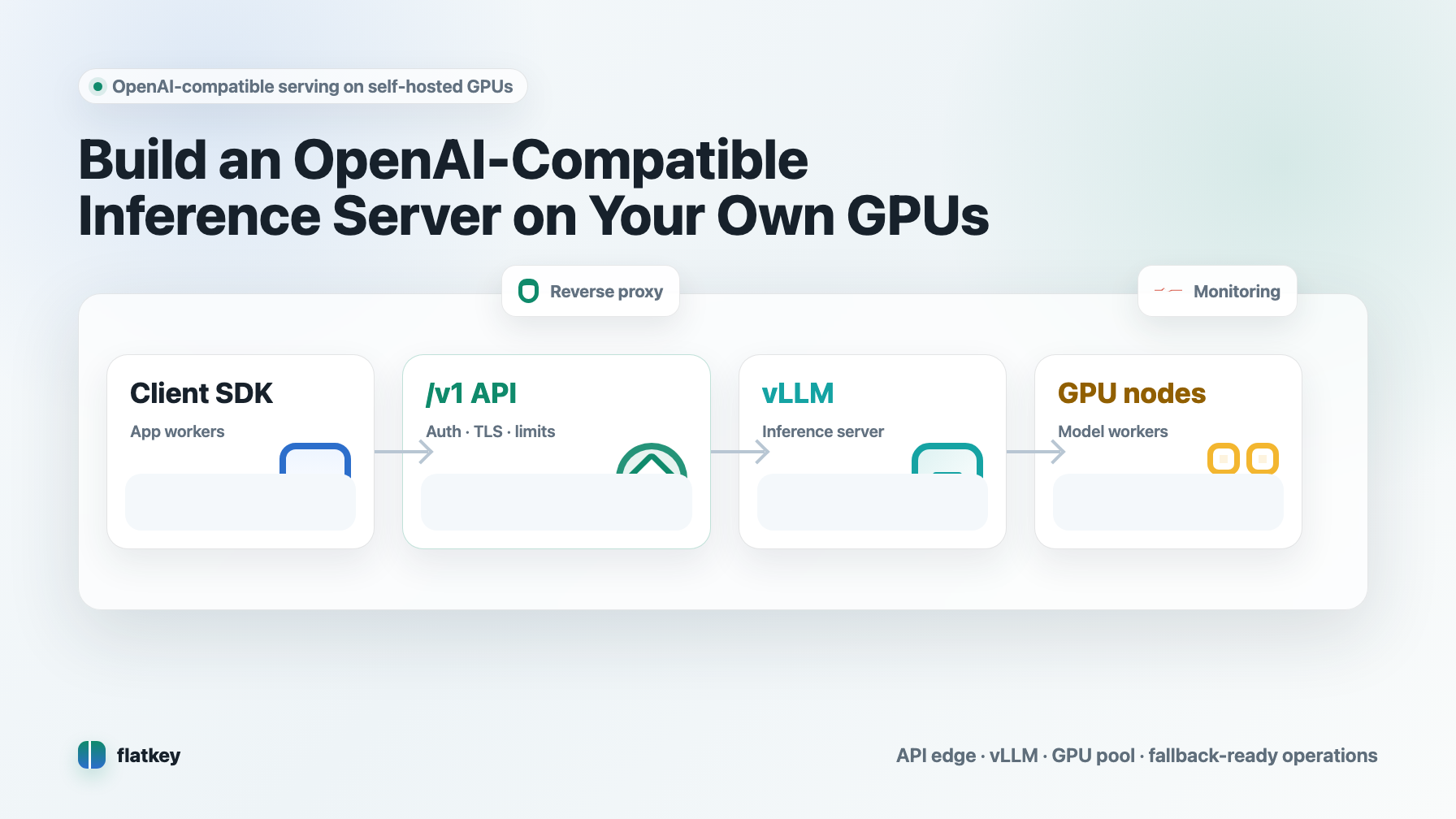
If you have, or rent, a supported 8-GPU node, vLLM gives you production throughput, tool calling, and the full 1M context. The basic command from the official recipe:
docker run --gpus all --ipc=host -p 8000:8000 \
  -v ~/.cache/huggingface:/root/.cache/huggingface \
  vllm/vllm-openai:kimi-k3 \
  moonshotai/Kimi-K3 --trust-remote-code \
  --tensor-parallel-size 8 \
  --tool-call-parser kimi_k3 --reasoning-parser kimi_k3 \
  --enable-auto-tool-choice \
  --max-model-len 1048576 \
  --enable-prefix-caching --kv-cache-dtype fp8
The recipe also notes that the tool-call format is occasionally malformed, so validate tool arguments and retry when parsing fails. Our vLLM deployment guide and multi-GPU inference guide cover monitoring and tuning.
Call your local Kimi K3 server
Both llama-server (port 8080 above) and vLLM (port 8000) speak the OpenAI API, so any OpenAI SDK works.
curl
curl -s http://127.0.0.1:8000/v1/chat/completions \
  -H "Content-Type: application/json" \
  -d '{"model":"moonshotai/Kimi-K3","temperature":1.0,"top_p":0.95,
       "messages":[{"role":"user","content":"Write a bash one-liner that finds the 5 largest files in a directory."}]}'
Python
from openai import OpenAI

# Local vLLM server; use base_url="http://127.0.0.1:8080/v1" for llama-server
client = OpenAI(base_url="http://127.0.0.1:8000/v1", api_key="local")

r = client.chat.completions.create(
    model="moonshotai/Kimi-K3",
    temperature=1.0, top_p=0.95,
    messages=[{"role": "user", "content": "Explain MoE routing in 3 sentences."}],
)
msg = r.choices[0].message
print(getattr(msg, "reasoning_content", None))  # thinking trace, when the server returns it
print(msg.content)
Node.js
import OpenAI from "openai";

const client = new OpenAI({ baseURL: "http://127.0.0.1:8000/v1", apiKey: "local" });
const r = await client.chat.completions.create({
  model: "moonshotai/Kimi-K3",
  temperature: 1.0,
  top_p: 0.95,
  messages: [{ role: "user", content: "Give me a regex for ISO 8601 dates." }],
});
console.log(r.choices[0].message.content);
In multi-turn chats, append the assistant message including its reasoning_content and any tool_calls to the history before the next turn, as the model card requires.
Local vs rented GPUs vs API: what does Kimi K3 cost?
Renting GPUs. The Flatkey GPU price index (updated October 24, 2026) lists realtime rates of $7.49 per GPU-hour for B200, $7.34 for B300, $3.60 for H200, and $2.48 for H100. An 8x B200 node therefore costs about $59.92 per hour, or roughly $43,700 per month running 24/7 (our estimate: 8 x $7.49 x 730 hours).
Hosted API. Moonshot's official platform lists Kimi K3 at $3.00 per million input tokens, $0.30 for cached input, and $15.00 per million output tokens. On the Flatkey model page, Kimi K3 is $1.80 input, $0.18 cached input, and $9.00 output per million tokens, with the same 1,048,576-token context (both checked October 24, 2026).
Break-even (estimate). At a 3:1 input-to-output ratio, Flatkey's price works out to about $3.60 per million blended tokens. $43,700 a month buys roughly 12 billion blended tokens, or about 400 million tokens per day. Below that volume, an API is cheaper than a dedicated 8x B200 node, before counting engineering time.
| Option | Upfront cost | Best for |
|---|---|---|
| Local 1-bit GGUF on a big-RAM workstation | Hardware you own | Privacy-sensitive experiments, offline work, learning |
| Rented 8-GPU node with vLLM or SGLang | Hourly rental | Data control plus production throughput, fine-tuning research |
| Hosted API (Moonshot or Flatkey) | None | Most apps, prototypes, and variable traffic |
You can call the hosted model with the same code as above by changing the base URL:
import os
from openai import OpenAI

client = OpenAI(base_url="https://router.flatkey.ai/v1", api_key=os.environ["FLATKEY_API_KEY"])
r = client.chat.completions.create(model="kimi-k3",
    messages=[{"role": "user", "content": "Summarize the Kimi K3 license in two sentences."}])
print(r.choices[0].message.content)
Read more in our self-hosted LLM cost per million tokens analysis, the GPU cloud vs model API comparison, and the Kimi K3 API access guide.
Troubleshooting
| Problem | Likely cause | Fix |
|---|---|---|
| Generation is extremely slow | Model does not fit in RAM + VRAM and is reading from disk | Use a smaller quant, add RAM, or move to a GPU server |
out of memory when starting llama-server |
KV cache too large | Lower --ctx-size |
| Vision input ignored | Missing projector file or upstream llama.cpp build | Pass --mmproj and build Unsloth's fork |
| vLLM image fails to start | CUDA or driver too old | Use CUDA 13 with driver r580 or later |
| Broken tool calls | Occasional malformed tool-call output | Validate arguments and retry |
| Second turn behaves oddly | Thinking content not passed back | Include reasoning_content in history |
| Download stalls | Large multi-file transfer | Re-run hf download; it resumes |
FAQ
Can Kimi K3 run locally?
Yes. The weights are public, and the smallest 1-bit GGUF needs about 610 GB of combined RAM and VRAM to run at reasonable speed. With less memory it still runs but slowly, because llama.cpp reads weights from disk.
Can I run Kimi on a gaming PC?
Not usefully. A single 24 GB GPU with 64-128 GB of RAM is far below the roughly 610 GB the smallest quant needs, so you would rely on disk offloading. Use an API or rent a GPU server instead.
How much VRAM does Kimi K3 need?
For the native weights, the official vLLM recipe calls for at least 8x GB300 GPUs. For GGUF, what matters is RAM plus VRAM combined: about 610 GB for 1-bit and about 880 GB for 2-bit (Unsloth, October 2026).
Is Kimi K3 actually cheaper than other models?
Through the API it is mid-priced: $3 / $15 per million tokens on Moonshot's platform and $1.80 / $9 on Flatkey as of October 2026. Self-hosting only beats API pricing at very high, steady volumes.
Is Kimi K3 open source?
The weights are open under the Kimi K3 License, a modified MIT license with attribution and large-scale commercial conditions.
Can I run Kimi K3.1 Pro locally?
No. As of October 24, 2026, Kimi K3.1 Pro is offered through Moonshot's API, and Kimi K3 is the latest model with weights on Hugging Face.
Sources
- Kimi K3 model card and license (October 2026)
- Unsloth Kimi K3 guide and Kimi-K3-GGUF files (October 2026)
- vLLM Kimi K3 recipe (October 2026)
- SGLang Kimi K3 cookbook (October 2026)
- Kimi API platform pricing (October 2026)
- Flatkey GPU price index (updated October 24, 2026)