LiteLLM Common Errors: Timeouts, Budget Alerts, and Provider Fails
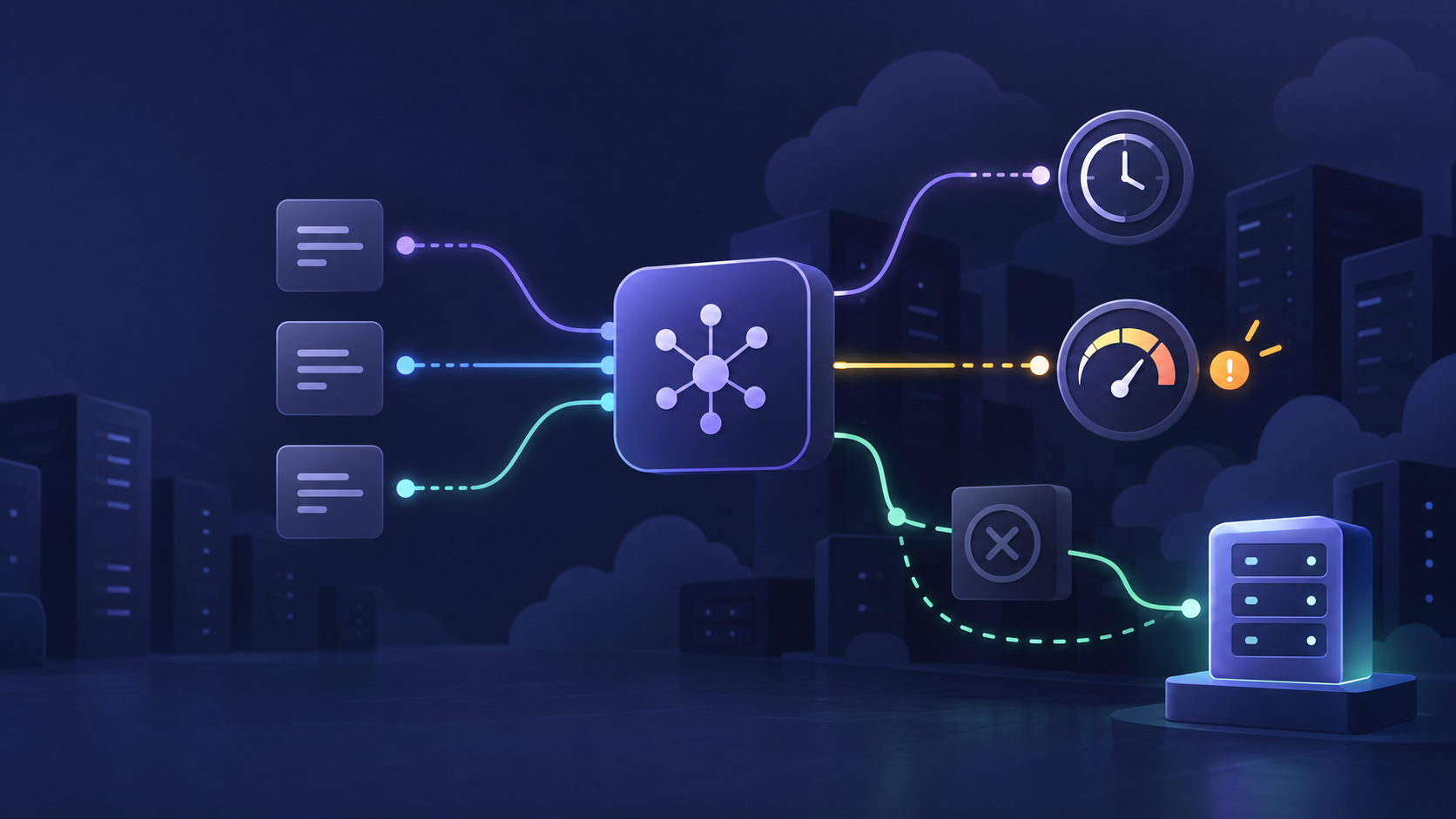
Most LiteLLM Common Errors look like a provider problem at first: a request times out, a budget alert never arrives, or a healthy model suddenly returns a 404 or 503. The fastest fix is to identify the failing control layer before changing retries or swapping models.
Use this guide to separate client deadlines, LiteLLM gateway policy, model configuration, provider capacity, and spend enforcement. It includes a small incident workflow you can repeat for timeouts, budget controls, and provider failures.
Quick answer: Preserve one failed request, classify the error, reproduce it with a minimal call, and change one control at a time. Start with LiteLLM's normalized exception type, request metadata, and call ID—not just the HTTP status.
LiteLLM maps many provider failures to OpenAI-compatible exception types and exposes the HTTP status, message, and originating provider on the exception. That makes LiteLLM Common Errors easier to troubleshoot when you keep the original error context intact instead of replacing it with a generic 500. See the LiteLLM exception mapping reference for the current mapping.
The LiteLLM Common Errors matrix
| What you see | Most likely layer | First check | Do not do first |
|---|---|---|---|
APITimeoutError, 408, or a hung stream |
Client, proxy, or upstream deadline | Compare the request timeout, deployment timeout, router timeout, and upstream latency | Raise every timeout globally |
BudgetExceededError, an unexpected budget block, or no budget block at all |
Spend tracking and database | Confirm Postgres, the budget scope, reset window, and the virtual key or team used | Assume max_budget protects a DB-less proxy |
| Budget crossing but no notification | Alert delivery and alert type | Test the configured alert channel and threshold separately from the hard cap | Treat an alert as proof that enforcement works |
401 or 403 |
Gateway auth or provider permission | Verify the exact virtual key, provider credential, allowed model, and endpoint | Retry repeatedly |
404 or “invalid model” |
Requested public model name versus configured deployment | Compare the request's model with model_name in model_list |
Substitute an upstream provider name blindly |
429 |
Provider, deployment concurrency, RPM/TPM, or gateway rate policy | Inspect limit headers, concurrency, retry count, and fallback eligibility | Add unbounded retries |
5xx or 503 |
Provider, network path, or a cooled-down/misconfigured deployment | Capture the provider error, model ID, API base, and fallback outcome | Declare the provider down from one request |
This table is the main value asset in this LiteLLM Common Errors guide: it turns a vague gateway failure into the next specific observation.
A five-minute LiteLLM Common Errors triage flow
Before editing config.yaml, save one representative failure. Redact secrets and prompt content where needed, but retain the operational fields.
- Capture the request identity. Record timestamp, environment, route, requested
model, HTTP status, LiteLLM exception type, error message, provider name, and client attempt number. - Capture the gateway identity. Save
x-litellm-call-idwhen it is present. LiteLLM documents this header as the best handle for following a request through logging systems. Also recordx-litellm-model-id,x-litellm-model-api-base, and version headers if your response exposes them. LiteLLM logging documentation lists the current headers. - Classify the failure. Is it an invalid request, authentication/permission issue, budget/rate limit, timeout, or upstream service failure? Do not put all
4xxerrors into one retry bucket. - Make one minimal, non-production reproduction. Use the same virtual key and the public
model_namethat the application uses. Remove application-specific concurrency and tool calls before testing a basic request. - Change one layer only. A model-name correction, a timeout change, and a fallback change in the same deployment make the final result impossible to explain.
Here is a generic minimal probe for an OpenAI-compatible LiteLLM proxy:
curl -i --request POST "$LITELLM_PROXY_URL/v1/chat/completions" \
  --header "Authorization: Bearer $LITELLM_API_KEY" \
  --header "Content-Type: application/json" \
  --data '{
    "model": "support-chat",
    "messages": [{"role": "user", "content": "Reply with OK."}],
    "max_tokens": 16
  }'
The point is not that support-chat is a universal model name. It is that the test must use the public name configured in your gateway, then preserve the response headers and body for comparison with the failed application request.
Timeout errors: find the deadline that actually fired
Timeouts are among the most misleading LiteLLM Common Errors because a request can expire at more than one layer:
- The caller may cancel first.
- The LiteLLM deployment or router may apply a shorter deadline.
- The proxy's
request_timeoutcan stop a long-running upstream call. - The provider, load balancer, or network path can close the request.
- A streamed response can begin successfully and then stall between chunks.
LiteLLM's exception mapping documents timeout failures as openai.APITimeoutError. For native and pass-through routes, the current timeout documentation describes a precedence order across request, deployment, router, and proxy settings. Check the version of the docs that matches your deployment before applying a configuration change.
Start with a deadline budget, not a bigger number
Choose the total latency your user flow can tolerate, then allocate it backward. For example, an interactive experience might reserve time for queueing, one retry, and response rendering rather than letting the upstream call consume the full user-visible deadline.
# Illustrative starting point — tune it to your workload and LiteLLM version.
litellm_settings:
  request_timeout: 60
  set_verbose: false
  json_logs: true
The example is intentionally conservative: it gives the proxy a bounded failure mode rather than letting connections hang. LiteLLM's production guidance recommends setting a request timeout and using structured production logging.
When a timeout occurs, answer these questions in order:
| Question | What it distinguishes | Next action |
|---|---|---|
| Did the client cancel before LiteLLM responded? | Caller deadline versus proxy/provider deadline | Inspect client timeout and cancellation logs before changing the gateway |
Did the proxy return APITimeoutError after a stable duration? |
A configured gateway or route deadline | Identify the setting that won the precedence chain |
| Did first-token latency succeed but streaming stop? | Stream idle time versus full-request timeout | Test streaming separately and preserve the last received chunk time |
| Does a low-concurrency minimal request succeed? | Capacity/queueing problem versus static configuration | Inspect deployment concurrency, RPM/TPM, and provider health |
| Does only one deployment fail? | Provider route, region, credential, or deployment-specific issue | Compare model_id, API base, and credentials with a healthy peer |
Do not let an automated timeout retry indefinitely. A retry is reasonable only when the work is safe to repeat and an alternate attempt can still finish inside the caller's deadline. If a request triggers tools, writes data, or begins a user-visible stream, define idempotency and restart semantics first.
For 429-driven queueing or capacity issues that present as long latency, pair this section with Flatkey's RPM, TPM, and retry guide. A timeout can be the symptom of overloaded admission control, not a request-duration setting.
Budget alerts: separate notification from enforcement
Budget behavior causes a disproportionate share of LiteLLM Common Errors because teams often collapse three different controls into the word “alert.” They are not interchangeable.
| Control | What it does | What proves it works |
|---|---|---|
| Hard budget | Rejects or restricts requests once spend exceeds the configured scope and limit | A deliberate non-production over-budget request produces the expected budget error |
| Soft budget alert | Notifies an operator or team before a relevant budget is exhausted | A test threshold reaches the configured delivery channel and owner |
| Spend-capture monitoring | Detects a mismatch between tracked gateway spend and provider billing data | A known date range returns an expected capture rate and alert behavior |
The first budget check: is there a database?
LiteLLM's current budget documentation is explicit: its proxy budgets are enforced against spend read from the database. On a DB-less deployment, a configured global max_budget does not act as a reliable spend cap; virtual-key, team, and user budget behavior also depends on the database.
That leads to a common failure pattern: a team sets max_budget, sees a startup warning or configuration value, and assumes production traffic will stop at the threshold. It will not be a dependable control without the required spend-tracking setup.
# Illustrative policy only. Validate with a non-production key before rollout.
general_settings:
  master_key: os.environ/LITELLM_MASTER_KEY
  fail_closed_budget_enforcement: true

litellm_settings:
  max_budget: 100
  budget_duration: 30d
Treat fail_closed_budget_enforcement as a reliability decision, not a copy-paste fix. The current LiteLLM documentation explains that stricter budget checking can reject requests when spend cannot be verified; test the database and Redis failure behavior for your deployment before enabling it broadly.
Test the budget path, not just the dashboard
Use a disposable key or team in a non-production environment and verify this sequence:
- Confirm the proxy can read and write the spend store.
- Create a deliberately small hard budget in the correct scope: key, team, user, project, or end user.
- Send a minimal request through the proxy.
- Send a second request that must cross the threshold.
- Check the returned exception, the spend record, the reset window, and the alert channel independently.
- Confirm the application handles a budget block without retrying it as if it were transient provider overload.
LiteLLM also documents budget windows and per-model budget controls. Be precise about the reset schedule: a daily guardrail and a monthly ceiling solve different risks.
Azure budget alerts and AWS budget alerts are backstops, not replacements
The secondary keywords Azure budget alerts and AWS budget alerts matter because cloud-provider billing alerts cover a different boundary. They can warn on provider-account or subscription spend, including traffic that bypasses LiteLLM. They do not replace a gateway-level decision about whether this request, key, tenant, or model should be admitted now.
Use both layers when appropriate:
- LiteLLM budget policy protects the route and tenant that the gateway can identify.
- Azure budget alerts or AWS budget alerts monitor upstream cloud-account spend.
- A gateway usage ledger reconciles the two and exposes traffic that bypassed the intended path.
For OpenAI spend, LiteLLM's spend capture-rate check can compare tracked spend with the OpenAI Organization Costs API. It currently has provider-specific prerequisites, so read the versioned documentation before treating it as a universal multi-provider reconciliation feature.
If the operating need is broader than a single LiteLLM deployment, see the unified AI billing dashboard evaluation guide for the questions to ask around keys, budgets, allocations, alerts, and reconciliation.
Provider failures: verify the public model name and the upstream deployment separately
Provider failures are the most visible LiteLLM Common Errors, but they are often gateway configuration errors. A client typically calls the public model_name you expose. LiteLLM then resolves that name to a provider model, deployment, endpoint, credential, and provider-specific parameters.
model_list:
  - model_name: support-chat       # The name the client requests
    litellm_params:
      model: azure/<deployment-name>
      api_base: os.environ/AZURE_API_BASE
      api_key: os.environ/AZURE_API_KEY
      api_version: os.environ/AZURE_API_VERSION
The model_name and litellm_params.model are deliberately different concepts. When a client gets an invalid-model error, compare the exact requested name to model_name first. LiteLLM's model-management documentation distinguishes the public model name from the provider model and exposes a connection-test workflow for configured models.
Provider-failure decision table
| Signal | Likely cause | Safe next check | Usually retry? |
|---|---|---|---|
401 AuthenticationError |
Missing, expired, or wrong gateway/provider credential | Verify which credential the failing deployment actually resolves | No |
403 PermissionDeniedError |
Key lacks model, project, region, or provider permission | Check model allowlists, provider project/region access, and deployment config | No |
402 PaymentRequiredError |
Provider account/payment state | Check provider billing/credit state and route policy | No |
404 NotFoundError |
Invalid public model name, upstream deployment name, route, or API version | Compare client model name, LiteLLM model_name, and provider deployment identifier |
No |
429 RateLimitError |
Capacity, quota, concurrency, or shared account limit | Inspect headers, token/request rate, queue depth, and retry count | Bounded only |
503 ServiceUnavailableError or selected 5xx |
Provider availability, network path, or a failing deployment | Check status, API base, provider error detail, and eligible fallback | Bounded only |
The exception type should drive the next action. LiteLLM's exception reference maps 401, 402, 403, 404, 408, 429, 500, and 503 conditions into normalized classes; it also exposes provider-specific fields for deeper investigation.
Retries, fallbacks, and cooldowns: recover without hiding the incident
Retries and fallbacks can reduce visible failures, but they can also turn a configuration error into latency, cost, or duplicate work. Good LiteLLM Common Errors handling uses a different policy for invalid configuration than for a short provider interruption.
LiteLLM documents a useful split:
- Retries try to recover within the current model group.
- Fallbacks move to another model group after configured retries.
- Cooldowns isolate a failing deployment while healthy alternatives remain available.
Here is a small illustrative configuration based on LiteLLM's provider-failover guide:
model_list:
  - model_name: primary-chat
    litellm_params:
      model: openai/<primary-model>
      api_key: os.environ/PRIMARY_PROVIDER_KEY

  - model_name: backup-chat
    litellm_params:
      model: azure/<backup-deployment>
      api_base: os.environ/AZURE_API_BASE
      api_key: os.environ/AZURE_API_KEY
      api_version: os.environ/AZURE_API_VERSION

litellm_settings:
  num_retries: 1
  request_timeout: 30
  fallbacks: [{"primary-chat": ["backup-chat"]}]
  allowed_fails: 3
  cooldown_time: 30
Validate this only with an intentional non-production provider error. LiteLLM's documentation warns that older mock fallback flags do not test proxy requests; a real, controlled failure is the appropriate proxy validation path.
Keep 404, authentication, permission, schema, and content-policy conditions out of a general retry loop unless you have explicitly designed a separate response. LiteLLM's routing documentation supports error-specific retry policies, including zero retries for NotFoundError; that prevents an invalid model name from becoming a slow incident.
Before enabling a cross-provider fallback, validate the product contract:
- Context-window behavior and tool-call semantics
- Structured output and response-format support
- Data residency, retention, and customer-policy requirements
- Safety behavior and content-policy expectations
- Latency and cost boundaries
- Idempotency of downstream side effects
Fallbacks should be observable after the request, not silent. LiteLLM documents fields such as attempted fallbacks and original model group in spend-log metadata. Monitor fallback rate, final success rate, latency added by retry/fallback, and the cost of the route that actually served the request.
For a broader routing design, see Flatkey's fallback-routing playbook. The same rule applies: route only when the alternative still meets the workflow's contract.
An incident-ready checklist for LiteLLM issues
Run this checklist before closing an incident or declaring one of the LiteLLM Common Errors fixed.
| Check | Passing condition |
|---|---|
| Minimal probe | A known-safe request works with the same virtual key and public model name |
| Error capture | Status, normalized exception, provider, call ID, model ID, and API base are recorded without secrets |
| Timeout budget | Client, gateway, and provider deadlines are intentionally ordered and tested for streaming as well as non-streaming calls |
| Budget enforcement | A non-production request actually crosses the intended scope and returns the expected budget behavior |
| Alert delivery | Alert destination and threshold were tested independently from enforcement |
| Provider configuration | model_name, upstream model/deployment, API base, credential, and provider-specific fields are verified |
| Retry behavior | Non-retryable errors fail fast; transient classes have capped attempts and elapsed time |
| Fallback behavior | A controlled provider failure reaches only an eligible fallback and records the final route |
| Recovery signal | Logs/metrics show the original failure rate, fallback rate, and latency return to normal |
When to simplify the routing surface
Some teams want LiteLLM because it centralizes model configuration, usage, and reliability policy. Others want less gateway infrastructure to operate. The right answer depends on who owns routing policy, provider credentials, budget enforcement, and the incident response loop.
Flatkey is useful when an application needs an OpenAI-compatible integration surface across supported model routes while keeping routing, usage review, and billing closer together. It does not remove the need to classify timeouts, budget blocks, or provider errors; it reduces how many provider-specific client integrations your application has to maintain. Start with one API key for multiple AI models or the Flatkey API quickstart when you want to evaluate that operating model.
FAQ
Are all LiteLLM Common Errors safe to retry?
No. Authentication, permission, invalid-model, unsupported-parameter, budget, and most billing failures need a configuration or account correction. Retry only clearly transient conditions, with a small attempt and time budget, and only when the operation is safe to repeat.
Why does max_budget not stop spend in my LiteLLM proxy?
First verify that the proxy has the database-backed spend tracking required for budget enforcement. Then confirm that traffic reaches LiteLLM rather than calling a provider directly, and that the configured key, team, user, or project is the scope actually making the request. LiteLLM's budget documentation explains the database requirement and scope behavior.
Are Azure budget alerts or AWS budget alerts enough to prevent an application overrun?
They are useful provider-account backstops, but they do not decide whether a specific gateway request should be admitted. Keep provider billing alerts, then add a tested gateway budget and application-level product limit where the request context is known.
What should I save from a failing LiteLLM call?
Save the sanitized error body, normalized exception class, HTTP status, provider name, requested model, timestamp, environment, client attempt number, and x-litellm-call-id when available. Avoid logging API keys and sensitive prompt/response content.
Can a fallback hide a bad configuration?
Yes. A fallback can make a customer request succeed while the primary route continues to fail. That is why fallback rate, route-specific errors, final model group, latency, and cost need alerts or dashboards. Treat a rising fallback rate as an operational signal, not a completed fix.
Final takeaway
The durable fix for LiteLLM Common Errors is not a universal retry count or a bigger timeout. It is a repeatable operating loop: capture the actual failure, identify the policy layer, validate the smallest safe change, and prove the recovery path with a controlled test. That keeps timeouts bounded, budget alerts meaningful, and provider failures visible enough to fix.