Timeouts are not one number. A production AI API timeout strategy needs separate budgets for connecting, reading the response, streaming token events, waiting in a queue, retrying safely, and deciding when fallback should stop. If those budgets are mixed together, a slow provider, a blocked connection pool, or a half-open stream can look like the same incident.
The goal of an AI API timeout strategy is to make failure bounded and observable. A user-facing chat request may need a fast first token and a hard stop. A background research task may need a queue deadline and polling. A schema extraction job may need one retry on the same route before it falls back. Each workflow needs its own budget, and every timeout must leave evidence for engineering, finance, and product owners.
Flatkey fits this reliability work because the timeout policy is easier to review when model access, routing, billing, usage analytics, and operational controls are handled through one gateway. Use the checklist below as the application policy, then validate the current Flatkey model row, endpoint family, usage evidence, and route behavior before sending production traffic.
AI API timeout strategy in one table
Start by assigning one owner and one stop condition to each timeout layer.
| Timeout layer | What it protects | Starter budget | Retry rule | Fallback rule | Evidence to log |
|---|---|---|---|---|---|
| Connect | DNS, TLS, gateway reachability, and socket setup | Short, usually lower than the request budget | Retry only if no request body was accepted | Use backup route only when the endpoint family is equivalent | connect_ms, route, host, error class |
| Pool or queue acquire | Waiting for a local worker, connection, or rate-limit slot | Very short for interactive work | Do not retry blindly; reduce concurrency first | Queue or shed load before changing model | queue age, pool wait, concurrency, owner |
| Request/read | Waiting for the response body after the request is sent | Tied to UX or job deadline | One or two bounded retries for transient failures | Fallback only to a route that preserves output contract | request ID, status, read timeout, usage if present |
| Stream first event | Waiting for the first SSE or token event | Lower than total stream deadline | Retry before user-visible output starts | Fallback only before partial output is committed | first-event latency, requested model, served model |
| Stream idle | Gap between stream chunks after output begins | Based on normal inter-event gaps | Resume only when the API supports it; otherwise stop cleanly | Avoid switching model mid-answer | last sequence, idle gap, partial output marker |
| Background queue | Long-running work outside the user request | Explicit deadline and poll interval | Poll until terminal state or deadline | Escalate or cancel before duplicate work | response/job ID, status, queue age, cancel reason |
| Fallback stop | Preventing retries from becoming runaway cost | Hard attempt and spend cap | Stop after the budget is exhausted | Human review for high-risk workflow changes | attempts, fallback reason, cost, owner |
This table is the core of the AI API timeout strategy. The exact numbers should come from real traffic, but the separation should exist before the first production incident.
Build budgets from workflow intent
Do not copy one timeout value across every AI feature. A timeout that feels generous for a background evaluation can be unacceptable in a support chat. A timeout that is fine for a text answer can be too short for a long-context tool workflow. Write the AI API timeout strategy around workflow intent:
- Interactive chat needs a first-event budget, a total response budget, and a graceful user message when the budget is exhausted.
- Streaming UX needs first-event and idle budgets, because a connected stream that stops producing events is different from a slow complete response.
- Structured extraction needs a schema-validity retry budget, not a generic retry loop.
- Agentic or tool-heavy work needs a queue deadline, tool-call cap, cancellation path, and polling record.
- Finance, procurement, or compliance review needs conservative fallback because changing the model can change risk, cost, evidence, or approval status.
OpenAI's current timeout guidance for official SDKs says default requests time out after 10 minutes, and both the Python and JavaScript SDKs expose a timeout option. That default is useful to know, but it should not become the application policy. Production teams still need tighter workflow budgets for user experience, cost, and incident response.
Connect and pool budgets should fail fast
The connect budget answers a narrow question: can the client reach the gateway or provider endpoint quickly enough to start the request? It should usually be much shorter than the read budget. If connection setup fails, no model generated anything, so the retry decision is lower risk than retrying after a partial response.
Python teams using HTTPX can express this cleanly because HTTPX separates connect, read, write, and pool timeouts. The OpenAI Python SDK also accepts an httpx.Timeout object, so the application can keep connect and read budgets separate:
import os
import httpx
from openai import OpenAI

client = OpenAI(
    api_key=os.environ["FLATKEY_API_KEY"],
    base_url="https://router.flatkey.ai/v1",
    timeout=httpx.Timeout(
        timeout=20.0,
        connect=2.0,
        read=10.0,
        write=10.0,
        pool=1.0,
    ),
    max_retries=1,
)
The important part is not the sample values. The important part is that the AI API timeout strategy does not spend 20 seconds discovering that a socket cannot be opened or that the local connection pool is saturated.
For Node.js, the OpenAI JavaScript SDK exposes a timeout option in milliseconds, and Node also provides AbortSignal.timeout(delay) for APIs that accept abort signals. Use that pattern to keep application deadlines explicit instead of relying on an unbounded caller.
import OpenAI from "openai";

const client = new OpenAI({
  apiKey: process.env.FLATKEY_API_KEY,
  baseURL: "https://router.flatkey.ai/v1",
  timeout: 20_000,
  maxRetries: 1,
});
Treat connection timeouts as infrastructure signals. If they spike, inspect DNS, TLS, gateway reachability, pool limits, local worker saturation, and egress policy before changing the model.
Read budgets protect cost and user experience
The read budget is the maximum time the application will wait for the response after the request is accepted. This is where AI workloads differ from normal JSON APIs: the model may be validly slow, the output may be long, or the prompt may trigger tool work. A read timeout should therefore be set from the workflow deadline, not from a library default.
Use these rules:
| Workflow | Read-budget rule | What to do on timeout |
|---|---|---|
| Chat or support | Budget from user patience and service SLO | Show a graceful timeout state, log the request, retry only before user-visible output |
| Batch extraction | Budget from job deadline and queue capacity | Retry same route once, then mark the record for review |
| Code or reasoning | Budget from task complexity and tool caps | Consider background mode if the task naturally runs long |
| Finance or procurement | Budget from review SLA | Stop and queue rather than silently changing route |
| Internal automation | Budget from downstream dependency deadline | Fail early enough for the caller to compensate |
The AI API timeout strategy should also cap output size, tool calls, and fallback attempts. A read timeout alone does not control cost if the retry layer creates duplicate work.
Streaming budgets need two clocks
Streaming is not solved by raising the request timeout. A streamed AI response has at least two clocks:
- First-event timeout: how long the user waits before the first stream event or token.
- Idle timeout: how long the application tolerates silence after streaming has started.
OpenAI API references describe streaming as server-sent events when stream is enabled. For background responses, OpenAI also documents streaming with sequence numbers so a client can track position and reconnect when supported. That distinction matters: if the API can resume a stream from a cursor, the AI API timeout strategy can recover differently than it would for a plain stream with no resume contract.
Do not switch models after partial user-visible output unless the product is designed for that. A fallback answer that starts halfway through a prior answer is usually worse than a clean failure message. For streamed chat, log:
| Field | Why it matters |
|---|---|
time_to_first_event_ms | Separates model start latency from total completion time |
last_event_at | Shows where the stream became idle |
sequence_number or cursor | Enables safe resume when the API supports it |
partial_output_committed | Prevents unsafe retry after visible output |
requested_model and served_model | Shows whether routing or fallback changed behavior |
finish_reason or terminal event | Distinguishes success from abandoned streams |
Pair this page with the Flatkey guide on streaming AI API reliability when the main failure mode is SSE shape, client disconnects, or partial output handling.
Queue budgets belong outside the user request
Some AI tasks are not good synchronous requests. Multi-step research, long tool workflows, large document review, and complex media generation can run longer than a web request should stay open. The timeout policy should move those workloads into a queued or background mode instead of making the user wait on one fragile connection.
OpenAI's background mode docs describe asynchronous Responses that can be polled while they are queued or in_progress, cancelled when needed, and streamed from background mode when created that way. That is the right mental model for long AI work even when the provider or gateway implementation differs: the user request creates a durable job, and the application applies a queue deadline, polling cadence, cancellation rule, and result retention policy.
A queue budget should define:
| Queue field | Policy question |
|---|---|
| Maximum queue age | How long can the job wait before it is stale? |
| Poll interval | How often should the app check status without creating excess load? |
| Cancellation rule | Who can cancel, and what happens to partial work? |
| Duplicate guard | How do you prevent a retry from creating the same expensive job twice? |
| User notification | Does the user see pending, failed, cancelled, or completed? |
| Cost owner | Which key, team, customer, or workflow owns the spend? |
This is where an AI API timeout strategy becomes an operations policy, not just an SDK setting.
Retry budget before fallback budget
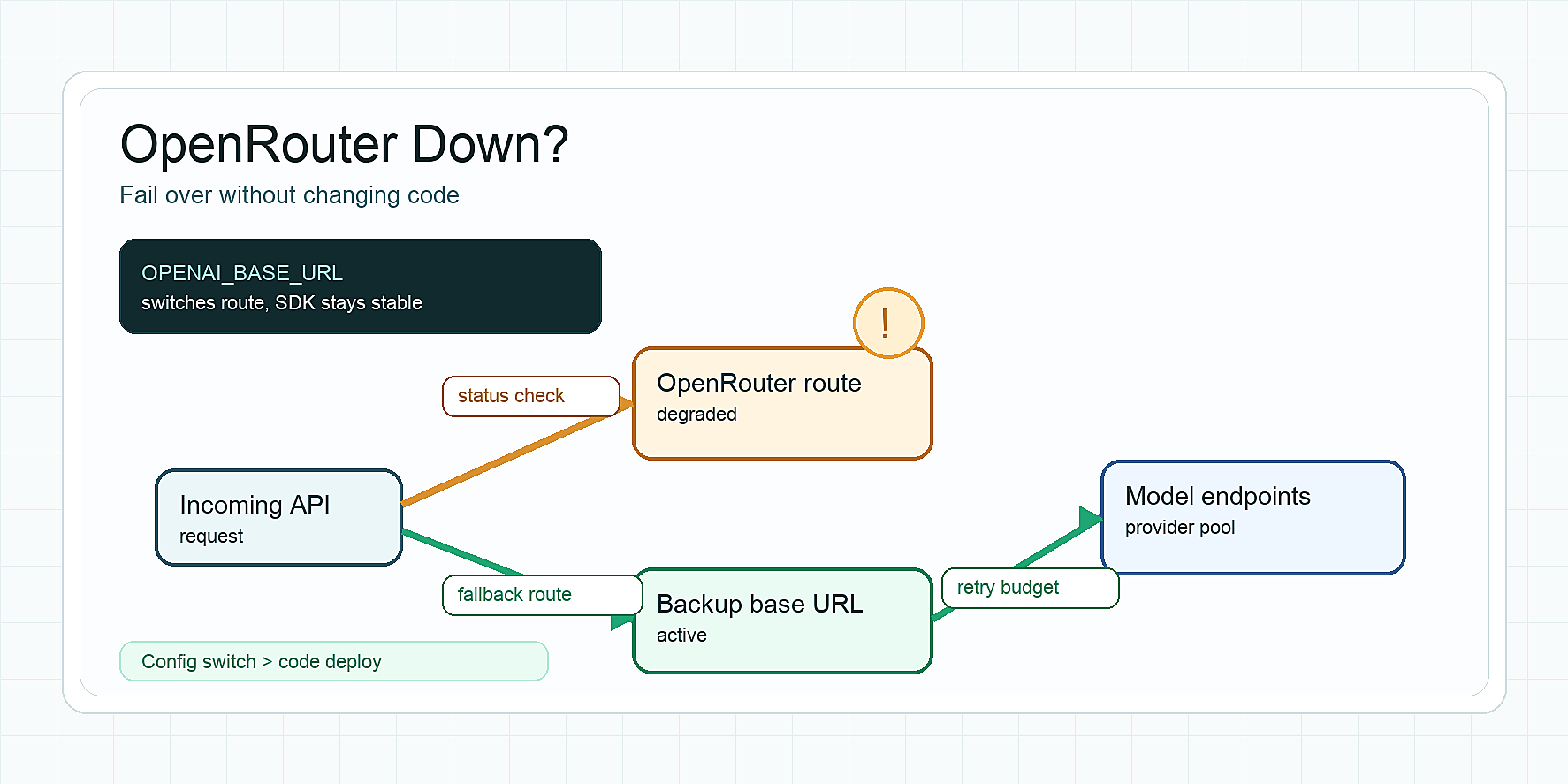
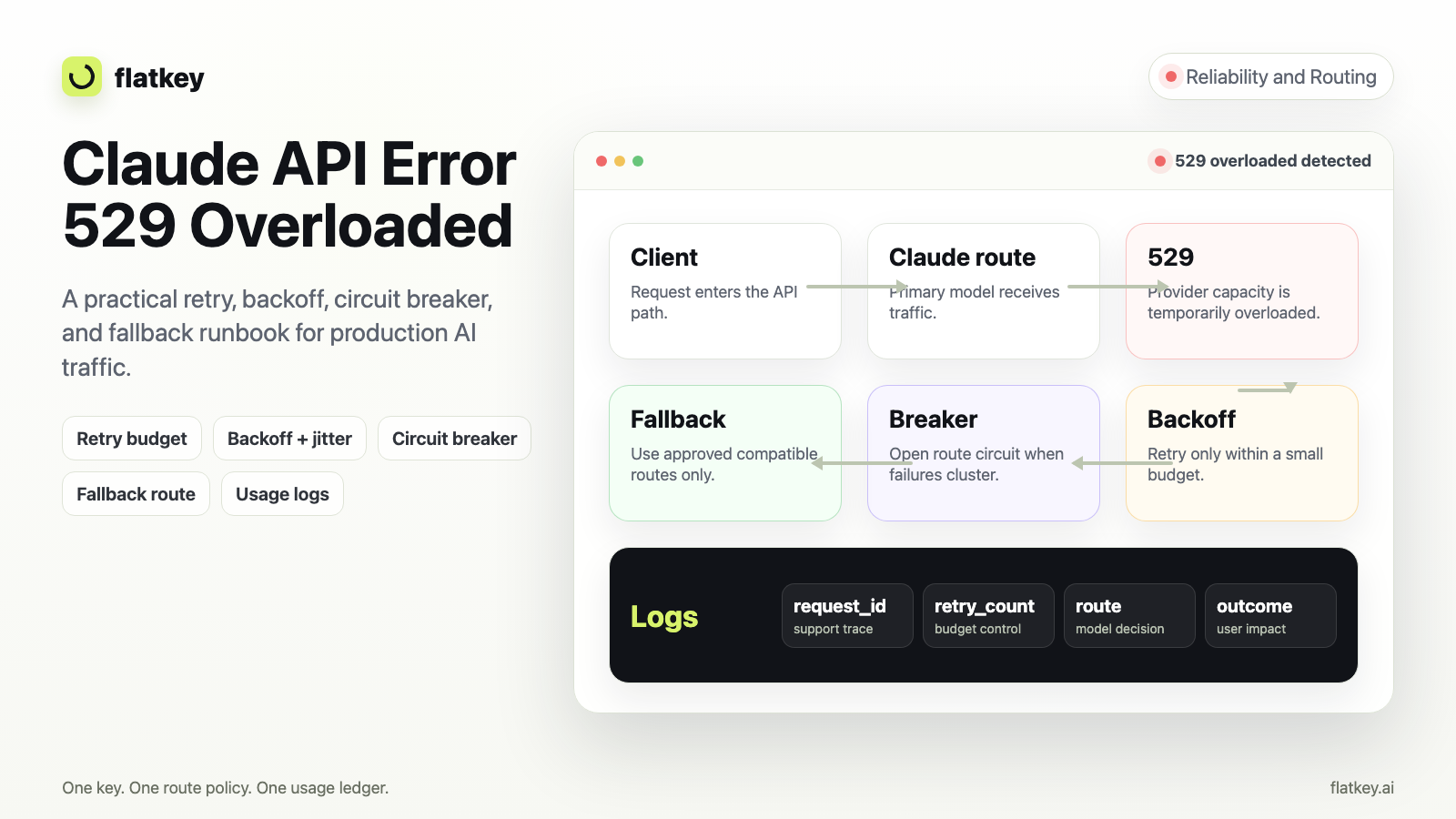
Retry and fallback are different actions. A retry repeats the same contract. A fallback changes the route, model, provider, capability, cost, or evidence surface.
OpenAI's Python and JavaScript SDK readmes state that connection errors, 408 request timeouts, 409 conflicts, 429 rate limits, and server errors are retried twice by default with short exponential backoff. That is useful SDK behavior, but it can surprise teams that add their own gateway retry, queue retry, and job retry on top. Count every layer.
Use a retry budget like this:
workflow: support_chat_answer
timeouts:
  connect_ms: 2000
  first_event_ms: 5000
  stream_idle_ms: 20000
  total_ms: 30000
retry:
  sdk_max_retries: 1
  gateway_max_retries: 1
  retry_only_before_partial_output: true
fallback:
  allowed_before_first_event:
    - reviewed_support_backup_route
  blocked_after_partial_output: true
  stop_when:
    - schema_contract_changes
    - tool_support_missing
    - cost_cap_exceeded
    - data_boundary_changes
evidence:
  required:
    - workflow
    - owner_key
    - requested_model
    - served_model
    - timeout_layer
    - retry_attempt
    - fallback_reason
    - usage_units
For a deeper fallback evaluation path, use the Flatkey guide on model fallback evaluation. For retry-specific behavior, use the Flatkey guide on AI API retry strategy.
Observability fields decide whether the timeout is debuggable
A timeout without evidence is just a complaint. The AI API timeout strategy should require enough fields to answer what failed, who owned it, whether the model generated anything, and how much the attempt cost.
| Evidence field | Why it belongs in the timeout policy |
|---|---|
| Workflow name | Links the timeout to a product surface |
| Owner key, team, customer, or environment | Assigns spend and incident ownership |
| Timeout layer | Separates connect, pool, read, stream idle, queue, and fallback stops |
| Requested model and served model | Exposes route changes and fallback |
| Endpoint family | Separates chat, responses, Anthropic, Gemini, image, video, and other shapes |
| Request ID or response/job ID | Enables provider, gateway, and app correlation |
| Retry count and fallback reason | Prevents hidden retry amplification |
| Usage units and cost signal | Helps finance review duplicate or abandoned work |
| Partial output flag | Protects users from duplicate streamed answers |
Flatkey's current public site positions the product around unified model access, routing, billing, usage analytics, and operational controls. The current pricing page is the review path for model access, routing, and billing options, and the July 3, 2026 pricing API snapshot exposed endpoint families including openai, anthropic, gemini, image-generation, openai-video, and video. Treat those as dated proof points, not permanent availability claims. Always validate the current catalog and run a small route test before production rollout.
A practical rollout plan
Use this rollout sequence when adding or revising an AI API timeout strategy:
- Pick one workflow and name the owner.
- Choose connect, pool, read, stream first-event, stream idle, queue, retry, and fallback budgets.
- Disable duplicate retry layers or lower them so the total attempt count is clear.
- Add timeout-layer logging before changing route behavior.
- Run normal, slow, rate-limited, streamed, and controlled-failure test cases.
- Confirm that retries stop before partial output is duplicated.
- Confirm that fallback preserves required tools, schema, data boundary, and cost expectations.
- Review request logs, usage units, and cost evidence in Flatkey.
- Move only the tested workflow to production.
- Repeat for the next workflow instead of declaring one global timeout policy.
The best AI API timeout strategy is small enough to test and strict enough to stop. It should make a timeout boring: one layer failed, the retry budget was clear, fallback either stayed within the approved contract or stopped, and the logs show what happened.
FAQ
What is an AI API timeout strategy?
An AI API timeout strategy is a workflow-level policy that sets separate budgets for connection setup, request/read time, streaming first event, streaming idle gaps, background queues, retries, fallback, and observability.
Why not use the SDK default timeout?
SDK defaults are broad safety rails. Production applications need tighter budgets based on user experience, cost, retry behavior, and workflow risk. OpenAI's official SDKs expose timeout settings, so teams can set workflow-specific limits.
Should every timeout trigger fallback?
No. A connect timeout may be safe to retry or route around. A stream idle timeout after partial user-visible output usually should stop cleanly. A finance or compliance workflow may need queueing or human review instead of automatic fallback.
How many retries should an AI request get?
Count all retry layers together: SDK, gateway, worker, queue, and application. Keep the total small, log each attempt, and stop before retries create duplicate cost or inconsistent user-visible output.
What should teams measure first?
Start with timeout rate by layer, time to first event, stream idle failures, retry amplification, fallback rate, cost per accepted result, and unresolved queue age. Those metrics show whether the timeout policy is protecting the workflow or hiding the incident.
How does Flatkey help with timeout operations?
Flatkey gives teams one gateway surface for connected model access, routing, billing, usage analytics, and operational controls. Use it to review the current model and endpoint path, observe request evidence, and keep timeout, retry, fallback, and cost decisions tied to one owner key.
Start with Flatkey pricing, choose one workflow, then get a key and test the timeout budget before routing production traffic through it.