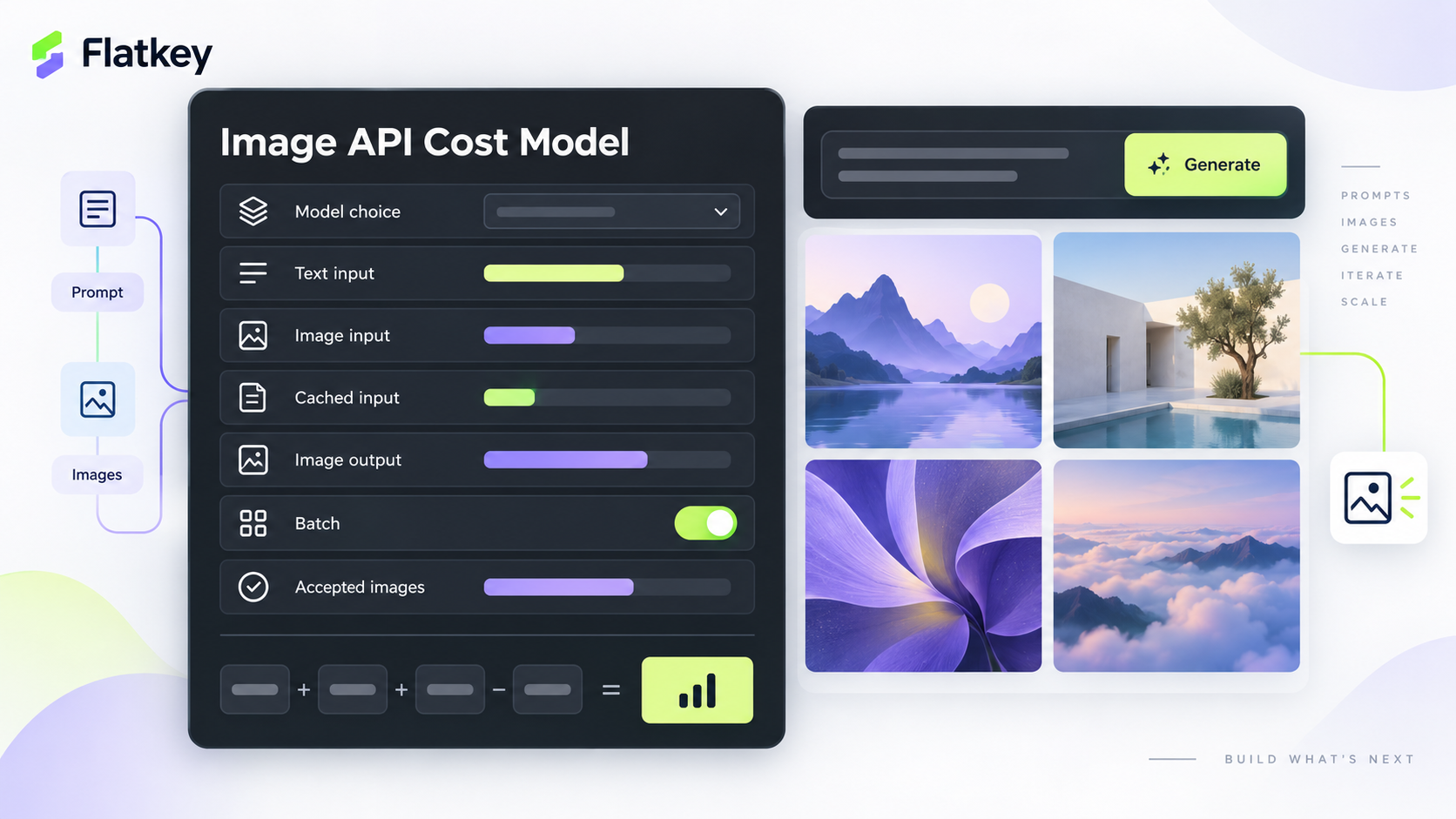
OpenAI image API pricing is not one flat price per image. In current OpenAI API docs, image generation cost is assembled from text input tokens, image input tokens, cached input where it applies, image output tokens, and sometimes the mainline model tokens used by the Responses API.
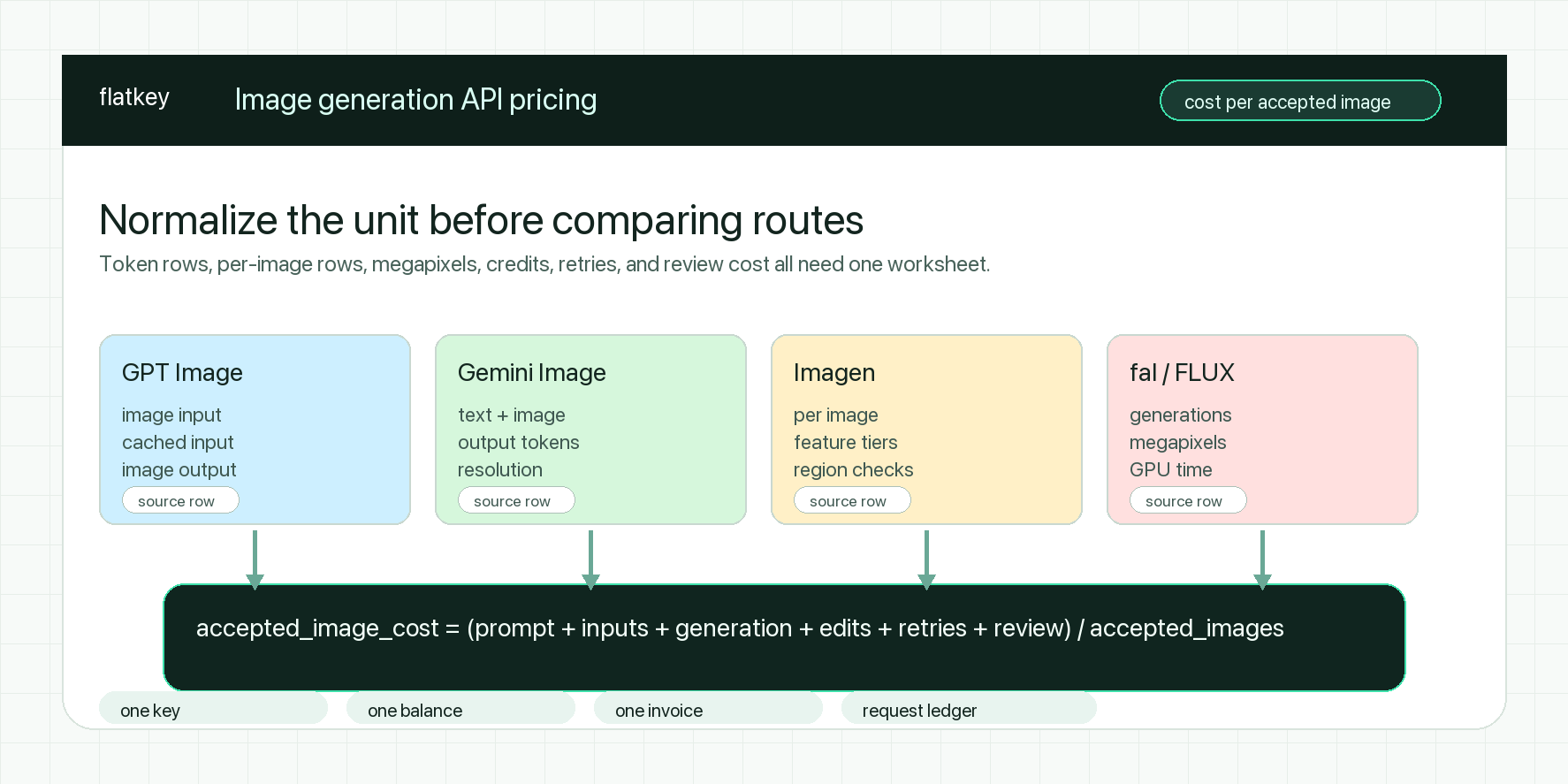
For teams shipping image generation into a product, the practical question is not "how much does one image cost?" It is: what does one accepted image cost after prompts, reference images, retries, streamed previews, quality settings, and rejected generations are included?
This guide explains the current OpenAI image generation API pricing model, what changed with GPT Image 2.5, how to build a reliable cost formula, and how to control spend before a creative workflow becomes hard to audit.
Quick Answer: What OpenAI Image API Pricing Includes
As of October 13, 2026, OpenAI's official pricing page lists GPT Image rows by modality and charges per 1M tokens. The image generation guide says new integrations should use one of the GPT Image 2.5 models, gpt-image-2.5-sunburst or gpt-image-2.5-flare.
The budget formula is:
estimated request cost =
  text input tokens x text input rate
+ image input tokens x image input rate
+ cached input tokens x cached input rate, when eligible
+ image output tokens x image output rate
+ mainline model tokens, when using the Responses API image tool
+ streamed partial image tokens, when partial_images > 0
That is why OpenAI image API pricing changes across three requests that all return "one image." A short text-to-image prompt, an edit with two reference images, and an interactive tool call that streams partial previews can have very different cost profiles.
Current GPT Image API Pricing Rows
OpenAI currently lists these standard image generation rows. Treat the table as a publish-day reference and recheck the official pricing page before committing procurement numbers.
| Model | Modality | Input | Cached Input | Output | Budget Note |
|---|---|---|---|---|---|
gpt-image-2.5-sunburst |
Image | $8.00 / 1M tokens | $2.00 / 1M tokens | $30.00 / 1M tokens | Use when editing precision matters most. |
gpt-image-2.5-sunburst |
Text | $5.00 / 1M tokens | $1.25 / 1M tokens | Not listed | Prompt and instruction cost. |
gpt-image-2.5-flare |
Image | $8.00 / 1M tokens | $2.00 / 1M tokens | $30.00 / 1M tokens | Use for fast, high-quality everyday generation. |
gpt-image-2.5-flare |
Text | $5.00 / 1M tokens | $1.25 / 1M tokens | Not listed | Prompt and instruction cost. |
gpt-image-2 |
Image | $8.00 / 1M tokens | $2.00 / 1M tokens | $30.00 / 1M tokens | Earlier current row; do not assume it is the best new default. |
gpt-image-2 |
Text | $5.00 / 1M tokens | $1.25 / 1M tokens | Not listed | Same text rate as GPT Image 2.5 rows. |
gpt-image-1.5 |
Image | $8.00 / 1M tokens | $2.00 / 1M tokens | $32.00 / 1M tokens | Includes a listed text output row. |
gpt-image-1.5 |
Text | $5.00 / 1M tokens | $1.25 / 1M tokens | $10.00 / 1M tokens | Relevant only if your route still uses this model. |
gpt-image-1-mini |
Image | $2.50 / 1M tokens | $0.25 / 1M tokens | $8.00 / 1M tokens | Lower-cost draft or high-volume experiment candidate. |
gpt-image-1-mini |
Text | $2.00 / 1M tokens | $0.20 / 1M tokens | Not listed | Cheaper prompt row than main GPT Image models. |
OpenAI's pricing page also lists Batch pricing for these image models at lower token rates. Batch can matter when the job is asynchronous: catalog backfills, nightly creative variants, test-set generation, prompt regression runs, and internal QA batches.
GPT Image 2.5: Sunburst vs Flare
The image generation guide describes two GPT Image 2.5 models:
| Model | Use When | Pricing Difference |
|---|---|---|
gpt-image-2.5-sunburst |
Editing precision matters most. | Same listed token rates as Flare. |
gpt-image-2.5-flare |
You need fast, high-quality everyday image generation. | Same listed token rates as Sunburst. |
The important nuance: equal token rates do not mean equal request cost. OpenAI's guide says token consumption can differ by model and quality setting. If two models use the same $30 / 1M image output token rate but one consumes more output tokens for a chosen size and quality, the generated image costs more.
For procurement, compare actual usage from representative prompts instead of assuming the model with the same price row has the same per-image cost.
Responses API vs Images API
OpenAI exposes image generation through two paths:
| API Path | Best Fit | Cost Implication |
|---|---|---|
| Images API | Direct image generation or image edits where image work is the request. | Set the image model directly, then budget text input, image input, and image output. |
| Responses API image tool | Conversational, multi-step, or editable image experiences. | Add the mainline model's token usage to the image generation cost. |
This matters for OpenAI image API pricing because a Responses API workflow can include both a mainline model and the image generation tool. If your application asks a mainline model to reason over user context, decide when to generate, revise a prompt, and then call GPT Image, the final bill is not just the image output row.
Use the Images API when the workflow is a direct generation or edit. Use the Responses API when the workflow needs conversation state, tool orchestration, or a model deciding whether to generate or edit.
Cached Input Pricing Is Narrower Than It Looks
OpenAI's docs call out a specific constraint: cached input pricing for GPT Image 2 and GPT Image 2.5 applies only to the image generation tool in the Responses API. It does not apply to direct Images API requests, including /v1/images/edits.
That is a common budgeting mistake. If a spreadsheet applies cached rates to every repeated prompt or image edit, it will understate spend. Build separate budget lines:
| Workflow | Can Use Cached Image Generation Input Pricing? | What To Do |
|---|---|---|
| Responses API image generation tool | Yes, where eligible. | Track cached billing externally because cached token counts may not appear in usage. |
| Direct Images API generation | No, based on OpenAI's guide. | Use standard input and output rows. |
| Direct Images API edits | No, based on OpenAI's guide. | Budget image input tokens at standard rates. |
The safe rule is simple: treat cached input as a discount you verify in billing, not as a default assumption in product estimates.
Quality, Size, and Partial Images
GPT Image 2.5 adds xhigh and max quality settings. The same guide says gpt-image-2.5-sunburst and gpt-image-2.5-flare support low, medium, high, xhigh, and max, while earlier GPT Image 2 supports up to high.
Recommended sizes include 1024x1024, 1536x1024, and 1024x1536. The guide also says GPT Image 2.5 supports custom dimensions as WIDTHxHEIGHT strings with constraints: width and height must be multiples of 16, aspect ratio must be between 1:3 and 3:1, neither edge may exceed 3840 pixels, and total pixels must fit the documented range.
Three budget controls follow from that:
- Do not leave quality on
autoduring cost tests. Use explicit values so results are comparable. - Test your actual sizes, not only square examples.
- If you stream partial images, add the preview cost. OpenAI says each partial image requested with
partial_imagesincurs an additional 100 image output tokens.
For interactive creative UIs, partial previews can improve perceived latency. They also add measurable output-token cost. Track them as a product decision, not as an implementation detail hidden inside the SDK call.
A Practical Cost Worksheet
Use this worksheet before launch.
| Input | Example Value | Where It Comes From | Why It Matters |
|---|---|---|---|
| Requests per month | 50,000 | Product forecast | Top-line volume. |
| Generated images per request | 1.4 | Product design | Variants multiply output cost. |
| Accepted image rate | 42% | QA or production telemetry | Reveals waste from rejected creative output. |
| Average text input tokens | Measure from usage |
API response | Prompts and hidden templates add cost. |
| Average image input tokens | Measure from usage where exposed |
API response | Reference images and edits can dominate input cost. |
| Average image output tokens | Measure by model, size, and quality | API response or calculator | Main driver of generation cost. |
| Partial images per request | 0-3 | UI streaming setting | Adds 100 output tokens per partial image. |
| Retry rate | Production logs | Gateway, app, or provider logs | Retries can double failed paths. |
| Batch share | 0-100% | Job design | Async work may qualify for lower Batch rates. |
Then calculate:
cost per generated image =
  total image workflow spend / generated images

cost per accepted image =
  total image workflow spend / accepted images
The second number is the one procurement should use. A model that looks cheaper per generated image can be more expensive per accepted image if it creates more rejected variants.
Common Budget Mistakes
The first mistake is treating GPT Image as a fixed "price per image." Current OpenAI image API pricing is token-based, and OpenAI explicitly tells teams to use usage to measure token consumption for their prompts, sizes, and quality settings.
The second mistake is ignoring the mainline model in Responses API flows. If a model such as GPT-5.5 decides when and how to call the image tool, the mainline model's token usage is part of the request cost.
The third mistake is applying cached input rates to direct Images API edits. OpenAI's guide says cached input pricing for GPT Image 2 and GPT Image 2.5 does not apply to direct Images API requests.
The fourth mistake is measuring successful HTTP calls instead of accepted images. Product teams usually reject some generated images for quality, brand fit, policy, or user preference. The real unit is accepted creative output.
The fifth mistake is forgetting partial images. If the UI streams two preview images and one final image, the preview experience has a token cost that belongs in the budget.
When Flatkey Helps
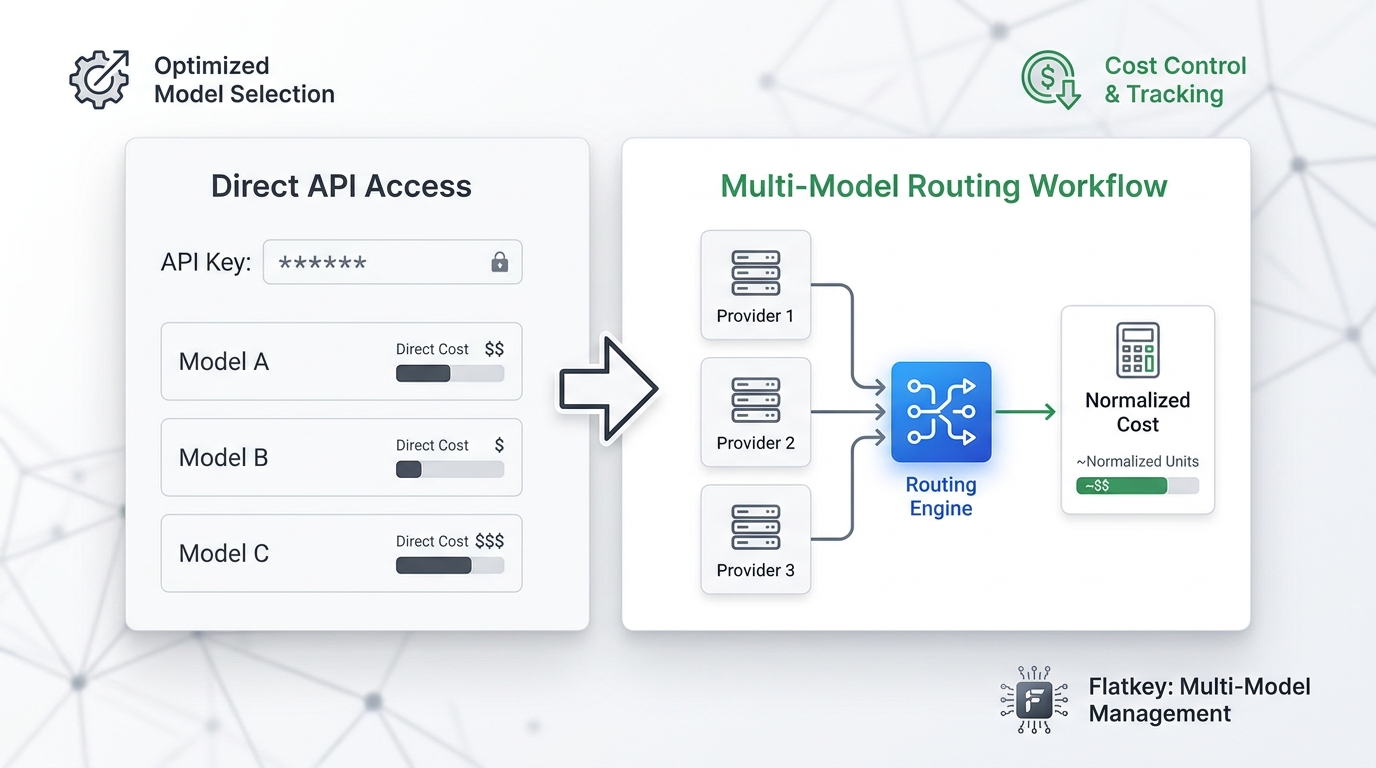
Flatkey is useful when your team wants one place to route and review model API usage instead of reconciling separate provider consoles. For image workflows, that means using the current provider pricing page to understand direct cost mechanics, then checking the Flatkey model directory, pricing page, and usage logs for the exact model route your application uses.
In practice, Flatkey helps teams ask better questions:
- Which model did this request actually use?
- Which key, environment, or customer generated the spend?
- Did the request succeed, fail, retry, or get rejected downstream?
- What was the cost per accepted image, not just per API call?
- Should this workload run direct, through a gateway, or in an async batch path?
If you are already using an OpenAI-compatible client, start with the Flatkey API quickstart, then compare image workflow costs against AI image generation API pricing comparison, AI API quota management, and AI model pricing comparison.
OpenAI Image API Pricing Checklist
Before you publish a production image workflow, confirm:
- The selected model is current:
gpt-image-2.5-sunburst,gpt-image-2.5-flare, or a deliberate older route. - The API path is explicit: Images API or Responses API image tool.
- Quality and size are fixed for cost tests instead of left on
auto. - Reference-image and edit workflows are measured separately from text-to-image workflows.
- Cached input assumptions match the API path.
- Partial image streaming is counted.
- Retries and failed calls are visible in logs.
- Accepted image rate is measured by product or QA.
- Batch candidates are separated from real-time user requests.
- Finance can review cost by model, environment, customer, and workflow.
FAQ
How much does the OpenAI image generation API cost?
OpenAI image generation API pricing is token-based. As of October 13, 2026, OpenAI lists GPT Image 2.5 image input at $8.00 / 1M tokens, cached image input at $2.00 / 1M tokens, and image output at $30.00 / 1M tokens, with text input at $5.00 / 1M tokens and cached text input at $1.25 / 1M tokens. Your per-image cost depends on model, API path, prompt, reference images, size, quality, streaming previews, and retries.
Is GPT Image 2.5 priced differently from GPT Image 2?
The standard pricing page currently lists the same text and image token rates for gpt-image-2.5-sunburst, gpt-image-2.5-flare, and gpt-image-2. That does not guarantee the same cost per image because actual token consumption can differ by model and quality setting.
Does cached input pricing apply to all OpenAI image requests?
No. OpenAI's image generation guide says cached input pricing for GPT Image 2 and GPT Image 2.5 applies only to the image generation tool in the Responses API. It does not apply to direct Images API requests or direct image edits.
Do streamed partial images cost extra?
Yes. OpenAI's guide says each partial image requested with the partial_images parameter incurs an additional 100 image output tokens.
What is the best way to forecast OpenAI image API pricing for a product?
Run representative prompts through the exact model, API path, quality, and size you plan to ship. Record usage, retry rate, generated-image count, accepted-image count, and whether the request used partial images or Batch. Forecast cost per accepted image, not only cost per generated image.
Bottom Line
The right way to read OpenAI image API pricing is as a cost formula, not a static image price. Start with the current GPT Image 2.5 pricing rows, then measure the real token usage for your prompts, reference images, quality settings, and API path.
If your team routes image generation through Flatkey, keep the same discipline: verify the model route, inspect usage, separate experiments from production, and report cost per accepted image. That is the number product, engineering, and procurement can actually use.
Sources Checked
- OpenAI Developers, Image generation guide, checked October 13, 2026:
https://developers.openai.com/api/docs/guides/image-generation - OpenAI Developers, Pricing page, checked October 13, 2026:
https://developers.openai.com/api/docs/pricing#image-generation - Flatkey topic map and prior OpenAI image API pricing coverage, checked October 13, 2026.